Project Management Enhancements Module for Perfex CRM
.png)

Note: This is a module for Perfex CRM, not a standalone script. This module works best on Perfex CRM version 3.2.1 and later. We recommend testing this module on a staging copy before deploying to your production Perfex instance. This module is specifically designed for standalone installations of Perfex CRM and may not work if you have set up Perfex CRM as a SaaS service.
LIVE DEMO
To see a live demo for this module, use the login details below:
Username: demo@email.com
Password: 2sQzy&7bzPc!Oh
Login here.
OVERVIEW
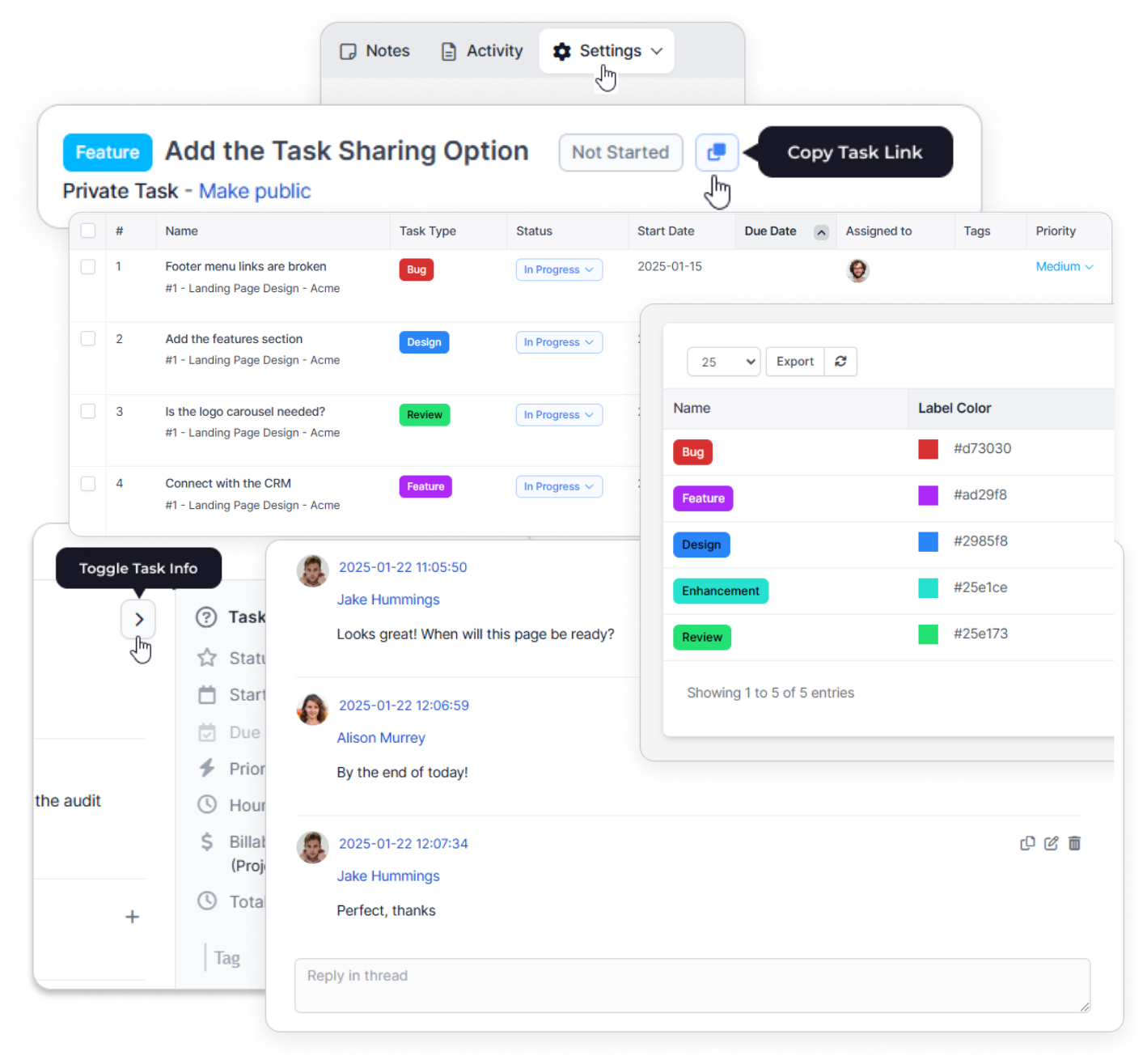
Project Management Enhancements Module for Perfex CRM allows you to take your project management capabilities to the next level. This Perfex module has been designed to elevate your productivity and streamline team collaboration. Packed with powerful features, it redefines how you manage tasks, communicate with your team, enforce delivery sequencing, and organise your projects.
WHO IS IT FOR?
This module is ideal for businesses and organisations that:
- Need advanced project management capabilities beyond Perfex CRM’s standard features
- Manage multiple projects with diverse teams and require better task organisation and tracking
- Want to improve team collaboration through threaded discussions, task highlights, dependency visualisation, and task categorisation
- Need flexible project note-taking with the ability to create, edit, and pin unlimited notes per project
- Require customisable task types (bugs, features, general tasks) with visual labels for better workflow management
- Want to streamline communication by sharing specific tasks and comments via direct links
- Need project owners with automatic visibility across all project tasks without individual assignments
- Value enhanced productivity through features like image pasting, expandable comment threads, and task highlights
WHAT’S NEW
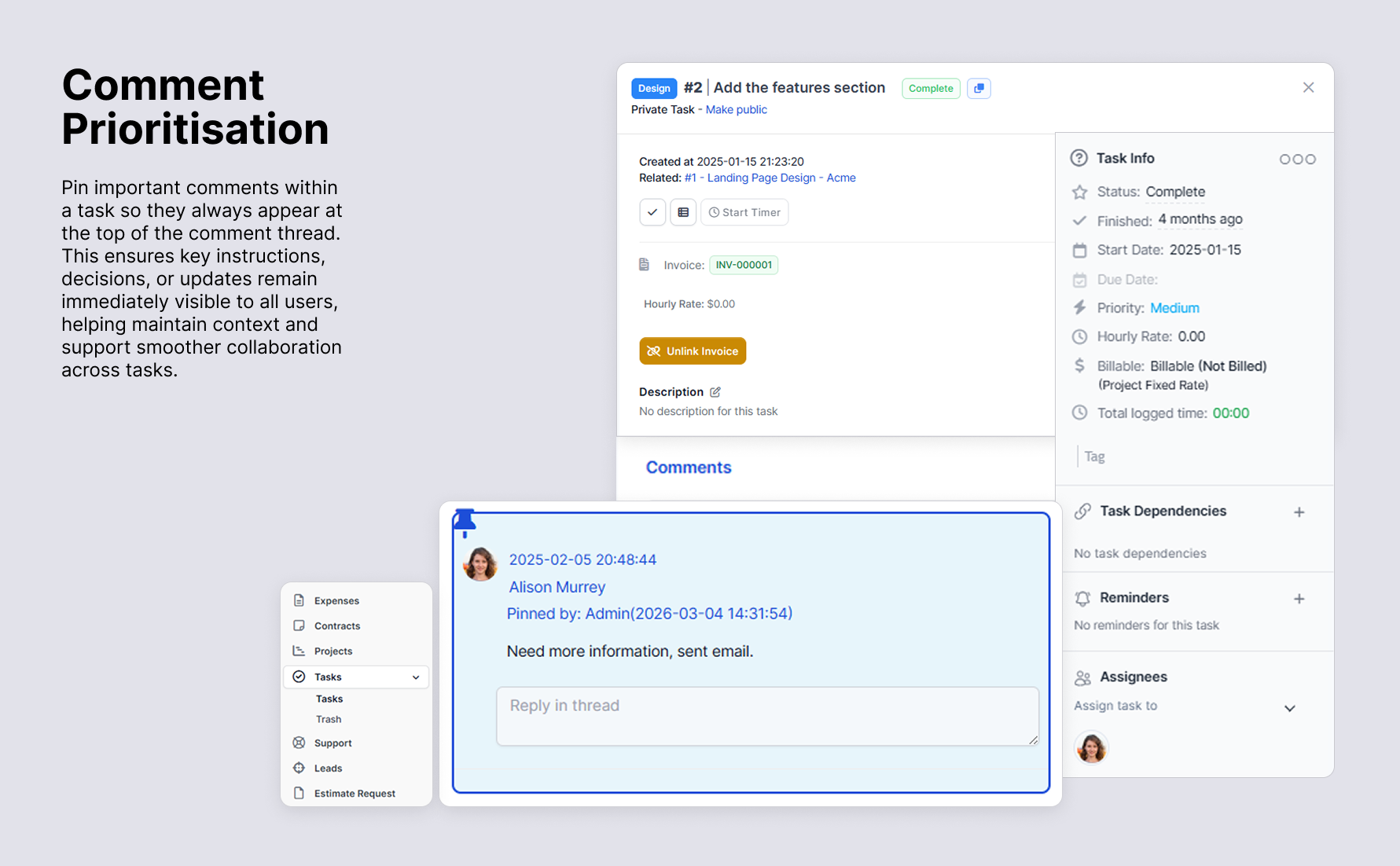
Comment Prioritisation: Pin important comments within a task so they always appear at the top of a task’s comment thread. Pinned comments remain fixed at the top of the comments section, ensuring critical instructions, decisions, or updates are immediately visible to everyone. Ensures that the most important context is always accessible, supporting smoother collaboration and better task management.
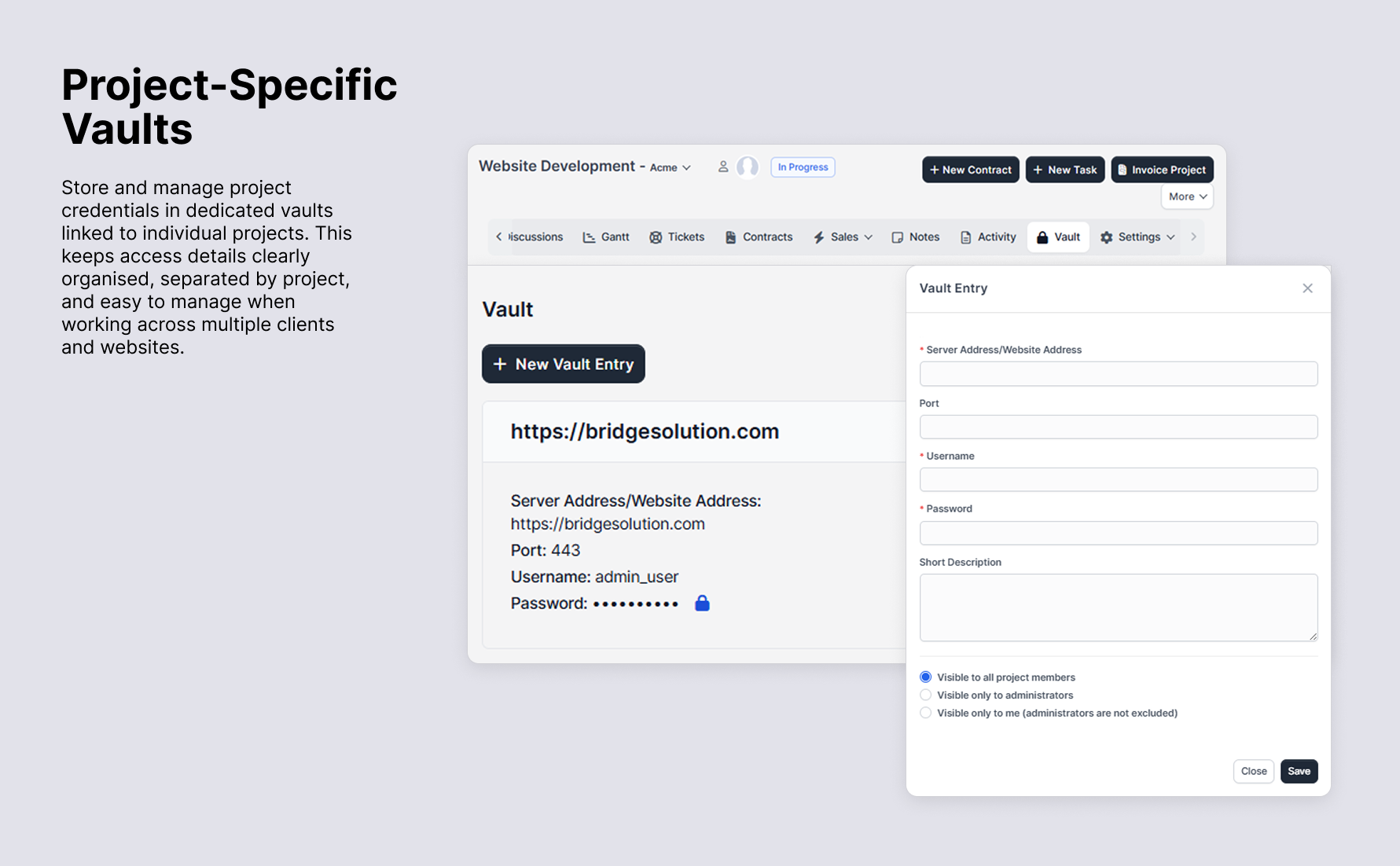
Project Specific Vaults: Each project has its own dedicated vault where credentials can be securely stored and accessed. Credentials are saved per project, not per customer, ensuring better organisation, improved security, and clear separation of project-specific information.
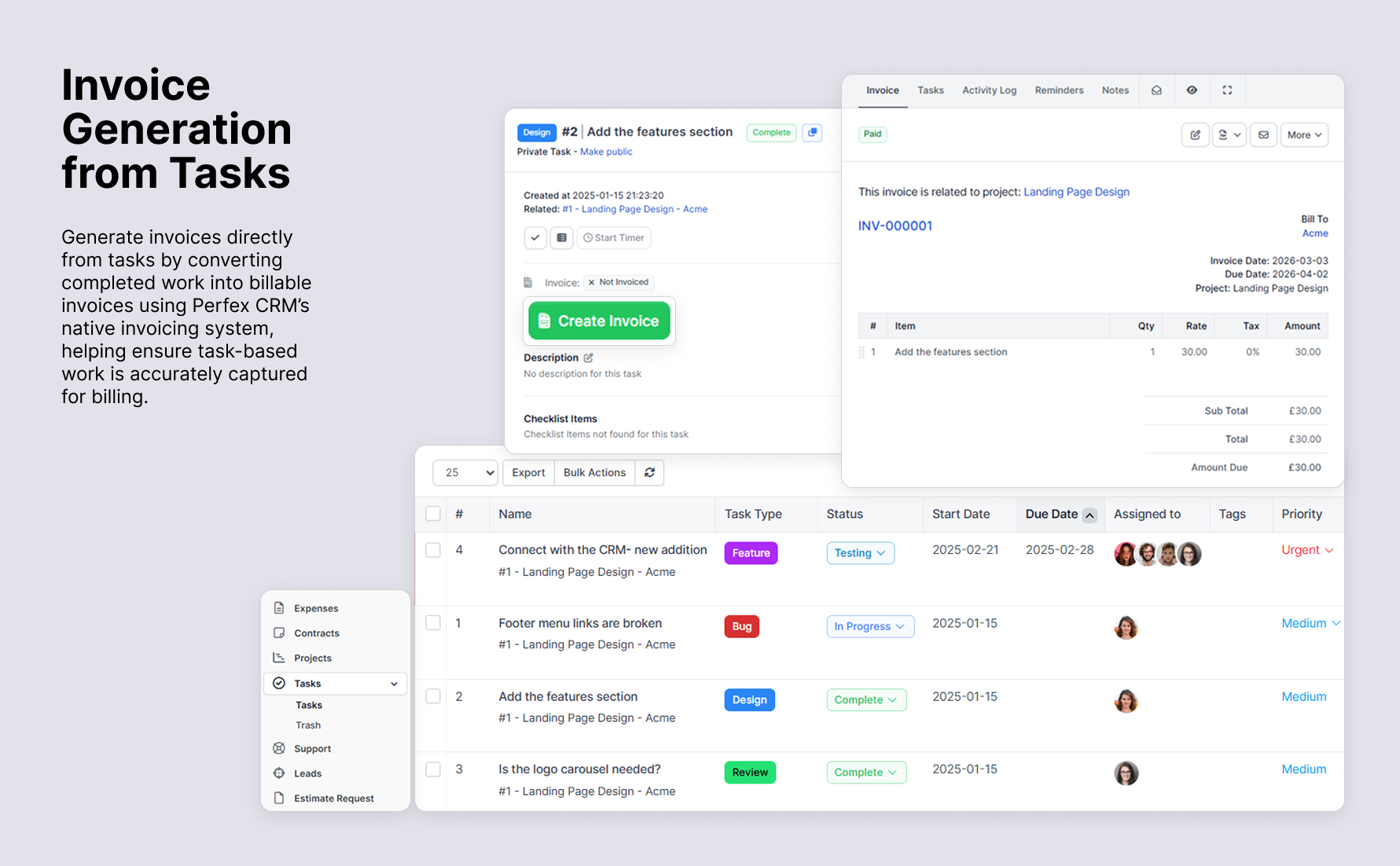
Invoice Generation from Tasks: Generate invoices directly from tasks, enabling seamless billing by converting task-related work into invoices using Perfex CRM’s native invoicing system.
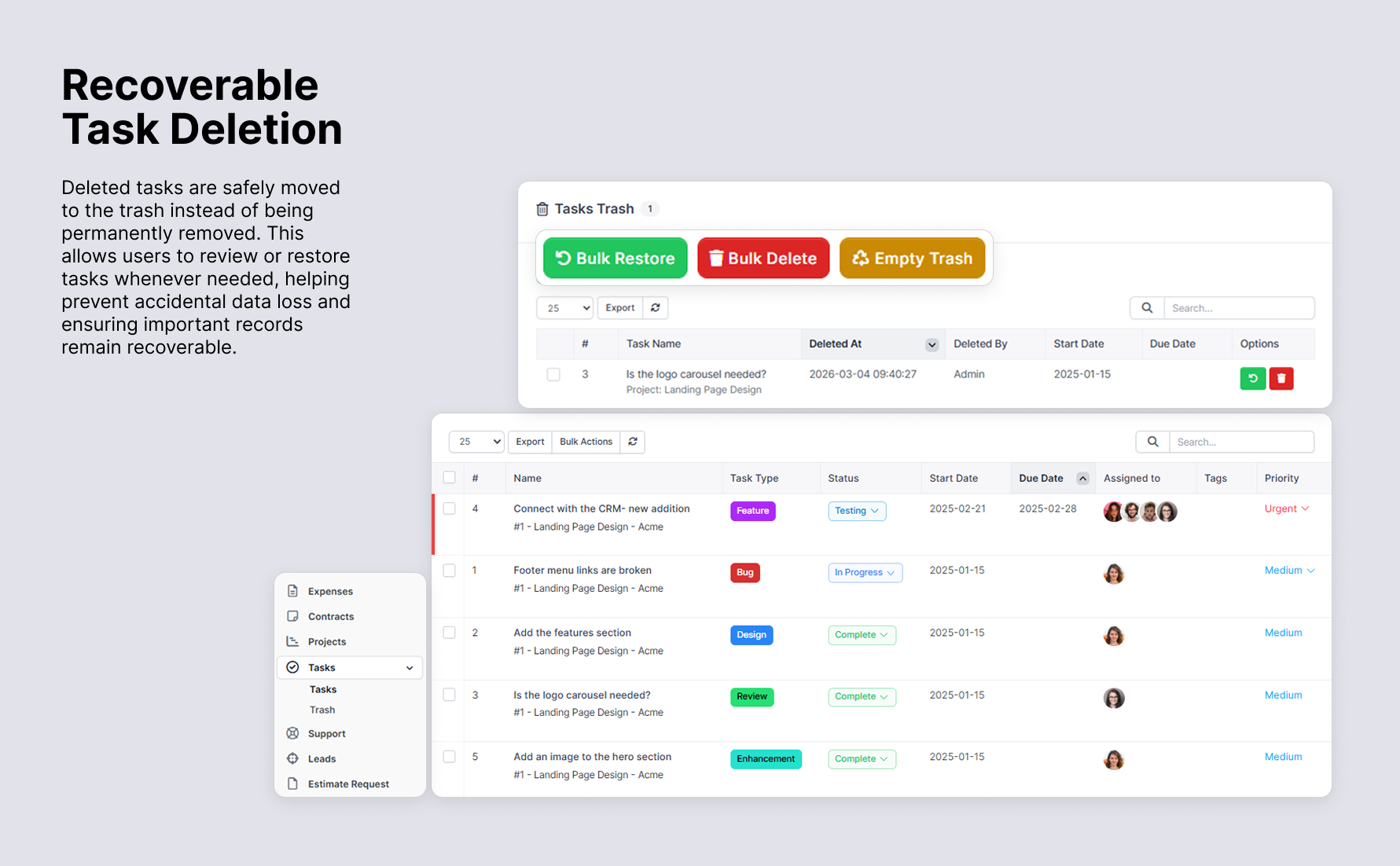
Recoverable Task Deletion: Deleted tasks are safely moved to a trash folder instead of being permanently removed, improving data safety, auditability, and operational confidence by ensuring that important task records are never lost due to accidental deletion.
CORE FEATURES
Task Dependencies: Define Asana-style dependencies directly on the task modal, with clear guidance for “waiting for”, “blocking”, “reference”, and “linked” relationship types. A dedicated sidebar lists every upstream and downstream dependency, letting you view and manage task relationships without leaving the modal. Dependencies can be added or removed in real time, and linked-task synchronisation keeps related tasks aligned as statuses change.

Global Task Types for Projects: Now you can define task types just once and apply them universally, saving you time and ensuring consistency. When creating a new task type, you’ll have flexible options to control its scope, add to existing projects or add to future projects. Global Task Types can be managed in Setup -> Settings -> Global Task Types for Projects.

Project Notes Redefined: Perfex CRM originally allowed only a single note per project, but we have enhanced this feature to give you greater flexibility. Now, you can create unlimited project notes, edit, delete, and pin important notes to keep them easily accessible. Stay organised with multiple notes and ensure key project details are always at your fingertips.

Task ID on the Task Popup: We have added the Task ID to the task popup for quick reference. This makes it easier to track and share tasks without needing to open the full task details.

Expandable Comment Threads: We’ve improved comment threads to enhance clarity. Previously, long comment threads could get confusing, with no clear indication of where the replies ended. Now, any comment with replies will display the number of replies, and users can click to view them. This keeps the task comment section clean and organised, making it easier to follow discussions.

Task Highlights: Stay on top of project updates effortlessly! With our latest feature, any task with recent changes will be automatically highlighted in the task list, ensuring you never miss an important update. Tasks will be highlighted when a new comment or reply is added on a task, a comment thread is updated, the task status changes. The updated tasks will be highlighted for task assignees and task followers.

Project Settings Menu: Access and manage all project-specific configurations from a centralised project settings menu, making it easier to customise task types and other project preferences.

Task Types: Categorise tasks as general tasks, bugs, or new features, or customise your own. Add task types directly from the introduced project settings menu to suit your project needs.

Custom Label Colours for Task Types: Personalise task labels with custom colours. Use the colour picker or paste your preferred hex code to design task labels that visually align with your workflow. Customise label font colours for better visibility on light or dark label backgrounds.

Task Sorting by Task Type: On the task list page, sort tasks by your custom task types like bugs, features, or any category that you have created to suit your workflow.

Image and Screenshot Pasting in Task Comments: Easily communicate with your team by pasting images and screenshots directly into task comments. Images are displayed in full screen when clicked, ensuring clarity in collaboration.

Task Sharing via Link: Easily share tasks with your team using the one-click copy link option, available on both the task details page and the task list page.


Comment Sharing via Link: Share specific comments with your team using the copy-link button. When your other team members access this shared comment via the provided link it automatically scrolls to it, ensuring precise communication.

Task Info Toggle Button: Simplify navigation in tasks with a toggle button that expands or collapses task details. Maximise space for reading task descriptions and comments when needed.

Reply to Task Comments: Team members can now work more effectively with the ability to organise discussions into clear, focused threads. This feature ensures that conversations stay relevant, making it easier to track ideas, resolve issues, and communicate seamlessly within tasks.

Project Owners: You can assign different owners to different projects, giving designated leaders full visibility of all tasks within their projects without individual assignments. Simply select project owners in the dropdown when creating or editing a project-they will automatically be added as task followers for all tasks within that project.

More features on the way. Feel free to send through your feature request.
INQUIRIES AND SUPPORT
For any pre-sales inquiries, please use the discussion tab to ask any questions you may have.
If you have purchased this module and require support, please open a support query, and we will be glad to assist you.
For feature requests, please email us on the provided email address on our seller profile.
CHANGELOG
Version 1.4.3 | 13 March 2026
- Fixed: Relation tasks not loading in the project tasks view. - Fixed: Added missing database migration for the soft delete feature.
Version 1.4.1 | 07 March 2026
- Added: Pin and unpin comments on tasks to keep critical information visible at the top of the comment thread. - Added: Project-specific vault for securely storing and managing project credentials. - Added: Invoice generation directly from a task, enabling seamless billing through Perfex CRM's native invoicing system. - Added: Recoverable task deletion — deleted tasks are moved to a trash folder and can be restored or permanently removed. - Added: New Contract button on the project details page for projects linked to a client. - Fixed: Tasks failing to load in certain cases. - Fixed: Task search not returning correct results. - Improved: Task dependency listing display.
Version 1.3.5 | 04 December 2025
- Added: Asana-style task dependency management with waiting, blocking, reference, and linked types on the task modal. - Improved: Dependency workspace UX with inline helper text and AJAX-powered add/remove actions.
Version 1.3.3 | 18 September 2025
- Fixed: Unable to open task in Perfex CRM version 3.4.0.
Version 1.3.2 | 27 August 2025
- Fixed: An issue that caused the save button to become invisible in the Settings section.
Version 1.3.1 | 14 June 2025
- Added: Global task types for all projects, now manageable in Setup > Settings > Global Task Types for Projects. - Improved: Moved the licence menu from the main sidebar to the module menu on the modules listing page. - Fixed: Bug that caused a "cannot load tasks" error related to the task_type column in the tasks table.
Version 1.2.8 | 21 March 2025
- Added: Task ID on the task popup for quick reference. - Added: Unlimited project notes with card and list view layouts, plus options to edit, delete, and pin notes. - Fixed: Minor bug fixes.
Version 1.2.6 | 28 February 2025
- Improved: Expandable comment threads for project tasks to improve clarity and reduce clutter. - Improved: Project owners are automatically removed from the task follower list when removed from a project.
Version 1.2.2 | 18 February 2025
- Improved: Filter project tasks by task type using the search input on the project tasks page. - Improved: Task info is now expanded by default on the task modal.
Version 1.2.1 | 14 February 2025
- Added: Project owners.
Version 1.2.0 | 08 February 2025
- Fixed: Tasks table failing to load. - Fixed: Task comment attachment showing a placeholder instead of the image.
Version 1.1.9 | 06 February 2025
- Added: Task highlights.
Version 1.1.7 | 22 January 2025
- Added: Task comment threads. - Improved: Image handling — pasted images in task comments are now uploaded to reduce task loading size. - Fixed: Minor bugs for performance enhancement.
Version 1.1.3 | 16 January 2025
- Added: Sortable task types on the task list page. - Added: Copy task link on the task list page. - Added: Task type font colour options. - Fixed: Image format issues in task comments.
Version 1.1.0 | 09 January 2025
- Improved: Default task types are now editable for all projects.
Version 1.0.9 | 03 January 2025
- Fixed: Minor bug fixes.
Version 1.0.7 | 01 January 2025
- Initial release.


