Progress bar
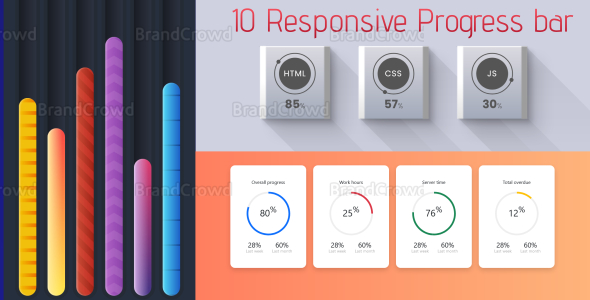

Main Freatures
- 10 Progress Bar
- Responsive
- Clean code
- Separete folder
- Documentation included
Progress Bar List 01-progress-bar 
02-progress-bar 
03-progress-bar 
04-progress-bar 
05-progress-bar 
06-progress-bar 
07-progress-bar 
08-progress-bar 
09-progress-bar 
10-progress-bar 
How to use the progress bar.
First unzip the main zip file. Then go to main folder and go to the progress folder of your choice. Again you can see the css and js and html files here. css and js paste in your project. (For a progress bar, you don’t need all the code of the css file. You can understand it by looking at a css file, everything is said there).In some places % is given in the value and in some places it is not.
01_progress_bar 
In this progress bar you can see the value of red color displayed by design in html. And through the green color, the number is the value.
Here’s how you set your expected value here: red color
style="--num: your value " (it's displayed by design) <i>green color</i><br /> <"h2"> your value<"span">%</"span"><"/h2">
02_progress_bar
red color style=”—value: your value ” (it’s displayed by design)
A value will appear in two places. 03_progress_bar
red color
value=” your value” (it’s displayed by design)
04_progress_bar
red color
value=” your value ” (it’s displayed by design)
style=”—value: your value ” (it’s displayed by design)
05_progress_bar
It basically shows different values through different colors on a progress bar. Next is the normal progress bar. Next is the animated progress bar. (It doesn’t statically show the animation but if you set the value the animation will look like below)
style=”—value: your value ” (it’s displayed by design)
The number displayed is the value given to the child of the : your value % tag
06_progress_bar style=”—value: your value ” (it’s displayed by design)
style=”—progress_bar_color: set your color”
07_progress_bar
Here everything is denoted by yellow and purple color arrows. purple style=”width: Your value”; (it’s displayed by design) yellow The number displayed is the value given to the child of the : your value % tag
08_progress_bar
style=”—per: Your value”; (it’s displayed by design) yellow
The Skills displayed is the value given to the child of the : your skills name tag
 Clicking on + button will show some more skills names and click ” – “button to hide
09_progress_bar
In this progress bar you can see the value of yellow color displayed by design in html. And through the blue color, the number is the value.
Here’s how you set your expected value here: yellow
style=”width: Your value %”; (it’s displayed by design)
blue color
<”div”> your value %</”div”>
10_progress_bar
In this progress bar you can see the value of red color displayed by design in html. And through the orange, yellow,green color, the number is the value.
Here’s how you set your expected value here: red color
data-value=”your value ” (it’s displayed by design) Code and design are denoted by the same color.
folder structure 
0 average based on 0 ratings.


