ProfitPulse – WooCommerce Profit Calculator
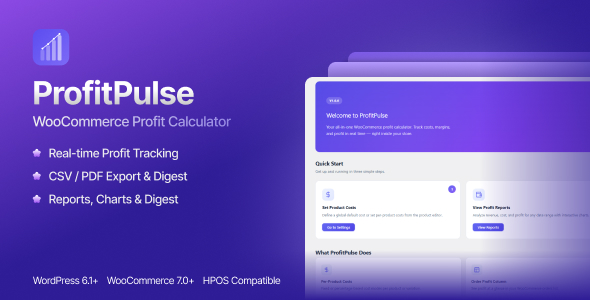

ProfitPulse — WooCommerce Profit Calculator | Track Costs, Margins & Profit in Real Time
ProfitPulse is a powerful WooCommerce profit calculator plugin that brings full profitability visibility to your WordPress store. Set product costs (COGS), track real-time margins, refunds, and generate advanced profit reports — all from your WooCommerce dashboard.
Stop guessing and start knowing exactly how much profit every product and every order generates.
Whether you sell physical products, digital goods, or subscriptions — ProfitPulse gives you the clarity you need to make smarter pricing decisions and grow your bottom line.
Why Choose ProfitPulse?
- Real-time profit tracking for every WooCommerce order
- Per-product & per-variation cost management (Fixed, Percent, or Inherited)
- Refund analytics with automatic net revenue calculation
- Beautiful profit reports with interactive charts & period comparison
- Inventory valuation showing stock value at cost and retail
- CSV & PDF export for bookkeeping and analytics
- Email digest — weekly/monthly profit summaries to your inbox
- Smart alerts — profit threshold & low-stock notifications
- Slack & Discord webhook integration
- HPOS compatible — works with WooCommerce High-Performance Order Storage
- REST API & Webhooks for external system integration
- Developer friendly — extensible with WordPress filters
- Performance optimised — meta preloading & smart report caching
- Translation ready — full i18n support
Profit Reports & Analytics
Navigate to ProfitPulse → Reports to access a powerful analytics dashboard built specifically for WooCommerce store owners.
- Revenue Tracking — Total revenue across any selected period
- Total Refunds — Track refunds across orders and products
- Net Revenue — Automatically calculated as revenue minus refunds
- Total Cost — Cost of goods including shipping, handling, and advertising
- Total Profit — Your real earnings after all deductions
- Average Margin — Store-wide profit margin percentage
- Orders with Refunds — Count of refunded orders in the selected period
Inventory Summary
ProfitPulse also includes a store inventory overview inside reports:
- Inventory Value at Cost — Total stock value based on product costs
- Retail Inventory Value — Stock value based on product selling price
- Stock Units Count — Total number of items in inventory
- Potential Profit — Estimated profit if all stock sells at current prices
Advanced Report Controls
- Date Range Presets — Last 7 days, This month, Last quarter, Year to date
- Period Comparison — Compare current vs previous period with percentage change
- Category Filtering — Analyse profit by WooCommerce category
- Configurable Top Products Table — Choose which columns to display (Revenue, Cost, Refunds, Profit, Margin)
- Custom Top Product Limits — Show 5, 10, 25, or 50 products
- Timezone-aware reports using WordPress timezone
- Large store support with optimized report caching and time limits
Interactive Charts
- Profit Trend Chart — Daily revenue, cost, refunds & profit
- Top Products Bar Chart — Visual ranking of most profitable products
- Category Pie Chart — Profit distribution by category
- Cost Breakdown Chart — Compare costs, advertising, and profit
- Refund Trend — Daily refund tracking in reports
Per-Product Cost Management
Set product costs in three flexible ways to match your business model:
- Individual Product Settings — Configure costs inside the ProfitPulse tab in product edit screen
- Bulk Cost Manager — Export all product cost data as CSV, edit in Excel or Google Sheets, and re-import instantly
- Global Default Costs — Define fallback cost rules for products without overrides
Cost Fields Per Product & Variation
- Cost Mode — Inherit, Fixed, or Percentage of selling price
- Fixed Cost / Percent Cost — Per-unit cost of goods
- Shipping Cost / unit — Optional per-unit shipping cost
- Handling Cost / unit — Optional per-unit handling cost
- Advertising Cost / unit — Optional per-unit ad spend
- Cost History — Logged changes for auditing
For Variable Products, each variation has its own set of cost fields.
Order Profit Analysis
- Orders List Column — Cost and Profit columns added to WooCommerce orders list
- Sortable Order Columns — Sort by profit or cost directly in admin
- Order Edit Screen — Full per-item profit breakdown
- Bulk Export — Export profit data for multiple orders
- WooCommerce Analytics Integration — Cost and Profit columns in Analytics Orders report
Products List Enhancements
- Cost / Margin Column — Sortable column showing cost and margin %
- Smart Filters — Filter products without cost or with low margins
- Quick “Set Cost” row action
Calculation Settings
- Include Shipping
- Include Tax
- Include Fees
- Include Advertising Cost
Automation & Notifications
Email Digest
- Weekly or monthly automated profit summaries
- Custom recipient email
- Optional CSV attachment
- Send Test Email button
Profit Alerts
- Email alerts when profit goes above or below threshold
- Daily or weekly monitoring
Low Stock Alerts
- Alerts for high-profit products running low on stock
- Custom stock threshold and minimum profit requirement
Slack & Discord Webhooks
- Send reports and alerts to Slack or Discord
- Simple webhook configuration
REST API & Webhooks
/wp-json/profitpulse/v1/products/{id}/profit-data/wp-json/profitpulse/v1/orders/{id}/profit/wp-json/profitpulse/v1/report
Automatically send order profit data to external systems via webhook when orders are completed or processing.
Developer Hooks & Filters
profitpulse_costprofitpulse_cost_from_externalprofitpulse_profit_breakdownprofitpulse_debug
Onboarding Wizard
ProfitPulse includes a 3-step setup wizard that helps configure cost settings, reports, and email digest in minutes.
Requirements
- WordPress 6.0+
- WooCommerce 7.0+
- PHP 7.4+
- Tested up to WordPress 6.7
- Tested up to WooCommerce 9.0
- HPOS compatible
Changelog
Version 1.2.0 — 2026-02-26
- Refund analytics added to reports
- Total Refunds card and per-product refund tracking
- Net Revenue calculation (Revenue − Refunds)
- Orders with refunds count added to reports and exports
- Refund comparison in period analysis
- Refund trend added to profit chart
- Inventory valuation summary added to reports
- REST API report endpoint now includes refund data
- Configurable Top Products table columns
- Customizable number of Top Products displayed
- Optional visibility toggle for Total Refunds card
- Timezone-aware report presets using WordPress timezone
- Report cache improvements and automatic invalidation
- Performance improvements for large date ranges
- Date range validation and maximum 365-day range
- Improved report export and digest data
- All new UI strings translatable and properly escaped
Version 1.1.0 — 2026-02-25
- Fixed infinite recursion on order edit page
- Fixed admin order screen loading issue
- Batch loading optimization for product categories
- Bulk Cost Manager performance improvements
- Reduced redundant database queries
Version 1.0.1 — 2026-02-17
- Cost column added to orders list
- Sortable Cost and Profit columns
- Order cost/profit caching for performance
- WooCommerce Analytics integration
- Orders report CSV export support
- Improved translation coverage
Version 1.0.0 — 2026-02-16
- Initial release
- Per-product cost management
- Profit reports with charts
- Email digest and alerts
- Bulk cost manager
- REST API and webhooks
- HPOS support
- Onboarding wizard
- CSV & PDF exports
Support & Documentation
- Documentation — Included with plugin
- Support Portal — https://teconce.ticksy.com/
- Response Time — Usually within 24 hours on business days
ProfitPulse is developed by Teconce LLC, an Envato Elite Author with 14+ years of WordPress development experience.
$39 |
Download |
0 average based on 0 ratings.

| Last Update | 2026-02-28 |
| Created | 2026-02-17 |
| Sales | 0 |
| Discussion | Comments |
| Compatible Browsers | IE11 Firefox Safari Opera Chrome Edge |
| Software Version | WordPress 6.9.x WordPress 6.8.x WordPress 6.7.x WordPress 6.6.x WordPress 6.5.x WordPress 6.4.x |
| Compatible With | WooCommerce 9.x.x WooCommerce 8.x.x WooCommerce 7.x.x WooCommerce 6.x.x WooCommerce 5.x.x |
| Gutenberg Optimized | No |
| High Resolution | Yes |
| Files Included | JavaScript JS HTML CSS PHP |
| Video Preview Resolution |


