Virtual Try-On Plugin AI-Powered Product Visualization


Tested with WooCommerce 8.x & WP 6.4 & PHP 8.2
Virtual Try-On Module lets your customers instantly see how any product looks on them — using AI-powered image merging with the Google Gemini Vision API. Upload a product image, let the customer submit their photo, and the plugin delivers a photorealistic composite in seconds. No apps to download, no manual editing. Just one click and done.
How It Works — AI-Powered Virtual Try-On
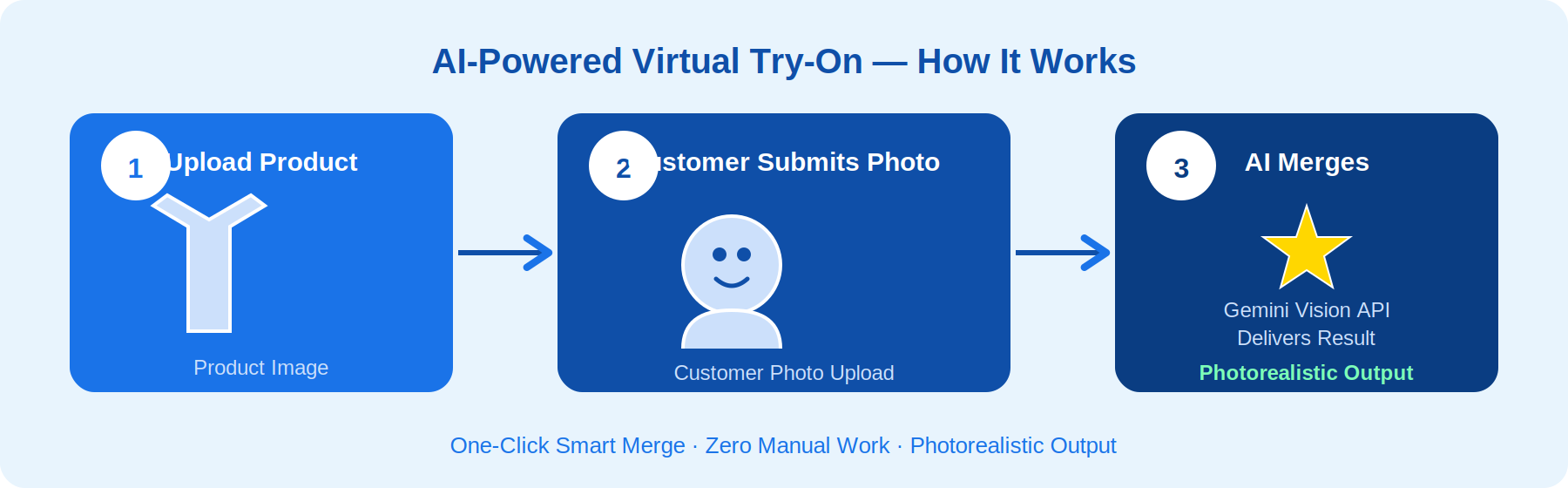
The plugin integrates directly with your WooCommerce product pages. Using Google’s Gemini Vision API, it intelligently overlays product images onto customer photos with near-photorealistic accuracy — no third-party apps or subscriptions required beyond your API key.
AI Image Merging — Gemini API Integration
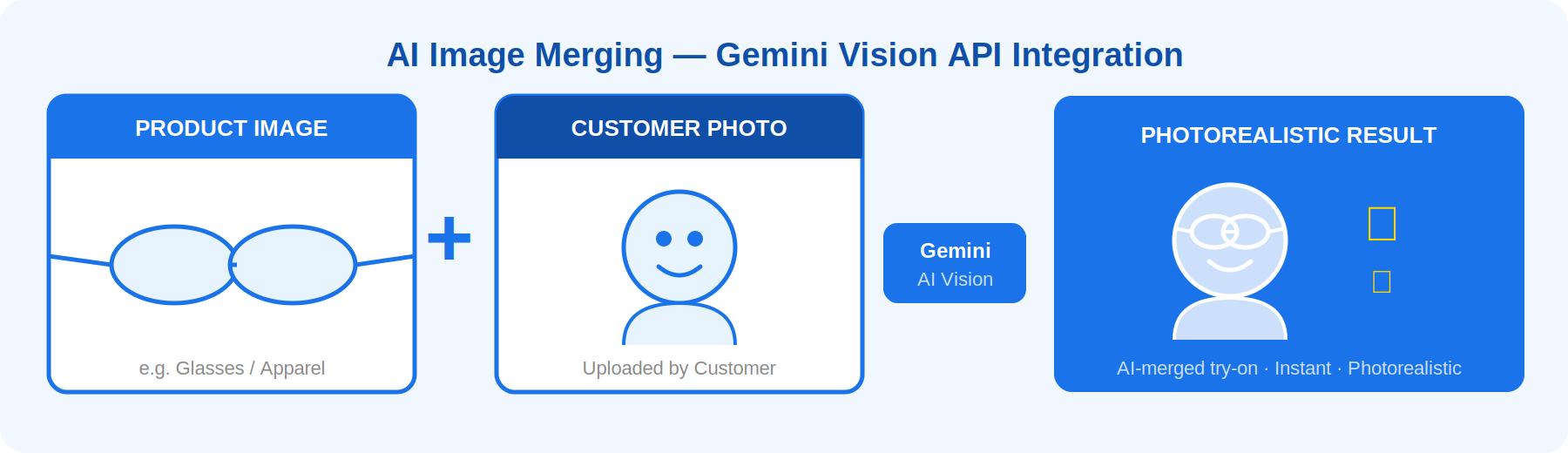
Customers simply upload their photo on the product page and click “Try It On”. The plugin sends both images to the Gemini Vision API, receives the merged result, and displays it inline — all within seconds. Zero manual work. Zero configuration per product.
Top 7 Virtual Try-On Features
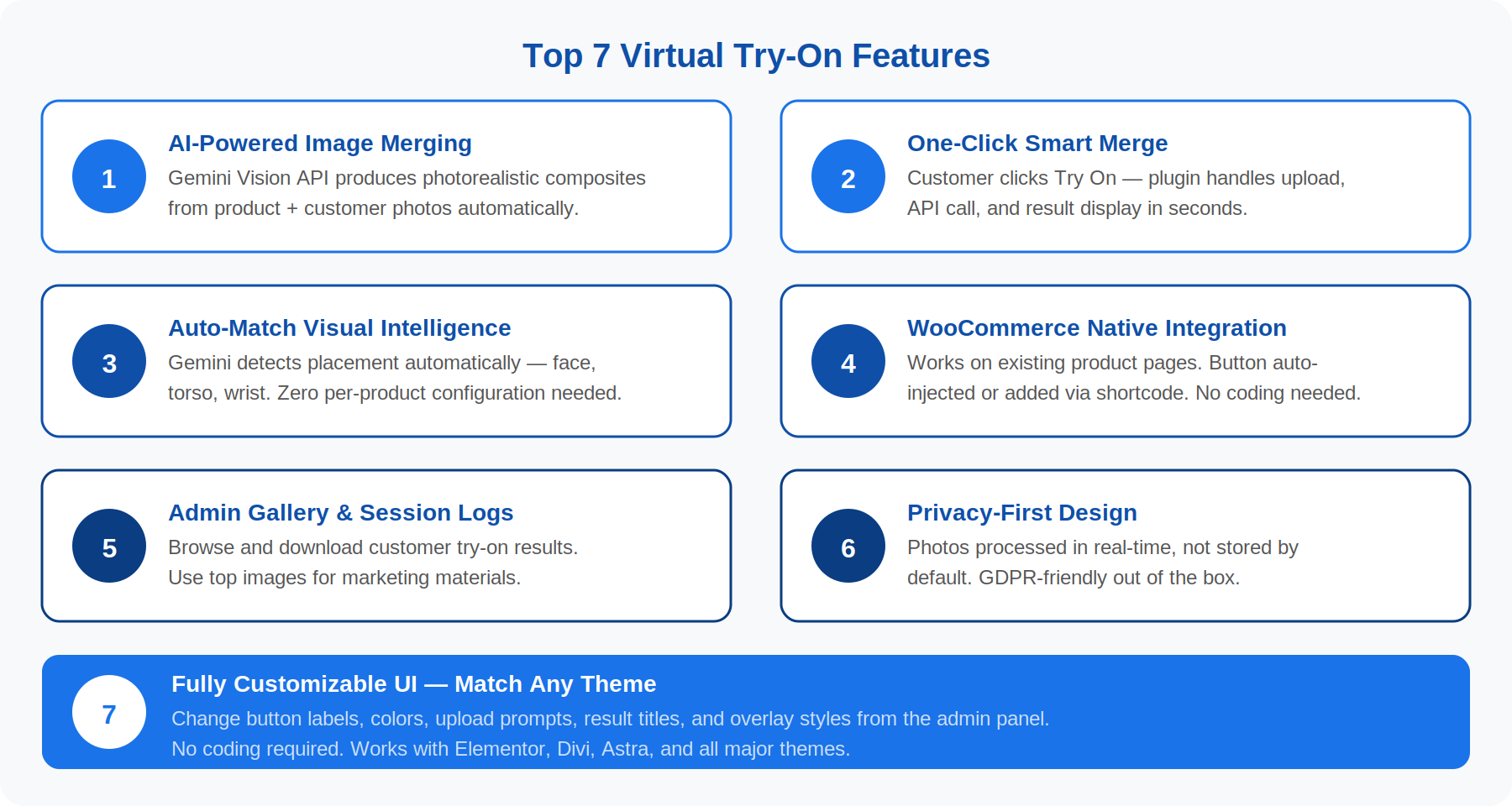
1. AI-Powered Image Merging
Integrates with the Google Gemini Vision API to produce intelligent, photorealistic composites of any product + customer photo. No manual editing. No third-party apps. Just your API key and the plugin does the rest.
2. One-Click Smart Merge
Customers upload their photo on the product page and click Try On. The plugin handles everything: sending both images to Gemini, receiving the merged result, and displaying it inline — all in seconds.
3. Auto-Match with Visual Intelligence
Gemini Vision understands spatial context — it automatically detects where to place the product (face, torso, wrist, etc.) based on product type. Zero configuration required per product.
4. WooCommerce Native Integration
Works seamlessly with your existing WooCommerce product pages. The Try-On button can be added via a shortcode or automatically injected into product pages using the settings panel — no coding required.
5. Admin Gallery & Session Logs
Every try-on session is optionally logged in the admin panel. Browse customer-generated composites, download them, and use top results for your marketing materials and social proof.
6. Privacy-First Design
Customer photos are processed in real-time and never permanently stored on your server unless you explicitly enable the gallery log feature. GDPR-friendly by default. A GDPR notice template is included.
7. Fully Customizable UI
Match the try-on interface to your existing theme using the settings panel. Change button labels, upload prompts, result titles, and overlay colors — no coding required.
Admin Panel — Everything in One Place
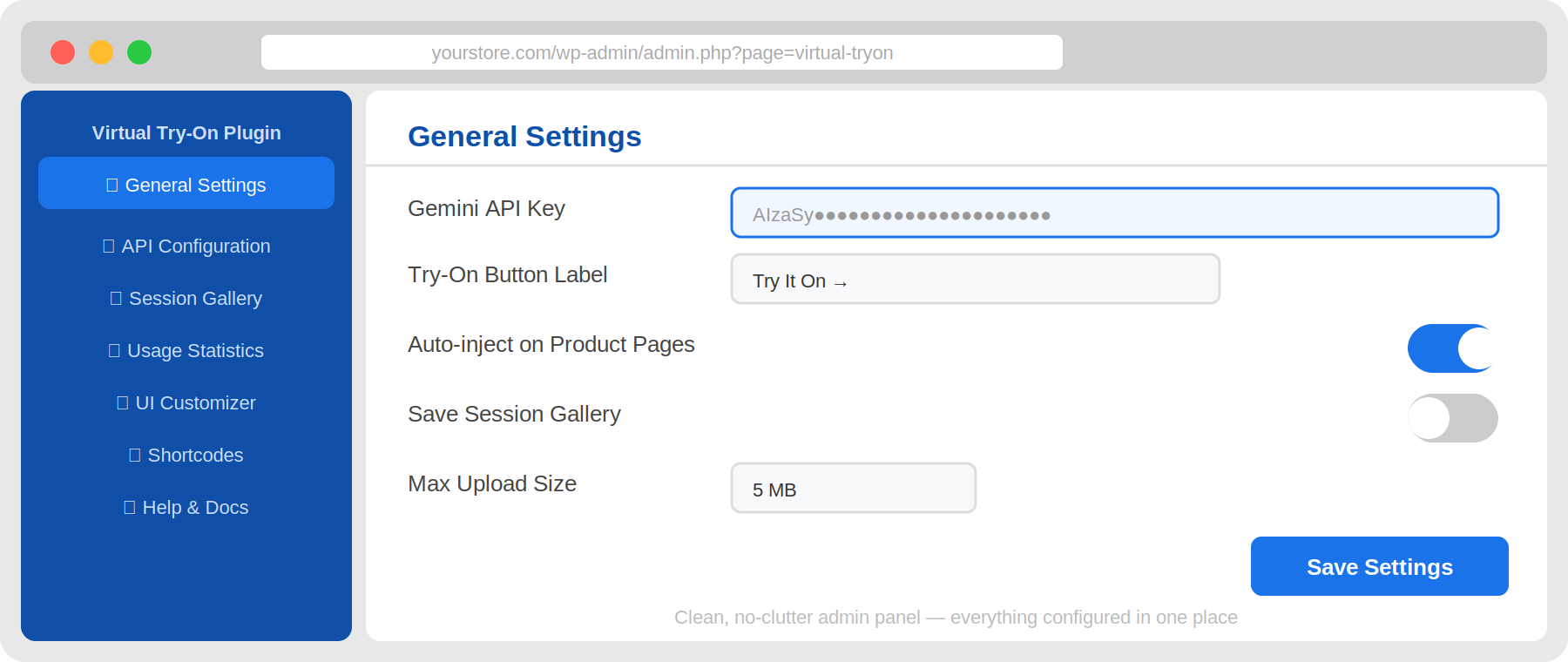
Everything is managed through a clean admin panel. You rarely need to touch anything outside the plugin settings for vital product-related configuration.
- General Settings — configure API key, button labels, upload limits
- API Configuration — enter and verify your Google Gemini API key securely
- Session Gallery — browse, download, and delete customer try-on results
- Usage Stats — track total try-ons, success rates, and API usage
- UI Customizer — change colors, labels, and button styles to match your theme
- Shortcodes Reference — quick copy of all available shortcodes
Integration & Compatibility
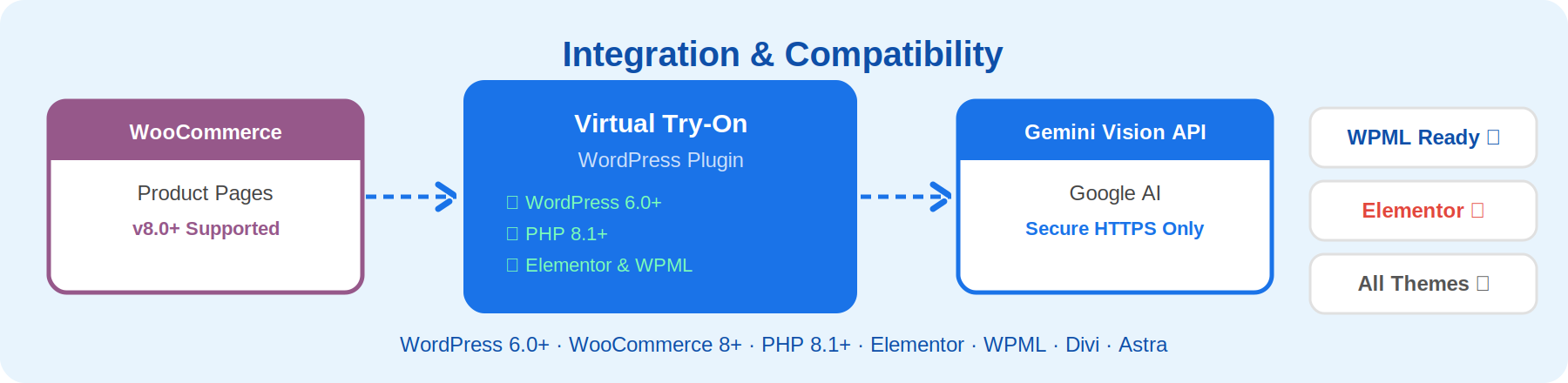
Virtual Try-On Module is built to work with your existing stack — no conflicts, no rebuilds.
- WordPress 6.0+
- WooCommerce 8.0+
- PHP 8.1+
- Elementor Compatible
- WPML Compatible
- Divi, Astra, OceanWP, and all major themes
Plenty of Shortcodes
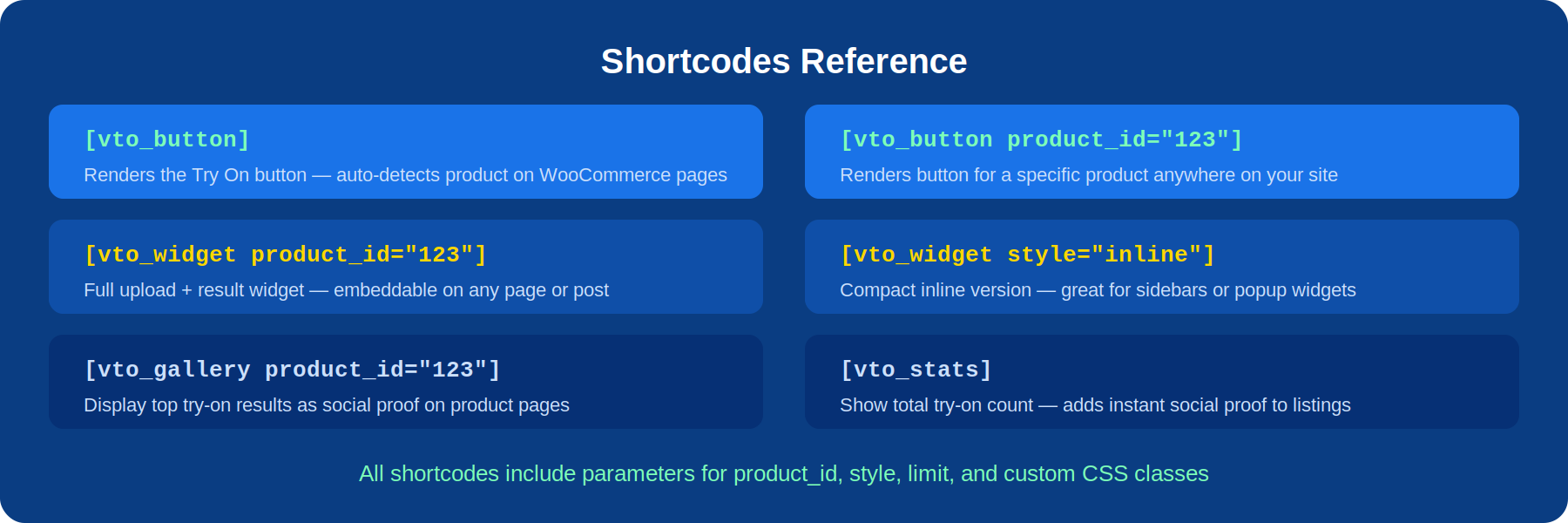
We have a shortcode for every scenario. There are more than 6 Shortcodes:
- Try-On Button
- [vto_button product_id=”123”] — renders the Try On button for a specific product
- [vto_button] — auto-detects the product on WooCommerce product pages
- Try-On Widget
- [vto_widget product_id=”123”] — full upload + result widget, embeddable anywhere
- [vto_widget style=”inline”] — compact inline version for sidebars or popups
- Result Gallery
- [vto_gallery product_id=”123” limit=”6”] — display top session results as social proof
- Stats
- [vto_stats] — show total try-on count for social proof on product pages
Integrated but Isolated — Privacy-First & Secure
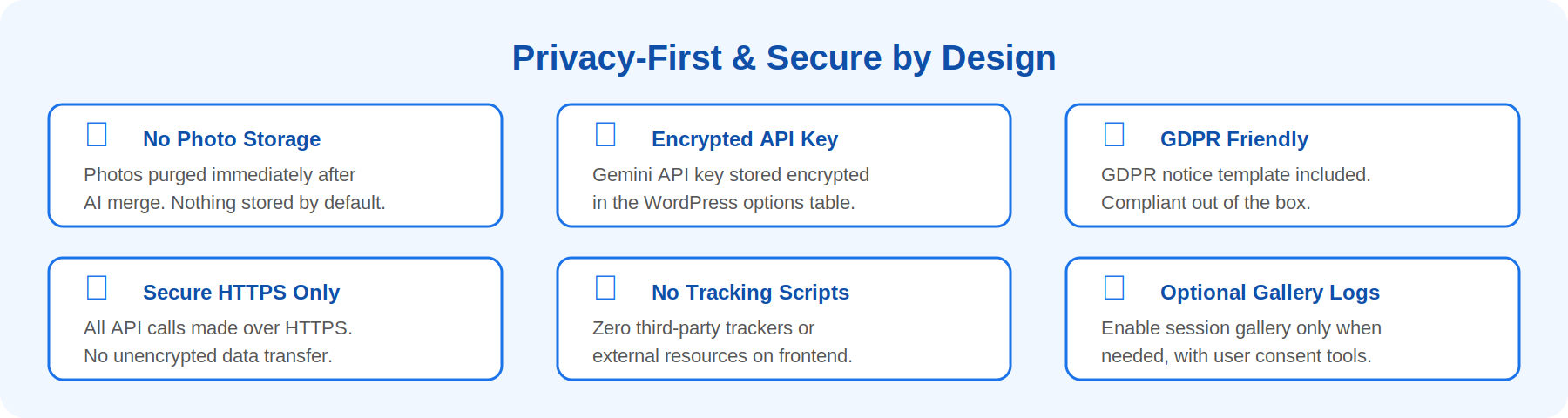
Worried about your customers’ privacy and data? Here is how we handle it:
- Photos are transmitted securely via HTTPS to the Gemini API only
- No photos stored on your server by default — purged immediately after merging
- Optional gallery logging can be enabled in the admin panel (GDPR notice template included)
- Your Gemini API key is stored encrypted in the WordPress options table
- No third-party tracking scripts or external resources are loaded on the frontend
- Your WooCommerce store remains 100% secure even if the plugin is compromised
Multilingual (WPML Compatible)
Virtual Try-On Module is multilingual ready and supports the WordPress standard translation method using .po/.mo files. All strings are ready for translation for both the backend and frontend.
- Arabic
- French
- German
- Spanish
- Portuguese
- Dutch
- And more via .po/.mo files
Simple Setup
All you need to do is enter your Google Gemini API key once in the settings panel, and let Virtual Try-On Module do the magic. If you are familiar with WordPress and have a working WooCommerce store, it takes less than 30 minutes to have AI-powered try-on live on your product pages.
Works With Every Product Category
- Clothing & Apparel (shirts, dresses, jackets)
- Eyewear (glasses, sunglasses)
- Jewellery & Accessories (necklaces, bracelets, rings)
- Headwear (hats, caps, beanies)
- Footwear (shoes, sneakers, boots)
- Watches & Smart Bands
- Bags & Handbags
- And more — Gemini Vision detects placement automatically
High Speed
Virtual Try-On Module is lightweight — it adds less than 50 KB to your product page load. API calls to Gemini Vision are made asynchronously so they never block page rendering. Results are optionally cached per product+customer combination to reduce repeat API usage and cost.
| Documentation Full setup guide, shortcode reference, and Gemini API key walkthrough included. | Video Tutorials Step-by-step video walkthroughs covering installation, first try-on, and admin configuration. | Dedicated Support Submit a support ticket directly from your CodeCanyon purchase. Average response time: less than 24 hours. |
We Listen…
Virtual Try-On Module is built by e-commerce developers who use WooCommerce every day — just like you. Unlike basic product zoom or 360 degree viewers, this plugin uses real generative AI to merge product and customer images — giving shoppers a genuine, personalised preview before they buy. This reduces return rates, increases purchase confidence, and makes your store stand out.
✅ Built by e-commerce developers who understand conversion
✅ Uses Google Gemini — the most advanced publicly available vision model
✅ No SaaS subscriptions — you own the API key and control the data
✅ Works with any product category: clothing, glasses, jewellery, hats, watches, shoes
✅ Lightweight — adds less than 50 KB to your product page load
✅ Clean admin panel — no clutter, no complexity
Updates
Version 1.0.0 — Initial release
- AI-powered image merging via Google Gemini Vision API
- WooCommerce product page integration with auto-inject option
- Shortcodes: [vto_button], [vto_widget], [vto_gallery], [vto_stats]
- Admin panel: API settings, UI customiser, session gallery, usage stats
- Privacy-first: no default image storage, GDPR notice template included
- Elementor widget support
- WPML compatible
$34 |
Download |
4.1 average based on 39 ratings.
.png)
| Last Update | 2026-06-06 |
| Created | 2018-05-15 |
| Sales | 787 |
| Discussion | Comments |
| Compatible Browsers | IE11 Firefox Safari Opera Chrome Edge |
| Software Version | WordPress 5.6.x WordPress 5.5.x WordPress 5.4.x WordPress 5.3.x WordPress 5.2.x WordPress 5.1.x WordPress 5.0.x WordPress 4.9.x |
| Compatible With | Elementor WPML |
| Gutenberg Optimized | No |
| High Resolution | |
| Files Included | JavaScript JS CSS LESS PHP |
| Video Preview Resolution |


