Prestashop Skype Call / Chat Button
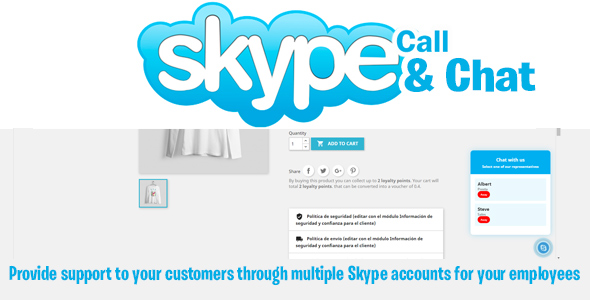

The Skype Call button allows customers to contact Skype on a call or chat. You can assign multiple users to answer queries.
The module can be configured to display the call / chat option using a button, and you can set the color (blue / white), dimensions and your Skype username.
You can transplant the module to the hooks: top / footer / columns from right to left / product page and navigation section (in PS 1.6)
The module also has employee management, so you can assign as many Skype users as you need and at what times they are available (in addition to setting a name for each user as well as a role such as sales, inquiries, etc.).
Using this module, your customers can have direct contact with your support for any questions related to your products in your store, instead of sending emails or filling out contact forms.
Now yuo can share on skype in product page !!!
Features: Configure in diffrent hooks Multiple employees Multistore Diffrent sizes Cross browser
v2.0 compatible ps 1.7
v3.0 – Added multi employee support
v4.0 – Added share option on product page
$33 |
Download |
0 average based on 1 ratings.

| Last Update | 2021-10-06 |
| Created | 2014-09-23 |
| Sales | 5 |
| Discussion | Comments |
| Compatible Browsers | IE6 IE7 IE8 IE9 IE10 IE11 Firefox Safari Opera Chrome |
| Software Version | PrestaShop 8.0 PrestaShop 1.7.8.x PrestaShop 1.7.7.x PrestaShop 1.7.6.x PrestaShop 1.7.5.x PrestaShop 1.7.4.x PrestaShop 1.7.3.x PrestaShop 1.7.2.x PrestaShop 1.7.1.x PrestaShop 1.7.0.x PrestaShop 1.6.1.x PrestaShop 1.6.1 Other |
| High Resolution | No |
| Files Included | JavaScript JS HTML CSS PHP |
| Video Preview Resolution | 1024x768 |


