Radio App & Podcasts - Complete Flutter Solution
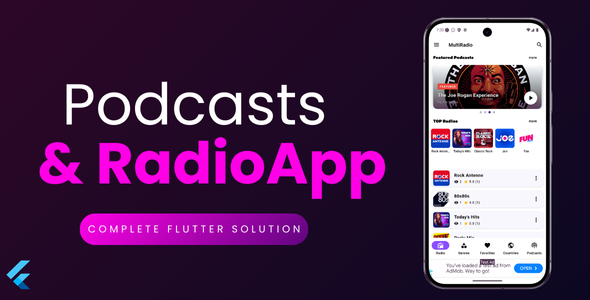

Professional Radio & Podcast Streaming App Built with Flutter
App Overview
Podcast & Radio App & Website Version
Podcast & Radio App is a comprehensive Flutter-based mobile application that combines live radio streaming with podcast functionality. Built with modern architecture and best practices, this app provides users with a seamless audio entertainment experience featuring thousands of radio stations from around the world and podcast management capabilities.
Key Features
Live Radio Streaming
- Stream thousands of radio stations worldwide
- Browse stations by genre and country
- Featured and recently added stations
- Background playback with notification controls
Podcast Management
- Browse and play podcast episodes
- Continue listening feature with progress tracking
- Resume playback from last position
- Offline podcast support
Advanced Audio Engine
- Advanced audio player with seek controls
- Skip forward/backward (30 seconds)
- Intelligent audio quality management
- Auto-detection of network conditions
- Data saver mode with quality optimization
- Real-time data usage monitoring
- Expandable mini-player interface
Smart Settings & Controls
- Audio quality settings with auto-detection
- Data saver mode for mobile networks
- Network condition monitoring
- Session data usage tracking
- Automatic quality optimization
- Custom quality preferences
User Experience
- Dark and light theme support
- Multi-language support
- Favorites system for stations and podcasts
- Advanced search functionality
- Intuitive settings management
- Data usage awareness
Connectivity & Offline
- Offline mode with cached content
- Network connectivity monitoring
- Automatic retry mechanisms
- Graceful error handling
Monetization Ready
- Google AdMob integration
- Banner and interstitial ads
- Configurable ad frequency
- GDPR compliance ready
Advanced Audio Quality Management
Intelligent Streaming Technology
- Auto Quality Detection: Automatically adjusts stream quality based on network conditions (WiFi vs Mobile)
- Multiple Quality Options: Low (64kbps), Medium (128kbps), High (320kbps), and Auto modes
- Data Saver Mode: Reduces audio quality on mobile networks to save data usage
- Real-time Monitoring: Live data usage tracking with session and total statistics
- Smart Warnings: Automatic alerts when data usage exceeds thresholds
- Network Awareness: Different quality presets for WiFi vs mobile connections
- Buffer Optimization: Adaptive buffering based on selected quality settings
Technical Specifications
Built With Modern Technology
- Framework: Flutter 3.x (Cross-platform iOS & Android)
- State Management: GetX for reactive state management
- Audio Engine: just_audio with background playback support
- Networking: HTTP with proper error handling and retry logic
- Local Storage: SharedPreferences for settings and cache
- Connectivity: connectivity_plus for network monitoring
- Permissions: permission_handler for audio permissions
- Ads: google_mobile_ads for monetization
Architecture & Code Quality
- Clean Architecture: Separation of concerns with controllers, services, and models
- Error Handling: Comprehensive error handling with user-friendly messages
- Performance: Optimized for smooth playback and minimal battery usage
- Scalability: Modular code structure for easy customization and expansion
- Documentation: Well-commented code with clear structure
API Integration
The app includes a complete API integration system that handles:
- Radio stations database with categorization
- Podcast feeds and episode management
- User ratings and listen count tracking
- Featured content management
- Search functionality across all content
- Maintenance mode support
Customization Options
- Easy branding and color scheme customization
- Simplified configuration with single domain URL setup
- Configurable ad placement and frequency
- Language translation support (easy to add new languages)
- Theme customization for both light and dark modes
What You Get
Complete Source Code
- Full Flutter project with all dependencies
- Clean, well-structured, and commented code
- Ready for immediate compilation
Documentation
- Comprehensive setup and installation guide
- API configuration instructions
- Customization guidelines
- Troubleshooting section
Assets & Resources
- App icons and splash screens
- UI assets and images
- Default placeholder content
Requirements
- Flutter SDK: 3.0 or higher
- Dart: 2.18 or higher
- iOS: iOS 11.0 or higher
- Android: API level 21 (Android 5.0) or higher
- Development: Android Studio or VS Code with Flutter extensions
Important Notes
- You will need to configure your own API server for radio stations and podcasts
- AdMob account required for monetization features
- Some third-party services may require separate subscriptions
- App store publishing requires developer accounts
- Privacy Policy and Terms of Service pages must be accessible online
Perfect For
- Entrepreneurs looking to launch a radio/podcast app
- Radio stations wanting their own mobile app
- Podcast networks seeking a professional mobile solution
- Developers learning Flutter with a real-world project
- Anyone wanting to create an audio streaming platform
Ready to Launch Your Audio Streaming Platform?
Get this complete, production-ready Flutter app and start your audio streaming business today!
Support & Updates
We provide comprehensive support for this application including:
- Installation and setup assistance
- Bug fixes and compatibility updates
- Documentation and customization help
- Regular updates for Flutter compatibility
Key Advantages
- One-Click Domain Setup: Change just one URL variable to configure all API endpoints
- Intelligent Audio Quality: Automatically adapts to network conditions
- Production Ready: Complete with error handling, offline support, and monetization
- Cross-Platform: Single codebase runs on both iOS and Android
- Modern Architecture: Built with latest Flutter and best practices
Extras:
- As a bonus, a simple web version has been added (optional, not required to run the main script)
Changelog – v1.1
- Backend migrated to folder /admin
- Added API KEY in admin panel and Flutter app
- Added sorting for podcasts
- Added OpenAd
- Small design changes
- Fixed minor bugs
- Improved performance
Changelog – v1.2
AdMob ad management has been added directly to the admin panel. You can add and edit ad units, as well as completely disable ads in the application
WEBSITE DEMO:
WEBSITE DEMODownload Demo App:
Demo APK
Admin Panel Access:
URL: https://webradio.sector473.xyz/admin
Login: admin
Pass: admin123$
0 average based on 1 ratings.

| Last Update | 2026-01-23 |
| Created | 2025-09-06 |
| Sales | 5 |
| Discussion | Comments |
| Software Version | Flutter 3.x |
| Files Included | Dart YAML JavaScript JSON .java .kotlin |
| Video Preview Resolution |


