Perfex MCP - AI Integration Bridge for PERFEX CRM


Note: This is not a standalone application. This is a plugin for Perfex CRM. You have to install the Perfex – Powerful Open Source CRM to use this plugin.
Turn Perfex CRM into an AI-powered workspace — without compromising security.
Have you been wondering how you can use natural language to ask natural questions about CRM data
1) List my open leads and summarise the newest 5.
2) What invoices are unpaid? Give me the top overdue ones.
3) Create a support ticket for billing issue on client name Acme
4) Find customer Acme and add a note that we demoed today.
Give your team an in-admin AI assistant with live CRM context, connect Cursor or Claude Desktop over a secure remote MCP URL , expose a scoped REST API, and run event-driven AI / CRM / webhook automations — all within your PERFEX .
With Flex MCP, Your staff and external AI tools can work with your CRM data safely, intelligently, and at scale.
Key Features
Remote MCP for Cursor / Claude Desktop
- MCP runs on your Perfex site at
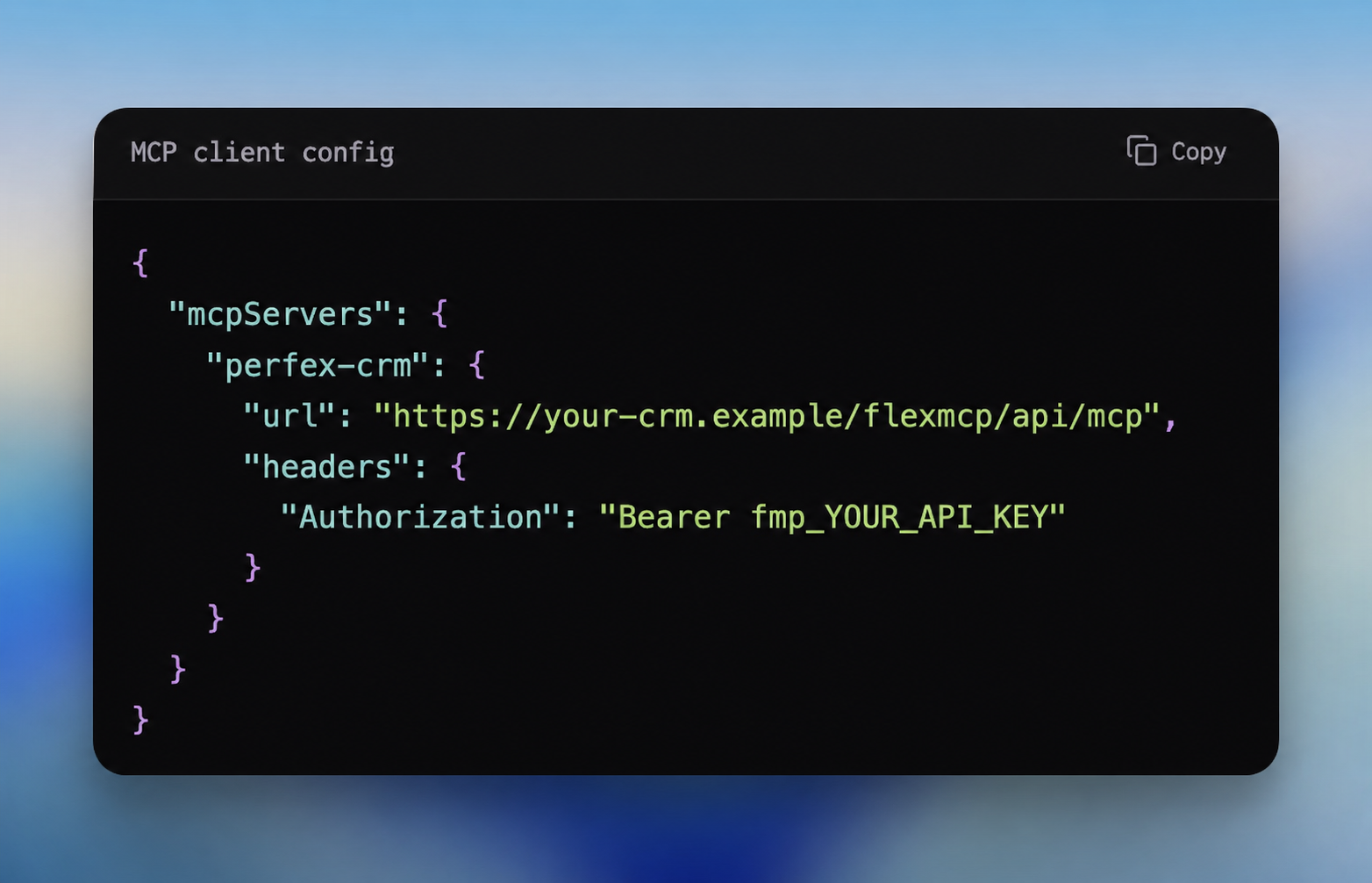
/flexmcp/api/mcp(Streamable HTTP / JSON-RPC) - One-click Copy MCP Config from API Keys (remote
url+ Bearer header) - No Node.js on the laptop or the server for MCP
- No npm install / npm build for customers
- Works with hosted HTTPS installs — Cursor on a laptop talks directly to the CRM
- Dozens of MCP tools (list/get/create across CRM entities) with the same scopes as the REST API
- In-admin Setup Guide with Option A (Assistant) and Option B (Cursor / Claude)
Example MCP config customers paste into Cursor:
In-Admin AI Assistant
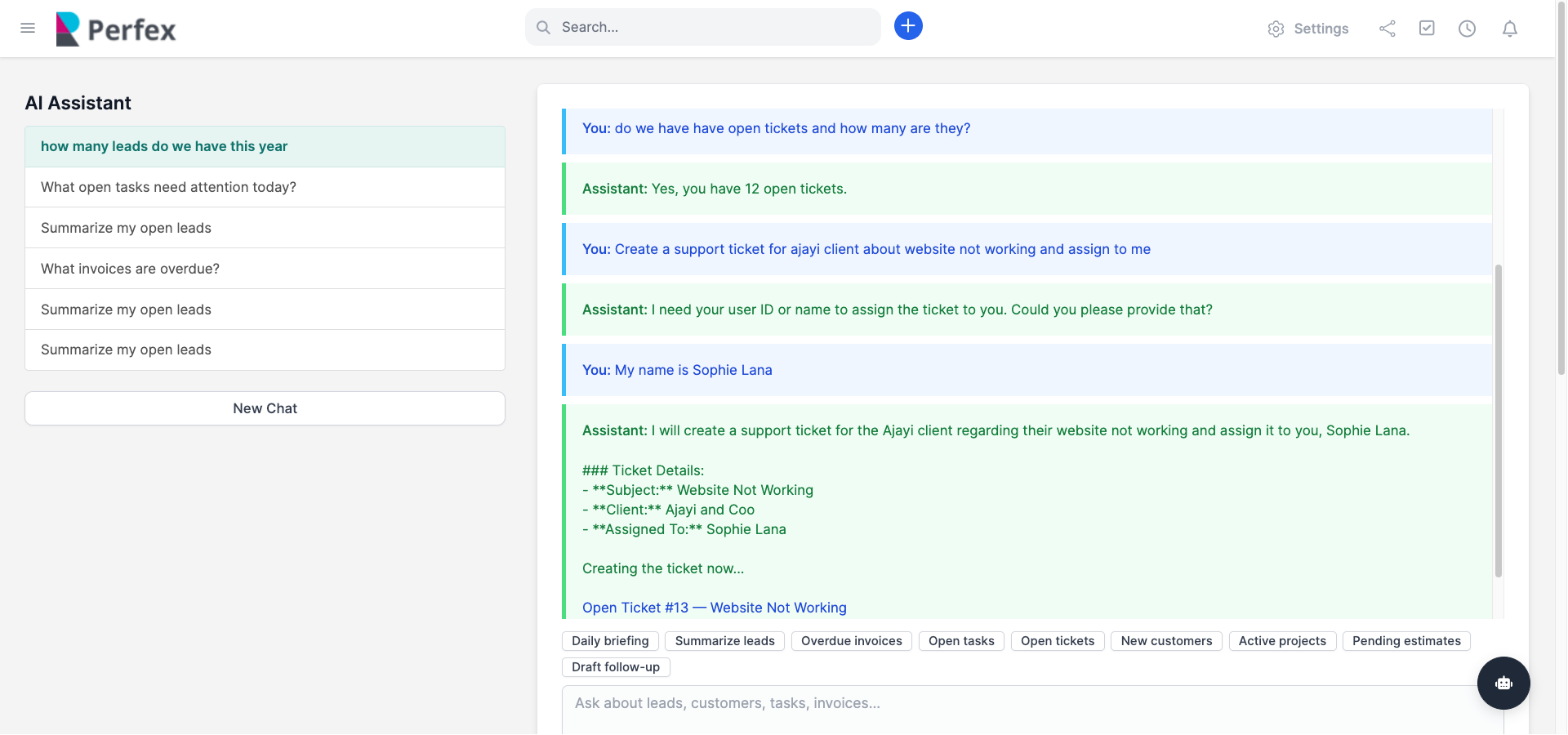
- Full assistant page + floating chat widget across the admin area
- Live CRM context (counts, open tickets, overdue invoices, recent leads, and more)
- Tool-aware chat for list queries with clickable admin links (tickets, tasks, customers, invoices, leads)
- Conversation history with persistent threads (page + widget share the active conversation)
- Quick prompts for daily briefing, leads, tasks, tickets, customers, projects, estimates
- Markdown / URL rendering for CRM record links
- Supports OpenAI and Anthropic
Secure REST API Bridge
- API keys with staff context (actions run under linked staff permissions)
- Fine-grained scopes (read/write per resource)
- Per-key rate limits and optional IP allowlist
- Audit log for API calls, assistant chats, and automation runs
- Configurable audit retention
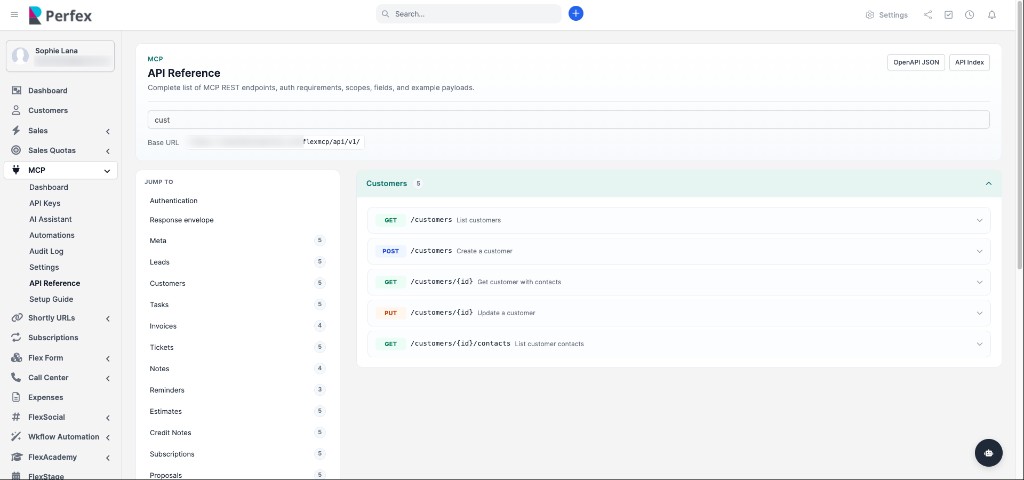
- Built-in API Reference UI +
openapi.json - Health endpoint that also exposes your remote MCP URL
CRM Resources Covered by API / MCP
- Leads, Customers, Tasks, Invoices, Tickets
- Notes, Reminders
- Estimates, Credit Notes, Subscriptions, Proposals
- Projects, Contracts, Expenses, Payments
- Global CRM search
AI Automations
- 25+ event triggers across leads, customers, tasks, tickets, invoices, payments, estimates, proposals, projects, contracts, expenses, credit notes, and notes
- Three action types:
- AI — prompt the model, then apply results (notes, tags, priority, tasks, status)
- CRM — deterministic actions (create task, add note, set tags, update fields, reminders)
- Webhook — POST events to Zapier, n8n, Slack, or your own endpoint
- Optional JSON conditions (e.g. only when lead status changes to a specific status)
- Built-in templates (auto-tag leads, ticket triage, welcome notes, extract tasks from notes, payment webhook, and more)
- Test Mode preview via module modal
Admin Experience
- Dashboard widget + module dashboard stats
- Staff permissions: view / create / edit / delete
- Settings for AI provider, system prompt, rate limits, webhooks, retention, budgets
- Translations: English, French, Spanish, Portuguese, Portuguese (Brazil), Bulgarian
Use Cases
New lead created AI suggests tags + adds an internal note, or CRM creates a “First contact within 24h” task
Daily briefing: Ask the AI Assistant for today’s open tickets, overdue invoices, and new leads — with clickable admin links.
New lead follow-up: When a lead is created, an automation adds tags and a staff note (or creates a “First contact within 24h” task).
Ticket triage: On a new support ticket, AI suggests priority and writes an internal note for the assigned agent.
Estimate accepted → kickoff: When a client accepts an estimate, CRM automation creates a project kickoff task automatically.
Payment to Slack/Zapier: When a payment is recorded, a webhook notifies finance or posts to Slack via Zapier / n8n.
Cursor + live CRM: Paste the remote MCP config into Cursor and ask “list open leads” — tools query your Perfex data over HTTPS.
Qualified lead → call booking: When lead status changes to Qualified, create a “Book discovery call” reminder for the sales owner.
Find anything fast: Staff search customers, invoices, or tickets in chat instead of digging through admin menus.
and many more…..
See How FlexMCP Works for your Business
DEMOAdmin Username
testadmin@gmail.comPassword
password@1234Support
Please send an email from Support page for any issues, questions or suggestions. To save time and get quick feedback, please don’t ask for support in comments section.VERSION HISTORY
Version 1.0.0 – 12th July, 2026Initial Release


