PayMoney - Secure Online Payment Gateway
.jpg)

What’s New?
Latest Version PayMoney v5.0.1 Click HERE to view the changelog
- Updated the Upgrader module to support multi-version upgrades
- Resolved a data checking issue in the Transaction Data Table
- Laravel version updated to 12
- Added support for Merchant SDK
- Added phone number verification during profile updates
- Restricted admin replies when disputes are in closed status
- Restricted admin replies when tickets are in closed status
- Fixed installer helper related issues
- Added SMS template for deposit notifications.
- Added SMS template for withdrawal notifications.
- Enforced email verification based on admin settings (API).
- Refactored Stripe virtual card webhook endpoints.
- Refactored referral module integration in Core Paymoney.
- Added support for the Invoice module (paid)
- Added support for the Escrow module (paid)
- Introduced dark mode logo support
- Fixed an issue with dispute closure email notifications
- Fixed leading zero issue in user phone numbers
- Fixed issue with request money email and sms notifications
- Added support for the Airtime Recharge module (paid)
- Added support for the Remittance module (paid)
- Inactive currencies removed from the deposit currency list
- KYC Verification API Issue Resolved
- Virtual Card Module Seeder Issue Resolved
- Implemented KYC Verification Feature API For Mobile App
- Implemented Add-ons Mega Menu
- Fixed KYC Verification Provider DataTable Issue
- Resolved Virtual Card Withdrawal Functionality Issue
- Fixed Email Template Rendering Error
- Corrected Navigation Error in Admin Panel User Profile
- Fixed User Filter Issue in Admin Panel Send Money Section
- Resolved Asset Amount Reset Issue for Crypto Provider
- Two-Factor Authentication Code Resend Functionality
- Refactoring JavaScript Code for Fees and Limits
- Display Stripe Error on Card Decline or Invalid Entry
- Resolved Transaction Datatable Error
- Fixed Currency Dropdown Issue in Payment Method and Fees & Limits
- Fixed Version Upgrade Issue
- Merchant Payment
- Payme (paid)
- Automated KYC Verification by Amlbot (paid)
- Automated KYC Verification by Veriff (paid)
- P2PXchange – PayMoney Peer To Peer Buy/Sell Addon(paid)
- TRC-20 token Deployment
- Custom Token add
- PoolMoney – PayMoney Fundraiser Addon (paid)
- Remittance (paid)
- Express Merchant Rest API
- Virtual Card (paid)
- Token Wallet
- Token Transaction Webhook
- Multilevel Referral System (paid)
- Airtime And Data Bundle With Reloadly (paid)
- Payment with Payment Link (paid)
- Stable Token connect
- USDT supported with TRC-20 token
- Escrow Addon (paid)
- Event Ticket Addon (paid)
- Front end template update
- Shop Addon (paid)
 |  |
 |  |
 |  |

Overview of PayMoney
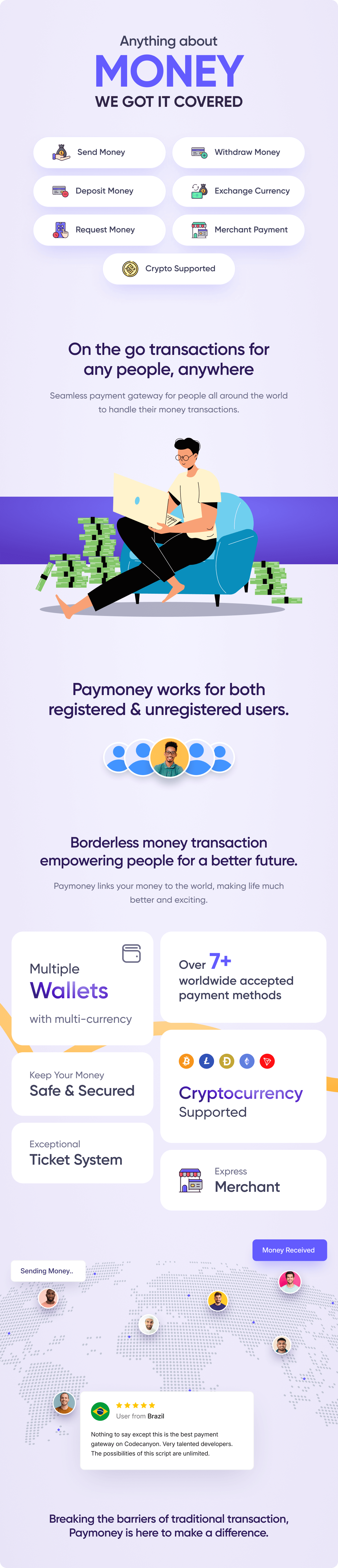
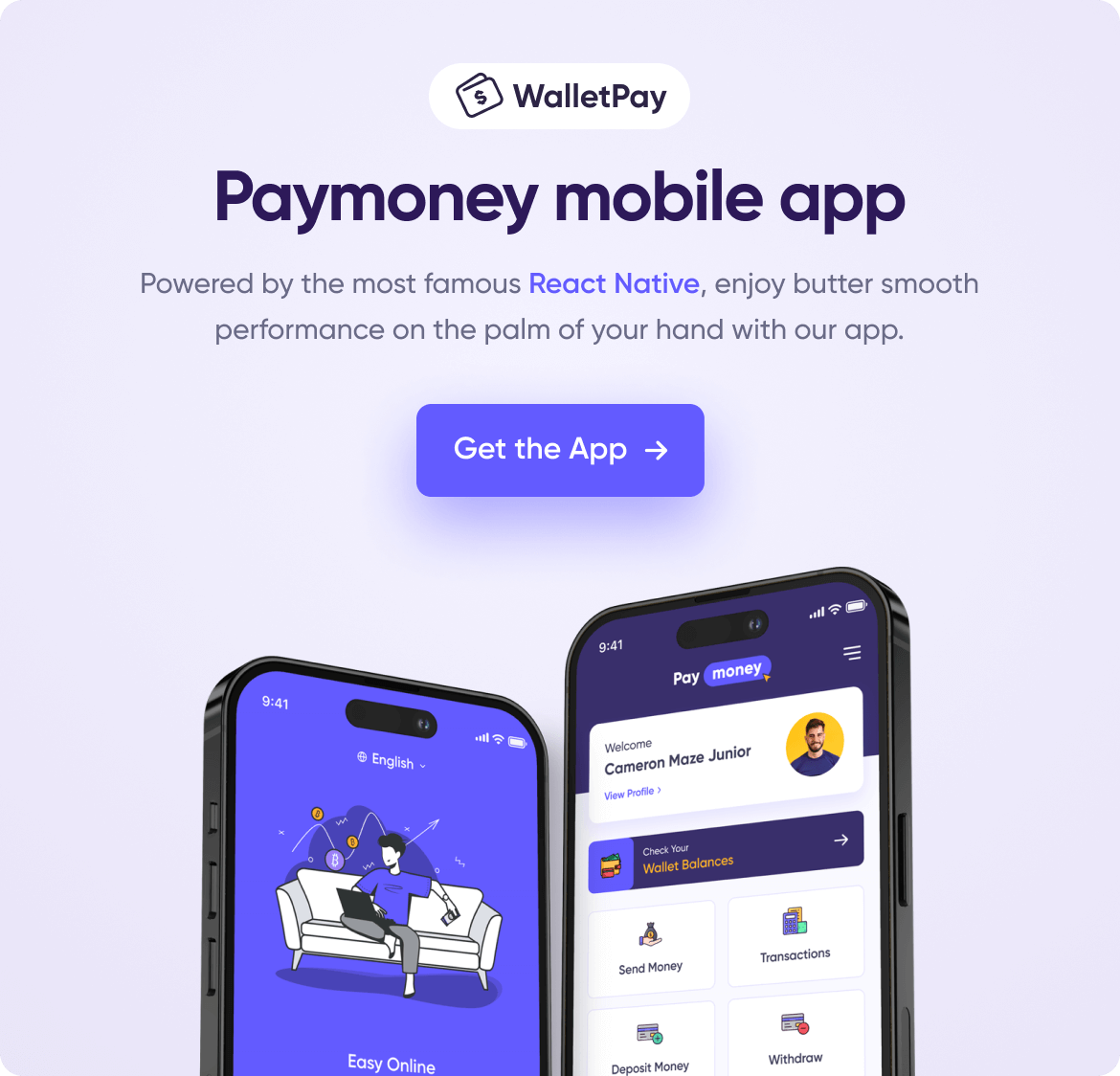
- PayMoney is an online payment gateway that ensures smooth and secure transactions
- It will help to keep your account more secure & reliable. Enjoy safe online payments through PayMoney. This system is similar to larger payment services like PayPal or Stripe
- You can deposit money in a few minutes with multiple currencies and multiple payment gateways like PayPal, Stripe, CoinPayments, Coinbase and much more
- The main features of the application – Deposit, Payout, Transfer, Exchange, Request Payment, Ticketing system, Revenues, Merchants, Merchant Payment, Crypto Send Receive etc. If a user has any claim against any payment, he/she can claim to the defendant using Dispute.



 |  |

Demo Site info:
Admin Login:
URL: https://demo.paymoney.techvill.net/admin
username : admin@techvill.net
password : 123456
User Login:
URL: https://demo.paymoney.techvill.net/login
username : kyla@gmail.com
password : 123456
Merchant Login:
URL: https://demo.paymoney.techvill.net/login
username : irish@gmail.com
password : 123456
Test Credentials:
Stripe credentials (Deposit)
Card number : 4242424242424242
MM/YY : 12/29
CVC : 123
Key Features
Deposits
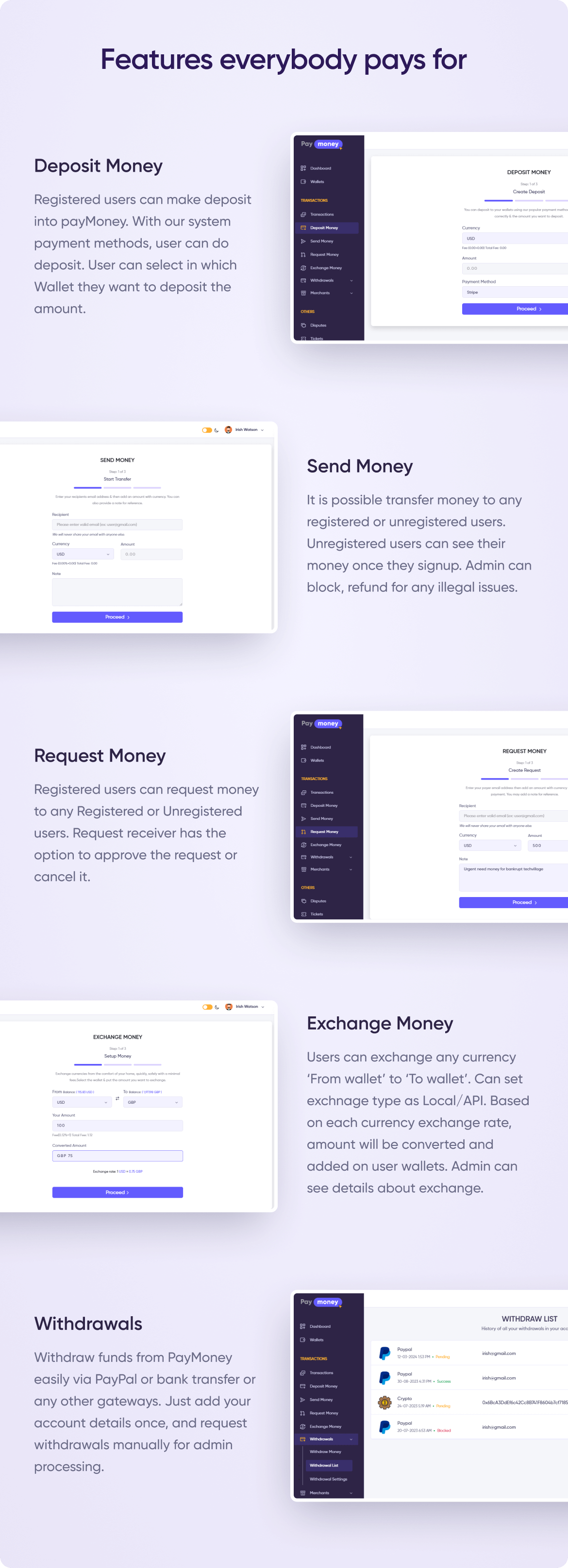
Registered users can make deposit into payMoney. With our system payment methods, user can do deposit. User can select in which Wallet they want to deposit the amount.
Transfer Amount
It is possible transfer money to any registered or unregistered users. Unregistered users can see their money once they signup. Admin can block, refund for any illegal issues.
Request Amount
Registered users can request money to any Registered or Unregistered users. Request receiver has the option to approve the request or cancel it.
Currency Exchange
By pay Money, user can exchange any currency ‘From wallet’ to ‘To wallet’. Can set exchnage type as Local/API. Based on each currency exchange rate, amount will be converted and added on user wallets. Admin can see details about exchange in Currency Exchange.
Payment Methods
Currently, we have 7 payment methods to deposit money – PayPal, Stripe, Payeer, PayUMoney, Coin Payments, Coinbase & Bank. From Currencies->Payment method, admin can activate/deactivate payment methods.
Payouts / Withdrawals
Money can be easily withdrawn from wallets. PayPal/Bank, how do you want to withdraw your money? To withdraw money, you must first enter your bank details in the withdrawal settings, or if it is PayPal, simply enter your PayPal email address. Withdrawal, on the other hand, is a manual process in PayMoney. Following the withdrawal request, admin will manually send the funds to the bank or paypal email address.
Crypto Send Receive
PayMoney is integrated with Bitcoin, Litecoin, Dogecoin, Ethereum, and Tron cryptocurrencies, allowing users to send crypto balances to valid wallet addresses. The process of sending and receiving transactions is fully automated and connected to the blockchain.
Token Send Receive
PayMoney admins can deploy TRC-20 tokens on the Tron network, enabling the sending and receiving of TRC-20 tokens within crypto wallets.
Revenues
Fixed amount charge & charge percentage is revenue in PayMoney system.For transaction typeseach currency, admin can set few amount of charges from fees that will separately show in Revenues in admin panel. Only admin can see revenues.
Roles & permissions
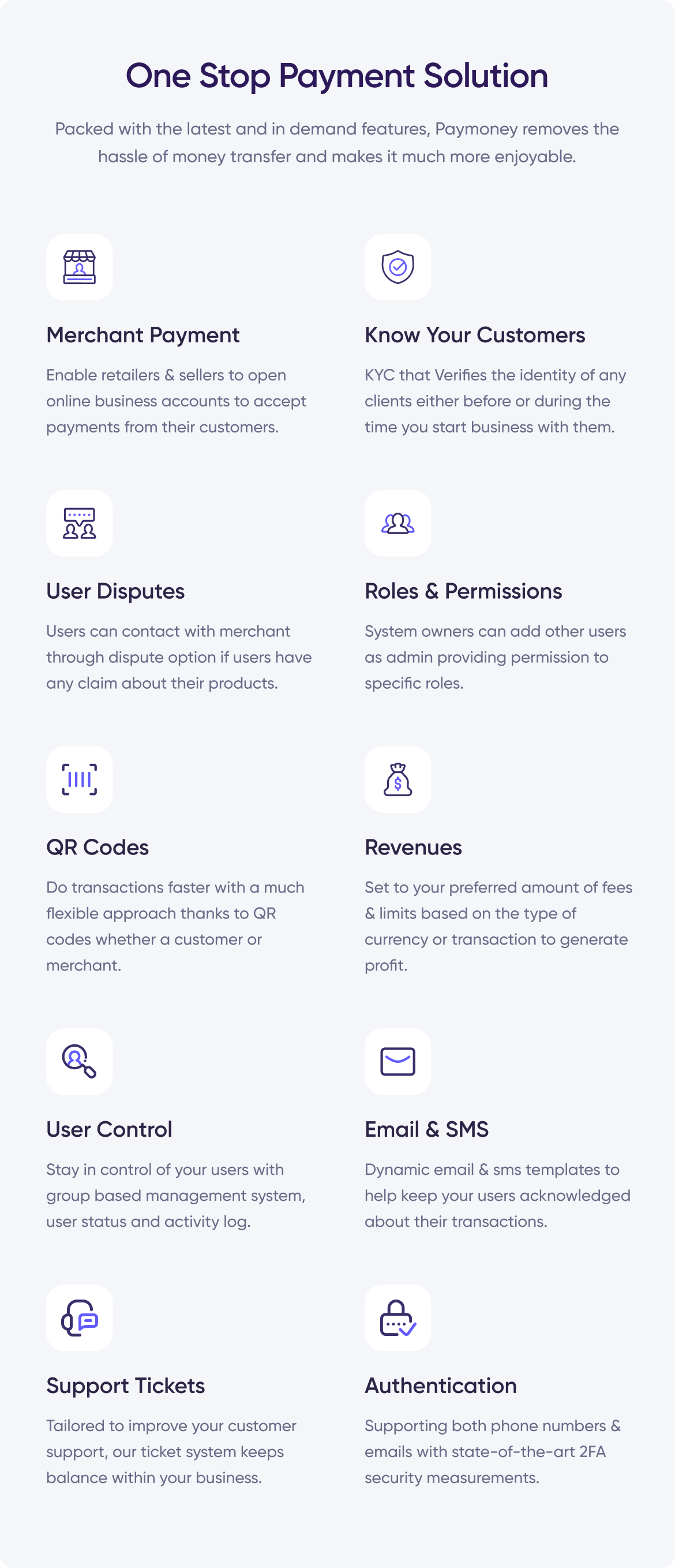
As owner of this site you can add other user as admin providing permission to specific role.
User Group
Admin can add default group for site users. For group users, admin gives specific permission to each group.For example, Users may apply to be Merchant and admin can change his group to Merchant providing extra permission.
Preferences
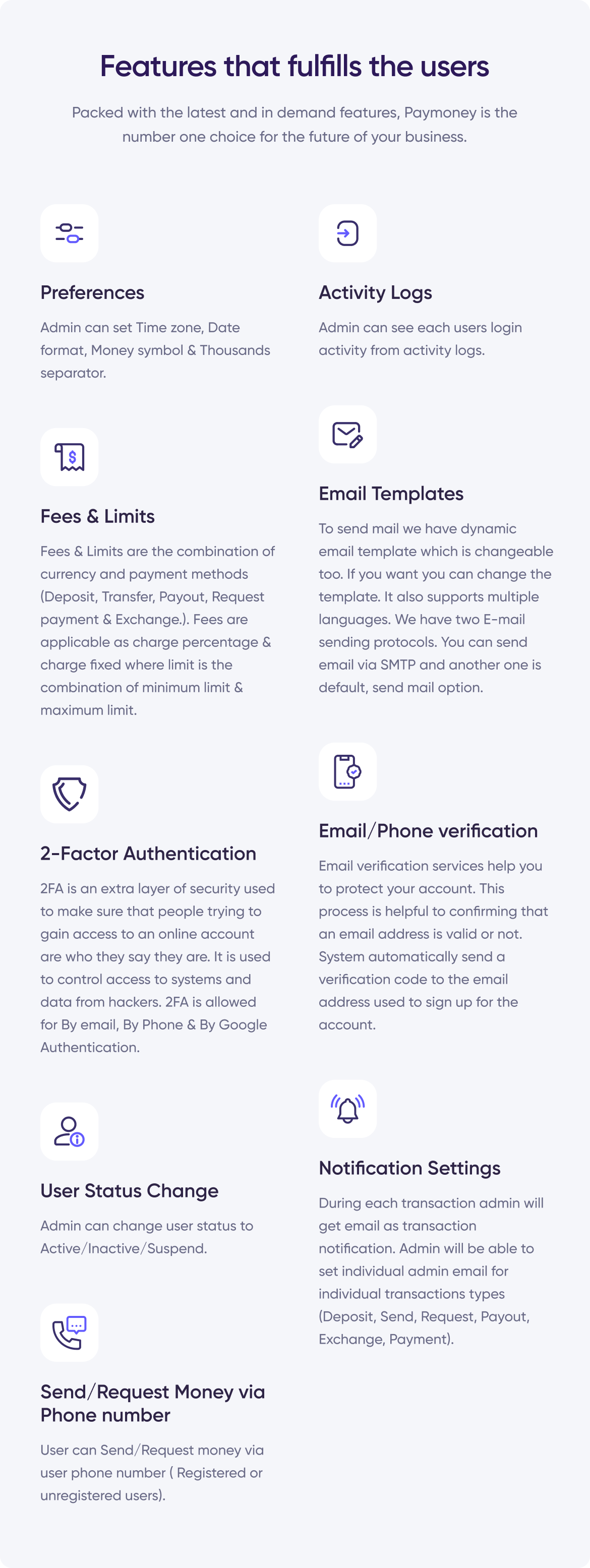
From settings-> preferences, admin can set Time zone, Date format, Money symbol, Thousands separator.
Activity Logs
Admin can see each users login activity from activity logs.
Fees & Limits
Fees & Limits are the combination of currency and payment methods (Deposit, Transfer, Payout, Request payment & Exchange.). Fees are applicable as charge percentage & charge fixed where limit is the combination of minimum limit & maximum limit.
Merchants
User can create merchants via this system. We have two types of merchant- Standard & Express.
In PayMoney Standard type user can create merchant and generate merchant payment form. By this form user will get the pay now option & do payment to merchant.
PayMoney Express Checkout gives your buyers a simplified and secure checkout experience using API that keeps them local to your website or mobile app throughout the payment process.
Disputes
User can contact with merchant through Dispute option if user have any claim about their product. Administration can take action (Approved or Reject) discussion on both parties.
Create Tickets
Ticket system is better way to dealing with customer about their issues where user can report or ask questions on various issues. If you have trouble with the site or program, you can use this option as help.
Email Templates & settings
To send mail we have dynamic email template which is changeable too. If you want you can change the template. It also supports multiple languages. We have two E-mail sending protocols. You can send email via SMTP and another one is default, send mail option.
2-Factor Authentication
2FA is an extra layer of security used to make sure that people trying to gain access to an online account are who they say they are. It is used to control access to systems and data from hackers. 2FA is allowed for By email, By Phone & By Google Authentication.
By email & phone: When you verify for email, a 6-digits code will be send to your email to verified your eamil address. By phone, verification process is same as email processing system.
By Google Authentication: Set up google authenticator app into your mobile phone before continuing, otherwise you will be unable to verify. Then scan QR code from your systems via phone & enter the 6-digit OTP from your app.
Email/Phone verification
Email verification services help you to portect your account.This process is helpful to confirming that an email address is valid or not. System automatically send a verification code to the email address used to sign up for the account.
Manual Deposits & Payouts/Withdrawals
The PayMoney system allows for manual deposits and withdrawals. For every specific user, the administrator can manually deposit and withdraw funds. Additionally, a user can manually deposit money via bank and withdraw funds to a bank or PayPal account.
Know your customer (KYC)
It is the process of knowing your customers. It helps to verify the identity of any clients either before or during the time you start the business with them. KYC allows companies to protect themselves by ensuring that they are doing business legally or not, and it also protects the individuals who might otherwise be harmed by financial crime.
There are two types of verifications-
- Address verifications
- Identity verifications
Address verifications: Go to user profile and upload appropriate file for address verification. If admin approves it, it will display ‘Address verified’ in users list in admin panel and also in user profile in user panel.
Identity verifications: At first, from user panel select the identity type & provide your necessary credentials. When admin approves the user identity, it will show ‘Identity Verified’ in users list in admin panel and also as in user profile.
Notification Settings
During each transaction admin will get email as transaction notification. Admin will be able to set individual admin email for individual transactions types (Deposit, Send, Request, Payout, Exchange, Payment).
To receive email notifications, admin must configure the notification settings from notification settings option. Admin can assign anyone (set email) for each transaction type.
User Status Change: Admin can change user status to Active/Inactive/Suspend.
Active: Users can do all types of activities from his/her panel.
Inactive: Users can’t login to the system. While going to login into the system a message will appear to the user that he/she is inactivated.
Suspend: Users will be able to login to the system, but they can’t do any type of transactions (Deposit, Send Money, Request payment, Exchange, Payout, Merchant payment)
Send/Request Money via Phone number
User can Send/Request money via user phone number ( Registered or unregistered users). While transferred amount or send request to user phone number, user get sms on their mobile number.
TatumIO Subscriptions
User can manually create notifications for any user on TatumIO, ensuring they receive timely updates for events related to their blockchain addresses.
Update ChangeLog
PayMoney v-5.0.1 June 04, 2026Feature: Updated the Upgrader module to support multi-version upgrades Bug Fixing: Resolved a data checking issue in the Transaction Data TablePayMoney v-5.0.0 May 21, 2026
Feature: Laravel version updated to 12 Feature: Added support for Merchant SDK Feature: Added phone number verification during profile updates Bug Fixing: Restricted admin replies when disputes are in closed status Bug Fixing: Restricted admin replies when tickets are in closed status Bug Fixing: Fixed installer helper related issuesPayMoney v-4.4.1 April 13, 2026
Feature: Added SMS template for deposit notifications. Feature: Added SMS template for withdrawal notifications. Bug Fixing: Enforced email verification based on admin settings (API). Bug Fixing: Refactored Stripe virtual card webhook endpoints. Bug Fixing: Refactored referral module integration in Core Paymoney.PayMoney v-4.4.0 January 21, 2026
Feature: Added support for the Invoice module (paid) Feature: Added support for the Escrow module (paid) Feature: Introduced dark mode logo support Bug Fixing: Fixed an issue with dispute closure email notifications Bug Fixing: Resolved an issue with user phone numbers containing leading zeros Bug Fixing: Fixed issue with request money email and sms notificationsPayMoney v-4.3.9 December 25, 2025
Feature: Added support for the Airtime Recharge module Feature: Added support for the Remittance module Bug Fixing: Inactive currencies removed from the deposit currency listPayMoney v-4.3.8 November 21, 2025
Bug Fixing: KYC Verification API Issue Fixed Bug Fixing: Virtual Card Module Seeder Issue FixedPayMoney v-4.3.7 November 18, 2025
Feature: Implemented KYC Verification Feature API For Mobile App Feature: Implemented Add-ons Mega Menu Bug Fixing: Fixed KYC Verification Provider DataTable Issue Bug Fixing: Resolved Virtual Card Withdrawal Functionality Issue Bug Fixing: Fixed Email Template Rendering Error Bug Fixing: Corrected Navigation Error in Admin Panel User Profile Bug Fixing: Fixed User Filter Issue in Admin Panel Send Money Section Bug Fixing: Resolved Asset Amount Reset Issue for Crypto ProviderPayMoney v-4.3.6 August 29, 2025
Improvement: Two-Factor Authentication Code Resend Functionality Improvement: Refactoring JavaScript Code for Fees and Limits Bug Fixing: Display Stripe Error on Card Decline or Invalid Entry Bug Fixing: Resolved Transaction Datatable Error Bug Fixing: Fixed Currency Dropdown Issue in Payment Method and Fees & Limits Bug Fixing: Fixed Version Upgrade IssuePayMoney v-4.3.5 June 25, 2025
Improvement: Virtual Card Addon Support Improvement: Refactored migrations and seeders for maintainability Bug Fixing: Resolved user sorting issue in crypto and token transaction datatables. Bug Fixing: Fixed exchange rate issue during currency exchange CSV generation. Bug Fixing: Fixed dispute date filtering issue. Bug Fixing: Restrict deletion of a currency if any associated wallets exist for it. Bug Fixing: Fixed issue when the ticket file is not found. Bug Fixing: Fixed deposit issue via CoinPayments for crypto currencies.PayMoney v-4.3.4 April 22, 2025
Improvement: PoolMoney - PayMoney Fundraiser Addon Support Improvement: QR Code merchant payment API Bug Fixing: Fixed bug where accepting a request defaulted currency to USD. Bug Fixing: Resolved TatumIO crypto receive redirect and encryption issues. Bug Fixing: Corrected fee calculation for individual transactions.PayMoney v-4.3.3 March 20, 2025
Feature: Integrated Flutterwave Payment for Deposits & Standard Merchant Payments. Improvement: Displayed dynamic TatumIO package name on the Crypto Token page Bug Fixing: Resolved unsupported operand type issue during user withdrawal. Bug Fixing: Fixed user withdrawal transaction print issue Bug Fixing: Fixed admin transaction edit issue Bug Fixing: Resolved dark mode issue on the Stripe payment page Bug Fixing: Fixed sender/receiver name issue in crypto transaction detailsPayMoney v-4.3.2 January 23, 2025
Improvement: User KYC Verification Bug Fixing: Crypto token wallet update issue fix Bug Fixing: Allow wallet create issue fix Bug Fixing: Stable token create crypto address view issue on mobile device fix Bug Fixing: CoinPayment redirect url issue fixPayMoney v-4.3.1 November 2, 2024
Improvement: Standard Merchant payment Improvement: Express Merchant payment Improvement: Date Range picker improve on filtering data Improvement: CSV & PDF download of Datatable Improvement: CSS & JS plugin & libraries improve Bug Fixing: Crypto Receive PDF Sender & Receiver id issue fixPayMoney v-4.3.0 September 22, 2024
Feature: Crypto Token Feature Added Feature: TRC-20 Token Deployment from admin panel Feature: TRC-20 Token Send Receive from admin panel Feature: TRC-20 Token Send Receive from user panel Improvement: Landing page design update to add new block for crypto currency Bug Fixing: Transaction list sender & receiver id fixPayMoney v-4.2.3 August 3, 2024
Feature: Added subscription support for tatum.io Bug Fixing: Resolved Coinpayment issues for secret code & status check Bug Fixing: Resolved composer.json dependency issue Bug Fixing: Fixed withdrawal setting form submit button text issue Bug Fixing: Fixed PSR-4 autoloading standard issue Bug Fixing: Fixed max upload file size issue Improvement: Modified fees limit for dynamic transaction types Improvement: Update payment gateway processor process systemPayMoney v-4.2.2 May 30, 2024
Bug Fixing: Exchange Rate calculate from live api Bug Fixing: Stripe Button active before loading the page Bug Fixing: Duplicate phone issue for registration Improvement: User Panel Side bar refactor for transaction & addon Improvement: Block.io Crypto Provider remove as block.io discontinue servicePayMoney v-4.2.1 April 06, 2024
Bug Fixing: Forgot Password OTP Mail Improvement: On demand feature Agent Module dependency add Improvement: Missing Translation addedPayMoney v-4.2.0 March 12, 2024
Bug Fixing: Deposit PDF issue fix Bug Fixing: Stripe Live mood error message Bug Fixing: Withdrawal wallet balance message repeat fix Bug Fixing: Crypto Asset creation via Tatum.io Ethereum mainnet issue fix Bug Fixing: Block.io provider asset list page balance check issue Improvement: Gateway Clear image use Improvement: Phone Verification functionality Improvement: Wildcard functionality Improvement