Passkey Login Plugin for Rise CRM
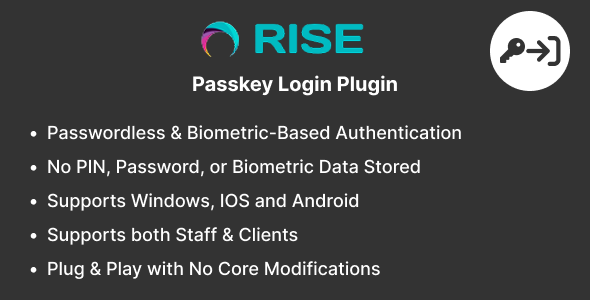

Note: This is a security plugin for RISE – Ultimate Project Manager & CRM. It is not a standalone script and requires Rise CRM to function.
Overview
The Passkey Login Plugin for Rise CRM brings biometric login support to your CRM system, allowing users to log in securely using passkey technologies like fingerprint, facial recognition, or PIN—without the need for a password.
Designed as a plug-and-play add-on, it integrates seamlessly with Rise CRM’s existing login flow and interface, requiring no core file modifications. The module provides a modern authentication experience while enhancing account security.
After the initial login using email and password, staff or customers can register passkey credential. Once enabled, they can log in using a single tap or glance, boosting both convenience and security.
Demo
Login URL : https://rise.codeonstring.com/
Admin :
Email: superadmin@example.com
Password: 123456789
Client :
Email: client@example.com
Password: 123456789
How it works:
- Users log in to their account using their regular email and password.
- Once logged in, they can register their device using Passkey (Face, Fingerprint, or PIN) on profile page.
- Registered credentials are securely stored and linked to the user account.
- After registration, users will see the option Login with Passkey on the login page.
- On supported devices and browsers, users can log in instantly using Face ID, Fingerprint, or PIN without typing a password.
- Supports Multiple Device Registration.
- Users can enable/disable/delete individual devices.
- This method provides fast, secure, and passwordless login, improving both user experience and account protection.
Features
- Seamless integration with Rise CRM (v3.5.0 and above)
- Enables passwordless login using passkey (Face, Fingerprint, or PIN)
- Clean and minimal UI matching Rise CRM’s native design
- Credential registration available after user login for added security
- No biometric, PIN, or password data is stored on the server
- Enable, disable or delete passkey with a single click
- Quick installation and setup – no coding knowledge required
- No core file modifications – fully modular and update-safe
What’s Included
- Passkey Login Plugin
- Documentation
- Free lifetime updates and 6 months support
Requirements
- Rise CRM version 3.5.0 or higher
Frequently Asked Questions
Is biometric data stored in the CRM or server?No. Biometric data never leaves the user’s device. The module only stores the public credential key used for verification.
Can users still log in using a password?Yes. Users can continue using traditional email/password login.
Do I need anything else or external credentials to make this module work?No. This module works out of the box and does not require any external API keys or credentials.
Does this module support both staff and client login?Yes. Can be enabled for both the staff and client login portals.
What happens if my biometric device fails or is unavailable?Users can always fall back to the standard email and password login if biometric authentication is unavailable.
What devices are supported for passkey login?Passkey Login works on any device that supports the WebAuthn/Passkey standard. This includes Windows devices, Apple(IOS) devices, Android devices. In short, if your device supports passkeys, it’s supported by Passkey Login.
What browsers are supported for passkey login?Passkey Login works with all modern browsers that support the WebAuthn/Passkey standard, including Google Chrome, Microsoft Edge, Mozilla Firefox, and Safari on both desktop and mobile. Since passkey support is built into the latest versions of these browsers, your users can log in seamlessly without needing any plugins or extensions.
Do I need coding knowledge to use this module?No. This module is fully plug-and-play. You just need to upload, activate, and configure it via the admin panel.
Do I need to modify any core files in CRM?No. This module is self-contained and does not require any core file modifications.
Documentation
For detailed instructions on installation and configuration, please refer to the online documentation at: https://rise.codeonstring.com/passkey-documentation
Support
Comprehensive documentation is included. For further assistance, feel free to reach out to us at codeonstring@gmail.com
Change Log
Version 1.0.0 - Initial Release


