Omni Channel Sales module for Perfex CRM


Note: This is a module for Perfex CRM and need to integrate with the INVENTORY MODULE to manage inventory of products. Not a standalone script.
Brief description
Omni Channel Sales Module is the process of selling your products on more than one sales channel. Omni-channel selling is what happens when your products are sold across multiple online and physical locations. For instance, you might choose to sell your products directly to customers on your website. But you might also offer products on popular platforms like POS, Sales Portal, WooCommerce Multiple Stores, Manual order and Pre-order. Selling across different popular channels is moving inventory to multiple channels.
Why should I be omni-channel selling? Selling on multiple sales channels increases your exposure to potential customers, which increases your sales opportunities. Online shoppers are either staying loyal to one sales channel (meaning that you’ll miss out if you’re not there), or they’re shopping around (meaning that you’ll miss out if you’re not on more than one of them).

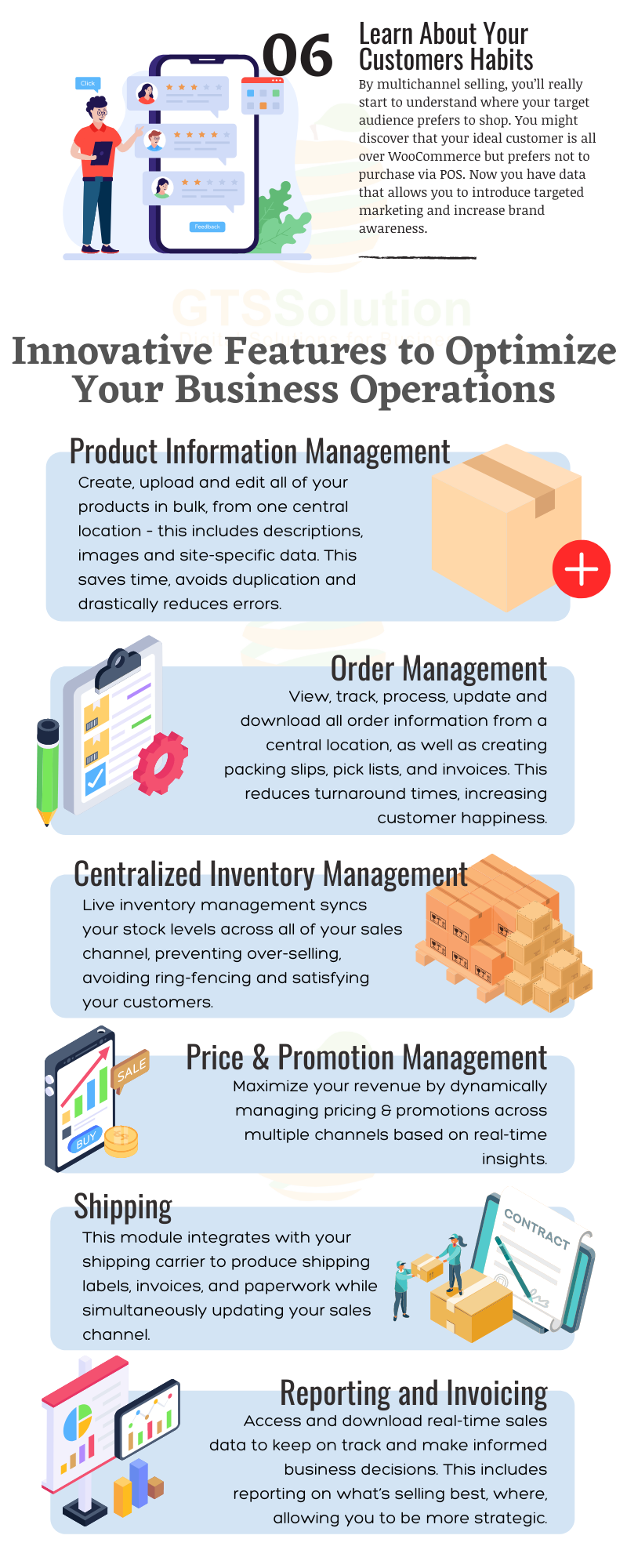

Module Features
- Order Management:
- Order List (Manual Order, Pre-Order, Client Portal Order, POS Order, WooCommerce Order)
- Order Details
- Order Processing
- Automated Inventory Check
- Shipment Management
- Manual Order Management
- Pre-Order Channel:
- Product Settings
- Pre-Order Form (Client Portal)
- Client Portal Channel:
- Product Settings
- Price Settings
- Client Portal:
- Store
- Search Products
- Product Details
- Cart
- Place Order
- Order Management
- POS Channel:
- Product Settings
- Price Settings
- POS:
- Shift Management
- Transaction Management
- Scan Barcodes with Camera
- Scan Barcodes with Scanner
- Loyalty Point & Redeem
- Payment Processing
- Print Receipts
- Sales Reporting
- Add New Customer
- Staff Management
- Caculator
- POS Settings
- WooCommerce Channel:
- Woocommerce Store Management:
- Connection Management
- Product Settings
- Price Settings
- Sync from WooCommerce to Perfex CRM:
- Products
- Orders
- Sync from Perfex CRM to WooCommerce:
- Product (All)
- Product Long Description
- Product Short Description
- Product Images
- Product Price
- Product Inventory
- Product Name
- Product Category
- Product Tax
- Product Tags
- Loyalty Point & Redeem
- Payment Processing
- Print Receipts
- Sales Reporting
- Add New Customer
- Staff Management
- Caculator
- POS Settings
- Woocommerce Store Management:
- Trade Discount:
- Promotion Management
- Voucher Management
- Data Sync Logs
- Reports:
- Trade Discount History
- Sales statistics
- Settings:
- General Settings
- Order Settings
- Automatic Sync Settings
- Integration:
Demo
Omni Channels Sales Module Demo
Set-up
Included documentation will help you upload and activate the module inside Perfex CRM, if you are not aware on how to do it.
Support
Our support team is always around to help. Feel free to raise a support ticket.
Guys from support department will get back to you as soon as possible with a reply, guiding you through any issues.
Changelog
Version 1.0.0 / 2020-08-05Initial versionVersion 1.0.1 / 2020-11-21
UI improvements for POS POS: add features to select warehouse, virtual keyboard, debt order, receipt, barcode scan with camera and scanner Sync from CRM to WooCommerce: product information, inventory, images, sales price, tax, tag, discount, order status Synchronization from WooCommerce to CRM: orders, products, taxes, tags Improved automatic synchronization with WooCommerce Additional languages: bulgarian, catalan, chinese, czech, dutch, french, german, greek, indonesia, italian, japanese, persian, polish, portuguese, romanian, russian, slovak, spanish, swedish, turkish, ukrainian, vietnamese.Version 1.1.1 / 2022-04-08
Fix minor bugs. UI improvements for POS. Improve product and order synchronization features between WooCommerce and Perfex CRM. Upgrade trade discount feature. Use basic features without integrating with Inventory module. Integrate with Customer Loyalty and Memberships module to manage loyalty points and redeem on POS channels and client portal. Unify payment methods on POS with Perfex CRM. Quickly add products in POS Add product variant features. Add manual order management feature. Add pre-order management feature. Add shipment management feature. Add product group and tax synchronization between WooCommerce and Perfex CRM. Add pre-order feature on client portal. Add shift management for POS channel. Add transaction management for POS channel.Version 1.1.4 / 2022-05-25
Fix minor bugs. Update order and product sync feature from WooCommerce. Add shipping fee for orders on client portal, POS, and manual order channels. Add manual order feature on the client portal Add public link for order and shipment. Add option to display a delivery note on the public link of shipment. Add feature to manage return orders. Integrate return orders with the inventory module.Version 1.1.5 / 2022-06-21
[Updated] Inventory alert when creating delivery notes for the sales order. [Updated] Create a delivery note for a sales order after deleting the old delivery note. [Updated] Synchronize coupon value of orders from woocommerce. [Added] Create a delivery note with the serial number for orders from the POS channel, client portal, and manual orders. [Added] Create manual orders from sales estimates. [Added] Add permission for order management. [Added] Add option settings to display the product list and shopping cart in the client portal.Version 1.1.6 / 2024-06-05
Create a delivery note => have a serial number: Manual, portal, pos Deleted delivery note => allows re-creating another delivery note The Manual order creation screen allows the creation of orders from Sales/Estimate Order list menu permissions: add, edit, delete, view Omni-sales adds an option to toggle the display of the shopping cart + product list in the client portal. Default is on When the order is paid, add a log to the order Add image upload when creating shipment (when status: Product Dispatched) ==> Upload a maximum of 10 images Synchronize invoices on Woo, save the invoice number, and display it on the invoice management screen (if the hook is successful, it will display the same current invoice number otherwise add a column) Add Due date settings for Invoice creation when synchronizing invoices on Woo Add shipping cost as a percentage of the orderVersion 1.1.7 / 2024-06-05
Fix the error of creating 2 delivery notes from 1 order on the POSVersion 1.1.8 / 2024-06-05
Update the system error of not automatically synchronizing from Woo to CRM and from CRM to Woo Fix the error of invoice status not changing according to the payment status of the order on Woo.Version 1.1.9 / 2024-06-05
Fix the error of calculating voucher discount incorrectlyVersion 1.2.0 / 2024-06-05
On POS, staff will sell according to the Warehouse assigned on the Inventory module Fix an error in a delivery note from Omni sales that has many identical serial numbers Fix the error of subtracting double quantity when creating PXK in Omni Sales Upgrade source code to be compatible with PHP 8.1. Upgraded features to be compatible with the latest version of Perfex CRM.Version 1.2.5 / 2026-03-06
Added custom fields for Orders. Enabled synchronization of WooCommerce product variants to the CRM. Added option to allow stock export without requiring an invoice. Introduced bulk delete functionality in the Order list. Added accounting mapping support for integration with the accounting module. Updated WooCommerce integration to support the latest API. Improved synchronization of products, taxes, categories, stock, and customer company names from WooCommerce to CRM. Stored WooCommerce product IDs in the CRM Commodity Code field for better product mapping. Enhanced overall WooCommerce synchronization stability and performance. Fixed issue where invoices were not automatically generated for orders downloaded from WooCommerce. Resolved incorrect shipping state synchronization. Fixed duplicate product creation when downloading orders. Corrected product group display issue on the customer portal product detail page.Version 1.2.6 / 2026-03-16
Fixed minor issues and bugs to improve system stability. Updated and enhanced several features.
$65 |
Download |
4.7 average based on 32 ratings.

| Last Update | 2026-03-16 |
| Created | 2020-08-06 |
| Sales | 551 |
| Discussion | Comments |
| Compatible Browsers | |
| Software Version | PHP 8.x PHP 7.x |
| High Resolution | No |
| Software Framework | CodeIgniter |
| Files Included | JavaScript JS HTML CSS PHP SQL |
| Video Preview Resolution |


