NutriAI - AI Meal Planner Flutter App


Overview
NutriAI is a production-ready Flutter app for AI-assisted meal planning with Android release verification. The person operating an installed copy enters their own Gemini API key, completes a health profile, generates a seven-day meal plan, and manages saved meals locally on the device. The iOS source project is included, but the iOS release build was not verified in this QA pass.
Feature Grid
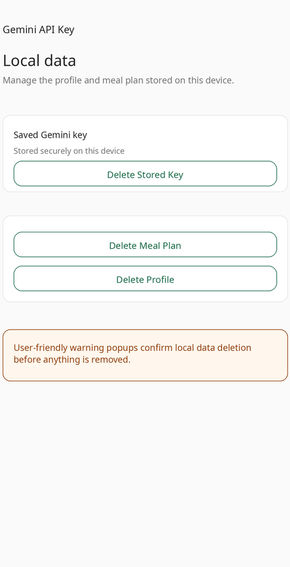
- Gemini BYOK setup: In-app setup for a per-device Gemini API key, stored with platform secure storage.
- Health profile onboarding: Validated fields for goal, body metrics, activity level, allergies, dietary preferences, and medical considerations.
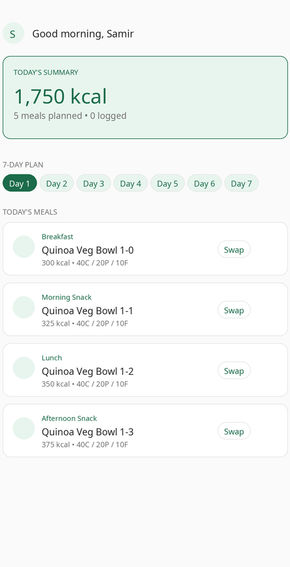
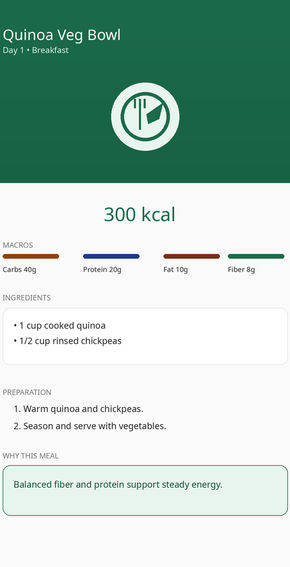
- Seven-day AI meal plan: Structured Gemini prompts and JSON parsing produce breakfast, lunch, dinner, and snack plans.
- Local persistence: Drift and SQLite store profiles, generated plans, meal actions, and local generation guard counters.
- Resilience controls: Graceful handling for invalid API keys, offline requests, malformed AI responses, quota limits, and safety blocks.
- Buyer customization: Branding, package name, app name, icon, theme color, localization, and release signing guides are documented.
Screenshots
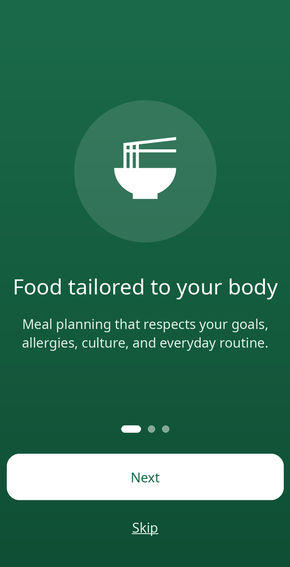
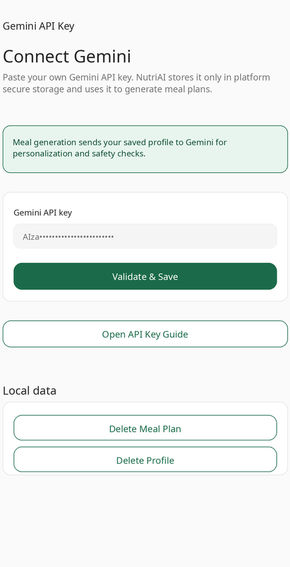
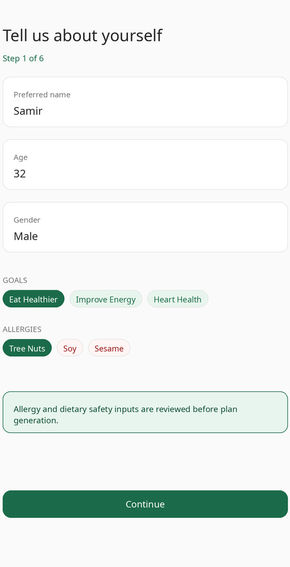
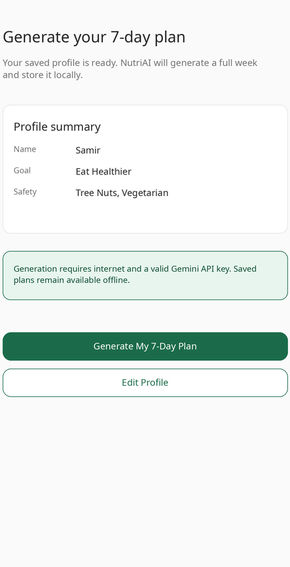
Technical Stack
- Flutter and Dart
- Gemini REST API integration
- Drift and SQLite local database
- Flutter secure storage for the Gemini key and local database passphrase
- Feature-first source structure
- Offline HTML documentation
Platform Verification
- Android release App Bundle build was verified for this package.
- iOS source project is included for buyer customization and signing in Xcode.
- iOS release build was not verified in this QA pass, so iOS is not claimed as a verified release platform.
AI Setup Note
NutriAI uses a per-device bring-your-own-key model. No real Gemini key is included in the package. The person operating an installed copy must create a Gemini API key in Google AI Studio, restrict it appropriately, and enter it in the app setup flow. For consumer distribution where app users should not bring Gemini keys, the buyer should add a secure backend/proxy before release. Gemini usage is billed to the Google account that owns the entered key.
Buyer Requirements
- Flutter SDK through FVM or a compatible local Flutter installation
- Android Studio and a configured Android SDK
- Gemini API key from Google AI Studio
- Android signing keystore for store release builds
- Mac with Xcode and Apple Developer account only if you choose to build and verify the included iOS source project
Documentation
Open Documentation/index.html after extraction for setup, customization, release signing, troubleshooting, support, and asset licensing guidance. The package also includes BRANDING_GUIDE.md, AUDIT_REPORT.md, CHANGELOG.md, and Licensing/ASSET_LICENSES.md.
Support Details
Support covers package installation issues, documented setup steps, reproducible build errors in the original source, and clarification of included features. Custom feature development, store review handling, legal advice, medical advice, and third-party account billing are outside included support.
Changelog
- 1.0.0 – Initial marketplace-ready Flutter app with Gemini BYOK setup, health profile onboarding, AI meal generation, local persistence, safety/legal screens, documentation, branding guide, marketplace assets, Android release verification, and included but not release-verified iOS source.
Transparent Limitations
- A Gemini API key is required.
- Gemini usage is billed to the Google account that owns the entered key.
- NutriAI is not medical advice and does not provide clinical assessments or treatment guidance.
- Server-side usage enforcement requires buyer-owned infrastructure if centralized controls are needed.
- Android release build was verified in this QA pass.
- iOS source is included, but the iOS release build was not verified in this QA pass.
$14 |
Download |
0 average based on 0 ratings.
| Last Update | 2026-06-03 |
| Created | 2026-06-03 |
| Sales | 0 |
| Discussion | Comments |
| Software Version | Flutter 3.x |
| Files Included | Dart |
| Video Preview Resolution |


