Multi-Order Tracker


 USERNAME: demo | PASSWORD: demo
For more details, please check the Online Documentation of the Plugin.
Multi-Order Tracker for Woocommerce Plugin
Multi Order Tracker for WooCommerce is a specialized plugin that revolutionizes order management for online stores. It focuses on identifying and managing customers who have placed multiple orders, offering a streamlined approach to order tracking.
This tool empowers store administrators to efficiently handle complex customer histories, enhancing their ability to provide top-notch customer service. By consolidating order information and simplifying the tracking process, the plugin saves time and reduces potential errors. It’s particularly valuable for businesses with repeat customers or those handling high order volumes. Multi Order Tracker seamlessly integrates with WooCommerce, making it an essential addition for e-commerce stores looking to optimize their operations and improve customer satisfaction.
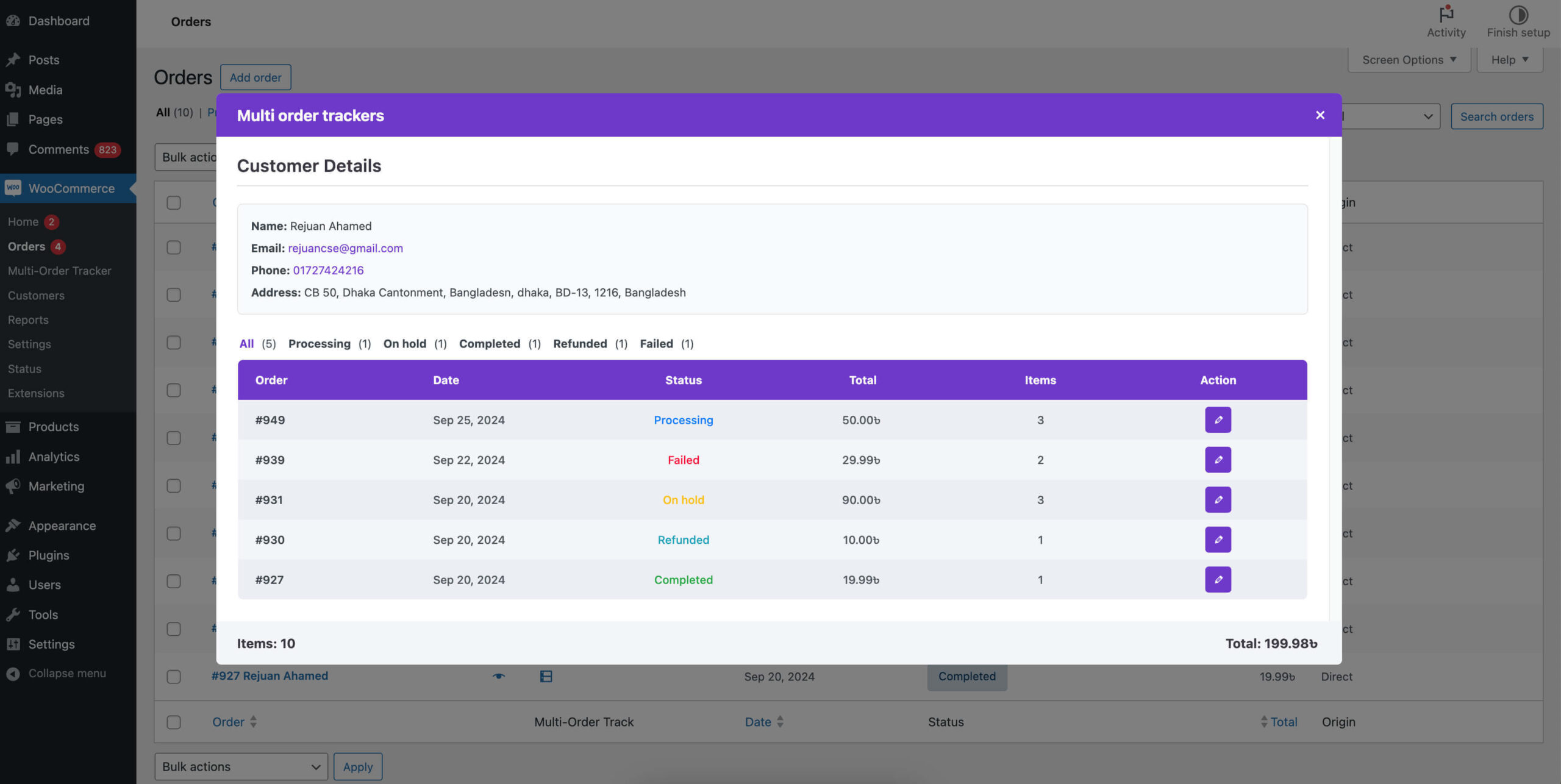
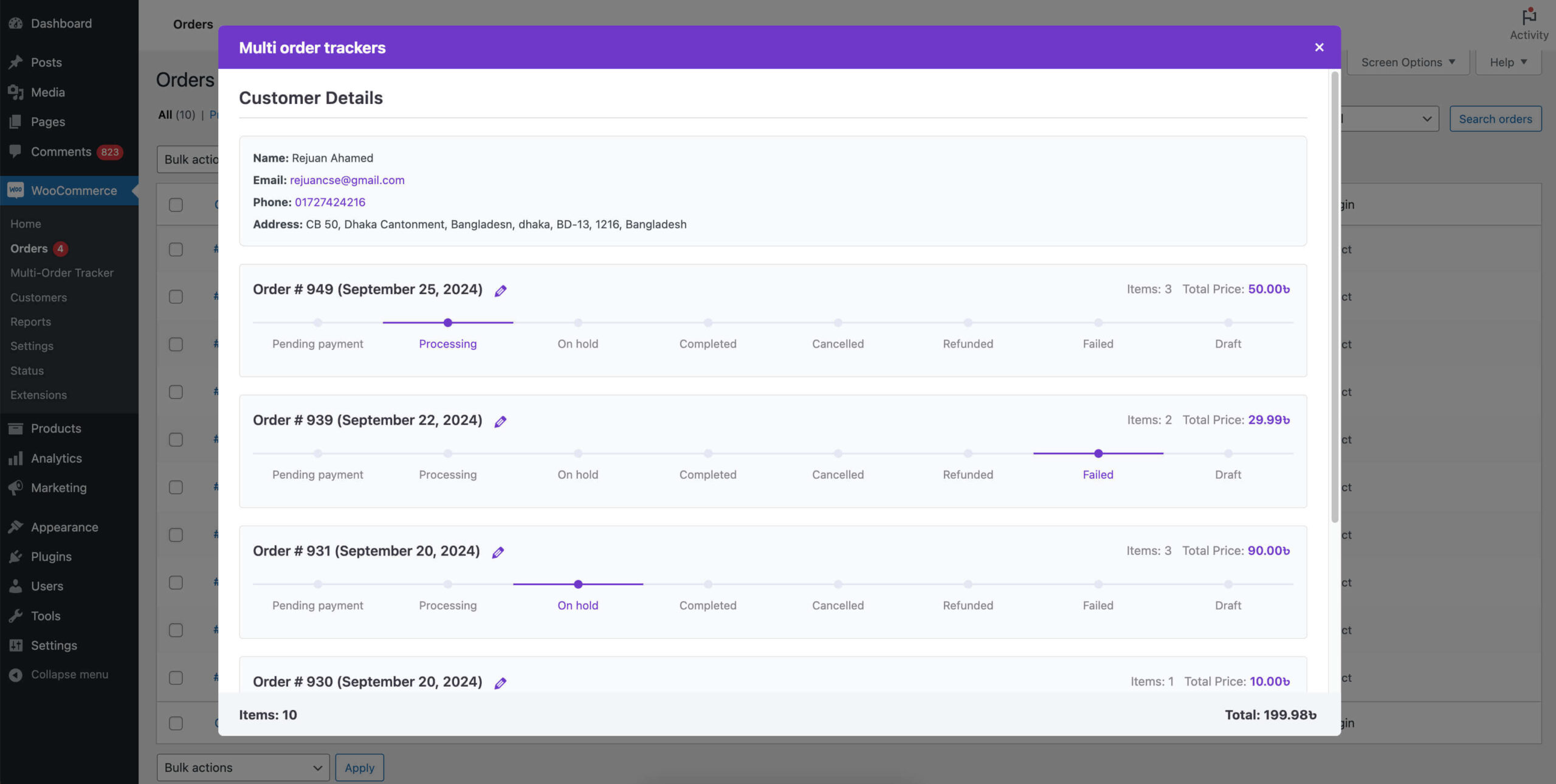
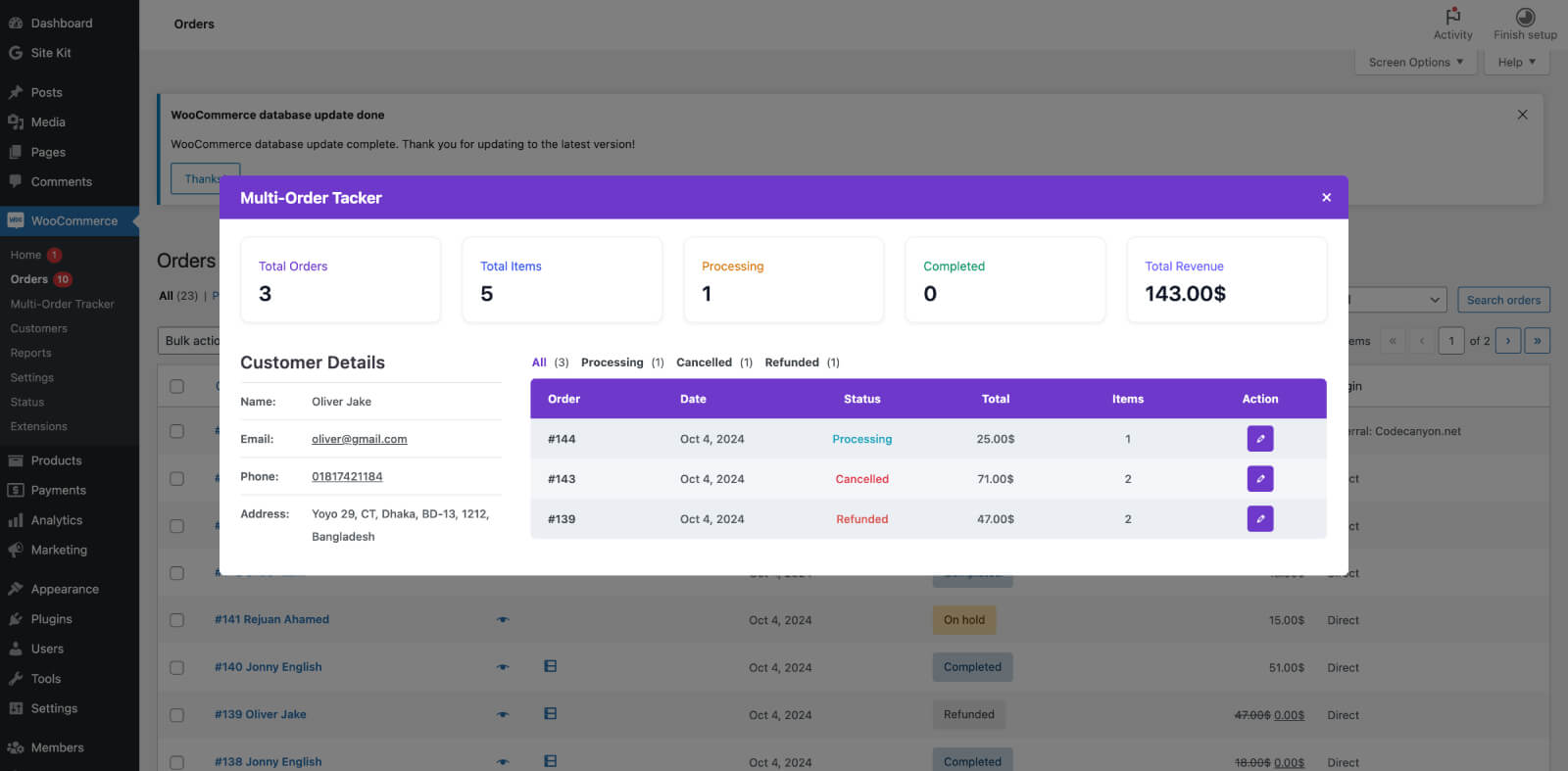
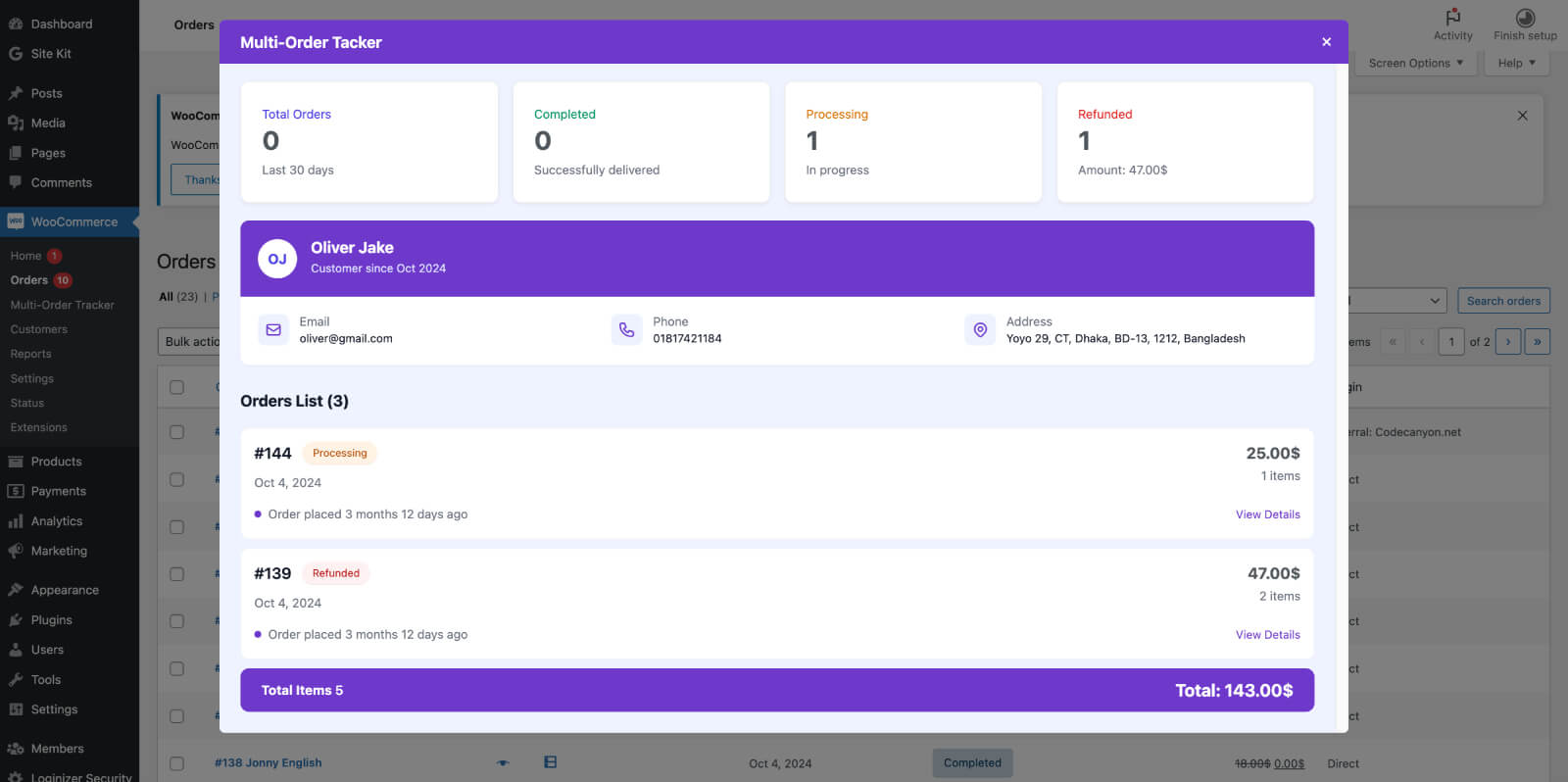
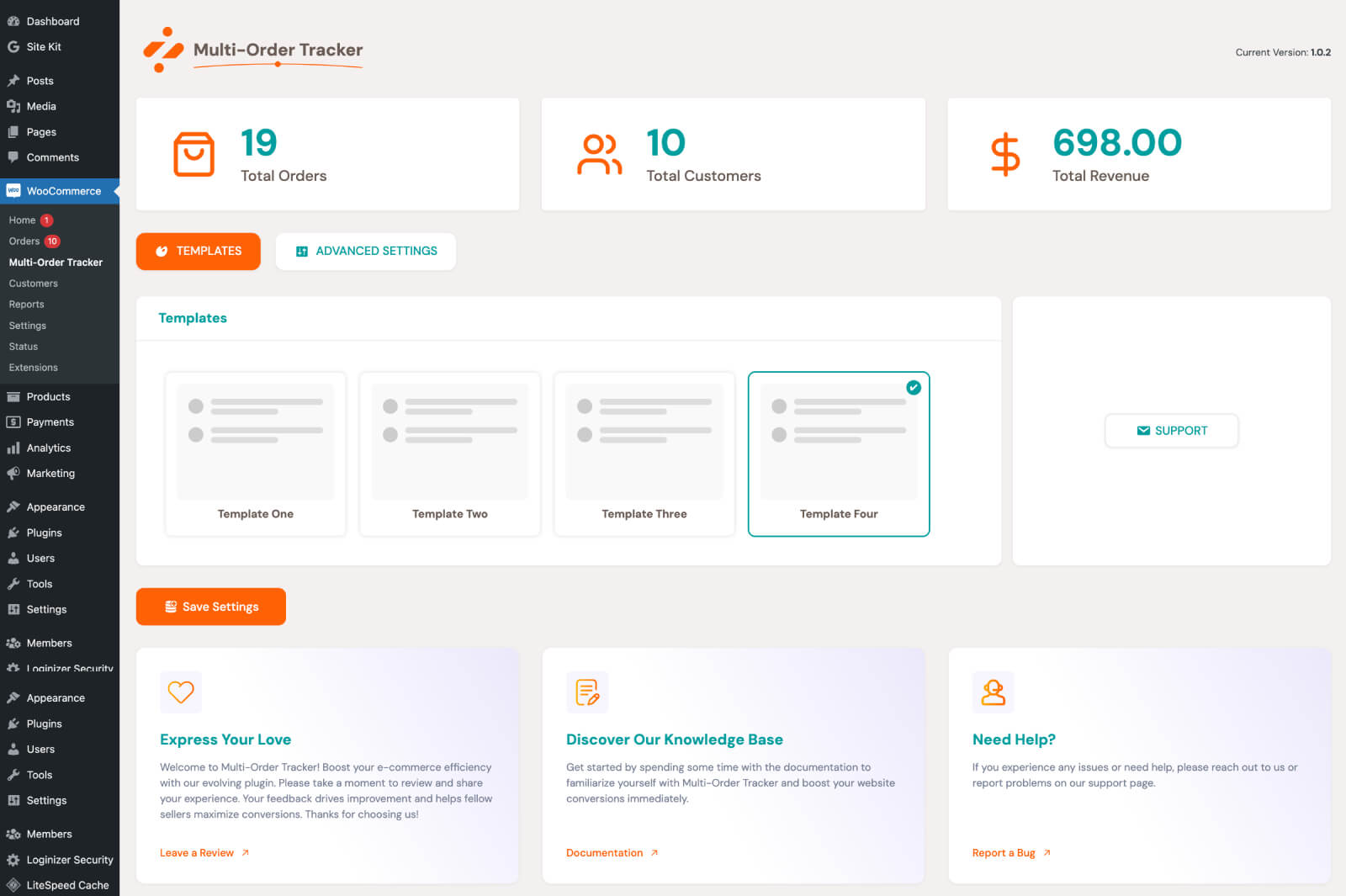 Accessing the Enhanced settings. Go to your WordPress admin area. Navigate to WooCommerce → Multi-Order Tracker. The Multi-Order Tracker interface displays a clean, modern dashboard design
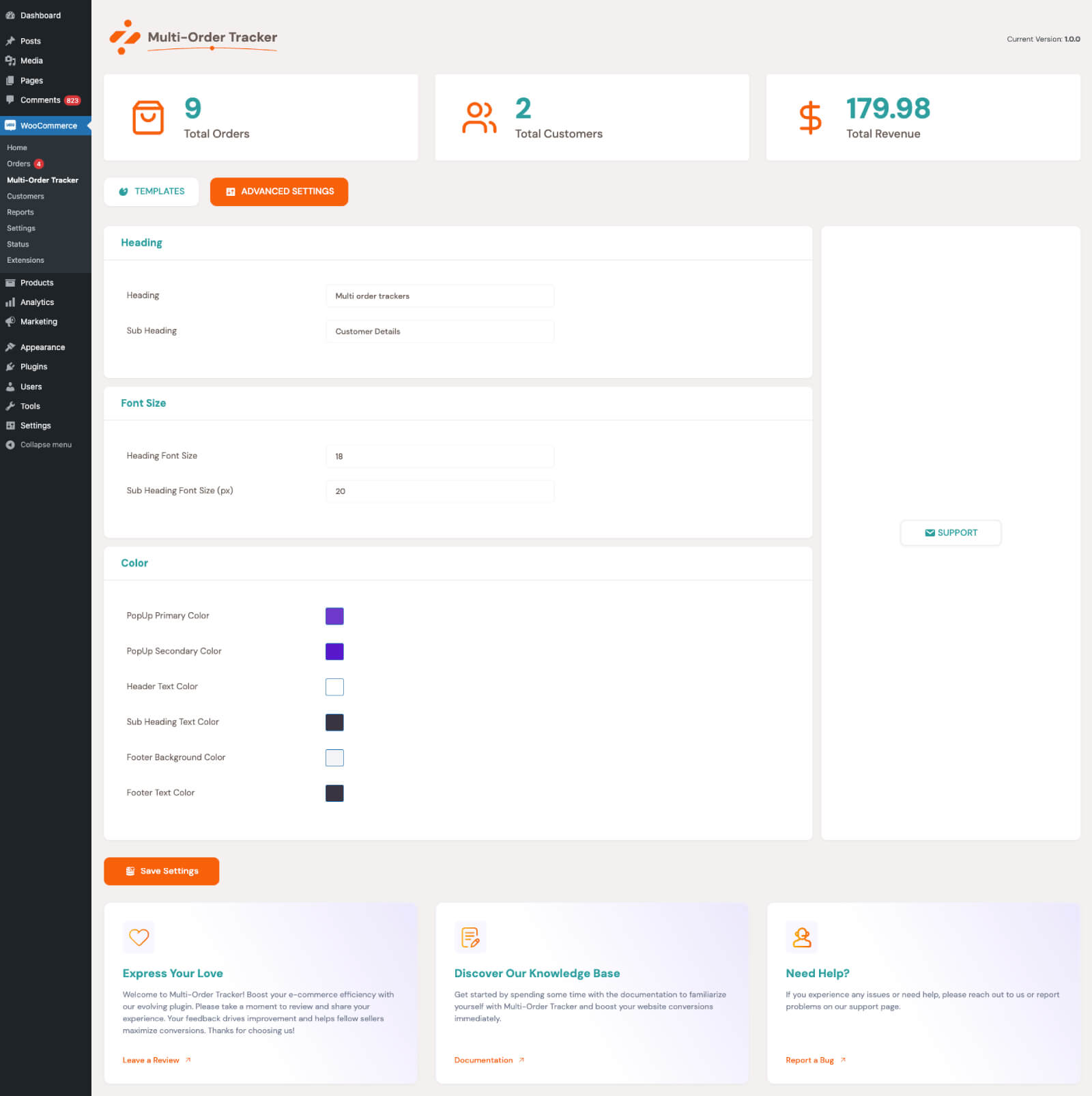
Key Features:
- Multiple Order Identification: Visual indicators for customers with multiple orders in the WooCommerce orders list.
- Order Status Tracking: View all order statuses from a specific customer in one location.
- Dynamic Button Integration: A clean button appears next to customers with multiple orders for easy access.
- Modal Order Overview: Access all orders from a specific customer in a modal window with order numbers and statuses.
How It Works:
- Accessing the Enhanced Orders List: Navigate to WooCommerce → Orders in your WordPress admin area.
- Identifying Multiple Order Tracker: Look for a new button next to orders from customers with more than one order.
- Using the Multiple Orders Modal: Click the button to open a modal displaying all orders by that customer, complete with statuses.
Benefits:
- Streamline order management and improve customer service with quick access to multiple orders.
- Easily track high-volume customers for efficient service.
Compatibility:
- Fully compatible with WooCommerce. Ensure WooCommerce is installed and activated.
Technical Details
- Requirements: WordPress 5.0+, PHP 7.4+.
- Dependencies: Requires WooCommerce.
Support Information
$25 |
Download |
0 average based on 1 ratings.

| Last Update | 2026-07-30 |
| Created | 2024-10-06 |
| Sales | 8 |
| Discussion | Comments |
| Compatible Browsers | IE6 IE7 IE8 IE9 IE10 IE11 Firefox Safari Opera Chrome Edge |
| Software Version | WordPress 6.6.x WordPress 6.5.x WordPress 6.4.x WordPress 6.3.x WordPress 6.2.x WordPress 6.1.x WordPress 6.0.x WordPress 5.9.x |
| Compatible With | WooCommerce 8.x.x WooCommerce 7.x.x WooCommerce 6.x.x WooCommerce 5.x.x |
| Gutenberg Optimized | |
| High Resolution | Yes |
| Files Included | JavaScript JS HTML CSS PHP SQL |
| Video Preview Resolution |


