FileBird - WordPress Media Library Folders
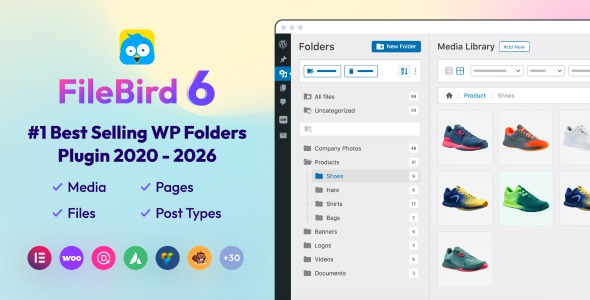

Do you have thousands of files in your WordPress media library? And you’re struggling to keep them organized?
We get it, that’s exactly the mess FileBird – WordPress Media Library Folders was built to fix. 200,000+ WP website owners already use it to bring order to their media, pages, posts, WooCommerce products, and more. 

MEET FILEBIRD PRO
Picture this: thousands of images, banners, and photos neatly organized into folders. Pages, posts, and custom post types sorted for instant access. Documents at your fingertips, alphabetically, by author, or by date.
This isn’t a dream. It’s the FileBird reality.

Your Complete WordPress Media Management Solution

Seamlessly manage posts, pages, CPTs, WooCommerce products, coupons, Elementor templates, marketing campaigns, and more with FileBird’s extensive categorization feature.

Say goodbye to the media mess. FileBird brings order to WordPress management as a whole.

Drag and drop works across every popular theme builder, page editor, and multilingual provider, exclusively, and out of the box.

We ship frequent updates, bug fixes, and compatibility patches for the latest WordPress releases.

30,000+ webmasters already trust FileBird’s interface to keep their media libraries organized, and it’s still actively maintained and improved.

WHAT CUSTOMERS SAY ABOUT FILEBIRD?

SEE IT IN ACTION
Create, rename, move, or delete folders in a click

Drag and drop multiple files and folders smoothly

Color code folders, including custom HEX colors

Insert media straight from folders into Elementor and other builders

HOW IT WORKS
Running a WordPress site means uploading images, videos, audio, PDFs, and docs day after day, until your media library becomes an unsearchable pile. FileBird gives you unlimited virtual folders, drag and drop uploads and moves, and a hierarchical view that puts any file within a few clicks’ reach.
FEATURES
DRAG AND DROP INTERFACE
Move files and folders natively, in a click, with none of the friction of legacy uploaders.
ORGANIZE PAGES, POSTS, & CUSTOM POST TYPES
Not just media: categorize posts, products, events, members, campaigns, and Elementor templates too.
DOWNLOAD MEDIA FOLDERS AS ZIP
Export entire folders in one click for backup, sharing, or offline use.
FILEBIRD CLOUD INTEGRATION SUPPORTED
This core plugin is compatible with the FileBird Cloud plugin, which connects your WordPress Media Library with Google Drive and Dropbox. Access cloud files directly from your WordPress dashboard, use cloud based media just like WP media uploads, and save server space.
FOLDER THEMES
There are 3 themes you can choose for your FileBird folder tree skins: FileBird Default, Windows 11, and Dropbox. Want more? Just let us know!
FOLDER COLORS
Don’t want to see monotone colors? Choose from 16+ preset colors, or use custom HEX colors for a perfect match.
NEW FILE COUNTER
Each user can keep track of newly uploaded media assets for easy reference. The file counter can be switched between counting files per single folder, and counting per parent folder with nested folders.
SUPERIOR FILE BROWSER IN PAGE BUILDERS
Open the page builder you’re using, insert an image element, and browse files directly in the same interface as FileBird’s native media library folders.
EMBEDDED GALLERY WITH FILEBIRD GUTENBERG BLOCK
Add a “FileBird Image Gallery” block to your page/post composer and choose the folder(s) you want to show. Your post will automatically display all media files in the chosen folder(s). Customize column number, link, caption, and cropping as needed.
DOCUMENT LIBRARY (ADDON)
The FileBird Document Library addon lets you show file lists from folders/categories on the front end, mirroring the back end. It includes breadcrumb navigation, nested folders, and flexible pagination.
UPLOAD TO SPECIFIC FOLDER
Upload many files at once to the folder you want, right from the dropdown menu in the Upload New Media modal.
CUSTOMIZABLE SIDEBAR
Your folder panel is resizable to fit your own name lists, or collapse it entirely to focus on the folder you’re working on.
SVG FILE SUPPORT
Allow SVG upload with sanitization for secure, efficient vector graphics handling, no extra plugins needed.
PAINLESS MIGRATION
Already using Enhanced Media Library by wpUXsolutions or Media Library Folders by Max Foundry? Import all your categories and folders at once.
FLEXIBLE MEDIA SORT & SEARCH
The multi-level structure supports filtering, categorization, and administration right in the native WP dashboard, with instant search even at hundreds of folders deep.
CMS OPTIMIZATION
Reduce administration time and lower the cost of operation and maintenance for effective, streamlined management.
ASSISTIVE SEO
Media file hierarchy keeps teams aligned, so it’s easy to double check ALT text and filename structure within a chosen folder.
FOLDER TREE WITH TOP NOTCH DESIGN
Clean, modern icons, buttons, labels, and draggable elements, consistent with the UI/UX of all Ninja Team plugins.
INTELLIGENT DELETION
Deleting a folder doesn’t delete your data. All files move to the “Uncategorized” folder so you can still use them later.
MULTI LANGUAGE SUPPORTED
All menus and labels are translated, so there’s nothing to look up, and no documentation to read.
VERSATILE COMPATIBILITY
FileBird works with popular themes, page builders, and other third parties like WooCommerce, WPML, Polylang, WPBakery, Elementor, Gutenberg, Beaver Builder, Divi, Thrive Architect, Slider Revolution, Smush, and more.
LIFETIME LICENSE
Pay once, get updates for your lifetime. No recurring payments.
NEW FEATURE WANTED?
Need a function that’s not in the premium version yet? Leave us feedback. We might build it in a future version, just for you.
FAQs
Q: Where can I find the documentation for this plugin?
A: You can find it here: https://ninjateam.gitbook.io/filebird/
Q: How can I assign an uploaded file to a specific folder when I create a new post?
A: Yes, you can use the folder tree on the left, or choose the folder in the dropdown list of the filter box beside the search box.
Q: Do all of my uploaded files remain the same after I first install this plugin?
A: Yes, they do. You can find them all in the “All Files” folder.
Q: If I create a folder or category, does this override the default WordPress path “wp-content/uploads”?
A: No, it does not. The plugin helps organize files into folders visually. The initial file permalink still remains as is.
Q: How can I bulk select multiple files and put them into a folder?
A: You can use the “Bulk select” button in the media grid, then select the files you want, and drag them into a folder.
Q: When I move an image to another folder, does this affect the image’s appearance on my front end?
A: No, it does not. The image still displays correctly on the site front end, and the file path doesn’t change.
Q: How can I update FileBird to the latest version?
A: Follow this guide: How to update FileBird
Q: How can I display a list of PDF files on the front end for visitors to download?
A: Use FileBird (core plugin) along with the FileBird Addon: Document Library Pro.
Q: How can I get support?
A: Visit our website for live chat, or email us at support@ninjateam.org. Buy from NinjaTeam.org and skip the queue, support is direct and instant.
PREMIUM LIVE CHAT SUPPORT


CHANGELOG
Aug 22, 2026 – Version 6.5.8
- Added: FileBird Gallery module for Divi Builder (Pro version) - Added: Support moving media and posts to folders on touch devices - Updated: License handling (only for Pro version sold on NinjaTeam official website) - Fixed: Sort files by name issue - Fixed: Drag-and-drop handle for the WordPress 7.1 list table - Fixed: Issue with uploading image to selected folder (browser's built-in file uploaded)
Jul 27, 2026 – Version 6.5.7
- New: Native license activation mode (for purchases made directly on https://ninjateam.org) - Updated: RU language files - Updated: APIs for post types - Improved: Creating a new page while selecting a folder categorizes that page in that folder - Fixed: Import CSV issue - Fixed: Drag to reorder images (Block Gallery) - Fixed: WordFence security issue
Jun 19, 2026 – Version 6.5.5
- Fixed: Compatibility issue with Admin Column
May 22, 2026 – Version 6.5.4
- Fixed: UI issues in WordPress 7.0 - Fixed: Translation strings in several languages - Improved: UI elements in the Tools screen
May 11, 2026 – Version 6.5.3
- Added: Folders for post/page (1 level folder supported) in FileBird free version - Added: File counter in both parent folder and subfolders in FileBird free version - Updated: Remove Document Library settings - Updated: Hide "Create first folders" 3 months when user dismisses it - Improved: Compatible with WordPress 7.0 - Improved: Compatible with FIFU plugin - Fixed: Block layout issue - Fixed: CSS issue on Zen Browser
Dec 5, 2025 – Version 6.5.2
- Added: Auto rename when add new folder and it's name exists - Fixed: Create new folder at post-type pages - Improved: Security
Oct 22, 2025 – Version 6.5.1
- Improved: Security (Access Control Authenticated (Subscriber+)) - Fixed: Inputs were not working properly
Oct 17, 2025 – Version 6.5.0
- Added: Double click folder to rename - Added: Hover effects - Improved: Security for Clear All Data function - Fixed: Warning when delete users
Aug 4, 2025 – Version 6.4.9
- Added: Accessibility improvements based on WCAG guidelines - Fixed: Security
Apr 19, 2025 – Version 6.4.8
- Added: FileBird Gallery Element for WPBakery Page Builder - Added: Support Import/Export Custom Post Types
Mar 19, 2025 – Version 6.4.7
- Added: AJAX Breadcrumbs - Fixed: Breadcrumb and Nested Folders issue when User Mode is on - Updated: Removed shop_order from the Post Type feature. - Improved: Code for Performance and maintainability
Feb 12, 2025 – Version 6.4.6
- Added: Display caption for lightbox - Improved: Request handling (conflict with JobBoardWP plugin) - Fixed: Security (reported by researcher Revan Arifio)
Jan 17, 2025 – Version 6.4.3
- Added: Backup feature
Oct 25, 2024 – Version 6.4.2
- Improved: UI - Fixed: Block FileBirdGallery not show
Oct 16, 2024 – Version 6.4.1
- Fixed: UI - Fixed: Setttings
Oct 9, 2024 – Version 6.4
- Added: Auto Select Previous Folder in Upload New Media Page - Added: Change some user settings to global settings, not belong to each user anymore (Folder counter, Theme, Breadcrumb) - Updated: PL language - Added: Some new filter hooks (fbv_user_default_folder: This filter is used to set the default folder for a user. Developers can use this filter to specify which folder should be loaded by default when the user accesses FileBird plugin. fbv_user_default_sort_files: This filter allows you to set the default sorting method for files within a folder. Developers can customize how files are sorted when the user first accesses a folder. fbv_user_default_sort_folders: This filter allows developers to define the default sorting method for folders when the user first accesses the plugin. fbv_user_folder_startup: This filter lets developers define the initial folder or state that should be loaded when FileBird plugin starts up for the user.) - Fixed: Laggy text selection when using with Divi Builder - Fixed: Sort folders (display wrong order) in custom post types
Aug 23, 2024 – Version 6.3.4
- Fixed: CSV Export Vulnerability, reported by Sarun Pornjarungsak (Researcher Secure D) - Fixed: Improve Post Type Counter - Fixed: Exclude trashed posts out of folder count
Jun 25, 2024 – Version 6.3.3
- Fixed: Plugin dependencies
Jun 25, 2024 – Version 6.3.2
- Fixed: CSS hiding all admin notices
Jun 25, 2024 – Version 6.3.1
- Fixed: Load media in Add New Media File page
Jun 24, 2024 – Version 6.3
- Added: FileBird folder column in media list and Post Type table - Improved: WordPress TableList Drag/Drop - Fixed: WordPress VIP service doesn’t load FileBird styles - Fixed: WPML/Polylang not sync file to folder when add new attachment
Jun 14, 2024 – Version 6.2.5
- Fixed: Folder dropdown not showing in Featured Image upload tab when Elementor is activated
May 31, 2024 – Version 6.2.4
- Improved: Sort default file, default folder - Fixed: Conflict with MotoPress WordPress Hotel Booking plugin
May 23, 2024 – Version 6.2.3
- Improved: File search scope in list view - Fixed: Default folder settings not working in Elementor - Fixed: Default folder settings not saved in some CPTs
May 13, 2024 – Version 6.2.2
- Improved: Compatible with custom post types created by third-party plugins - Fixed: Count post types when selecting “Not Translatable” in WPML
May 10, 2024 – Version 6.2.1
- Fixed: PHP warning undefined array - Fixed: FileBird gallery image captions showing raw html - Fixed: CSV export incorrectly when having comma symbol in folder name - Fixed: Create new folder (Press ESC doesn’t revert the last tree, create unused temporary folder) - Improved: Disabled “Paste” when Cut and Paste a folder itself - Improved: Disabled “Delete permanently” when moved files in Bulk Select - Improved: Post Type Label (In the previous version it only showed Folder for all post types; now it changes to “Page Folders”, “Post Folders”, etc. based on Post Type Selected). Improved for 3rd export plugins like WP All Export.
Apr 23, 2024 – Version 6.2
- Added: Implement new hooks - Added: Support mobile for PostType/Media - Added: Implement new interface for admin - Fixed: WPML Redirect API - Fixed: Some bugs
Mar 29, 2024 – Version 6.1.2
- Fixed: Wordfence bug report
Mar 20, 2024 – Version 6.1.1
- Fixed: Error when updating - Fixed: Security - Fixed: Count for Post type
Mar 11, 2024 – Version 6.1
- Added: Support Zion Builder - Added: Implement Search using API (need apply new filter to use) - Improved: Prevent duplicating folder tree request in Modal of Gallery
Mar 2, 2024 – Version 6.0.9
- Added: Import folder from Mediamatic plugin - Added: Auto activate license on staging site - Fixed: Some bugs of image gallery - Fixed: Compatible with collation utf8mb3
Feb 21, 2024 – Version 6.0.8
- Improved: Folder tree appearance after deleting a folder - Improved: "Activate license" screen - Updated: POT file - Fixed: Missing folder icons on Safari
Jan 26, 2024 – Version 6.0.7
- New: FileBird Breadcrumb works with EML - New: Folder on the right works with EML - Improved: FileBird Updater - Fixed: Reset file selected (when choose another folder, files selected before are deselected)
Jan 19, 2024 – Version 6.0.6
- Improved: Switching to use TailwindCSS (Remove CSS-IN-JS) - Improved: Performance optimization for RTL + LTR - Improved: Expanded folder tree doesn’t sync well in multiple screens - Fixed: Post Types Counter displays wrong number - Fixed: Some CSS
Jan 9, 2024 – Version 6.0.5
- Fixed: Firewall blocking (Sucuri, GoDaddy, etc.)
Jan 7, 2024 – Version 6.0.4
- Added: Implement new interface UI library for Tooltip, Context Menu, animation, which is scaleable, easier for maintain and have better performance - Added: Missing text translation - Fixed: Compatible with PHP 8.2 - Fixed: Missing “FileBird Folder” attribute on media file’s detail - Fixed: Listview error - Fixed: PostType doesn’t load posts (only ListView) - Fixed: Not Saving PostType in Setting - Fixed: Select Folder doesn’t work properly when there is no folder in PostType - Fixed: Remove plugin updater library, using new functionality - Fixed: CSV Import not working for PHP > 8.0 - Fixed: Small CSS bugs
Dec 25, 2023 – Version 6.0.3
- Updated: POT files, translation for German - Fixed: Layout of folder tree in modal (for German)Dec 22, 2023 – Version 6.0.2
- Fixed: Compatible with WooCommerce Product Layout - Fixed: Compatible with ACF Custom FieldDec 21, 2023 – Version 6.0.1
- Fixed: Support page buildersDec 21, 2023 – Version 6.0
- New: Full compatibility of folders for pages, posts, custom post types with WPML, Polylang, etc. - New: SVG upload & sanitization - New: Each user can now experience new folder skins in different themes - New: Quickly display folder ID - New: File counter options for each user - New: UI/UX & icon design - Required: At least PHP 7.4 - Improved: Unstyled component - Improved: Smooth resizeable folder sidebar - Improved: Lightweight plugin bundle with minified packages - Improved: Faster performance - Improved: Smart load assets per task - Fixed: PHP 8.0 auto-update libraryNov 28, 2023 – Version 5.5.8
- Fixed: Compatible with Polylang latest versionNov 22, 2023 – Version 5.5.7
- Added: Support YooTheme ver 4 and greater - Fixed: Conflict with ATUM Purchase Order Pro plugin (by Stock Management Labs™)Nov 13, 2023 – Version 5.5.6
- Fixed: Sorting in WooCommerce ProductsNov 8, 2023 – Version 5.5.5
- Fixed: Compatible with WP 6.4 - Improved: Review suggestionOct 25, 2023 – Version 5.5.4
- Fixed: Not show folder tree in post typesOct 24, 2023 – Version 5.5.3
- Improved: Work with cacheAug 31, 2023 – Version 5.5.2
- Fixed: Counter wrong in popup modal with WPML - Fixed: Support Betheme latest version - Fixed: Conflict tooltip style with Betheme builder - Fixed: Drag/drop attachment not working correctly (conflict with betheme builder drag/drop)Aug 23, 2023 – Version 5.5.1
- Fixed: Error with WP 6.0.xAug 1, 2023 – Version 5.5
- Added: New filter for Post Types Support: filebird_post_types - Added: Label All Posts/Pages/Items & Logo Empty Folder - Added: Counter of folder on the right - Fixed: Tooltip of folder on the right - Fixed: Laggy moving - Improved: Logic and performance - Updated: POT files, updated Dutch LanguageJul 7, 2023 – Version 5.4.5
- Added: Compatible with PDF Image Generator (By Mizuho Ogino) - Updated: Document LinkJul 3, 2023 – Version 5.4.4
- Added: Compatible with text block of UX builder (Theme Flatsome) - Fixed: Drop item when a subfolder is deleted - Fixed: Conpatible with Twenty twenty three themeJun 27, 2023 – Version 5.4.3
- Fixed: Conflict with plugin CMS Tree Page View - Fixed: Set folder for cropped imageJun 20, 2023 – Version 5.4.2
- Added: Sync WPMLJun 7, 2023 – Version 5.4.1
- Fixed: Compatible with the latest version of Beaver Builder - Fixed: PostType Tree loading with Editor RoleJun 5, 2023 – Version 5.4
- Added: Support migrate folders from Wicked Folders pluginMay 23, 2023 – Version 5.3.3
- Fixed: Order warningMay 15, 2023 – Version 5.3.2
- Fixed: SQL securityMay 11, 2023 – Version 5.3.1
- Fixed: Guide linkMay 5, 2023 – Version 5.3
- Added: Options Choose user folder when import CSV (with attachments) - Fixed: Compatible with PHP 5.6, PHP 8.2 - Fixed: Disable button Bulk select after moving filesApr 18, 2023 – Version 5.2
- Added: Folders for other post types - Fixed: Error with layout of woo product - Fixed: Move files - Fixed: sql_require_primary_keyApr 10, 2023 – Version 5.1.6
- Fixed: Sql_require_primary_key in Digital Ocean - Fixed: Can not active when email has plus characterMar 23, 2023 – Version 5.1.5
- Supported: LearnPress - Supported: BeTheme - Fixed: Permission for generate-key api - Fixed: Gutenberg scroll folderJan 6, 2023 – Version 5.1.4
- Fixed: Special symbol in image alt in galleryJan 4, 2023 – Version 5.1.3
- Fixed: Conflict with PHP <7.4Jan 3, 2023 – Version 5.1.2
- Fixed: Download folder errorDec 28, 2022 – Version 5.1.1
- Fixed and improved: Sort by file nameNov 15, 2022 – Version 5.1
- Fixed: Import folders from WP Media Folders (by Damien Barrère) - Fixed: Move attachmentNov 10, 2022 – Version 5.0.9
Added: Import folders from WP Media Folders (by Damien Barrère)Oct 6, 2022 – Version 5.0.8
- Fixed: Improve sort by file name - Fixed: Small CSS - Improved: Review notice (display after 3 days when activated the first time) - Added: Hook for not create folder when uploadingSep 16, 2022 – Version 5.0.7
- Updated: New algorithmSep 12, 2022 – Version 5.0.6
- Fixed: SVG Icon in Safari - Added: Notice when create/update folder fail - Fixed: FileBird Gallery not display image when using EWWW Image Optimizer plugin - Fixed: Some bugsAug 11, 2022 – Version 5.0.5
- Added: Support Avada Theme - Fixed: BugsAug 9, 2022 – Version 5.0.4
- Added: Support Bricks builder - Fixed: Issue with wordpress.com - Fixed: Compatible with ThemifyJul 22, 2022 – Version 5.0.3
- Improved: Folder name sorting - Fixed: Import from 3rd party pluginsJul 21, 2022 – Version 5.0.2
- Removed: CSS Gallery when not using Gutenberg - Fixed: PHP warningJul 5, 2022 – Version 5.0.1
- Updated: Korean Language - Removed: All .DS_Store files - Fixed: Schedule permission error - Fixed: Conflict with Oxygen Builder - Fixed: Module build failedJun 30, 2022 – Version 5.0
- Added: FileBird Themes (Windows 11, Dropbox) - Added: FileBird Folder colors - Added: Move folders in bulk - Added: FileBird Gallery Layouts (Flex | Manasory | Grid) and Lightbox - Added: New Sort by Size and Generate attachment size - Added: New API method for Dev - Added: Some new settings - Added: Full Support Gutenberg Block Translation with new json file (you can generate by using wp i18n make-json which have been published by WP version 5) - Added: Support Korean Language - Added: Support Themify - Added: Recommended plugins - Optimized: Performance (FileBird 5 loads the previous versions, refactored code base, optimized query, removed some library, changed structure) - Improved: UI and notices - Improved: FileBird Auto Update, License checking - Updated: POT file - Fixed: CSS with LMS Plugin - Fixed: Minimize Upload Popup - Fixed: Warning in PHP 8 (Tested in PHP 8.1) - Fixed: Schedule Auto Clean Temp folder when using folder download function - Fixed: Divi Builder Bug - Fixed: Generate name when download folder - Fixed: Compatible with Enhanced Media plugin - Fixed: Some bugsFeb 9, 2022 – Version 4.9.9.1
- Optimized codeJan 7, 2022 – Version 4.9.9
- Fixed: Slow query - Fixed: File permissions - Fixed: Hide tab Import/Export errorDec 30, 2021 – Version 4.9.8
- Added: Import/Export folder structure into CSV - Added: Flat/Default tree view in modal - Improved: UI and text - Fixed: Conflict with Envato marketDec 10, 2021 – Version 4.9.7
- Fixed: Conflict with ACF - Fixed: Error in folder.phpDec 6, 2021 – Version 4.9.6
- Added: Support MailPoetDec 2, 2021 – Version 4.9.5
- Added: Folder selector in Edit media - Fixed: WooCommerce conflict (break Upload Theme button)Nov 10, 2021 – Version 4.9.4
- Fixed: Elementor With PolyLang wrong folder counter - Fixed: Image ALT in FileBird Gutenberg GallerySep 29, 2021 – Version 4.9.3
- Added: Import folders for Folders by Premio - Fixed: Compatible with WordPress old versionsSep 9, 2021 – Version 4.9.2
- Improved: Import notice - Fixed: Some small bugsAug 25, 2021 – Version 4.9.1
- Fixed: Auto update schedule - Fixed: Gutenberg widgets missingAug 13, 2021 – Version 4.9
- Added: Infinite scroll - Added: Plugin activation alert - Added: Sorting by File Name in FileBird Gallery - Improved: Folder name sorting - Improved: German translation - Fixed: Drag files in Tablet (not include Ipad Pro)Jul 21, 2021 – Version 4.8
- Fixed: Compatible with WordPress 5.8 - Fixed: Replace imageJul 15, 2021 – Version 4.7.9
- Fixed: Elementor Modal Upload image - Fixed: Add New Folder bugJul 14, 2021 – Version 4.7.8
– Fixed: Conflict with Photo Gallery plugin – Fixed: ACF warning – Fixed: ACF meta field image can’t load – Fixed: WPML Counter (in WPML latest version 4.4.10)Jul 2, 2021 – Version 4.7.7
- Added: Notice when a license was used - Fixed: Loading Uncategorized folder - Fixed: Context menu position - Fixed: Small bugsJun 25, 2021 – Version 4.7.6
- Fixed: Auto update (Please do manual update for this version)Jun 24, 2021 – Version 4.7.5
- Supported: Enhanced Media Library - Supported: Media Library Assistant - Improved: Load large files - Improved: Translation (Added missing strings) - Fixed: SecurityJun 15, 2021 – Version 4.7.4
– Updated: Languages – Fixed: JS conflict with Divi builder – Fixed: WPML non translated mode make folder counter and files in folders get wrong – Fixed: Conflict with Debug Bar plugin – Fixed: PolyLang get missing files in folder – Fixed: Folder always loading – Fixed: Important security updates.May 26, 2021 – Version 4.7.3
- Added: Support Dokan plugin - Improved: FileBird UI in Mobile - Improved: Library - Improved: Translations, update POT file - Fixed: Auto Update function conflict with plugins and themes - Fixed: Image validation for ACF plugin - Fixed: Counter wrong in Elementor Pro - Fixed: Gutenberg issues (Wrong tag in frontend, Large images chosen when create gallery) - Fixed: Missing language "NL" - Fixed: RestAPI (404 Error) - Fixed: WPML/Polylang Full Compatible modes in Setting Media, support "All languages in admin bar", wrong CounterApr 7, 2021 – Version 4.7.2
- Added: Upload multiple images in multiple folders when upload processing - Fixed: Can’t set folder Uncategorized as default in folder load - Fixed: Append right folder - Fixed: Update database make folders duplicated when “Each user folder mode” enabled - Improved: Tooltip - Improved: UI - Improved: Activation - Optimized: FileBird Zip SizeMar 30, 2021 – Version 4.7
- Added: New Resize bar - Added: Support PHP 8 and greater - Added: Support Tatsu Builder - Improved: Performance - Improved: Optimize code - Improved: UI - Improved: Text - Fixed: Counter in WPML - Fixed: Tooltip bugs - Fixed: Can't set "Uncategorized" default folder load - Fixed: Reorder on Edit gallery - Fixed: Small bugsMar 12, 2021 – Version 4.6
- Added: License Activation - Added: Auto updates via Envato login - Added: Set auto sorting for files - Added: Sync Gutenberg gallery - Added: Sort Images in Gutenberg gallery - Improved: Import folders - Updated: Pot files - Fixed: CSS - Fixed: Small bugsFeb 5, 2021 – Version 4.5
- Added: Import folders from HappyFiles - Improved: Performance - Fixed: Edit Gallery - Fixed: Folder counter bug when moving images in user-based folder mode - Fixed: Draggable for tablet - Fixed: Conflict with Picu plugin - Fixed: Conflict with TutorLMS pluginJan 18, 2021 – Version 4.4
- Added: Download folder feature - Improved: Performance - Fixed: Duplicate folder when import - Fixed: Folder tree scrollJan 4, 2021 – Version 4.3.2
- Fixed: Drag and drop on Tablet - Fixed: Edit Gallery - Fixed: Set over the max number of AttachmentID - Fixed: FileBird Gallery selector in Gutenberg - Fixed: CSS conflict with Shortpixel plugin - Removed: Drag and drop on MobileDec 21, 2020 – Version 4.3.1
- Added: Support shortcode for Document Gallery - Added: API - Get folder detail by folder_id - Fixed: Modal append (Conflict with Yoast SEO) - Fixed: Conflict with Uncode theme - Fixed: Not loading media when uploaded by different modal in Elementor - Fixed: Reset file selection when move file in Bulk Select modeDec 14, 2020 – Version 4.3
- Added: ESC key to exist Bulk select mode - Fixed: Missing folder container - Fixed: Security - Fixed: SQL - Fixed: Uploading new image can't be inserted to a post in modal - Fixed: Prevent reload attachments when sorting folders - Improved: Alert text - Improved: Icon size and default folders with long names in some languagesDec 10, 2020 – Version 4.2.1
- Added: ESC key to exist Bulk select mode - Fixed: Missing folder container - Fixed: Security - Fixed: SQL - Improved: Alert text - Improved: Icon size and default folders with long names in some languagesNov 25, 2020 – Version 4.2
- Added: Set previous folder selected as default folder - Added: Compatible with Oxygen Builder - Fixed: ACF warning - Fixed: Conflict with WPML rest API - Fixed: CSS conflict with The Grid plugin - Improved: Prevent warning when upload folder containing desktop.ini or .DS_Store fileOct 27, 2020 – Version 4.1
- Added: Set default folder to open - Added: New APIs - Added: Support ACF - Improved: Notice of creating the first folder - Removed: Folder selector when no item available in modal popup - Fixed: Some bugs in folder containerSep 16, 2020 – Version 4.0.7
- Added: User can use API to create folders - Improved: Cut/Paste function - Fixed: Counter with Polylang - Fixed: Import function - Fixed: Counter in import messageAug 26, 2020 – Version 4.0.6
- Added: Compatible with Cornerstone Page Builder (From X Theme) - Fixed: Browser security issue with Microsoft Edge, Firefox - Fixed: Conflict jQuery-UI with ACF plugin - Fixed: Can't create table 'fbv_attachment_folder' - Fixed: Screen Option hidden in Media UploadAug 11, 2020 – Version 4.0.5
- Fixed: Cache issues - Fixed: Mobile view - Fixed: Compatible with The7 theme - Fixed: Improve performance on modal - Fixed: Upload bugs - Fixed: Count on parent folder - Fixed: Small bugsAug 01, 2020 – Version 4.0.4
- Improved: Notifications - Improved: Keep old folders from 4.0 version after update database - Improved: PerformanceJul 28, 2020 – Version 4.0.3
- Added: Gutenberg block - Improved: Update FileBird database - Improved: UI/UXJul 27, 2020 – Version 4.0.2
- Fixed: Update FileBird database - Fixed: Bulk delete folders - Fixed: Some small bugsJul 23, 2020 – Version 4.0.1
- Fixed: Auto import folders from old versionJul 22, 2020 – Version 4.0
- Added: New designs - Added: Use new technology - Added: Smooth performance for unlimited folders and large numbers of files - Added: REST API for developers - Added: Sort files by Name, Date, Modified, Author - Added: Bulk select folders - Added: Bulk delete folders - Added: Wipe old data - Added: Clean all data - Added: Import from WordPress Real Media Library by devowl.io - Added: Import from WP Media Folder by JoomUnited - Added: Support Brizy builder - Added: Support Fusion builder - Added: Compatible with KnowherePro theme - Improved: Switchers - Improved: Text and Popups - Improved: Documentation - Fixed: Special characters in folder name - Fixed: Auto detect site width - Fixed: SQL syntax errors - Fixed: Bugs in list view - Fixed: Duplicate queries - Fixed: Bugs with WPML - Fixed: Small bugsMar 6, 2020 – Version 3.9
- Added: Support Thrive Architect - Added: Language files for Taiwan (Thanks to soga172) - Fixed: Some bugsMar 2, 2020 – Version 3.8.2
- Fixed: List view order item bug - Fixed: WPML bugFeb 23, 2020 – Version 3.8.1
- Fixed: Scroll bar - Fixed: Some small bugsFeb 23, 2020 – Version 3.8
- Added: New FileBird layout - Added: New icon - Added: Separate Folder(s) for different user - Added: Import files from 2 media library plugins (Enhanced Media Library by webbistro and WordPress Media Library Folders by Max Foundry) - Added: Folder sort, folder search - Fixed: Support PolyLang - Fixed: Count - Fixed: Splitter - Fixed: Rename folder in list view mode - Fixed: Some bugs in right to left screen - Fixed: Move large folders - Fixed: Filter is hidden when using Smush plugin - Removed: Unused css - Removed: Unused librariesNov 11, 2019 – Version 3.5
- Added: FileBird Gallery block for Gutenberg - Fixed: Error of updating media image size in unsaved post - Fixed: Menu CSS - Fixed: Remove trigger which conflicts with Divi builder - Fixed: Conflict with Gridd Theme - Fixed: Small bugsOct 28, 2019 – Version 3.4
- Removed: Unused CSS - Fixed: Elementor bug - Fixed: List view not load image - Fixed: Count items in Uncategorized folder - Fixed: Conflict CSS with ACF plugin - Fixed: Small bugsOct 22, 2019 – Version 3.3
- Added: Option turn on/off loading FileBird at front-end for page builders - Improved: Removed CDN for customScrollBar - Fixed: Small bug with Elementor - Fixed: Select option does not change in modal popup upload - Fixed: Only call moving image when moving folder positionSep 18, 2019 – Version 3.2.2
- Fixed: Sorting error in list view - Improved: Optimize CodeSep 16, 2019 – Version 3.2.1
- Fixed: Conflict with WordPress Customize Function - Improved: Optimize Code - Fixed: Some small bugsSep 13, 2019 – Version 3.2
- Fixed: "nt_wmc_folder" in Google Search Console results - Fixed: Error in full front end Divi Page Builder editor - Fixed: PHP notice on line 582 and 586 - Fixed: Load JS script on front end - Fixed: Error "FileBird is loading" on Elementor builder - Fixed: Compatible with FooGallery and Final Tiles Grid Gallery - Fixed: Warning notice in WordPress - Fixed: Margin Overlay - Fixed: Other small bugs - Improved: Performance and Optimize CodeJul 29, 2019 – Version 3.1.2
- Improved: Fast append treeview - Improved: Prevent public folders link - Improved: CSS UI - Fixed: Prevent public taxonomy folder - Fixed: Query database callback all time - Fixed: FileBird treeview show on the top left in product editor in WooCommerce - Fixed: Can’t drop file when creating the first folder - Fixed: Work with WPML when Post Types Translation: Media tick not translatable - Fixed: Bulk select moving images into folders by itself - Fixed: Move folder with length folder text - Fixed: Resize bar not save in minimum width - Fixed: Remove map file library - Fixed: Conflict with photo galleryJun 10, 2019 – Version 3.1.1
- Added: Support RTL languages - Added: Support Advanced Custom Field - Improved: Reduce plugin size - Fixed: Small bugsJun 04, 2019 – Version 3.1
- Improved: Change drag-drop library - Improved: Optimize drag-drop - Improved: Change drag-drop to trigger folders, list view - Improved: Change syntax jQuery - Fixed: CSS not show in all folders treeview from classic editor - Fixed: Move many files - Fixed: Move all categories - Fixed: Auto Deselect bulk when none file - Fixed: Count file selected in bulk select - Fixed: Conflict with Avada theme - Updated: CSS - Removed: Unused filesMay 28, 2019 – Version 3.0
- Added: Treeview interface in page, post, custom post type - Added: Treeview interface in Divi Builder, Beaver Builder, Visual Composer, WPBakery Page Builder, Elementor Builder - Added: Treeview interface for Gutenberg - Added: Bulk auto deselect when change folder - Added: Compatible with WPML 4.x version - Fixed: WPML 3.9 conflict - Fixed: Move one file not click image - Fixed: CSS over when edit folder - Fixed: Load too much database - Fixed: Treeview interface Elementor Builder - Fixed: Upload images - Improved: No load FileBird files on frontend if not use builder - Improved: Optimize FileBird - Improved: UI/UX - Removed: Unused filesMar 13, 2019 – Version 2.7
- Added: Refresh folder - Fixed: Categories dropdown from Media Library popup - Fixed: Some small bugsMar 4, 2019 – Version 2.6.1
- Updated: Languages and Documentation - Fixed: Press double clicks for OK/cancel buttonFeb 27, 2019 – Version 2.6
- Fixed: Scroll folder tree - Fixed: Bug for Elementor - Fixed: Languages - Fixed: Removed WordPress notification - Improved: Doesn't jump to destination folder when moving filesFeb 14, 2019 – Version 2.5
- Added: Compatible with Divi Builder - Added: Compatible with Beaver Builder - Added: Compatible with Visual Composer - Added: Compatible with WPBakery Page Builder - Improved: CSS - Fixed: Some bugsFeb 13, 2019 – Version 2.4.1
- Fixed: Folder structure when insert files in page/post - Fixed: Bulk select error - Fixed: Small bugsJan 29, 2019 – Version 2.4
- Added: Save position for resizable sidebar - Fixed: Languages - Fixed: Small bugsJan 22, 2019 – Version 2.3.2
- Added: Compatible with Elementor Page BuilderJan 9, 2019 – Version 2.3.1
- Added: Russian TranslationDec 4, 2018 – Version 2.3
- Fixed: Error in Theme Customize TabAugust 30, 2018 – Version 2.2
- Fixed: Conflict with 404 to 301 plugin - Fixed: Other bugsMay 17, 2018 – Version 2.1
- Added: Drag and drop files to folders for List mode - Added: Count items after dragging - Added: Load effect while dragging - Added: Hover effect (List mode and gird mode) - Added: Show loading progress bar when upload file - Improved: CSS - Improved: Clean code - Improved: Loading effect smoother - Fixed: Resize bug when dragging back - Fixed: Hide list attachments after load attachment - Fixed: Some small bugsMay 8, 2018 – Version 2.0
- Added: Resizeable sidebar - Added: Tooptip for displaying folder name for folder long title - Added: Display child folders in Media Library - Added: Display media folder upload on all pages - Added: Double click on folder to rename - Added: Select folder when upload new files - Improved: UI & UX - Improved: CSS & Javascripts - Improved: Smoother when load folder in Media container - Improved: Close/Open folder smoother - Improved: Added “…” character when title is long - Improved: Set state for current/opening/closed folder - Fixed: Only add a new folder one time - Fixed: Translation - Fixed: Resize sidebar speed - Fixed: Hide sidebar when resized minimum - Fixed: Temp stops when resize minimum - Fixed: Reload child folder after change folder structure - Fixed: Show double folder in Media container when double click to folder on the left side - Fixed: Refresh folder in media container when sort - Fixed: Reload files after upload - Fixed: Broken layout when get notification message from another plugins - Fixed: Validate rename - Fixed: Close parent folder - Fixed: Tooltip hidden when mouse leaves - Fixed: New folder with existing name - Fixed: Uncategorized files count - Fixed: Reset current folder when click to All files or Uncategorized - Fixed: Load folder media after move file - Fixed: Close folder after load page - Fixed: Mouse position when drag file - Fixed: jQuery Conflicts - Fixed: Some bugsApril 18, 2018 – Version 1.0.7
- Fixed: Image display section (Thanks to hotmedia) - Fixed: Some bugsApril 15, 2018 – Version 1.0.6
- Fixed: Some bugsApril 5, 2018 – Version 1.0.5
- Added: Display location latest folder place use. - Improved: New UI/UX - Improved: Change icons - Improved: CSS stylesMarch 28, 2018 – Version 1.0.4
- Improved: New drag and drop Javascript - Fixed: JS conflictsMarch 18, 2018 – Version 1.0.3
- Fixed: Load files in the folder - Fixed: Some bugsMarch 10, 2018 – Version 1.0.2
- Fixed: Drag and drop files - Fixed: Some bugsMarch 5, 2018 – Version 1.0.1
- Fixed: JS conflicts - Fixed: Drag and drop foldersApril 14, 2018 – Version 1.0
- Version 1.0 Initial Release
$149 |
Download |
4.9 average based on 1068 ratings.

| Last Update | 2026-08-27 |
| Created | 2018-04-14 |
| Sales | 38847 |
| Discussion | Comments |
| Compatible Browsers | IE10 IE11 Firefox Safari Opera Chrome Edge |
| Software Version | WordPress 7.0.x WordPress 6.9.x WordPress 6.8.x WordPress 6.7.x WordPress 6.6.x WordPress 6.5.x WordPress 6.4.x WordPress 6.3.x WordPress 6.2.x WordPress 6.1.x WordPress 6.0.x WordPress 5.9.x WordPress 5.8.x WordPress 5.7.x WordPress 5.6.x WordPress 5.5.x WordPress 5.4.x WordPress 5.3.x |
| Compatible With | bbPress 2.6.x bbPress 2.5.x Beaver Builder Block Editor BuddyPress 10.x.x BuddyPress 9.x.x Contact Form 7 Easy Digital Downloads Elementor Elementor Pro Gravity Forms Jetpack Layers WP Visual Composer WooCommerce 8.x.x WooCommerce 7.x.x WooCommerce 6.x.x WPBakery Page Builder WPForms WPML Cornerstone |
| Gutenberg Optimized | Yes |
| High Resolution | Yes |
| Files Included | JavaScript JS HTML CSS PHP |
| Video Preview Resolution |


