MailVet | Desktop Email Verifier


MailVet | Email Verifier for Windows
MailVet is a complete email verifier for Windows 10 and Windows 11, with full C# source code and a ready-to-run PHP verification server. Check one address or a list of a hundred thousand: MailVet looks at the syntax, suggests fixes for typos, spots disposable, role and free-mail addresses, reads the domain’s mail servers and then asks the mail server itself whether the mailbox exists, including whether the domain accepts every address (catch-all). No email is ever sent. Import a CSV of any shape, keep all its columns, and export exactly the list you need: the clean list, the bounces to remove, or everything with the verification columns added. An email finder and a domain health report (MX, SPF, DMARC, MTA-STS, BIMI) are built in. Run the checks on the PC, or on your own server when a network blocks port 25.
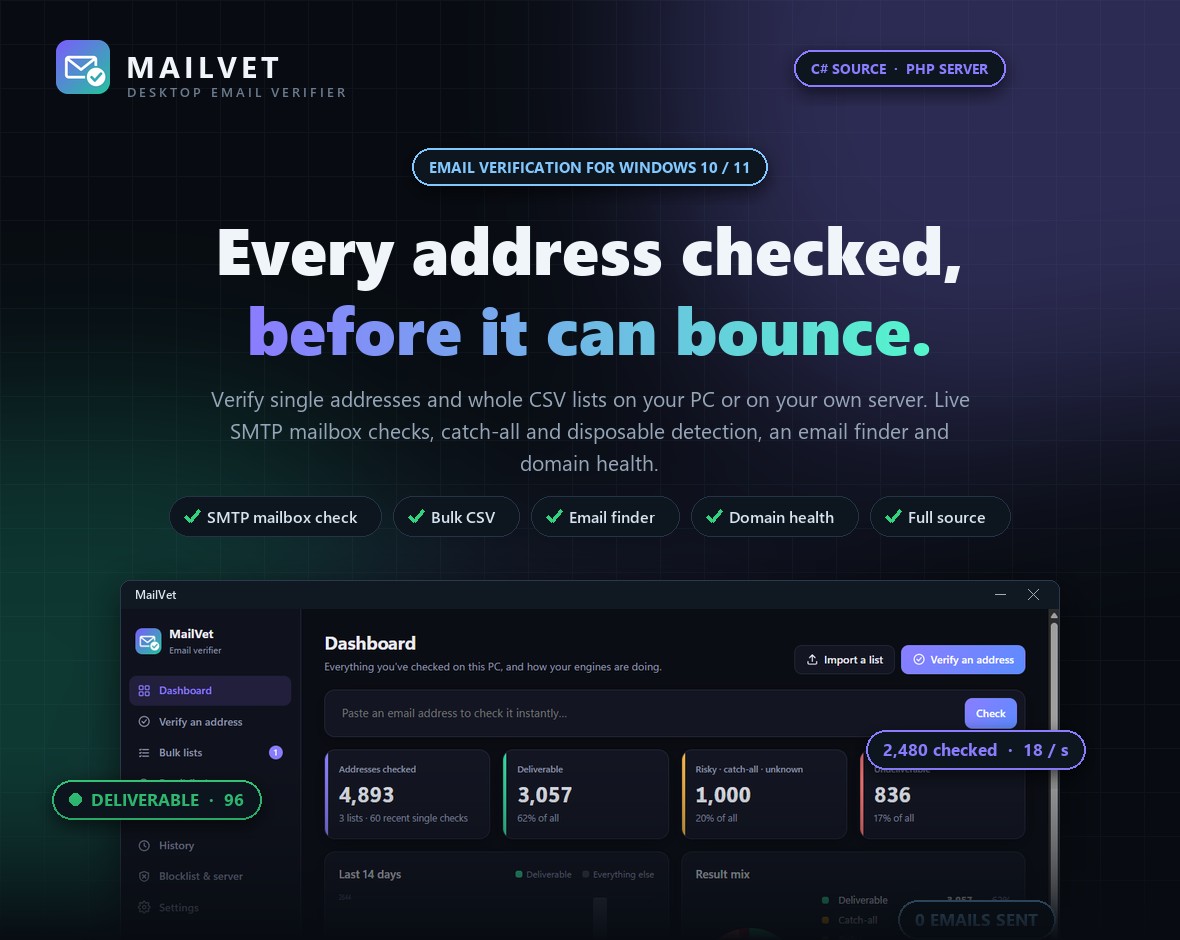
Demo Instructions
Try the real app on Windows 10 or 11, already connected to a live demo verification server
Demo download: https://demo.alphaxp.net/Evanto/MailVet/MailVet-Demo.exe
Server address: https://demo.alphaxp.net/Evanto/MailVet/api (already set in the demo build)
Demo API key: esk_38b92c00faf3cb1be2a50dc56747291be9cdf0ba (read-only, already saved in the demo build)
Login: not needed (API keys only)
- Download and run the demo build. It isn’t code-signed, so Windows SmartScreen asks first: choose More info, then Run anyway.
- The demo opens on the Dashboard, connected to the demo server (bottom-left: Server engine). Under Verify an address, type any address and press Verify.
- Under Bulk lists, drop a CSV or text file with addresses (or paste some), click Start checking, then use Export to save the clean list.
- Try the Email finder and Domain health, then Settings: switch to the Local engine to check straight from your PC.
The demo key is read-only (the blocklist can’t be changed) and limited to 500 checks a day, shared by everyone who tries the demo. Local checks on your PC are unlimited.

Important: MailVet is a Windows app plus a verification server you host yourself. It is not a hosted service and has no per-check fees. The Local engine works on the PC with no server at all; mailbox checks then need a network that allows outbound port 25. Hosting for the optional server is a separate cost, paid by you to your host.
Important – External Service Costs (please read before buying)
The app and the PHP server are included. Hosting for the server is not, and the app works without it. If you want the Server engine you will need:
- A VPS or server with PHP 8.1 or later (for example DigitalOcean, Hetzner, Vultr or Linode), billed monthly by the hosting provider. It must allow outbound port 25; some providers open it only on request.
- A domain or subdomain for the server address (for example api.yourdomain.com), from any registrar. The HTTPS certificate is free through Let’s Encrypt.
- Optional: a code-signing certificate (for example from DigiCert or Sectigo) so Windows SmartScreen trusts the program you distribute.
These are billed to you by those providers and NOT included in the item price. Documentation/backend-api-setup.html walks through the server setup step by step, on a VPS or on shared hosting with Apache.
Key Features
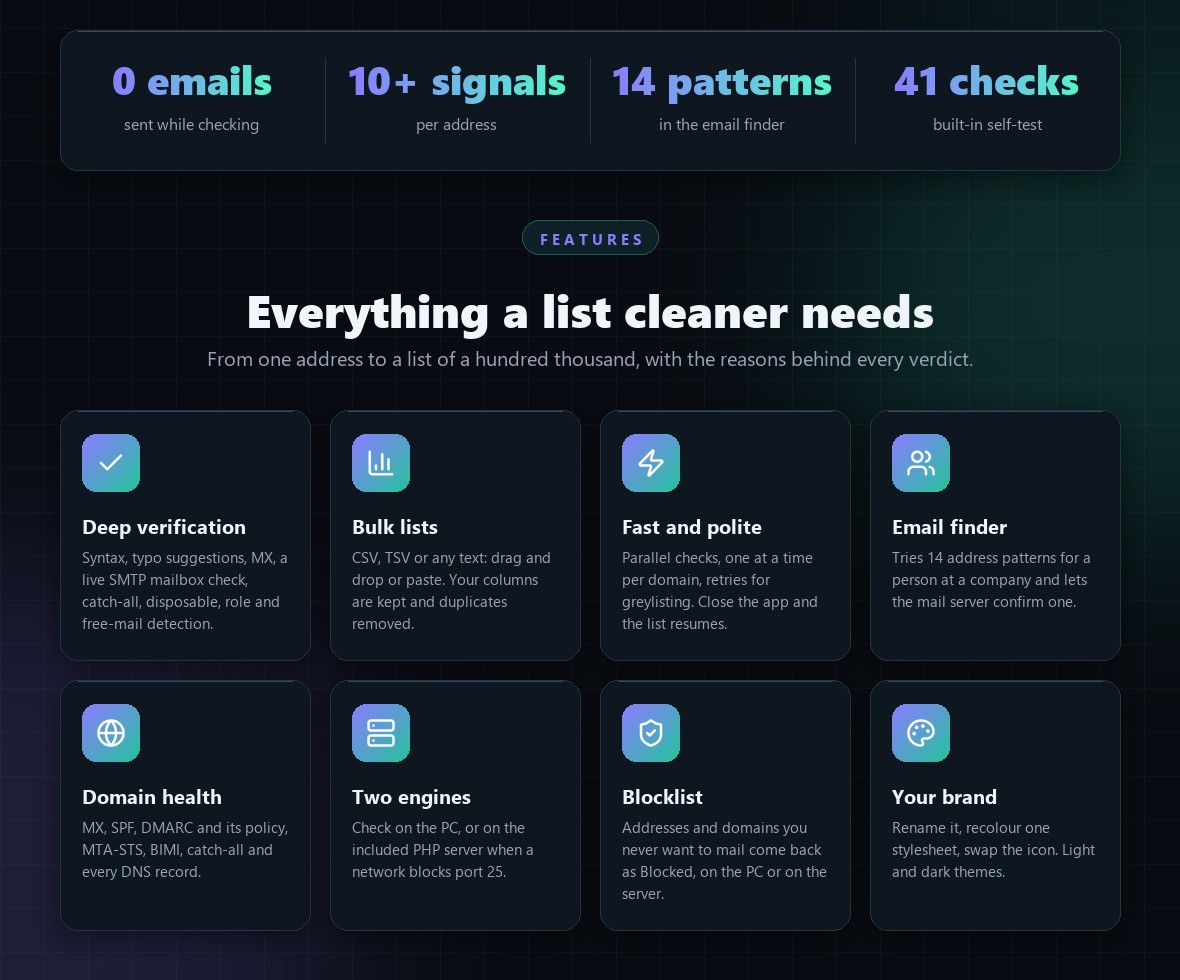
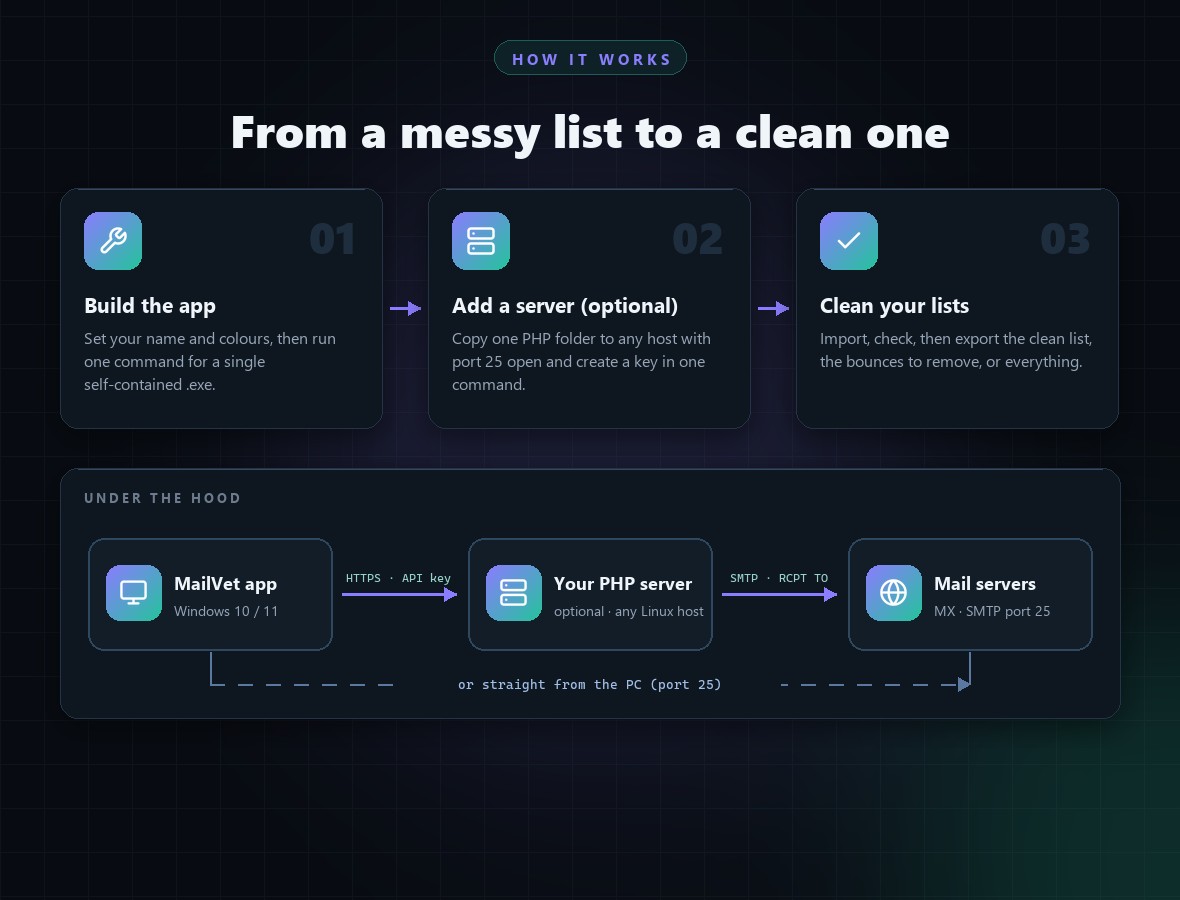
- Live SMTP mailbox check (EHLO, MAIL FROM, RCPT TO, QUIT) with a random-address catch-all test: no email is ever sent
- Clear verdicts with a 0–100 score and the reason: Deliverable, Catch-all, Risky, Unknown, Disposable, Undeliverable, No mail server, Bad format, Blocked
- Typo suggestions for popular mail domains, role-address detection, about 30,000 free-mail and 10,000 disposable domains (lists updatable from Settings)
- Own DNS client: MX records, implicit MX, null MX, mail-provider detection
- Tells a dead mailbox apart from a server that refuses to be asked (a blocked IP), so good addresses aren’t marked invalid
- Bulk lists from CSV, TSV, TXT or any text: email column detected, every original column kept, duplicates removed (optionally Gmail dots and +tags too)
- Parallel checking, one connection at a time per domain, retries for greylisting; progress is saved and a list resumes after closing the app
- Filter and search results; re-check only the risky and unknown ones
- Five export presets: clean list, deliverable only, needs review, to remove, everything (UTF-8 for Excel, protected against CSV formula injection)
- Email finder: 14 address patterns for a person at a company, confirmed by the mail server, catch-all aware
- Domain health: MX, SPF, DMARC and its policy, MTA-STS, BIMI, catch-all and every DNS record
- Blocklist of addresses and domains, on the PC or on the server
- Two engines: Local (on the PC, unlimited) or Server (your own PHP server, any network); the server address is found from a plain domain name
- Dashboard with 14-day chart and result mix, history, light and dark themes
- PHP reference server with no database and no dependencies: API keys with daily quotas, expiry and read-only mode, per-IP limits, bulk endpoint, nginx and Apache configuration

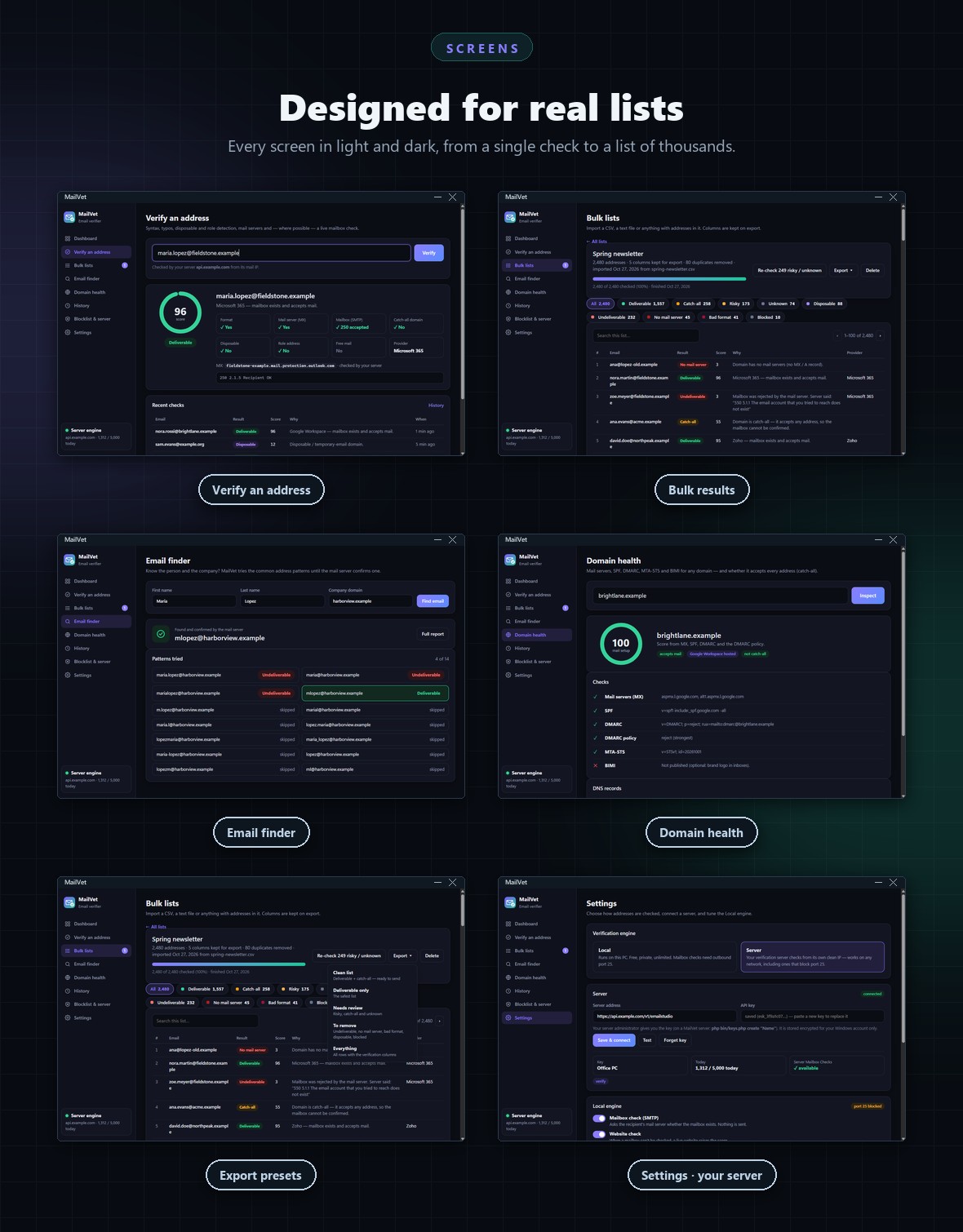
Screens Included (

- Dashboard
- Verify an address
- Bulk lists (import, results, export)
- Email finder
- Domain health
- History
- Blocklist and server
- Settings
What You Get
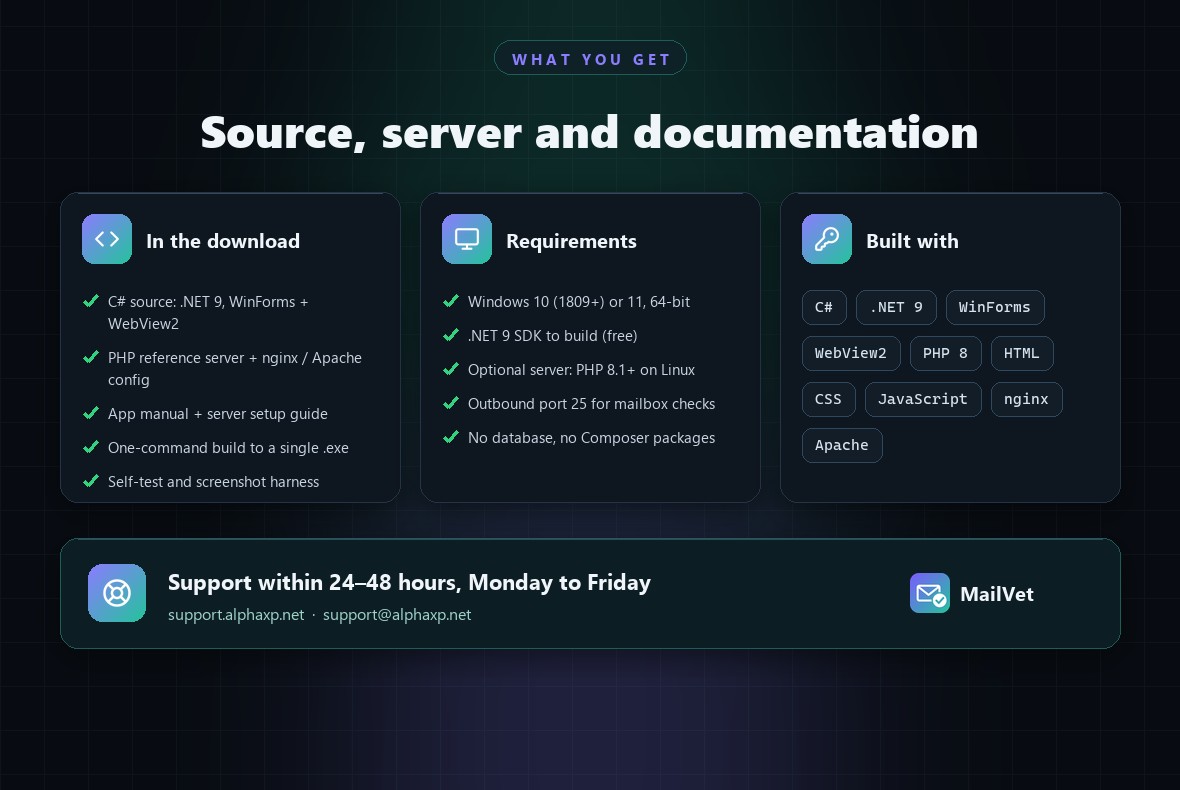
- Full C# source of the Windows app (Visual Studio 2022 or the .NET 9 SDK), with a one-command build script that produces a single self-contained .exe
- The PHP reference server, a command-line key manager, and nginx and Apache configuration
- HTML documentation for the app, and a separate step-by-step server installation guide
- A built-in self-test (41 checks) and a screenshot harness for your own QA
Requirements
- Users: Windows 10 (version 1809 or later) or Windows 11, 64-bit, with the Microsoft Edge WebView2 Runtime (built into Windows 11 and current Windows 10)
- Building: the .NET 9 SDK (free), or Visual Studio 2022 version 17.12 or later
- Optional server: Linux with PHP 8.1 or later (nginx or Apache), outbound port 25, and a domain for HTTPS
Easy to Customize
The whole interface is plain HTML, CSS and JavaScript inside the app, so changing colours is a matter of editing a few design tokens at the top of one stylesheet. The name, icon and version live in a handful of clearly marked places, all listed in the documentation’s Branding chapter.
Support and Updates
Questions about installing, building and customizing MailVet are answered at support.alphaxp.net or support@alphaxp.net, within 24–48 hours, Monday to Friday. Updates are delivered through your Envato downloads page.
AI Disclosure
AI tools assisted with parts of the code, the documentation and the preview graphics. Every feature was reviewed and tested on Windows 11, and the app was tested against the included server on a live host. MailVet has no AI features of its own and calls no AI service.
0 average based on 0 ratings.

| Last Update | 2026-11-24 |
| Created | 2026-11-24 |
| Sales | 0 |
| Discussion | Comments |
| Application Runtime | .NET 4 |
| High Resolution | No |
| Compatible OS Versions | Windows 11 Windows 10 |
| Video Preview Resolution |


