Magento1x 404 Page Notifier
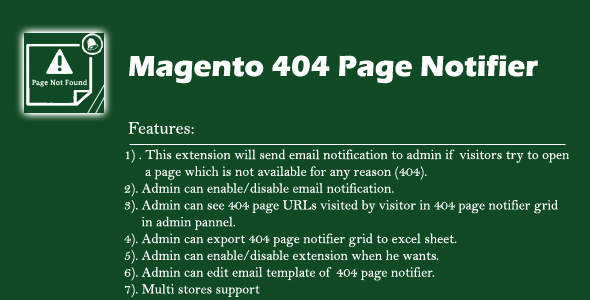

Magento 404 Page Notifier Extension is an extension which will send email notifications to admin if visitors try to open a page which is not available on your website for any reason (404 error page).
This extension also provides a separate managed grid in Magento backend with all the details regarding 404 pages. Admin can also export all 404 pages records in excel sheet.
Features:
- This extension will send email notification to admin if visitors try to open a page which is not available for any reason (404).
- This extension has multi stores support if you website is multi stores then 404 URLs from all stores will be saved and also admin will get notification email from all stores.
- Admin can enable/disable email notification.
- Admin can see 404 page URLs visited by visitor in 404 page notifier grid in admin panel.
- Admin can export 404 page notifier grid to excel sheet.
- Admin can enable/disable extension when he wants.
- Admin can edit email template of 404 page notifier.
Major Benefits:
- If the website was migrated from any other technology/platform to Magento, then there is a high risk of getting 404 errors. This can be very problematic and it can impact the site’s online ranking and positioning in search engines. To overcome this challenge 404 Notifier smartly catches all the bad URL requests and maintains a comprehensive record of each broken link.
- If admin continuously received URL from different sources which he used in campaigns and suddenly he updated that URL so he can redirect that URL using Magento URL Rewrite Management or he can restore that URL again so users can see that URL content.
Installation guide
Installation Steps
1 . Upload file manually – Extract it and then extract “Dev_Pagenotfound-1.0.0.tgz” and then copy all files app folder and then paste into your magento root directory.
2. Second way is from admin panel – Go to admin panel – System -> Configuration -> Magento Connect -> Magento Connect Manager and unchecked “Put store on the maintenance mode while installing/upgrading/backup creation” option and browse file and upload it.
3. Clear Cache
4. Now follow provide documentation or goto admin panel “System-> Configuration -> 404 Page Notifier -> General Settings” and check its options.
0 average based on 0 ratings.

| Last Update | 2017-05-16 |
| Created | 2017-05-13 |
| Sales | 1 |
| Discussion | Comments |
| Compatible Browsers | |
| Software Version | Magento 1.9.2.4 Magento 1.9.2.3 Magento 1.9.2.2 Magento 1.9.2.1 Magento 1.9.2.0 Magento 1.9.1.1 Magento 1.9.1.0 Magento 1.9.0.1 Magento 1.9.0.0 Magento 1.8.1.0 Magento 1.8.0.0 Magento 1.7.0.2 Magento 1.7.0.1 Magento 1.7.0.0 Magento 1.6.2.0 Magento 1.6.1.0 Magento 1.6.0.0 Magento 1.5.1.0 Magento 1.5.0.1 |
| High Resolution | |
| Files Included | XML PHP |
| Video Preview Resolution |


