LoyaltyX – WooCommerce Points and Rewards Plugin

For anyone concerned about the high price, or for users whose support is about to expire, please visit our website for additional offers or contact us directly. We’ll clearly explain everything, share all the details you need, and help you find the best available solutions and current special offers.
 |  |
 |  |
LoyaltyX – WooCommerce Points and Rewards Plugin
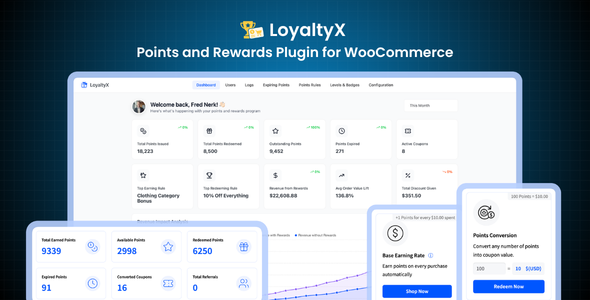
Most WooCommerce stores pour money into ads to bring in new customers, then watch those same customers disappear after one order. LoyaltyX fixes that. It gives your store a complete loyalty program — points, rewards, levels, referrals, and automated emails — so customers have a real reason to come back.
Setup takes about five minutes. The plugin ships with sensible defaults, works with any WooCommerce theme, and requires no coding. You decide what to reward and how much, and the plugin handles the rest automatically.
Built by DevDiggers — an Elite Envato Author with 8+ years of WooCommerce expertise, a 5-star review average, and more than 100,000 businesses served. A free version is also available on WordPress.org if you want to test the basics before upgrading.
Real Results From Real Stores
These are the numbers stores see when an active loyalty program is running:
- 3x higher repeat customer purchases
- 23% increase in average order value
- 67% improvement in customer retention
Those aren’t projections. They reflect what happens when customers have a real reason to return — and when earning and redemption are simple enough that they actually use the program.
Why Choose LoyaltyX?
Most loyalty plugins charge separately for referrals, for tiers, for email automation — features that should ship together. LoyaltyX gives you everything in one plugin at one price.
- 8 ways to earn points — purchase, review, referral, signup, daily login, birthday, level-up, and custom rule-based earning
- 7 flexible reward types — flexible discount, fixed discount, percentage off, buy X get Y, product bundles, free shipping, free products
- Built-in referral program — unique links, cookie tracking, dual-sided rewards, no extra plugin needed
- Gamified loyalty tiers — unlimited levels, custom badges, level-up bonuses, progress bar on customer dashboard
- Smart points expiration — FIFO redemption, automated email reminders, configurable expiry windows
- Full analytics dashboard — points issued, redeemed and expired; top customers leaderboard; active coupon tracking
- CSV import and export — bulk points upload, easy migration from other loyalty plugins, full backup
- Responsive customer dashboard — real-time balance, earning cards, redemption options, transaction log, level progress, referral link
Features in Detail
8 Ways to Earn Points
You decide what behavior to reward. Most stores start with purchase-based earning and add referrals. Birthday rewards, daily login streaks, and signup bonuses fill in the gaps between orders and keep customers thinking about your store.
- Purchase-based earning (order total or specific products and categories)
- Product review rewards
- Referral program with unique tracking links
- Signup bonus points
- Daily login streaks
- Birthday reward points
- Level-up bonus points
- Flexible rule-based earning configuration
7 Flexible Redeeming Rules
Redemption is where most loyalty programs lose customers. If it’s confusing or the reward doesn’t feel worth it, engagement drops. LoyaltyX gives you seven redemption types so you can offer something that motivates your specific customers.
- Flexible points-to-discount conversion (you set the rate)
- Fixed discount rewards (e.g. 500 points = $10 off)
- Percentage discount coupons
- Buy X Get Y promotional offers
- Product bundle rewards
- Free shipping redemption
- Free product rewards
- Automatic coupon generation on redemption
Automated Referral Program
Your satisfied customers can do your marketing — if you give them the right incentive. LoyaltyX includes a fully automated referral engine. Each customer gets a unique link. When someone signs up through that link, both parties earn points automatically. No manual processing, no extra plugin.
- Unique referral links per customer
- Cookie-based tracking (30-day default, configurable)
- Reward both the referrer and the new customer
- Total referrals visible on the customer dashboard
- Points credited automatically on signup
- Drives organic customer acquisition
Gamified Level and Tier System
Tiers create a reason to spend more. A customer one level away from Gold will often place an extra order to get there. LoyaltyX lets you create unlimited loyalty levels, set point thresholds, assign custom badges, and reward level-ups with bonus points automatically.
- Unlimited loyalty levels — no cap
- Custom point thresholds per level
- Custom badge names and visuals
- Bonus points awarded automatically on level-up
- Level-specific earning and redemption multipliers
- Automated level achievement notification emails
- Progress bar shown on the customer dashboard
Smart Points Expiration
Expiring points create urgency. Customers who know their points are about to expire are far more likely to place an order than those with no deadline. LoyaltyX handles the full expiration cycle — tracking, reminders, and FIFO redemption — without any manual work on your end.
- Configurable expiration window (you set the number of days)
- Automatic expiry tracking per point batch
- Email reminders sent before points expire
- Expired points notification emails
- Expiring points section on the customer dashboard
- FIFO redemption logic (oldest points used first)
- Admin can exclude manual adjustments from expiration
Automated Email Notifications
LoyaltyX sends the right email at the right moment without you lifting a finger. All templates are fully customizable and include dynamic placeholders for personalized content.
- Points earned confirmation email
- Points expiration reminder email
- Expired points notification email
- Level achievement celebration email
- Customizable subject line, heading, and body content
- Dynamic placeholders for customer name, points balance, level name, and more
Beautiful and Responsive Customer Dashboard
Customers see everything in one place — their points balance, how to earn more, how to redeem, their tier level and progress, their referral link, and their full transaction history. The dashboard integrates with the WooCommerce My Account page and works on any device.
- Real-time points balance
- Earning opportunities with clear instructions
- Redemption cards with one-click activation
- Available rewards tab
- Unique referral link with sharing options
- Full transaction history log
- Current level, badge, and progress bar
- Expiring points warning section
- Mobile-friendly, works with any WooCommerce theme
Admin Dashboard and Analytics
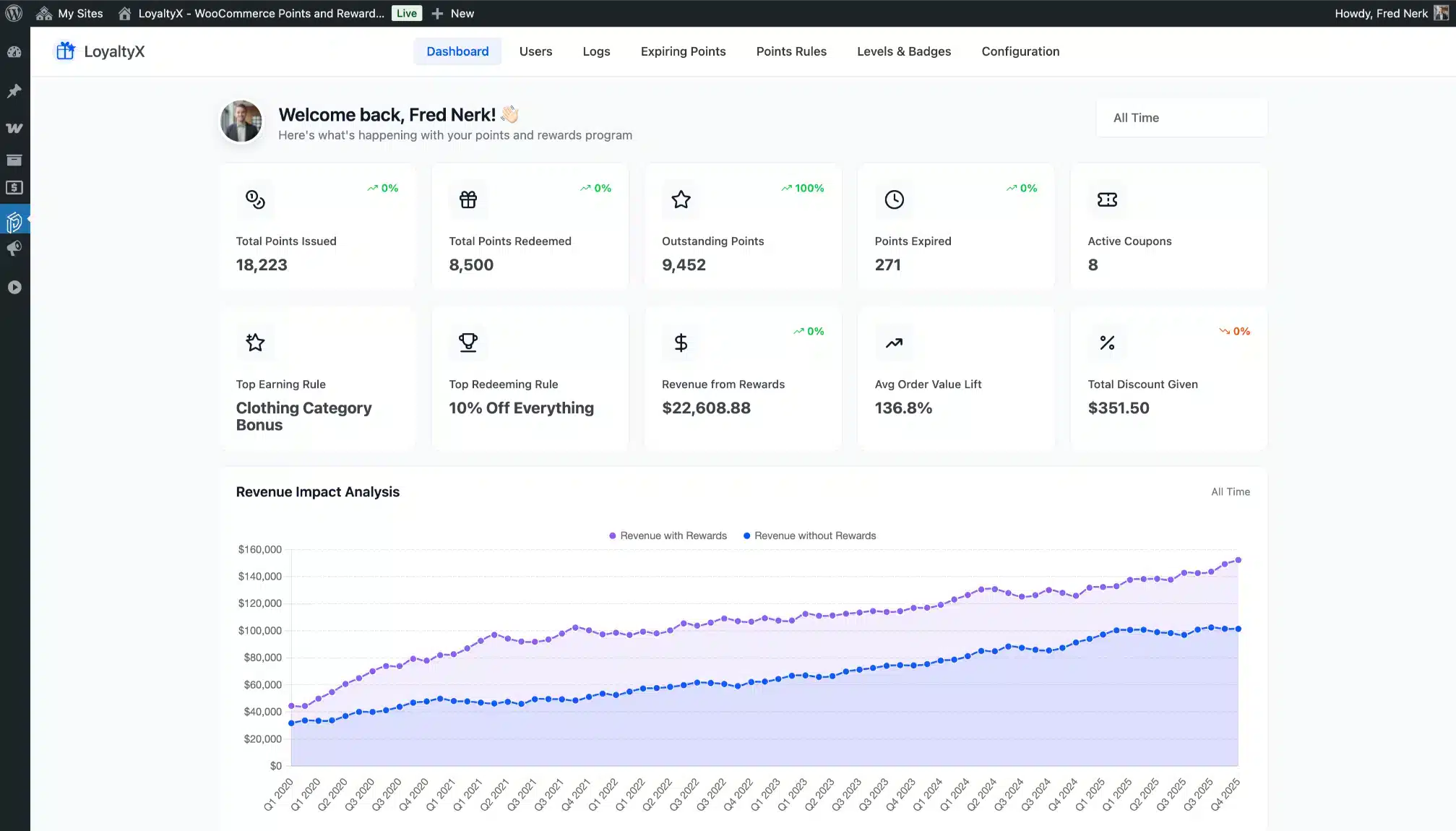
You get a full picture of how your loyalty program is performing — what’s being earned, what’s being redeemed, which customers are most engaged, and how your program trends over time.
- Total points issued, redeemed, and expired
- Performance charts over customizable date ranges
- Earning source breakdown
- Top customers leaderboard
- Recent activity feed
- Active coupons tracking
Manual Points Adjustment
Sometimes you need to fix a balance, run a contest, or reward a customer for something outside normal rules. Manual adjustment gives you that control without touching the database.
- Add or deduct points for any customer with one click
- Add a description to every adjustment
- Bulk points adjustment support
- Full audit trail — every change is logged
- Per-customer history view
Import and Export Points Data
Moving from another loyalty plugin? Upload a CSV, map your columns using the included sample file, and your existing data is live in minutes. Export works the same way — pull a full CSV at any time for analysis or backup.
- CSV import wizard with column mapping
- Bulk points upload in one step
- Export to CSV for analysis or backup
- Sample CSV files included
- Migrate from any other loyalty plugin
Shortcodes and My Account Integration
Embed the loyalty dashboard anywhere with shortcodes. The plugin integrates natively with the WooCommerce My Account page and works with all major page builders.
- Points dashboard shortcode — embed on any page
- Available points display shortcode
- Native WooCommerce My Account integration
- Customizable My Account endpoint label
- Compatible with Elementor, Divi, Beaver Builder, and others
Admin End – LoyaltyX
Admin Dashboard
Full analytics overview with points issued, redeemed, and expired. Top customers leaderboard, earning source breakdown, and date-range filtering all in one place.
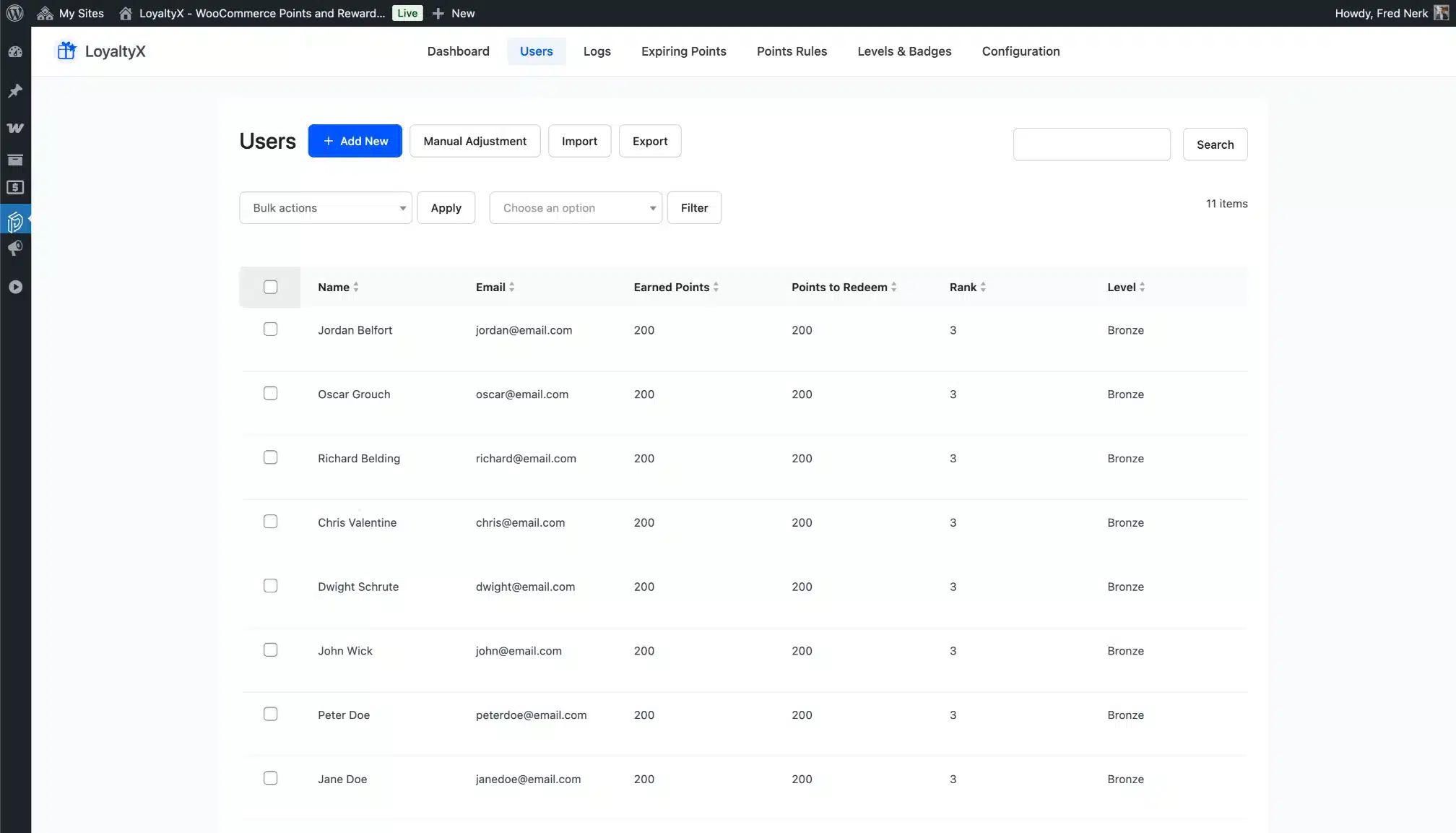
Users List
See every customer’s points balance, level, and activity at a glance. Click through to any customer for their full history.
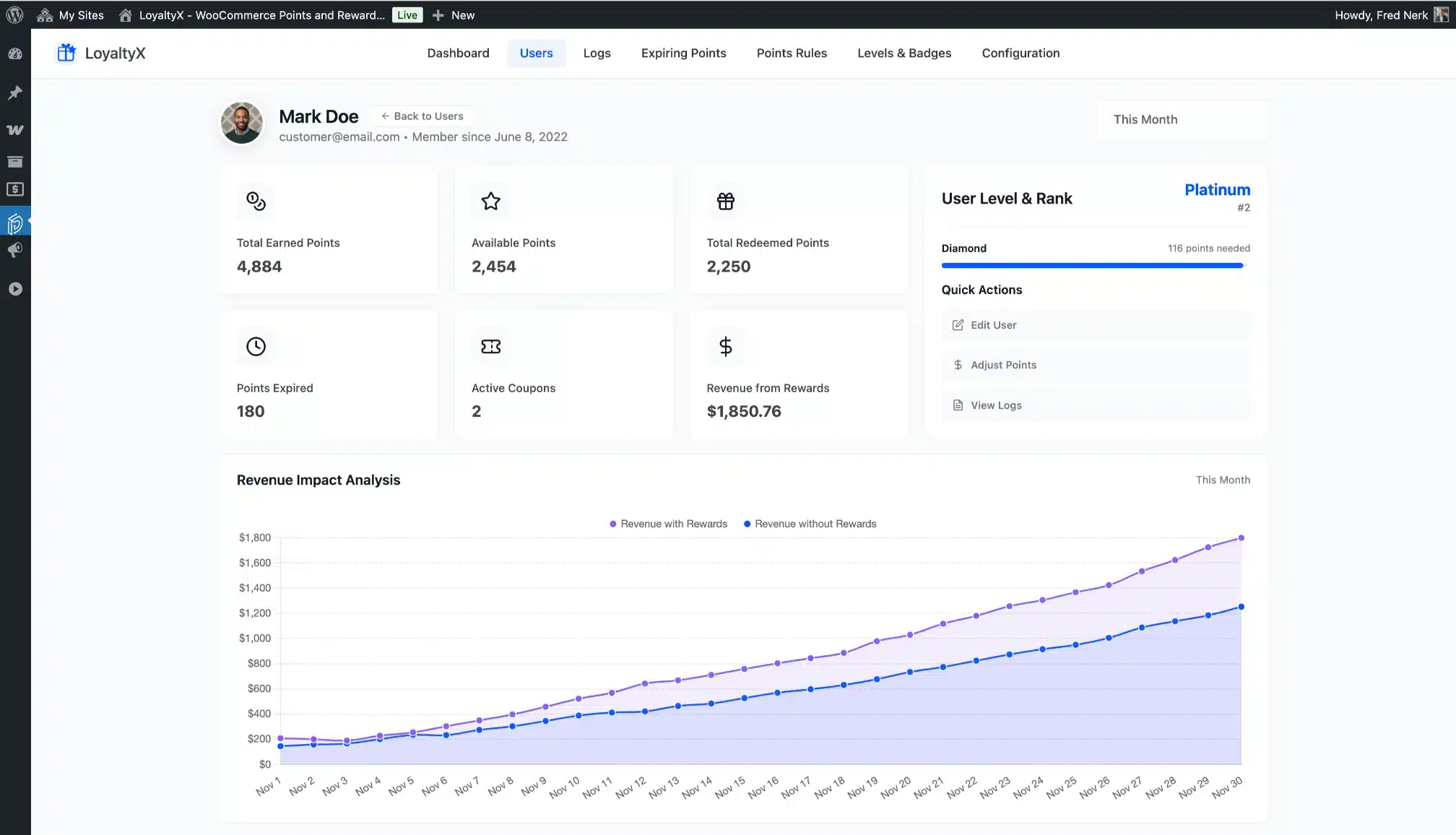
User Detail Dashboard
Per-customer analytics view with full transaction history, earnings breakdown, and manual adjustment controls.
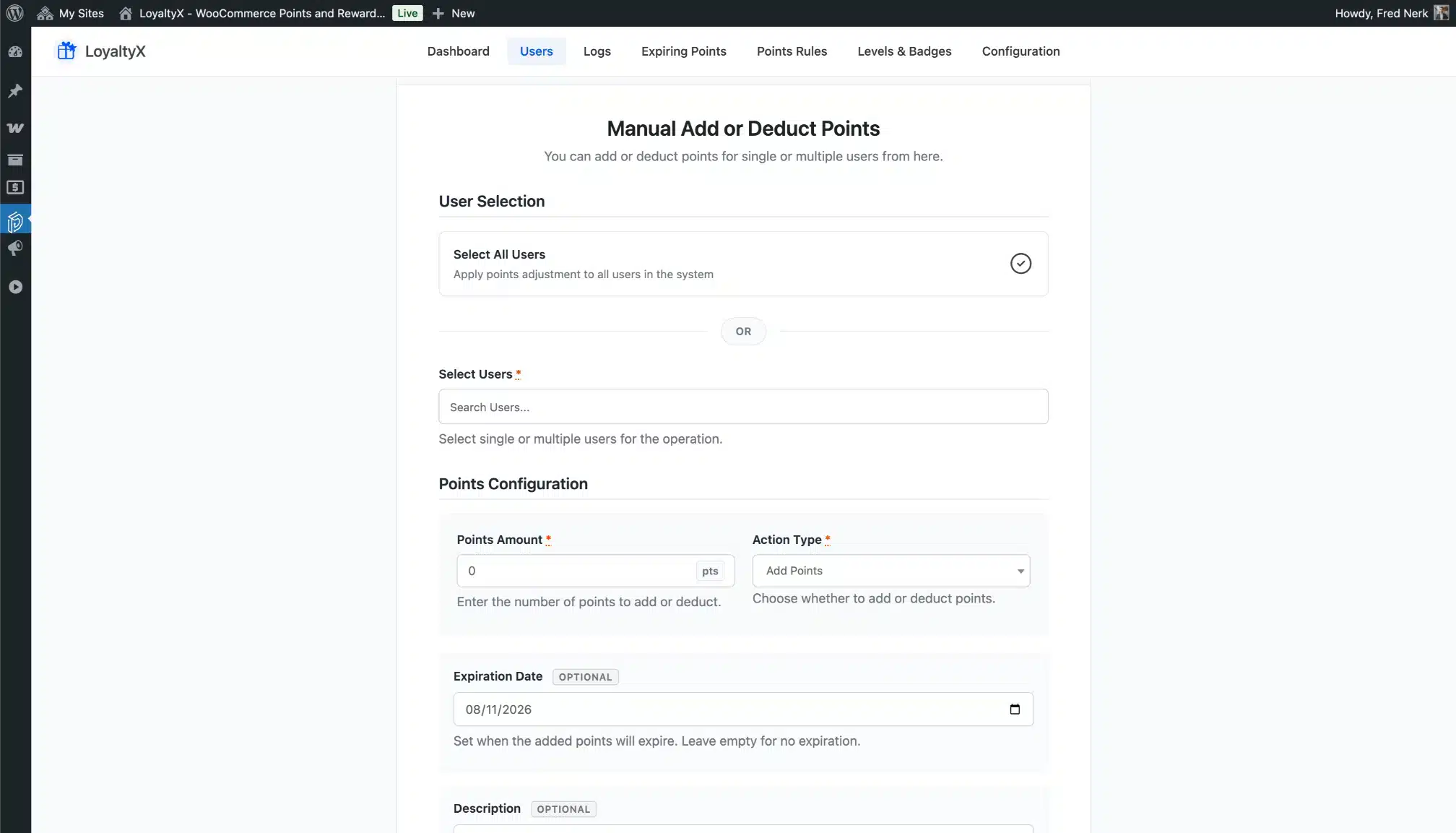
Manual Points Adjustment
Add or deduct points for any customer with a description. Every change is logged automatically for a clean audit trail.
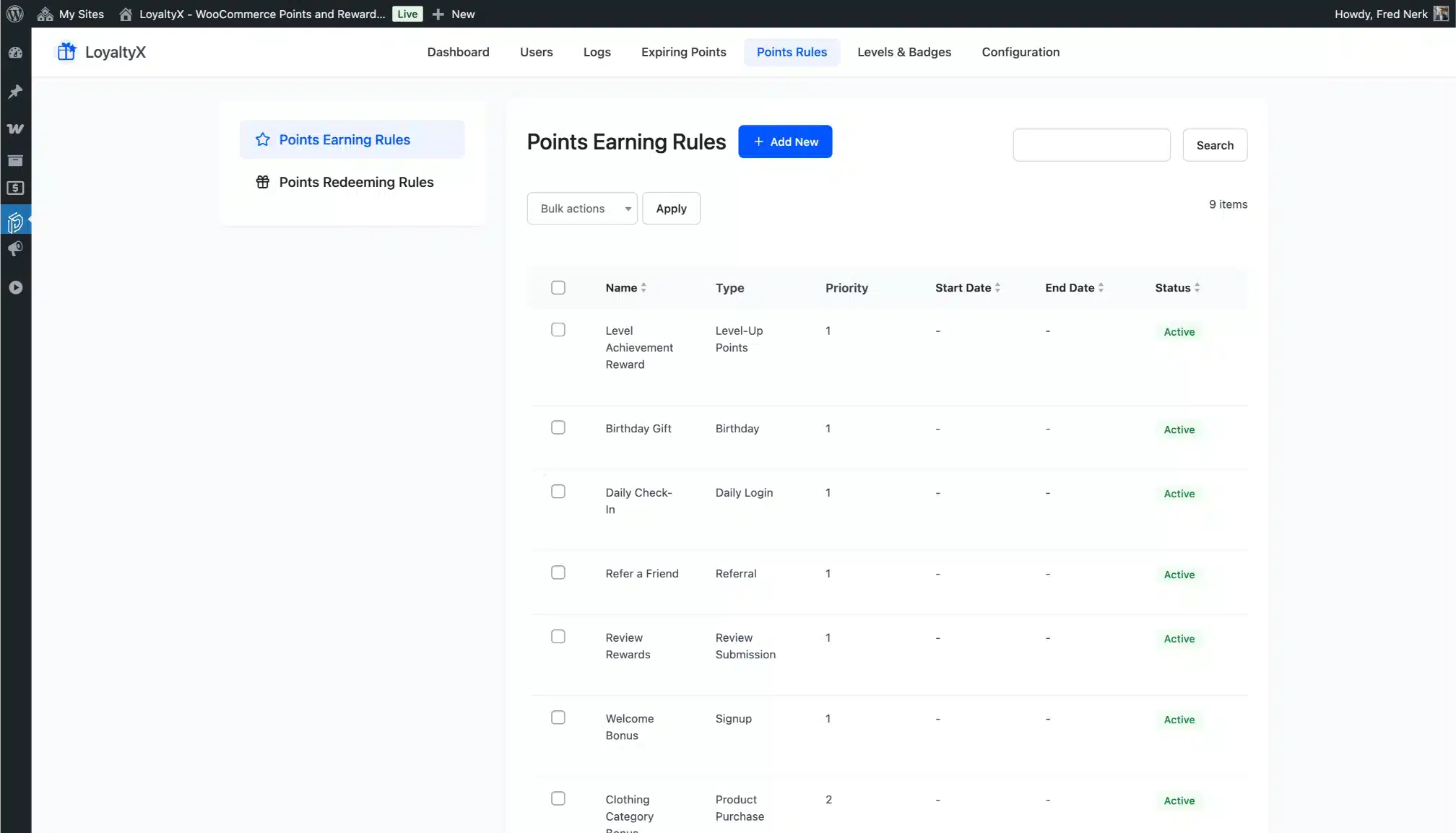
Points Earning Rules
Create and manage all earning rules from one list. Every rule type — purchase, review, referral, birthday, login, and more — is managed here.
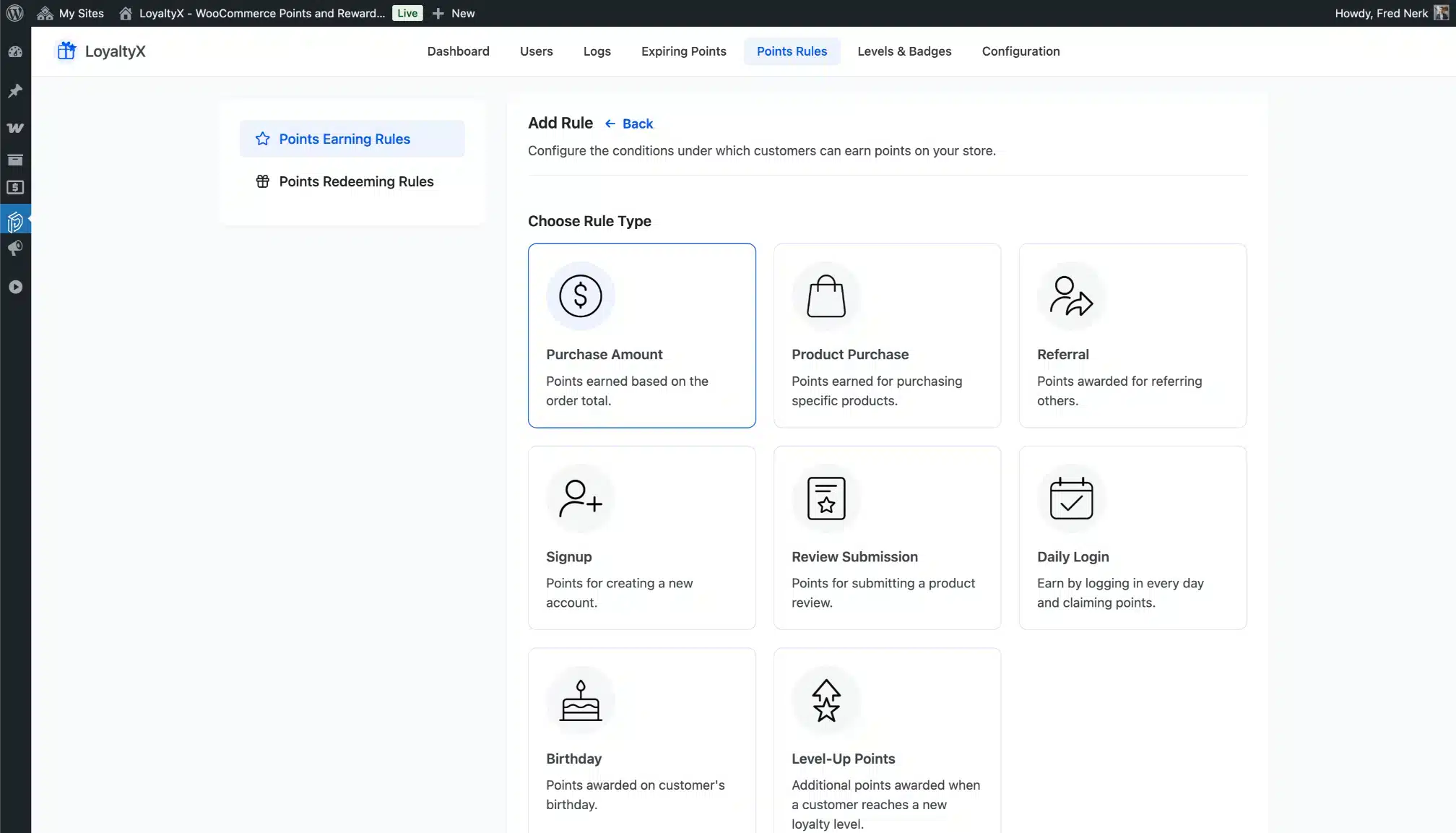
All Earning Rule Types
Pick the earning rule type that fits your goal. Eight distinct types give you full control over what behavior your program rewards.
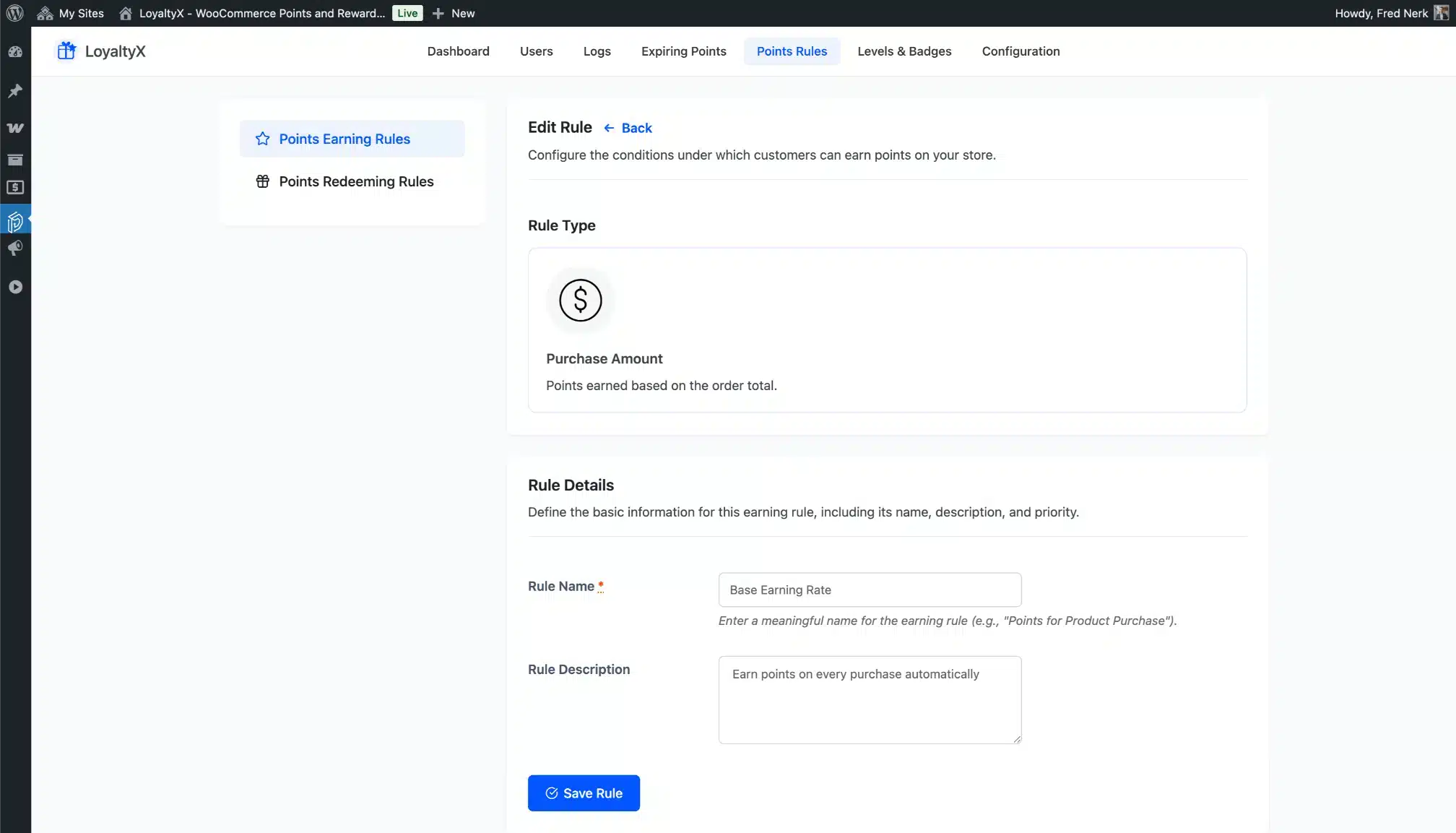
Add Earning Rule
Configure each rule with product or category scope, point amounts, and schedule. The form is clean and takes under two minutes to fill in.
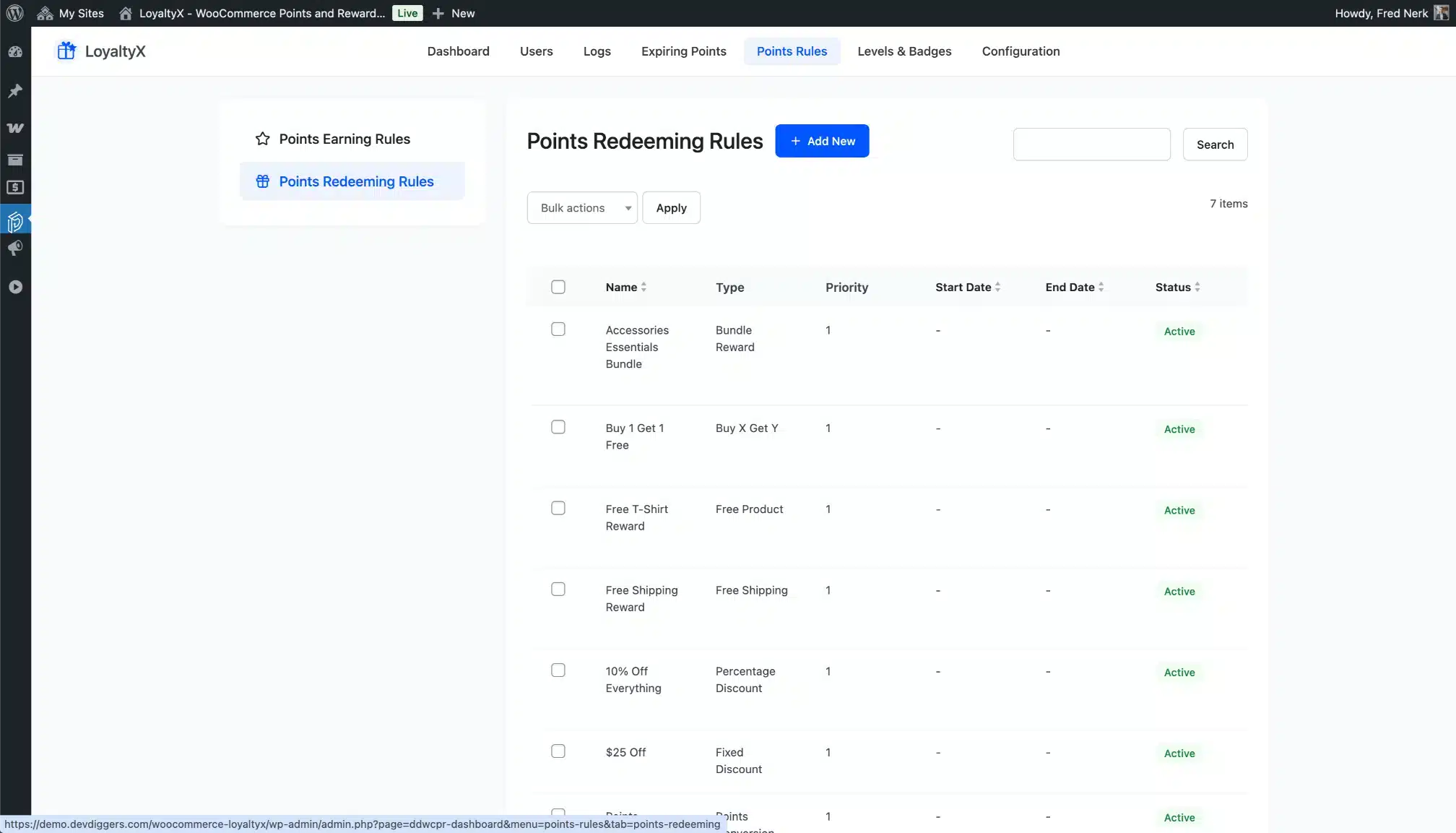
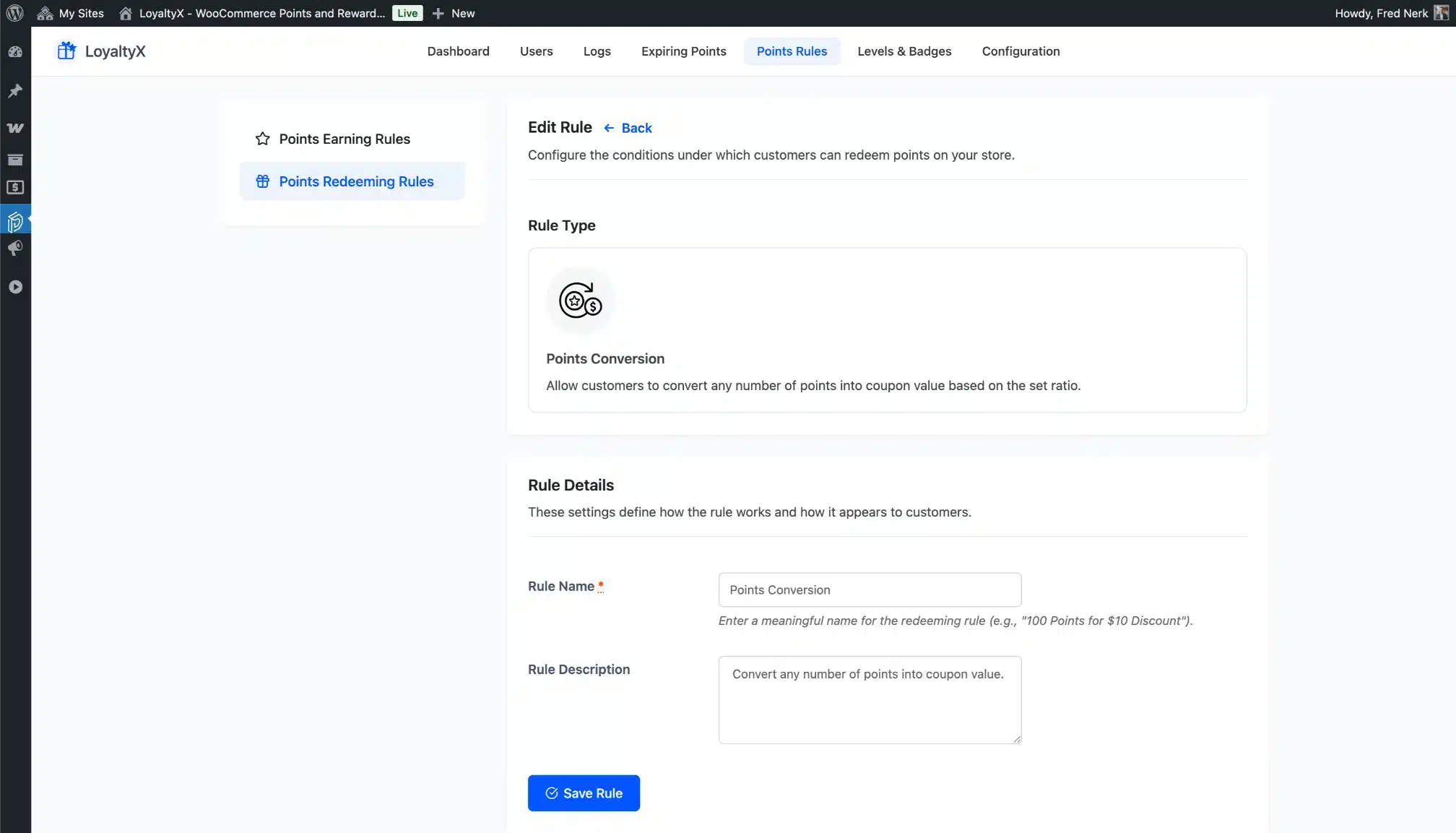
Points Redeeming Rules
All seven redemption rule types listed and managed from one screen. Activate, pause, or edit any rule without affecting others.
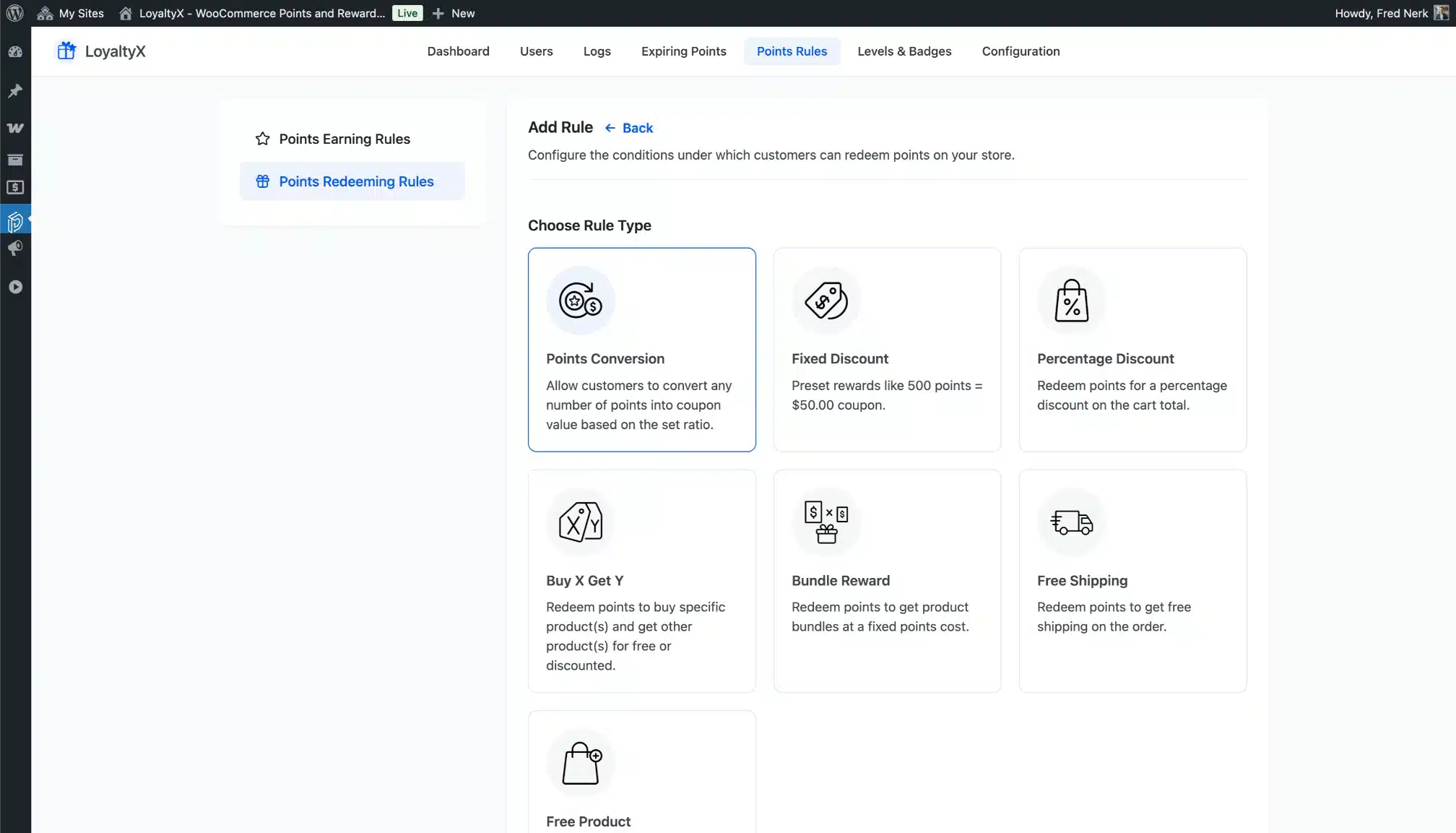
All Redeeming Rule Types
Discounts, free shipping, free products, buy X get Y, bundles — every redemption type available in one view.
Add Redeeming Rule
Set the points required, the reward value, and any usage limits. Done in minutes.
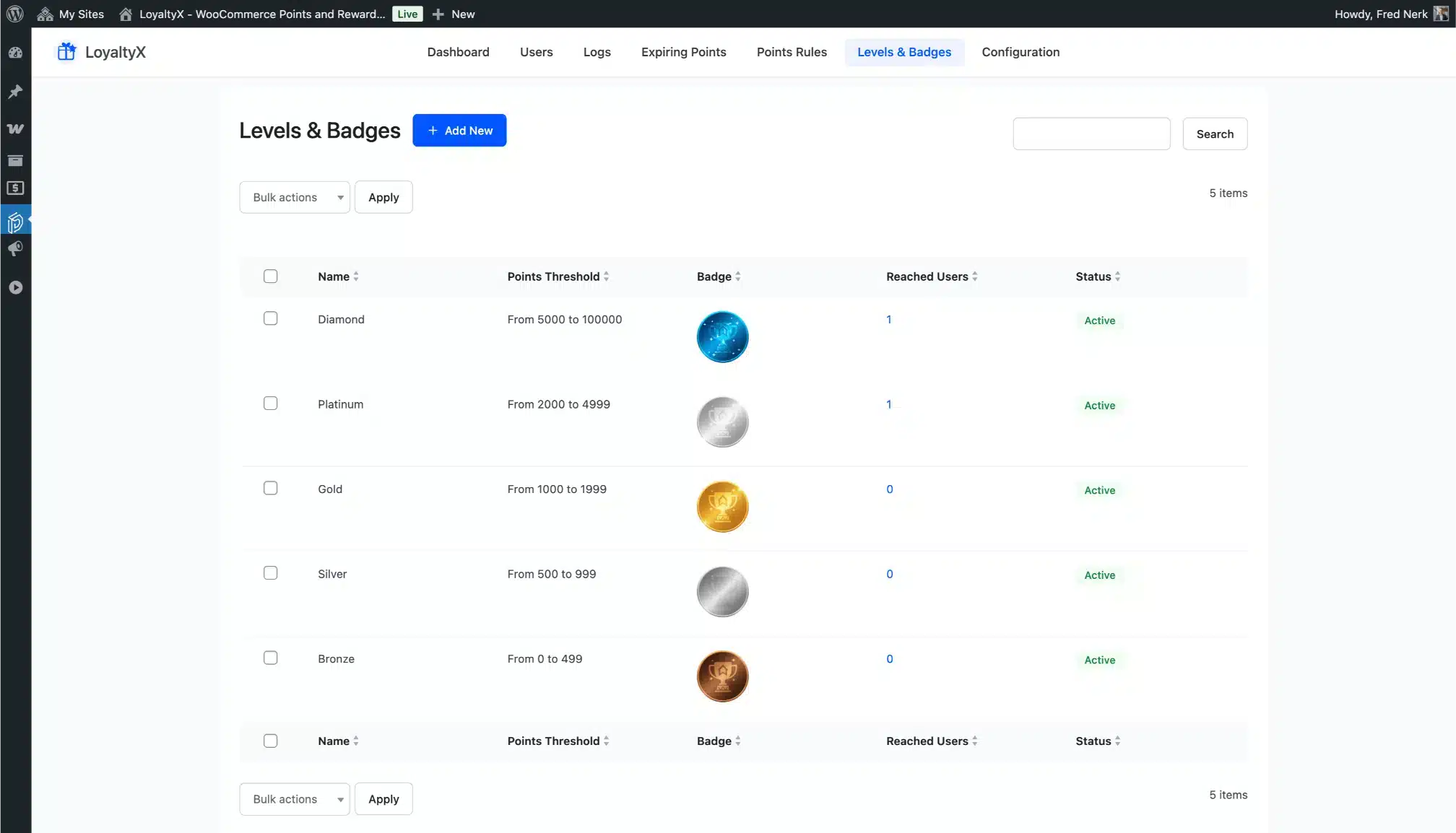
Levels and Badges
All loyalty tiers managed from one list. Name, badge, point threshold, and bonus for each level — all editable.
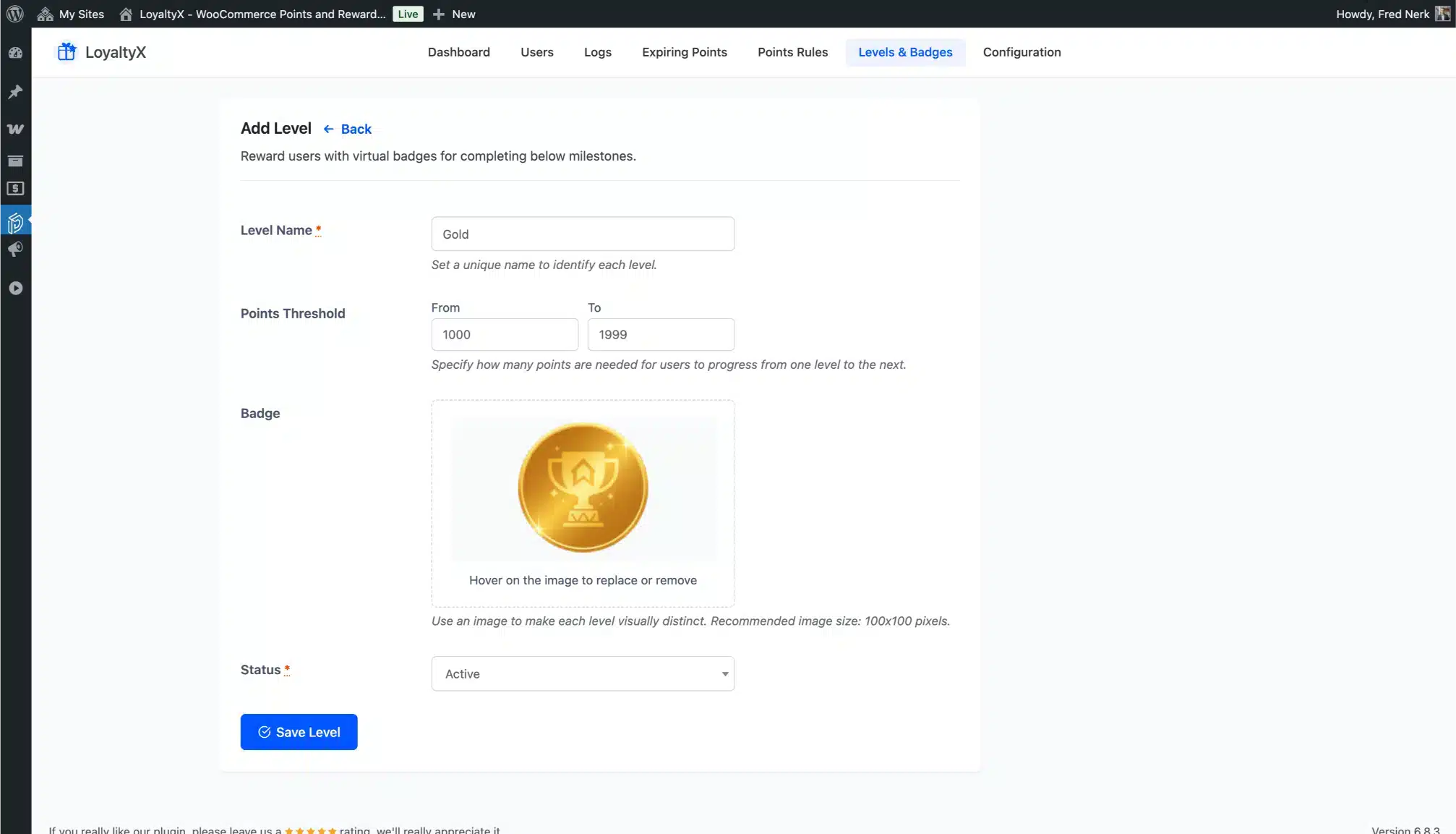
Add Level
Create a new tier in seconds. Set the point threshold, upload a badge, add a bonus, and save.
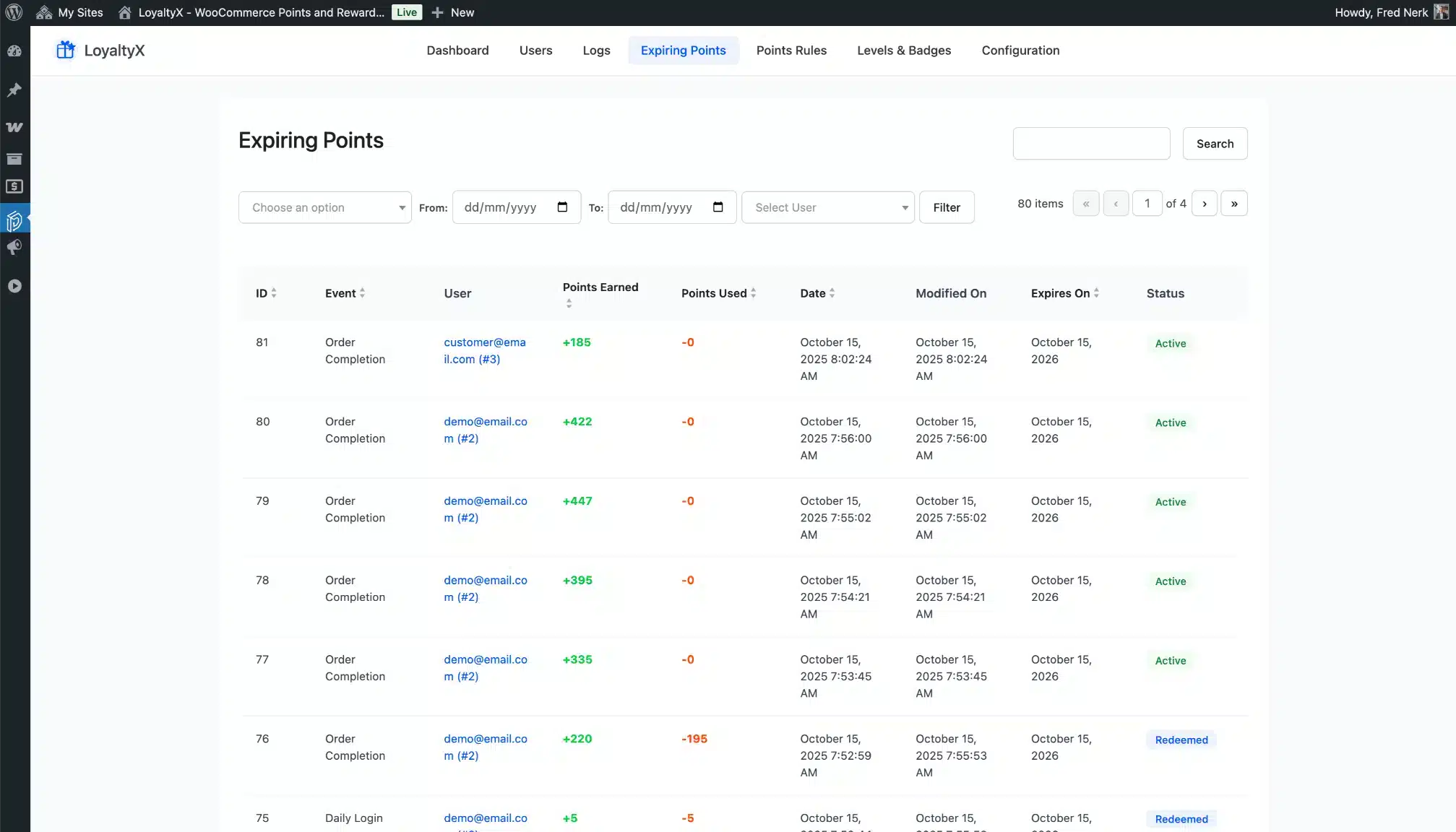
Expiring Points
Track upcoming expirations before they happen. Proactively manage any accounts that need attention.
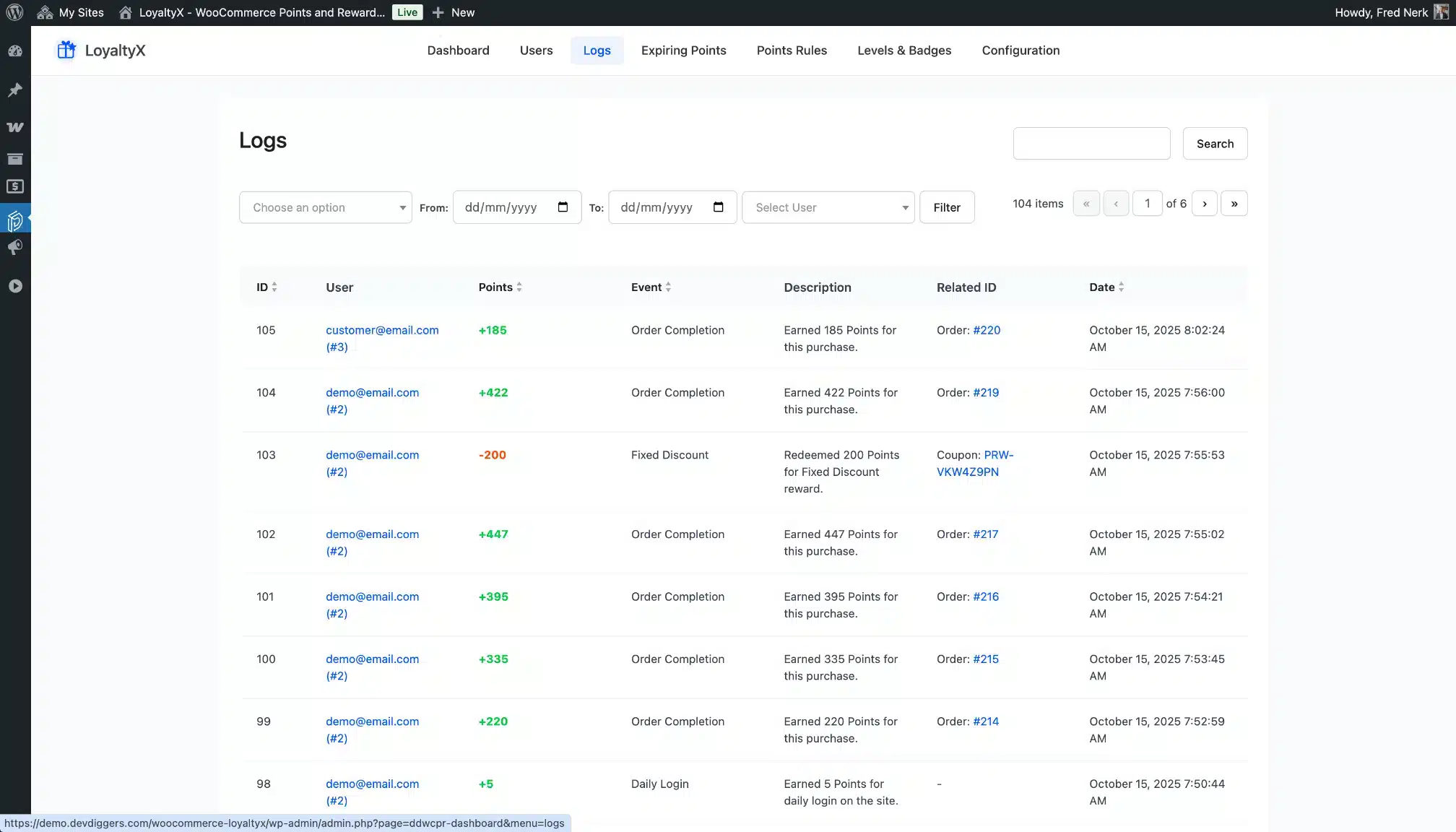
Activity Logs
Every points transaction logged with timestamp, customer, action type, and amount. Filter by date, customer, or action.
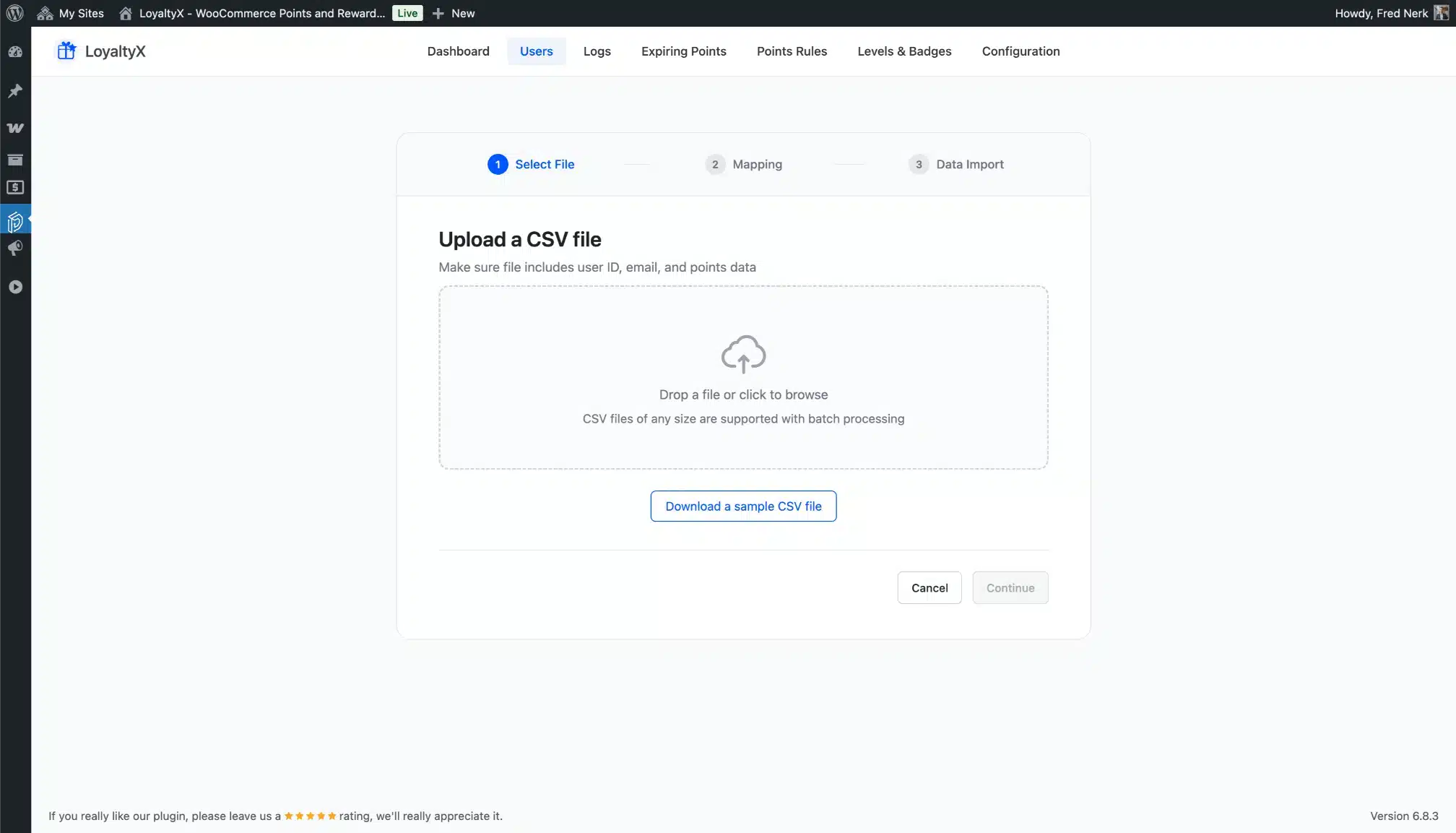
Import Points
Upload a CSV to bulk-import points. Sample file included so the format is clear from the start.
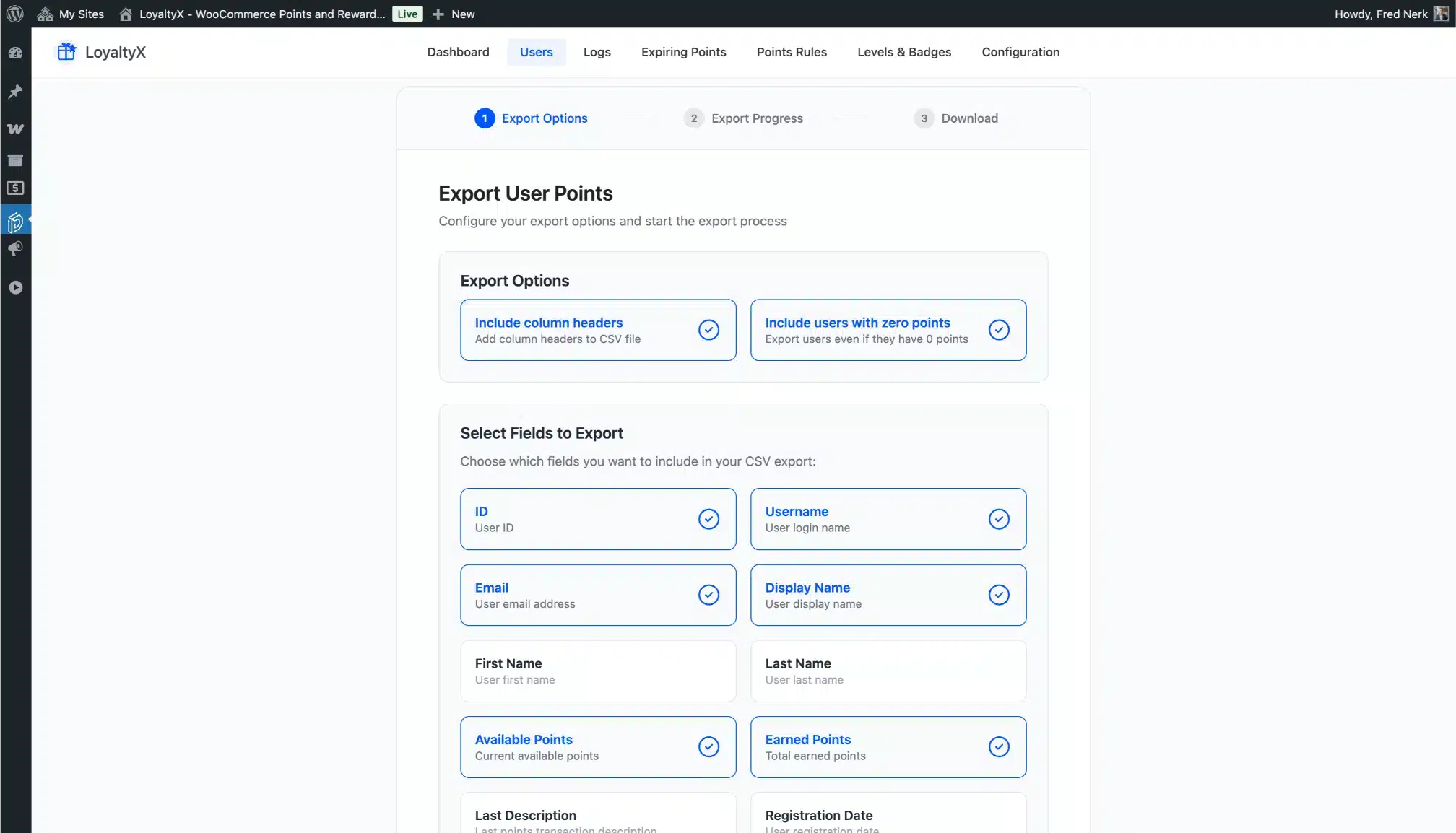
Export Points
Export all customer points data to CSV for analysis, backup, or migration at any time.
Configuration – LoyaltyX
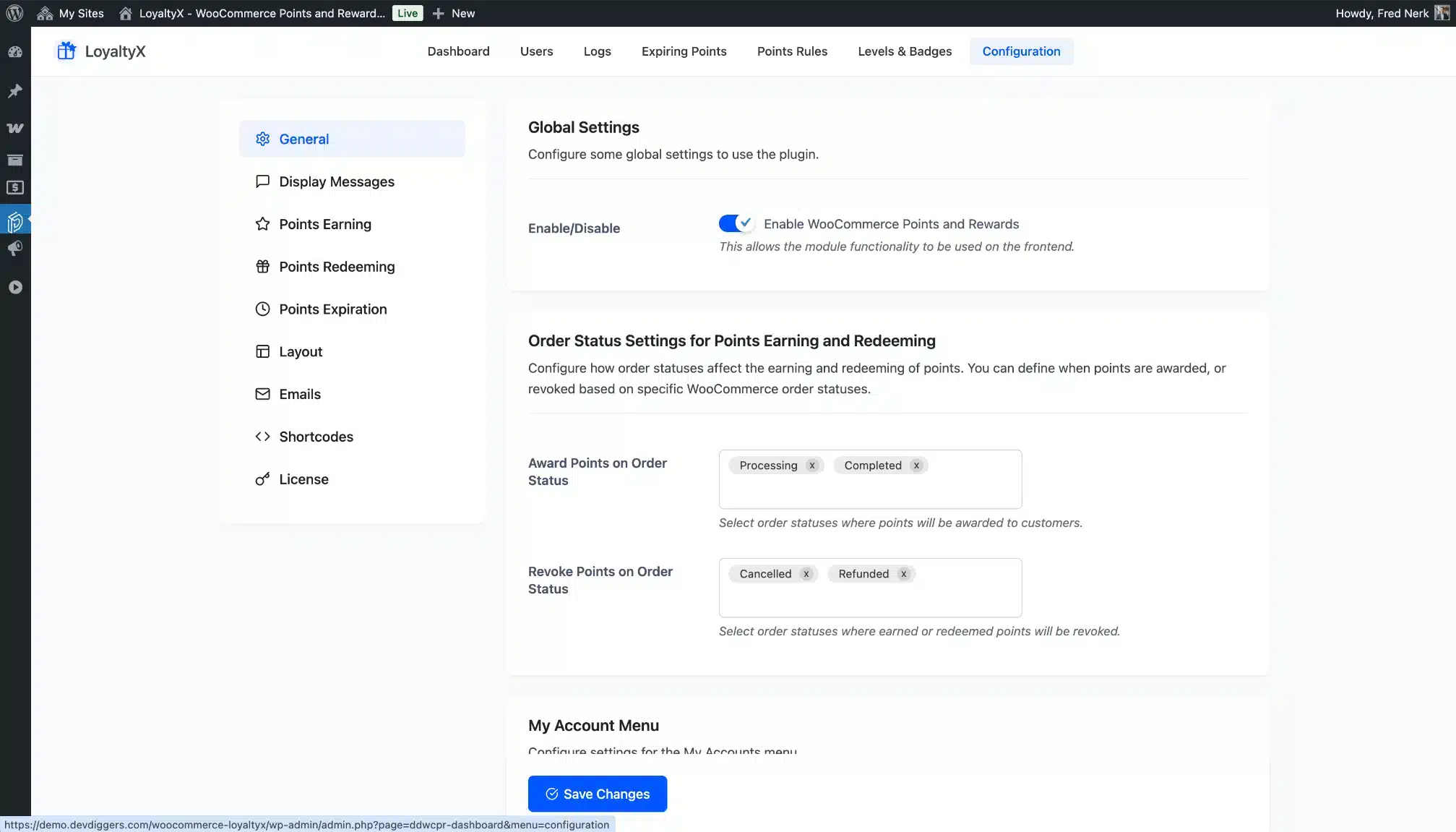
General Configuration
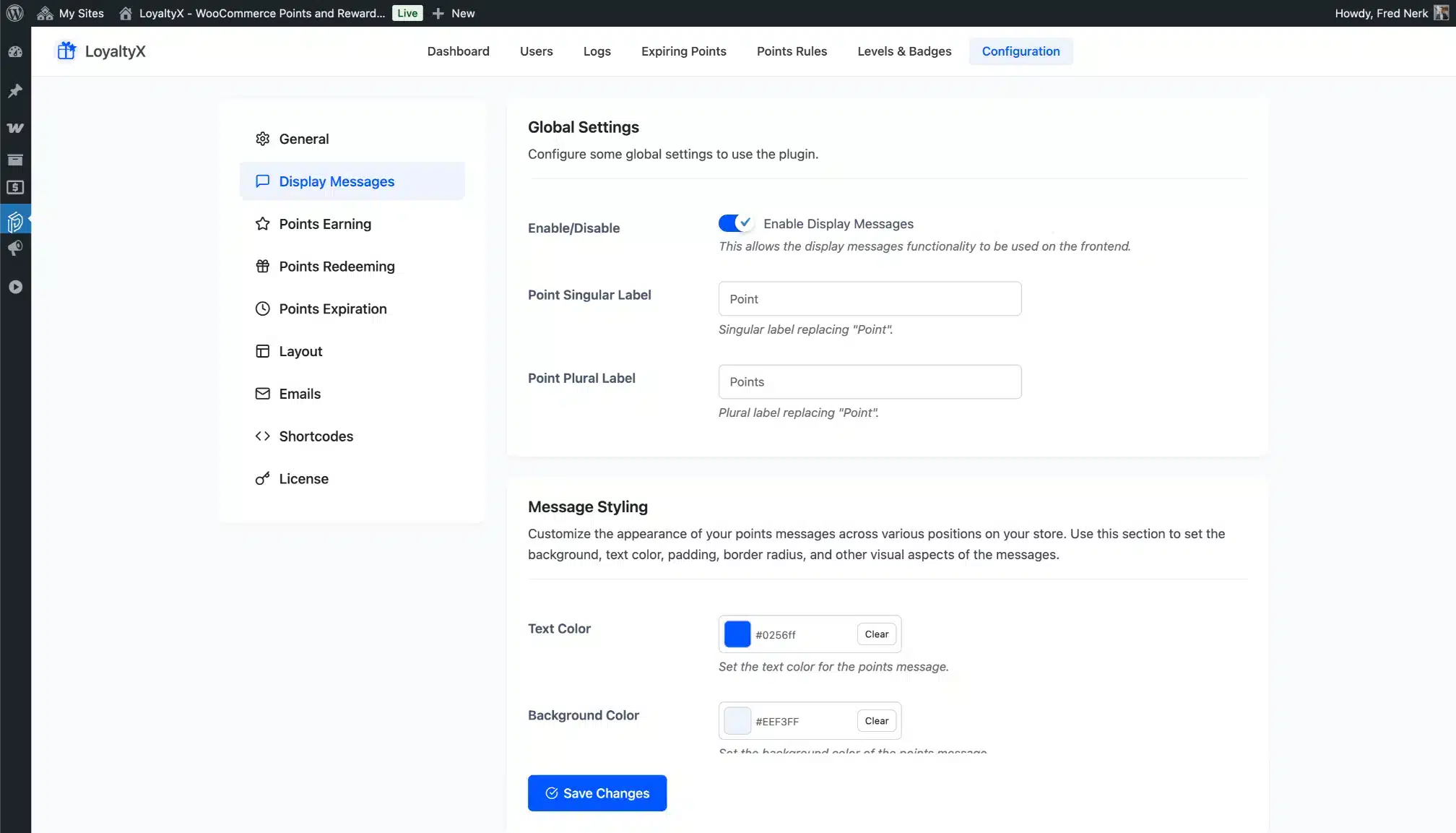
Set your points label (coins, gems, stars — your call), configure basic program settings, and control plugin-wide behavior from one page.
Display Messages Configuration
Customize every customer-facing message — product page earning text, cart messages, checkout notices. All fully editable with color and style controls.
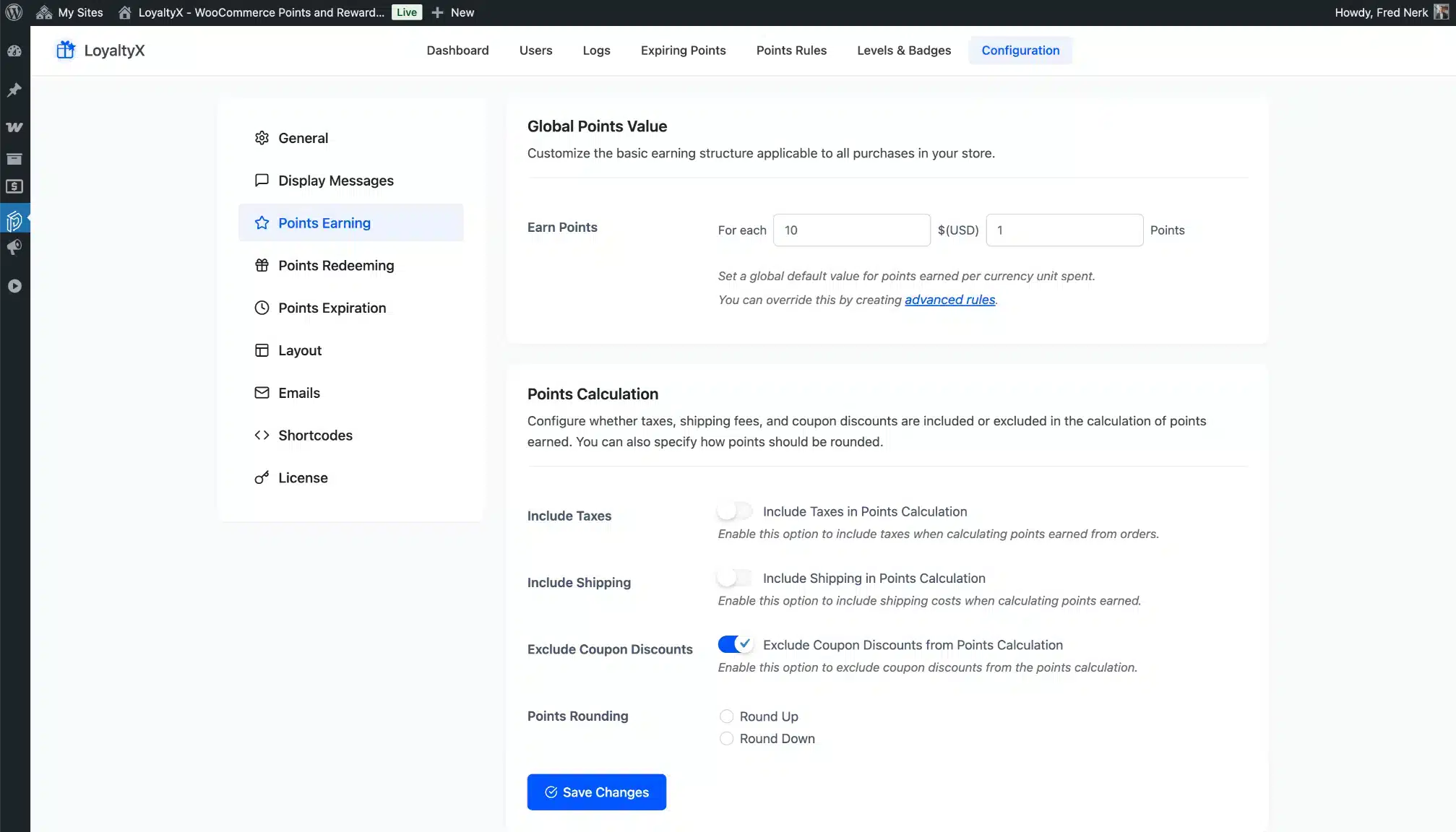
Points Earning Configuration
Set global earning rates, choose your calculation method (order total, product price, or quantity), and exclude specific products or categories from earning.
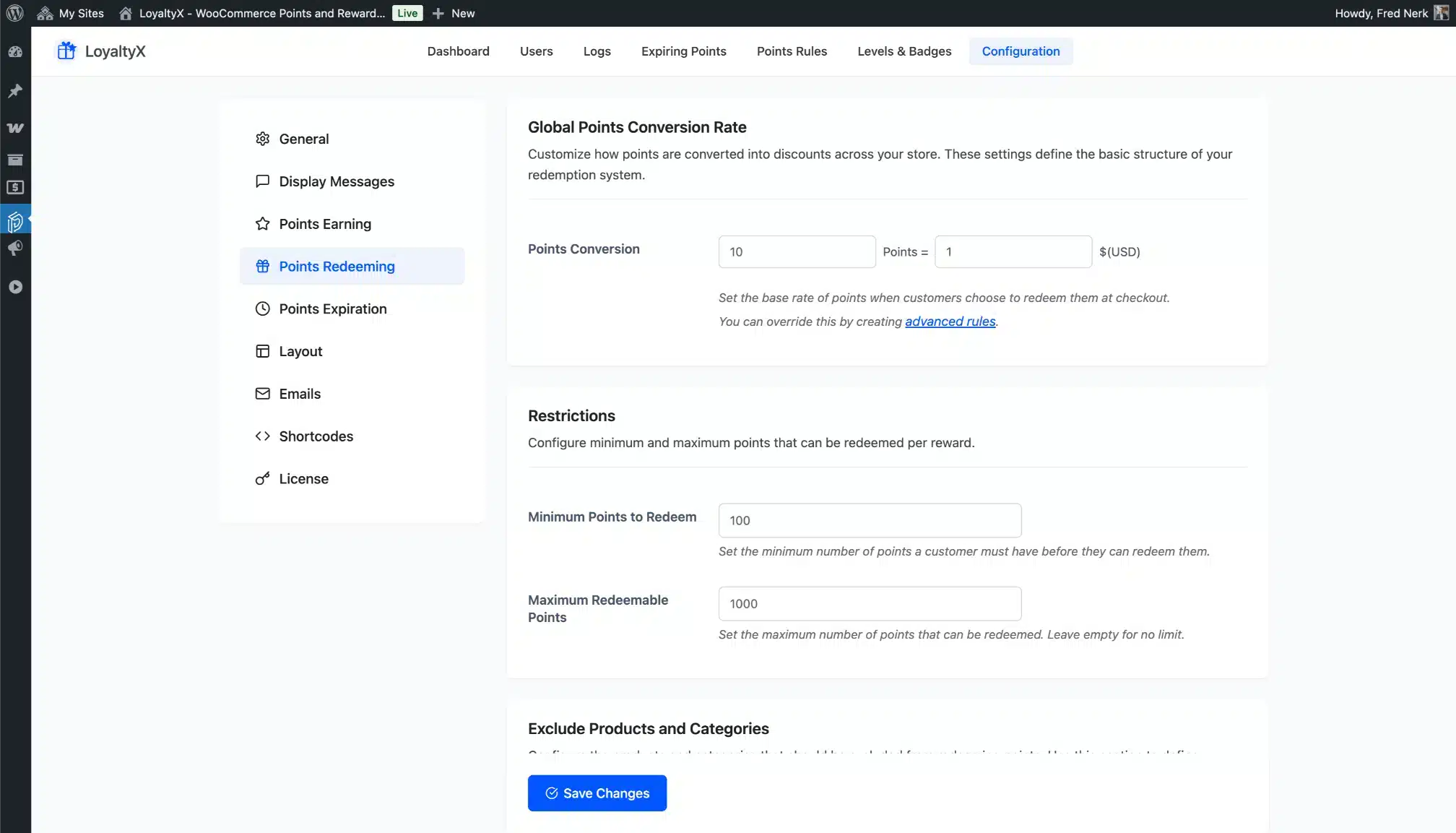
Points Redeeming Configuration
Control global redemption settings — minimum and maximum redemption caps, whether customers can apply multiple rewards, and cart behavior.
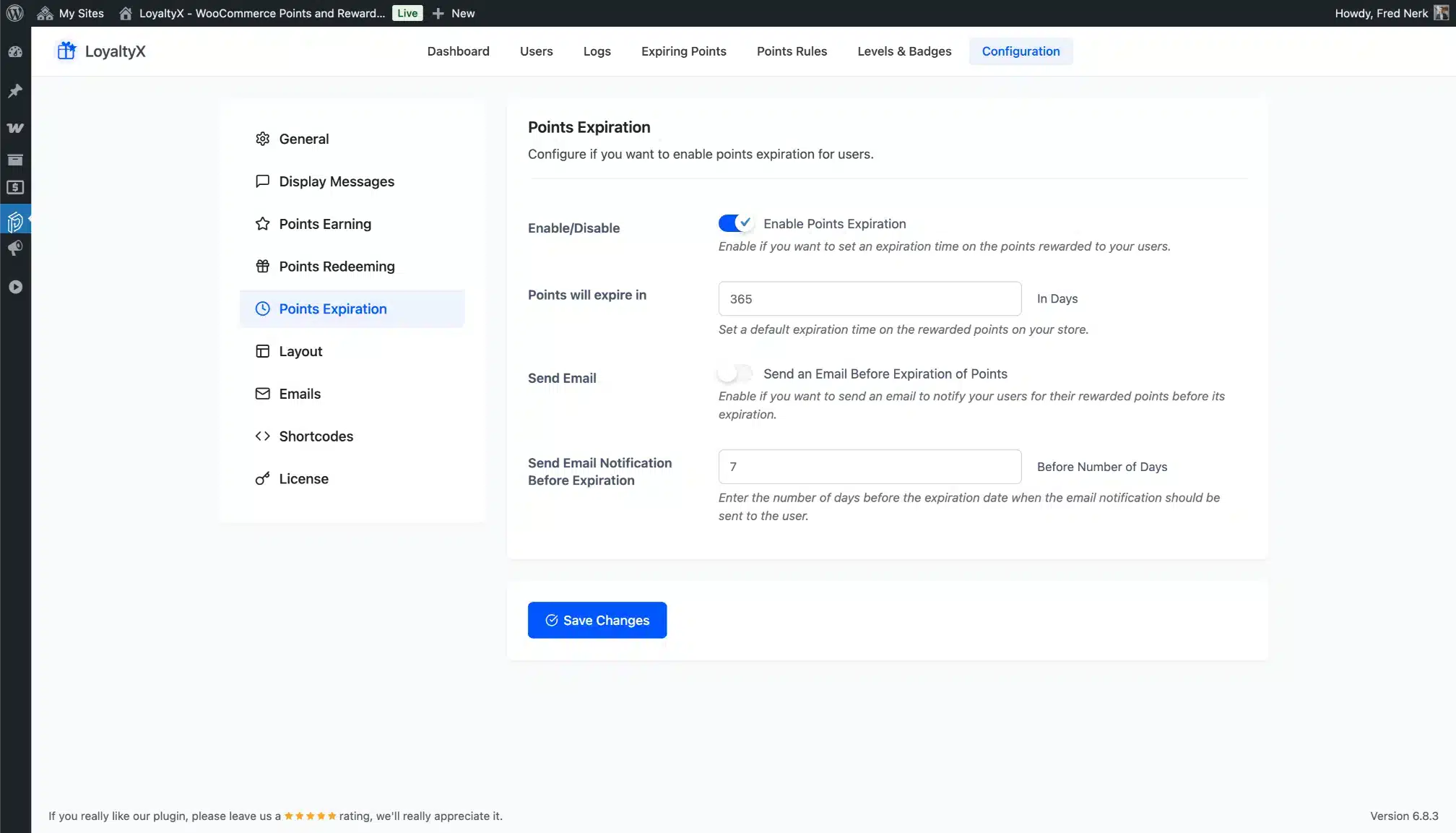
Points Expiration Configuration
Set the expiry window, configure reminder timing, and choose FIFO behavior. Everything needed to run an expiration-driven urgency loop.
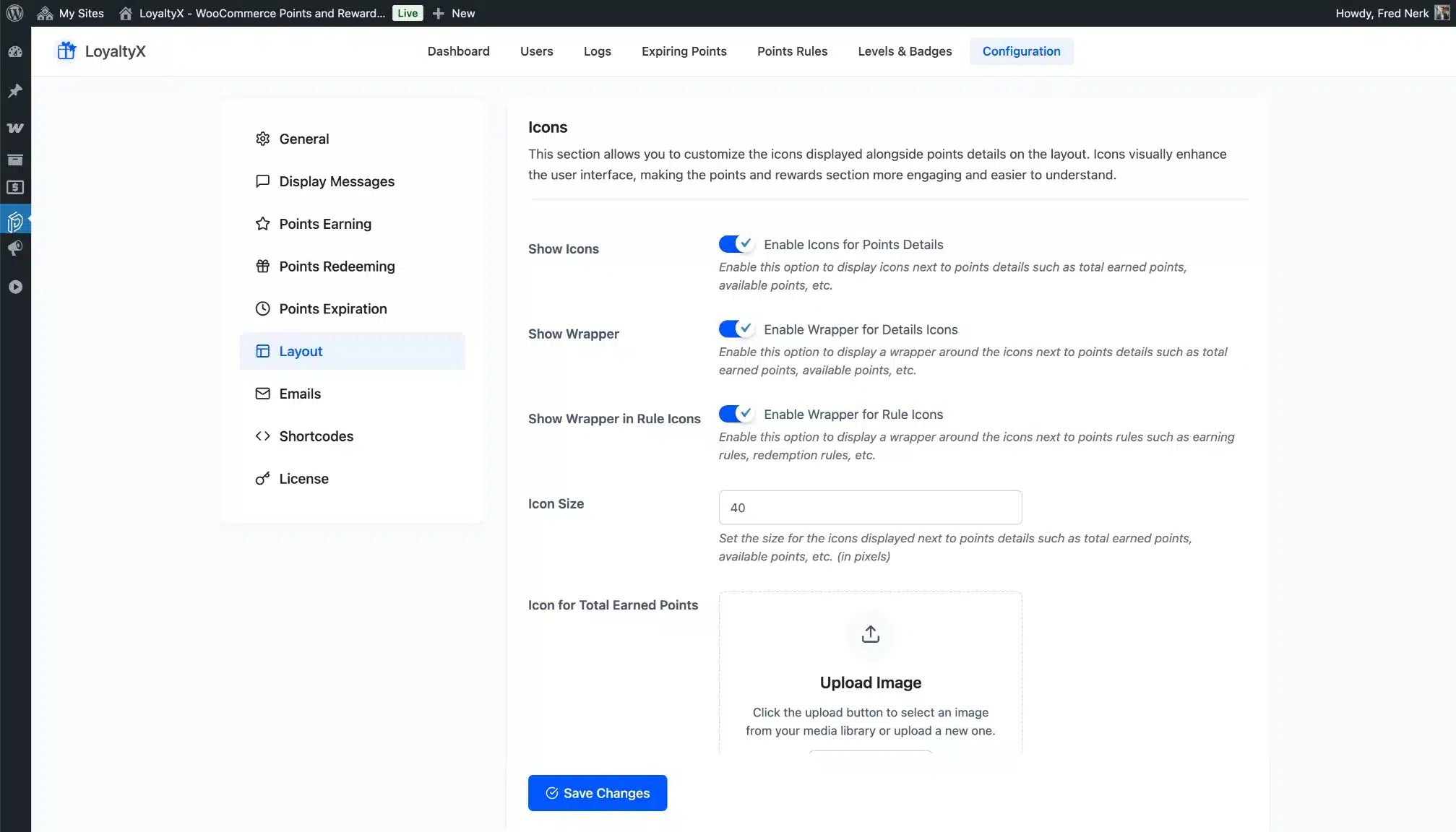
Layout Configuration
Customize dashboard icons, colors, and layout to match your brand. The customer dashboard reflects these settings immediately.
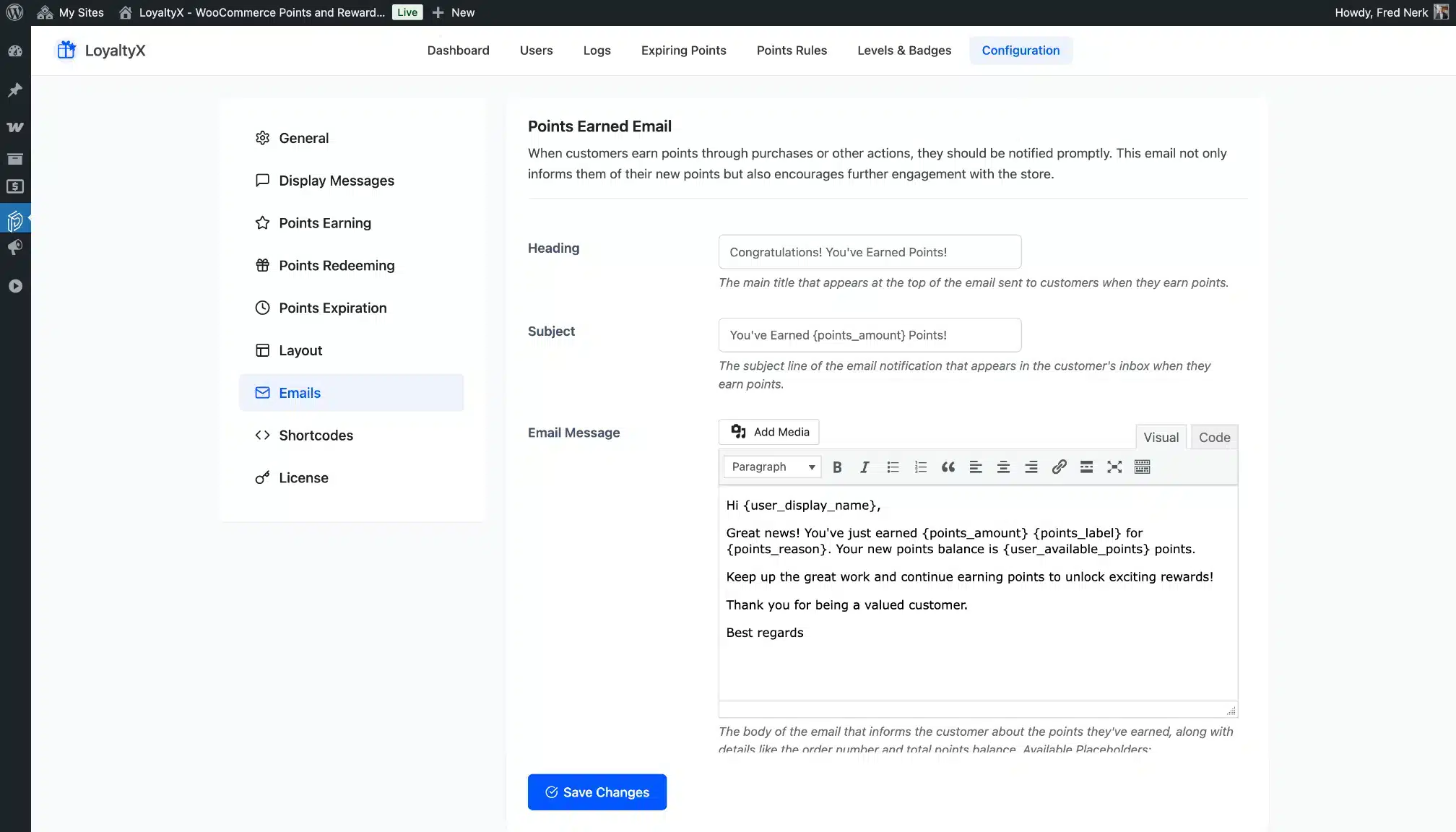
Emails Configuration
Edit every email template — subject, heading, and body — using dynamic placeholders for customer name, points balance, expiry date, level name, and more.
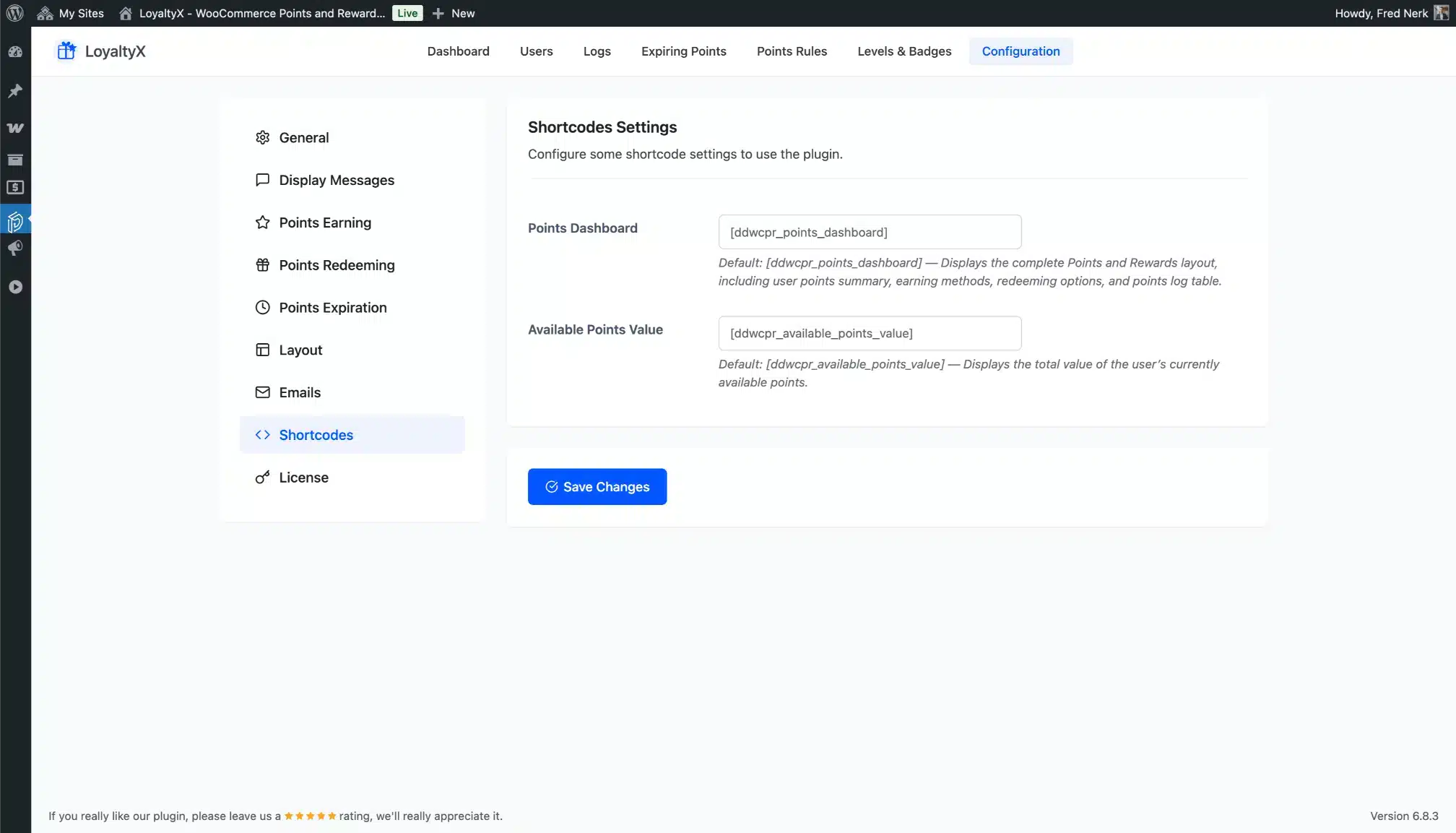
Shortcodes Configuration
View and manage all available shortcodes. Embed the points dashboard or a points balance display anywhere on your site.
Customer End – LoyaltyX
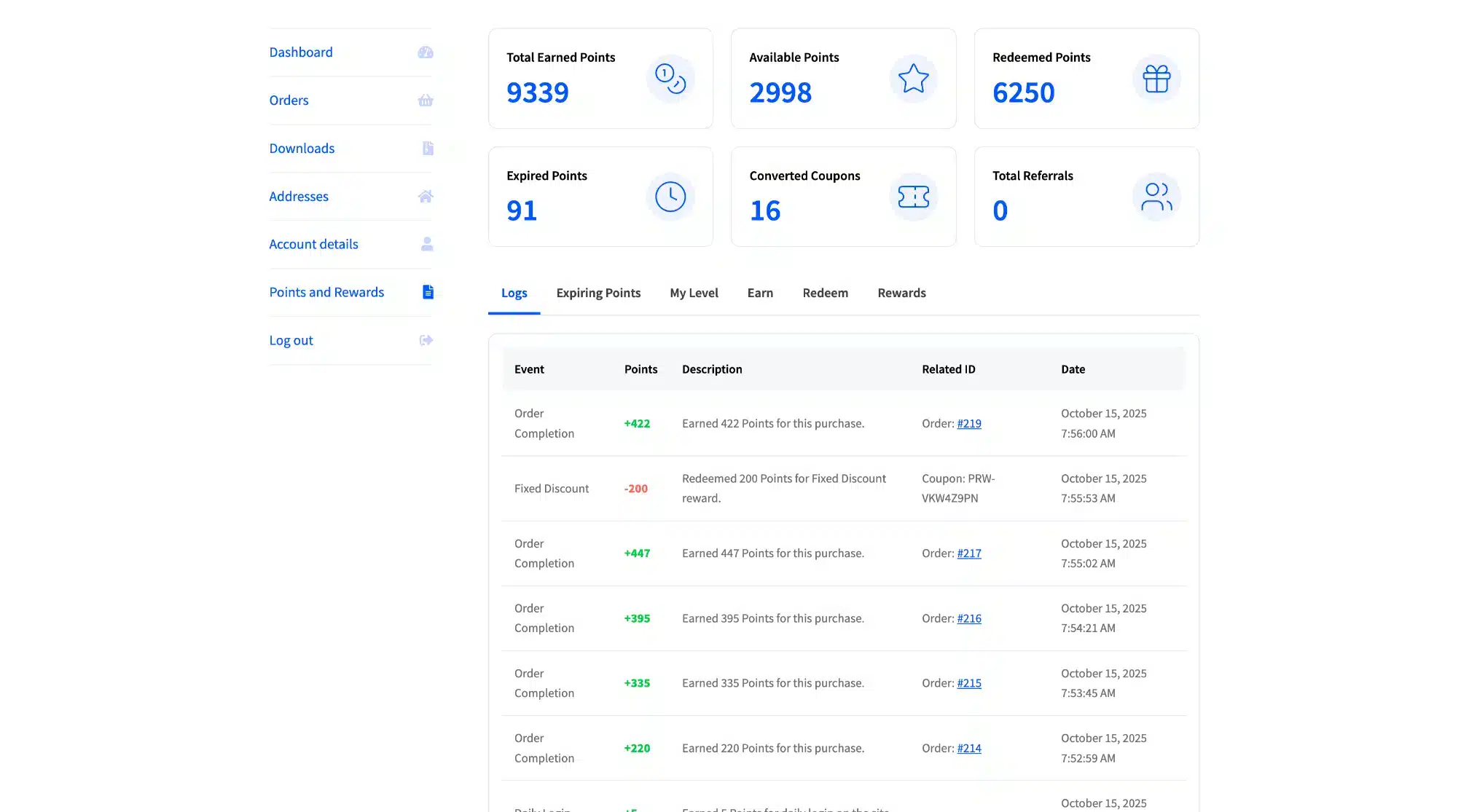
Customer Dashboard
Customers see their points balance, current level and progress, referral link, earning opportunities, and available rewards — all in one responsive page.
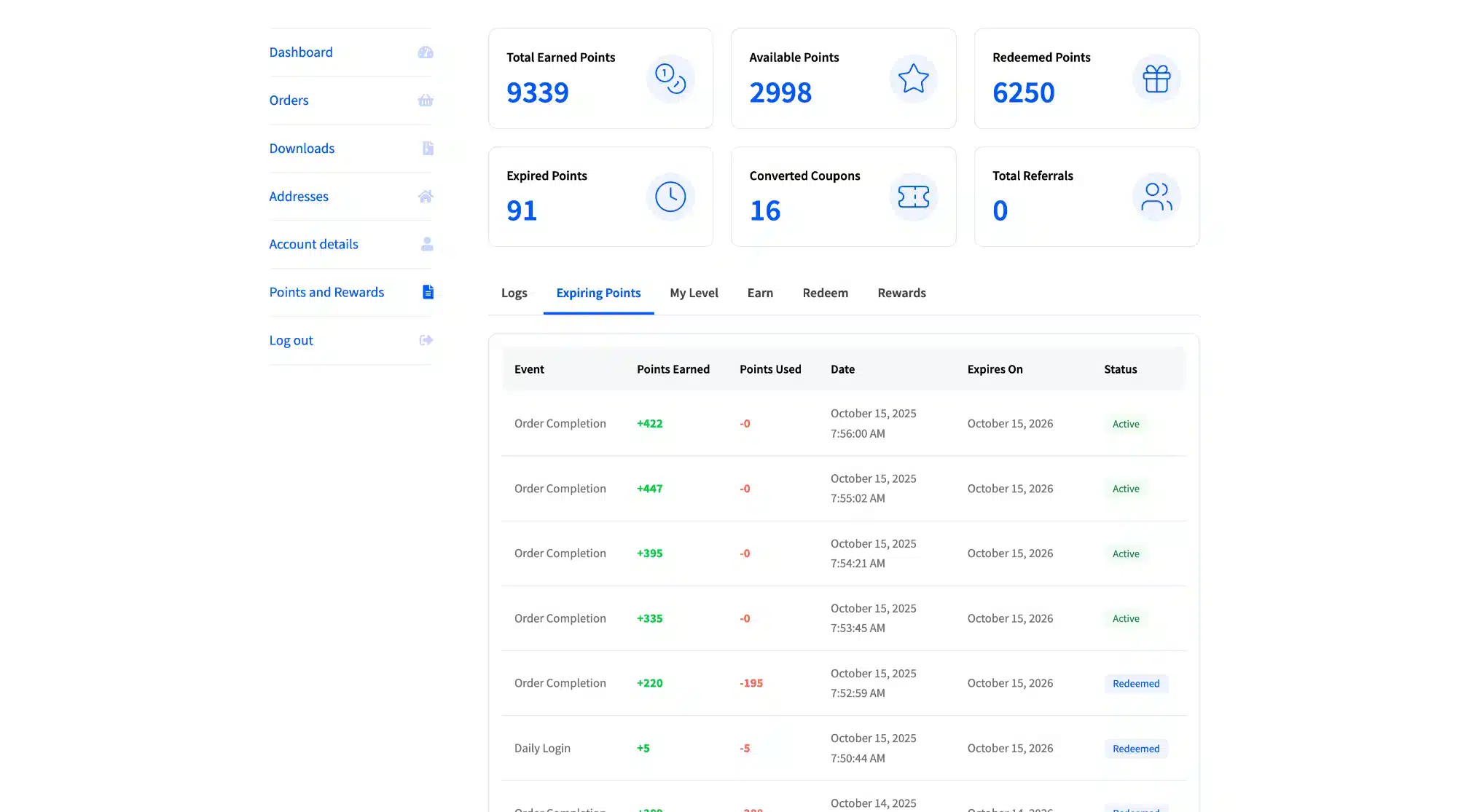
Expiring Points on Dashboard
Customers see exactly which points are about to expire and when. This alone drives redemption without you sending a single manual email.
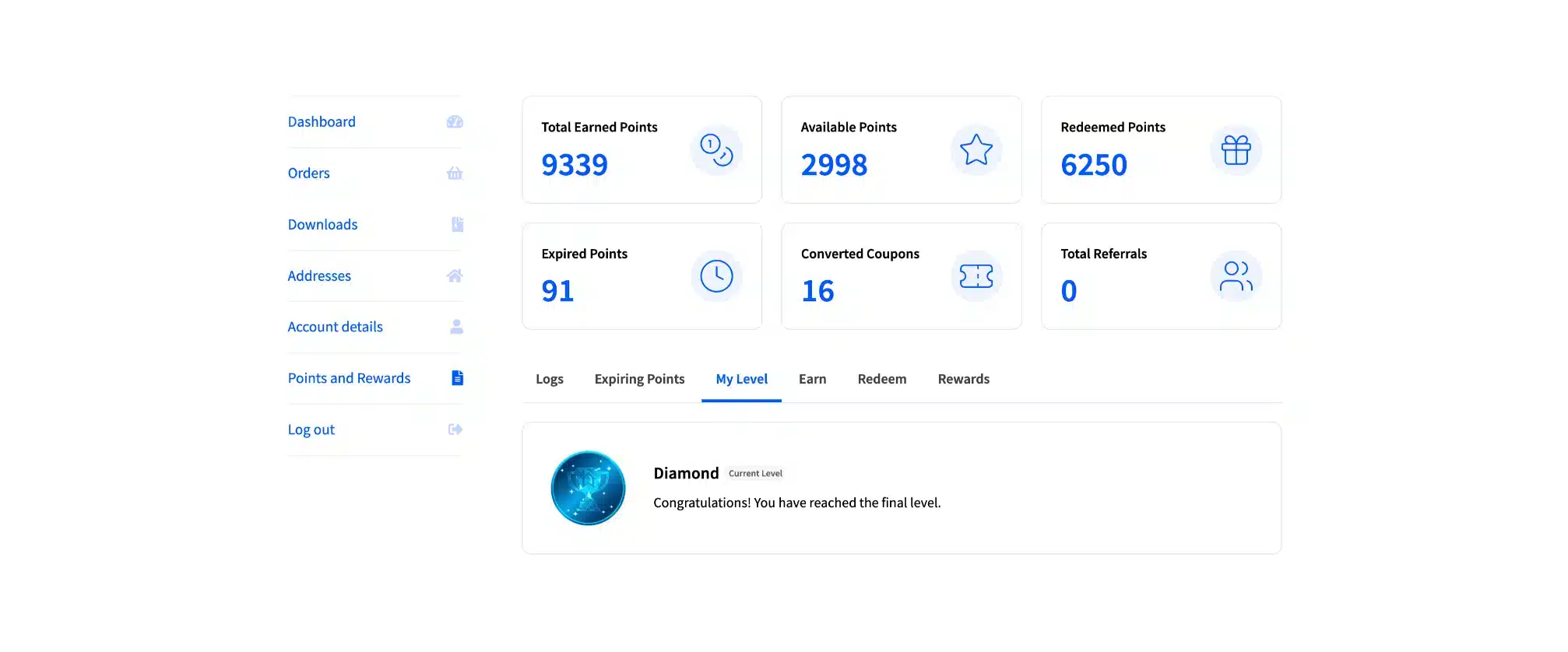
Level and Badge Display
Current level shown with badge and a progress bar to the next tier. Customers know exactly how close they are to leveling up.
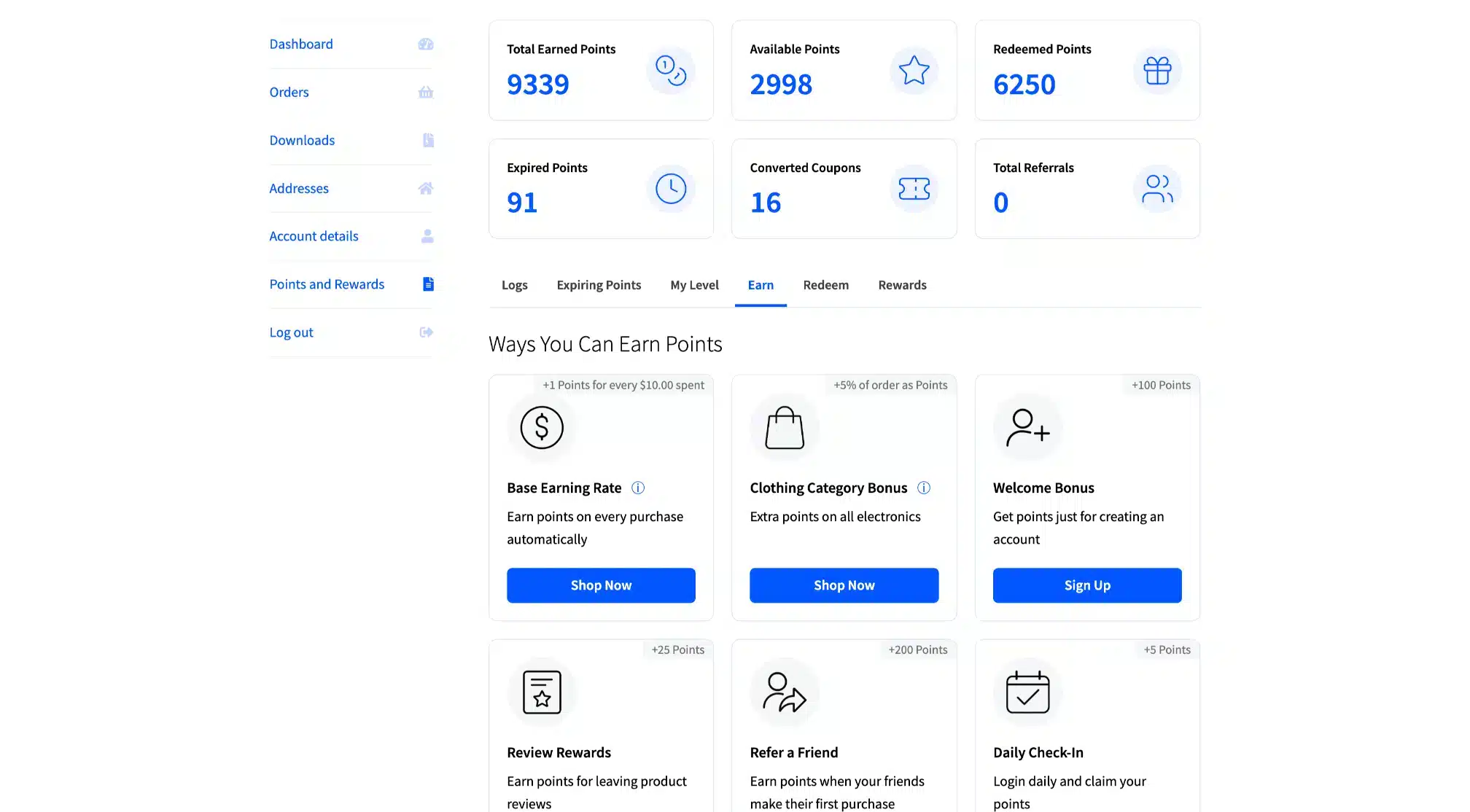
Ways to Earn — Dashboard Cards
Every active earning method shown as a card with instructions. Customers know what to do next to earn more points without asking.
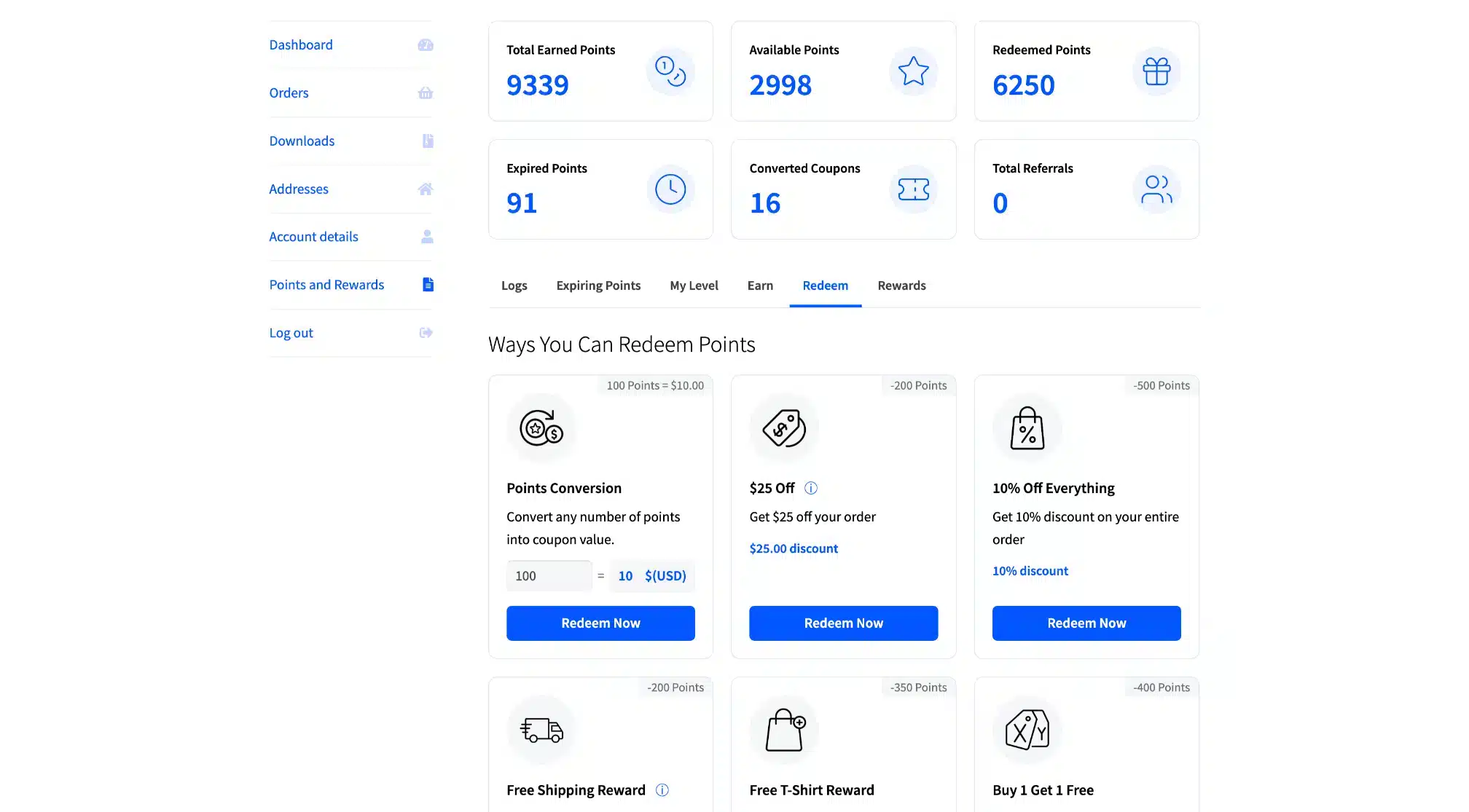
Ways to Redeem — Dashboard Cards
All available rewards displayed clearly with the points cost and current balance shown. One-click redemption directly from the dashboard.
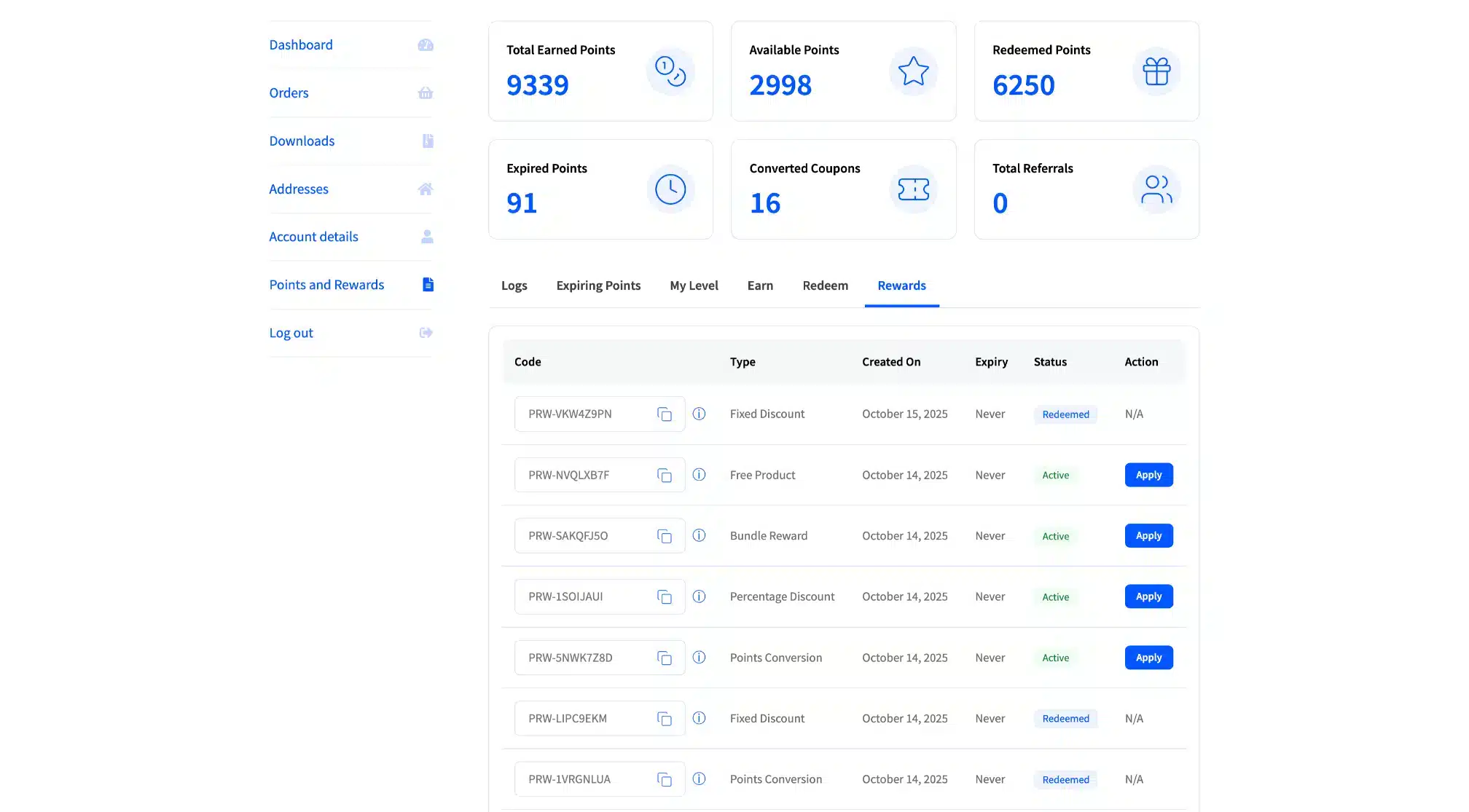
Rewards Tab
A dedicated rewards tab shows every reward available — what it is, what it costs in points, and whether the customer has enough to redeem it right now.
Storefront Integration – LoyaltyX
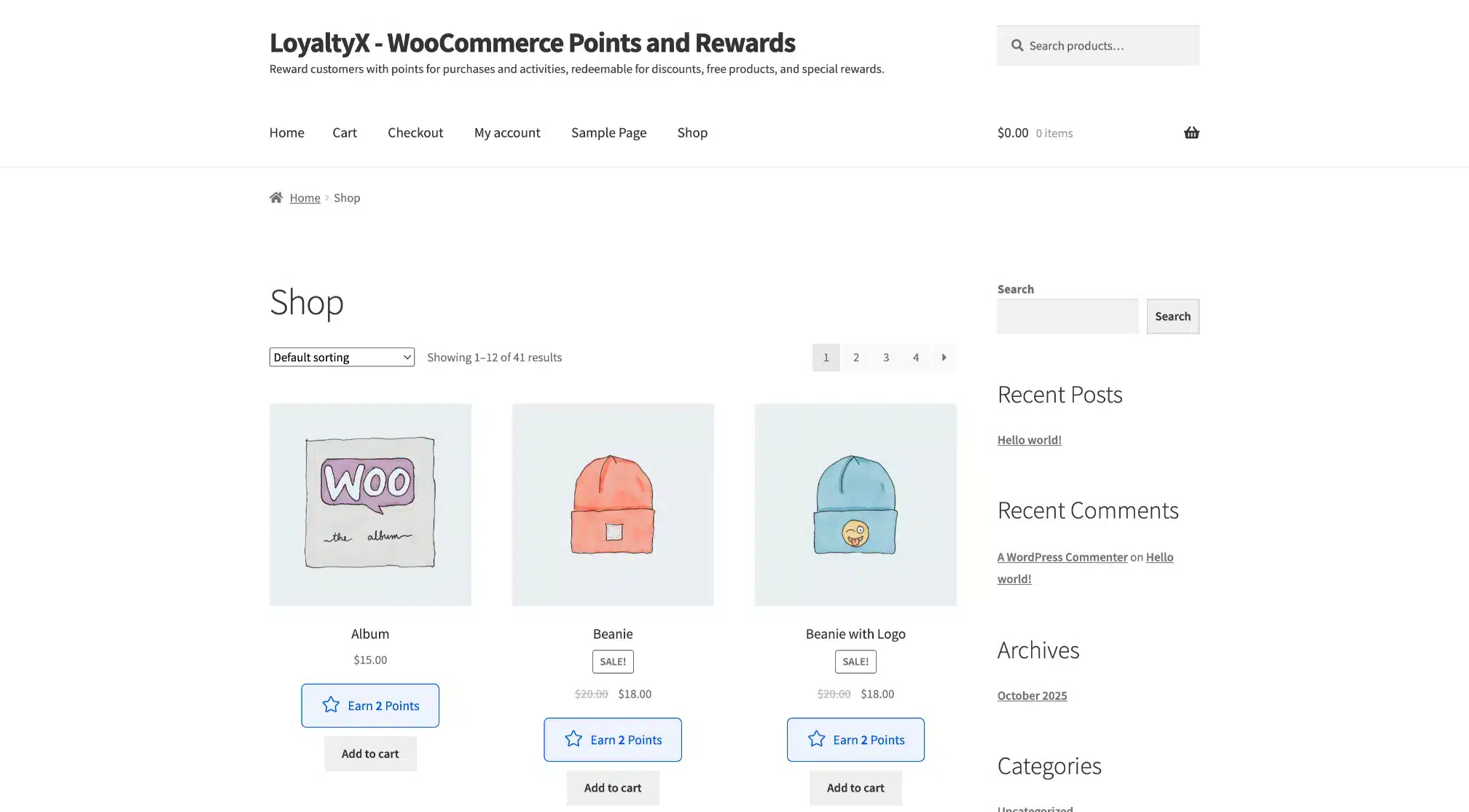
Points Message on Shop Page
Every product on the shop page shows how many points the customer will earn if they buy. Visible earning potential pushes browsers toward purchase.
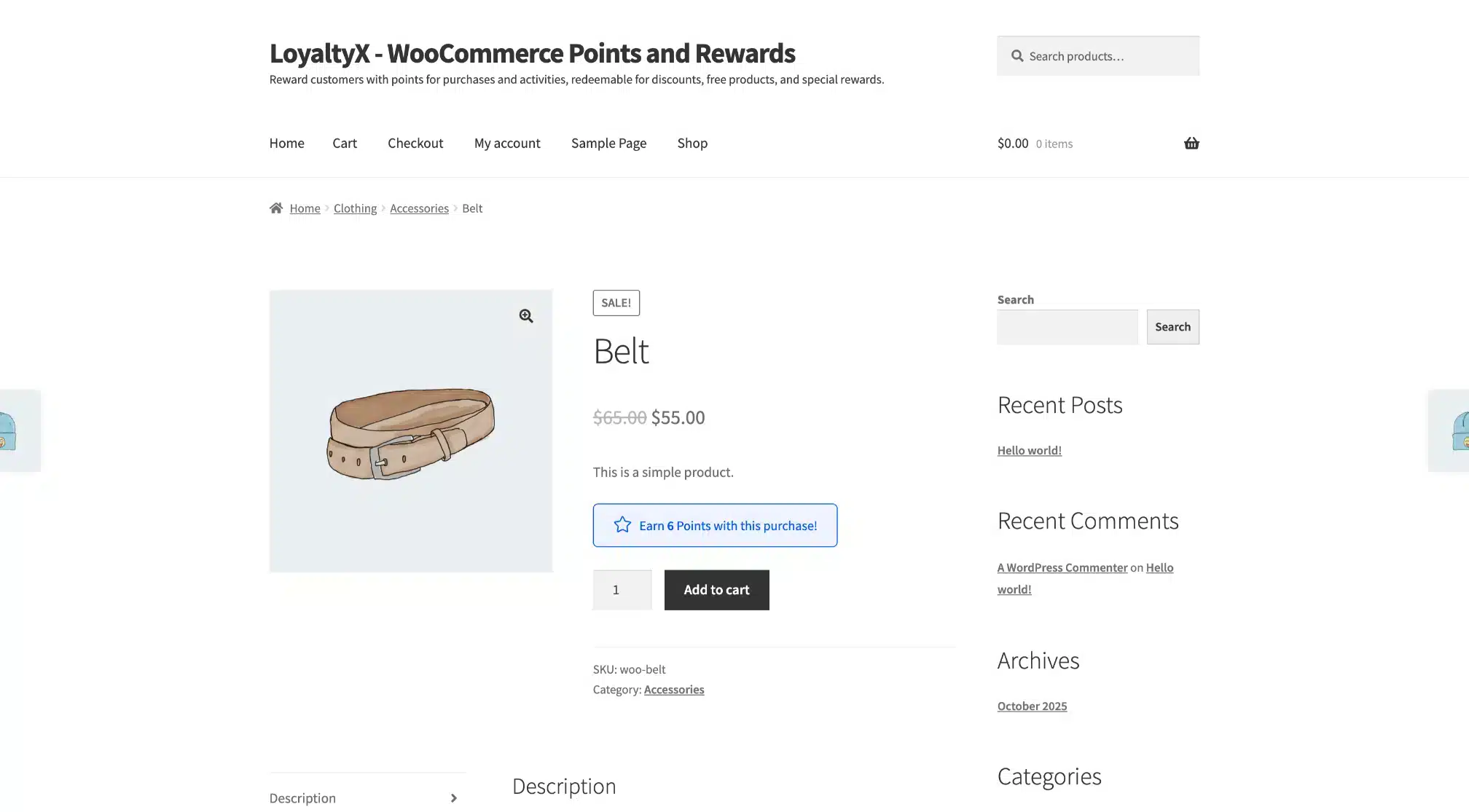
Points Message on Product Page
The product page shows the exact points value for that item. Customers see the reward before they add to cart.
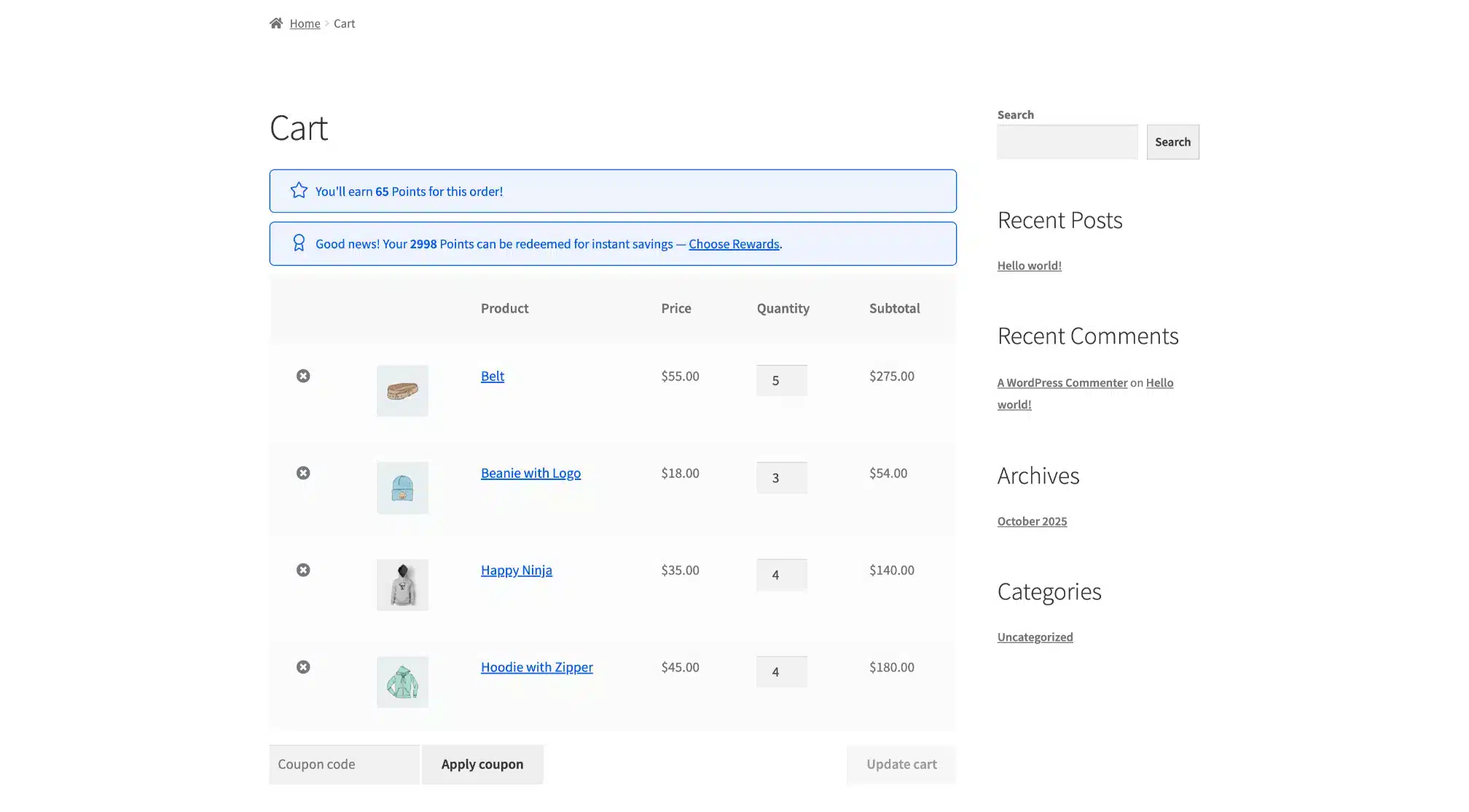
Points Message on Cart Page
The cart reminds customers how many points they’ll earn from this order — and shows any available rewards they could apply right now.
Reward Selection Popup on Cart
Customers can choose a reward directly from the cart using a popup. No need to visit the dashboard — one click applies the reward as a coupon.
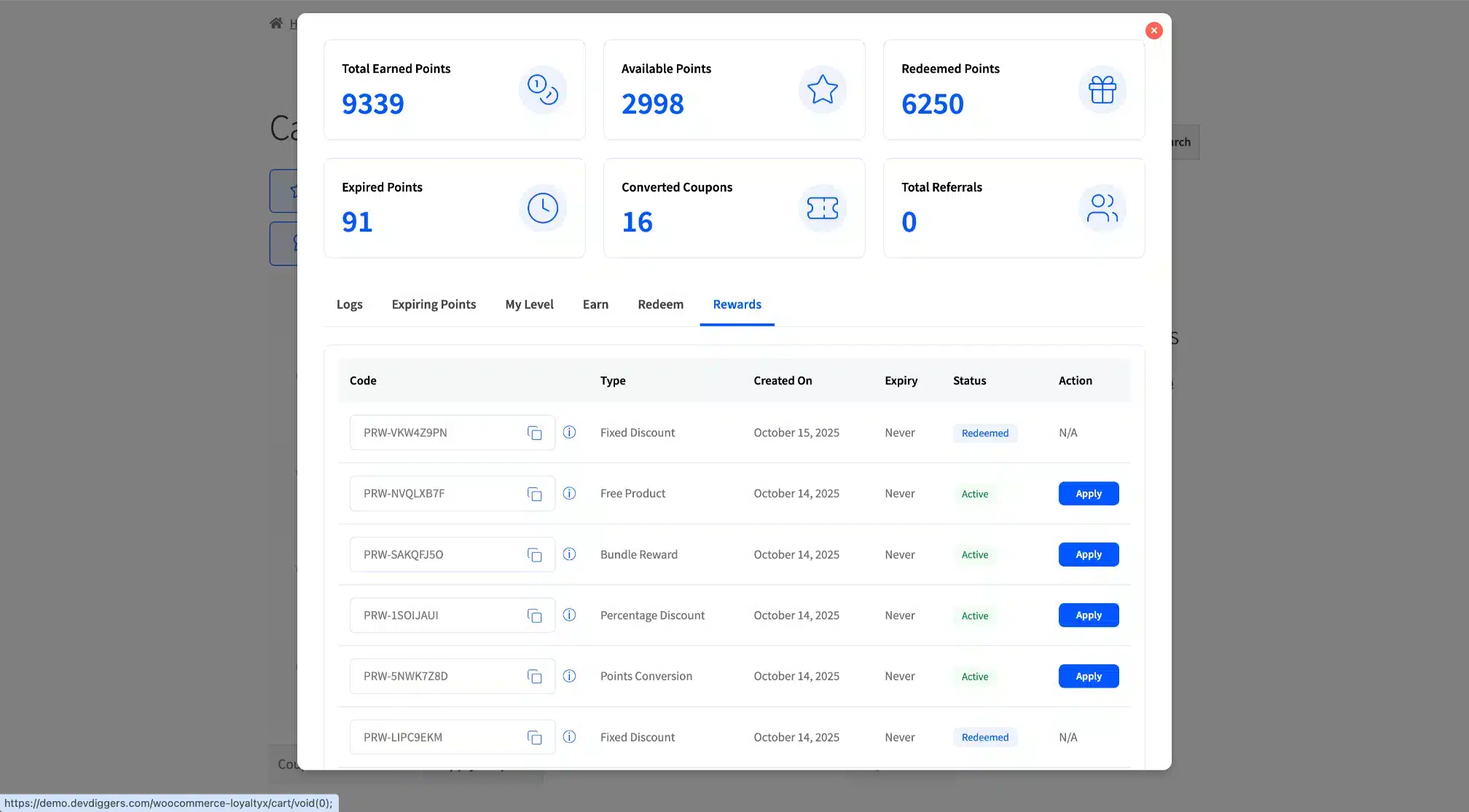
Reward Applied at Checkout
The applied reward shows on the checkout page as a coupon discount. Customers see exactly what they saved before confirming the order.
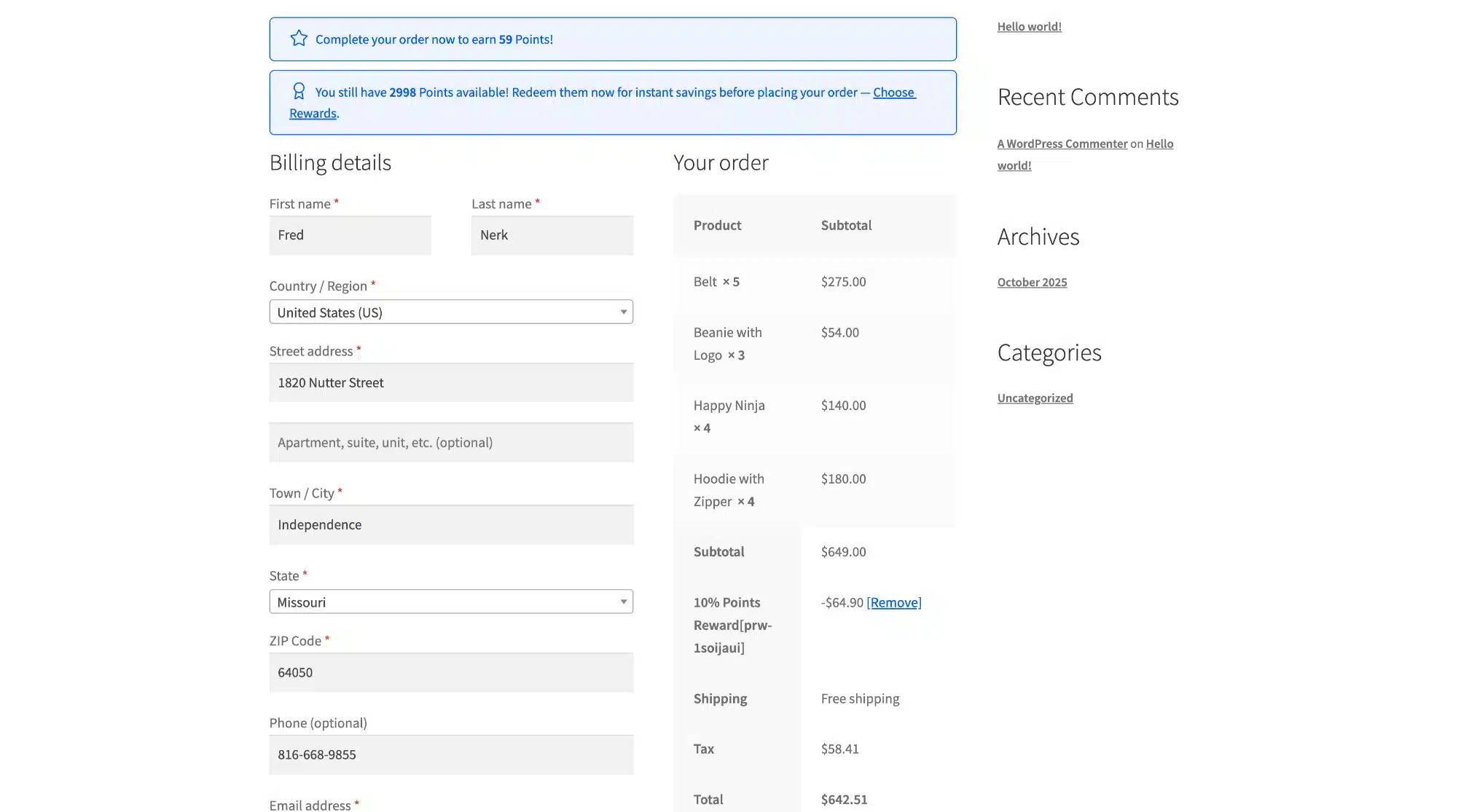
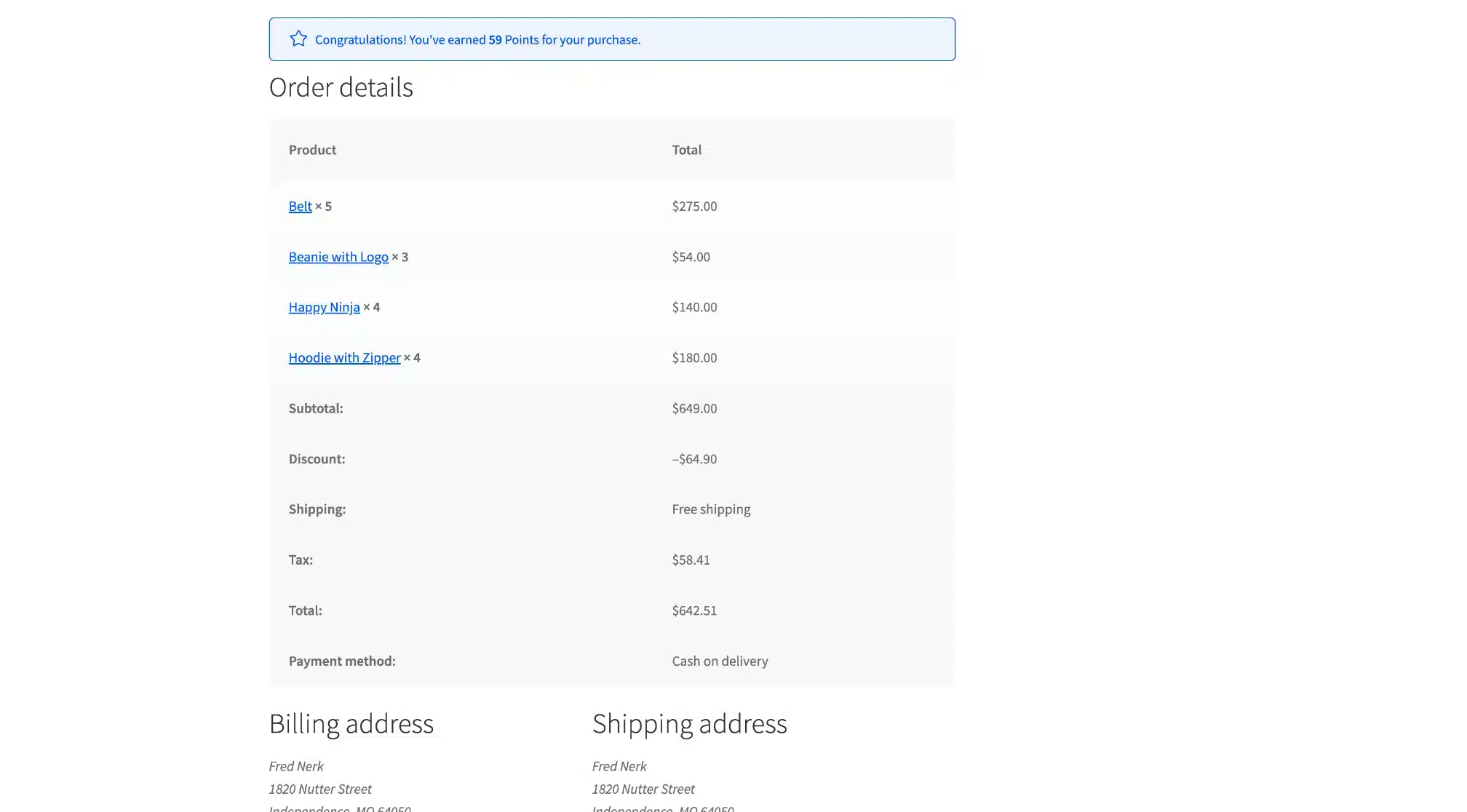
Order Confirmation Page
After checkout, the order confirmation page shows how many points the customer just earned. Immediate feedback reinforces the habit loop.
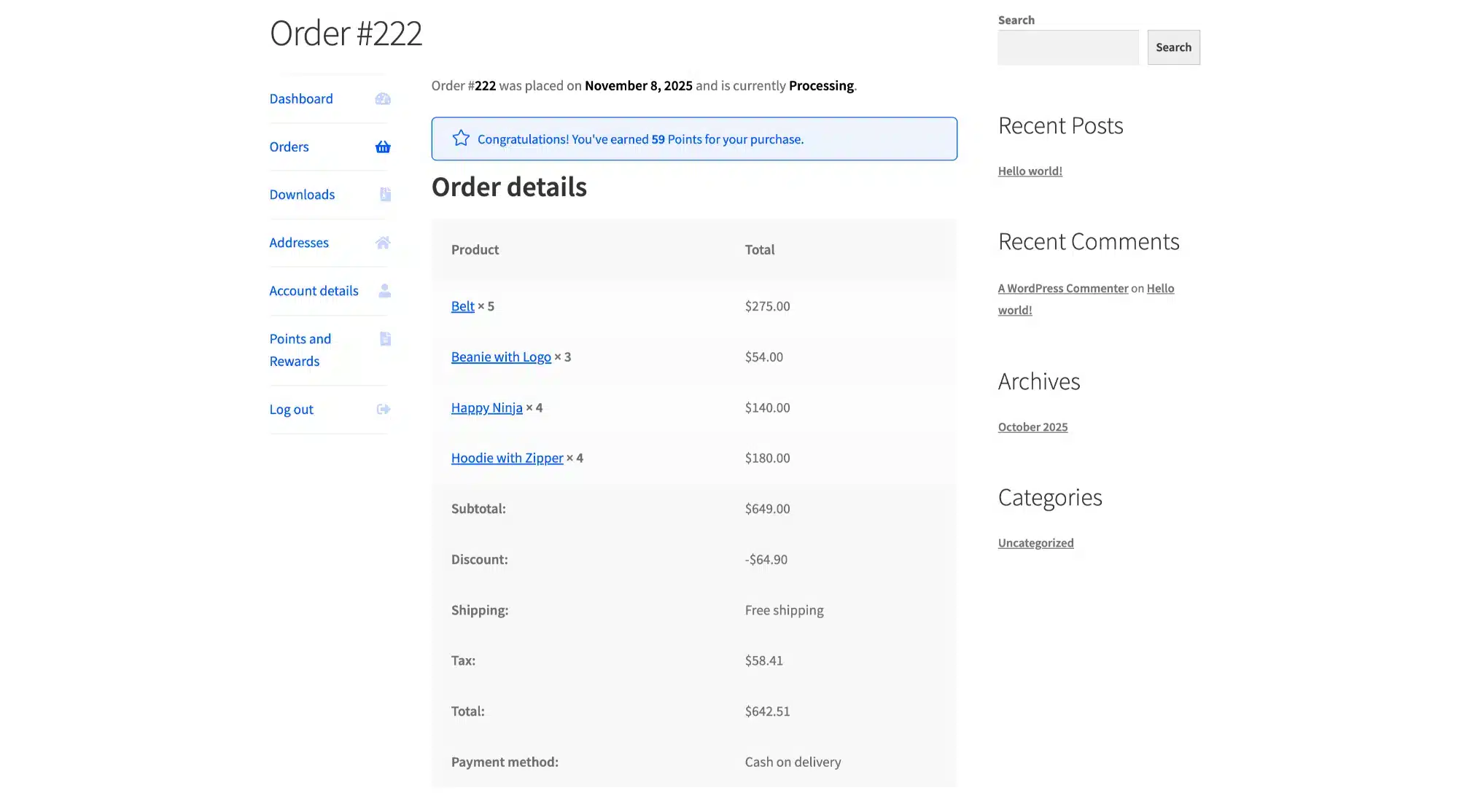
View Order Page
The My Orders view shows the points earned from each past order. Customers can see their loyalty history directly from their account.
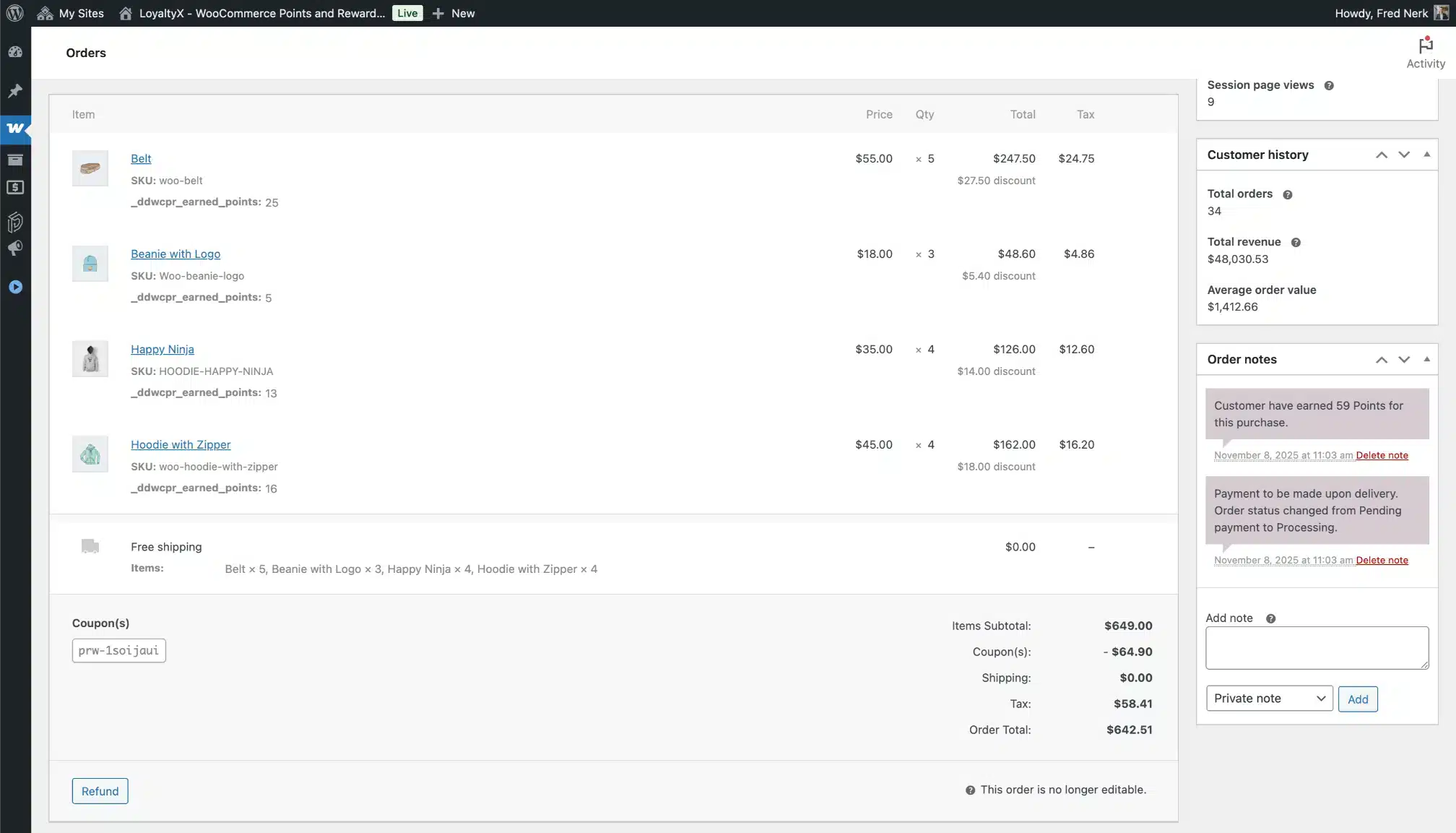
Admin Edit Order Page
The WooCommerce order edit screen shows points and reward details for each order. Useful for customer service and manual adjustments tied to specific orders.
How It Works
- Install and activate — one-click install from the WordPress admin. No FTP needed.
- Configure your earning rules — choose which actions earn points and set your rates.
- Set up your rewards — pick your redemption types and point conversion rates.
- Optionally set up tiers and expiration — adds urgency and VIP engagement.
- Let it run — customers earn, get reminded, redeem, and come back.
Perfect for These Store Types
- Fashion and Apparel — seasonal loyalty with VIP tier privileges and review rewards
- Health and Wellness — subscription-like repeat buying with birthday rewards
- Electronics and Tech — high-value purchase points and referral networks
- Food and Beverage — frequent purchase loops reinforced by expiration urgency
- Arts and Crafts — daily login engagement and community building through referrals
- Home and Garden — re-engaging seasonal buyers year-round
Free Version vs Pro
LoyaltyX has a free version on WordPress.org. It covers the basics — purchase-based earning and basic discount redemption. The Pro version unlocks the full feature set: referral program, tier levels, birthday rewards, daily login points, smart expiration, CSV import/export, full analytics, automated emails, and priority support.
Not sure which fits your store? Read the full Free vs Pro comparison.
Why Choose DevDiggers?
We have been building WooCommerce plugins since 2020. Our items have been featured on CodeCanyon, we hold the Elite Author badge, and we’ve worked with more than 100,000 stores across dozens of industries. We also hold the WP Requirements Compliant badge — Envato’s recognition that our code meets current WordPress security and quality standards.
When you buy from DevDiggers, support tickets go directly to the developers who wrote the code. Our average response time is under 24 hours on business days.
- Elite Author — sold more than $75,000 on Envato Market
- Featured Author — featured on the CodeCanyon front page
- WP Requirements Compliant — meets current WordPress and WooCommerce standards
- 5-star review average on Envato Market, Google, and Trustpilot
- Active maintenance — tested against every major WooCommerce release
Compatibility
- WordPress 6.5 and above
- WooCommerce 9.0 and above
- PHP 7.4 and above (PHP 8.x recommended)
- Compatible with WooCommerce HPOS (High-Performance Order Storage)
- Compatible with WooCommerce Checkout Blocks
- Works with any WooCommerce-compatible theme
- Compatible with major page builders (Elementor, Divi, Beaver Builder, etc.)
- Multilingual ready — .pot file included
Frequently Asked Questions
How long does setup take?
About five to ten minutes for a basic working program. The plugin ships with sensible defaults so you can go live quickly and fine-tune later. Free installation help is available if you need it.
Will the plugin slow down my store?
No. The plugin uses efficient database queries and caching. Page load impact is less than 0.1 seconds — not noticeable to customers.
Can I migrate from another loyalty plugin?
Yes. Use the CSV import wizard to upload your existing points data. Sample CSV files are included so you know the correct format. Most migrations take under 30 minutes.
Does it work with my theme?
Yes. LoyaltyX works with any WooCommerce-compatible theme. It integrates with the WooCommerce My Account page using standard WooCommerce hooks — no theme-specific code needed.
Can customers see how many points they’ll earn before buying?
Yes. Earning messages can be shown on product pages, the shop page, cart, and checkout. Customers see exactly what they’ll earn, which increases motivation to complete the purchase.
Can I rename “points” to something else?
Yes. You can rename points to anything — coins, gems, stars, tokens, credits, or your own brand name. All customer-facing labels are editable from the Display Messages configuration page.
Does it work with WooCommerce HPOS?
Yes. LoyaltyX is fully compatible with WooCommerce High-Performance Order Storage and WooCommerce Checkout Blocks.
Is there a free version?
Yes. A free version is available on WordPress.org covering purchase-based earning and basic redemption. The Pro version adds referrals, tier levels, expiration, email automation, full analytics, CSV tools, and priority support.
Documentation and Support
Full LoyaltyX documentation is available at DevDiggers. It covers every configuration page, all earning and redeeming rule types, the tier level system, email setup, import/export, and the customer dashboard.
Support is handled by the DevDiggers team directly. Submit a ticket through the CodeCanyon support tab or reach us from our contact page. We respond within 24 hours on business days.
Have pre-sales questions before purchasing? Reach out via the contact page — we’re happy to walk you through whether the plugin fits your store before you commit.
Changelog
v 1.0.0 Initial Release
$399 |
Download |
0 average based on 0 ratings.

| Last Update | 2026-05-09 |
| Created | 2026-05-09 |
| Sales | 0 |
| Discussion | Comments |
| Compatible Browsers | IE11 Firefox Safari Opera Chrome Edge |
| Software Version | WordPress 7.0.x WordPress 6.9.x WordPress 6.8.x WordPress 6.7.x WordPress 6.6.x WordPress 6.5.x |
| Compatible With | WooCommerce 10.x.x WooCommerce 9.x.x WooCommerce 8.x.x WooCommerce 7.x.x |
| Gutenberg Optimized | Yes |
| High Resolution | Yes |
| Files Included | JavaScript JS CSS PHP |
| Video Preview Resolution |


