LMS Hub | Node.js Learning Management System


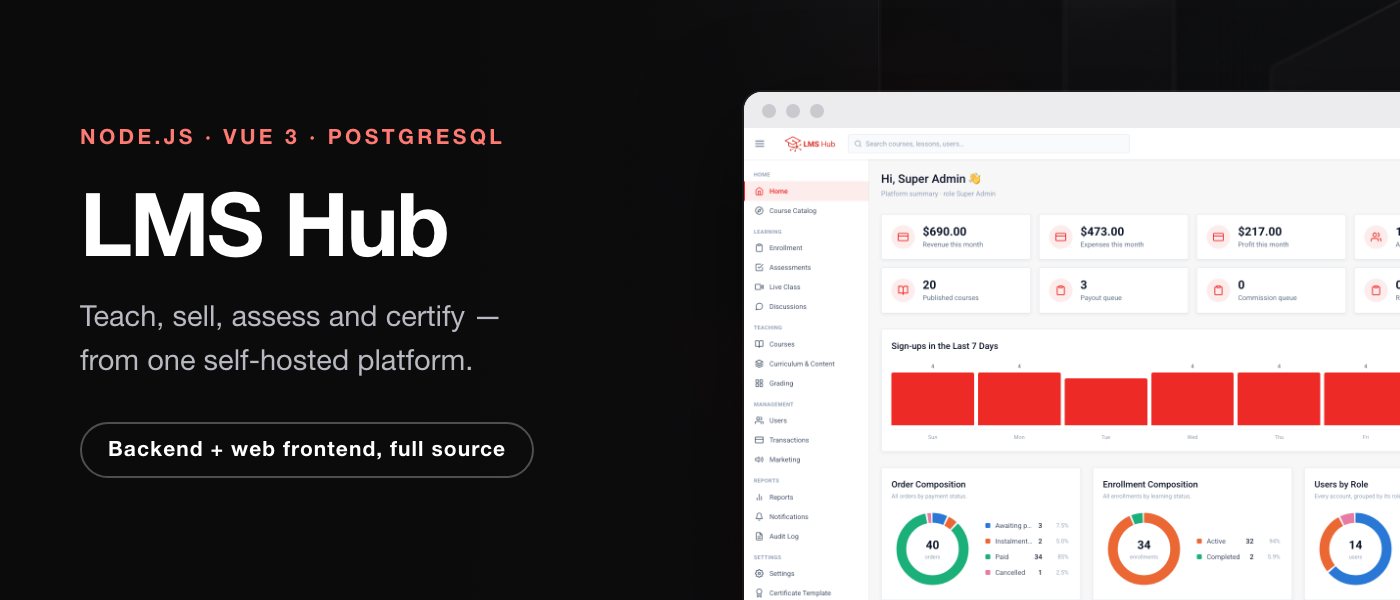
Try the live demo
https://lmshub.manufacturdigitalhub.com
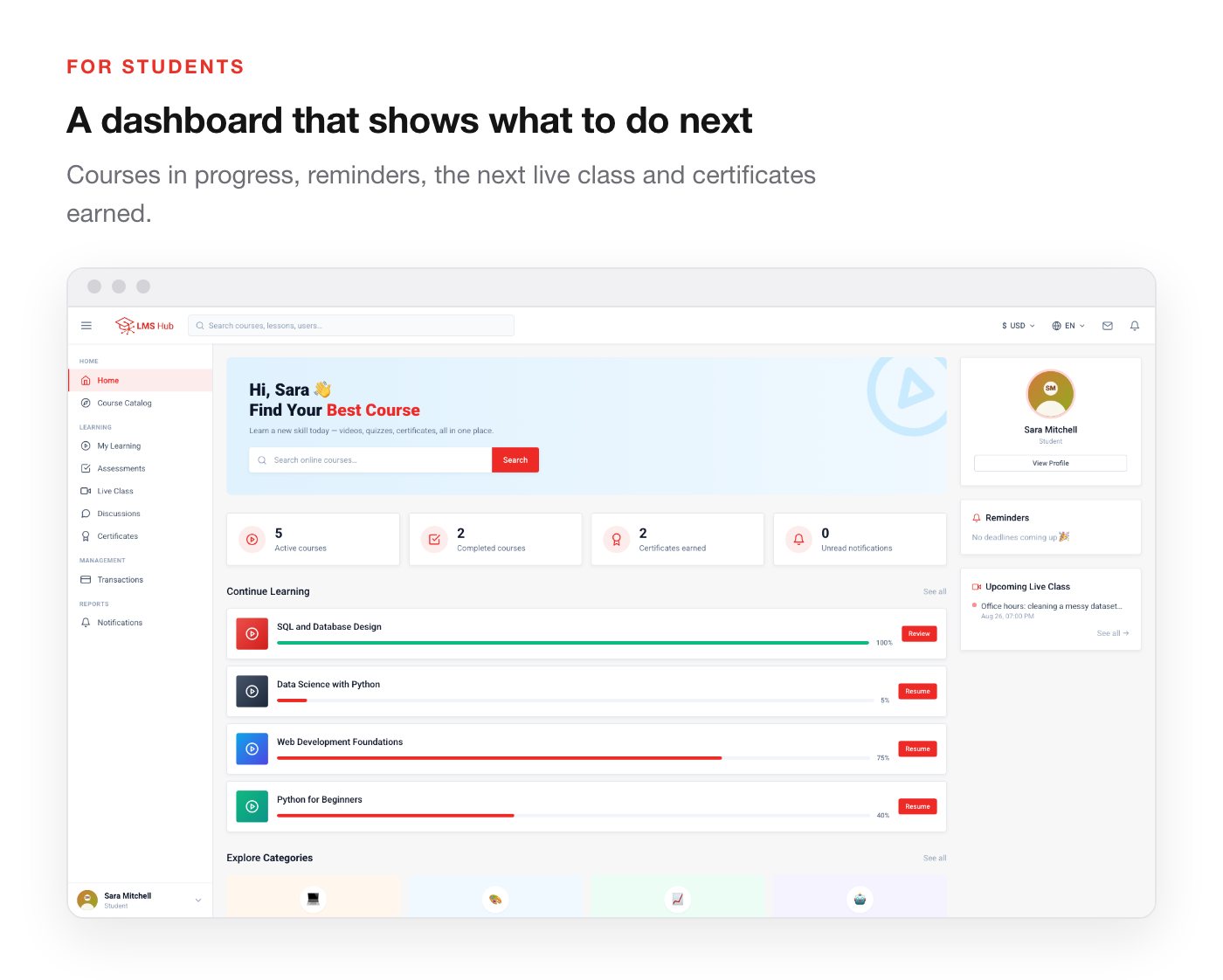
Three accounts are open so you can see the platform from each side. Every role sees a different navigation menu and a different set of screens — that is the point of the demo, so please try more than one.
| Administrator | admin@mdh-digital.com | 11223344 | Full platform: courses, users, transactions, payouts, reports, settings |
| Instructor | rina@lmshub.test | Demo12345! | Own courses and students only, plus grading and payout requests |
| Student | siti@lmshub.test | Demo12345! | Courses in progress, completed courses and issued certificates |
This is a shared demo and the data is reset periodically, so what you see may differ slightly from the screenshots. Nothing you change there affects anyone else’s copy.
New in version 1.3.1
- Upload course video straight to your server — the Media Library now takes video, audio, images and PDF from your computer, with a progress bar, also from inside the lesson form. No external video host needed.
- Final exam and completion rules — pick a quiz as the course’s final exam and the certificate unlocks only when it is passed. Unlimited attempts, a cooldown between attempts, and an optional course restart.
- Footer pages — About, Help, Privacy, Terms and Contact, edited in a rich-text editor and linked from the footer automatically.
- Course thumbnails, hero image and more from the panel — upload a course thumbnail in the course form, the homepage image in Website, and change the super admin’s email from the profile.
- English by default — English interface, English web addresses and English sample data, with the other three languages one click away.
Already running 1.1.0? The download includes an Update Guide. The full list is in the Changelog at the end of this page.
Why LMS Hub
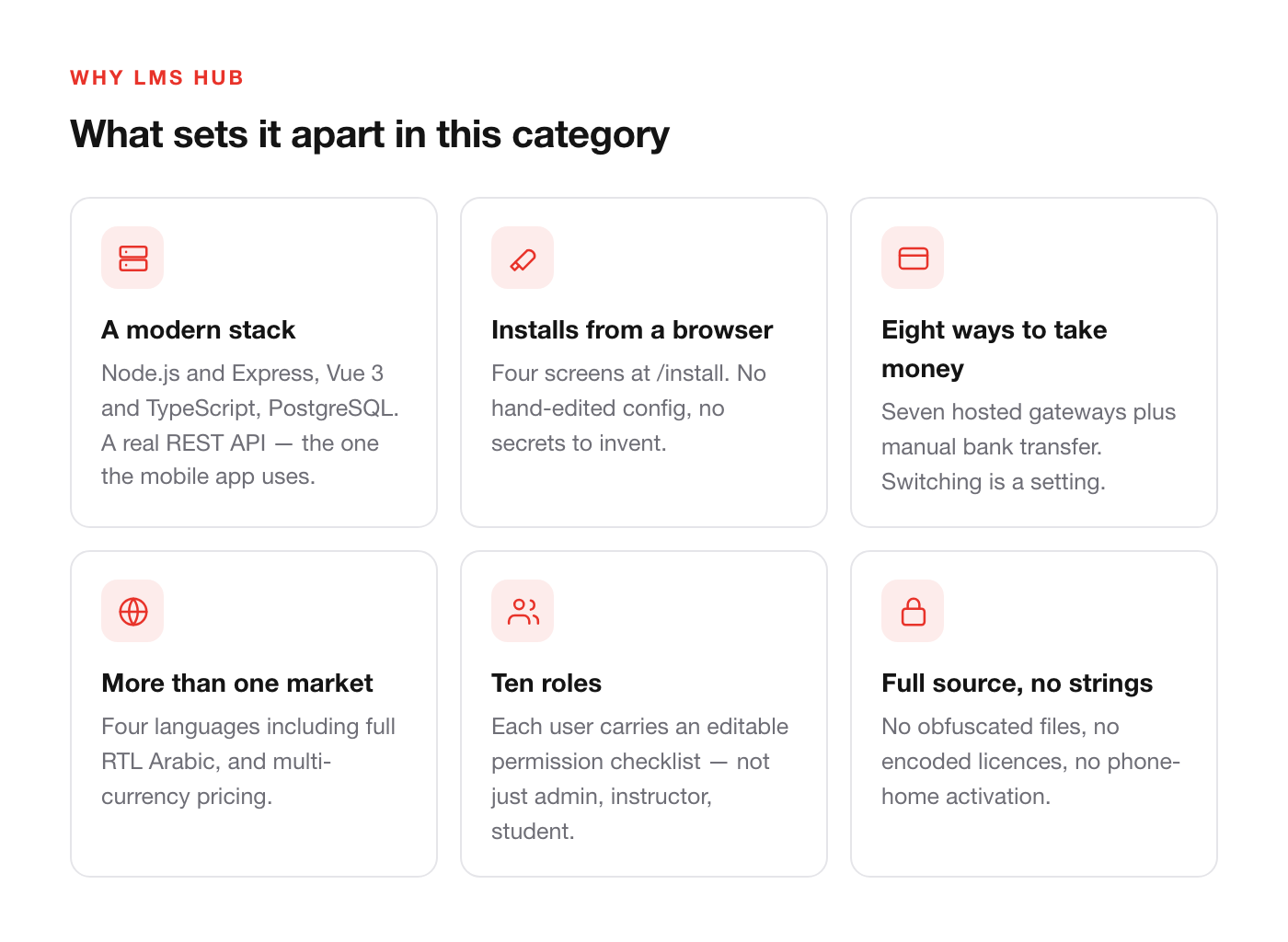
- A modern stack, not a PHP monolith. Node.js and Express on the server, Vue 3 and TypeScript in the browser, PostgreSQL underneath. The API is a real REST API with 276 endpoints, which is why the same backend already serves a native mobile app.
- It installs from a browser. Four screens at
/installand you are done — no terminal walkthrough, no hand-edited configuration file, no secrets for you to invent. - Eight ways to take money, seven countries covered. Most LMS scripts ship one or two gateways. Switching provider here is a settings change.
- Your videos on your own server. Upload lessons straight from the admin panel. They are stored next to the application and play in the browser, with no third-party video service to pay for.
- Built to be sold in more than one market. Four interface languages including full right-to-left Arabic, and multi-currency pricing with bookkeeping that stays in one base currency.
- Ten roles with per-user permission checklists — not the usual admin / instructor / student triangle. A supervisor can be given read-only oversight; a teaching assistant can grade without touching course settings.
- Full source, no strings. No obfuscated files, no encoded licences, no phone-home activation. What you download is what runs.
Installs from your browser
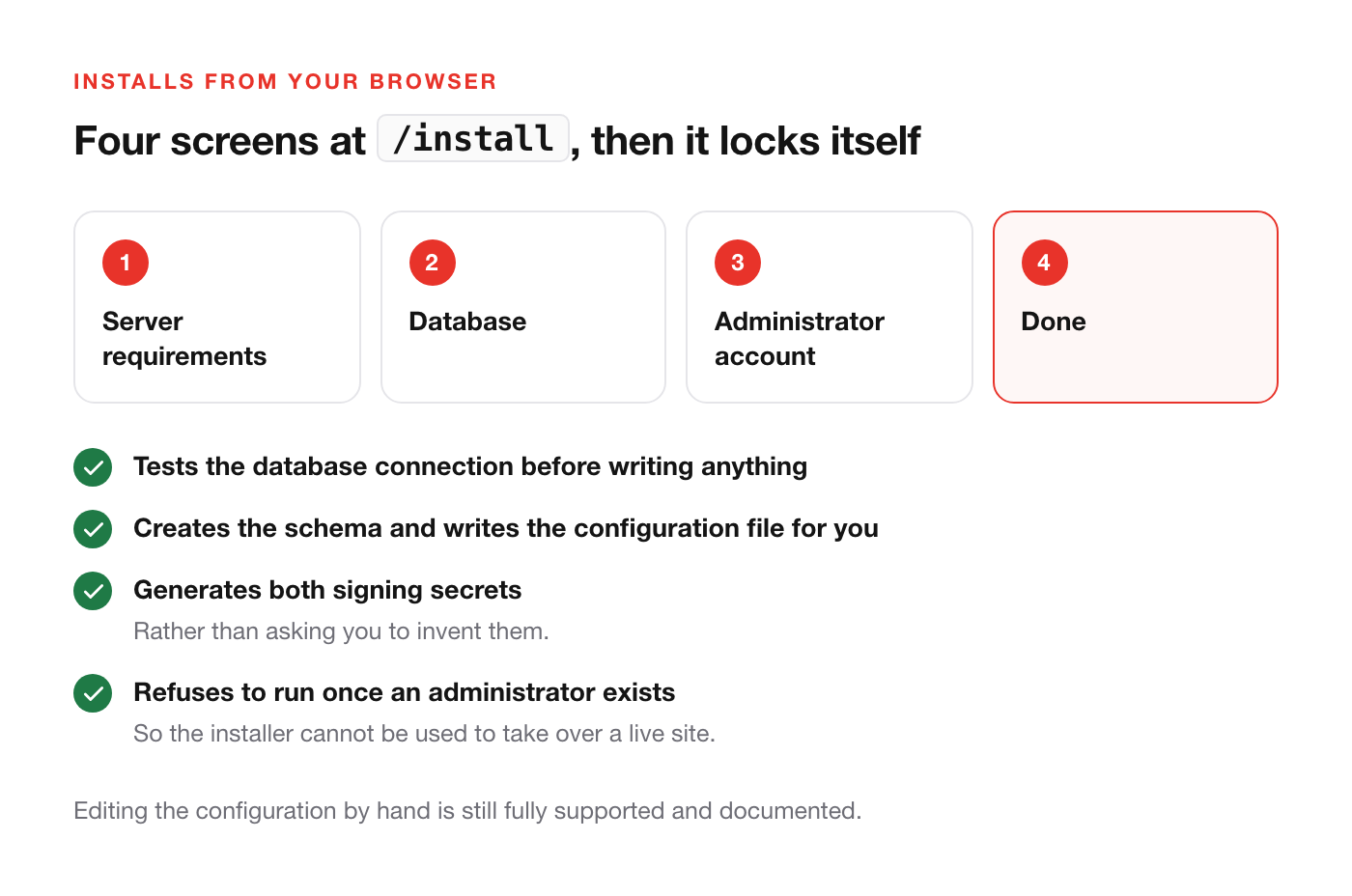
Once the backend is running, open /install and answer four screens: server requirements, database, administrator account, done. The installer tests the database connection before it writes anything, creates the schema for you, writes the configuration file, and generates both signing secrets rather than asking you to invent them.
It then locks itself. Every step refuses to run once an administrator account exists, so the installer cannot be used to take over a live site. Editing the configuration by hand is still fully supported and documented.
Eight ways to take money
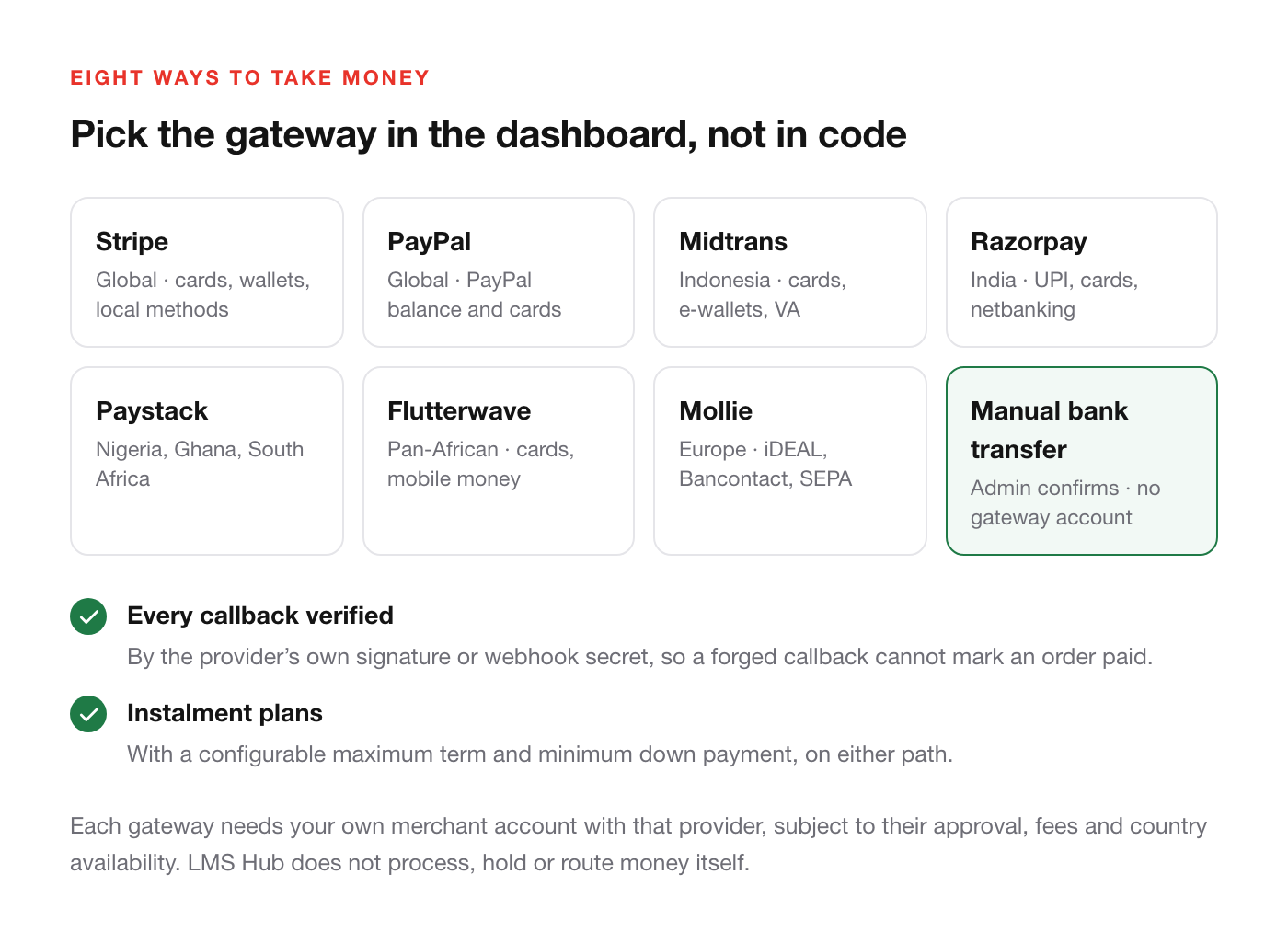
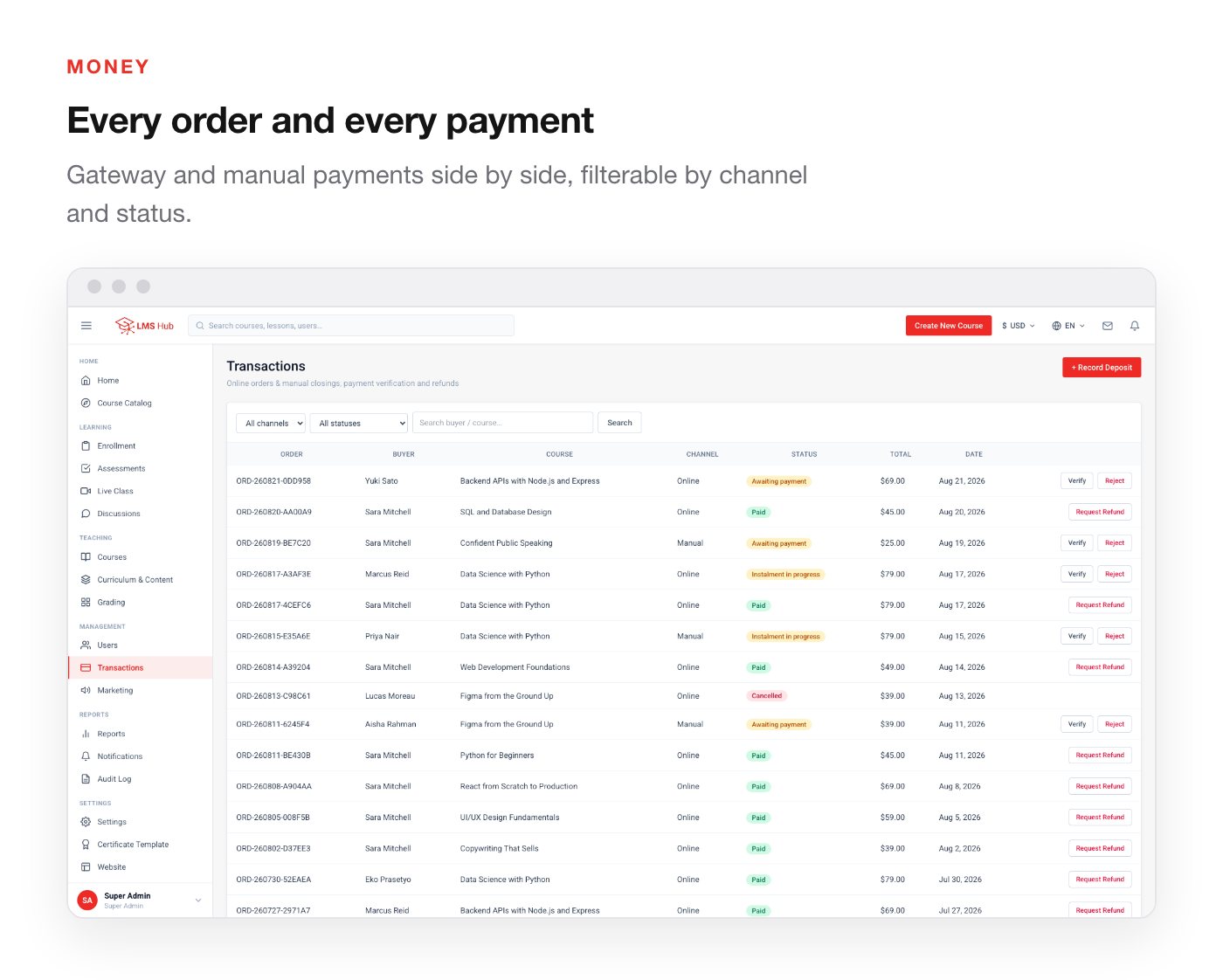
Seven hosted gateways ship as adapters behind a single interface, plus manual bank transfer. Enter the keys in the dashboard and turn one on — no code change.
Each gateway needs your own merchant account with that provider, opened directly with them and subject to their approval, fees and country availability. Those accounts are not included with this item. Manual bank transfer needs no third-party account at all.
- Stripe — global; cards, wallets, local methods
- PayPal — global; PayPal balance and cards
- Midtrans — Indonesia; cards, e-wallets, virtual accounts
- Razorpay — India; UPI, cards, netbanking
- Paystack — Nigeria, Ghana, South Africa
- Flutterwave — pan-African; cards and mobile money
- Mollie — Europe; iDEAL, Bancontact, SEPA
- Manual bank transfer — the student submits a reference, an admin confirms it under Transactions. Needs no gateway account, and is a complete way to sell from day one
Every provider is verified by its own signature or webhook secret, so a forged callback cannot mark an order paid. Instalment plans with a minimum down payment are supported on top of either path.
Multi-currency
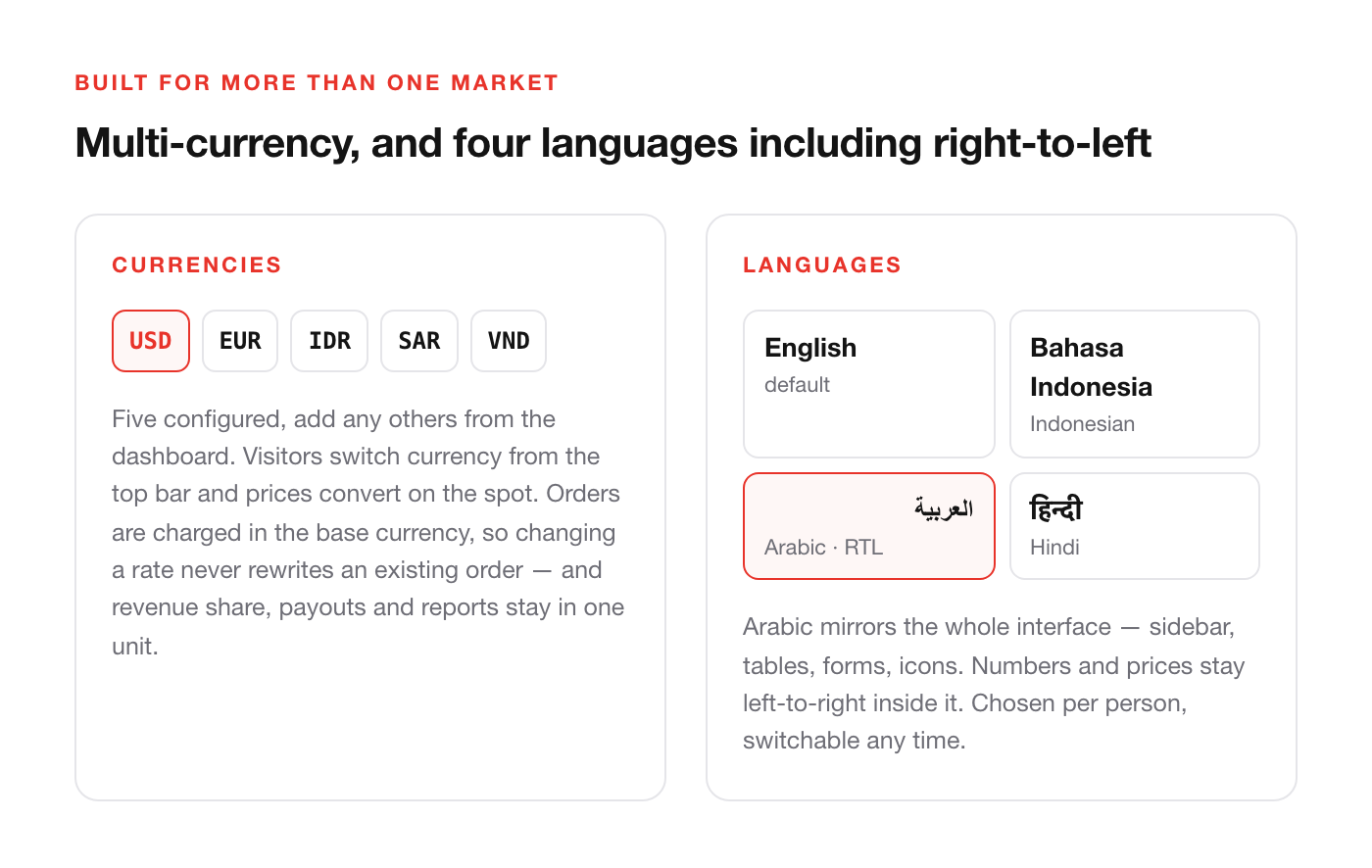
Five currencies are configured out of the box — USD, EUR, IDR, SAR and VND — and you can add any others from the dashboard. One currency is the base; the rest carry an exchange rate against it, editable at any time.
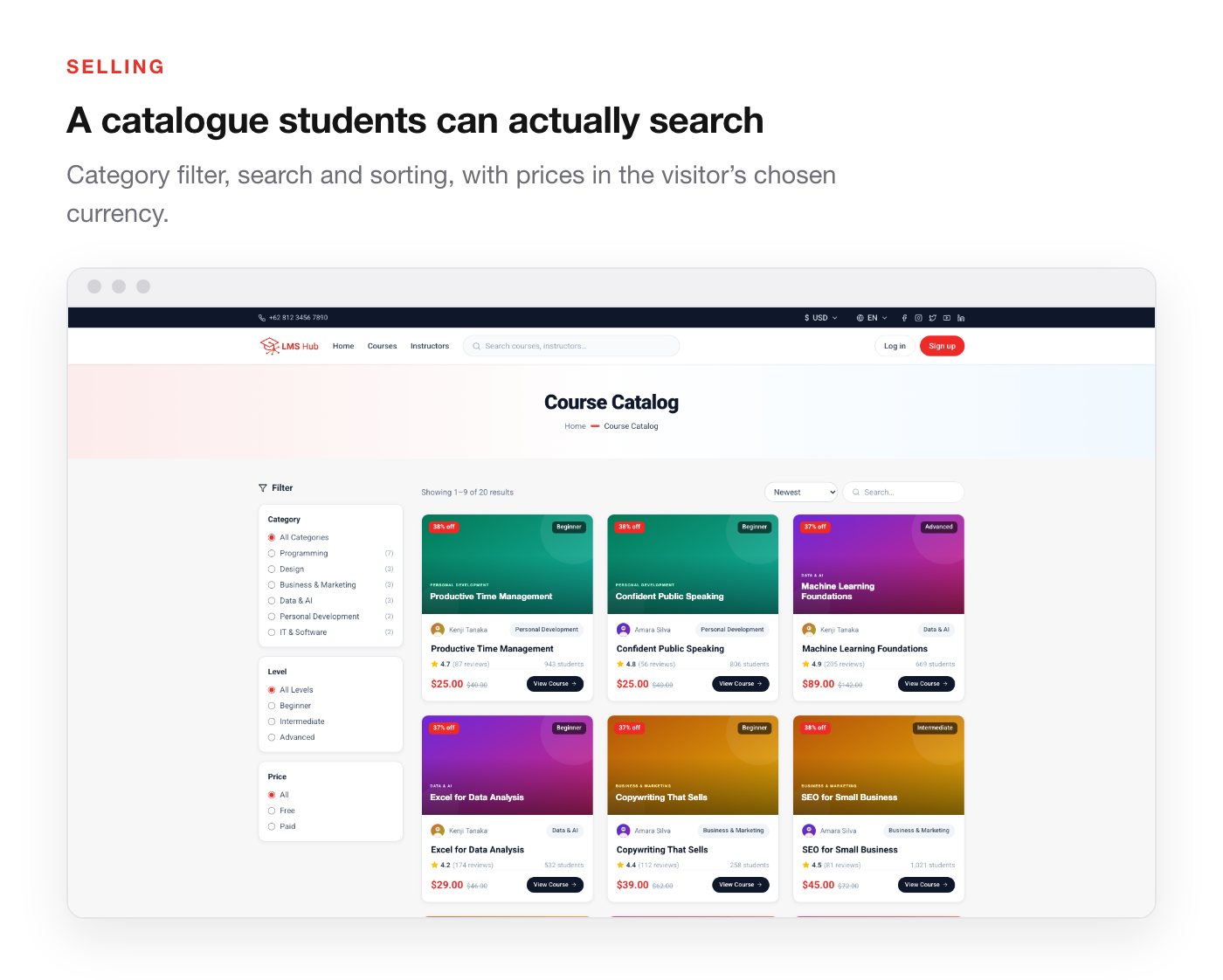
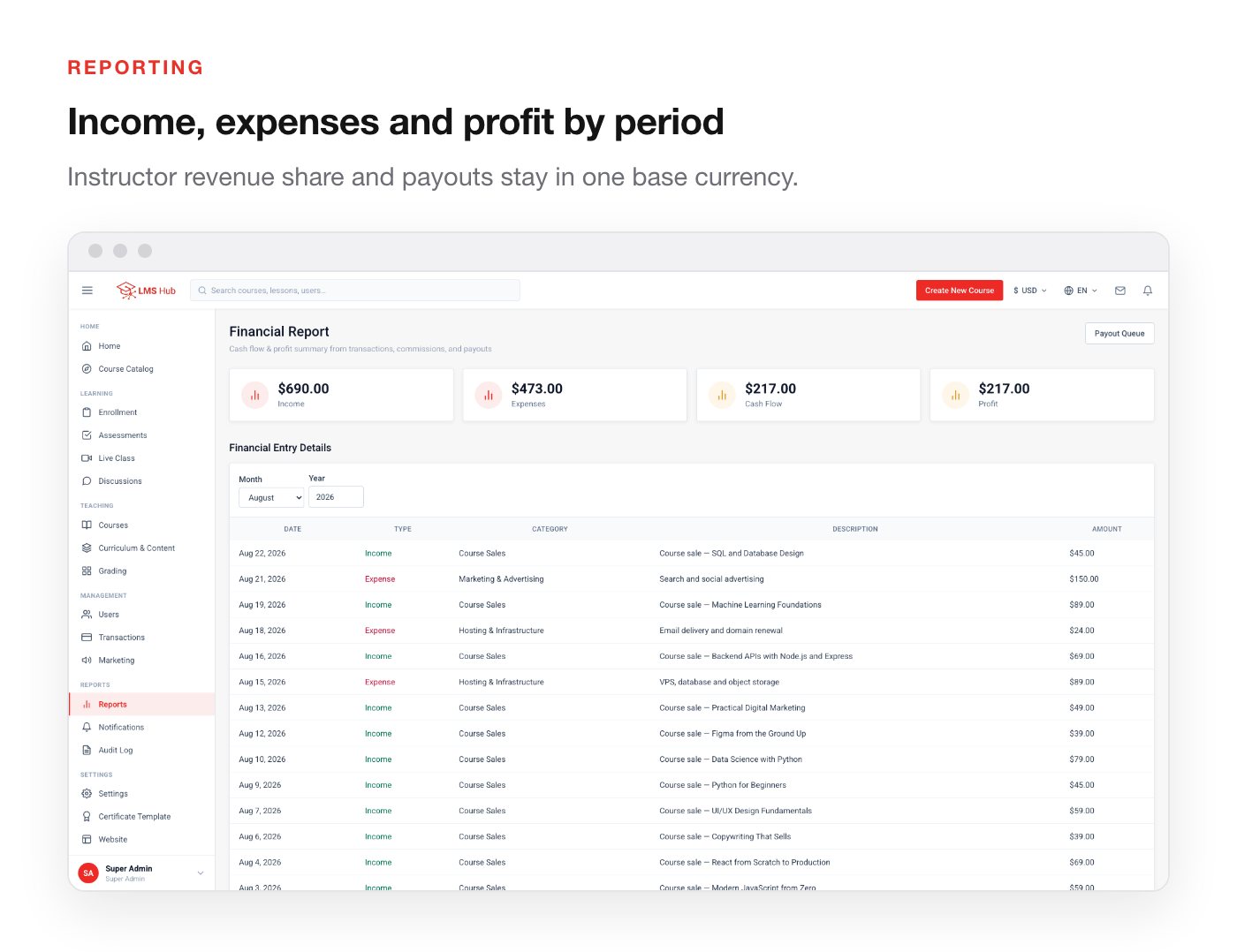
Visitors switch currency from the top bar and prices convert on the spot. Orders are recorded and charged in the base currency, so changing a rate never rewrites an order that already exists, and instructor revenue share, payouts and financial reports all stay in one unit.
Four languages, including right-to-left
English, Bahasa Indonesia, العربية (Arabic) and हिन्दी (Hindi). Arabic mirrors the entire interface right-to-left — sidebar, tables, form fields and directional icons — not merely the text. Numbers, prices and certificate numbers stay left-to-right inside an RTL page, which is what Arabic typography expects.
Every visitor starts in English and can switch at any time; the choice is remembered per person. Nearly 2,000 translation keys are covered in every language, with no gaps between them.
Everything the platform does
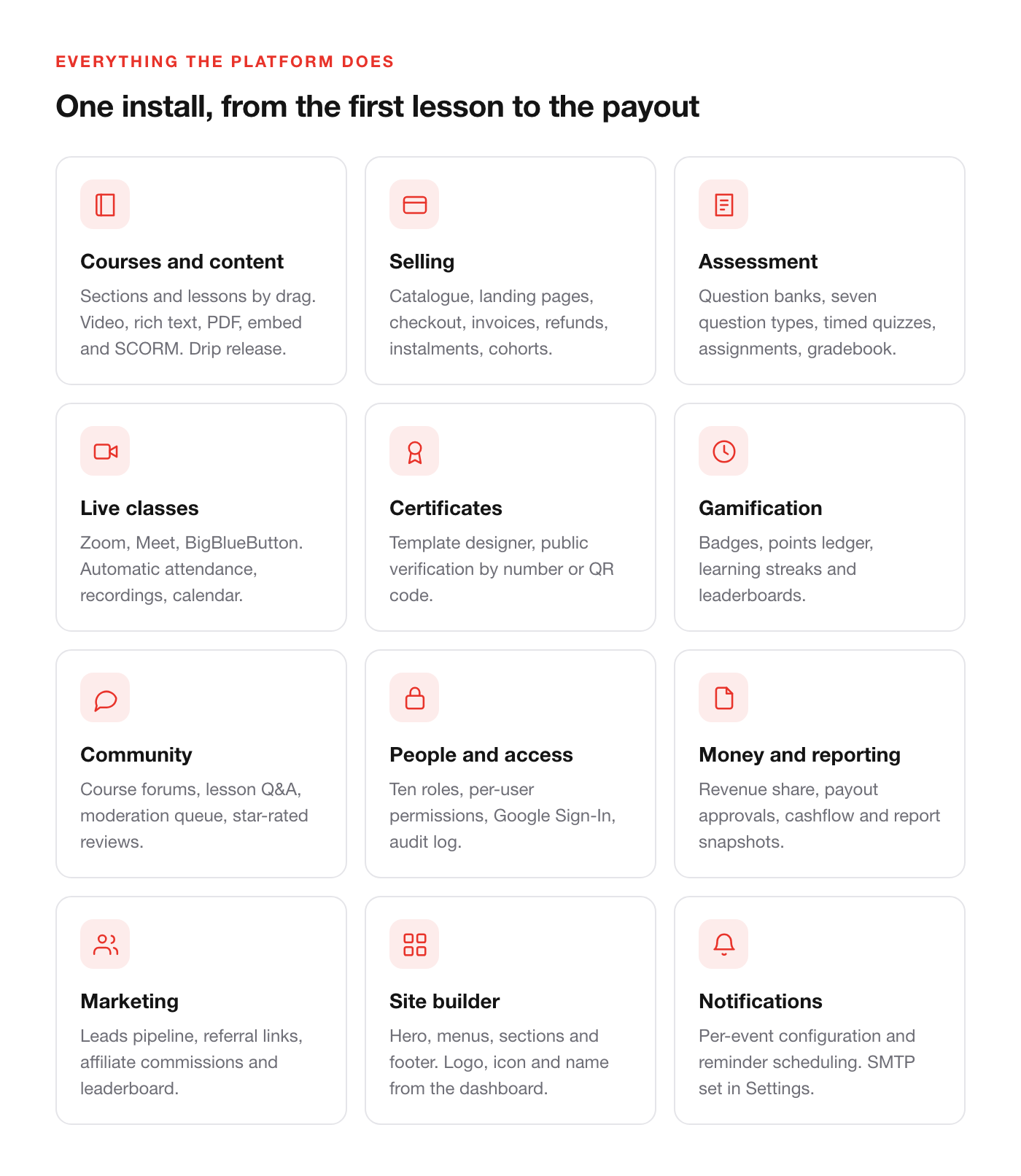
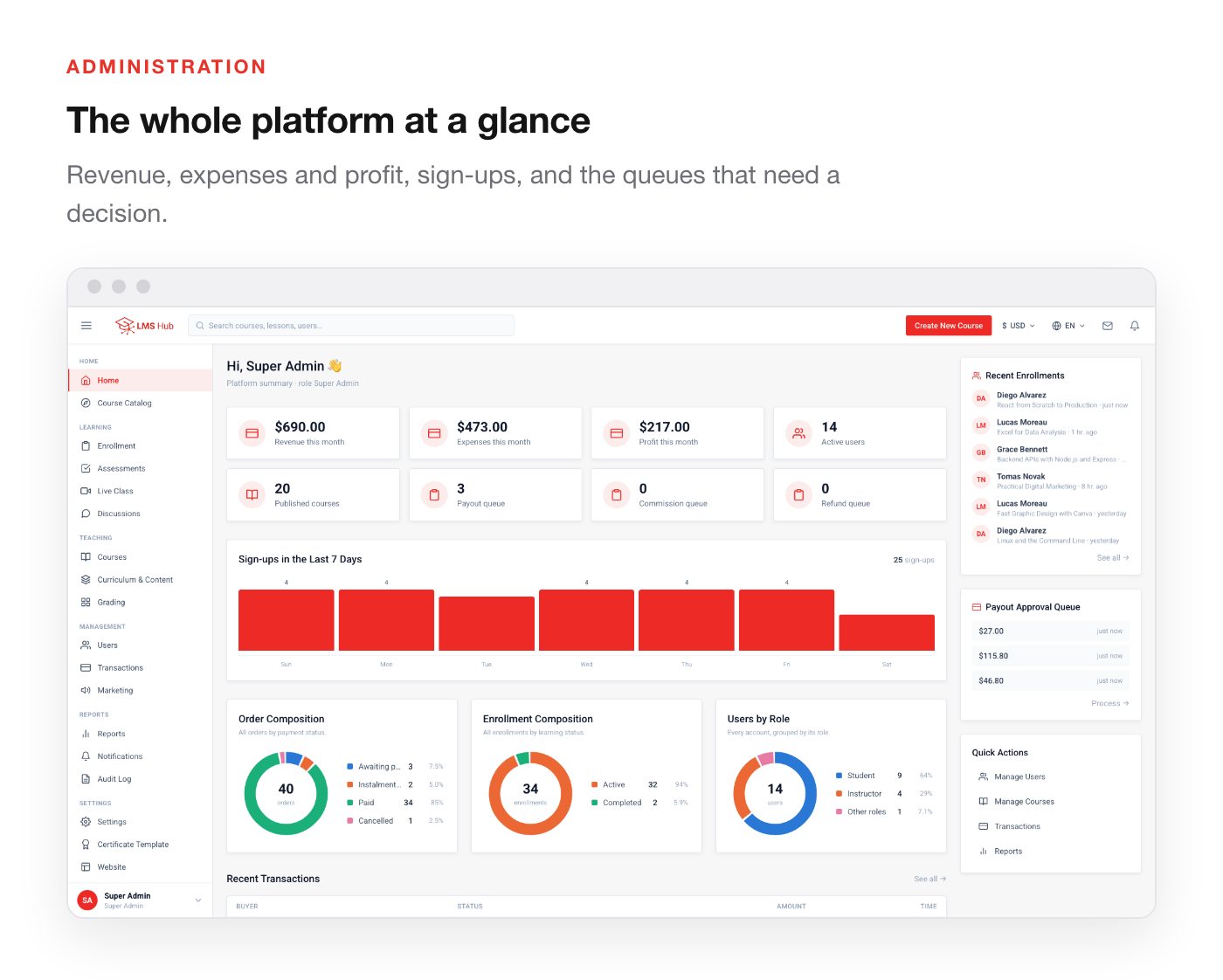
Courses and content
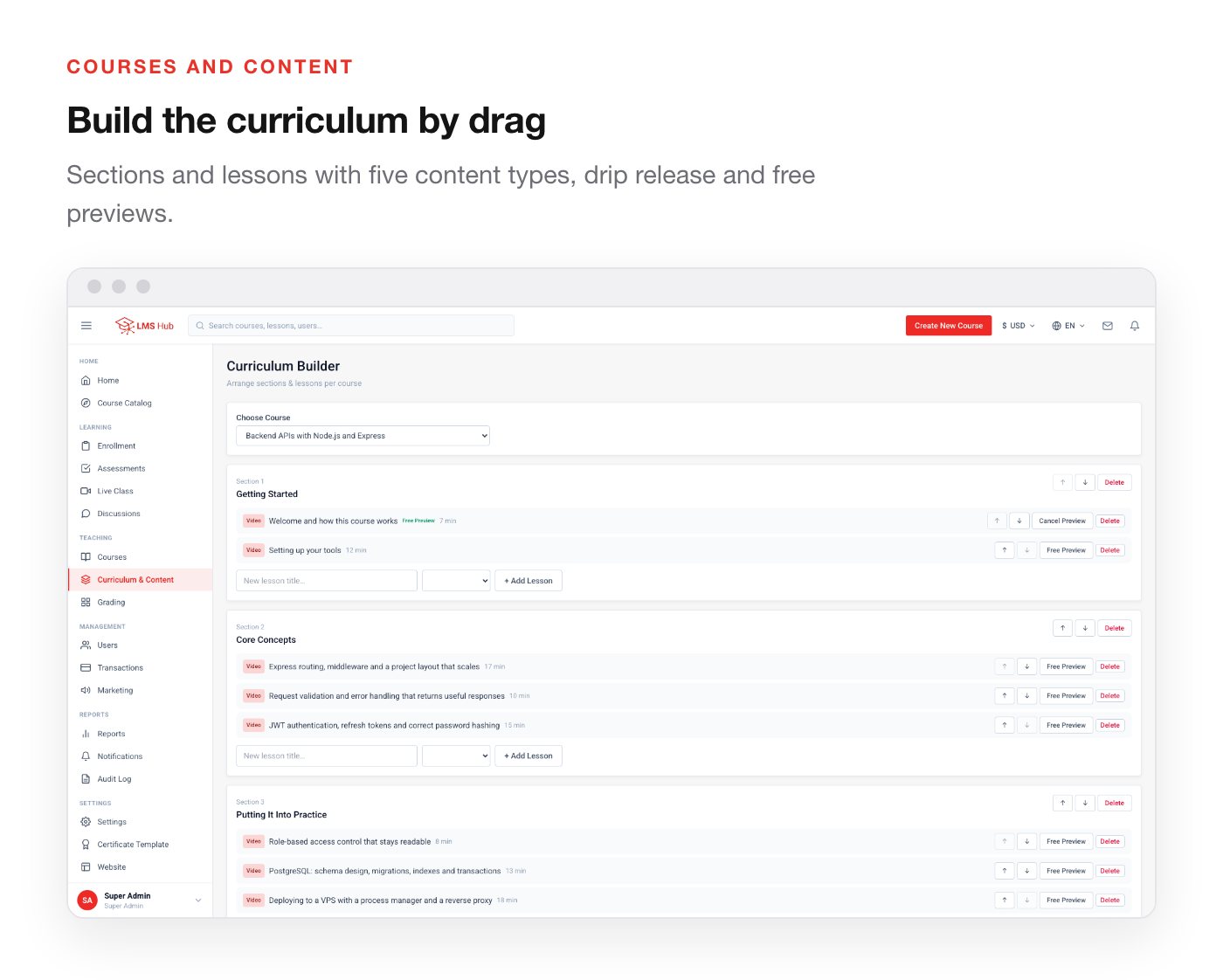
- Sections and lessons, reordered by drag
- Five content types per lesson: video, rich text, PDF, external embed, and SCORM
- Drip release by date, free preview lessons, and required-lesson rules
- Media Library with direct upload — MP4/WebM video, audio, images and PDF stored on your own server, with a progress bar and file-type checks
- Course thumbnails uploaded or picked from the Media Library in the course form
- Draft → in review → published lifecycle, with archive
- Categories and tags, levels, and an optional course restart for students
Selling
- Public catalogue with category filter, search, and sorting
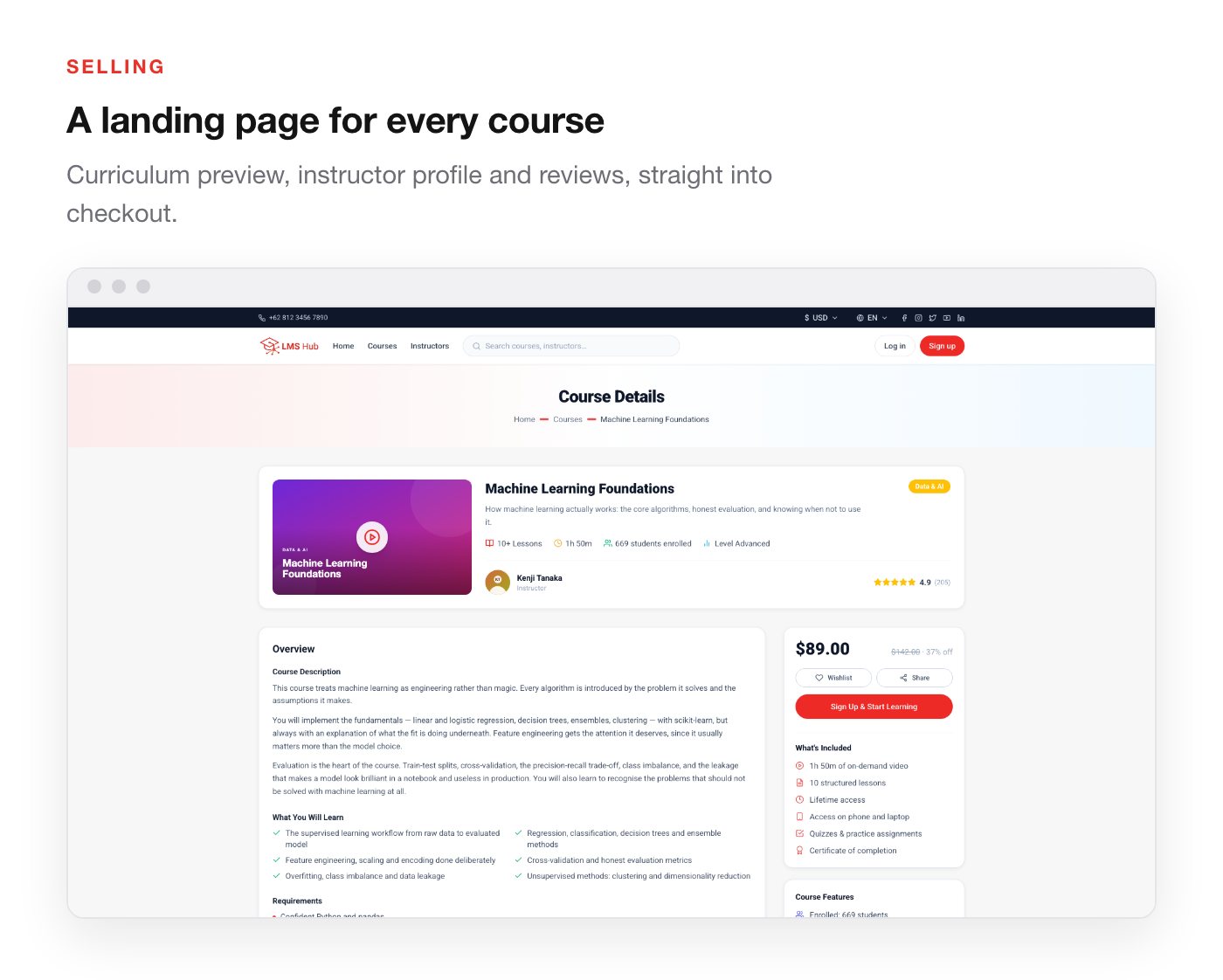
- Course landing pages with curriculum preview, instructor profile and reviews
- Checkout, orders, invoices, and refund states
- Instalment plans with a configurable maximum term and minimum down payment
- Manual enrolment and access revocation for admins
- Cohorts — grouped intakes with a member list and a waiting list
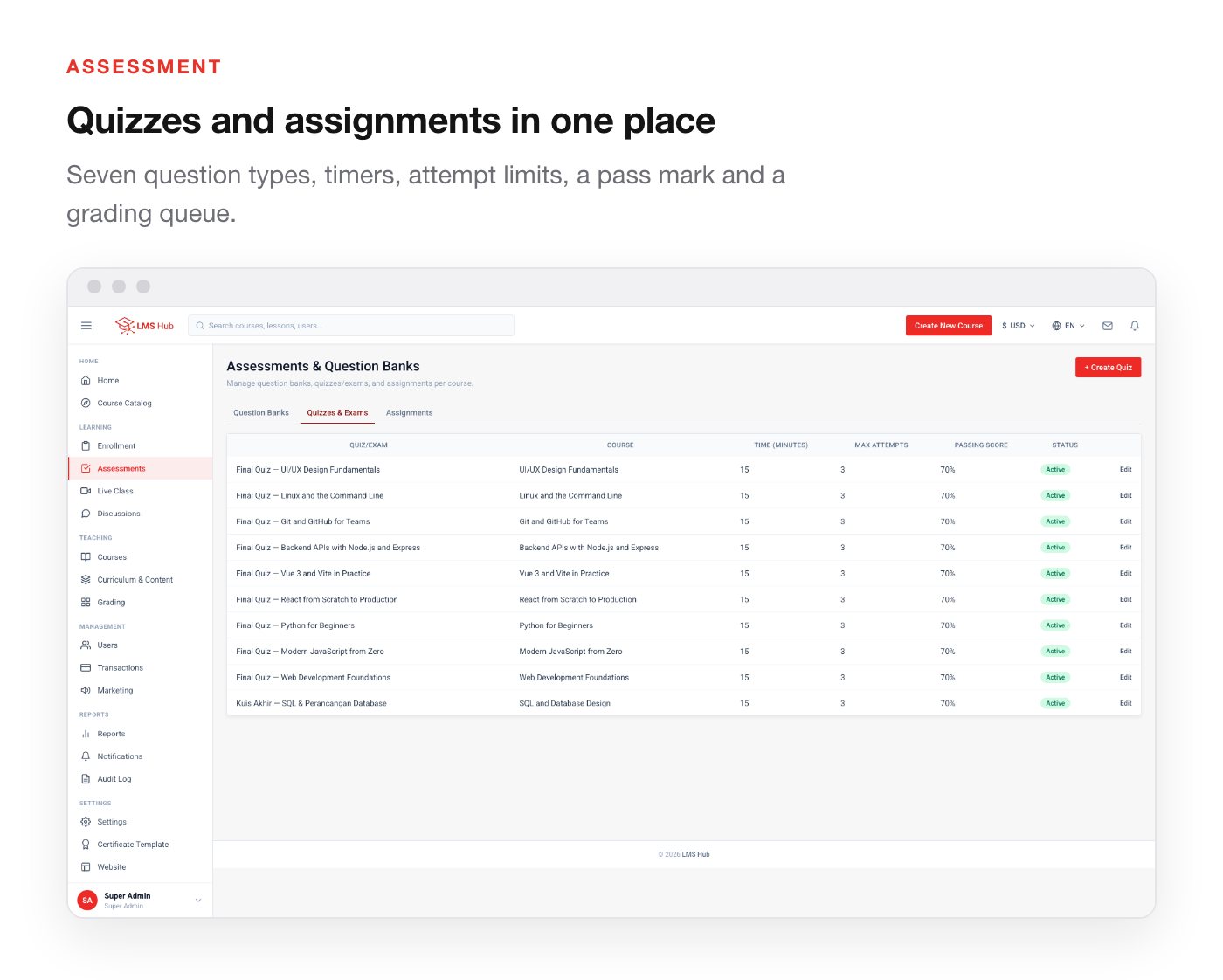
Assessment
- Reusable question banks with their own question editor
- Seven question types — single choice, multiple choice, true/false, short answer, essay, file upload, and matching
- Timed quizzes with a pass mark, automatic scoring, a limited or unlimited number of attempts, and an optional cooldown between attempts
- A final exam per course that must be passed before the certificate unlocks
- Assignments accepting text, a file, a URL, or any combination
- Grading queue, gradebook, and grade release
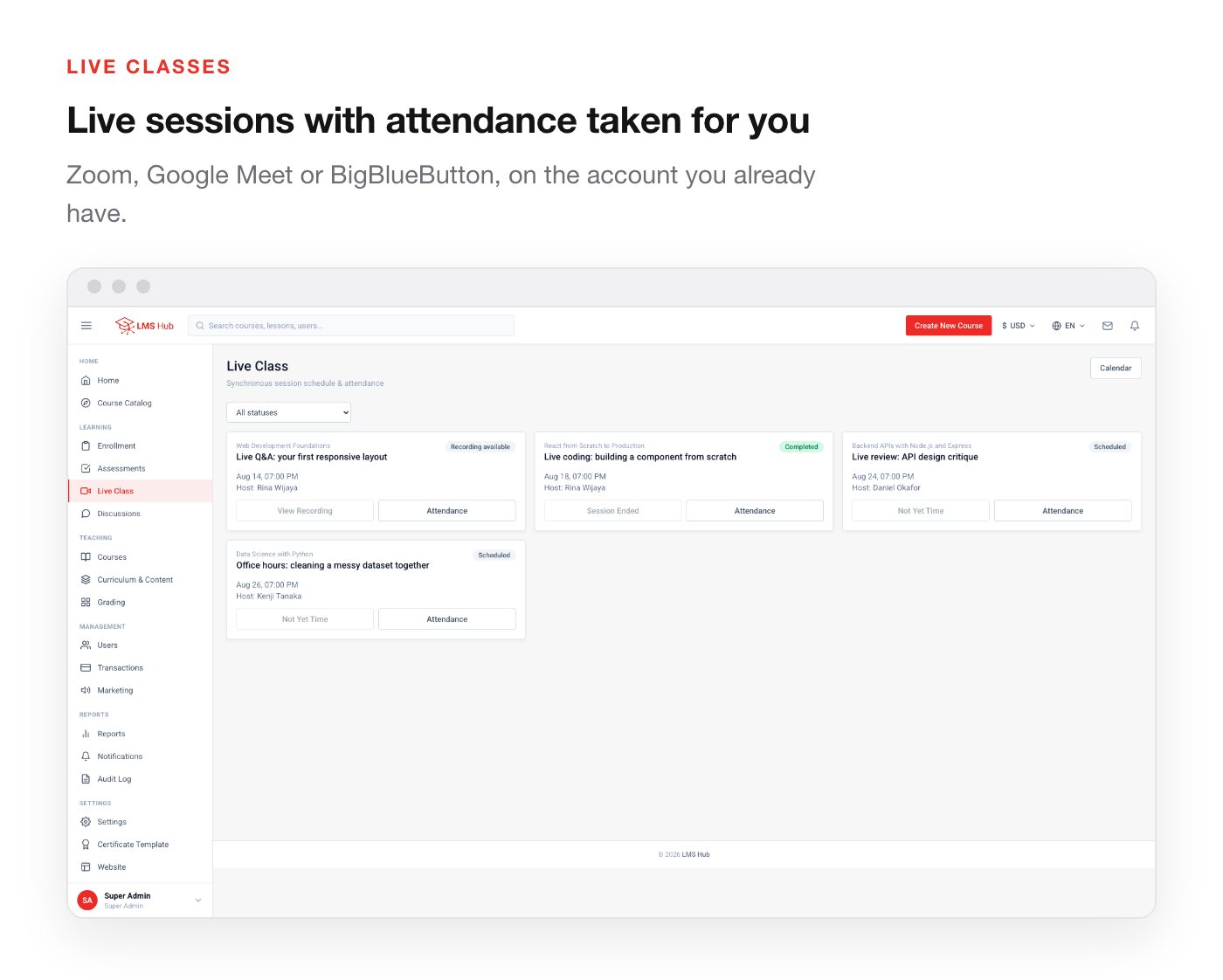
Live classes
Requires your own Zoom, Google Meet or BigBlueButton account — those services are not included with this item.
- Zoom, Google Meet and BigBlueButton sessions, scheduled around the join link you paste in
- Attendance recorded automatically when a student joins, marked late against a per-session tolerance
- Manual attendance marking for the instructor
- Recordings, publishable back into the curriculum as a lesson
- A calendar that merges live sessions with assignment and quiz deadlines
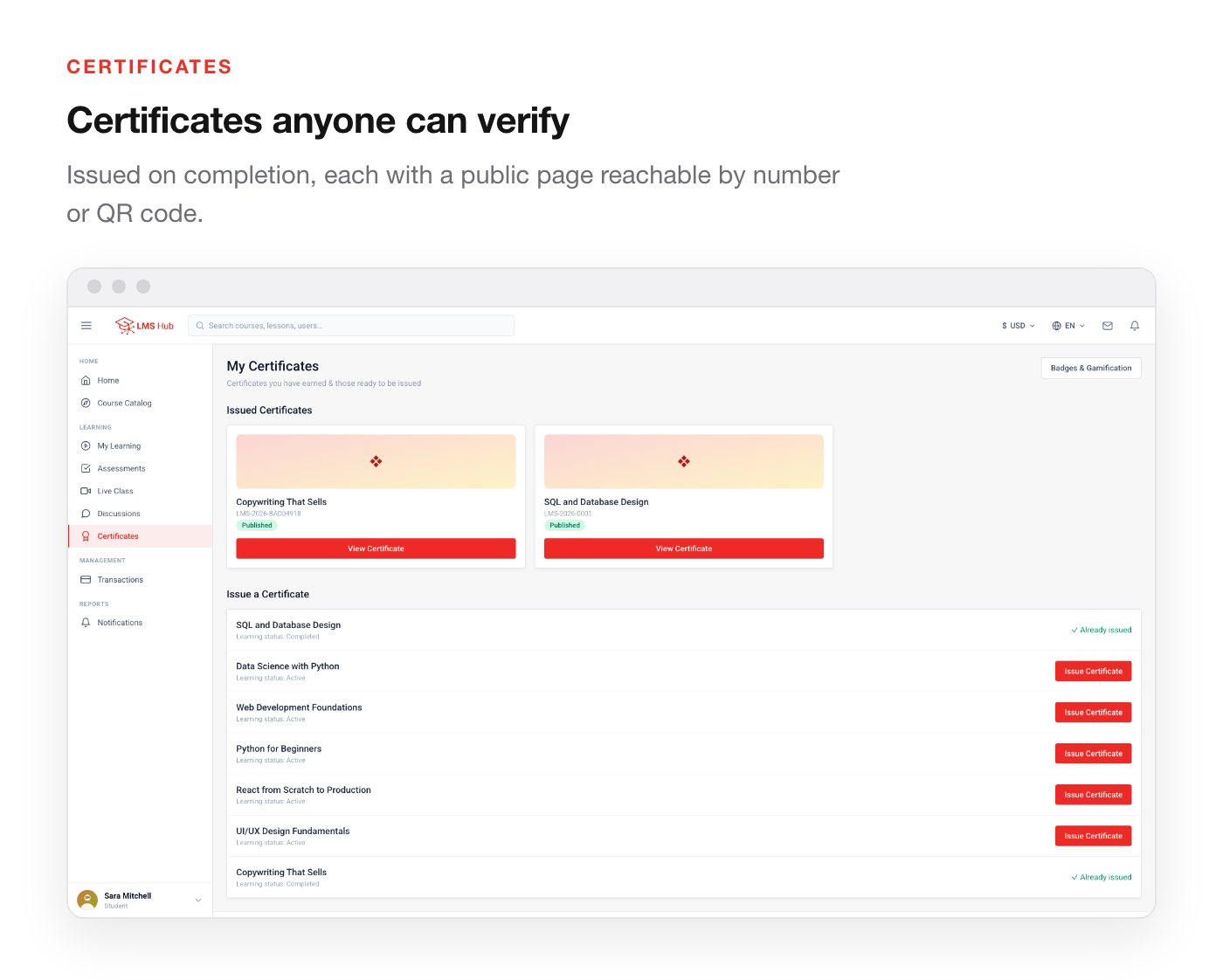
Certificates and gamification
- Certificates issued on completion — or only after the final exam is passed — with a designer for the template
- Students are told exactly which exam to pass, their best score and the score needed
- A public verification page per certificate, reachable by number or QR code
- Badges, points ledger, learning streaks and leaderboards
Community
- A discussion forum per course
- A question thread per lesson, answerable by the instructor
- Reported-post moderation queue
- Course reviews with a star rating that feeds the catalogue
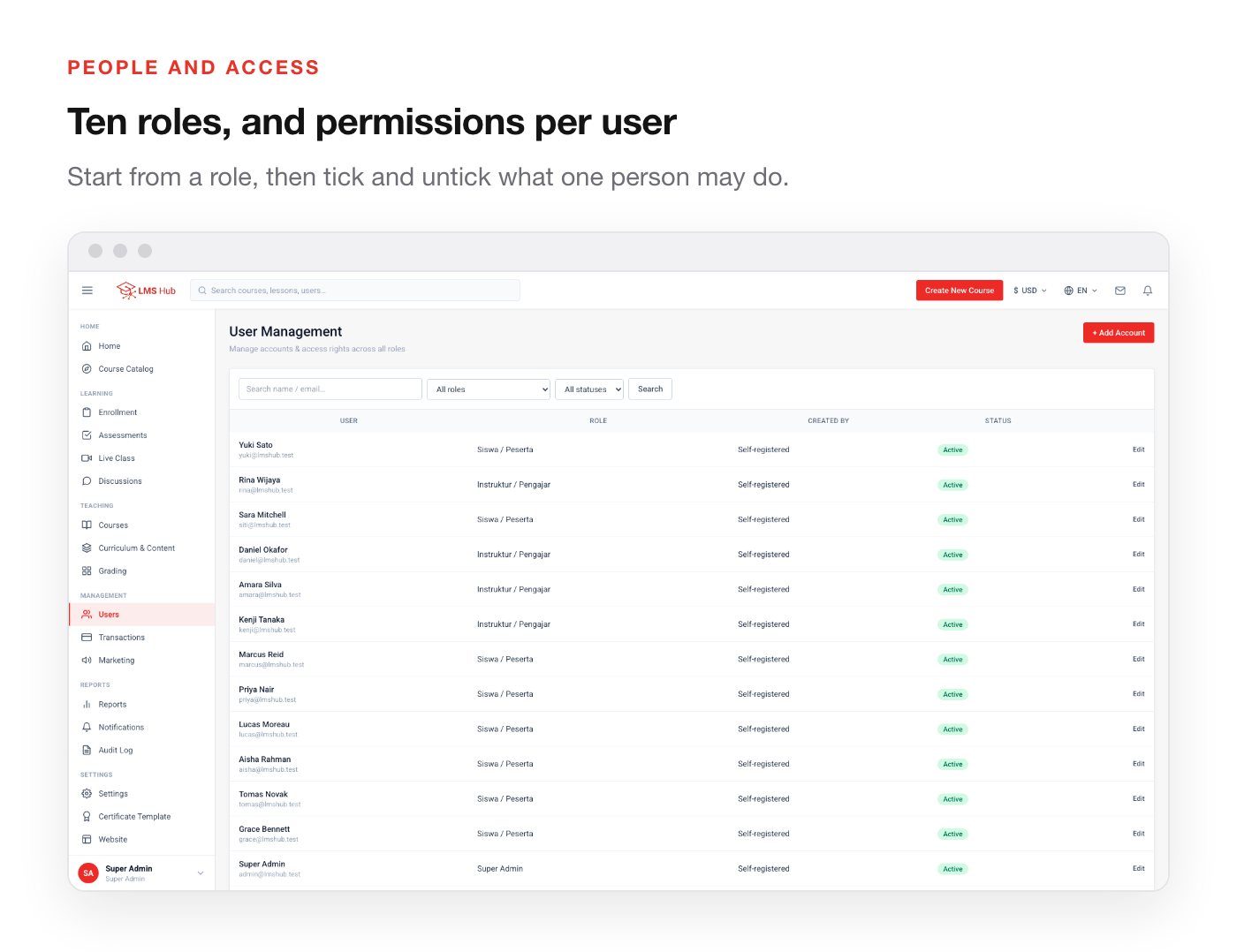
People and access
- Ten built-in roles, each with an editable per-user permission checklist
- Row-level scoping — instructors see their own courses and students, never another instructor’s
- Email verification, password reset, and Google Sign-In
- Audit log covering every change that matters
Money and reporting
- Per-course revenue share for instructors
- Instructor payout requests, admin approval, and disbursement records
- Financial entries, cashflow by period, and report snapshots
- Bank account master data for manual transfer
Marketing
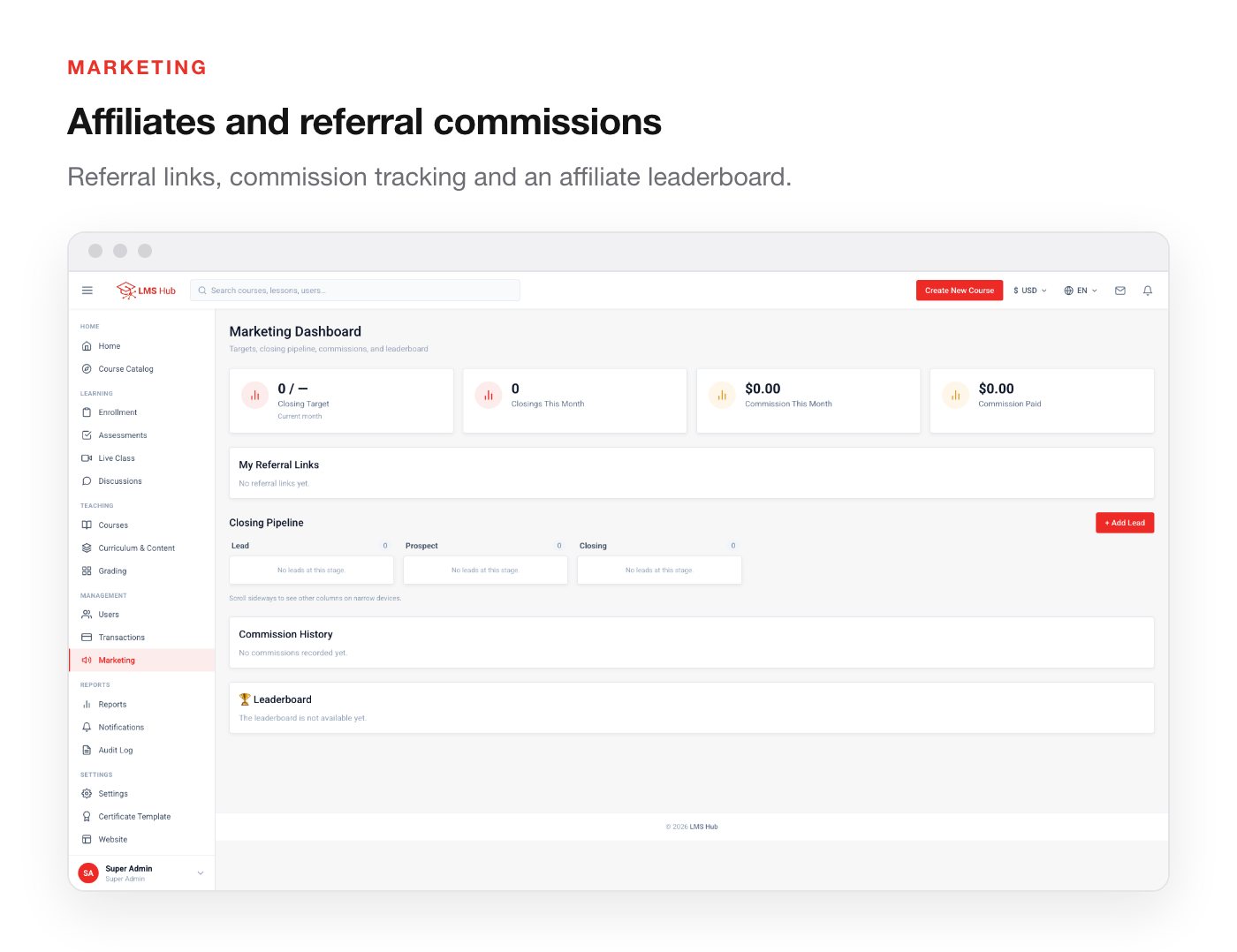
- Leads with a pipeline and stage history
- Referral links and affiliate commissions
- An affiliate leaderboard
Site and settings
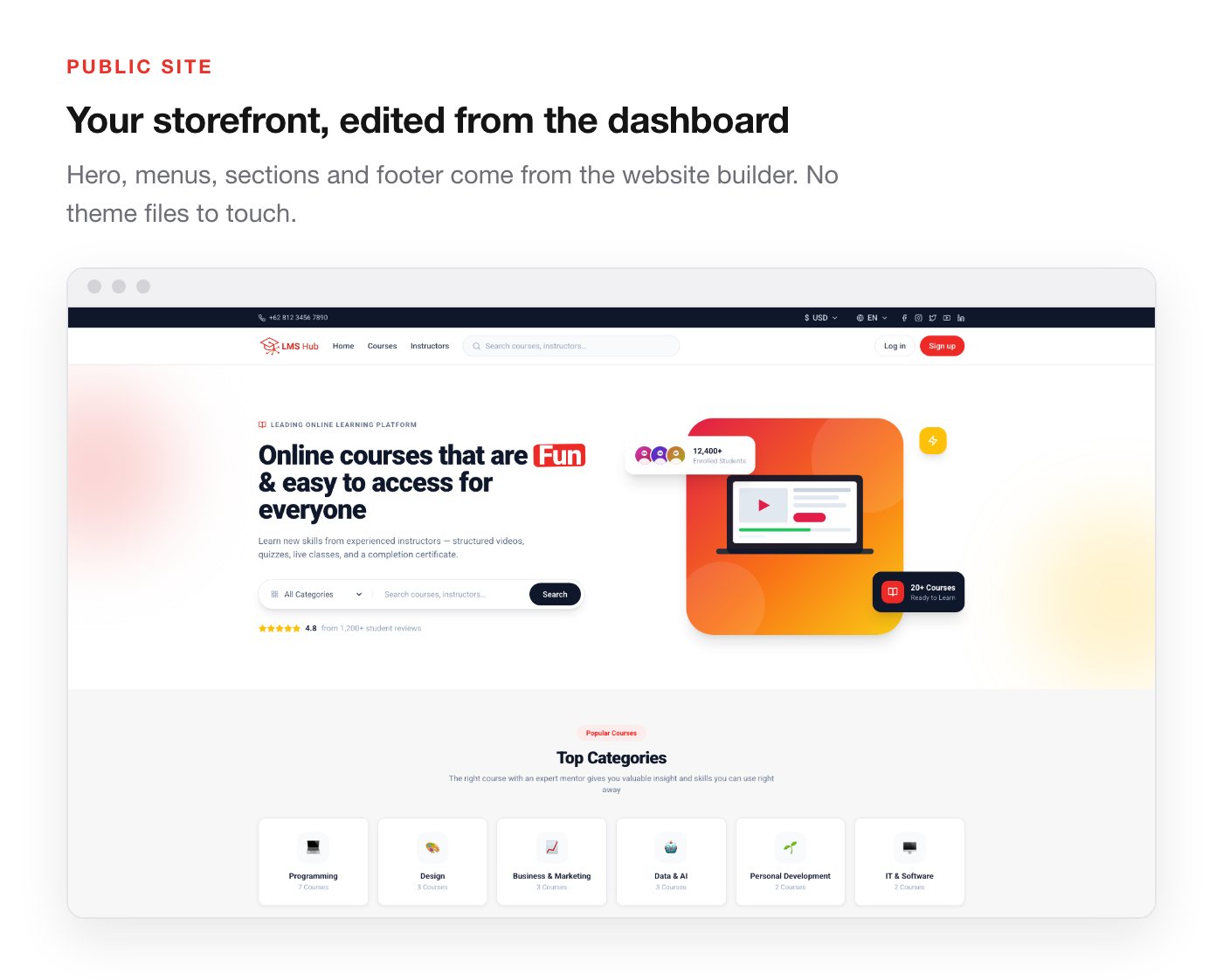
- Website builder for the public landing page — hero with image upload, menus, sections, footer
- Footer pages — About, Help, Privacy, Terms, Contact or your own — edited in a rich-text editor, cleaned of unsafe HTML on the server, and linked from the footer automatically
- Brand identity: application name, logo, icon and footer line, all from the dashboard
- Notification centre with per-event configuration and reminder scheduling
- SMTP, Google OAuth, payment keys and commercial figures, all editable in Settings rather than in files
- The super admin’s sign-in email can be changed from the profile, or from the server if the old address is lost
The ten roles
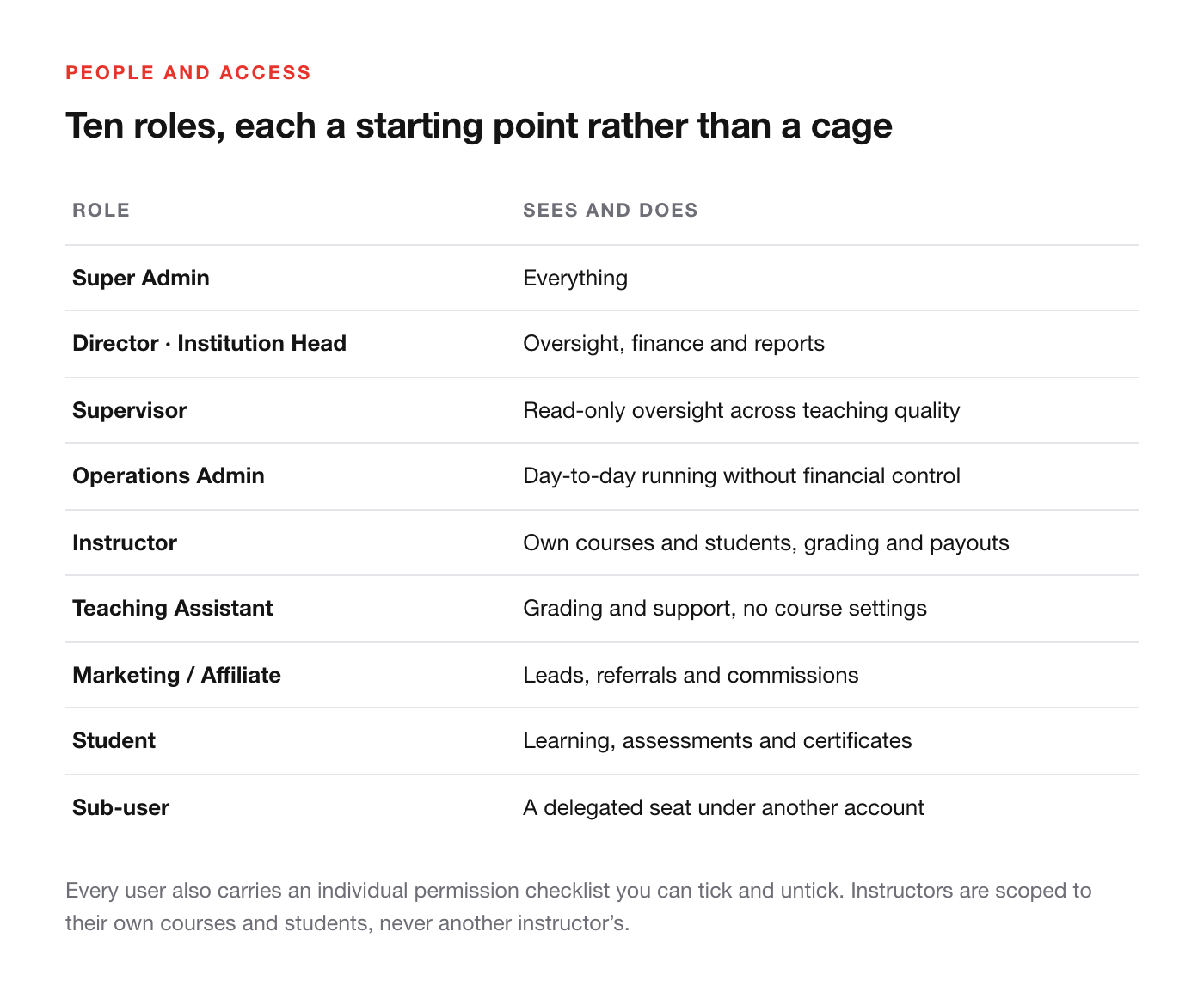
- Super Admin — everything
- Director and Institution Head — oversight, finance and reports
- Supervisor — read-only oversight across teaching quality
- Operations Admin — day-to-day running without financial control
- Instructor — own courses, students, grading and payouts
- Teaching Assistant — grading and support, no course settings
- Marketing / Affiliate — leads, referrals and commissions
- Student — learning, assessments and certificates
- Sub-user — a delegated seat under another account
Every role is a starting point, not a cage: each user carries an individual permission checklist you can tick and untick.
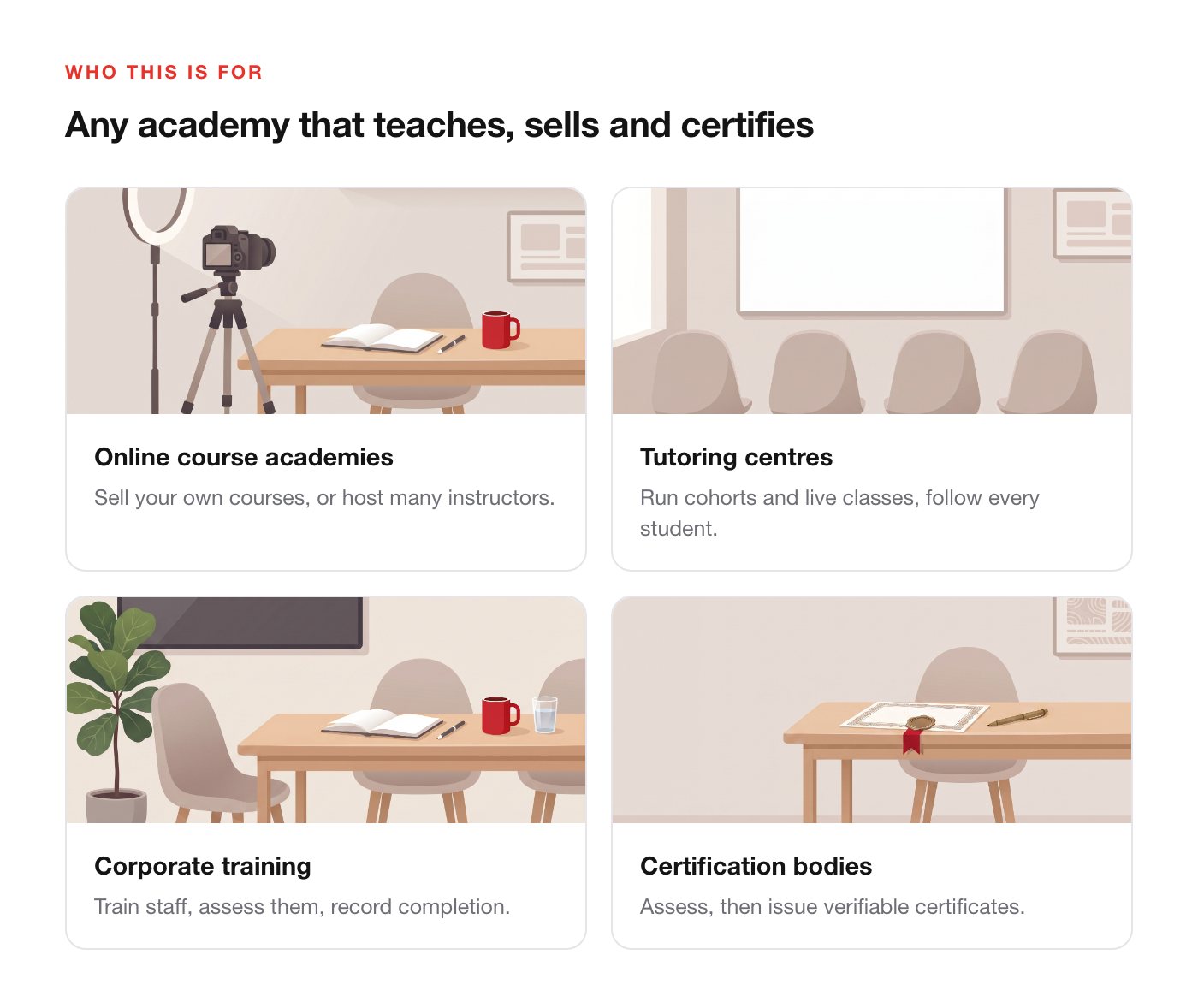
Who this is for
Built with
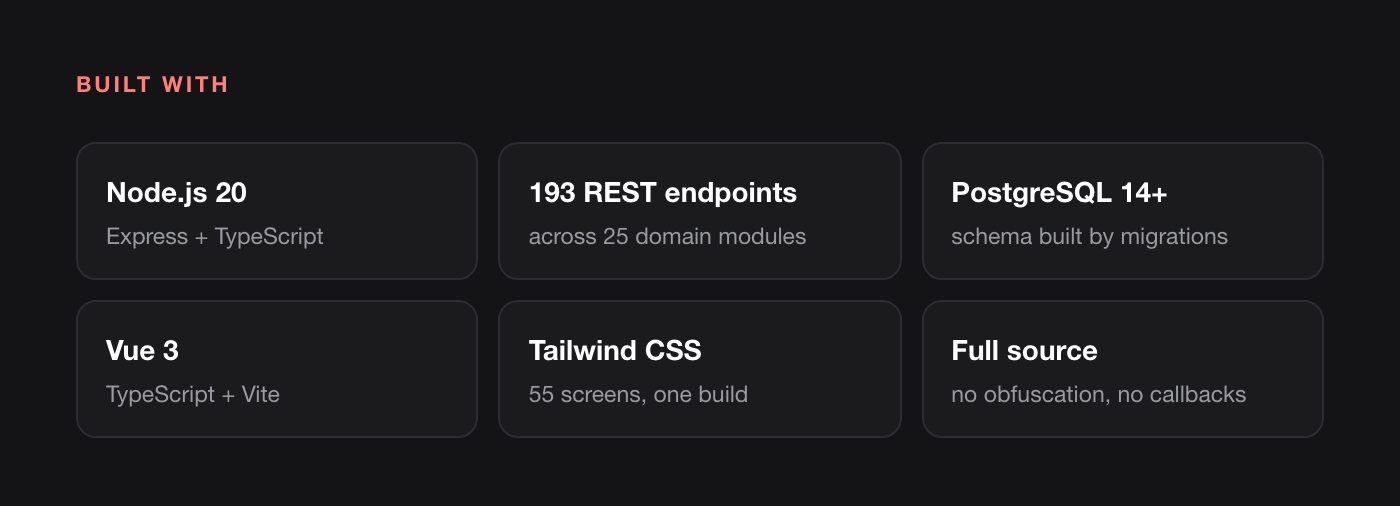
- Backend — Node.js 20, Express and TypeScript; 23 domain modules, 276 REST endpoints, schema created entirely by migrations
- Frontend — Vue 3, TypeScript, Vite and Tailwind CSS; public pages and dashboard in one build
- Database — PostgreSQL 14+
- Full source for both. No obfuscation, no encoded files, no licence callbacks.
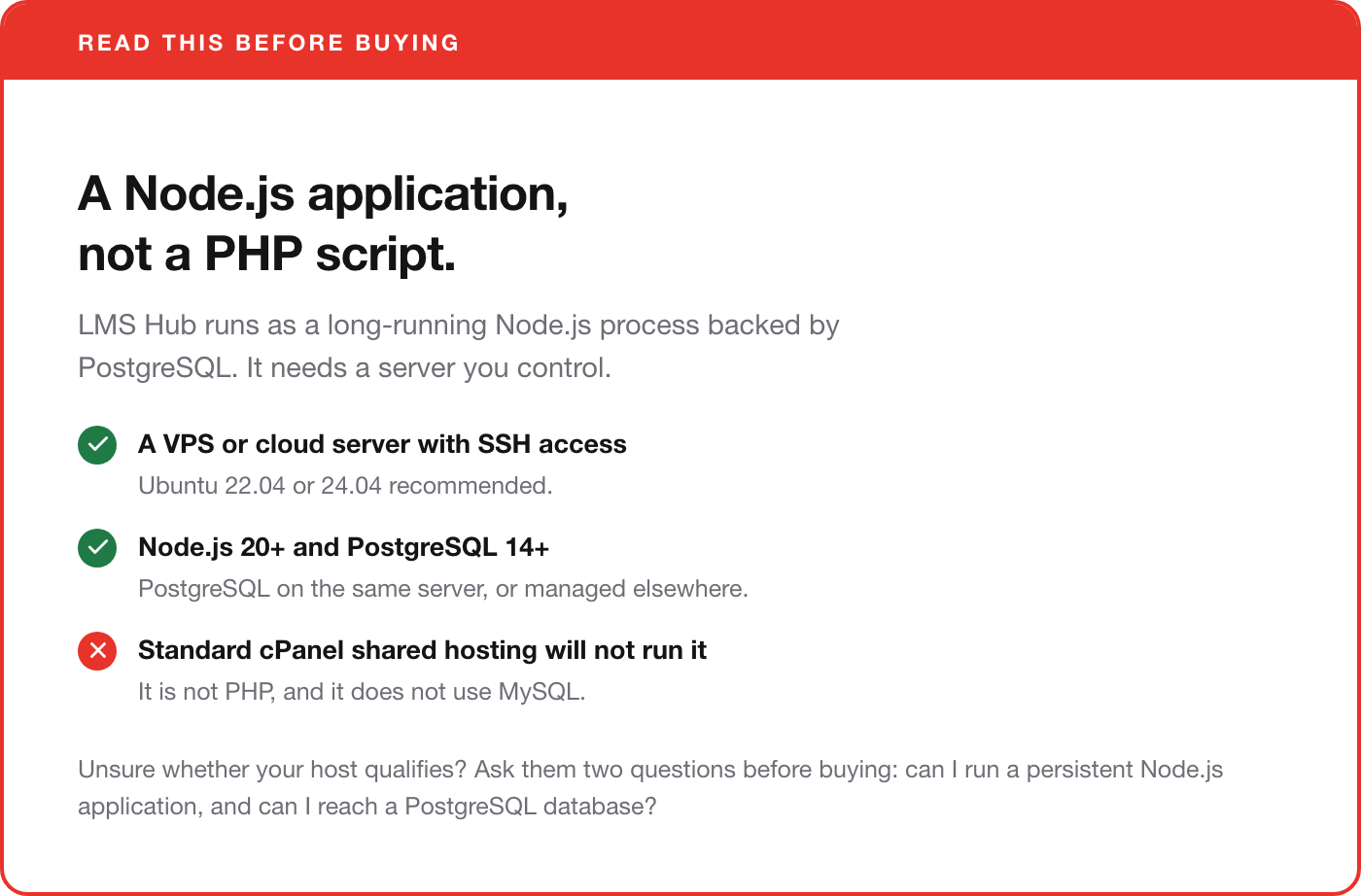
Requirements
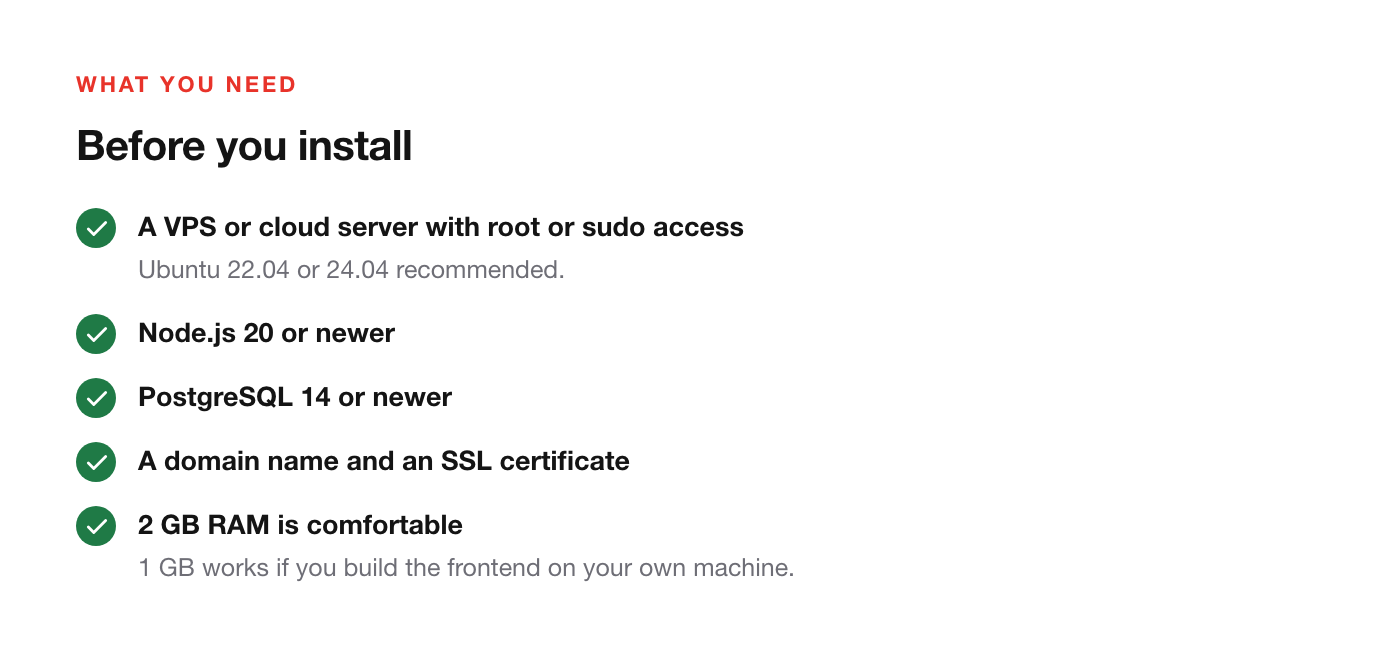
- VPS or cloud server with root or sudo access (Ubuntu 22.04 / 24.04 recommended)
- Node.js 20 or newer
- PostgreSQL 14 or newer
- A domain name and an SSL certificate
- 2 GB RAM is comfortable; 1 GB works if you build the frontend on your own machine
- Disk space for your course videos if you host them on the server — roughly 300–500 MB per 20-minute lesson at 1080p
Documentation
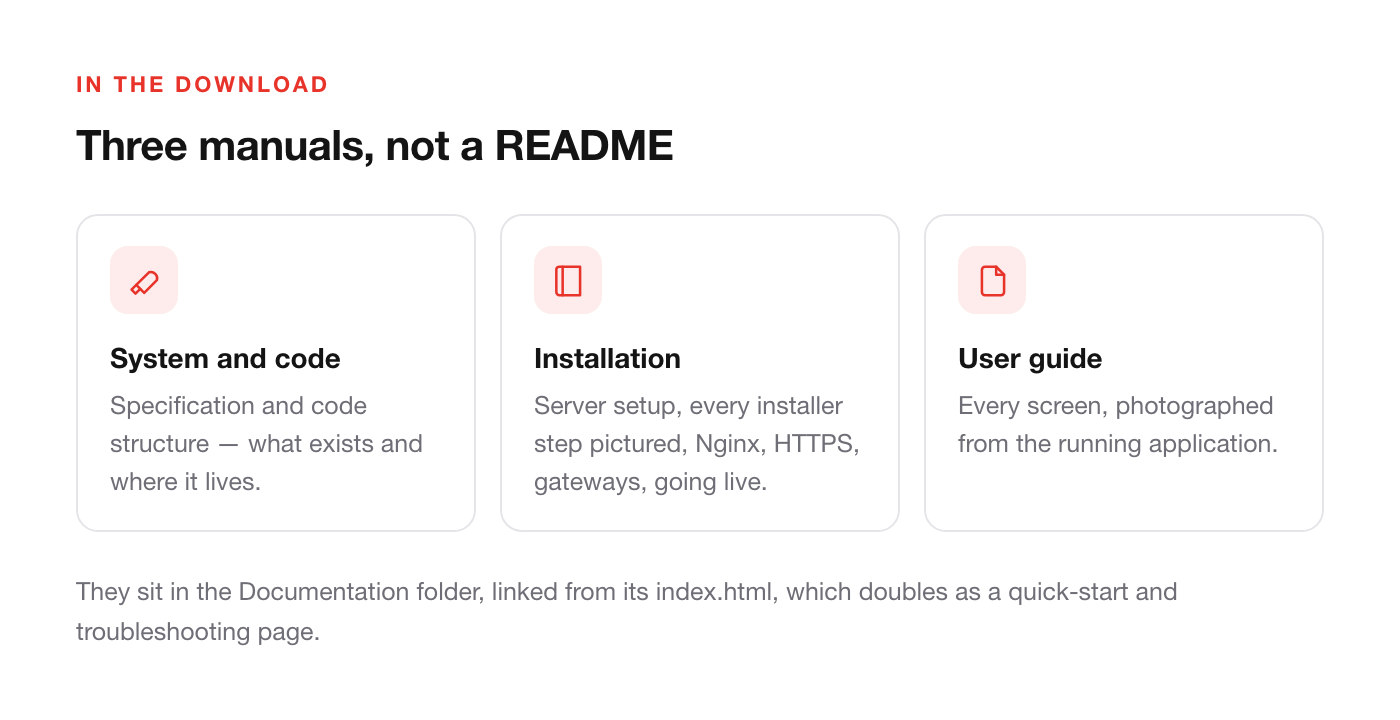
Six PDFs ship with the download, written for this product rather than generated from the code. They sit in the Documentation folder of the package and are linked straight from its index.html, which also doubles as a quick-start and troubleshooting page:
- System, Specification and Code Structure — what exists and where it lives, including the full REST reference
- Installation Guide — server setup, the browser installer with a screenshot of every step, Nginx, HTTPS, payment gateways and going live
- User Guide — every screen, photographed from the running application
- Admin Guide — the first settings on a new installation, in the order to make them
- Course Authoring Guide — one course from empty catalogue to paying student: content, video, quizzes, final exam, pricing and coupons
- Update Guide — for existing installations: what changed, the files involved and how to roll back
The mobile app is a companion item
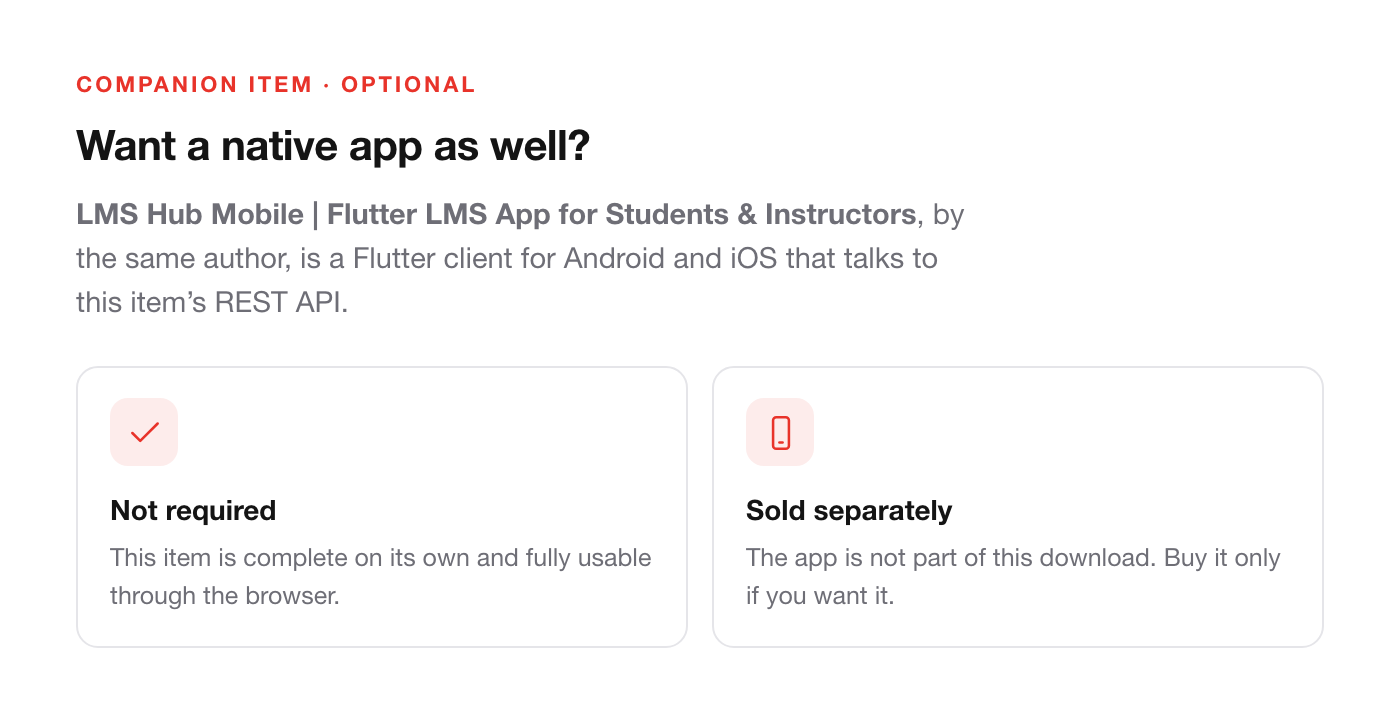
A Flutter app for Android and iOS is available on CodeCanyon from the same author as LMS Hub Mobile | Flutter LMS App for Students & Instructors. This item is the web platform — backend and frontend — and is complete on its own. You do not need the mobile app to run LMS Hub.
Support
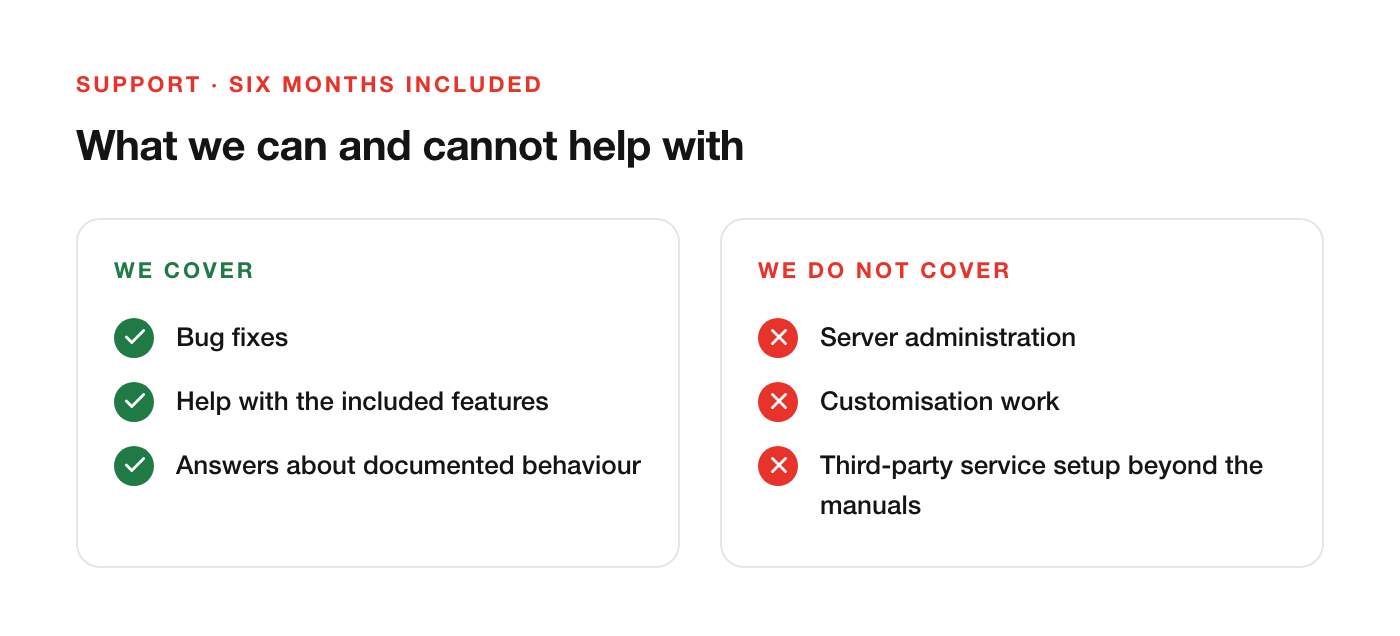
Six months of item support is included: bug fixes, help with the included features, and answers about documented behaviour. Support does not cover server administration, customisation work, or third-party service configuration beyond what the manuals describe.
Changelog
1.3.1 — 22 October 2026
Includes 1.2.0 and 1.3.0. Existing installations: follow the Update Guide in the Documentation folder — one new dependency, three database migrations.
- New: upload video, audio, images and PDF to the Media Library from your computer, with a progress bar, also from inside the lesson form.
- New: course thumbnail field in the course form — upload an image or pick one from the Media Library.
- New: final exam per course; the certificate stays locked until it is passed.
- New: completion rules — course restart, unlimited attempts and a cooldown between attempts.
- New: question bank editor; the quiz builder saves the pass mark, attempts and cooldown.
- New: footer pages (About, Help, Privacy, Terms, Contact) with a rich-text editor.
- New: homepage hero image upload.
- New: change the super admin email from the profile, or from the server with
npm run admin:set-email. - New: English by default — interface, web addresses and sample data. Old addresses redirect.
- New: audit log module filter, translated role names, and placeholder hints in the certificate template editor.
- Fixed: assigning a student to a course always failed.
- Fixed: the video playback position was never saved.
- Fixed: creating an assessment was rejected by the API.
- Fixed: the final exam could not be opened after completing every lesson.
- Fixed: Media Library videos did not play in the course player.
1.1.0 — 26 September 2026
- New: lesson content panel — video, text, PDF, embed and SCORM per lesson.
- New: Categories screen.
- New: Coupons screen.
- New: live session scheduling.
- Fixed: hero image upload was always rejected.
- Fixed: instructors could not create courses (category access).
- Fixed: notification event names were not translated.
- Fixed: the course price label always showed IDR.
- Fixed: server-relative lesson addresses were refused.
1.0.0 — initial release.
.jpg)


