Just Dial Scraper and Extractor-chrome Extension


Want to Resale software ? check video https://youtu.be/ZKtteuNkqxY
100% working software – Just Dial Scraper and Extractor -Chrome Extension
What is Just Dial Scrapper -chrome extension
Just Dial Scrapper Software – Software can Extract all inforamtion from Just Dial Website for india.
- Software Extract All Detail from Just Dial Website
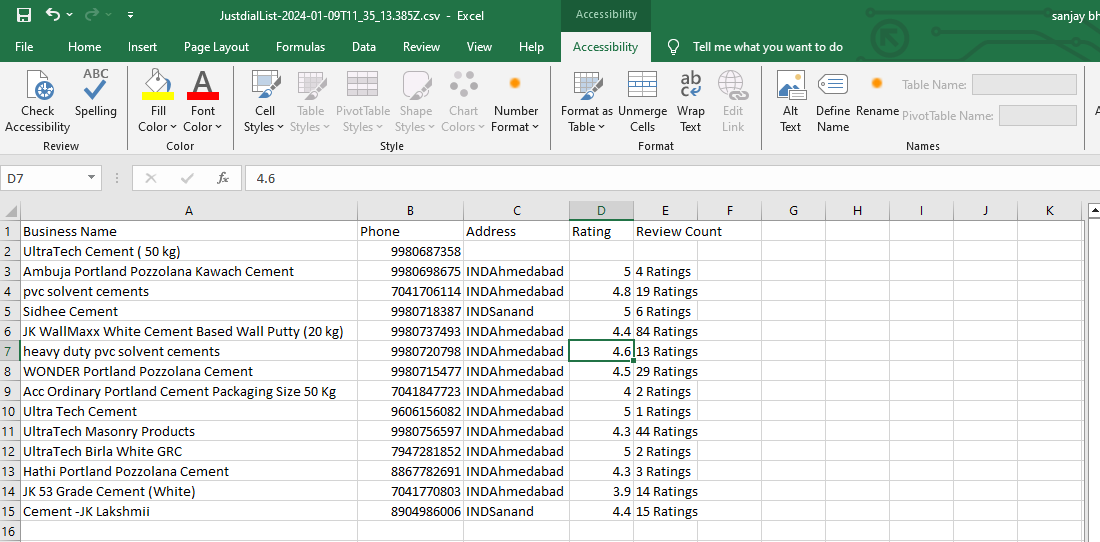
- Business Name
- Business Phone
- Business Address
- Business City
- Business State
- Business Country
- Business Review
- Business Rating
- Software Extract All Busines information with Location Wise Filter.
- 100% Real Time Extract Business Contact with Advance Export into Excel ,CSV and Text Format.
- Software Support Proxy Server – so if you have proxy server For hide your ip , then you can configure
Software Requirement
- google chrome only
Getting Started
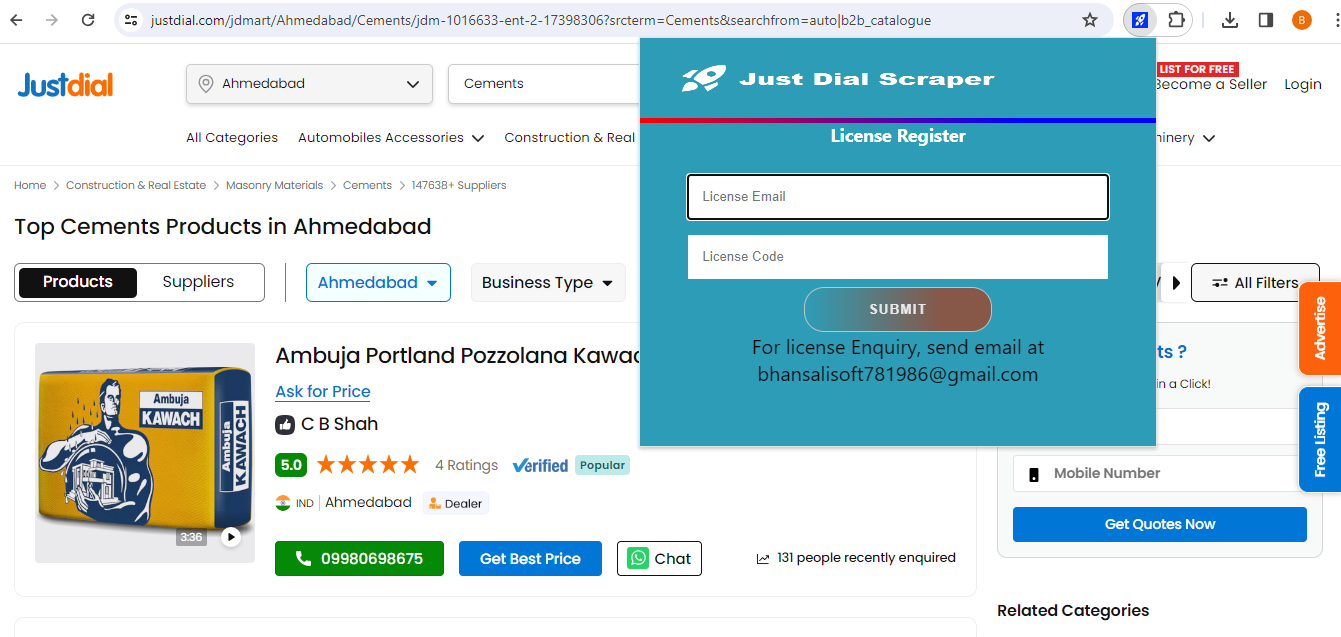
After Registration Licence , Start Software, software start with below screen
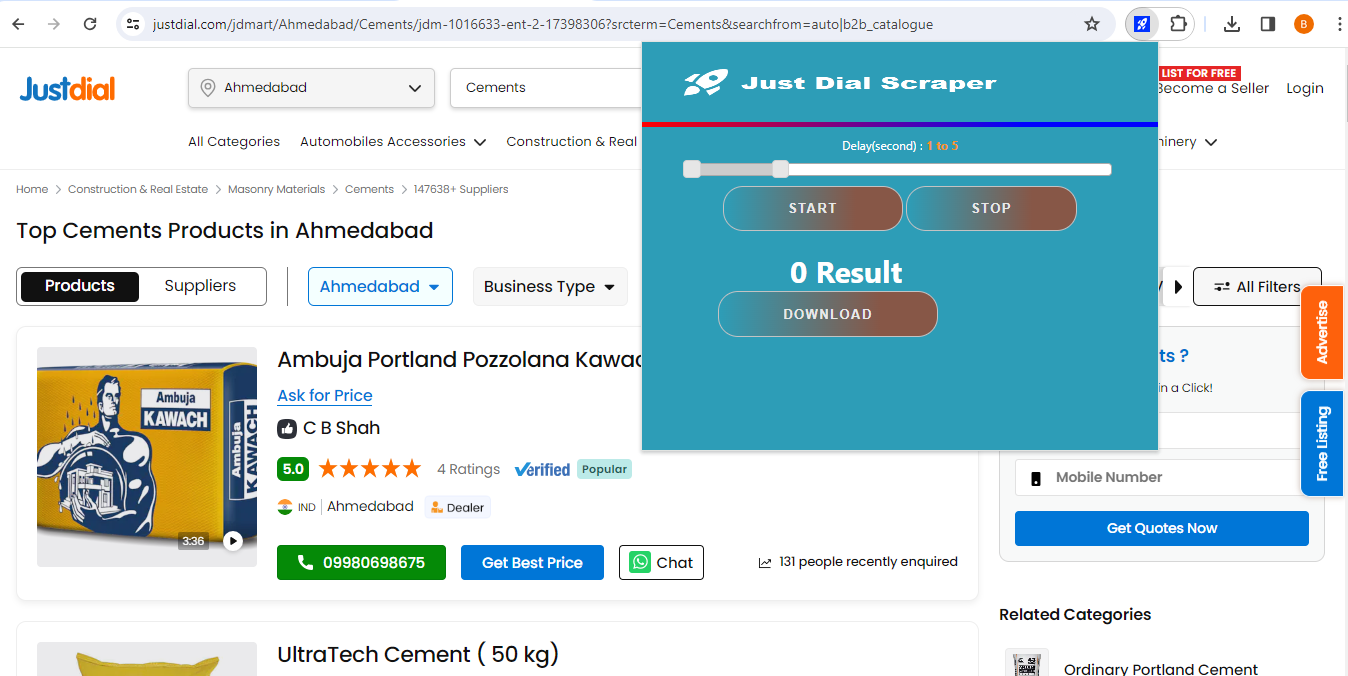
- open justdial.com and search with your desired keyword.
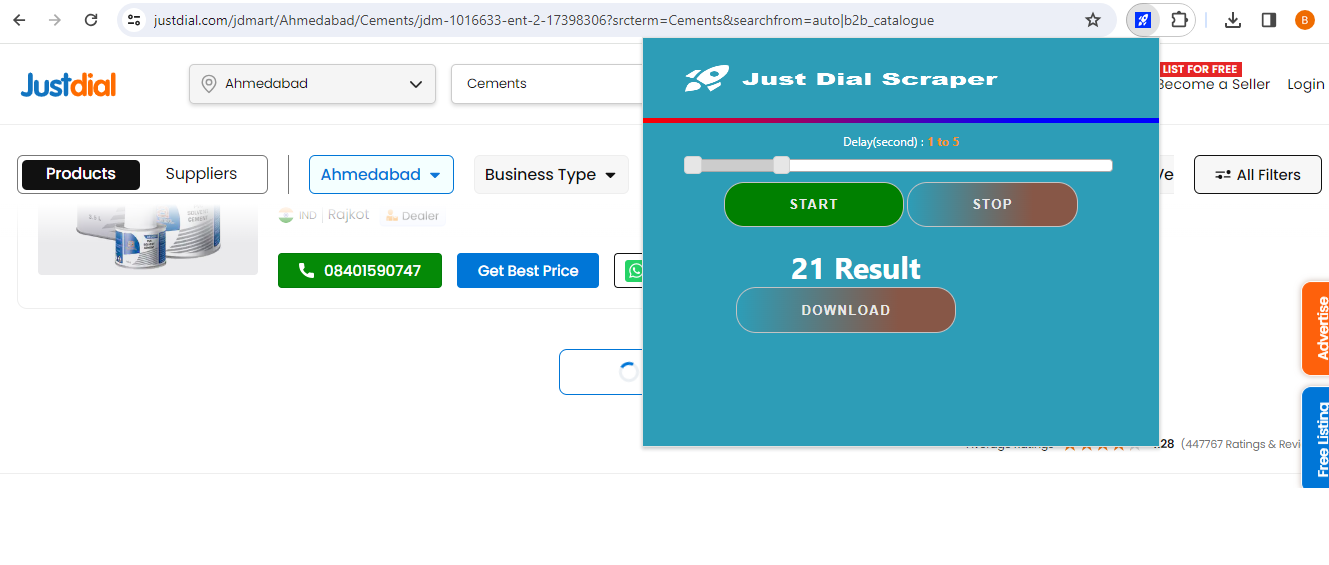
- Open our just dial chrome extension and click on start button. Software will start extractor all result.
- You can Export All Details in Multiple Format : Excel, CSV , And Text Format.
Installation Process
- You will Recieve only Software. Code is not Included .single license for one computer
- You will get single computer license and also license swapping from one machine to another not possible
- Refund Not possible, once license activate so you can check demo video and then purchase
- If have any Question Email me at bhansalisoft781986@gmail.com
- After Purchase Evanto Purchase code is Licence code
You can check what is Purchase Code from this link : https://help.market.envato.com/hc/en-us/articles/202822600-Where-Is-My-Purchase-Code- - Please Unzip Main File and check complete document for how to run chrome extension.
- Licence Email : Registered Email.
- Registration Code : Evanto Purchase Code.
- After Registration you can Use Software.
3.3 average based on 7 ratings.
| Last Update | 2026-08-07 |
| Created | 2020-07-28 |
| Sales | 48 |
| Discussion | Comments |
| Application Runtime | .NET 4 |
| High Resolution | No |
| Compatible OS Versions | Windows 10 Windows 8 Metro Windows 8 Desktop Windows 7 Windows Vista Windows XP |
| Video Preview Resolution |
Search plugins
Browse Categories


