jQuery Dual List
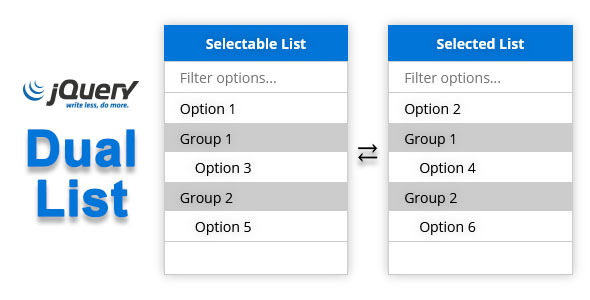

Its a drop-in stylish replacement for the standard <select> with multiple attribute activated, which creates an interface of 2 lists side by side.
The zip file contains dualList.css file inside css folder, and dualList.js and dualList.min.js (minified version) inside js folder, which are ready to use.
Installing jQuery Dual List is pretty straight forward. Simply include the both the jQuery, jQuery Dual List and CSS library file e.g. jQuery dualList.js and dualList.css like this:
<link rel="stylesheet" href="dualList.css" type="text/css" media="screen" /> <script type="text/javascript" src="https://ajax.googleapis.com/ajax/libs/jquery/1.10.2/jquery.min.js"></script> <script type="text/javascript" src="dualList.js"></script>You can easily apply jQuery Dual List on a standard
<select> with multiple attribute activated like this – $('#dual-list').dualList();RELEASE NOTES
Version 2.0.0 - June 7, 2021 - [Feature] Added filter - [Feature] Added clickable group - [Changes] HTML stucture, CSS styles and Javascript options keys changed
0 average based on 1 ratings.

Search plugins
Browse Categories


