InboxPilot - Desktop Application for WhatsApp Automation
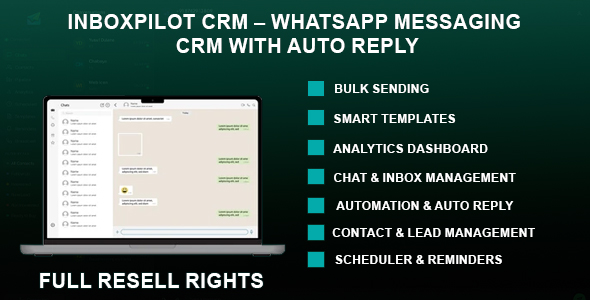

Powerful CRM Software for WhatsApp Communication
InboxPilot is a desktop CRM software designed to manage WhatsApp communication efficiently. It provides tools for handling conversations, automating responses, and organizing customer interactions in a structured workflow.
Suitable for businesses, agencies, and teams that rely on WhatsApp Web for daily communication and customer engagement.
Key Benefits
- Centralized dashboard for managing WhatsApp conversations
- Automation tools to reduce repetitive messaging
- Bulk messaging with personalization support
- Lead and contact organization features
- Improved response time and workflow efficiency
- Structured follow-up and communication tracking
Application Features
Chat & Inbox Management
Manage conversations through a real-time messaging interface.
- Real-time chat interface
- Incoming message notifications
- Quick reply tools
- Media and file sharing support
- Search and filter conversations
- Multi-chat handling
Contact & Lead Management
Organize and manage contacts using built-in CRM tools.
- Import contacts from WhatsApp Web
- Create and manage contact profiles
- Tag-based segmentation
- Interaction history tracking
- Notes and reminders
Sales Pipeline Management
Track deal progress using a structured pipeline system.
- Drag-and-drop pipeline
- Custom deal stages
- Deal value tracking
- Progress monitoring
Automation & Auto Reply
Automate messaging workflows with rule-based responses.
- Keyword-based auto replies
- Away mode responses
- Message templates
- Dynamic variables such as {{name}} and {{date}}
Bulk Messaging
Send messages to multiple contacts with configurable controls.
- Bulk message sending
- Personalized message fields
- Adjustable delay settings
- Delivery status logs
Scheduler & Task Management
Plan and automate future communication.
- Schedule messages
- Set follow-up reminders
- Task tracking system
Message Templates
Create reusable templates for faster communication.
- Template creation and management
- Category organization
- Quick insertion into chats
- Variable support
Analytics & Insights
Monitor messaging activity and performance.
- Messaging activity overview
- Contact segmentation insights
- Response tracking
- Pipeline analytics
WhatsApp Web Integration
Connect securely using WhatsApp Web.
- QR code authentication
- Multi-device support
- Connection status monitoring
- Session management
User Interface
Desktop interface designed for usability and performance.
- Clean layout
- Dark and light modes
- Notification system
- Built with Electron framework
System Requirements
- Operating System: Windows 10 or Windows 11 (64-bit)
- Processor: Dual-core 2.0 GHz or higher
- Memory: 4 GB RAM minimum (8 GB recommended)
- Storage: 500 MB available space
- Internet connection required
- Requires Microsoft Edge WebView2 Runtime
- Latest version of Google Chrome recommended
Compatibility
- Desktop application built with Electron
- Works with WhatsApp Web
- Supports multi-session usage
Use Cases
- Sales teams managing customer leads
- Agencies handling client communication
- Customer support workflows
- Freelancers managing conversations
- Businesses using WhatsApp for communication
What You Get
- Windows Desktop Application
- Documentation
0 average based on 0 ratings.

| Last Update | 2026-04-29 |
| Created | 2026-04-29 |
| Sales | 0 |
| Discussion | Comments |
| Application Runtime | Native |
| High Resolution | No |
| Compatible OS Versions | Windows 11 Windows 10 |
| Video Preview Resolution | 1916x1024 |


