iVideo - Video Editor and Converter iOS App


iVideo | Video Editor & Converter – iOS Source Code
iVideo is a complete, all-in-one video editor and converter for iOS, written in Swift. Version 3.0 is a major release that adds an on-device AI background remover, built-in AdMob + In-App Purchase monetization, and a fully redesigned dark UI.
It’s built for the kind of apps people actually ship – editing videos for Instagram, TikTok, YouTube, Facebook, Reels and Shorts – with trimming, merging, speed control, filters, music, GIFs and HD / 4K export.
If you want to launch a modern video editor without building one from scratch, the source code is clean, well documented and easy to rebrand.


⭐ What’s New in Version 3.0
Version 3.0 is the biggest update so far. The two headline additions – on-device AI and full monetization – let you launch a more capable app and start earning without standing up a backend.
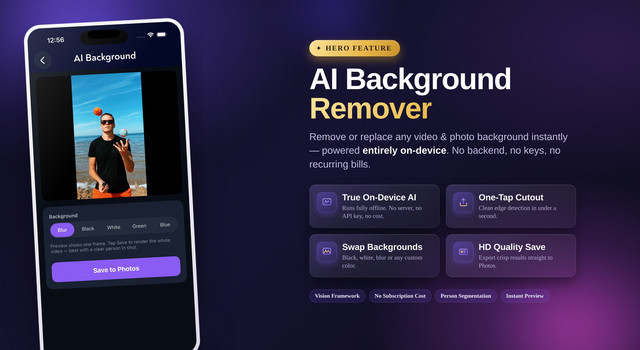
- AI Background Remover — removes or replaces the background using on-device AI. Runs fully offline, so there’s no server to host and no API key to pay for.
- Aspect Ratio Reframe — switch between 9:16, 1:1 and 16:9 for Reels, TikTok and Shorts in one tap.
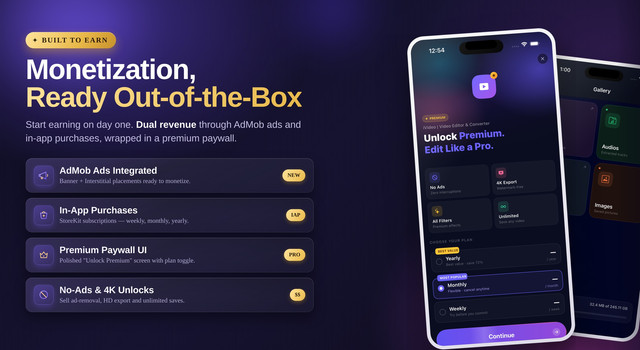
- AdMob Ads Integrated — Banner + Interstitial placements, working alongside In-App Purchases for dual monetization.
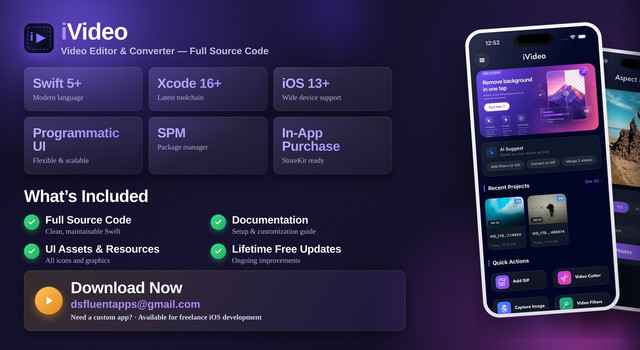
- Enhanced Filters + Redesigned Home — a new dark UI with Recent Projects and AI Suggestions.
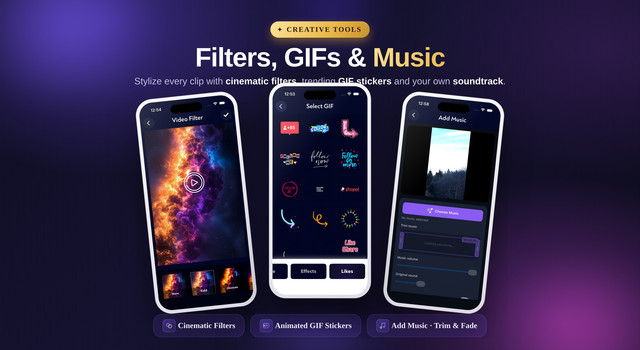
- Add Music — import a track and control trim, fade and volume.
- Faster Export — the rendering pipeline was reworked for quicker HD / 4K output.
⚡ Core Features
AI & Framing
- AI Background Remover – on-device cutout and background replace
- Aspect Ratio Reframe – 9:16, 1:1, 16:9 for any platform
Editing
- Trim & Cut – precise multi-clip trimming
- Merge – combine multiple clips into one
- Speed Control – slow motion and fast forward
- Reverse – play any clip backwards
- Filters & Effects – one-tap looks
Creative
- Add Music – trim, fade and volume mixing
- Add GIF – animated stickers on video
- Text & Stickers – captions and overlays
- Watermark – brand and protect your clips
Convert & Export
- Video to GIF – export clips as GIFs
- Video to MP3 – extract audio
- Video to Photo – capture frames as images
- HD / 4K Export – high-quality output
Built-in Monetization
Two revenue streams are wired in out of the box, so you can monetize without writing any integration code:
- AdMob — Banner and Interstitial ads, ready to drop in your unit IDs.
- In-App Purchases — StoreKit subscriptions with Weekly, Monthly and Yearly plans, behind a premium paywall that unlocks no-ads, HD export and unlimited saves.
✨ Why Choose iVideo?
- It earns from day one. AdMob and IAP are already integrated – no extra SDK work before you can monetize.
- The AI costs nothing to run. Background removal happens on the device, so there are no server or API bills as your user base grows.
- It looks like a finished product. The redesigned dark UI is App Store ready, not a rough starter template.
- The code is clean and scalable. Programmatic UI, reusable components and SPM make rebranding and customizing straightforward.
- You ship faster. The editing engine and converters are done – you focus on branding and launch.
- Lifetime free updates, plus author support if you get stuck.
A strong fit for developers, agencies, startups and creators who want to launch a video editor quickly and with confidence.
Easy Customization
The app is built mostly with a programmatic UI approach, so colors, fonts, themes, layouts, animations and components are easy to change. The structure is organized for scalability and maintainability, which keeps customization fast – whether you’re rebranding for a client or building on top of it.
⚙️ Technical Details
- Swift 5+
- Xcode 16 or later
- iOS 13+ – wide device coverage
- Swift Package Manager (SPM) integration
- Programmatic UI approach
- AdMob + StoreKit / In-App Purchase ready
- Reusable components and clean code structure
- Optimized performance
Package Includes
- Full source code
- Documentation (setup & customization guide)
- UI assets and resources
- Lifetime free updates
Version Log
Version 3.0: 24th June 2026 - [New] AI Background Remover - on-device, no server or API key - [New] Aspect Ratio Reframe - 9:16, 1:1, 16:9 for Reels, TikTok & Shorts - [New] AdMob Ads integration - Banner + Interstitial - [New] In-App Purchase paywall with Weekly / Monthly / Yearly plans - [New] Add Music with trim, fade and volume mixing - [Updated] Redesigned dark Home with Recent Projects and AI Suggestions - [Updated] Enhanced filter presets - [Updated] Migrated to latest Swift and Xcode 16 - [Improved] Faster HD / 4K export pipeline - [Improved] Overall stability and responsiveness Version 2.0: 20th September 2024 - [Updated] Complete modern UI redesign - [Updated] Animations and navigation flow - [Updated] Latest Swift support - [Improved] Performance optimization - [Improved] Stability and responsiveness - [Improved] Migrated most dependencies to Swift Package Manager Version 1.0: - [New] Initial release - [New] Core video editing and converter features
Need Custom App Development?
Email: dsfluentapps@gmail.com
We take on freelance iOS work and custom app projects. If you have an idea you want built, get in touch – happy to discuss scope, timeline and tech stack.
0 average based on 0 ratings.


