Hide Products & Variations for WooCommerce

Hide Products and Variations for WooCommerce plugin lets you hide WooCommerce products or variations depending on customer’s user role.
You can choose how products should be hidden:
- Hide products in shop and search results.
- Hide products by categories, tags, attributes.
- Hide variations by product attributes, custom attributes.
- Select products to hide.
- Select variations to hide.
- Make products non-purchasable.
- Make variations non-purchasable.
- Hide products & variations completely.
Features:
- Hide products by roles or default.
- Multiple groups conditions.
- Choose hide products or variations or both.
- Hide products by categories, tags, attributes.
- Hide variations by product attributes, custom attributes.
Installation
Via WordPress Dashboard
- Go to ‘Admin’ -> ‘Plugins’ -> ‘Add New’.
- Click on ‘Upload Plugin’.
- Upload plugin zip.
- Activate plugin.
Via FTP, SFTP, SCP etc…
- Unzip plugin zip.
- Upload the unzip plugin folder to your ‘/wp-content/plugins/’ directory, using your favorite method (ftp, sftp, scp, etc…).
- Activate plugin.
Settings
- In Admin page ->
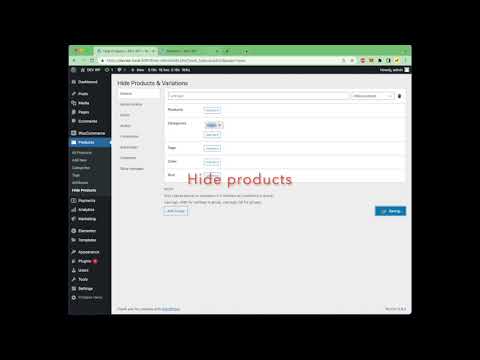
Product->Hide Products-> Click to Default Tab (other role tabs) then clickAdd Groupbutton to add condtions to hide your products.
Videos:
Support
Email: wpcoderx22@gmail.com
Demo: https://khoadtbn.com/ Admin: admindemo / admindemo
$25 |
Download |
0 average based on 0 ratings.

| Last Update | 2022-06-29 |
| Created | 2022-04-08 |
| Sales | 12 |
| Discussion | Comments |
| Compatible Browsers | |
| Software Version | WordPress 5.9.x WordPress 5.8.x WordPress 5.7.x WordPress 5.6.x |
| Compatible With | WooCommerce 6.x.x |
| Gutenberg Optimized | No |
| High Resolution | No |
| Files Included | JavaScript JS CSS PHP |
| Video Preview Resolution |
Search plugins
Browse Categories


