Google Sheets integration with ARForms


Google Spreadsheet Integration with ARForms
ARForms has new extension which insert data from form entries into prescribed Google Spreadsheet. Google Spreadsheet Integration with ARForms is just another wordpress plugin which you can install and manage just like other wordpress plugins.
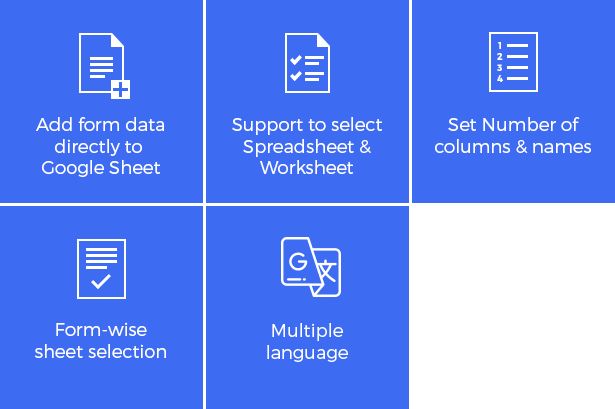
Features
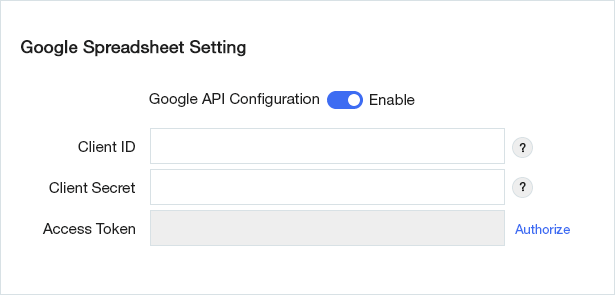
Configuration Google API
After activating the plugin, you will be able to see “ARForm’s google spreadsheet setting” under “ General Settings in Global Settings page.”
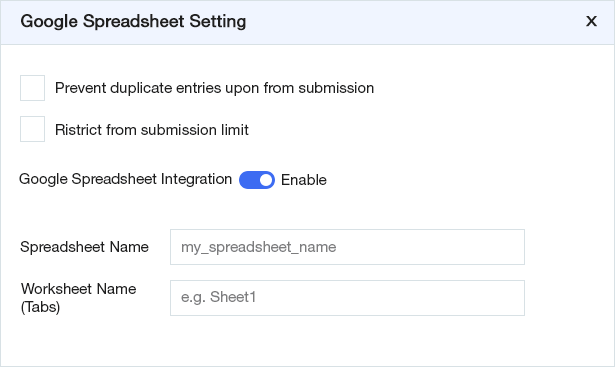
Configuration with form
To insert form entries data into Google Spreadsheet you have to configured below mention settings.
- In form Add/Edit page, goto Other Options, here you have to Enable Google Spreadsheet Integration.
- Add predefined Google Spreadsheet name, in Spreadsheet name field. (Name of spreadsheet which already exist or create new).
- Add Worksheet name in worksheet name (Tab) field. (default there is Sheet1 tab/worksheet inside your spreadsheet).
- Select Field from dropdown for which you have to insert data into your Spreadsheet and Enter column name respectively.
$18 |
Download |
3.1 average based on 7 ratings.

| Last Update | 2025-03-22 |
| Created | 2019-01-14 |
| Sales | 196 |
| Discussion | Comments |
| Compatible Browsers | IE10 IE11 Firefox Safari Opera Chrome Edge |
| Software Version | WordPress 6.1.x WordPress 6.0.x WordPress 5.9.x WordPress 5.8.x WordPress 5.7.x WordPress 5.6.x WordPress 5.5.x WordPress 5.4.x WordPress 5.3.x WordPress 5.2.x WordPress 5.1.x WordPress 5.0.x |
| Compatible With | |
| Gutenberg Optimized | Yes |
| High Resolution | No |
| Files Included | JavaScript JS HTML CSS PHP |
| Video Preview Resolution |
Search plugins
Browse Categories


