GoGrowTools | Bulk URL Checker Windows App
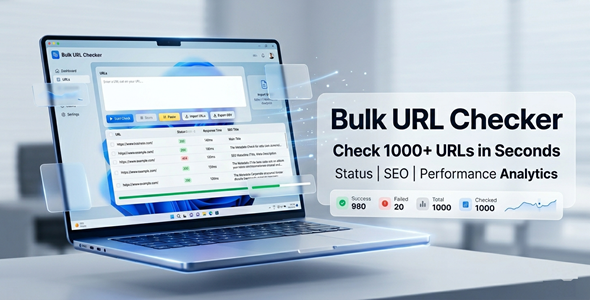

Stop Checking URLs One by One — Check Thousands at Once
Manually checking URLs wastes hours of your time.
Bulk URL Checker lets you analyze hundreds or thousands of links in minutes.
See status codes, redirects, response times, and page titles — all in one clean report.
Export your results instantly. No coding required.



✅ Perfect For
✔ SEO specialists and digital marketers
✔ Web developers and agencies
✔ Freelancers running site audits
✔ Content managers cleaning up old links
✔ Website owners monitoring their URLs
Features
 | Bulk URL Input Paste URLs directly or import from TXT or CSV files. No limit on how many you can check at once. |
| HTTP Status Code Detection Instantly see 200, 301, 404, 500, and all other status codes. Know exactly which URLs are working, broken, or redirecting. |
| Redirect Tracking Follow every redirect chain automatically. See the final destination URL for each link. |
| Response Time Measurement Identify slow-loading URLs in your list. Fix speed issues before they hurt your rankings. |
| Page Title & Meta Description Extraction Pull SEO metadata for every URL automatically. No need to open each page manually. |
| Content Type Detection Know if a URL returns HTML, JSON, image, PDF, or other content. Useful for validating API endpoints and media files. |
| Start / Pause / Stop Controls Full control over your checking session at any time. Resume where you left off without losing results. |
| Smart Filtering Filter results by success, errors, redirects, or slow URLs. Focus only on what needs your attention. |
| Export to CSV or TXT Download your full results report in one click. Share with your team or client instantly. |
| Save & Load Projects Save your URL lists and results as projects. Come back anytime and continue where you stopped. |
Why You Need This
❌ Checking URLs manually takes hours — even for small sites
❌ Broken links hurt your SEO rankings and user experience
❌ Redirect chains slow down your pages without you knowing
❌ Online tools limit how many URLs you can check at once
❌ Missing 404s can cost you traffic, leads, and sales
Bulk URL Checker fixes all of this in minutes.
Paste your URLs, hit Start, and get a full audit report — ready to act on.
No subscriptions. No browser limits. No manual work.
A professional-grade tool that runs right on your Windows desktop.
How You Can Profit
✔ Offer bulk URL audits as a freelance SEO service
✔ Include link health reports in client website packages
✔ Run monthly URL monitoring for retainer clients
✔ Speed up your own site maintenance and save hours of work
✔ Sell audit reports to businesses with large link inventories
Stop giving away your time for free.
This tool pays for itself the very first time you use it on a client project.
⚡ Fast Results
Import your URL list in seconds.
The checker runs through them automatically — no babysitting required.
Filter errors instantly.
Export your report and send it to your client.
Done — in a fraction of the time it used to take.
Example:
Check 500 URLs and get a full status report in just a few minutes.
️ Simple 3-Step Setup
 | Step 1 — Install the App Download and install the Windows executable. |
 | Step 2 — Import Your URLs Paste your URLs directly or import from a TXT or CSV file. Works with any size list — small or large. |
 | Step 3 — Run & Export Hit Start and watch results come in live. Filter, review, and export your full report instantly. |
⚙️ System Requirements
| OS | Windows 10 or Windows 11 |
| RAM | Minimum 4 GB |
| Disk Space | At least 100 MB |
| Internet | Required for URL checking |

- Version 1.0.0 – Initial release with all core features included

 | Does this work on Mac or Linux? No. This is a Windows-only desktop application. It supports Windows 10 and Windows 11. |
| Is an internet connection required? Yes. The app needs internet access to send requests and check URLs. A stable connection will give you the fastest and most accurate results. |
| How many URLs can I check at once? The app can handle large URL lists imported via TXT or CSV. There is no hard cap built into the software itself. |
| Can I export the results? Yes. You can export your full results to CSV or TXT format. Share the report with clients or use it in other tools. |
0 average based on 0 ratings.

| Last Update | 2026-04-23 |
| Created | 2026-04-23 |
| Sales | 0 |
| Discussion | Comments |
| Application Runtime | Native |
| High Resolution | |
| Compatible OS Versions | Windows 11 Windows 10 |
| Video Preview Resolution |


