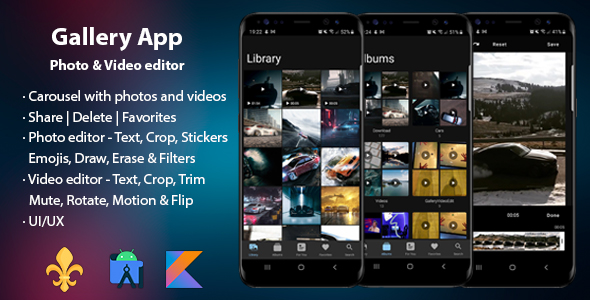
Gallery App - Photo & Video editor
Bluehost Shared Hosting

Last update

V 7.1.1 • 22/01/2026

 - Support 16 KB page sizes - Dependencies - Code refactoring - Material 3 theme & colors - Languages: Spanish, French, German, Italian, Portuguese, Russian, Bulgarian, Romanian & Chinese - Change grid columns from settings 

Gallery App - Photo & Video editor

All-in-one media app with powerful video and photo editing tools
Gallery App - Photo & Video editor

Gallery App - Photo & Video editor

Gallery App - Photo & Video editor

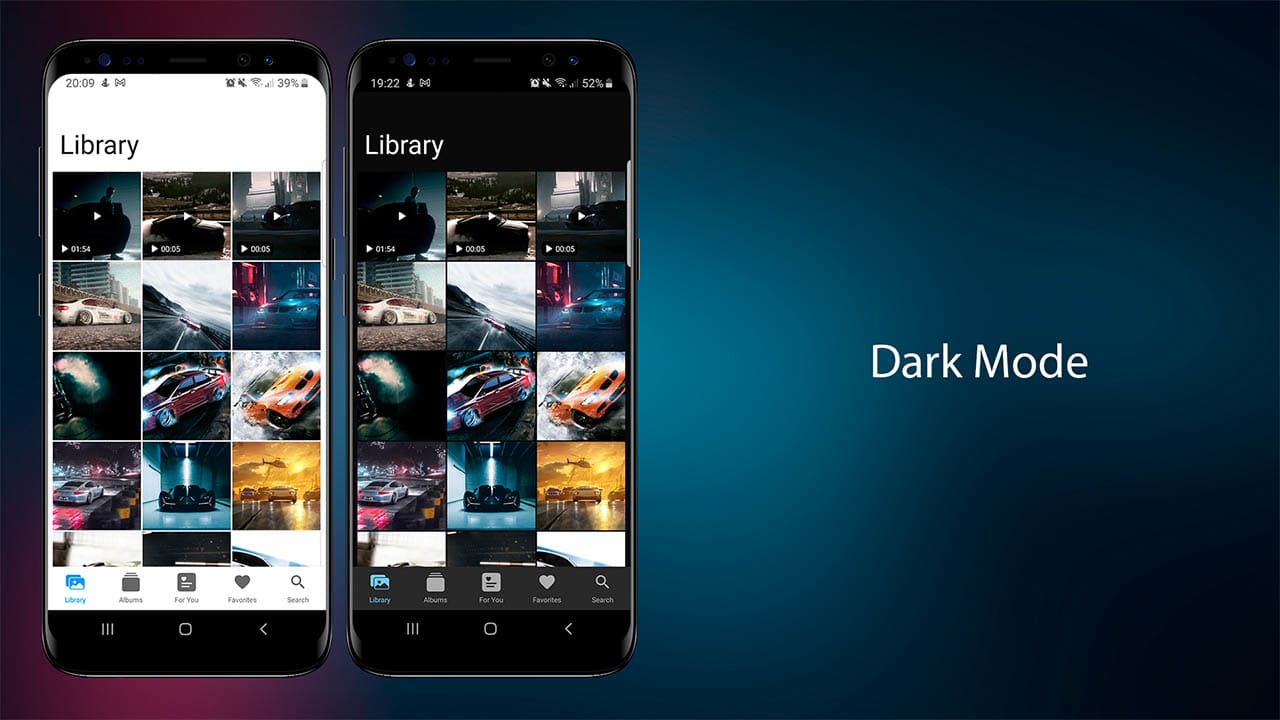
Tested on Android 9 through Android 16

Gallery App - Photo & Video editor

DEVELOPMENT REQUIREMENTS

  • Android Studio Meerkat | 2024.3.1 Patch 1
  • Kotlin (app developed with kotlin)
  • Java 17

Gallery App - Photo & Video editor

Gallery App - Photo & Video editor

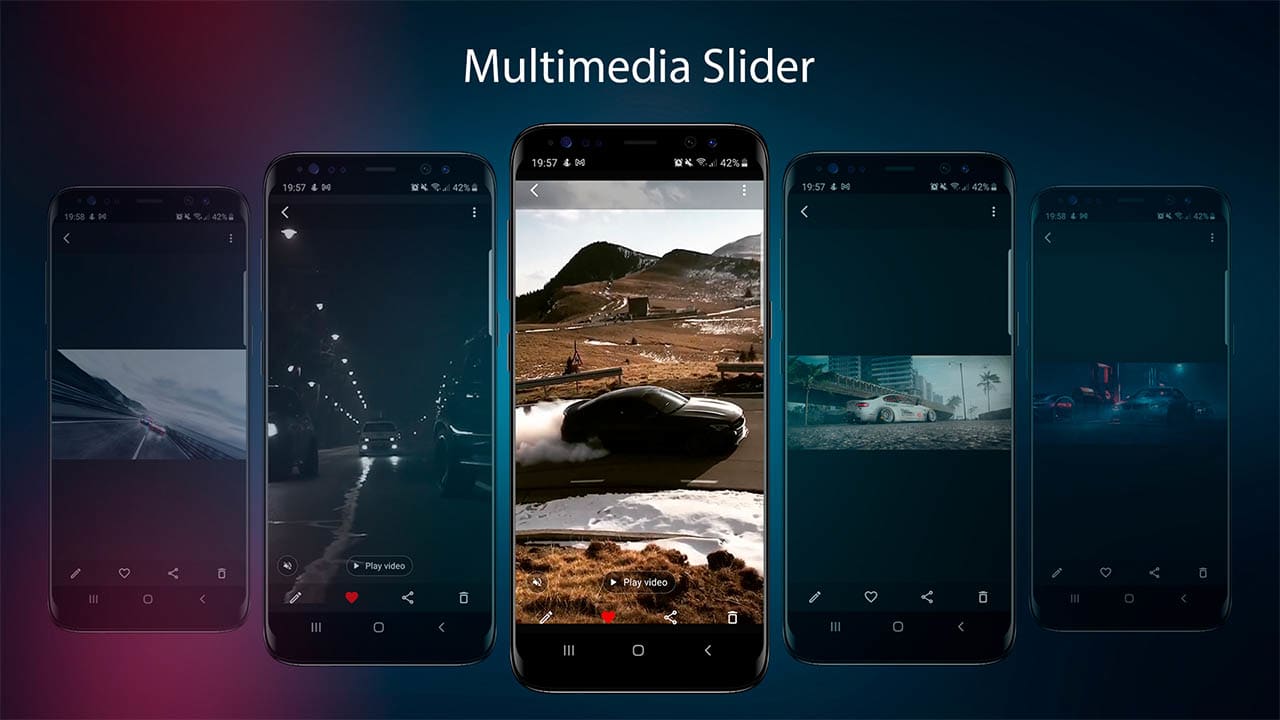
Multimedia Slider

  • Photos and Videos
  • Video autoplay
  • Volumen on
  • off video
  • Button play video
  • Delete media
  • Share media
  • Add-remove from favorites
  • Edit media
  • Details
  • Set as wallpaper (photos only) | Home screen, Lock screen, Home and Lock screens | Crop image before set as wallpaper
  • Video player: pause-play, volume on-off and seekbar

  • Gallery App - Photo & Video editor

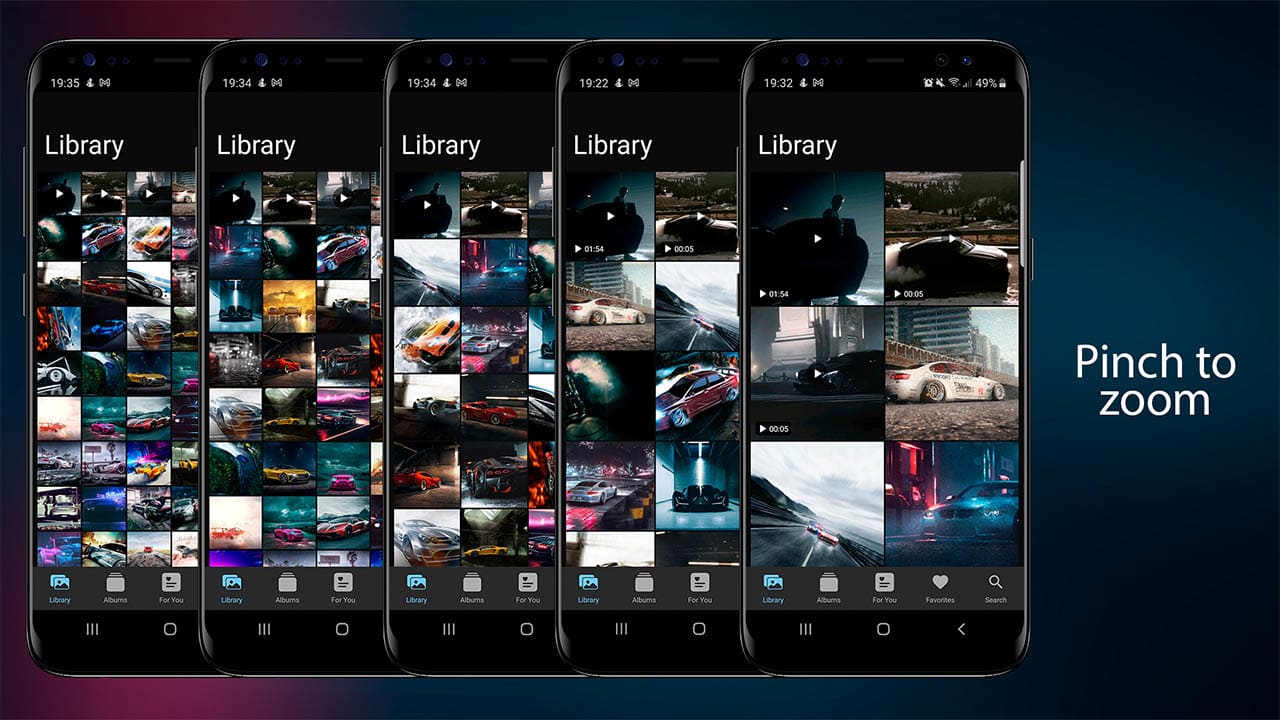
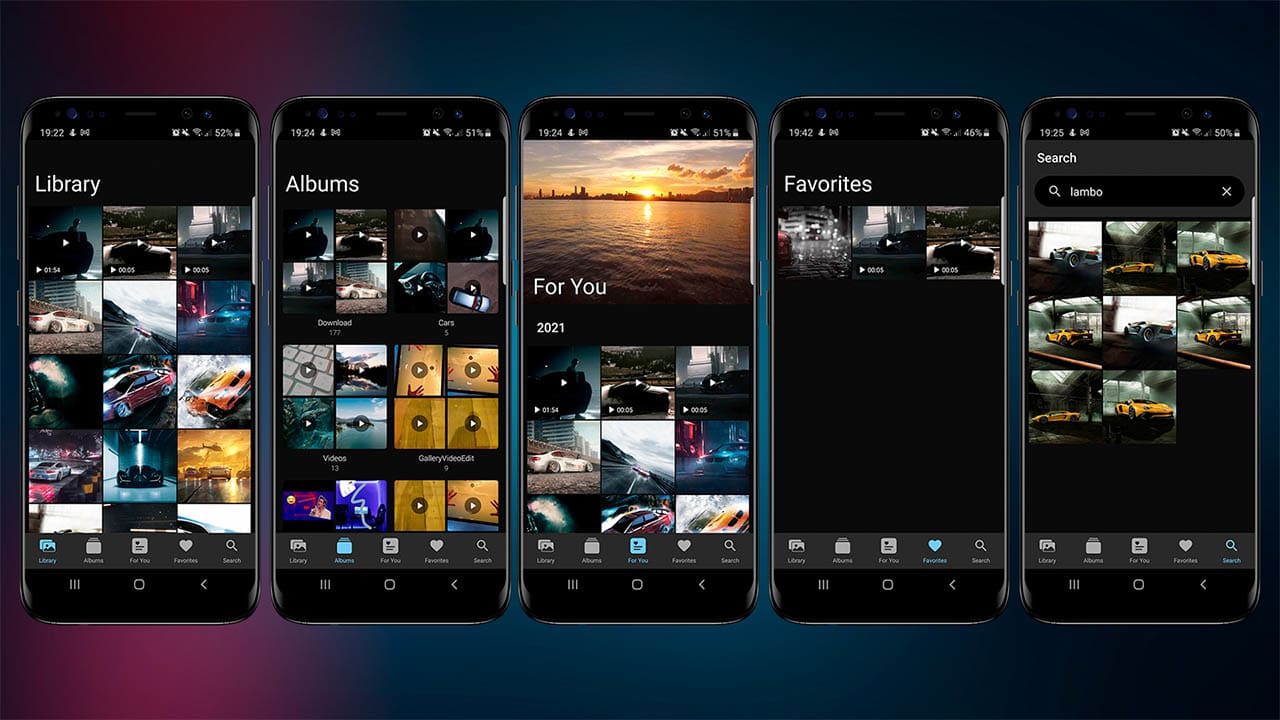
    Library

  • Photos and Videos in the same list
  • Pinch to zoom in/out – spans from 2 to 8 columns (super easy to modify)
  • With 2 & 3 columns, the user will see the duration of a video
  • From 2 to 6 columns, the user will see icon play from a video

  • Details media

  • Thumbnail
  • Name
  • Folder
  • Media type
  • Date
  • Resolution
  • Size
  • Duration (Video only)

  • Gallery App - Photo & Video editor

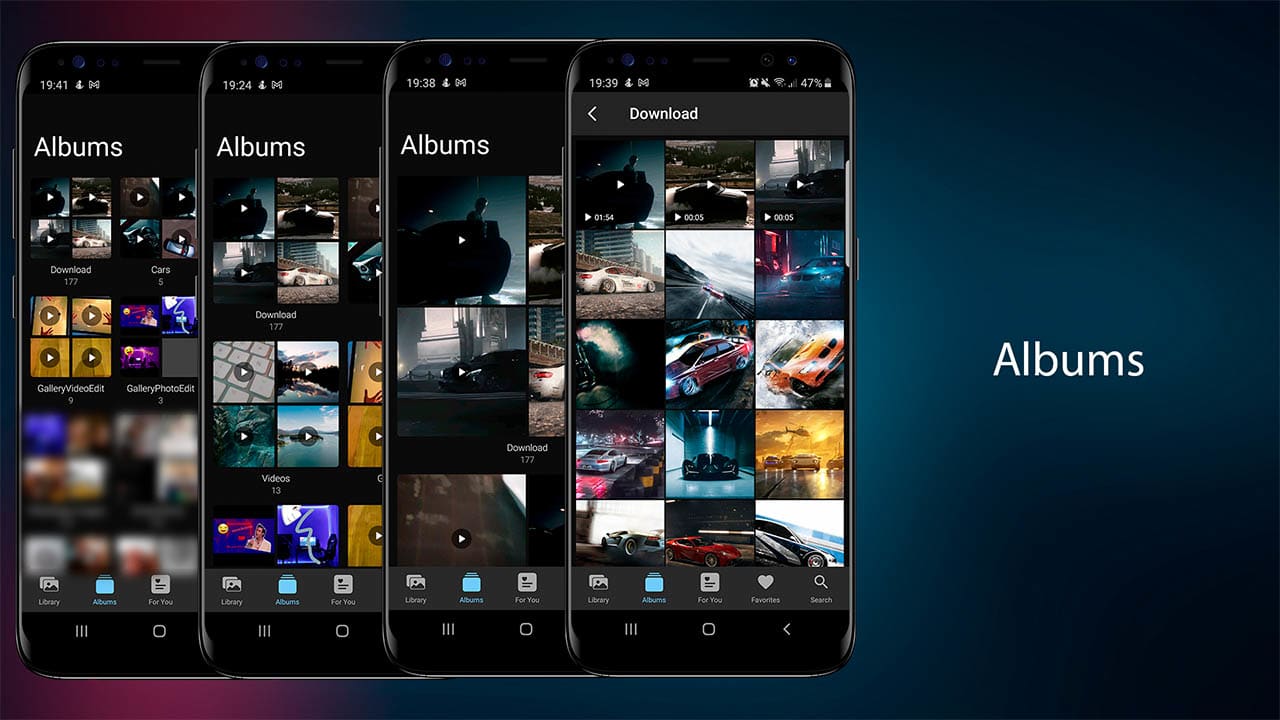
    Albums

  • Grid for eatch album with 4 items (photos/videos)
  • Photos and Videos in the same grid
  • Pinch to zoom in/out – spans from 1 to 3 columns (super easy to modify)
  • Album name
  • Number of multimedia
  • On album click: open folder with all his multimedia

  • Gallery App - Photo & Video editor

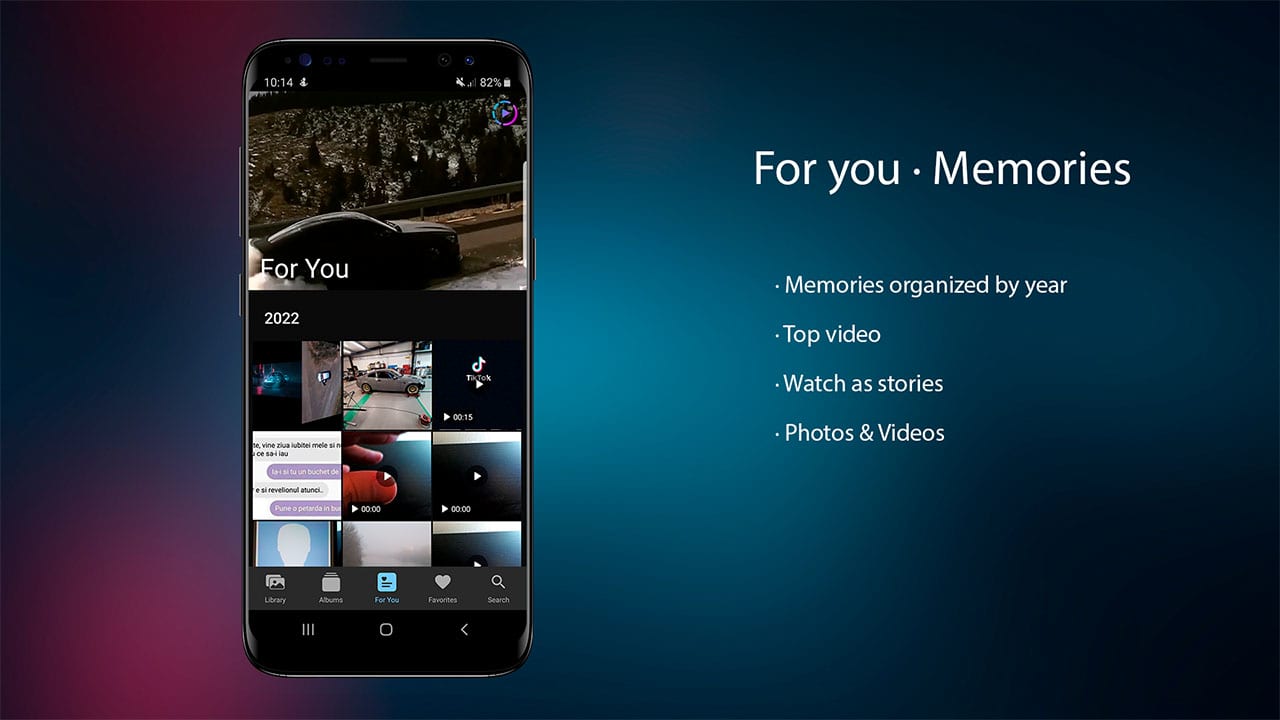
    For You

  • Video on top
  • Random memories organized by year
  • Photos and Videos in the same list

  • Gallery App - Photo & Video editor

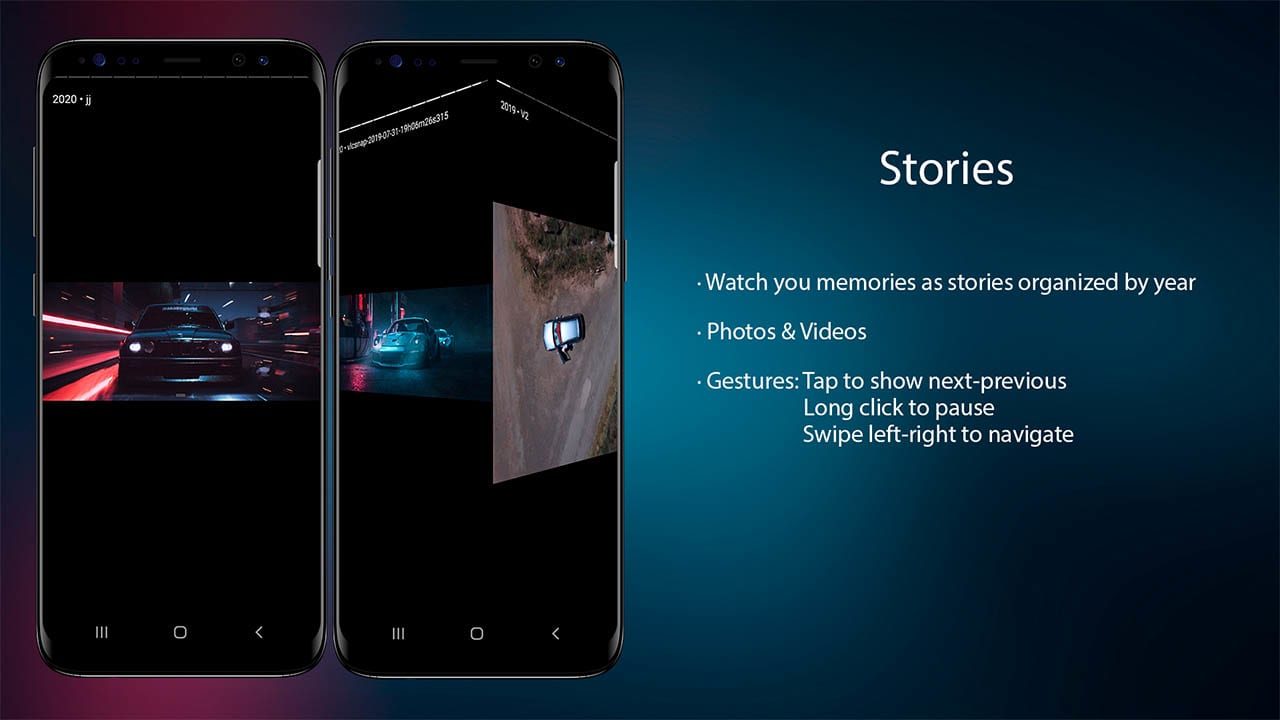
    For You as Stories

  • Watch you memories as stories organized by year
  • Photos & Videos
  • Gestures: Tap to show next-previous | Long click to pause | Swipe left-right to navigate

  • Gallery App - Photo & Video editor

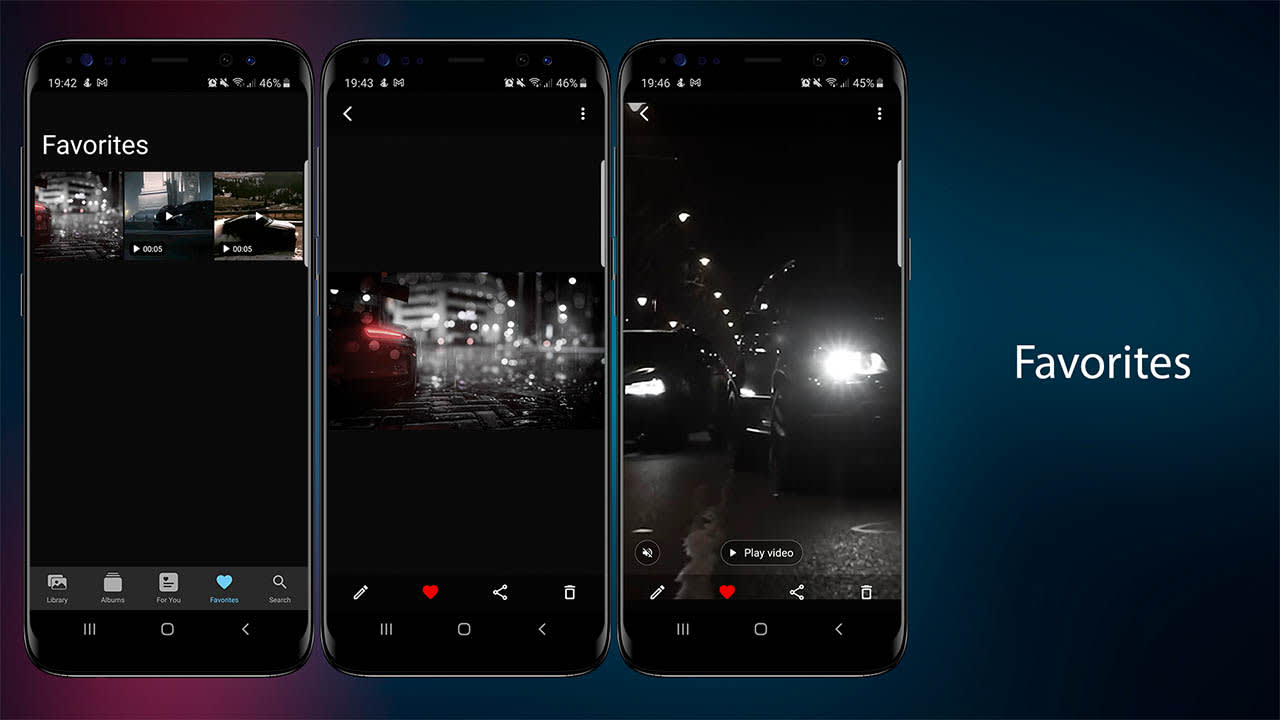
    Favorites

  • Photos and Videos in the same list
  • Add/Remove photo or video from favorites
  • Pinch to zoom in/out – spans from 2 to 6 columns

  • Gallery App - Photo & Video editor

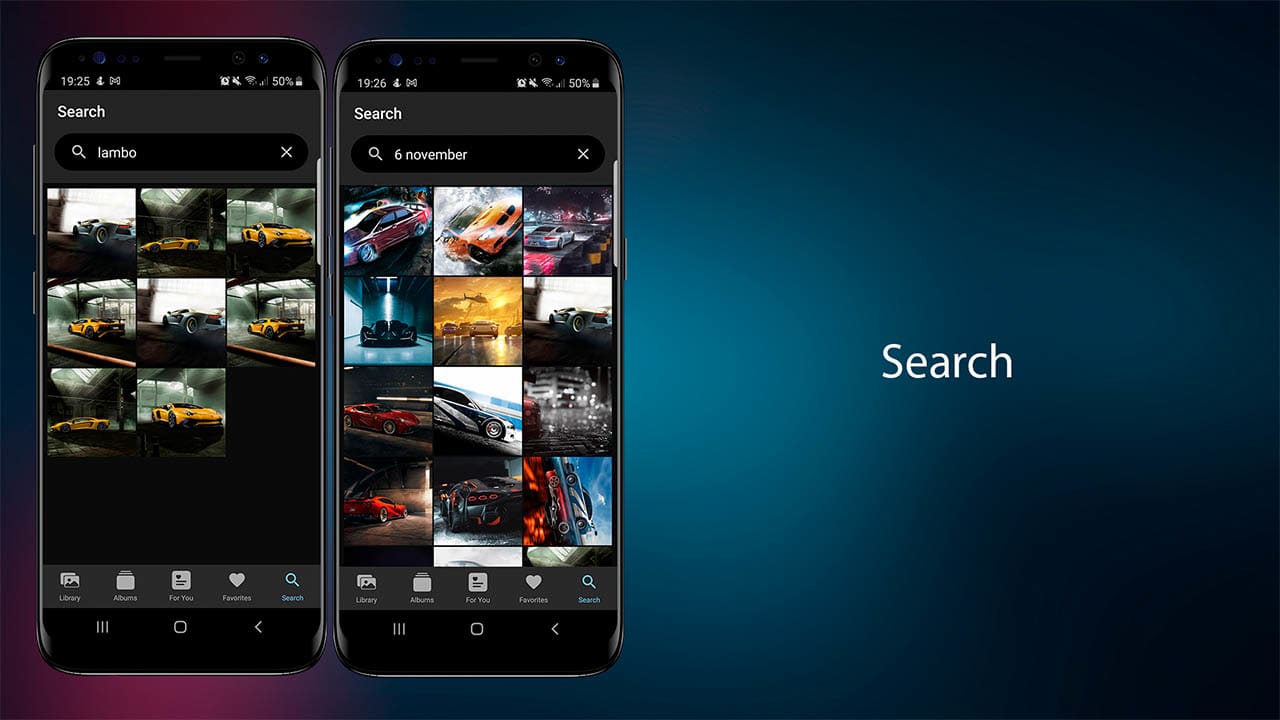
  • Hint with number of photos and videos
  • Photos and Videos in the same list
  • Search by name, day-month-year, month-year or year

  • Gallery App - Photo & Video editor

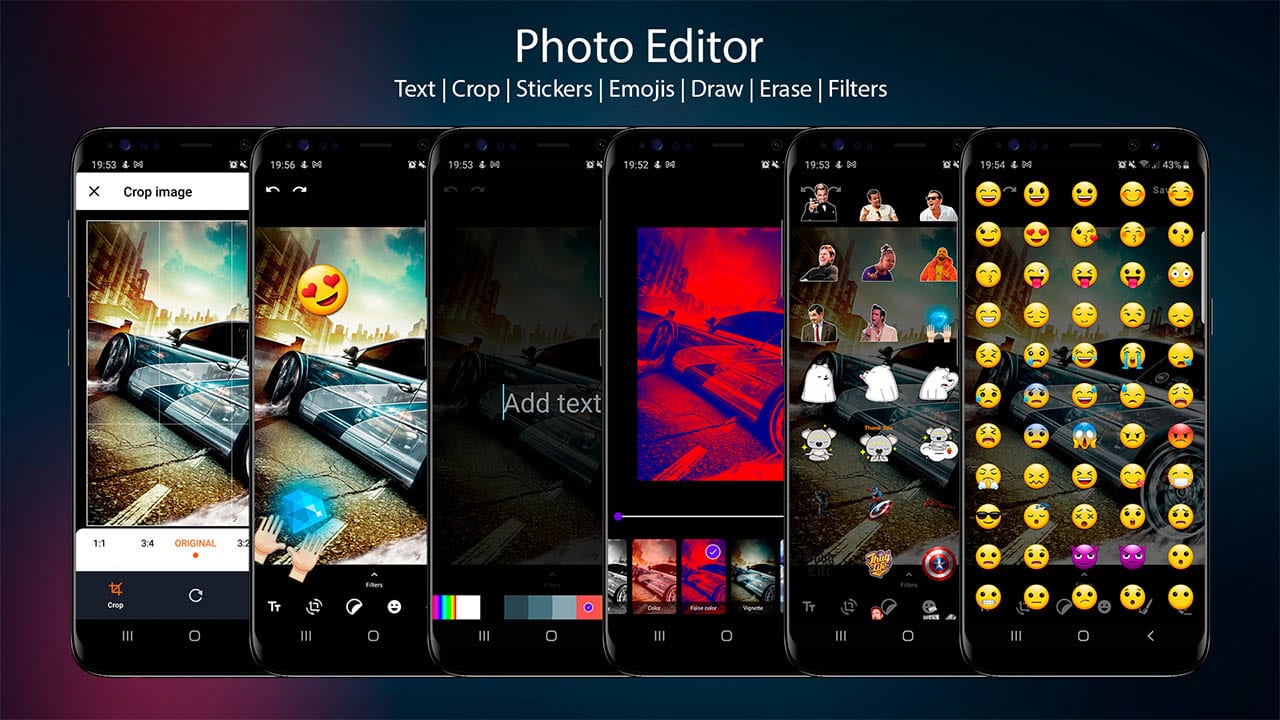
    Photo Editor

  • Eraser
  • Redo
  • Undo
  • Save

  • Photo Editor – TEXT

  • Add text with different colors
  • Scale gesture
  • Delete

  • Photo Editor – CROP

  • Crop by aspect ratio
  • Crop by gesture
  • Rotate and rotate by gesture
  • Flip and flip by gesture
  • Scale and scale by gesture

  • Photo Editor – STIKERS

  • Scale gesture
  • Super easy to add new stickers
  • Delete

  • Photo Editor – EMOJIS

  • Scale gesture
  • Delete

  • Photo Editor – PAINT

  • Enable-Disable
  • Brush preview
  • Change brush size
  • Change brush color
  • Change brush opacity

  • Photo Editor – FILTERS

  • None
  • Brightness with slider
  • Contrast with slider
  • Saturation with slider
  • Hue with slider
  • White balance with slider
  • Gamma with slider
  • Blur with slider
  • Gray scale
  • Colors
  • False color with slider
  • Vignette with slider
  • Invert
  • Pixel with slider
  • Sepia with slider
  • Sketch
  • Toon with slider
  • Swirl with slider
  • Luminance with slider
  • Crosshatch with slider
  • Sobe
  • Halftone with slider
  • Kuwahara with slider

  • Gallery App - Photo & Video editor

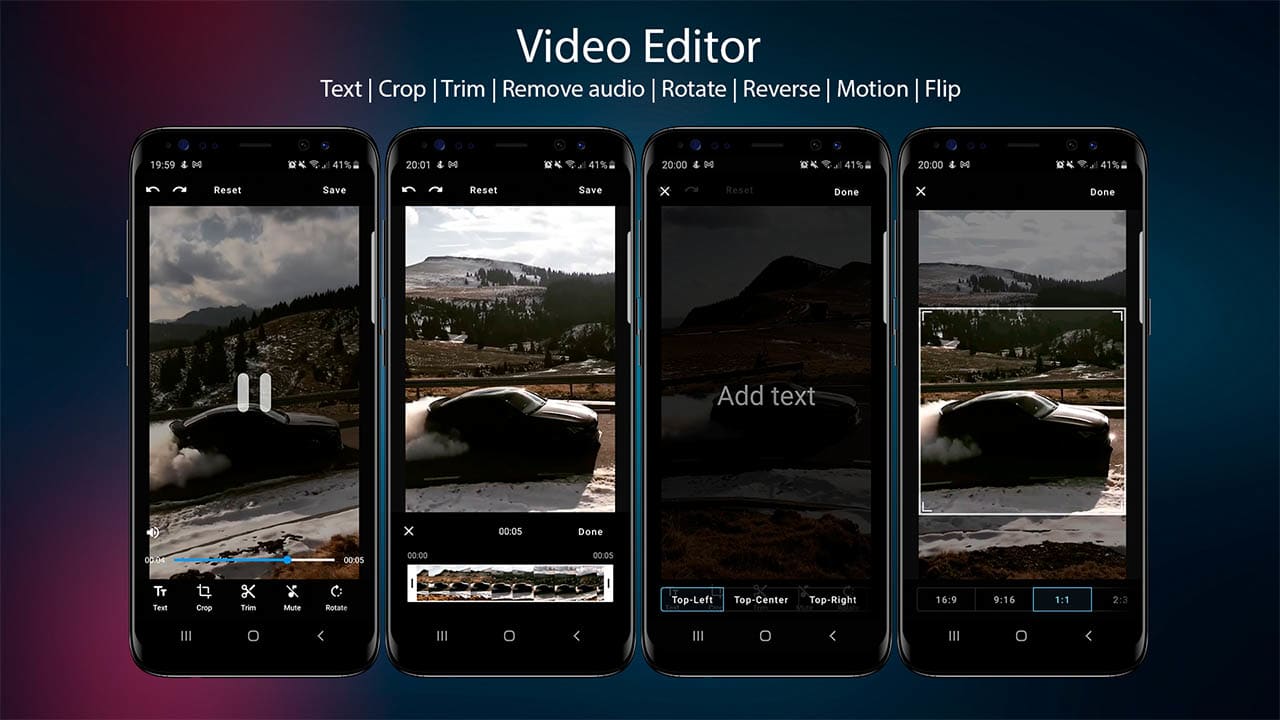
    Video Editor

  • Redo
  • Undo
  • Reset edit
  • Save edit
  • Play
  • Pause
  • Seekbar
  • Volumen on
  • off

  • Video Editor – MERGE VIDEOS

  • Multiples videos
  • Background music
  • Aspect ratio

  • Video Editor – TRANSITION

  • Fade in
  • Fade out
  • Fade in/out

  • Video Editor – PIP MODE

  • Video in pip mode with scale and position
  • Photo in pip mode with scale and position

  • Video Editor – TEXT

  • Add text with position:
  • Top-Left
  • Top-Center
  • Top-Right
  • Center
  • Bottom<-Left
  • Bottom-Center
  • Bottom-Right

  • Video Editor – CROP

  • Crop with aspect ratio:
  • 16:9
  • 9:16
  • 1:1
  • 2:3
  • 4:5

  • Video Editor – TRIM

  • Timeline with thubmnails
  • Select start and end position
  • Start and end video position
  • Final video duration

  • Video Editor – AUDIO

  • Add background audio
  • Remove audio

  • Video Editor – ROTATE

  • Rotate video

  • Video Editor – REVERSE

  • Reverse video & audio

  • Video Editor – MOTION

  • Fast motion
  • Slow motion
  • Stop motion

  • Video Editor – FLIP

  • Horizontal
  • Vertical

  • Gallery App - Photo & Video editor

    Change log

    V 7.1.1 • 22/01/2026

     - Support 16 KB page sizes - Dependencies - Code refactoring - Material 3 theme & colors - Languages: Spanish, French, German, Italian, Portuguese, Russian, Bulgarian, Romanian & Chinese - Change grid columns from settings 

    V 7.1 • 06/05/2025

     - FFmpeg dependencies 

    V 7.0 • 24/04/2025

     - Settings: delete cache and change app theme - Video editor feature: PIP with scale and position - Video editor feature: Video PIP with scale, position  - Video editor feature: Fade In, Out and In/Out transition - Video editor feature: Add background music - Video editor feature: Merge videos: Add music, Aspect ratio, Add videos, delete video & drag and drop video 

    V 6.0 • 16/04/2025

     - Code refactoring - LibraryViewModel code optimization  - Feature: Show only images or videos - AdMob Banner and Interstitial | Replace ids in strings.xml - Migrate: ExoPlayer to Media3 ExoPlayer 

    V 5.0 • 12/04/2025

     - Android Studio Meerkat | 2024.3.1 Patch 1 - Migrate to Android 16 (SDK 36) - Dependencies update - Code refactoring 

    V 4.0 • 22/02/2024

     - Android Studio Hedgehog | 2023.1.1 Patch 2     - Migrate to Android 14 (SDK 34) - Dependencies update 

    V 3.0 • 08/03/2023

     - Migrate to Android 13 (SDK 33) - Zoom option : pinch to zoom image - Zoom option : double click to reset zoom - Library Screen: Multiple selection with actions: Share, Add to favorites, Delete - Favorites Screen: Multiple selection with actions: Share, Delete from favorites - Dependencies update - Code refactoring 

    V 2.0 • 16/01/2022

     - Watch “For you” photos & videos as Stories - Kotlin plugin 1.6.10 - Code refactoring (LibraryViewModel, RecyclerView pinch to zoom, Main navigation fragments) - Stories screenshot 

    V 1.3 • 01/01/2022

     - Bug Fixed (“For you” screen don't show media in some devices with android 10) - Code refactoring 

    V 1.2 • 26/12/2021

     - Bug Fixed - Code refactoring 

    3.7 average based on 3 ratings.

    iSomlea

    iSomlea

    Visit Author's Portfolio

    View Portfolio
    Last Update 2026-01-22
    Created 2021-11-10
    Sales 37
    Discussion Comments
    Software Version Kotlin 1.x Android 15.0 Android 12.0 Android 11.0 Android 10.0 Android 9.0
    Files Included .java .xml
    Video Preview Resolution