FoodPilot – Laravel Restaurant POS, QR Menu, KDS, Customer & Delivery Flutter Apps


FoodPilot – Restaurant Management System with POS, QR Menu, Kitchen Display (KDS) & Delivery App
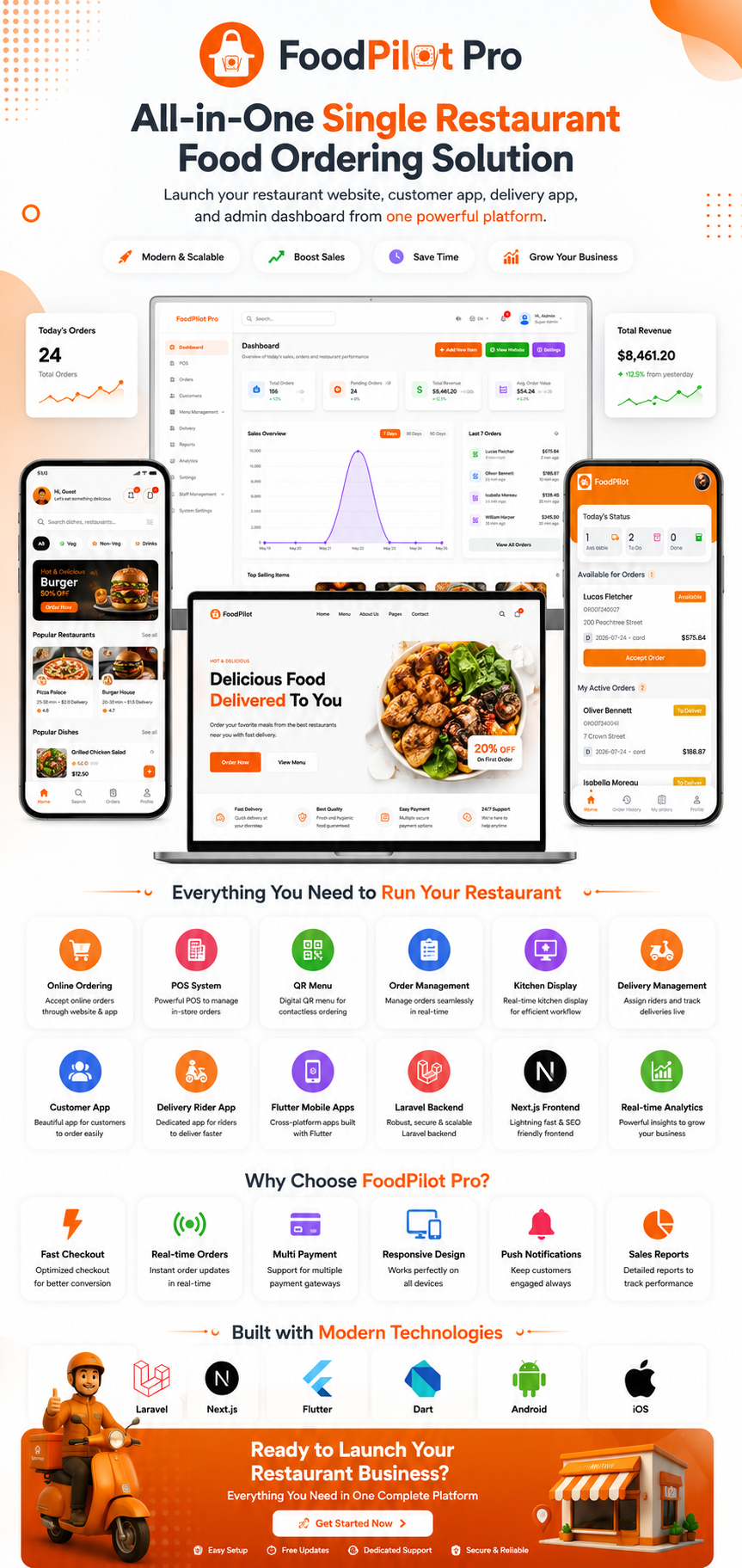
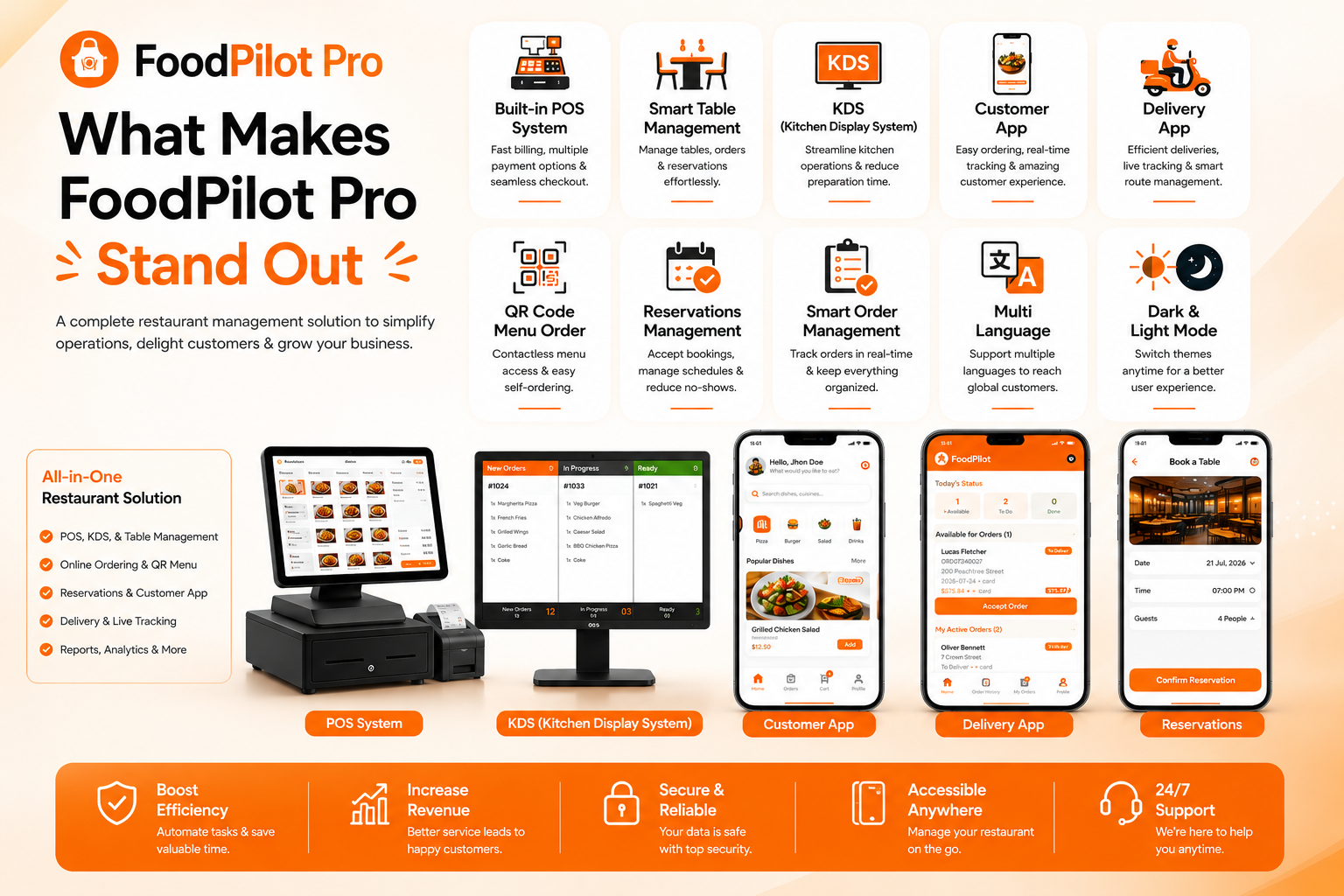
FoodPilot is a complete restaurant management system and restaurant POS software built with Laravel 12, Next.js 16 and Flutter. It combines a touch point of sale (POS) terminal, a Kitchen Display System (KDS), QR code menu and contactless table ordering, an online food ordering website, a table reservation system, a customer mobile app and a delivery rider app into one self-hosted package — with full source code for every application.
Built for a single restaurant, café, bar, bakery, pizzeria, food truck or cloud kitchen that wants to own its software instead of renting it. Install the restaurant script once on your own server, connect your payment gateway, print your table QR codes and start trading — no monthly SaaS fee, no per-order commission, no vendor lock-in.
4 complete applications in one restaurant management script
- Restaurant Admin Panel + POS System + Kitchen Display System — Laravel 12 & Livewire 4 (PHP script)
- Online Food Ordering Website — Next.js 16 & React (SEO-friendly restaurant website)
- Customer Food Ordering App — Flutter, Android & iOS
- Delivery Boy / Rider App — Flutter, Android & iOS





Demo Credentials
Restaurant Admin Panel (full access — POS, KDS, reports, settings)
Email: admin@example.com
Password: Demo@123456
Food Ordering Website
Email: customer@example.com
Password: Demo@123456
Customer Mobile App
Email: customer@example.com
Password: Demo@123456
Restaurant Management System Screenshots

️ Restaurant POS System (Point of Sale)
A fast, touch-optimised restaurant POS built with Livewire — your cashier never waits for a page reload.
- Category and food-type filtering with instant menu item search
- Variant and add-on selection directly from the POS order screen
- Dine-in, takeaway and delivery order types in one terminal
- Assign an order to a table, or attach an existing / walk-in customer
- Discounts, taxes and service charges applied per order
- Record split payments across multiple payment methods
- Thermal receipt printing plus A4 invoice PDF download
- Runs in any browser — works on a tablet, laptop or POS terminal, no extra licence
Kitchen Display System (KDS)
A dedicated kitchen display screen that replaces paper tickets and shouting across the pass.
- Live incoming kitchen tickets from POS, website, mobile app and QR table orders
- Orders grouped by status so the line always knows what to cook next
- Kitchen staff advance tickets through the workflow themselves
- Browser-based — use any tablet or monitor you already own
QR Code Menu & Contactless Table Ordering
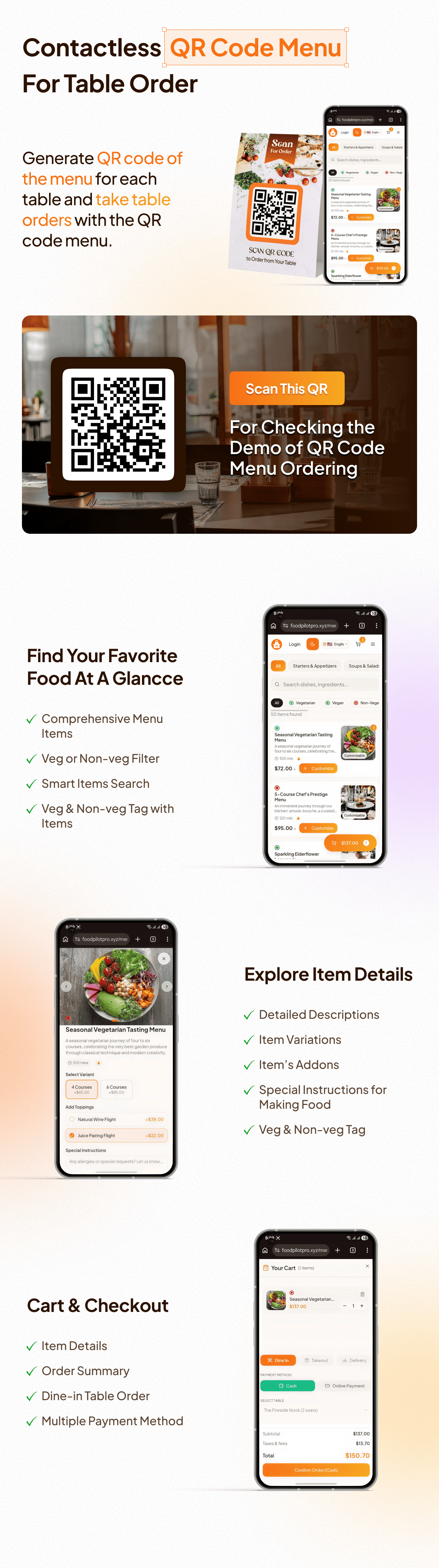
Turn every table into a self-service ordering station with a QR code menu — no app install for your guests.
- Unlimited restaurant tables, each with its own QR code
- QR code preview, single download and bulk QR code download for the entire floor
- Customisable QR code appearance from the settings panel
- Guests scan, browse the live digital menu and order from their own phone
- Contactless ordering — orders land straight in the POS, admin panel and kitchen display
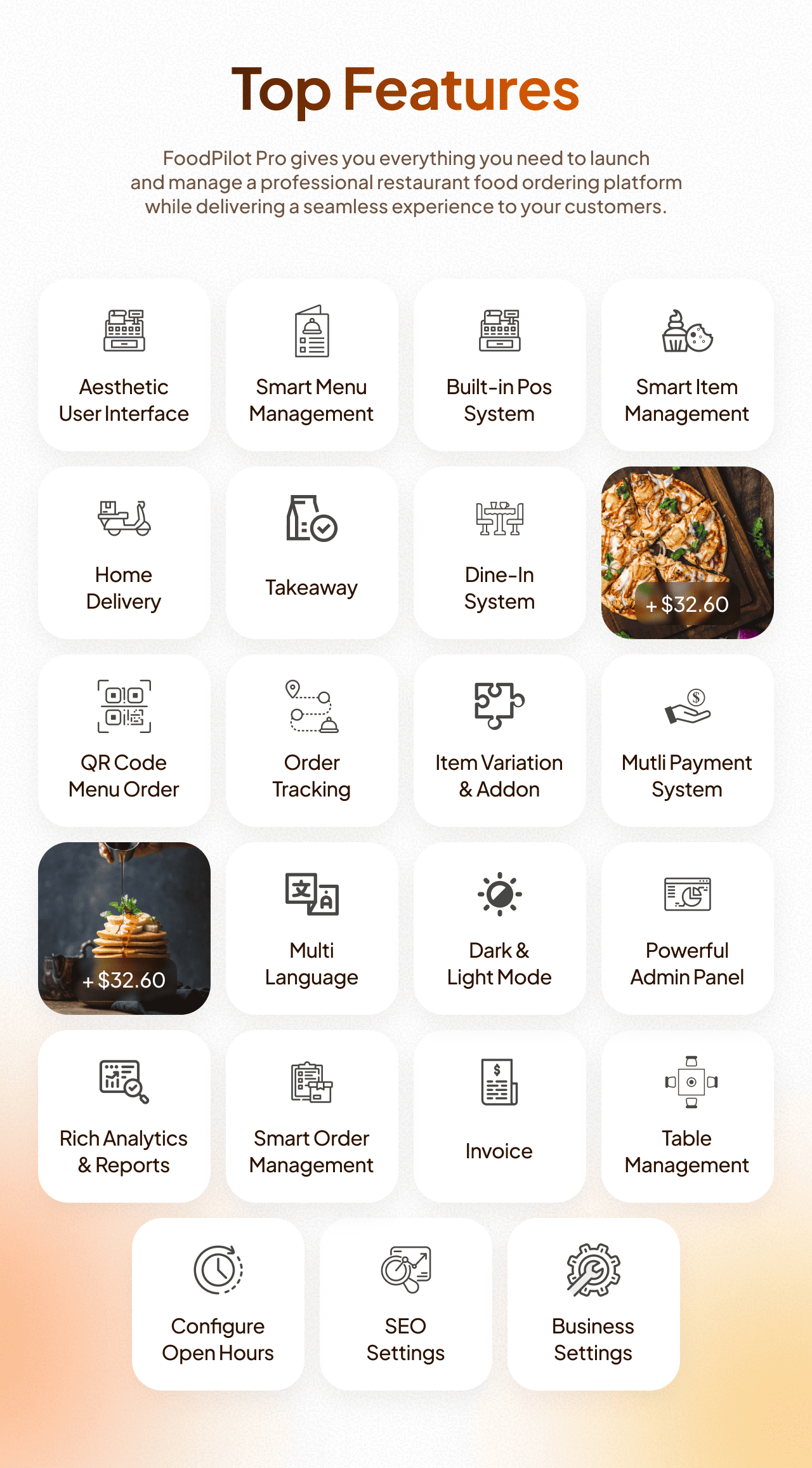
️ Restaurant Menu Management
- Categories, food types (veg / non-veg / custom) and tags
- Multi-variant menu items — sizes, portions, crusts, anything you sell more than one way
- Add-ons and extras with independent pricing for sides and upgrades
- Per-item images, descriptions, pricing and availability toggles
- Homepage sliders and featured sections to merchandise your storefront
Order Management & Table Reservation System
- Unified order list across POS, website, mobile app and QR table ordering
- Custom order statuses — build the workflow your restaurant actually uses
- Complete order status history showing who changed what and when
- Real-time order tracking for customers on web and mobile
- Restaurant table booking system with availability checking, table assignment, approval and cancellation
- Payment records against every order with outstanding balances at a glance
Food Delivery Management + Delivery Boy App
- Manage your own delivery team from the restaurant admin panel
- Delivery areas with per-area configuration
- Native Flutter delivery rider app for Android and iOS
- Riders view available jobs, claim or accept an order, mark it out-for-delivery and confirm delivery
- Rider order history and profile management
Online Food Ordering Website (Next.js)
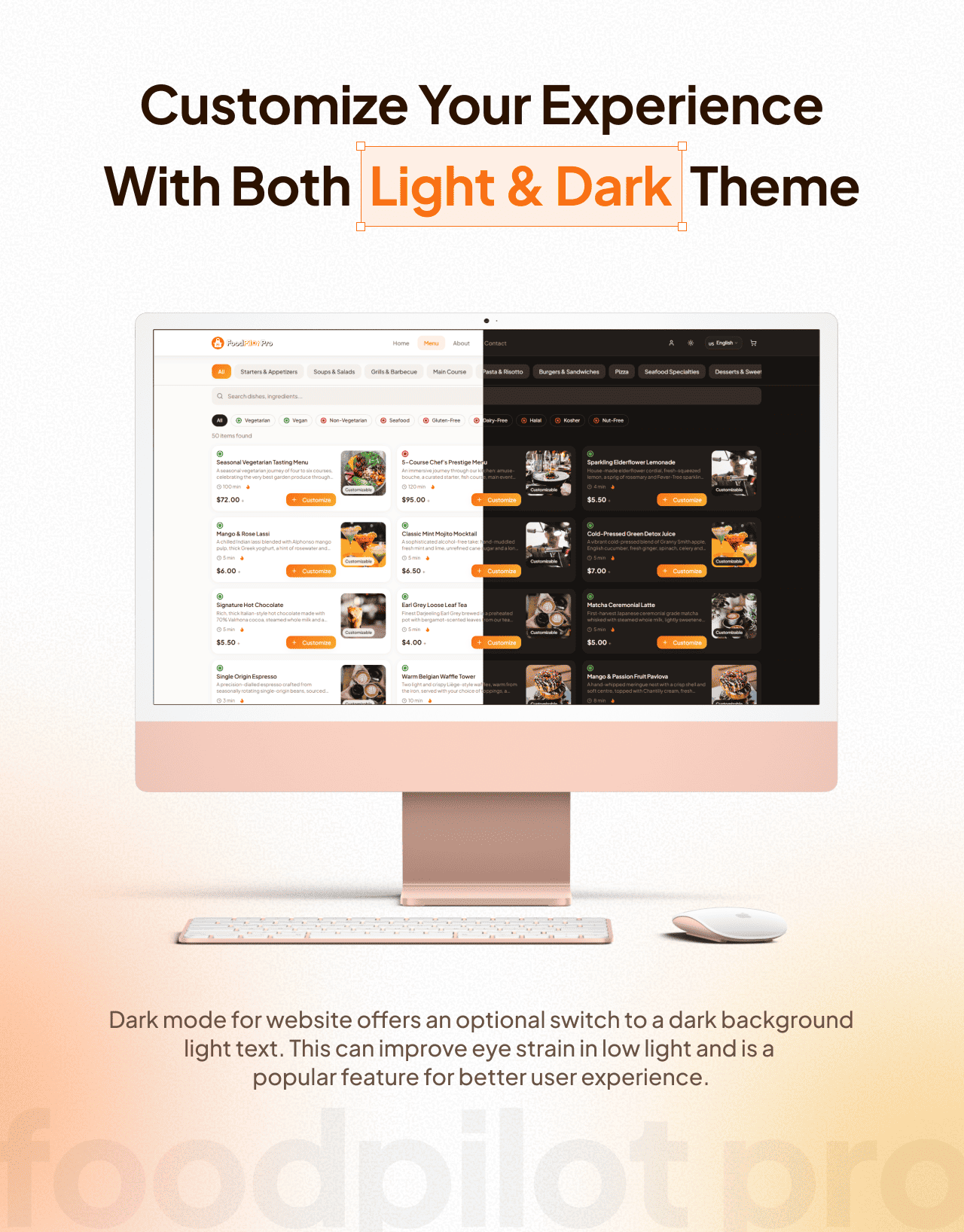
A modern, SEO-friendly restaurant website built on Next.js 16, React and Tailwind CSS — not a jQuery theme from 2016.
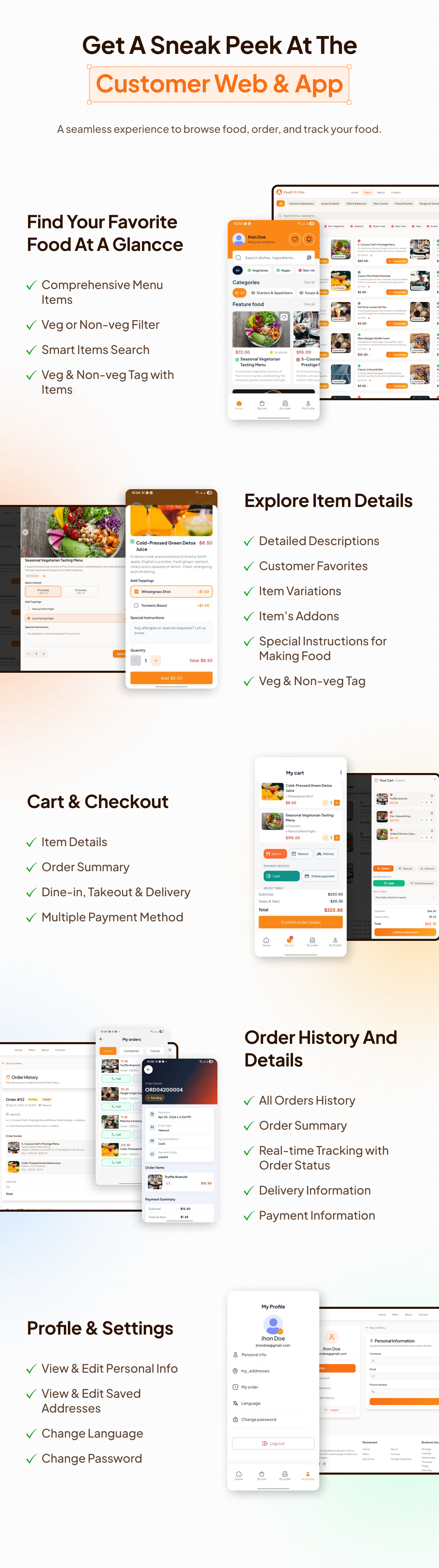
- Browse the menu by category, food type and tag
- Cart, checkout and online payment
- Online food ordering with live order tracking
- Online table reservations
- Customer accounts with saved addresses, order history and reservation history
- About and contact pages with an enquiry form that reaches the admin panel
- Fully responsive from phone to desktop
Restaurant Mobile App (Flutter)
- One Flutter codebase compiled for Android and iOS
- Menu browsing with variant and add-on customisation, cart and checkout
- Food order placement, live status tracking and order history
- Table reservations from the phone
- Multiple saved delivery addresses
- Registration, login, password reset and profile management
Restaurant Reports & Sales Analytics
- Order overview report — volume, status breakdown and revenue
- Payment overview report — collections by gateway and method
- Menu item sales report — your best and worst sellers, in numbers
- User overview report — customer and staff activity
- Every report exports to PDF
- Dashboard with live stats for at-a-glance daily performance
️ Staff Management, Roles & Permissions
- Unlimited staff users with granular role and permission control
- Give a cashier the POS and nothing else; give a manager the reports; keep settings to yourself
- Activity log recording changes across the system
- In-app notification centre for the admin team
- Separate customer, staff and delivery rider account types
Multi-Language Restaurant Software (12 Languages)
FoodPilot ships translated into 12 languages: English, Spanish, French, German, Italian, Portuguese, Dutch, Russian, Chinese, Japanese, Hindi and Bengali.
- Built-in language manager — add, edit and sync translation keys from the admin panel
- Add your own language without touching a file on the server
- Language switching on the admin panel, website and mobile app
⚙️ Settings & Customisation
- General settings — restaurant name, contact details, currency, timezone
- Brand settings — logo, favicon and colours
- Invoice settings — customise what prints on receipts and PDFs
- Payment and payment gateway configuration
- QR code appearance settings
- Notification settings
- Website settings and storefront content management
Who Is FoodPilot For?
FoodPilot suits any single-location food business that takes orders at a counter, at a table, or online:
- Restaurants and fine-dining venues
- Cafés and coffee shops
- Fast food outlets, burger and pizza shops
- Bars, pubs and lounges
- Bakeries and dessert shops
- Cloud kitchens and ghost kitchens
- Food trucks and takeaway counters
- Hotel restaurants and canteens
- Developers and agencies building a restaurant system for a client
Payment Gateways
Built-in support for Cash on Delivery, Stripe, PayPal, Razorpay and Paymob — enable and configure each from the admin panel.
Please note: external payment gateways are third-party services. They may incur transaction fees or require separate accounts and subscriptions. You must create your own accounts with these providers and review their pricing before going live. These services are not included in the item price.
Tech Stack
- Backend: Laravel 12, Livewire 4, PHP 8.2+
- Food Ordering Website: Next.js 16, React 18, Tailwind CSS
- Mobile Apps: Flutter (Dart SDK 3.10+), Android & iOS
- Database: MySQL
- API: Clean REST API powering the website, customer app and rider app
- Full source code included for all four applications
⚙️ System Requirements
- PHP: 8.2 or higher (8.3+ recommended)
- MySQL: 5.7 or higher
- Required PHP Extensions:
- MySQLi
- PDO
- cURL
- ZIP
- MBString
- GD
- To build the mobile apps: Flutter SDK 3.10 or higher
Installation Guide
FoodPilot ships with a browser-based installer — no terminal or SSH access required.
- Download the script and upload the ZIP file to your server.
- Extract the ZIP file into your desired directory.
- Set your server PHP version to 8.2+.
- Configure file permissions:
index.phpand.htaccess: 644storageandbootstrap/cache: 775 (recommended)
- Create a MySQL database via cPanel or phpMyAdmin.
- Run the installer in your browser:
https://yourdomain.com/install - Provide the required details and complete setup.
Your restaurant management system is now live!
Step-by-step documentation for the backend, website and both mobile apps is available at documentation.foodpilotpro.xyz.
❓ Frequently Asked Questions
Is FoodPilot a multi-restaurant or SaaS system?
No. FoodPilot is purpose-built for a single restaurant. Every screen, report and workflow is designed for one venue rather than a marketplace, which keeps the system fast and simple for your staff to learn.
Do I have to pay a monthly fee?
No. You buy the source code once and host it yourself. There are no recurring licence fees and no commission on your orders.
Are the mobile app source codes included?
Yes. Full Flutter source code for both the customer app and the delivery rider app is included, along with the Laravel backend and the Next.js website.
Can I publish the apps to Google Play and the App Store?
Yes. Both Flutter apps build for Android and iOS and can be published under your own developer accounts.
Do customers need an app to order from a QR code?
No. Scanning a table QR code opens the menu in the phone’s browser. Guests order without installing anything.
Can I run the POS without an internet connection?
No. FoodPilot is a web-based system and requires an internet connection to reach your server.
Does it support my language and currency?
FoodPilot ships with 12 languages and a built-in language manager, so you can add any language yourself. Currency is configurable from the general settings.
Can I add my own payment gateway?
Yes. Full source code is included, so any additional gateway can be integrated. We also offer paid customisation.
Do I need coding skills to install it?
No. The browser-based installer handles setup. If you would rather not do it yourself, we offer installation support.
Support & Customization
If you need custom features, integrations, or modifications, feel free to reach out. We provide fast, reliable, and professional support.
Email: axifylabs@gmail.com
Note: Clear requirements and documentation will help avoid repeated changes and ensure faster delivery.
⭐ If you like this product, please consider giving it a 5-star rating. Your support motivates us to keep improving!
$39 |
Download |
0 average based on 1 ratings.

| Last Update | 2026-08-12 |
| Created | 2026-06-20 |
| Sales | 28 |
| Discussion | Comments |
| Software Version | Flutter 3.x |
| Files Included | Dart YAML JavaScript JSON .kotlin JavaScript JS CSS PHP HTML |
| Video Preview Resolution |


