Flutwell | Flutter Web To App Builder With Laravel Admin Panel


Shipping a new build is reserved for the handful of things Android and iOS read at install time — the package name, the launcher icon, the permissions, the signing key. Everything else is a publish, not a release.
AI Usage Disclosure
This item includes AI-powered features. Both are optional, both are switched off until you supply your own provider key, and the rest of the product works fully without them. To enable either one you must create your own account with an AI provider and supply your own API key; the key is stored on your server and is never shipped inside the app. No AI provider account, credit or usage allowance is included in this purchase.
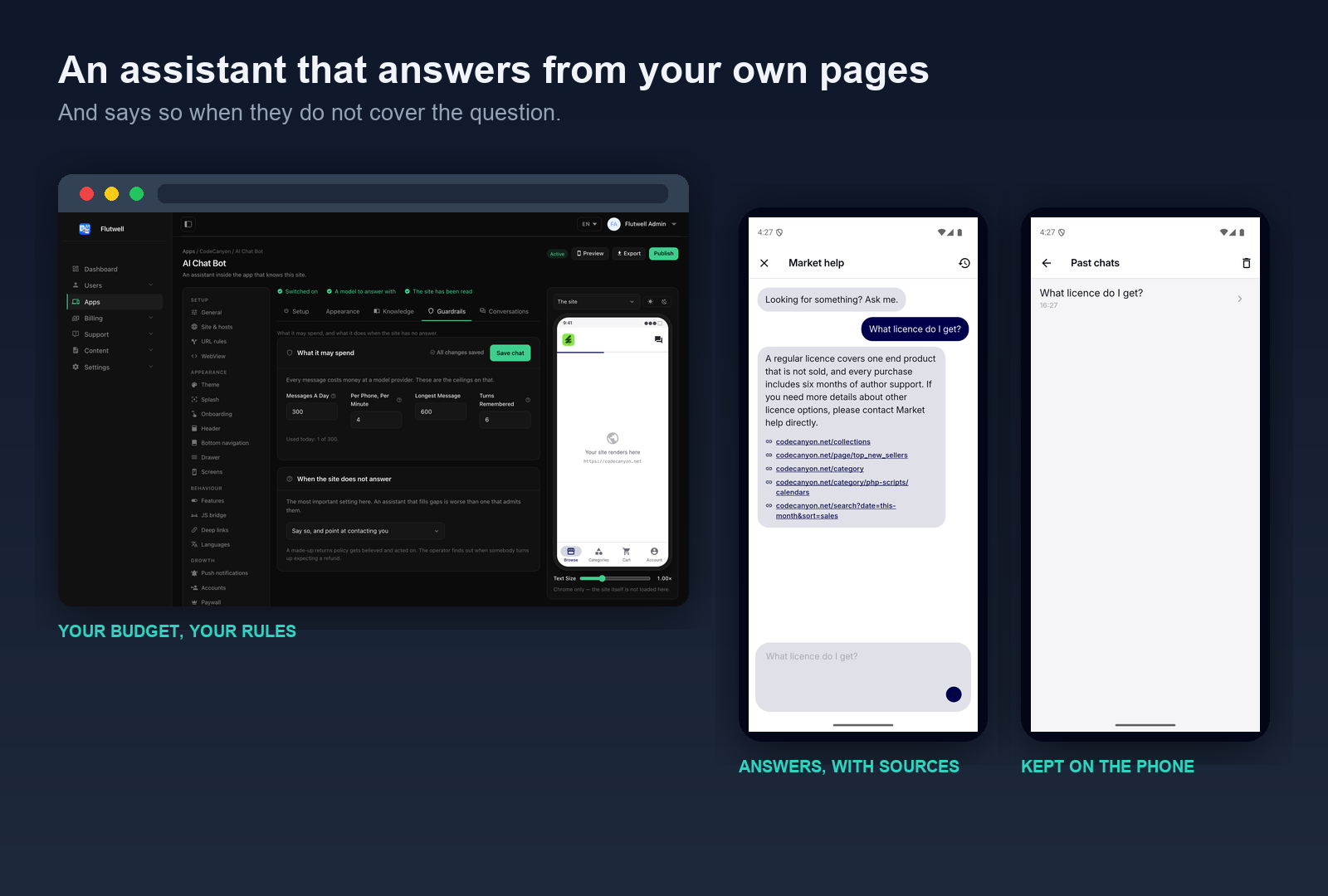
- AI site assistant (runs in the app): an in-app chatbot that answers a visitor’s questions from the pages of your own website, replying in the visitor’s own language, with tappable links to the pages it used. Answers are generated by a third-party AI model: they are approximate, may be incomplete or incorrect, and should not be relied upon as professional advice. Asked something your site does not cover, it says so by default.
- AI website-to-app builder (runs in the admin panel): reads a website you give it and proposes a starting configuration — theme, tabs, drawer, URL rules and copy. Every field it returns is checked against what was actually crawled, and anything unverifiable is dropped with a reason shown to you. Nothing it proposes reaches a handset until a person reviews it and presses publish.
Providers: you choose one of six — Google Gemini (the default), OpenAI, Anthropic, Groq, Mistral, or a self-hosted Ollama. Requests are sent from your own server to the provider you select, under that provider’s own terms and pricing.
About the item itself: the source code, the documentation and the design of this item were written and are maintained by our team and are not AI-generated. AI is used only at runtime, by the two optional features described above, and only after you have enabled them.
What it is not
It is not a wrapper that loads a URL in a WebView. That is a store rejection under Apple’s guideline 4.2, and rightly so. What survives review — and what this gives you — is the native layer around the page: bottom tabs with independent history, a drawer, a configurable header, an allow-listed JavaScript bridge, native settings and error screens, downloads, biometric lock, push, deep links, subscriptions, and an optional AI assistant that answers from your own pages.
Key Value Propositions
- For app owners: change your app’s colours, tabs, menus, URL routing, paywall and copy from a web panel, and have the change reach phones that already have it installed. No rebuild, no store review, no waiting.
- For agencies: one Flutter codebase, unlimited apps. Each app has its own key, configuration and release history. Duplicate a configured app to start the next client from your house style, then brand the build with one command.
- For developers: a complete, documented product with a versioned publish pipeline, rollback, a live preview, a URL rule engine that is verified identical on client and server, 12 languages, and full source for both repositories.
Disclaimer
This app is built to work with the included Laravel admin panel (database, API and configuration delivery), which you host. The following third-party services are optional and not included in the purchase: an AI provider (builder and assistant), Firebase or OneSignal (push notifications), RevenueCat (subscriptions), and Google AdMob (advertising). You will need to create your own accounts, configure your own keys, and manage hosting and usage costs yourself. Basic familiarity with Laravel, Flutter and mobile store setup is recommended before launching.
Admin Panel Demo
Try the live Laravel admin panel:
https://webtoapp.laravelbeginner.net/en/dashboard
| Administrator | admin@flutwell.test |
| Editor | editor@flutwell.test |
| Viewer | viewer@flutwell.test |
Password for all three: password123456
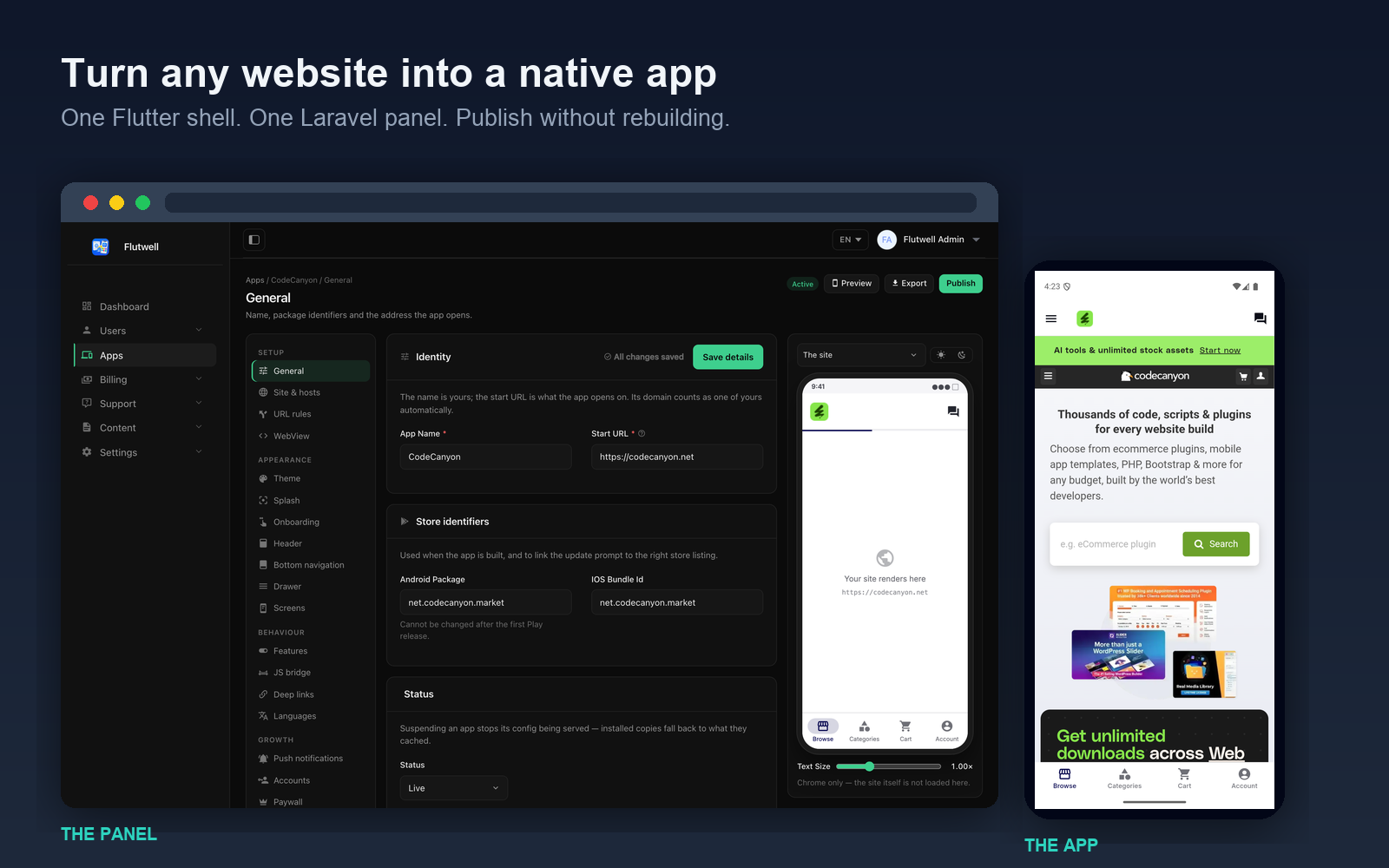
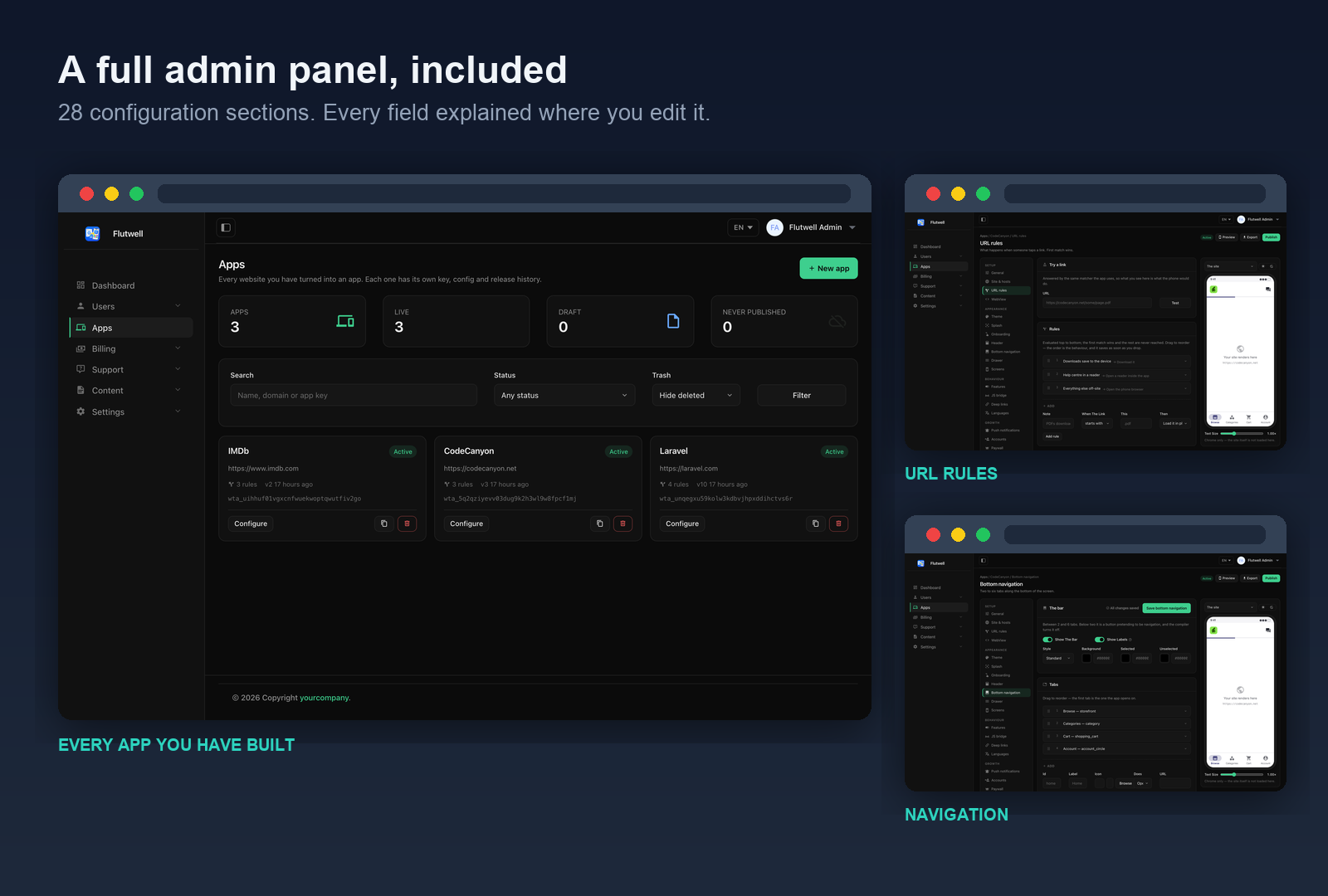
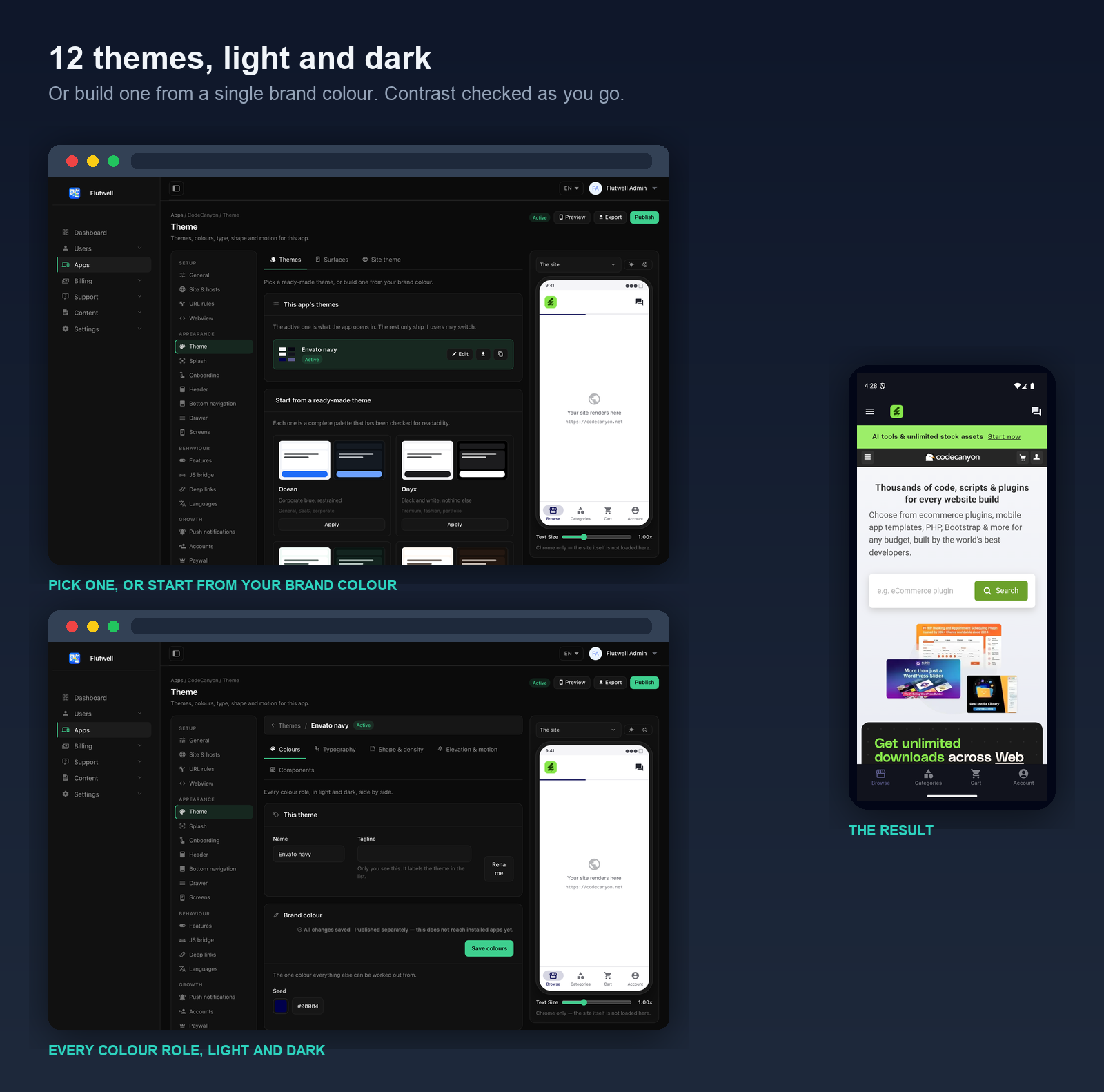
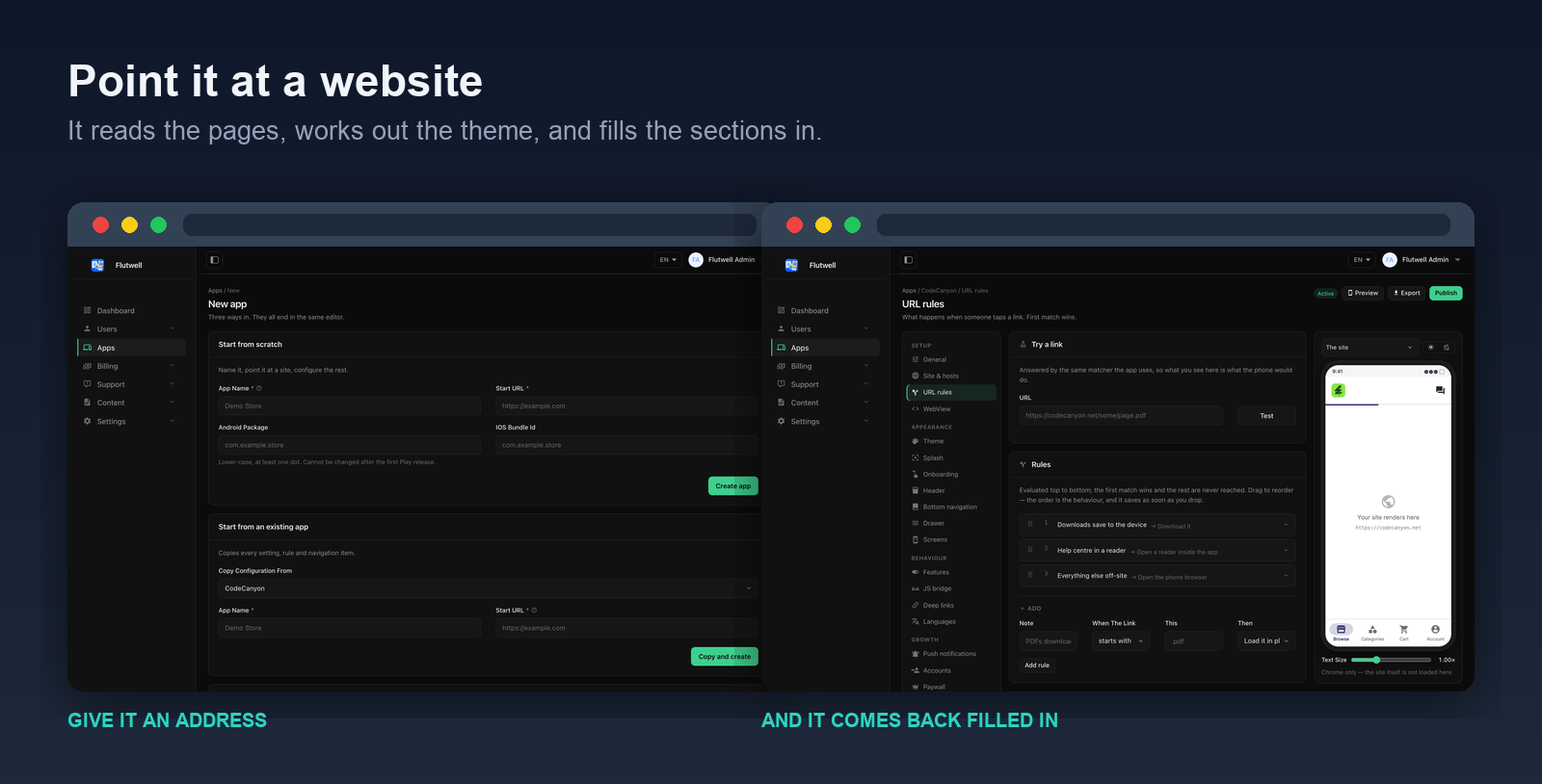
What’s Included
- Full Flutter application source code (iOS & Android)
- Full Laravel admin panel source code — the app builder, the configuration API, the AI builder and the assistant backend
- Complete database schema as migrations — no SQL dump to import
- A seeder that builds three fully configured demo apps
- 12 built-in themes, each with 44 colour tokens in light and dark
- 4 paywall layouts and 4 onboarding layouts
- 12-language localisation (ar, de, en, es, fr, it, ja, ko, pt, ru, tr, zh), right-to-left supported
brand.dart— one command turns the shell into one customer’s app: package name, icon, permissions, deep links, AdMob ids- Complete documentation: 101 sections covering every panel screen, the app, setup, integrations, the configuration reference and both store release checklists
Key Features
Everything below is edited in the admin panel and reaches installed apps with a publish — no rebuild, no store review.
Where the app points
- Start URL & allowed hosts — which domains count as “yours” and open inside the app. Everything else is treated as somebody else’s site.
- URL rules — 7 match types × 12 actions, evaluated top to bottom, first match wins. Open a PDF as a download, a checkout in the in-app browser, a phone number in the dialler. The panel has a rule tester that runs the same matching as the app.
- WebView — cookies, user agent, caching, mixed content, zoom and autoplay. Inject your own CSS or JavaScript into every page to hide the site’s own header, cookie banner or “download our app” prompt.
What people see
- Theme — 12 built-in themes, or paste one brand colour and it derives a complete design: 44 colour tokens in light and dark, checked for WCAG contrast. Eight tabs cover colours, typography, shape, surfaces, elevation, motion, components and what the website inside the app is told about the theme.
- Splash — your logo on your colour while the app starts, as a solid, a gradient, an image, a Lottie animation or a GIF.
- Onboarding — an optional walkthrough shown once before the site loads, with four layouts and four page-indicator styles.
- Header — solid, glass, transparent or gradient; the title from the page, your own words, or a logo; plus buttons on the right.
- Bottom navigation — 2 to 6 tabs, each with its own independent history stack, an icon, a label and an optional badge. This is the single change that most makes a wrapped site read as an app.
- Drawer — a side menu for everything that matters but does not deserve a tab.
- Screens — the wording of the offline, error and settings screens the app draws itself, plus settings rows you add yourself.
What the app can do
- Native capabilities — downloads with a progress notification, file upload, camera, QR scanner, geolocation, biometric lock, share, print, text-to-speech, keep-awake and screenshot blocking. All off by default; the permissions written into the build follow exactly what you switched on.
- JavaScript bridge — 21 allow-listed commands your website can call: set a tab badge, open the share sheet, scan a QR code, show the paywall, record an event. A command you did not tick is undefined, so feature detection works.
- Deep links — a custom scheme and universal / App Links, so an address in an e-mail opens the app when it is installed and the website when it is not.
- Languages — 93 strings in 12 languages (ar, de, en, es, fr, it, ja, ko, pt, ru, tr, zh), each one overridable per app and per language. Arabic mirrors the whole interface, not just the text.
Reaching people and getting paid
- Push notifications — Firebase or OneSignal, with control over when the permission is asked for: on launch, after onboarding, after a number of sessions, or on demand. Write and send one from the panel and see what was delivered.
- Accounts — optional native sign-in with anonymous, e-mail, Google, Apple and Facebook. Four modes from “off” to “required”, plus per-URL and per-tab gates so a public site stays public.
- Paywall & subscriptions — RevenueCat, 4 paywall layouts, 7 triggers, soft or hard gating, and frequency caps so it does not appear too often.
- Ads — AdMob banners, interstitials, app-open and rewarded, with Google’s UMP consent flow and automatic hiding for subscribers.
- Rating prompt — ask for a store review only after a number of launches and a number of days.
- Analytics — automatic page views plus your own events raised through the bridge.
AI, both optional
- AI website-to-app builder — paste a URL and it reads the site, measures the brand colour from its own logo, and fills in the theme, tabs, drawer, URL rules and copy. Every field is checked against what was actually crawled, and anything unverifiable is dropped with a reason shown to you.
- AI site assistant — an in-app chatbot that has read your website and answers from it, with tappable links to the pages it used. Add your own notes for facts no page states. Per-device rate limits, a daily budget cap, and a log of what people asked that your site could not answer.
Running it after launch
- Publishing & versions — every publish is an immutable numbered snapshot with a diff against what is live. Rollback republishes an old payload forward under a new number, so history stays a straight line.
- Live preview — see the configuration drawn as a phone would draw it, beside every screen you edit.
- Maintenance mode — take the app down with a message you write, without a release.
- Update gate — set the oldest build still allowed to run, with a store link, and force it when you have to.
- Config delivery — remote, cached, bundled or defaults, tried in that order. A bad publish cannot brick an installed app: the worst case is that it keeps running the last good configuration.
- Import, export & duplicate — move a configuration between apps or installations, commit it to source control, or copy a configured app to start the next one.
- One-command branding —
brand.dartreads the same configuration the app reads and writes the package name, launcher icon, permissions, deep link scheme and AdMob ids into the build. Re-runnable, and reversible.
We are actively improving this product. Feel free to send feature requests via the marketplace messaging system — together we can make an awesome product.
Important Notice to Our Valued Customers
We are committed to building a reliable and continuous business system, with your satisfaction and the success of this product as our top priorities. Your feedback is crucial, and we encourage you to share any bugs, suggestions, or new feature ideas. Your input directly supports our ongoing improvement and innovation. We’re here to help — feel free to contact us anytime via the marketplace messaging system.Thank you for being part of our journey.
Warm regards,
The Morningstarcode Team
$39 |
Download |
0 average based on 0 ratings.

| Last Update | 2026-09-05 |
| Created | 2026-09-05 |
| Sales | 0 |
| Discussion | Comments |
| Software Version | Flutter 3.x |
| Files Included | Dart YAML Layered PNG |
| Video Preview Resolution |


