Flashora | Flutter AI Flashcards App Template
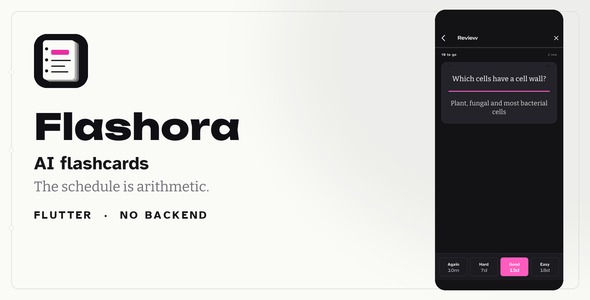

The schedule is arithmetic. The model only writes the cards.
Flashora decides when every card comes back with SM-2 — the spaced repetition algorithm published for SuperMemo 2 and the ancestor of most schedulers in use today — running in plain Dart on the device. Grade a card and the next date follows from its ease factor and its last interval. Run it twice and you get the same answer, which is why the bundled tests can assert on a schedule.

An AI provider is asked to do exactly one thing: draft card text from a block of the user’s notes, or from a photograph of a page. It is never asked when a card is due, never asked to grade an answer, and never asked what the user knows. Turn every provider off and you lose drafting; reviewing, scheduling, the statistics and the whole library keep working.
Runs out of the box
Demo Instructions — the sign-in screen is a mock and contacts no server, so any credentials are accepted. Use demo@flashora.app / demo1234, or simply tap Sign in with both fields left empty. There is no account to register, no API key to enter and no network required: Demo mode is on out of the box, so every screen — including card drafting — works on the device. Onboarding has a Skip in the corner.

It runs before you type anything. Open it, study the sample library that is already there, and draft cards from your own notes — all four of those work on a fresh install with no key and no connection. A key is the fourth step, not the first.
AI disclosure
This template includes AI features, and this is what they do. At run time a model is asked for one thing only: to draft the front and back text of flashcards from material the user supplies — typed notes, or a photograph of a page they take themselves. Every draft lands in a review list where the user accepts, edits or discards it one at a time; nothing a model writes becomes a card without that step. Who provides it and who pays: you bring your own API key from Google, OpenAI or Anthropic and are billed by that vendor directly; this item includes no key, no credits and no proxy, and makes no charge of its own. Without a key: the app is fully usable — Demo mode drafts cards from the user’s notes on the device with no network call at all, and reviewing, the SM-2 scheduler, the statistics, manual card writing and backup never involve a model under any configuration. The assets in this package are not AI-generated: there are no photographs, no illustrations and no image files of any kind — every mark, card, shelf and chart is painted by a CustomPainter at run time — and the sample decks, the documentation and all source code were written by the author.
What it takes to run
No backend. No Firebase. No account anywhere. The app ships with three sample decks, fifty cards and ninety days of review history, so the first screen has something on it, and while that sample is loaded the app pins “today” to the sample’s own date — which is why the screenshots, the live preview and the tests all agree with each other.
flutter pub get flutter run
That is the whole setup. The project sits at the root of the archive; there is no wrapper folder to step into.
Answer, then say how it went

The answer grows out of the card under a stroke of highlighter rather than flipping it away, so the prompt is still there when the user checks their recall against it. Then four grade buttons, each printing the interval it would produce before it is pressed. Most apps hide that number and the scheduler ends up feeling arbitrary; showing it costs nothing, because the scheduler is a pure function and asking it four hypothetical questions is free.
The schedule is arithmetic

SM-2 in plain Dart, on the device, with no clock of its own. A card graded Good every time follows 1, 6, 15, 38, 95, 238 days — and that sequence is pinned by a test, not asserted by a sentence in a description. Every card carries an ease factor that starts at 2.5 and moves by the published formula after each answer, with a floor at 1.3. New cards go through short learning steps first; Hard and Easy get their own multipliers so that four buttons really do mean four things.
Paste a page. Keep what is worth keeping.

Notes, or a photograph of one. The drafts come back as a list to triage: edit, discard, undo a discard, then add the survivors in one press. Nothing lands in a deck unread — which matters more here than in most AI features, because a wrong card is a wrong fact the user will then rehearse for a year. Cards drafted this way stay marked as drafted.
You can read exactly what gets sent

One panel on the drafting screen opens the literal text of the request, with the notes already in it. Not a description of the prompt, not a redacted version — the string the app is about to post. Three providers, bring your own key, plain REST with no vendor SDKs. The key stays in the device’s encrypted store and is sent to nobody else.
Where a deck stands

Five compartments per deck, holding the edges of the cards filed in each, with the one that has cards waiting outlined in the highlighter. Six decks on one screen, and the shape of each stack says “this deck is new”, “this deck is mature”, “this one has a pile-up at the front” without a single number. It is a picture of the interval, not a second scheduler — SM-2 alone decides when a card comes back.
The deck fades as you forget it

Every card in a deck is drawn at the ink density of its estimated retention, sorted faintest first. A card slipping out of memory is literally harder to read — the list shows you the problem instead of naming it. The estimate is the classic forgetting curve, anchored so a card reads 90 percent on the day it comes due. It is labelled an estimate everywhere it appears, it is not personalised, and it schedules nothing.
Where the library lives
In the phone’s encrypted store — Keychain on iOS, EncryptedSharedPreferences on Android — through one class you can replace. There is no account, no sync, no analytics and no server belonging to this template. Settings has a button that copies the whole library to the clipboard as JSON and a restore that reads it back, and a button that deletes everything.
A buildable app, not a mockup

- 15 screens, light and dark, all wired up — no placeholders
- 4 grade buttons, each with a different interval
- 5 shelf rungs, from Learning to Long term
- 3 AI providers, plus an offline demo mode
- 5 dependencies, no vendor SDKs
- 128 tests, and
flutter analyzeruns clean - 18 chapters of offline documentation, with two GIFs of the interactions in motion
- 0 lines of backend to deploy
What is not included
- No notifications of any kind. There is no push and no local-notification dependency to configure. Cards that are due are shown as a count on the Study tab; a reminder that arrives on the lock screen is your work, and the documentation says where it would go.
- No backend and no admin panel. Sign-in and the paywall are mocks with the seams drawn for you; wiring your own API and your own store products is your work.
- No Anki import. Reading an
.apkgfile means a SQLite database inside a zip, and that is a feature rather than a detail. Import and export are JSON, in the app’s own schema. - No deck sharing and no community decks. Both need a server, and this template does not have one.
- Card faces are text. A card carries a front, a back and an optional hint. A photograph is an input to drafting; it is not stored on the card and never becomes the front or back of one.
- No payment code. Receipt validation needs a server and cannot be pre-built.
SubscriptionService.purchase()is the one seam to replace. Three gates are really enforced — the daily drafting allowance, three decks, and a hundred cards per deck; anything else you gate is your work. - No Figma file. Every screen is Flutter.
- The library does not sync between devices. That is the point of the design, and the app says so in its own About screen — which also says, in as many words, that nobody can restore a lost library for you.
Requirements
- Flutter SDK 3.29 or newer, Dart 3.7+
- Android Studio or VS Code
- Android and iOS. A web build works and is what the live preview is made from.
- An API key from Google Gemini, OpenAI or Anthropic — optional, and free to skip: demo mode needs none.
Important
Cards drafted by a model are a first pass, not a checked source. A model can misread a word on a photograph or phrase an answer more confidently than the material supports, which is why every draft goes through a review step before it becomes a card. The retention figures are estimates produced by a standard forgetting curve, not a measurement of what anybody remembers.
The AI features are produced by a third-party provider the user supplies their own key for. Connecting this template to a live service such as Google Gemini, OpenAI or Anthropic will involve those third-party services, which will incur their own separate costs, not included in the price of this item. Free tiers and prices are set by each vendor and can change without notice. Demo mode makes no network calls.
Support
Questions about setting the template up, connecting a provider or re-skinning it are answered through this item’s comments page. Item support covers this template; it does not cover a provider’s own account, quota or billing.
Changelog
v1.0 — first release.
0 average based on 0 ratings.

| Last Update | 2026-09-05 |
| Created | 2026-09-05 |
| Sales | 0 |
| Discussion | Comments |
| Software Version | Flutter 3.x |
| Files Included | Dart YAML JavaScript JSON .kotlin .swift |
| Video Preview Resolution |


