HR Employer Task Management Software


What is Employer Task Management Software?
Employer Task Management Software – for Managing Task for your all Employees and Self.
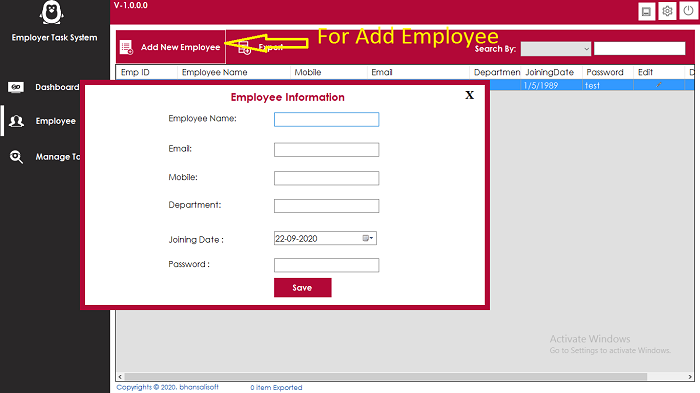
- Software will manage All Employee information
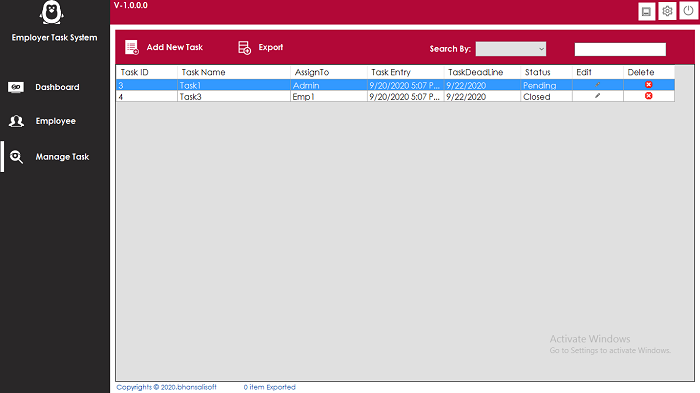
- Software will manage Task assign to specif Employee
- Software Will manage Task Status – Pending, InProgress, Closed
- Software Support Export all Task Data into Excel format
Requirement
Microsoft Excel must be installGetting Started
After Registration Licence , Start Software, software start with below screen
-
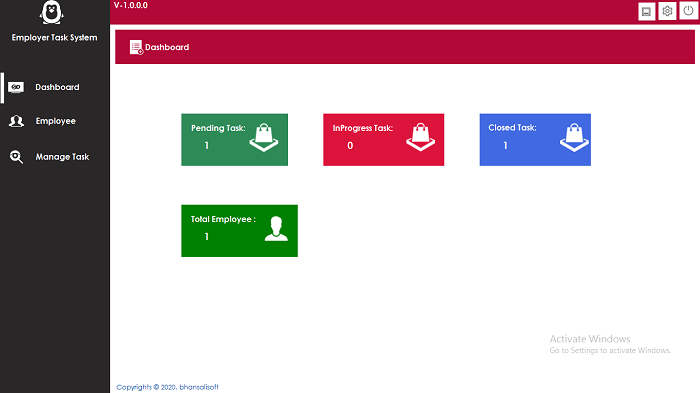
After Login , Dashboard Screen will show with Current Statistics
- Pending Task Count
- InProgess Task Count
- Closed Task Count
- Employee Count
-

Installation Process
- You will Recieve only Software- Single Licence. Code is not Included
- Refund Not possible, once licence activate so you can check demo video and then purchase
- If have any Question Email me at bhansalisoft781986@gmail.com
- After Purchase Evanto Purchase code is Licence code
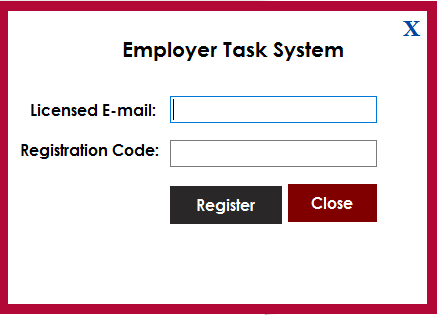
You can check what is Purchase Code from this link : https://help.market.envato.com/hc/en-us/articles/202822600-Where-Is-My-Purchase-Code- - Please Unzip Main File and Run EmployerTaskManagement.exe and Register your Licence as per below Screen.
- Licence Email : Registered Email.
- Registration Code : Evanto Purchase Code.
- After Registration you can Use Software.
0 average based on 0 ratings.
| Last Update | 2026-06-17 |
| Created | 2020-09-24 |
| Sales | 2 |
| Discussion | Comments |
| Application Runtime | .NET 4 |
| High Resolution | No |
| Compatible OS Versions | Windows 10 Windows 8 Metro Windows 8 Desktop Windows 7 Windows Vista Windows XP |
| Video Preview Resolution |
Search plugins
Browse Categories


