Ekattor Student Assignment Addon


Introduction
This add-on provides your school teachers to create assignments online.Teachers digitally put their assignment questions or home works using this add-on inside your school’s Ekattor portal, and students can answer the assignments from their home. Teachers can review the submitted answers from students and give marks for them.
How it works
- Ekattor school ERP should be pre-installed in your server
- Purchase assignment add-on for Ekattor ERP from Codecanyon
- Download and install the add-on to your Ekattor ERP application
- Login to Ekattor School Erp as a teacher
- Create assignments for a specific class and subject
- Create questions for that assignment
- Set a due date for the submission of the assignment
- Now publish the assignment for the students
- Once the assignment is published, the students will see it on their portal
- Students will be able to submit their answers till the due date
- Observe the answers of the students after passed the due date of assignment submission, and give marks
- Students will be able to view the results of their assignments from their portal
Demo
https://demo.creativeitem.com/verify/student-assignmentScreenshots
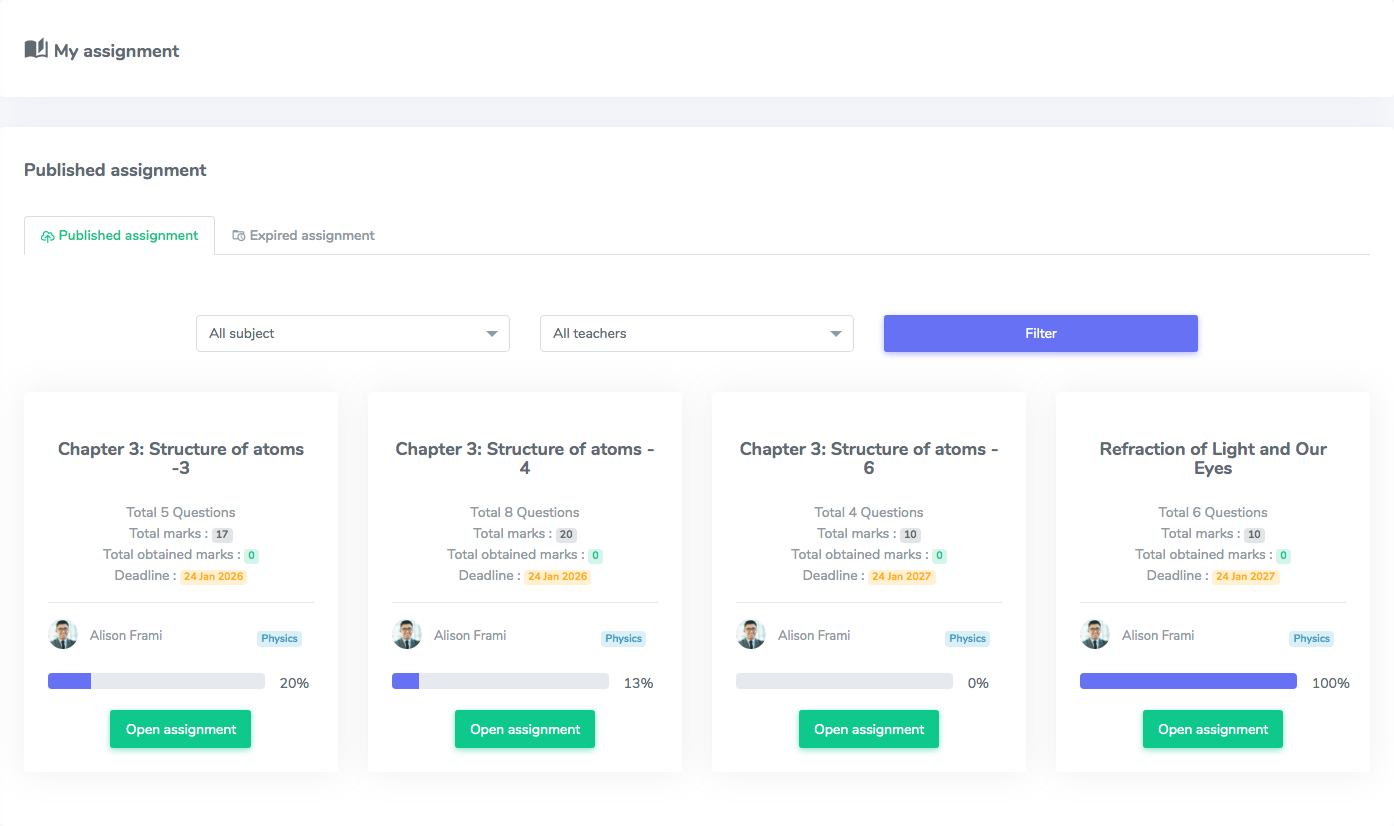
Student panel: Assignment listing page. Filterable by subject and teacher
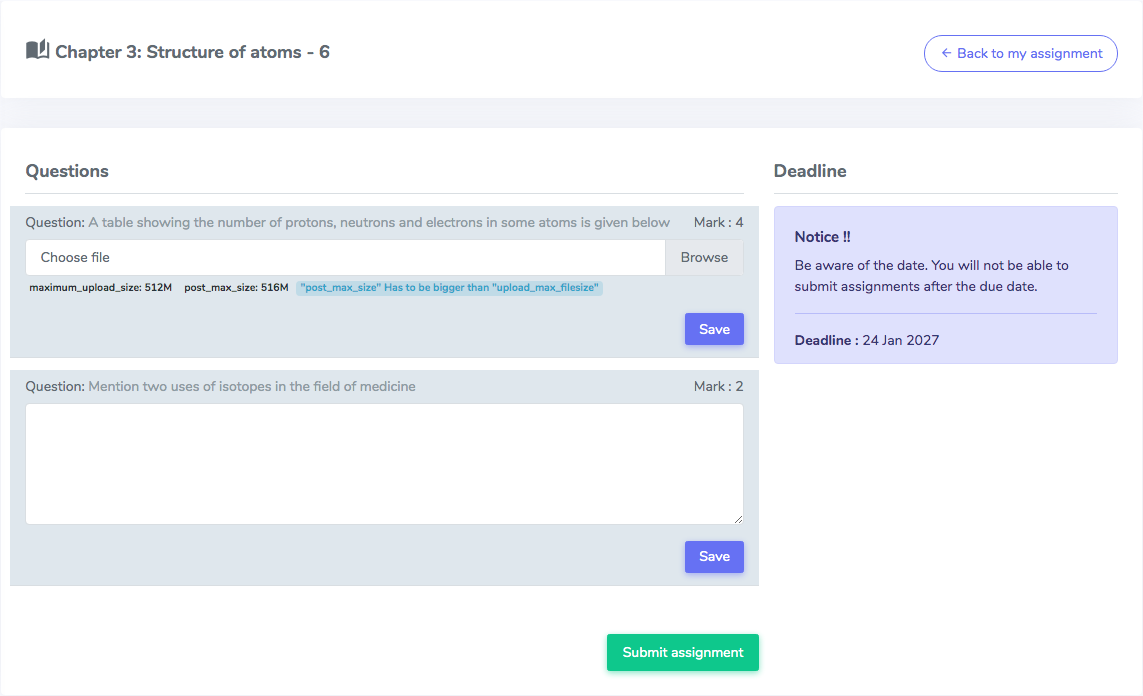
Student panel: Answers submission page. Students submit their answers from here
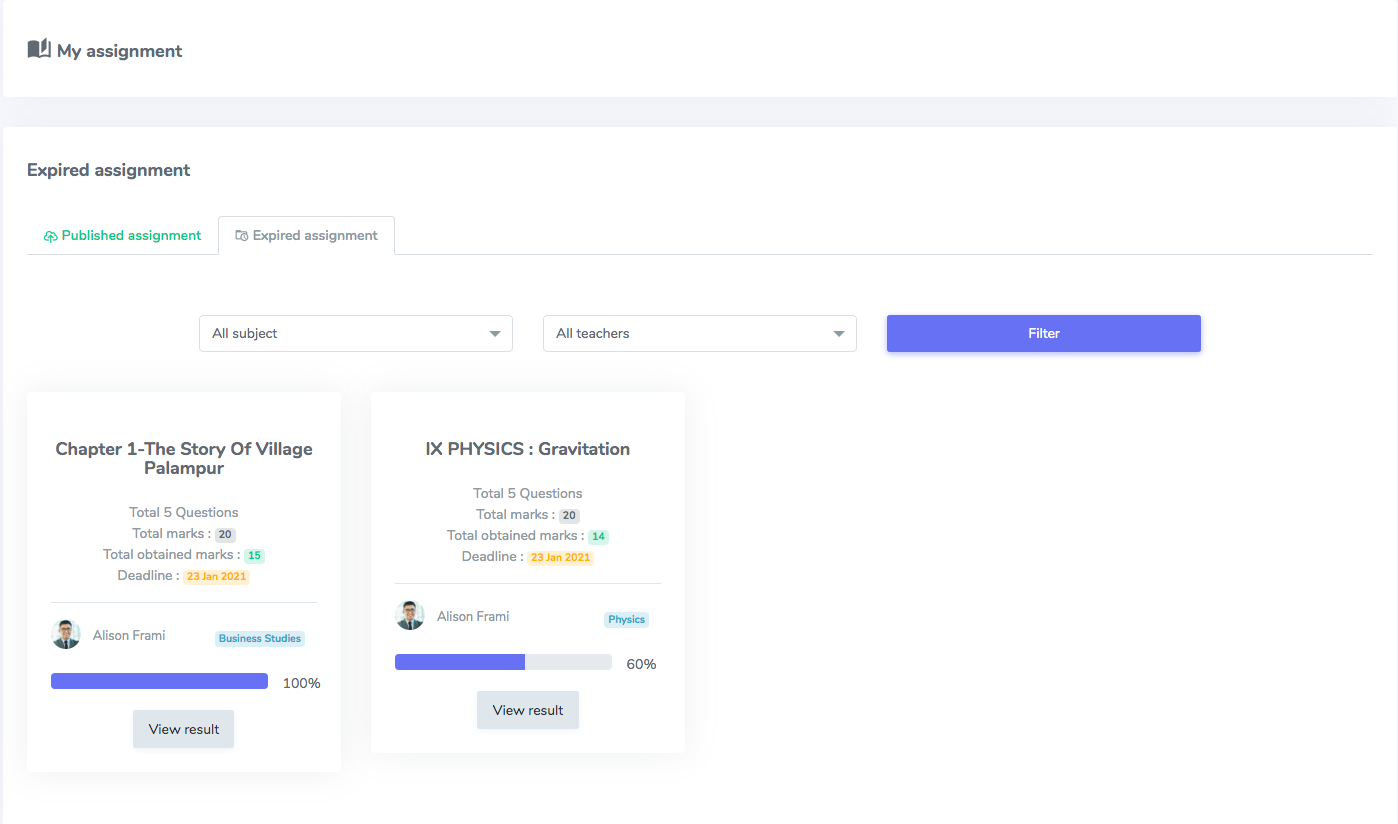
Student panel: Assignment listing page. Students will see the results of assignments here.
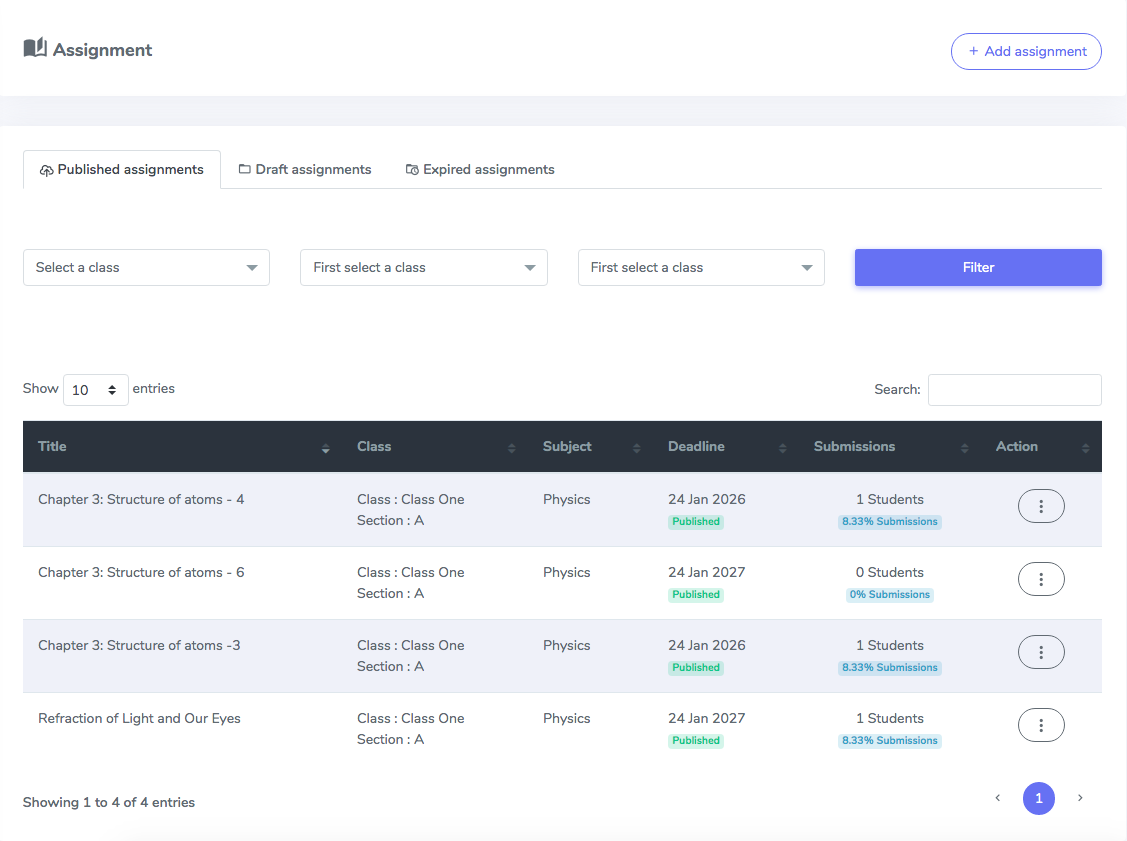
Teacher panel: Assignment listing page. All published assignments for students.
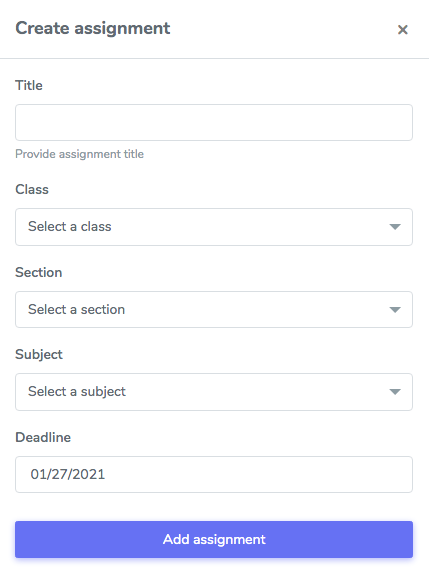
Teacher panel: Assignment creation form. The teacher creates the assignment from here.
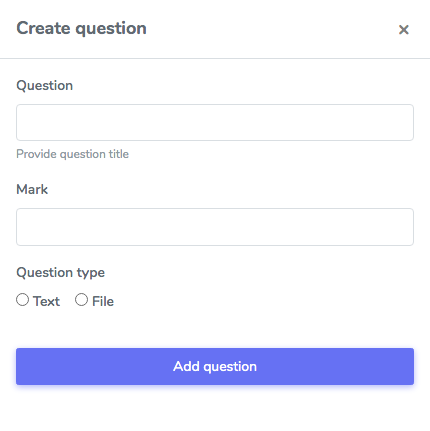
Teacher panel: Question creation form. Adds the question of assignment here.
Requirements :
- Ekattor School Erp pre-installed in your web server.
- Download Ekattor here – https://1.envato.market/1M4Wz
Support
Send us a ticket for presale questions and getting after sales developer support via Zendesk. http://support.creativeitem.com
Search plugins
Browse Categories


