EasyUI Datagrid Region Select
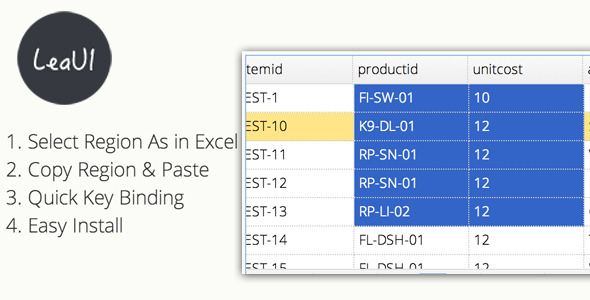

This is a EasyUI datagrid plugin called “EasyUI Datagrid Region Select”. You can use it to select datagrid and copy the selected region like Excel.

Features
- Select Region As in Excel: Select the region when you move mouse, and you can use “Shift” to select region quickly.
- Copy Region: You can copy the selected region via “ctrl + c” and paste it on anywhere you want.
- Quick Key Binding: You can use “Down”, “Up”, “Left”, “Right” key move selected region and locate datagrid.
- Easy Install: Just upload the plugin js file to your host and update datagrid configuration.
- Source Code: Nothing is hidden.
Installation
- Upload easyui.region.select.min.js, easyui.region.select.css to your host
- import easyui.region.select.min.js, easyui.region.select.css in your html(php…) file
- Use this plugin like.
$('#table').datagrid({ width: 700, height: 220, url: 'datagrid_data1.json', checkOnSelect: false, singleSelect: true, pagination: true, columns:[[ {field:'itemid',title:'itemid',width:100}, {field:'productid',title:'productid',width:100}, {field:'status5',title:'status4',width:100} ]] }).datagrid('regionSelect'); });The key point is: `datagrid(‘regionSelect’)`
0 average based on 0 ratings.

Search plugins
Browse Categories


