Easy LMS - Library Management System

Easy LMS – Library Management System we provide is developed as a reasource planning system for any type of library. It’s basically made to track records of books owned, issued, lost, fine to be collected etc . It’s a web based system which will help you manage everything associated with a library in a more effecient way.
Issuing a book to a member is just a matter of a click. There are configurations for day limit to keep a book, managing fine system and managing lost books. Easy LMS will be an efficient and intelligent companion for managing your library.
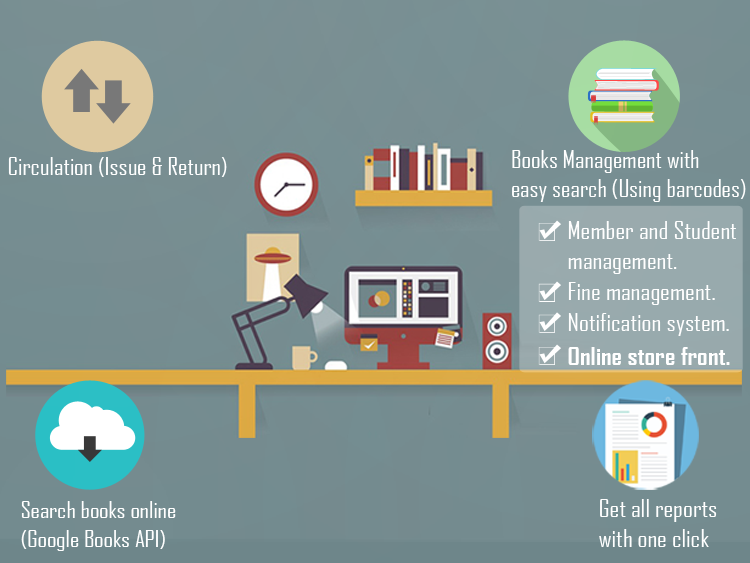
Features :
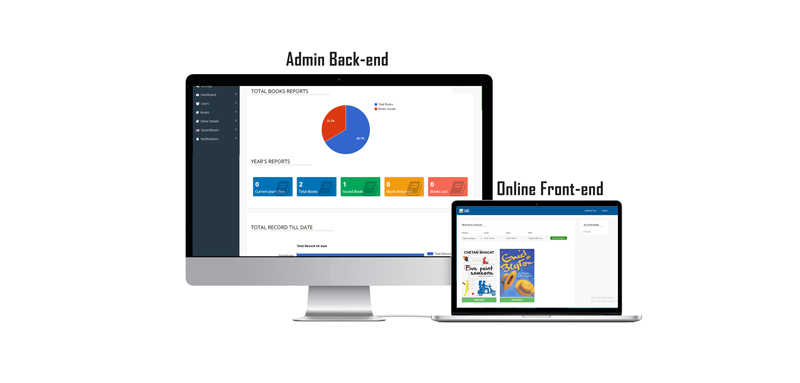
Admin Panel:
- Dashboard (graphical reports)
- General settings
- Member management
- Book management (book categories and books )
- Circulation management (Issue / Return books)
- Auto search books using barcodes (Sync from Google books API)
- Reports (Issue,Return,Lost,Out of stock etc…)
- Notify members by Email
- Advanced book search
- Change Password
- Control Maximum issue days and minimum issue days
- Control fine to students as well as members seperately
- Easily customizable and secure.
Front-end:
- Books preview
- Advanced book search
- Contact page
Installation Guide:
 . Now delete the install folder from lms directory and continue.
Demo URL:
Backend Link: http://apps.operce.in/easy_lms/login/
Frontend Link: http://apps.operce.in/easy_lms/
Login Details (Admin)
Username: demo
Password: demo
Login Details (Student)
Username: student1
Password: student1
Login Details (Teacher)
Username: teacher1
Password: teacher1
Support :
We ready to solve your problems as soon as possible. Please feel free to write us at : manharsharma007@gmail.com,We will try our best to get your five star rating.
Screenshots :


