Dropdown Quantity for Opencart

Support
If you need some custom modifications that aren’t already included ? Or your theme does not not supporting ? Or you want more features on next release? Feel free contact us

Admin Panel Demo
- click to view admin panel
- user: demo
- password: demo
Main Features
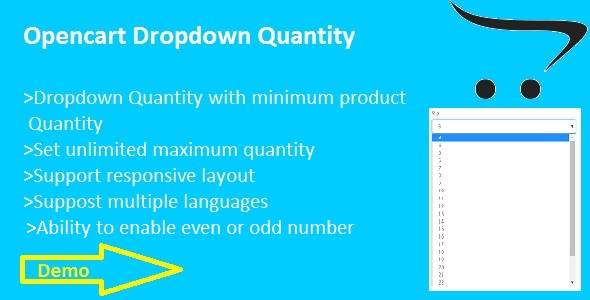
- Customer can easily and quick select quantity by dropdown list
- Standard design view
- Ability to set unlimited maximum number of quantity with drop down scroll
- Automatically detect minimum product quantity and start drop down from there
- Automatically detect even and odd number by product minimum quantity
- Ability to set even and odd number of quantity (EX:i want to display quantity only 2,4,6,...or 1,3,5,...)


Module Installation
For Opencart-2.0.x,2.1.x,2.2.0.x
Note: You must configure FTP before installing any OpenCart module via the admin panel.
- Extract dropdownquantity.zip in your local folder
- In your Administrator page, go to Extensions >> Extension Installer >> Click Upload and select file for-2.0.x-2.2.x.ocmod.zip(inside dropdownquantity.zip) Then You should see the message Success In this page, choose module “Quantity Dropdown”, click Install button
- To Enable this module and set maximum number of quantity, please go to Extensions >> Modules >> Choose module “Quantity Dropdown” >> Click “Edit” button,fill the fields.Then click “Save” button
- In your Administrator page, go to Extensions >>Modifications >>click refresh button.That’s it and enjoy.
For Opencart-1.5.6.x
Note: First of you need to install vQmod if you haven’t got it already.For more info on vQmod and what it does visit this website www.vQmod.com
- Extract dropdownquantity.zip in your local folder
- go to your opencart root folder and extract “for-1.5.6.x.zip”(found in dropdownquantity.zip)
- now go to your site admin panel and go to extensions>modules>>”Quantity Dropdown” click install
- after installed successfully go to “Quantity Dropdown” edit button and enable module and fill required field.That’s it
$10 |
Download |
0 average based on 0 ratings.

| Last Update | 2016-11-12 |
| Created | 2016-11-12 |
| Sales | 5 |
| Discussion | Comments |
| Compatible Browsers | IE9 IE10 IE11 Firefox Safari Opera Chrome |
| Software Version | OpenCart 2.2.0.x OpenCart 2.1.x OpenCart 2.0.x OpenCart 1.5.6.x |
| High Resolution | No |
| Files Included | HTML PHP |
| Video Preview Resolution |
Search plugins
Browse Categories


