DocuScan — iOS Document Scanner & PDF Manager with OCR | SwiftUI App
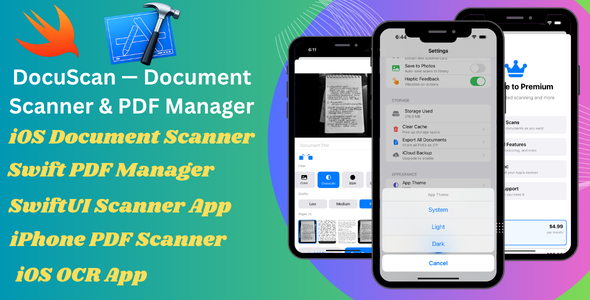

DocuScan AI — iOS Document Scanner & PDF Manager | SwiftUI App Template
DocuScan AI is a powerful and production-ready iOS document scanner and PDF manager built entirely with native Swift and SwiftUI. It allows users to scan documents, apply filters, extract text using on-device OCR, organize files, and manage PDFs — all without any third-party libraries or backend services.
This template is designed for developers, agencies, and entrepreneurs who want to quickly launch a modern document scanner app on the App Store with clean code, smooth performance, and easy customization.
Core Features
- Multi-page document scanning with automatic edge detection
- 4 scan filters: Color, Grayscale, Black & White, Enhanced
- Import images from photo library
- Rotate, delete, and manage pages before saving
- High-quality PDF generation (up to 300 DPI)
PDF Viewer & Management
- Built-in PDF viewer with smooth navigation
- Highlight, draw, and text annotations
- Save annotations directly into PDF
- Share, export, and print documents
- Organize documents into folders and tags
OCR Text Recognition
- On-device OCR using Apple Vision framework
- No API key or internet required
- Supports 60+ languages
- Instant full-text search across documents
- Copy and share extracted text easily
Document Organization
- Create custom folders and tags
- Smart filters: All, Favorites, Recent
- Sort by date, name, size, or pages
- Batch selection and delete options
- Quick actions with swipe gestures
Authentication
- Sign in with Apple integration
- Guest mode supported
- User profile management
- Secure authentication using Apple frameworks
Premium Features
- Subscription system with StoreKit 2
- Free tier limitations with upgrade option
- Restore purchases functionality
- Easy product ID configuration
User Experience
- Modern SwiftUI design with smooth animations
- Light and Dark mode support
- iPhone and iPad compatibility
- Accessibility support (Dynamic Type, VoiceOver)
- Clean and responsive UI
Technology Stack
- Swift 5.10
- SwiftUI (iOS 17+)
- SwiftData for local storage
- VisionKit (document scanning)
- Vision Framework (OCR)
- PDFKit (PDF handling)
- Core Image (filters)
- StoreKit 2 (subscriptions)
- No third-party dependencies
Requirements
- Xcode 16 or higher
- iOS 17.0+
- Apple Developer Account (for publishing)
What’s Included
- Complete SwiftUI source code
- Organized project structure
- Ready-to-use UI components
- Rebranding guide
- Documentation for setup and customization
Easy Customization
- Change app name and colors from one file
- Update app icon and bundle ID
- Modify features and UI easily
- Add your subscription product IDs
Support
Need help with setup or customization? We are here to assist you.
WhatsApp: +92 316 9735216
Email: mubeenafridi691@gmail.com
Launch your own document scanner app quickly with this clean, modern, and scalable iOS template.
0 average based on 0 ratings.

| Last Update | 2026-03-25 |
| Created | 2026-03-25 |
| Sales | 2 |
| Discussion | Comments |
| Software Version | iOS 15 iOS 14 iOS 13 iOS 12 |
| Compatible With | Swift Bootstrap 5.x Bootstrap 4.x Foundation 6 Foundation 5 TypeScript |
| Files Included | .h .m .pch .xib/.nib Layered PSD Layered PNG JavaScript JS CSS LESS Sass Stylus PHP HTML |
| Video Preview Resolution |


