DocNest | React Node.js Document Management with Auto-Sort and Secure Sharing

Hello!
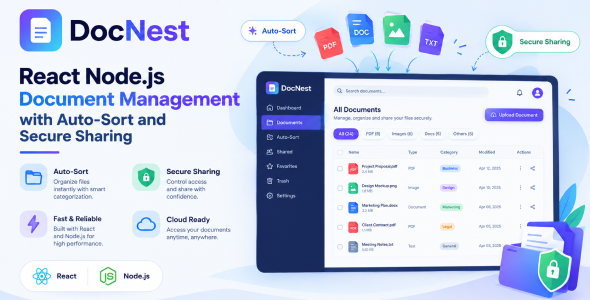
DocNest | React Node.js Document Management with Auto-Sort and Secure Sharing is a modern, self-hosted platform for storing, organizing, encrypting and sharing documents. It is built for teams and organizations that want the convenience of a cloud drive while keeping full control of their data on their own server.
The standout idea behind DocNest is auto-sort: instead of manually filing every document, you define classification rules once and DocNest routes each upload into the correct folder automatically — whether you drop a single file, an entire folder, or a .zip archive. Everything that lands on disk is encrypted at rest and decrypted only when an authorized user views, downloads or shares it.
DocNest is fully brandable from the admin panel (name, logo, colors, SEO, analytics, ad/marketing tags) and ships as an installable Progressive Web App with a public landing page, so it can be deployed as a polished product out of the box.
Authorization for Demo
URL: Click Here
Username: admin@mediacity.co.in
Password: 12345678
Important — Third-Party Services & Additional Costs
DocNest can connect to several optional third-party services to enable specific features. These services are provided by external companies, are not part of this item, and are not included in the purchase price. You will need your own account with each provider, and these providers may charge their own usage or transaction fees:
- AI features (AI Summarize, smart replies) require an API key from an AI provider such as OpenAI. Usage is billed directly by that provider.
- WhatsApp Business messaging requires a WhatsApp Business / Meta account and may incur per-conversation charges.
- SMS messaging requires an account with an SMS gateway (for example, Twilio) and is billed per message.
- Payment gateways (Stripe, Razorpay, PayPal, Paystack, Flutterwave) require your own merchant account; transaction fees are charged by the gateway.
This item does not include any API keys, credits, or subscriptions for third-party services. All such costs are the responsibility of the buyer.
Who is it For?
- Businesses & Offices: A private, secure document hub with automatic filing and team sharing.
- Agencies & Freelancers: Organize client files, share securely via expiring links, and brand the portal as your own.
- Legal, Finance & HR teams: Encrypted-at-rest storage with strict per-folder permissions and a full audit trail.
- IT & SaaS resellers: A self-hosted, white-labelable document platform you can deploy for clients.
- Any team that has outgrown shared network drives and wants structure, security and access control.
Use Cases
- Central, auto-organized company document repository
- Secure client file delivery via password-protected public links
- Encrypted storage of sensitive PDFs, contracts and scans
- Department-scoped folders with fine-grained permissions
- Field task management with geo-tagged photo proof
- Brandable document portal for resale / white-label
Key Features
Upload & Auto-Sort
- Multiple upload methods: drag & drop, file picker, whole-folder upload, and .zip archives that are auto-extracted server-side.
- Supported formats: PDF, Word (.doc, .docx), Excel (.xlsx), PowerPoint (.pptx), JPEG and PNG.
- Magic-byte validation: every file’s real type is verified from its content, not just its extension — renamed/disguised files are rejected.
- Size limit: configurable maximum upload size (default 50 MB per file).
- Auto-classification: a rules engine routes each upload into the correct folder; unmatched files go to the Unsorted fallback.
- Re-classify: re-run rules over the Unsorted folder after adding new rules.
- Duplicate handling: name collisions are auto-resolved with (2), (3)… suffixes.
Encryption at Rest
- AES-256-GCM authenticated encryption for every uploaded document on disk.
- Transparent decryption only at the moment of view, download or share.
- Encryption key is configured via environment variable (with a safe fallback derivation).
- Backups are decrypted and folder-organized so they remain usable.
Folders & Archive
- Colour-coded folder tree, up to 3 levels deep.
- Drag-and-drop reordering and a singleton Unsorted fallback folder.
- Grid and list views, sort by date / name / size, and per-type filtering.
- Per-folder file and storage totals.
Secure Sharing
- Internal (team) shares — pick recipients, set view / download / re-share permissions, an optional message and expiry. Recipients get a notification and see it under Shared with me.
- External (public) links — tokenized links with optional password, expiry, download limit and view-only mode, plus access logging.
- Folder sharing — the same internal and external sharing for entire folders, including a public folder viewer with per-file view/download and a Download all (ZIP) option.
- Quick share buttons for WhatsApp, Telegram, email and copy-link.
Roles & Permissions
- Five built-in roles: Super Admin, Admin, Manager, User, Viewer.
- Per-folder permission grants: view, upload, download, share internally, share externally, delete.
- Effective permission = role baseline ∩ folder grant (admins bypass folder grants).
Tasks
- Assign tasks to users with priority and due dates.
- Field submission with a geo-tagged photo as proof of completion.
- Admin review / approve / reject workflow with an activity timeline.
Admin & Settings
- Branding: project name and logo.
- Marketing: Google Tag (gtag.js) & Google Tag Manager, Google AdSense, Facebook Pixel.
- SEO: meta title, description, keywords, Open Graph / Twitter cards, canonical URL, robots.
- Site: company name & address, disable right-click, date format.
- SMTP, Security, PWA, Maintenance, Files, GDPR, Backup.
Platform & Security
- Installable PWA with a public landing page, cookie notice and install prompt.
- Full audit log and in-app notifications.
- Fast filename search.
- GDPR tools: cookie consent, data export, deletion requests, retention and policy/terms editors.
- JWT auth, bcrypt, CSRF, rate limiting, reCAPTCHA, IP blocklist, account lockout and CSP headers.
- One-click local backup and scheduled Google Drive backups.
What’s Included
- Full source code
- Clean, well-structured project following clean architecture
- Step-by-step documentation covering installation, configuration and a troubleshooting / FAQ section
Note: Any media — images, icons, or logos used in previews are not included in this item and you need to contact the authors to get permission in case you want to use them in your commercial or non-commercial projects. Read the help file for more details after you purchase the script.


