Data Builder for Perfex CRM - No-Code Visual Report Builder, Dashboards, RESTful API & GraphQL


Note: This Add-on functions as a module for Perfex CRM
Click here to view the Changelog & Tasks in Progress
Create powerful cross-module reports in Perfex CRM — no SQL, just a visual builder for datasets, filters, and charts.Explorer now
Transform Perfex CRM into an API-first platform with unified GraphQL and REST APIs for core Perfex CRM tables, custom datasets, reports, and third-party module data.
Secure and scale your data workflows with granular permissions, tokenized access control, and reusable API-driven data assets.
- Live Demo: Site : https://databuilder.polyxgo.com/admin
- API Explorer & Documentation: https://databuilder.polyxgo.com/api_docs
- GraphQL Documentation: https://databuilder.polyxgo.com/api_docs#resource-graphql
- Public Chart Reports Preview: https://databuilder.polyxgo.com/api_docs#charts
Gallery powered by MTMedia: One-click automated screenshots for Envato authors managing multiple plugins and modules.
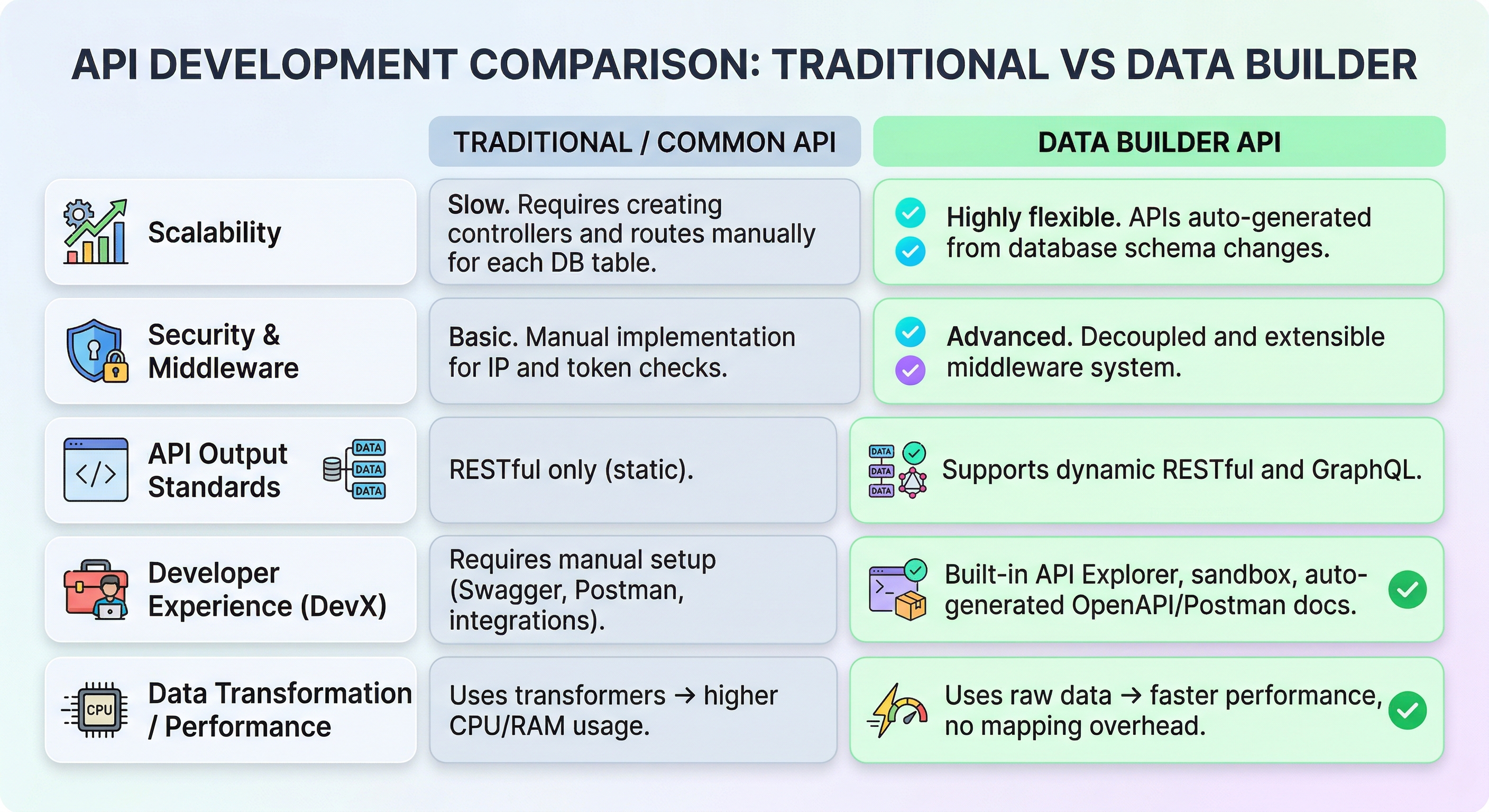
| Criteria | Traditional / Common API | Data Builder API |
|---|---|---|
| Scalability | Slow. Adding 1 DB table requires creating a new Controller and configuring routes manually. | Extremely flexible. API endpoints are automatically exposed as soon as the DB schema changes. |
| Security & Middleware | Simple, requiring manual coding for IP/Token checks inside controllers. | Advanced. Features a smooth, decoupled Middleware ecosystem. |
| API Output Standards | Static RESTful only. | Multi-purpose: Dynamic RESTful & Flexible GraphQL. |
| Developer Experience (DevX) | Good (requires manual configuration of Swagger, Postman, Zapier). | Superior (built-in API Explorer, Sandbox, automatically generates OpenAPI / Postman JSON at runtime). |
| Data Transformation Layer | Uses Transformer loops to standardize and protect the data contract. Consumes high CPU/RAM. | Fetches raw data (Raw Array) to optimize JSON output. Absolute performance by eliminating the Mapper. |
 Create cross-module reports inside Perfex CRM without writing SQL. Data Builder provides a visual editor for building custom datasets, reports, report groups, filters, charts, and API-ready data views from a single interface.
 Data Builder is a visual query builder, reporting engine, and API layer designed for Perfex CRM. It allows administrators and staff to combine data from multiple CRM modules, build reusable datasets, organize reports into tabbed groups, and expose those datasets through RESTful API and GraphQL without manually writing SQL queries.
In many CRM environments, important data such as clients, invoices, tasks, projects, or custom module records resides across separate database tables. Data Builder addresses this limitation with a structured builder for joining tables, applying unlimited filter logic, generating report views, and publishing chart-ready outputs. Reports and API access are core features of the module, making it suitable for both internal analytics and external system integrations.
Beyond internal reporting, Data Builder also supports unified GraphQL for Perfex CRM, RESTful API for Perfex, and complete API for Perfex workflows in one module. You can manage token-based access, control CRUD permissions across core Perfex CRM tables and third-party modules, query custom report datasets from external applications, or publish public chart reports and embed them via iframe on websites, blogs, or other platforms.


Quick Start
Follow these simple steps to build a “Client Invoice Report”:- Go to Data Builder > Builder from the side menu.
- Type “View Name” as Client Invoices and “Route” as client-invoices.
- Select Data:
- Search and add tblclients (Base Table).
- Search and add tblinvoices. The system will auto-detect the join (tblclients.userid = tblinvoices.clientid).
- Design View:
- Drag company field from tblclients to the canvas. Rename Alias to “Client Name”.
- Drag total and status fields from tblinvoices.
- Filter: Click “Add Filter” -> Select tblinvoices.status -> Operator = -> Value 2 (Overdue).
- Preview: Click the “Run Preview” button to see the data visually on screen.
- Save: Click “Save View”. You can now access this report at /admin/data_builder/runtime/view/client-invoices.
Core Features
1. Visual Builder & Dataset Editor
The builder interface is the core of the module. It helps teams create reusable views and datasets for reports, charts, exports, and API consumption from one place.- Drag & Drop Canvas: Intuitively arrange your data columns.
- Concatenated Fields: Combine multiple database columns (e.g. First Name + Last Name) into a single virtual field with custom separators. Supports merging fields from different joined tables.
- Smart Table Search: Quickly find database tables by searching for their display name, internal system name (e.g., tblclients), or short name. The module fully supports querying data from core Perfex tables as well as any third-party module tables based on the database schema.
- Field Management: Rename columns with user-friendly Aliases. Toggle visibility to hide ID columns used only for joining/filtering.
- Live Preview: See the results of your query in real-time as you design.
- Custom Dataset Views: Build report-ready datasets that can be reused across reports, charts, public views, and API requests.
- SQL-Free Workflow: Create structured reporting views without manual query writing, helping teams move faster while keeping logic maintainable.


2. Relationship Manager
Data Builder allows you to join tables easily and build broader reporting datasets across Perfex CRM and third-party modules.- Auto-Detection: The engine scans database foreign keys and naming conventions (e.g. clientid -> userid) to suggest smart joins.
- Custom Relations: Administrators can define custom relationships in the Table Relations menu for tables that don’t share standard naming conventions.
- Join Types: Support for INNER JOIN (only matching records), LEFT JOIN (all from left table), and RIGHT JOIN.
- Third-Party Module Compatibility: Query and connect tables created by external Perfex CRM modules based on available database schema.

3. Advanced Query Logic, Filters & Aggregation
Create flexible reports with detailed segmentation logic and summary metrics.- Filters: Visual UI for creating WHERE clauses. Supported operators include: Equals (=) / Not Equals (!=), Contains (LIKE), Greater Than (>) / Less Than (<), Between, In List (IN), and Is Null / Is Not Null. Easily combine multiple conditions using AND or OR logical operators.
- Custom Filter Presets: Save per-report filter presets for faster switching between common report views and recurring analysis scenarios.
- Unlimited Filtering Logic: Apply as many custom conditions as needed for complex report use cases across operational, financial, or CRM activity datasets.
- Aggregations & Grouping: Summarize your data using SUM, COUNT, AVG, MIN, or MAX functions. Combine this with “Group By” to create summary reports.
- Date Grouping: Extract date parts and group time-series data using built-in modes — Year, Month, Quarter, Year-Month, Week Number (ISO, e.g. 2026-W38), and Week (Monday) (e.g. 2026-09-21). Apply to any date/datetime field on any table to build weekly, monthly, or quarterly trend reports for invoices, expenses, payments, tasks, leads, tickets, or any custom data. Two demo presets — Weekly Revenue Summary and Weekly Payment Collections — are included to demonstrate the feature.
- Column Aggregation Row: Add sum, avg, or count calculations at the report footer for quick analysis inside report tables.

4. Reports, Report Groups & Charts
Data Builder turns saved views into organized reporting assets for internal dashboards or public presentation.- Report Views: Use custom datasets as report sources for operational tracking, finance reporting, pipeline visibility, or custom business analysis.
- Report Groups: Organize independent reports into tabbed navigation for cleaner analytics workflows and better team usability.
- Date Comparison Charts: Compare daily, weekly, monthly, quarterly, or yearly data trends directly from saved datasets.
- Supported Chart Types: Bar, Line, Area, Doughnut, Radar, Bubble, Combo (Bar+Line), Pie, Scatter, Stepped Line, Point-styling, and Interpolation.
- Public Reports & Groups: Publish selected reports or grouped analytics for external viewing without requiring API integration.
- Iframe Embedding: Embed public chart views into websites, blogs, landing pages, portals, or other systems through iframe.


5. Runtime Engine & Performance Layer
The runtime engine executes saved views securely and optimizes query execution for reports, exports, charts, and API responses.- Security: All queries are built using CodeIgniter’s Query Builder with strict whitelist validation to fully prevent SQL injection.
- Server-side Pagination: Ensures fast page load times even when scanning millions of database records.
- Server-Side Query Caching: Fine-grained file-based query caching with configurable Cache TTL from the Admin Builder UI to reduce database queries to virtually zero.
- Centralized Cache Manager: A dedicated administration dashboard to bulk enable, disable, or clear cache across all reports with customizable TTL settings.
- Admin Force Refresh: A secure, real-time “Clear Cache” button on both the admin UI and public embeds to fetch live data on demand.
- Index Advisor: Intelligent analyzer which inspects custom JOINs, WHERE filters, and GROUP BY fields to suggest optimal SQL indexes.
- Interactive Embed Generator: Visually configure and generate responsive iframe codes with Chart/Table toggles and Dark Theme support.
- Export All CSV: Export the entire filtered result set instantly into CSV format, bypassing standard datatable pagination limits.
- Full Excel Export: Export complete result sets into professionally structured Excel (XLSX) spreadsheets.
- Public Blank Chart View: Dedicated chart rendering view for lightweight public embedding scenarios.


6. Interactive Dashboards & Widgets
Create interactive dashboards from built-in role-based presets or build fully custom dashboards from scratch using a drag-and-drop widget layout.- Dashboard Presets: Five premium built-in templates — CEO Overview, Finance Summary, Marketing, Project Manager, and Support Center — ready to use instantly.
- Custom Dashboard Creation: Build your own dashboards from scratch, selecting which widgets and data views to display.
- Dashboard Switcher: Switch between dashboards instantly via dropdown. The system automatically remembers each user’s last-used dashboard.
- Widget Library: 4 highly customizable widget types — Chart, DataTable, KPI Card, and Text/Note.
- Chart Widget: Connect to any Data Builder view and display dynamic charts. Supports 7 chart types (Bar, Line, Area, Pie, Doughnut, Radar, Polar Area) switchable on-the-fly.
- Drag-and-Drop Layout: Rearrange widgets intuitively with configurable column widths for flexible grid layouts.
- Auto-Refresh: Automatically refresh dashboard data at configurable intervals (1, 5, 10, or 30 minutes).
- Dashboard Sharing: Share dashboards with specific team members or roles using granular permission controls.


GraphQL & API for Perfex CRM
Discover a fully customizable data reporting integration with unlimited reporting capabilities and a comprehensive API — all packed into a single powerful module for Perfex CRM.
Explore now:
- API Explorer & Documentation: https://databuilder.polyxgo.com/api_docs
- GraphQL Documentation: https://databuilder.polyxgo.com/api_docs#graphql
- Public Chart Reports Preview: https://databuilder.polyxgo.com/api_docs#charts
=> Start building smarter reports and integrations today.
Data Builder also works as a unified API platform for Perfex CRM. Instead of building separate connectors for data access, reports, and external integrations, you can use one module to manage structured REST and GraphQL access across core Perfex CRM tables, Data Builder views, reports, and third-party module tables.
- RESTful API for Perfex: Versioned read-only endpoints under /v1/ for querying Perfex CRM tables and Data Builder views. Supports filtering, sorting, field selection, and cursor pagination with HATEOAS links.
- GraphQL for Perfex CRM: Single-endpoint querying with auto-generated schema per table and view, including query depth and complexity controls for safer production usage.

- GraphQL Mutations: Full CRUD support for create, update, and delete operations with auto-generated InputObjectTypes, primary key detection, write scope enforcement, and security column exclusions.
- API for Perfex Reports: Query custom report datasets, grouped views, and analytics-ready data sources from external systems without recreating report logic outside Perfex CRM.
- Token Governance: Manage API tokens with scoped access to tables, views, and GraphQL permissions, including IP allowlist (CIDR), domain allowlist, per-token rate limiting, optional HMAC request signing, and configurable expiry.
- Admin Session Bypass: Allow authenticated Perfex admins to call the API from the same site through the API Explorer sandbox without a Bearer token, based on configurable settings and same-site request validation.
- API Explorer: Browse endpoints, test requests live, generate cURL/JS/PHP/Python code samples, and export Postman v2.1 or OpenAPI 3.0 definitions.
- One Module, Complete Coverage: Use a single module to manage reporting datasets, internal analytics, public charts, external API access, and controlled CRUD workflows across core and third-party data structures.


Security & Permissions
Access control is a top priority for data integrity across reports, datasets, and APIs.- Table Whitelist: Administrators must explicitly allow tables to be queried on the Module Settings page before they become available. Sensitive tables (like tblstaff_password, tbloptions, etc.) should never be whitelisted.
- Role-Based Access: Use Perfex’s native Permission system to control who can View, Manage, or Export data.
- View Scopes: Support for multiple scopes:
- Public: Visible to all staff members who have View Builder view permission.
- Private: Visible only to the creator of the report.
- Shared & Hybrid Logic: Access can be granted to specific roles or individual users. Permissions are merged using independent OR logic: access is granted if (User is explicitly allowed) OR (User’s Role is explicitly allowed).
- API Token Scopes: Restrict access by tables, views, and GraphQL capabilities to ensure integrations only reach approved datasets.
- 7-Stage Security Middleware Pipeline: Includes DDoS shield, CORS, Admin Session Bypass, auth, rate limiter, scope verifier, and request logger.
- Standardized Error Responses: API errors return as RFC 9457 Problem Details for more consistent integration handling.


What’s New
- Date Grouping: Group any date/datetime field by Year, Month, Quarter, Year-Month, Week Number (ISO), or Week (Monday). Apply to any table — invoices, payments, expenses, tasks, leads, tickets, or custom data — for weekly, monthly, or quarterly trend reports.
- Weekly Demo Presets: Two ready-to-use preset templates — Weekly Revenue Summary and Weekly Payment Collections — demonstrating weekly grouping capabilities.
- Interactive Dashboards: Create dashboards from 5 built-in Presets (CEO Overview, Finance Summary, Marketing, Project Manager, Support Center) or build Custom dashboards from scratch.
- Dashboard Switcher: Switch between dashboards instantly via dropdown, last-used dashboard remembered per user.
- Widget Library: 4 widget types — Chart, DataTable, KPI Card, Text/Note — with drag-and-drop layout and configurable column widths.
- Chart Widget: Supports 7 chart types (Bar, Line, Area, Pie, Doughnut, Radar, Polar Area) switchable on-the-fly.
- Auto-Refresh: Configurable automatic dashboard refresh intervals (1/5/10/30 minutes).
- Dashboard Sharing: Share dashboards with specific team members securely.
- Export All CSV: Export entire filtered reports as CSV, bypassing page-size limits.
- Server-Side Query Caching: Configurable Cache TTL from Admin Builder UI for instant report delivery.
- Centralized Cache Manager: Bulk enable, disable, and clear cache across all reports.
- Index Advisor: Analyze view configurations and suggest optimal SQL indexes.
- Interactive Embed Generator: Configure and generate iframe codes with chart/table toggle and Dark Theme.
- Report groups for organizing independent reports into tabbed navigation.
- Custom filter presets per report view for conditional data display.
- Column-level aggregation row for sum, avg, and count at report table footer.
- Visual charts with date comparison across daily, weekly, monthly, quarterly, and yearly periods.
- REST API with versioned read-only endpoints for Perfex CRM tables and Data Builder views.
- GraphQL API with schema generation per table and view.
- GraphQL mutations with full CRUD capabilities.
- Scoped API tokens with allowlists, rate limits, HMAC signing, and expiry controls.
- 7-stage security middleware pipeline and RFC 9457 Problem Details responses.
- Admin Session Bypass for same-site API Explorer usage by authenticated admins.
- API Explorer with live sandbox, code generator, and export tools.
- Public blank chart view for iframe embedding.
- Chart.js upgraded to 4.5.0 and locally integrated.
- Data Builder settings moved to Perfex core (Setup -> Settings -> Data Builder).
Documentation & Support

The downloaded package includes a complete installation guide and feature documentation so you can configure Data Builder quickly. It covers report building, table relationships, filter logic, chart configuration, token-secured API usage, GraphQL queries and mutations, public report publishing, and iframe embedding workflows.
For assistance, submit a support ticket through the Codecanyon comment section. Our team responds as soon as possible with detailed guidance.

Frequently Asked Questions (FAQs)
Q: Do SaaS providers need to purchase multiple licenses for each customer using module?
A: Not necessarily. According to Envato’s licensing policy, a single license is valid for one end product. If you are running a centralized SaaS system (a single codebase/shared installation), you can use one license and provide the module as a feature to all your tenants.
However:
- If your SaaS is a paid service (users are charged to access it), an Extended License is required.
- If you deploy separate instances for each customer (multi-instance or white-label setups), each instance is considered a separate end product and requires its own license.
Support and updates are provided according to Envato’s support policy, so please ensure your support package remains active if needed.
Q: Is white-label usage allowed (no reference to original author)?
A: The module is intentionally designed with a neutral, non-personalized structure, so full white-labeling is generally not necessary. However, if you require customization for branding purposes, you are free to adjust it. Support requests for such changes can be submitted and will be considered within the support scope.
Q: Do I need SQL knowledge to build reports?
A: No. The module is designed to eliminate the need for SQL knowledge by providing a visual builder interface. Additionally, report templates will be continuously expanded over time. During an active support period, you may also request assistance for specific report requirements.
Q: Can I combine data from multiple modules/tables?
A: Yes. The module is built to allow combining data from multiple tables, as long as relationships between those tables exist.
Q: Does it support third-party module tables?
A: Yes. The module supports querying and connecting tables from both core system and third-party modules, as long as they are included in the allowed tables list. The same flexibility applies to REST API and GraphQL, with no query limitations unless explicitly restricted via token permissions.
Changes
NOTE: Minimum PerfexCRM version required is 3.2.0 P/S: In case you encounter any conflicts during usage, please leave feedback or contact me at polyxgo@gmail.com. I will support you right away! Thanks. -------- Version 2.4.0 (September 22, 2026) -------- NEW - Weekly Date Grouping: Added two new date_grouping modes — "Week Number" (ISO year-week, e.g. 2026-W38) and "Week (Monday)" (Monday start date of each week). These modes can be applied to ANY date/datetime field on ANY table via the Visual Query Builder, enabling weekly time-series reports for invoices, expenses, payments, tasks, leads, tickets, or any custom data. - Weekly Revenue Summary (Demo Preset): Sample template demonstrating weekly grouping on invoices — total revenue, tax, and invoice count per week. - Weekly Payment Collections (Demo Preset): Sample template demonstrating weekly grouping on payments — payment count, total collected, and average payment size per week. - List of Estimates Report Template: Added pre-built template for comprehensive list of estimates with client details, status, and total amount KPI metrics. - API Security Banner Setting: Added a dedicated "Show API Security Banner" option in Data Builder API settings so admins can hide the warning banner without changing the real API security state. IMPROVEMENTS & STABILITY - Standardized Webhook Sandbox Receiver architecture for improved reliability and clearer integration workflows. - Enhanced Sandbox simulator with payload size limits and automatic file cleanup. - Added automated background maintenance routine for cleaner module operation. - General stability improvements and code optimization. -------- Version 2.3.0 (May 28, 2026) -------- NEW - Dashboard View: Create dashboards from built-in Presets (CEO Overview, Finance Summary, Marketing, Project Manager, Support Center) or build Custom dashboards from scratch - Dashboard Switcher: switch between dashboards instantly via dropdown, last-used dashboard remembered per user - Widget Library: 4 widget types — Chart, DataTable, KPI Card, Text/Note - Chart Widget supports 7 chart types: Bar, Line, Area, Pie, Doughnut, Radar, Polar Area — switchable on-the-fly - Drag-and-drop widget layout with configurable column widths - Auto-refresh with configurable interval (1/5/10/30 minutes) - Share dashboards with team members - Export All CSV: export the entire filtered report as CSV, bypassing page-size limits - Server-Side Query Caching with configurable Cache TTL from Admin Builder UI - Admin Force Refresh: "Clear Cache" button for real-time data on demand - Index Advisor: analyze view configurations and suggest optimal SQL indexes - Interactive Embed Report Generator with chart/table toggle and Dark Theme - Centralized Cache Manager: bulk enable, disable, and clear cache across all reports FIXED - Expression Join Totals: fixed Total row calculation in "Monthly Expense vs Payment" and "Net Result by Month" templates to correctly compute SUM(Payment) - SUM(Expense); negative values now display properly - Embed Report Styling: fixed Total row dark/light mode colors in public embed table - Chart Zoom UX: hide zoom controls for chart types that do not support axis zooming (Pie, Doughnut, Radar, PolarArea) - Safari Date Parsing: resolved "Invalid date" error on Safari by passing strict standard format patterns to moment() and falling back to server-formatted dates CHANGED - Confirmation Modals: changed native confirm dialogs in "Report Groups" and "Webhooks" to styled SweetAlert2 modals for consistency with "Delete View" - Webhooks Action Buttons: styled actions inside the webhooks management view with clean, modern flat icons to match the /admin/data_builder view style -------- 2.2.3 (May 05, 2026) -------- CHANGED - Time Duration Formatter: Introduced a new "Time Duration (HH:MM)" formatter to the Builder interface, allowing decimal hours to be properly displayed as `HH:MM` while maintaining backend aggregation integrity. - Thousands Separator in Time Formats: Enhanced the time duration formatting logic to include thousands separators for extreme hour counts (e.g., `57,614:01`). - Time Breakdown Logic: Added dynamic "sub-hours" rendering (Days, Weeks, Months, Years) into the new `time_duration` formatter for durations exceeding 24 hours. - Preset Updates: Updated the "Timesheet Summary by Project & Staff" template preset to feature side-by-side time columns: "Time (h)" utilizing the new `time_duration` formatter and "Time (decimal)" retaining the standard `number` formatter for better reporting flexibility. -------- Version 2.2.2 (May 02, 2026) -------- NEW - Date Macros: Officially implemented {{CURRENT_WEEK_START}} and {{CURRENT_MONTH_START}} dynamic date macros into the SQL parser (Runtime_model) and added quick-access UI buttons to the Builder interface. Improved CURDATE date generation to ensure exact bounds matching using DATE_FORMAT formatting. (May 1, 2026) CHANGED - Frontend Consistency: Extended the time-breakdown formatter logic across all Data Builder datatables, including runtime view, the Data Preview modal in the builder interface, and the public embedded report viewer. (May 1, 2026) - Smart Time Breakdown: Implemented dynamic "sub-hours" rendering (Days, Weeks, Months, Years) with thousand separators for long-duration task hour columns exceeding 24 hours. (May 1, 2026) - Template Preset Modal: Unified status badge and button sizing with consistent gap spacing. Shortened "Already in Views/Reports" label to "Saved View" for cleaner layout. (May 1, 2026) - Builder Tips & Guide: Added a contextual help modal (?) to the View Builder toolbar describing Templates, Save as Template, JSON Import/Export, Preview Data, and Preview SQL features. (May 1, 2026) FIXED - Timesheet Calculation: Standardized hour calculations across all Data Builder templates (e.g., timesheet-by-project-staff, billable-hours) using robust SQL Unix timestamp arithmetic ((COALESCE(end_time, UNIX_TIMESTAMP()) - start_time) / 3600) instead of the unreliable TIMESTAMPDIFF, ensuring accurate decimals for both active and completed timers. (May 1, 2026) - Timestamp Filtering Bug: Fixed a critical issue where filtering by date on UNIX timestamp columns (like tbltaskstimers.start_time) failed due to MySQL string vs integer comparison. The query builder now automatically wraps known UNIX fields in FROM_UNIXTIME(). (May 1, 2026) - Dynamic Filter Duplication: Resolved a logical flaw in Runtime_model where dynamic UI filters were redundantly appended without FROM_UNIXTIME formatting via legacy apply_filters methods, preventing macros like {{CURDATE}} from accurately returning data. (May 1, 2026) - UI Inconsistency: Removed custom bootstrap-select checkbox styling in runtime.css that was overriding and conflicting with standard Perfex CRM core UI components. (May 1, 2026) - Footer Totals Ignoring Filters: Fixed a bug where the footer Total row in report views always showed aggregated values from the full dataset instead of recalculating based on the user's active dynamic filters. The totals rebuild query now passes dynamic_filters to build_query. (May 1, 2026) - JSON Import Hardening: Added file size limit (2 MB), version compatibility check (2.x), strict Array.isArray validation for tables/fields, and XSS-safe HTML escaping for user-controlled name/description before rendering in the confirmation dialog. (May 1, 2026) -------- Version 2.2.0 (April 27, 2026) -------- NEW - Added free companion module "API Data Builder Sample" to help developers quickly reference and integrate REST API & GraphQL with Data Builder. Source: https://github.com/PolyXGO/api_data_builder_sample (April 26, 2026) - OWASP Security Headers: All API responses now include X-Content-Type-Options (nosniff), X-Frame-Options (DENY), Referrer-Policy, and X-XSS-Protection (0) headers. (April 26, 2026) - HTTP Cache Control: All API responses include Cache-Control: no-store and Pragma: no-cache to prevent proxy/browser caching of dynamic CRM data. (April 26, 2026) - Auth Test Endpoint: GET /api/v1/auth/test — Validates API token and returns connection metadata (token name, scopes, tables count, server time) without exposing CRM data. Designed for Zapier, Make.com, and n8n connection setup. (April 26, 2026) - Polling Support (?since=): All list endpoints (GET /api/v1/{resource}) now accept a ?since=ISO8601 parameter to filter records by creation/modification timestamp. Auto-detects Perfex CRM timestamp columns (dateadded, datecreated, etc.) and returns results sorted newest-first. Enables polling triggers for automation platforms. (April 26, 2026) - Endpoint Registry: Auth Test and ?since= parameter now appear in API Explorer sidebar and Public API Docs. (April 26, 2026) - Template Catalog — Client Reports: New category with 5 ready-to-use report templates designed for automated weekly/monthly client reporting via API or PDF export. Includes Weekly Project Maintenance Summary, Tickets This Week by Client, Timesheet Summary by Project & Staff, Monthly Tasks Completed by Project, and Ticket Resolution Summary by Client. (April 27, 2026) - Formatter — Task Priority: New task_priority formatter converts numeric priority values (1–4) to human-readable labels (Low, Medium, High, Urgent) using Perfex's native task_priority() helper. Available in Builder dropdown for any priority field on task tables. (April 27, 2026) - Formatter — Payment Mode: New payment_mode formatter resolves payment mode IDs to their display names via static-cached DB lookup (single query per request). Auto-detected for paymentmode fields. Applied to Daily Sales by Item template. (April 27, 2026) CHANGED - Db_api_response: Added _set_standard_headers() method called from success(), error(), and from_context() — single point of control for all response headers. (April 26, 2026) - QueryBuilderTrait: Added _apply_since_filter() method for shared polling timestamp logic across Db_resources and Db_tables controllers. (April 26, 2026) - Db_api_base: _parse_query_params() now includes 'since' parameter in the returned array. (April 26, 2026) - EndpointRegistryBuilder: GET list endpoints now document 'since' as an available query parameter. (April 26, 2026) - my_routes.php: Added api/v1/auth/test route before wildcard patterns. (April 26, 2026) - EndpointRegistryBuilder: GET list endpoints now document 'since' as an available query parameter. (April 27, 2026) - Template_catalog_model: sync_catalog_templates() now updates existing system templates (tables_required, config_json, description) instead of skipping them, ensuring preset file changes propagate to the database on next page load. (April 27, 2026) FIXED - API Token Form: Fixed JavaScript SyntaxError ("Unexpected end of input") on /admin/data_builder/api_tokens/form caused by missing IIFE closure `})();`. Cascaded failures: toggleAllPerms undefined (Check All checkboxes), #tablePermFilter unresponsive, HMAC toggle non-functional. (April 26, 2026) - ResourceNameResolver: Fixed payments resource mapping from non-existent 'tblpaymentsrecords' to the actual 'tblinvoicepaymentrecords', which caused 403/404 on GET /api/v1/payments. (April 26, 2026) - AuthGateMiddleware: Moved raw_body caching (php://input) before AdminSessionBypass early-return. GraphQL endpoint received null raw_body under session bypass, causing "Empty Body" (400) on POST /api/v1/graphql. (April 26, 2026) - Template Catalog: Fixed non-existent table reference tblstaff_tasks → tbltask_assigned in Monthly Tasks Completed by Project template. Fixed JOIN order (tbltask_assigned before tblstaff) to prevent "Unknown column" SQL error. (April 27, 2026) -------- Version 2.1.0 (April 26, 2026) -------- NEW - Outbound Webhook Dispatcher with Pluggable Channel Architecture. (April 4, 2026) - WebhookEventBus: fires events on REST and GraphQL Create/Update/Delete operations. (April 4, 2026) - ChannelRegistry: extensible adapter registry (built-in: HTTP/cURL with HMAC-SHA256). (April 4, 2026) - FieldMapper: per-subscription field include/exclude/rename transformations. (April 4, 2026) - Admin UI for managing webhook subscriptions, testing, and viewing delivery logs. (April 4, 2026) - Webhook delivery audit log with response codes and timing. (April 4, 2026) - Automatic sensitive column redaction on outbound payloads. (April 4, 2026) - Hook `data_builder_register_webhook_channels` for third-party channel registration. (April 4, 2026) - Support dynamic relative date macros in WHERE conditions: {{CURDATE}}, {{CURDATE-7}}, {{CURDATE-30}}, or custom {{CURDATE-n}}, {{CURMONTH-n}}, {{CURYEAR-n}}. (April 20, 2026) - Add "Save as New" filter button in Runtime Data View for easier filter duplication. (April 20, 2026) - Customizable Header/Footer branding ("Powered by...") on Public Chart pages via Settings. Defaults to Company Name and Main Domain. (April 20, 2026) - Add "Set as Default Filter" checkbox when saving filters. The selected filter will be automatically applied when loading the report in both Admin and Public views. (April 20, 2026) - Add Toggle Chart visibility button to both Admin and Public views for better focus when viewing large data tables. (April 20, 2026) - Add "Set as Default Filter" checkbox when saving filters. The selected filter will be automatically applied when loading the report in both Admin and Public views. (April 21, 2026) - Add Toggle Chart visibility button to both Admin and Public views for better focus when viewing large data tables. (April 21, 2026) - New report template: "Daily Sales by Invoice Item" — one-click report setup to track daily sales breakdown by item description, with client name, sales agent, payment mode, and line-item amounts. (April 21, 2026) - New report template: "Daily Invoice Payment Records" — one-click report setup to view today's payment collections with client name, invoice number, sales agent, payment mode, and amount. Auto-filtered by current date with grand total. (April 21, 2026) - Add "Minute" and "Hourly" options to the Chart Period selector, allowing detailed intraday data visualization for reports like Invoice Payment Records. (April 21, 2026) - Add new seasonal report templates for comprehensive sales breakdown: "Month Sales by Invoice Item", "Q1/Q2/Q3/Q4 Sales by Invoice Item", and "H1/H2 Sales by Invoice Item". (April 21, 2026) - Extends dynamic date macros to support strict range matches for: {{CURYEAR_Q1}} through {{CURYEAR_Q4}}, {{CURYEAR_H1}}, and {{CURYEAR_H2}}. For other timeframes, custom WHERE conditions can be used to filter desired periods. (April 21, 2026) CHANGED - Improve Template Groups layout to intuitively display templates in a nested format. (April 20, 2026) - Support deleting custom templates. (April 20, 2026) - Support drag-to-zoom and drag-to-pan interactions for charts. (April 20, 2026) - Optimize Public Chart page layout for better chart visibility. (April 20, 2026) - Remove hardcoded ORDER BY / Sorting constraints when creating reports, allowing dynamic datatable sorting. (April 20, 2026) - Secured embedded public filters by restricting frontend payloads to pre-saved Server-side Filter IDs, preventing arbitrary query modifications. (April 20, 2026) - Secured embedded public filters by restricting frontend payloads to pre-saved Server-side Filter IDs, preventing arbitrary query modifications. (April 21, 2026) - Whitelist error dialogs (Preview Data / Preview SQL) now render translated instruction text as clickable HTML with direct link to Settings page, instead of stripping HTML and showing plain text. (April 21, 2026) - Enhanced join engine to support Invoice Items and Expense-linked Invoices for flexible custom report building via the Visual Builder. (April 21, 2026) - Template whitelist validation: when loading a preset template, the builder now checks if all required tables are available. If any are missing, a warning dialog lists them with a direct link to Settings. (April 21, 2026) FIXED - Fix data table synchronization issues between Admin reports and Public Charts (e.g. missing column totals). (April 20, 2026) - Fix missing currency symbols in the Public Chart data table. (April 20, 2026) - Fix whitelist instruction not displaying properly in error dialogs when using non-whitelisted tables. (April 21, 2026) -------- Version 2.0.1 (April 01, 2026) -------- NEW - Comprehensive "Testing with Postman" guide in the Public API Docs. (April 1, 2026) - Intelligent sample data formatting for Postman Collection exports, automatically recognizing column types for realistic Request Bodies. (April 1, 2026) - Dynamic GraphQL Template generator built into the API Explorer and Public Docs, supporting automatic query and mutation creation to simplify integration development. (April 1, 2026) - "Testing with OpenAPI" documentation section with download link, Swagger UI / Insomnia import guides, and step-by-step ChatGPT Custom GPT Actions integration. (April 1, 2026) - Real-world use case gallery for AI-powered CRM analysis (data analysis, project status, client insights, unpaid invoices, revenue reports, AI reports). (April 1, 2026) - Multi-language HMAC code samples (PHP, Node.js, Python, cURL) with copy-to-clipboard in the Authentication section. (April 1, 2026) - Automated HMAC pre-request script embedded in both Postman Collection exports (Public Docs + API Explorer) with `hmac_secret` collection variable. (April 1, 2026) - Integrated "Toggle All" functionality for managing Allowed Tables. (April 1, 2026) - Implemented per-token HMAC signature toggles for granular security control. (April 1, 2026) FIXED - Resolved blank URL issues in Postman Collection v2.1 export by structuring URLs with `{{baseUrl}}` integration. (April 1, 2026) - Query parameters (page, per_page, sort, fields, filter) now correctly display in the Postman Params tab as optional inputs. (April 1, 2026) - Fixed OpenAPI YAML export producing invalid `responses` format (sequences instead of status-code mappings) caused by PHP `array_merge()` re-indexing numeric-string keys; replaced with `+` operator. (April 1, 2026) -------- Version 2.0.0 (March 30, 2026) -------- NEW - Public blank chart view for embedding via iframe. (March 20, 2026) - Report Export / Import JSON: portable report definition workflow for backup, sharing, and migration between environments. (March 27, 2026) - Report Templates for no-SQL users: pre-built templates plus "Save as Template" to speed up report creation without SQL. (March 27, 2026) - Template Group management: organize templates by business domains; useful when systems include extra tables from third-party modules. (March 27, 2026) - Public blank chart view for embedding via iframe. (March 20, 2026) - Report groups: organize independent reports into tabbed navigation. (March 20, 2026) - Custom filter presets per report view for conditional data display. (March 20, 2026) - Column-level aggregation row (sum, avg, count) at report table footer. (March 20, 2026) - Visual charts with date comparison (daily/weekly/monthly/quarterly/yearly). Supported types: Bar, Line, Area, Doughnut, Radar, Bubble, Combo (Bar+Line), Pie, Scatter, Stepped Line, Point-styling, Interpolation. (March 20, 2026) - REST API: versioned read-only endpoints (/v1/) for querying Perfex CRM tables and Data Builder views; supports filtering, sorting, field selection, and cursor pagination with HATEOAS links. (March 20, 2026) - GraphQL API: single-endpoint querying with query depth and complexity controls; auto-generated schema per table and view; introspection restricted to admin explorer context. (March 22, 2026) - GraphQL Mutations: full CRUD via GraphQL (create, update, delete) with auto-generated InputObjectTypes, primary key detection, write scope enforcement, and security column exclusions. Compliant with GraphQL Spec §6.3.1. (March 22, 2026) - API Tokens: scoped access keys (tables/views/GraphQL); IP allowlist (CIDR), domain allowlist, per-token rate limiting, optional HMAC request signing, and configurable expiry. (March 20, 2026) - 7-stage security middleware pipeline (DDoS shield, CORS, Admin Session Bypass, auth, rate limiter, scope verifier, request logger); all errors returned as RFC 9457 Problem Details. (March 20, 2026) - Admin Session Bypass (middleware): allows authenticated Perfex admins to call the API from within the same site (API Explorer sandbox) without a Bearer token. Governed by a configurable setting (data_builder_api_admin_session_bypass); verifies admin session + same-site Origin/Referer/XHR dynamically via base_url() — no hardcoded values. (March 22, 2026) - API Explorer: endpoint browser, live sandbox, code generator (cURL/JS/PHP/Python), Postman v2.1 and OpenAPI 3.0 export. (March 20, 2026) - Public blank chart view for embedding via iframe. (March 14, 2026) UPDATED - Chart.js upgraded to 4.5.0, locally integrated. (March 15, 2026) - Data Builder settings moved to Perfex core (Setup -> Settings -> Data Builder). (March 18, 2026) -------- Version 1.0.0 (March 10, 2026) -------- NEW - Release version
$59 |
Download |
5 average based on 3 ratings.

| Last Update | 2026-09-23 |
| Created | 2026-03-10 |
| Sales | 14 |
| Discussion | Comments |
| Compatible Browsers | Safari Chrome |
| Software Version | PHP 8.x MySQL 8.x |
| High Resolution | No |
| Software Framework | CodeIgniter |
| Files Included | JavaScript JS JavaScript JSON HTML CSS PHP SQL |
| Video Preview Resolution |


