CTL Woocommerce ISBN


Are you looking for isbn code in woocommerce and cannot find it?
You are in the right place!
CTL Woocommerce ISBN allows you to set ISBN code in your products!
Before purchasing please read the documentation.
With CTL Woocommerce ISBN you can:
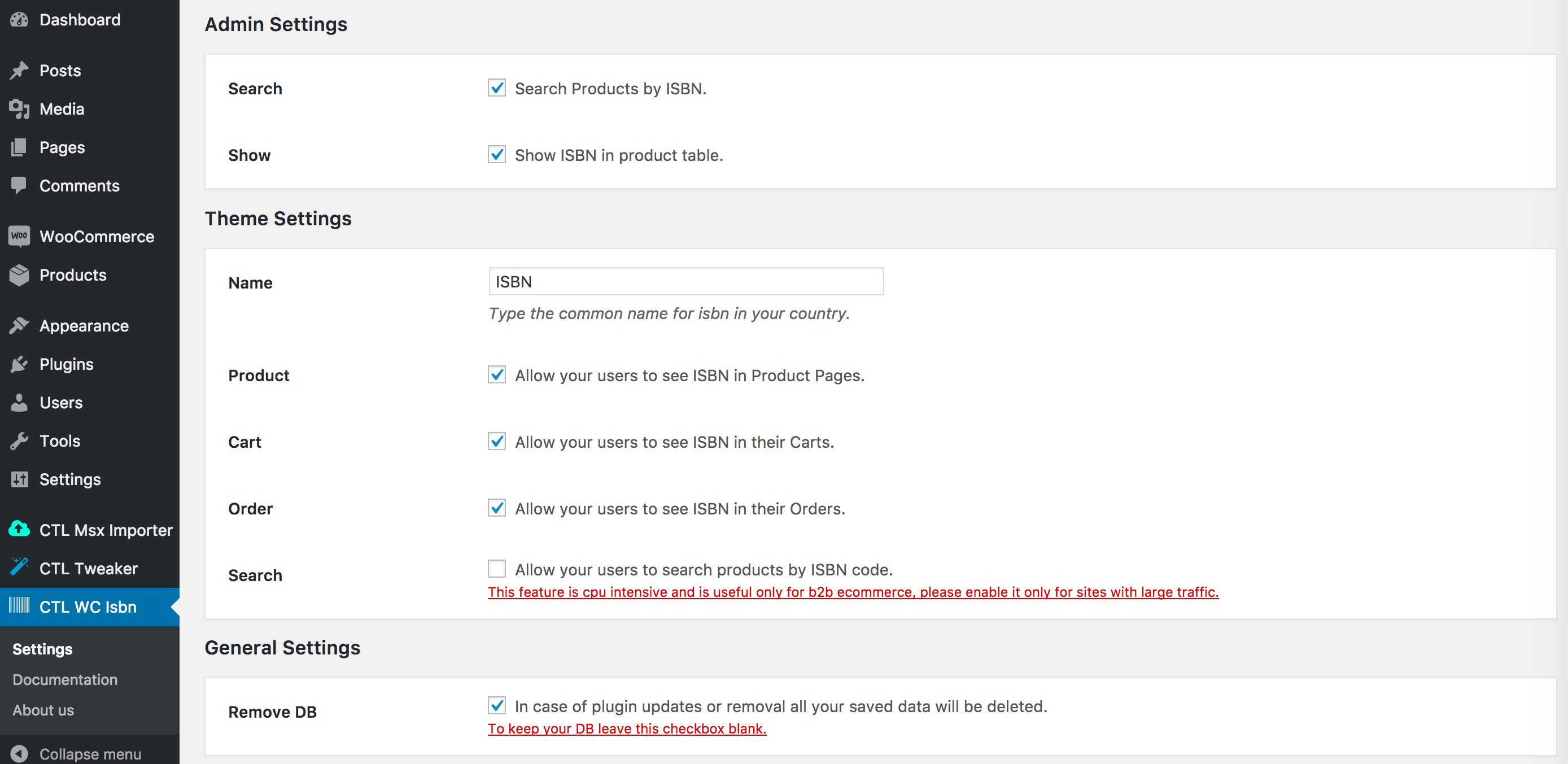
Admin Settings
- Search Products by ISBN.
- Show ISBN in product table.
Theme Settings
- Type the common name for ISBN in your country.
- Allow your users to see ISBN in Product Pages.
- Allow your users to see ISBN in their Carts.
- Allow your users to see ISBN in their Orders.
- Allow your users to search products by ISBN code.
Minimum Requirements
- PHP 4.3
- WordPress 4.7.1
- Woocommerce 2.6.12
- HTML5
- Javascript
Settings
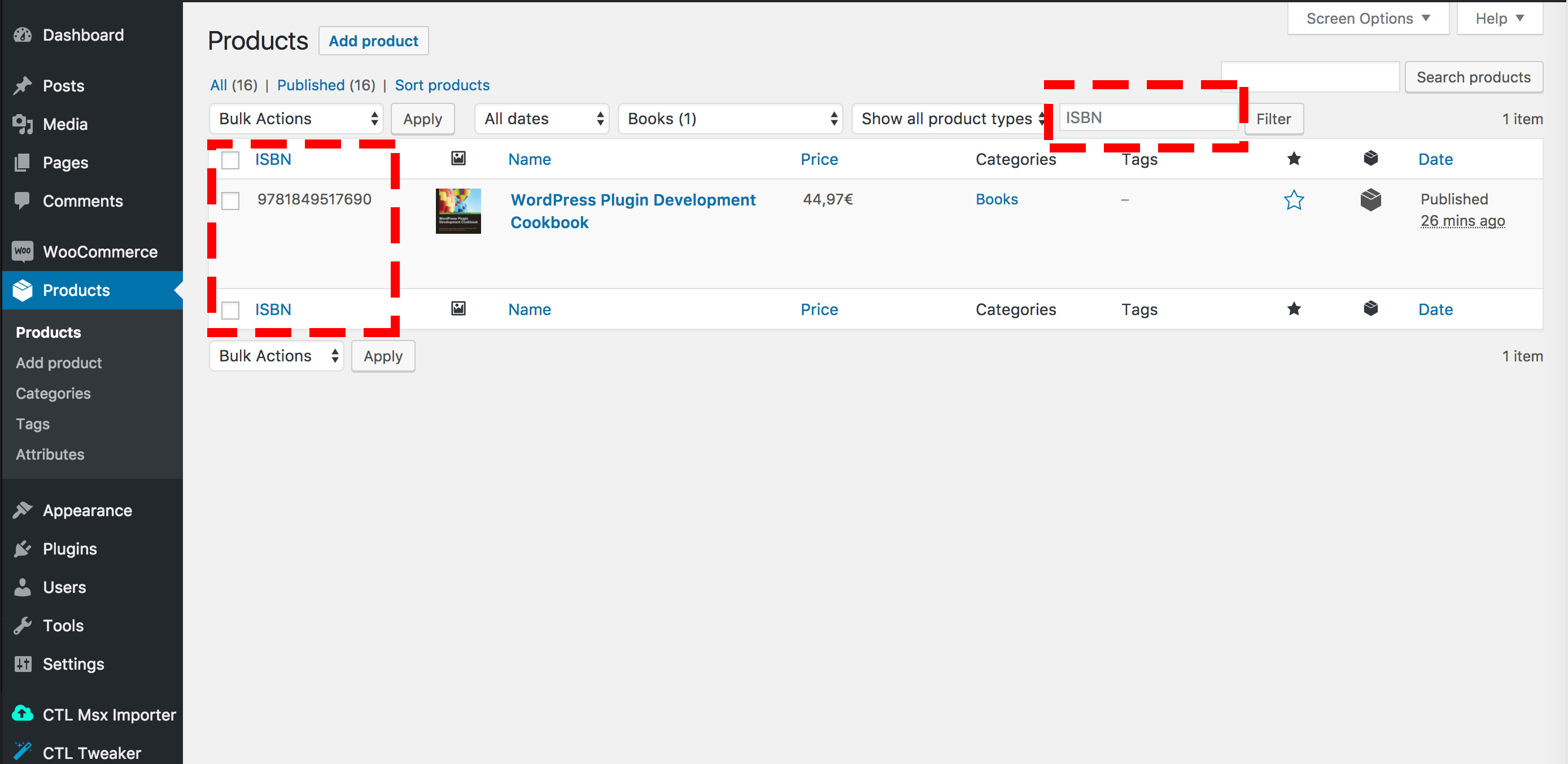
Search a product by ISBN & Show ISBN in product table
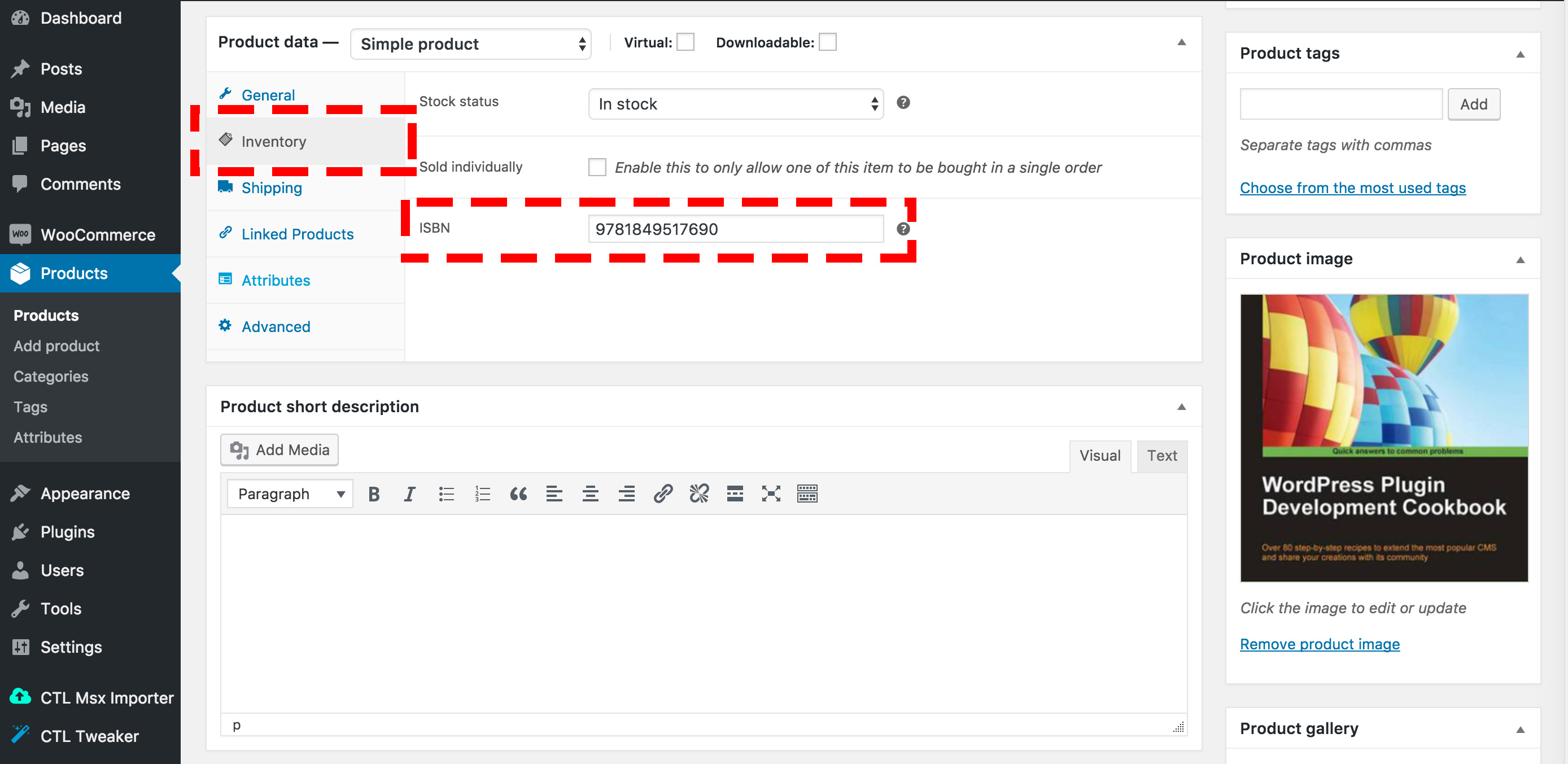
Set the ISBN code on each product and its variations
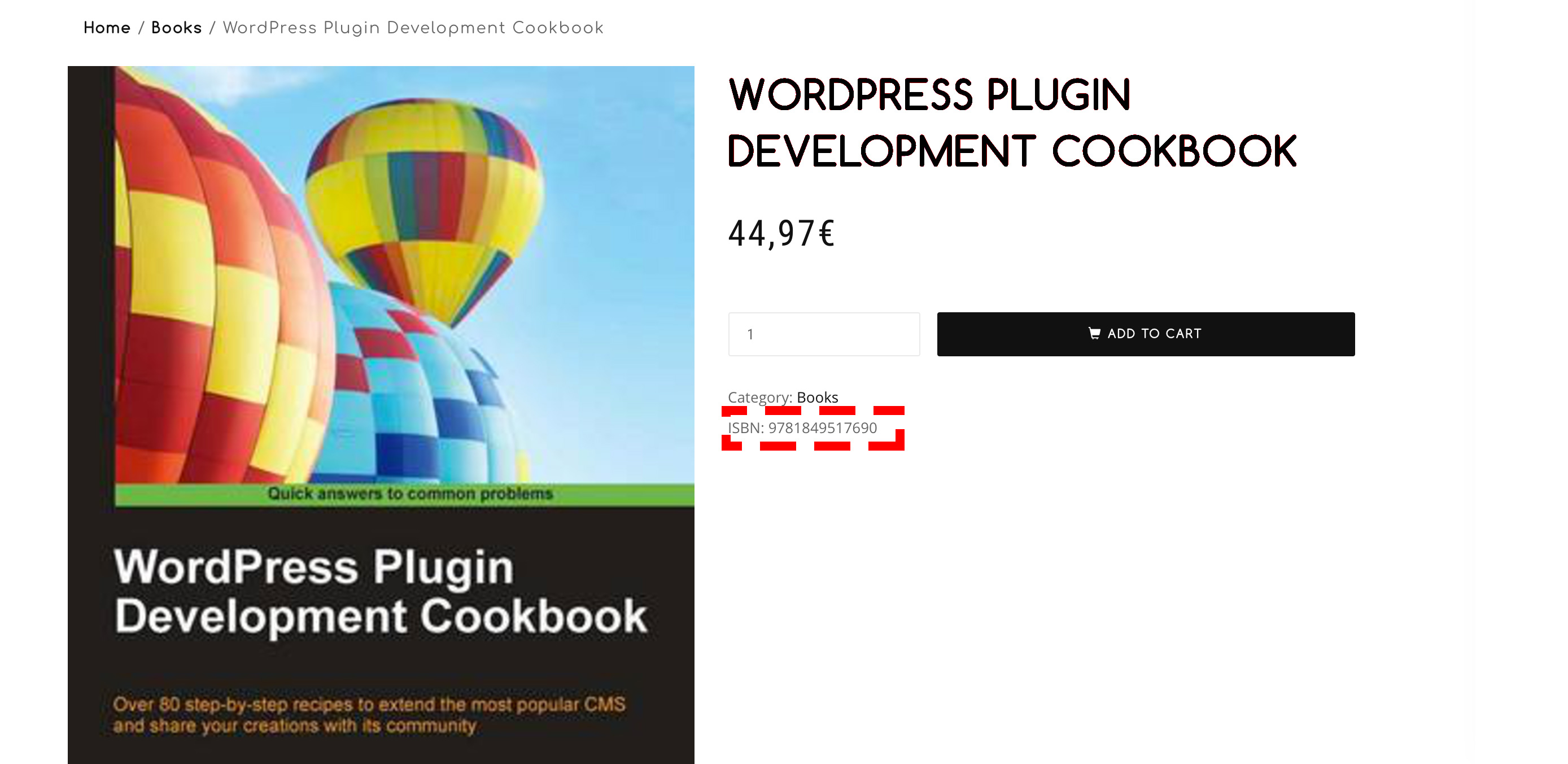
Allow your users to see ISBN in Product Pages
Allow your users to see ISBN in their Carts
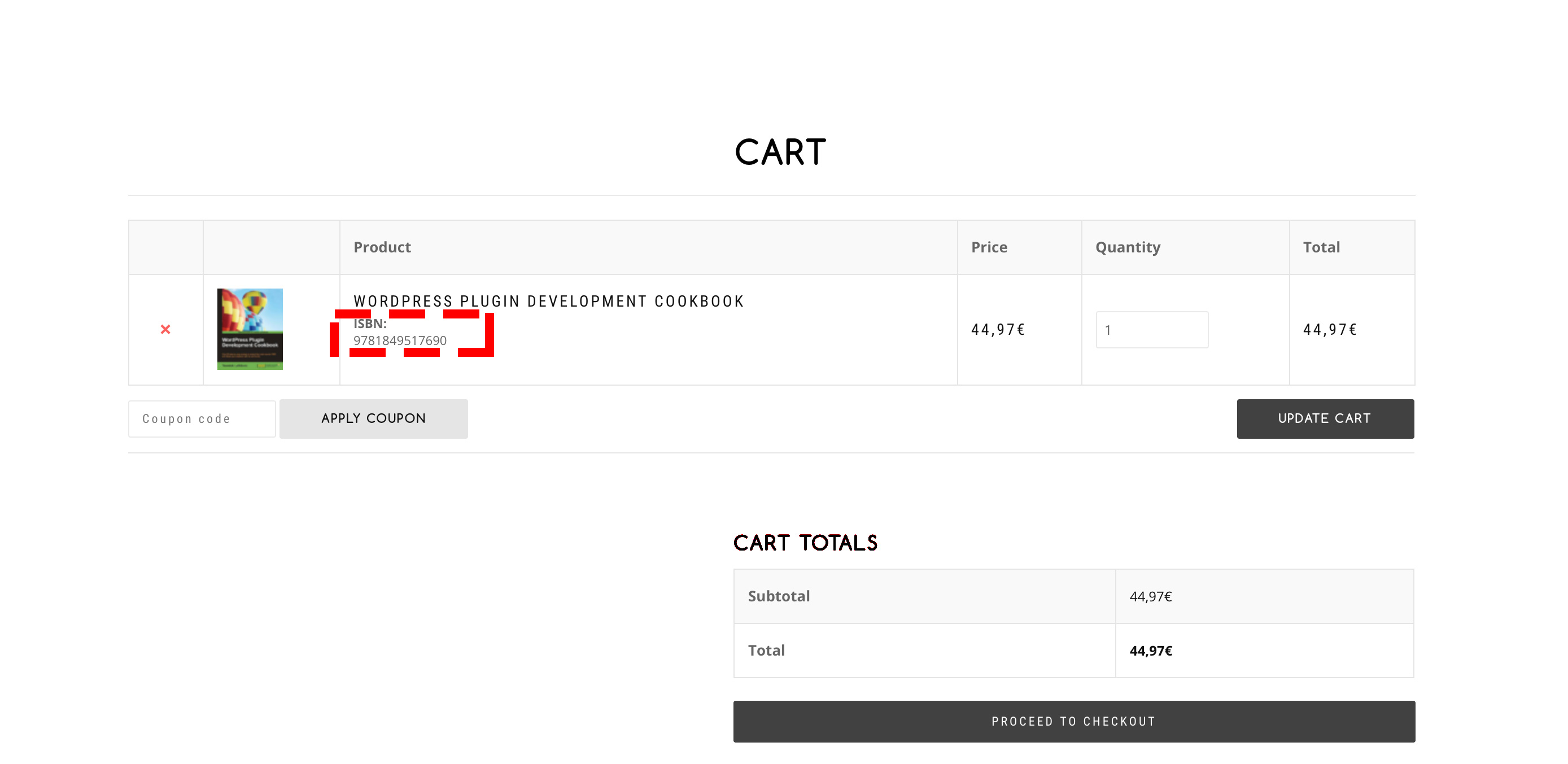
Allow your users to see ISBN in their Orders
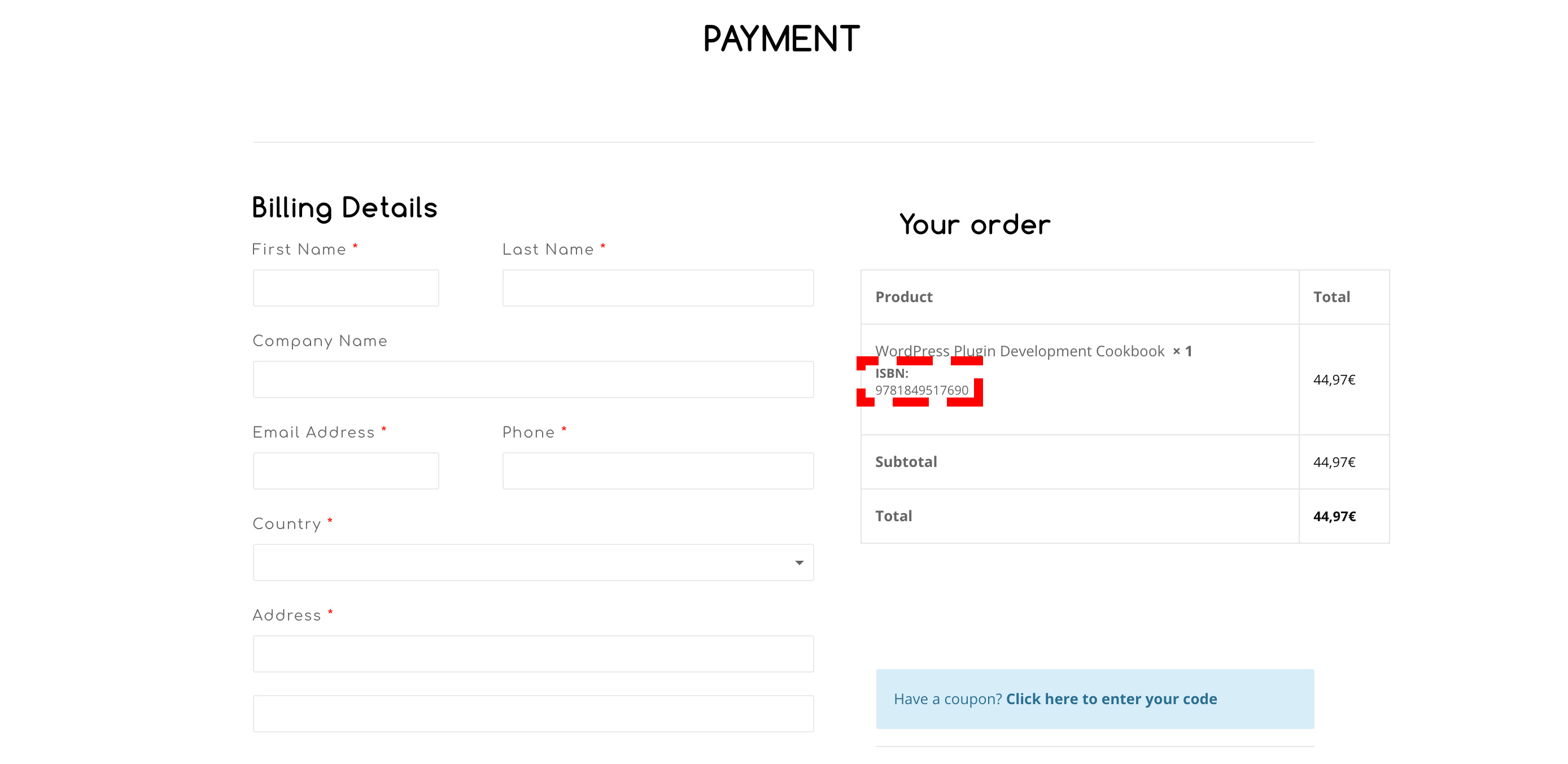
CHANGELOG:
20/06/2018: -Several Bugs Fixed
 | |


0 average based on 0 ratings.

| Last Update | 2018-06-20 |
| Created | 2017-06-06 |
| Sales | 16 |
| Discussion | Comments |
| Compatible Browsers | Firefox Safari Opera Chrome Edge |
| Software Version | WordPress 4.7.x |
| Compatible With | WooCommerce 3.0.x WooCommerce 2.6.x |
| Gutenberg Optimized | No |
| High Resolution | No |
| Files Included | JavaScript JS HTML CSS PHP |
| Video Preview Resolution |
Search plugins
Browse Categories


