Cryptocurrency Tracker - Flutter App with Portfolio and Admin Panel



Live demo
| App | Link | Access |
|---|---|---|
| Cryptocurrency Tracker app (web demo build) | cryptotracker-demo.mikodes.com | The real Flutter app compiled in demo mode: live public market data from the demo backend, a labelled sample portfolio, in-page alerts, and simulated, labelled ads and purchases (‘Demo – no charge’). No account is needed. Home-screen widgets and push notifications only exist in the Android and iOS builds. |
| Operator console (read-only) | cryptotracker-demo.mikodes.com/admin | Account demo@cryptotracker.demo; the password is shown on the sign-in screen. Every setting is visible and every write is refused. Users, alerts and campaigns are labelled sample data, and the sample has no revenue figures. |
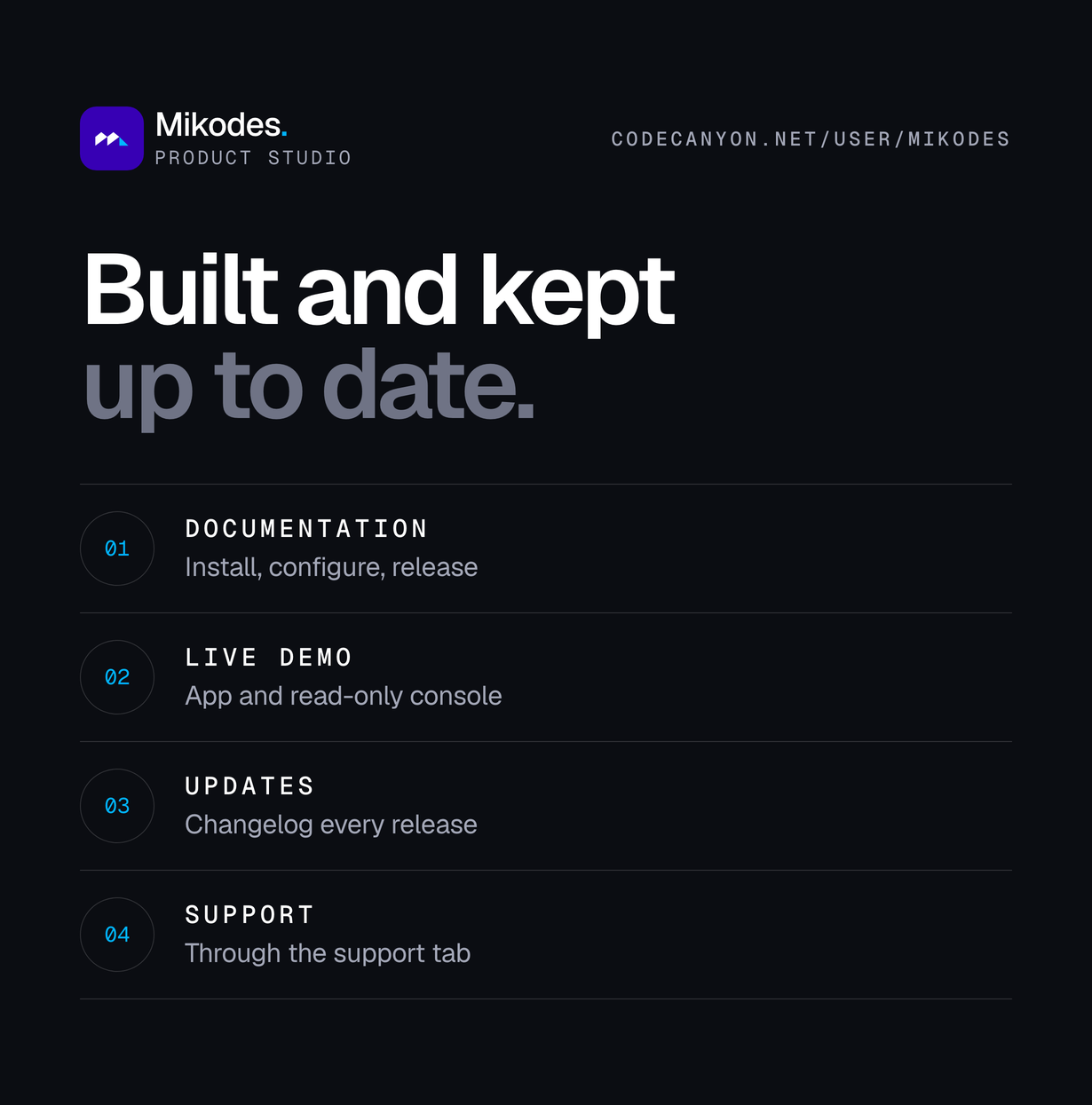
| Documentation | cryptotracker-demo.mikodes.com/docs/ | Public, no sign-in needed. 26 pages: requirements, quick start, installation, Firebase, the operator console, data providers, news sources, wallets, widgets, alerts and push, AI, ads, purchases, affiliates, sponsored items, revenue centre, monetisation, localization, rebranding, release, troubleshooting, FAQ, support, credits and changelog. |
Features
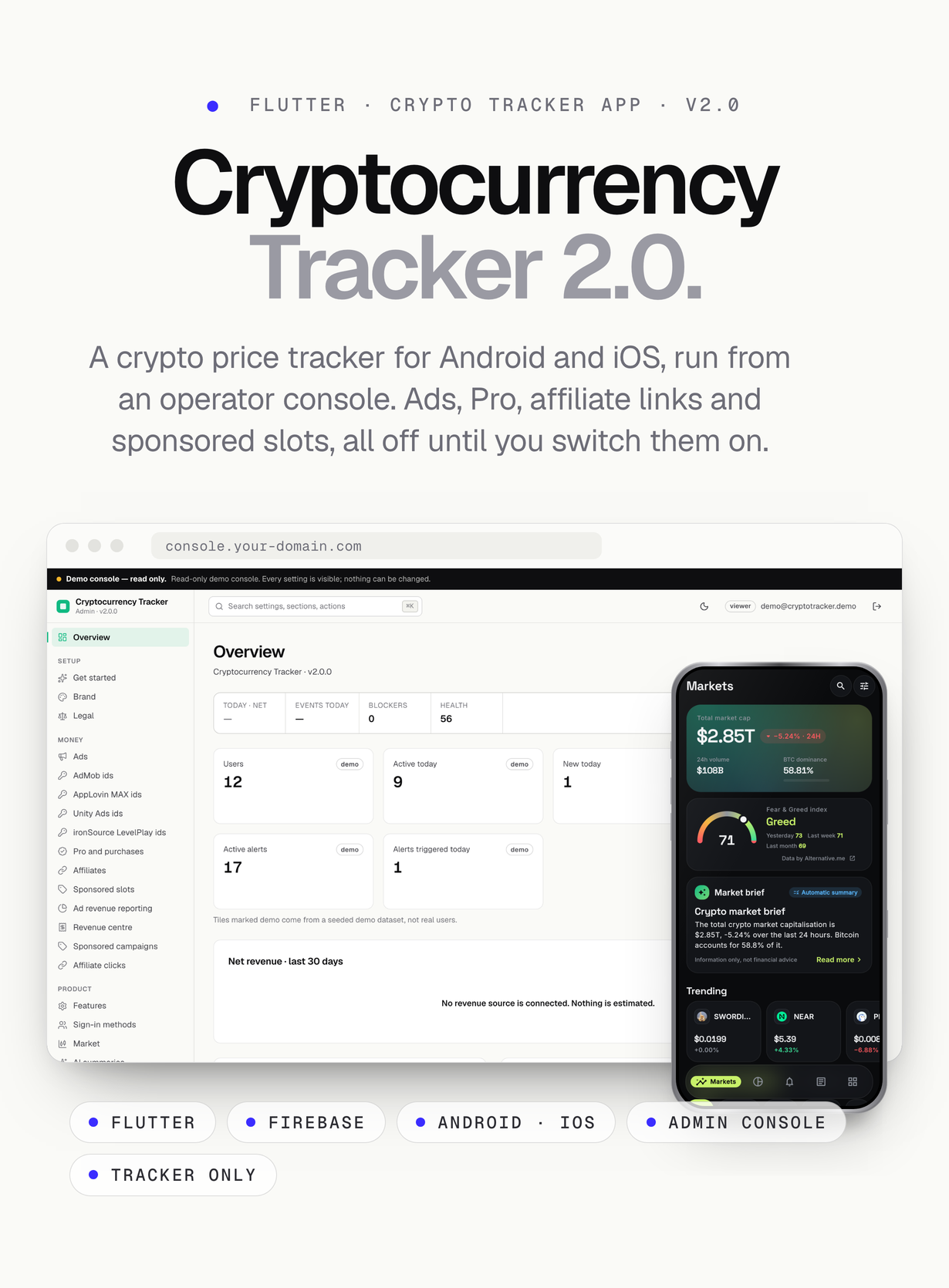
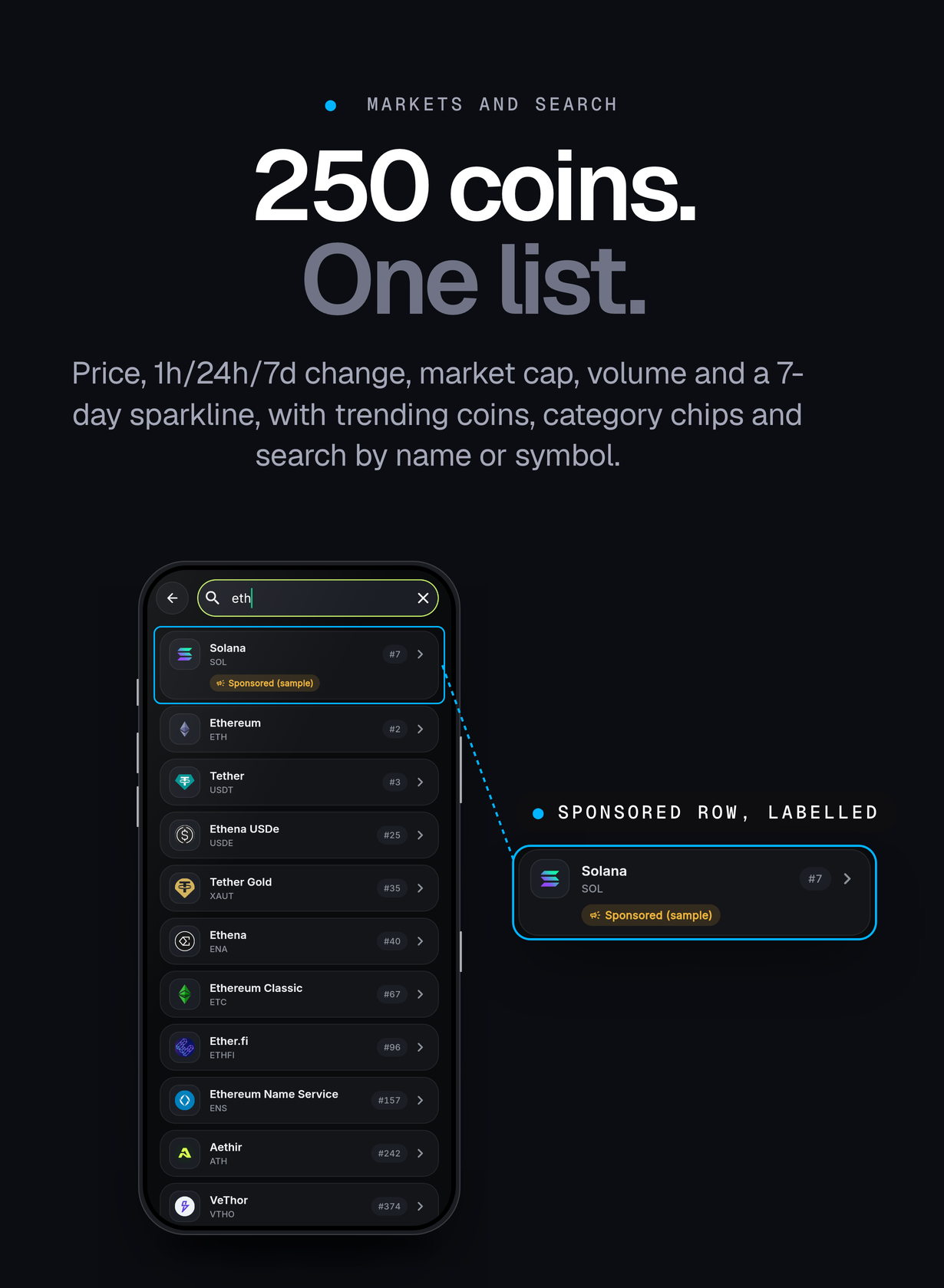
- Markets: the top 250 coins with price, 1h/24h/7d change, market cap, volume and a 7-day sparkline, sorting, category chips, a global market header (total market cap, BTC and ETH dominance) and a trending strip
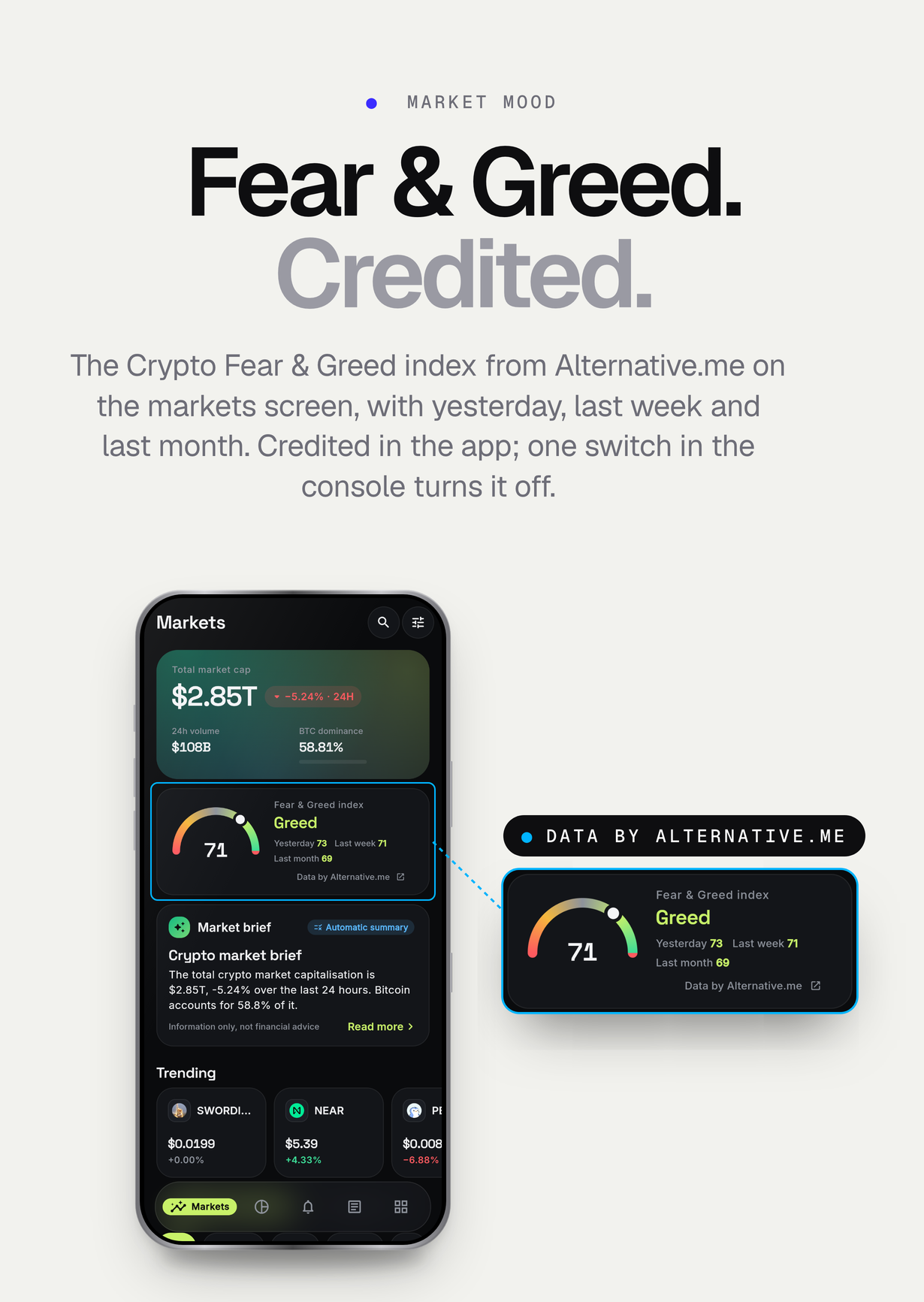
- Crypto Fear & Greed index from Alternative.me on the markets screen (today, yesterday, last week, last month), credited in the app and switched on or off in the console
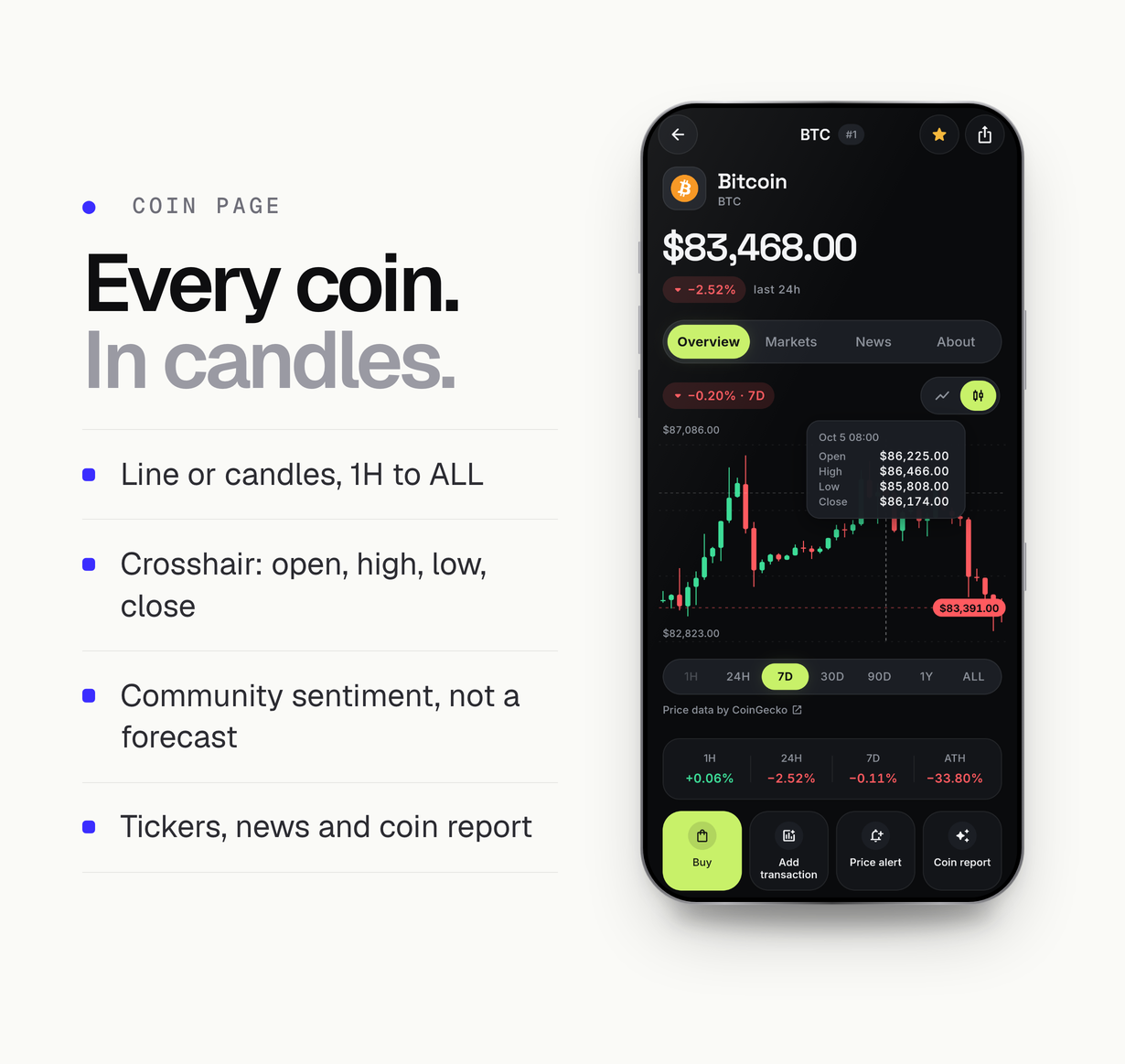
- Coin page: line or candlestick chart (CoinGecko OHLC candles from the 24H range) from 1 hour to all time (1H, 24H, 7D, 30D, 90D, 1Y, ALL) with a crosshair and an open/high/low/close tooltip, a performance strip, statistics, description and links, exchange tickers and coin news. On the keyless or free Demo CoinGecko plan the ALL range is limited to one year of history
- Community sentiment on the coin page: CoinGecko community votes as bullish and bearish percentages, labelled ‘Not a forecast’
- Search by name or symbol, and a watchlist that works without an account
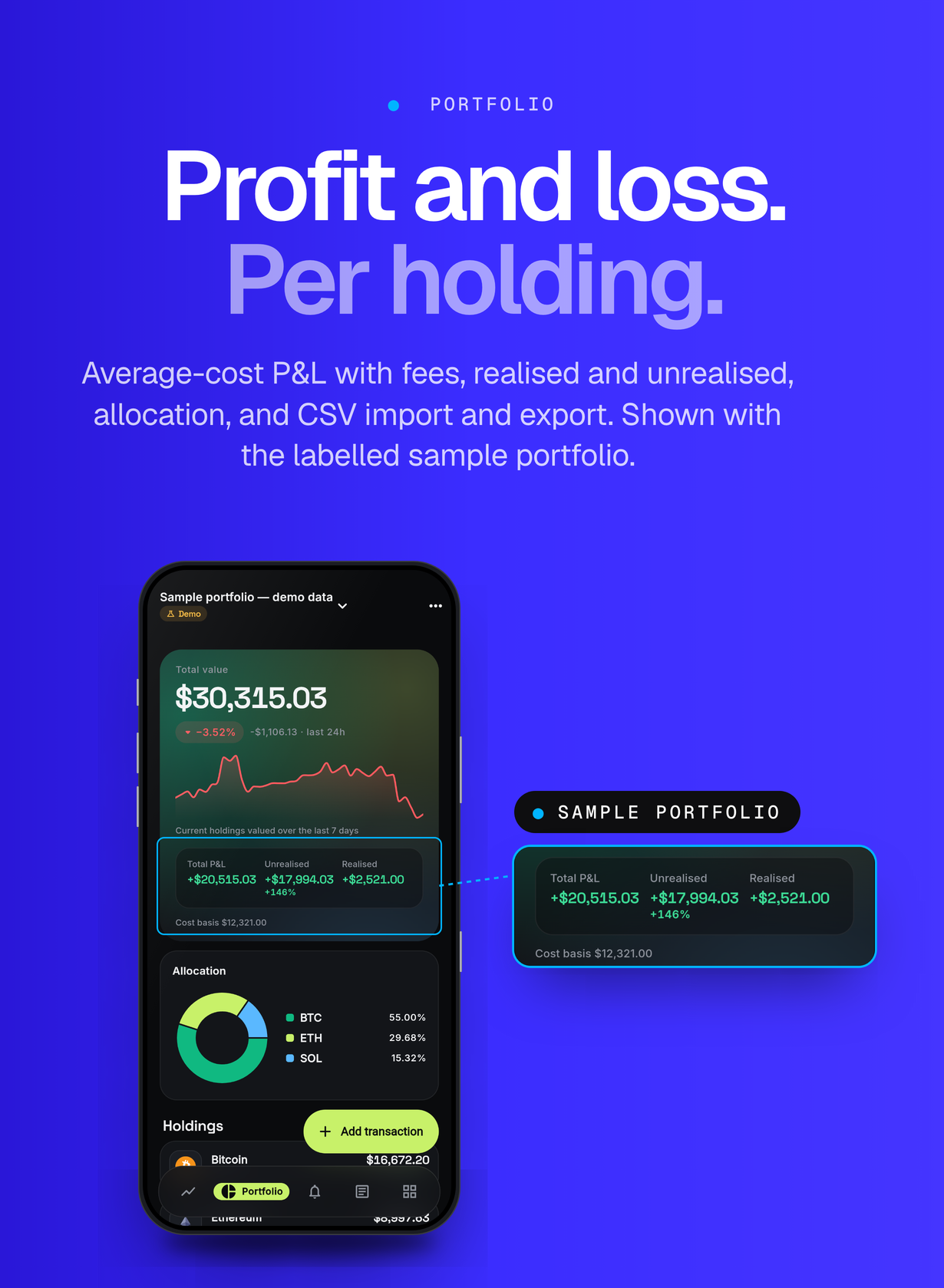
- Portfolios: buy, sell and transfer transactions with fees, average-cost profit and loss (realised and unrealised), allocation chart, several portfolios per plan, CSV import and export with row validation
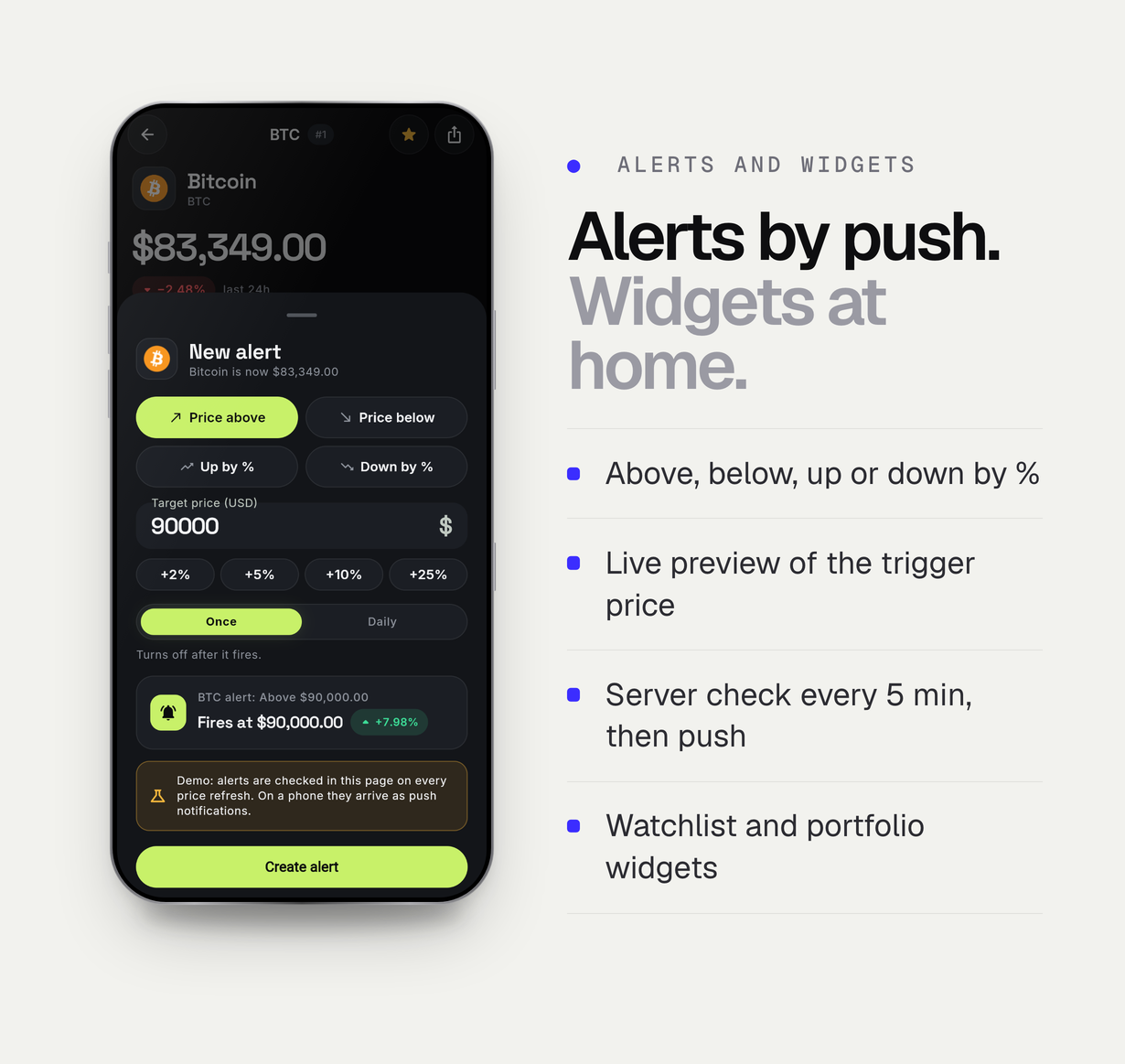
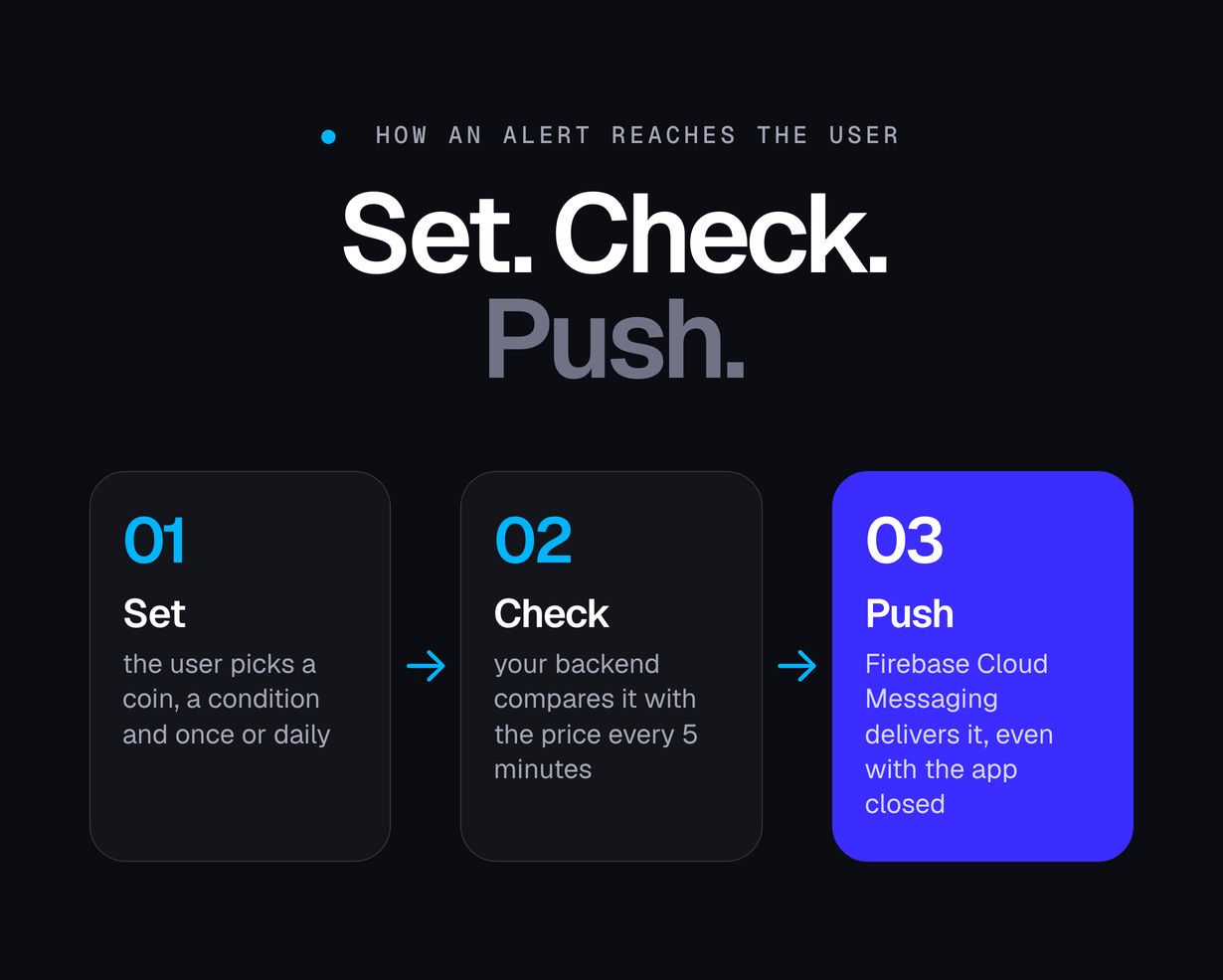
- Price alerts (above, below, percent up, percent down; once or daily) evaluated on the server every 5 minutes and delivered as push notifications, even when the app is closed
- Home-screen widgets for the watchlist and the portfolio: Android widgets refreshed by WorkManager and iOS WidgetKit widgets (small and medium), with deep links into coin pages
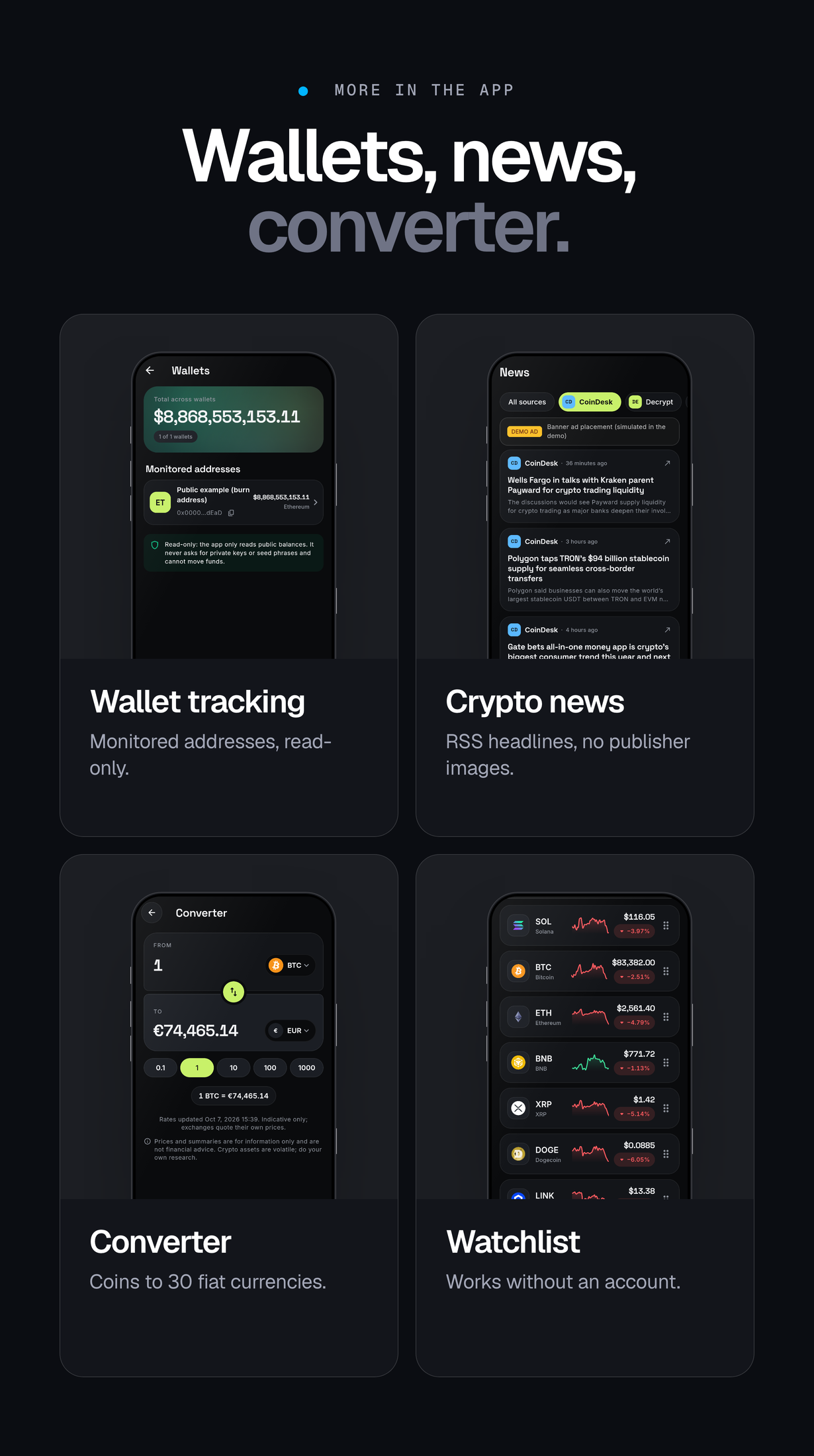
- Read-only wallet tracking by public address on 7 EVM chains (Ethereum, Base, Arbitrum, Optimism, Polygon, BNB Smart Chain, Avalanche), Solana (SPL and Token-2022) and Bitcoin; only verified tokens are shown, spam tokens are hidden, and addresses stay on the device
- Crypto news from RSS feeds (CoinDesk, Decrypt, Cointelegraph and The Block by default, configurable): headlines, short summaries and links out to the publisher, with source filter and coin tagging
- Currency converter between coins and 30 fiat currencies by default
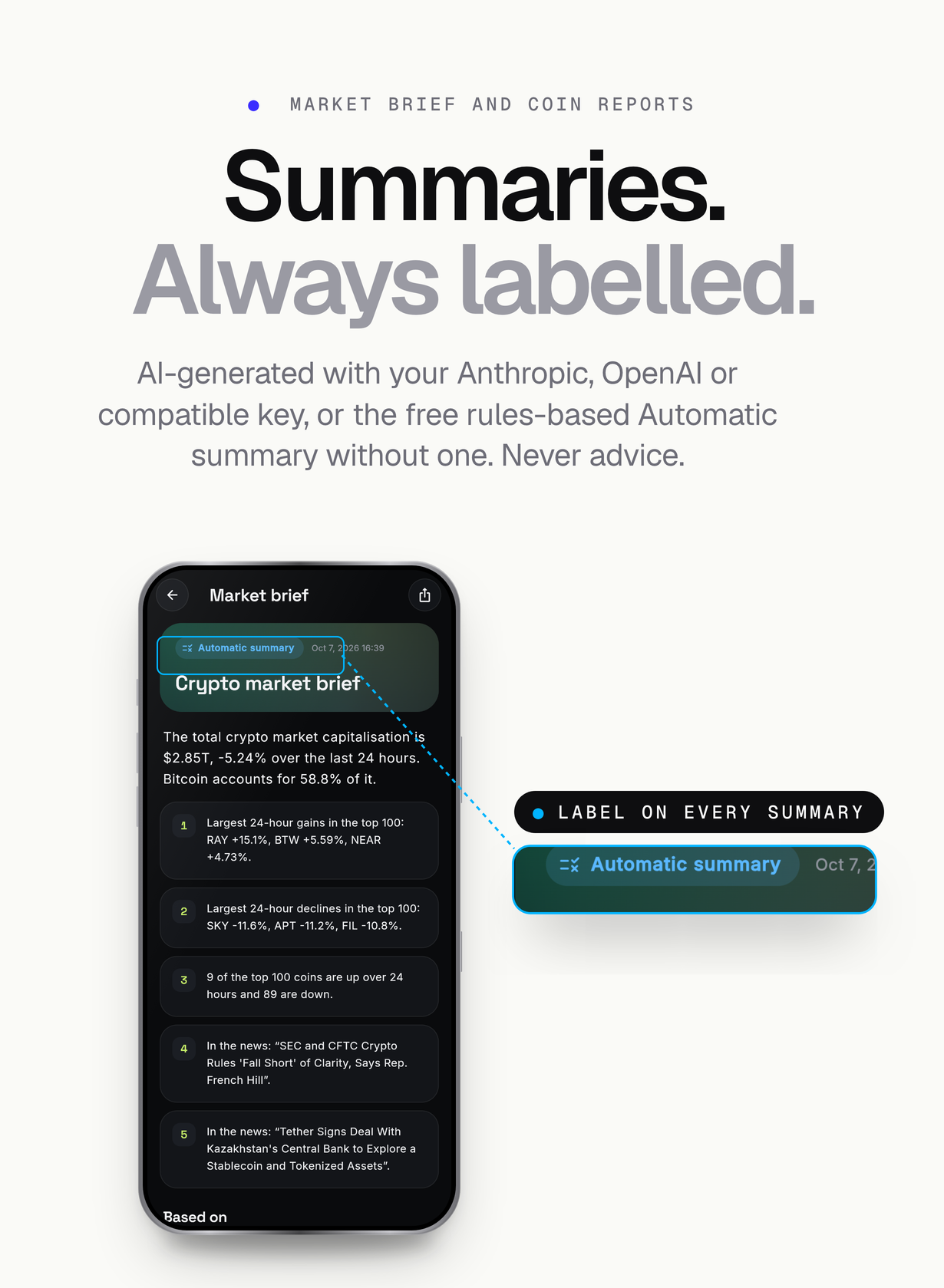
- Market brief and per-coin reports written by the AI provider you choose (Anthropic, OpenAI or OpenAI-compatible) and labelled ‘AI-generated’, or a labelled rules-based ‘Automatic summary’ when no AI key is set. Never investment advice
- Anonymous use from the first launch; optional Google, Apple or e-mail sign-in that links the anonymous account, optional cloud backup of watchlist, portfolios and wallets, and in-app account deletion
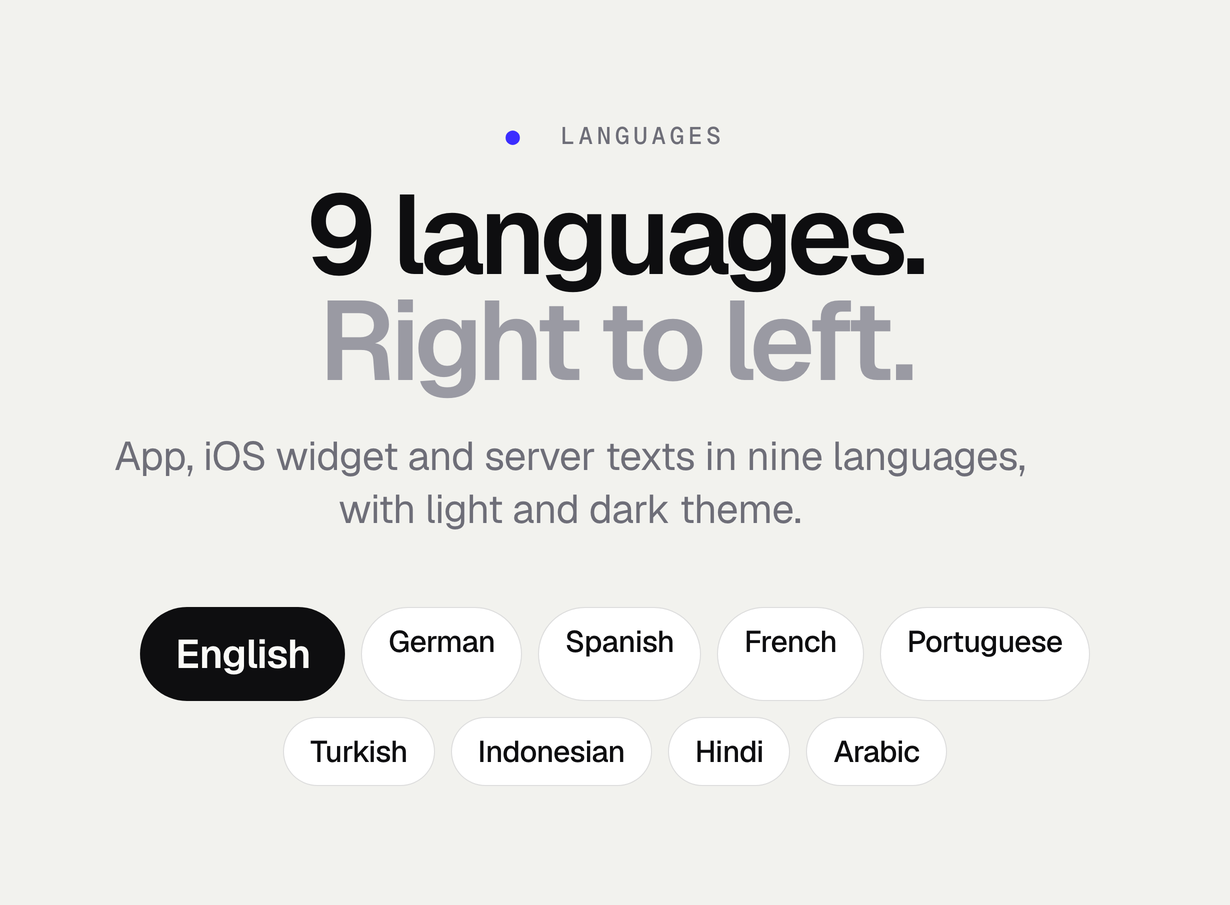
- 9 languages (English, German, Spanish, French, Portuguese, Turkish, Indonesian, Hindi and Arabic with right-to-left layout) in the app, the iOS widget and the server-side texts; light and dark theme
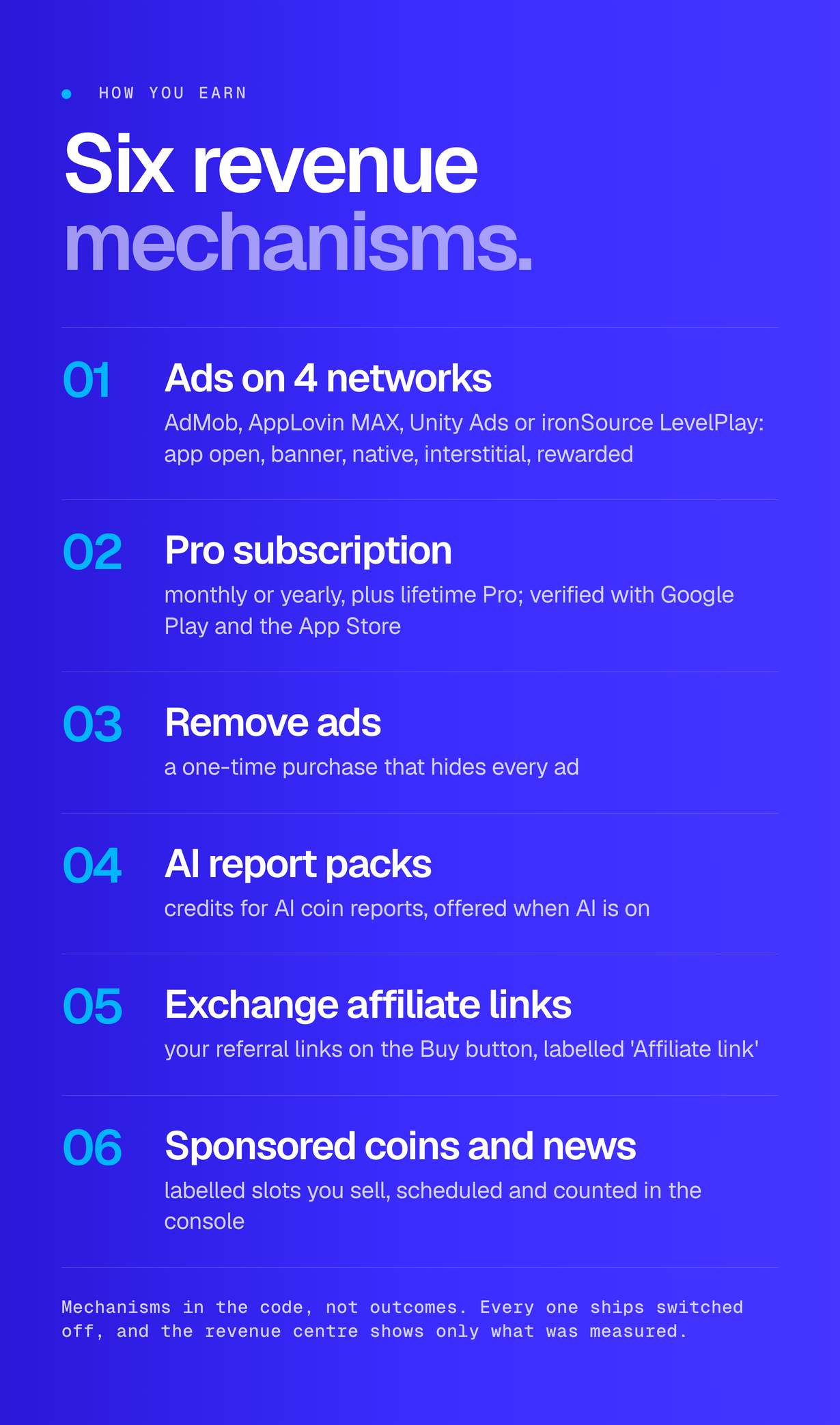
- Ways for the operator to earn, each off by default and switched in the console: ads on AdMob, AppLovin MAX, Unity Ads or ironSource LevelPlay (one network, or an ordered waterfall per format) with app open, banner, native, interstitial and rewarded placements; Pro subscription (monthly or yearly) and lifetime Pro; remove-ads and AI report pack purchases verified on the server; labelled exchange affiliate links; labelled sponsored coins and sponsored news
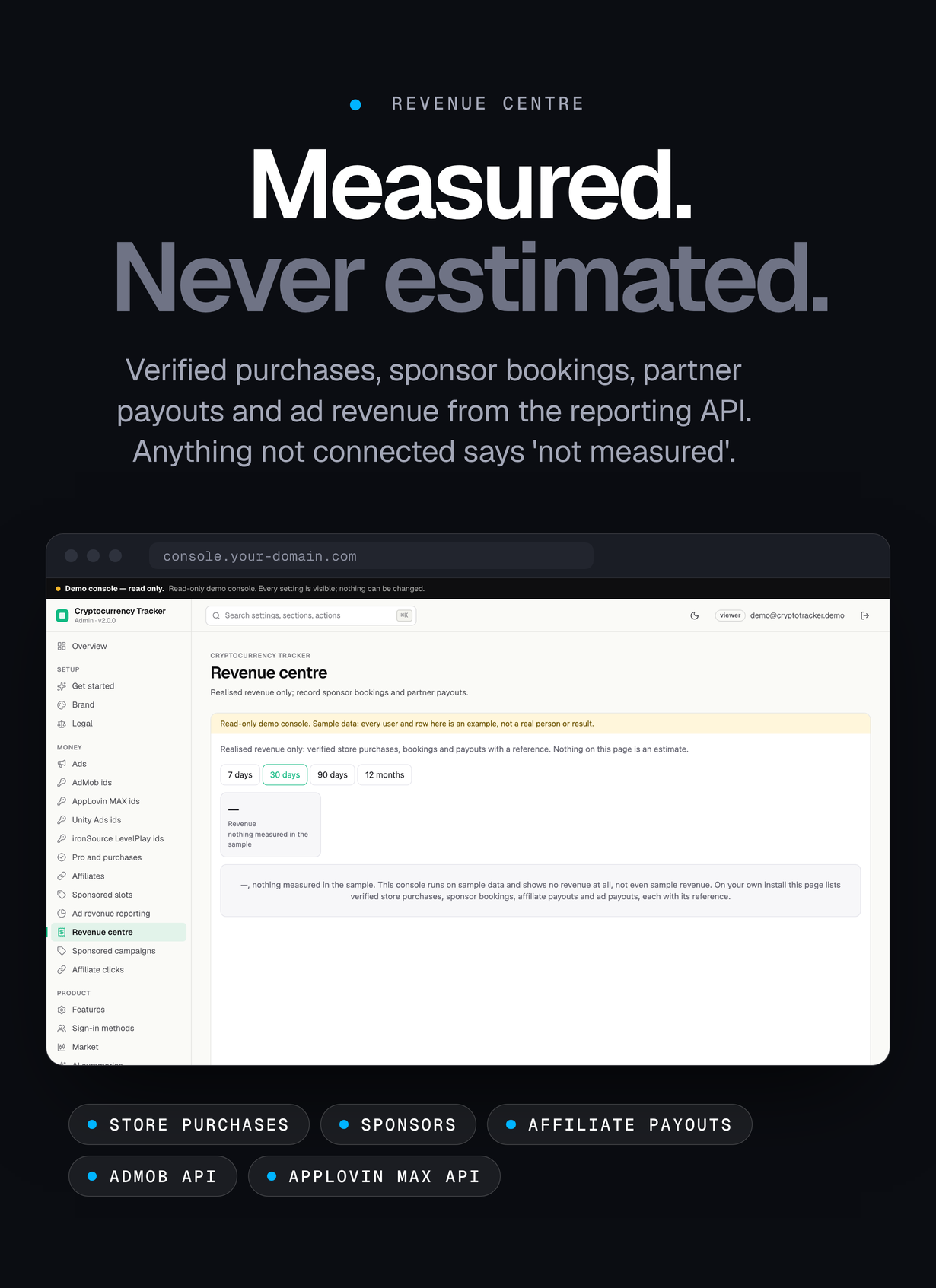
- Revenue centre with measured figures only: verified store purchases, sponsor bookings and partner payouts you record with a reference, and ad revenue once you connect the AdMob or AppLovin MAX reporting API. What is not measured says so; nothing is estimated
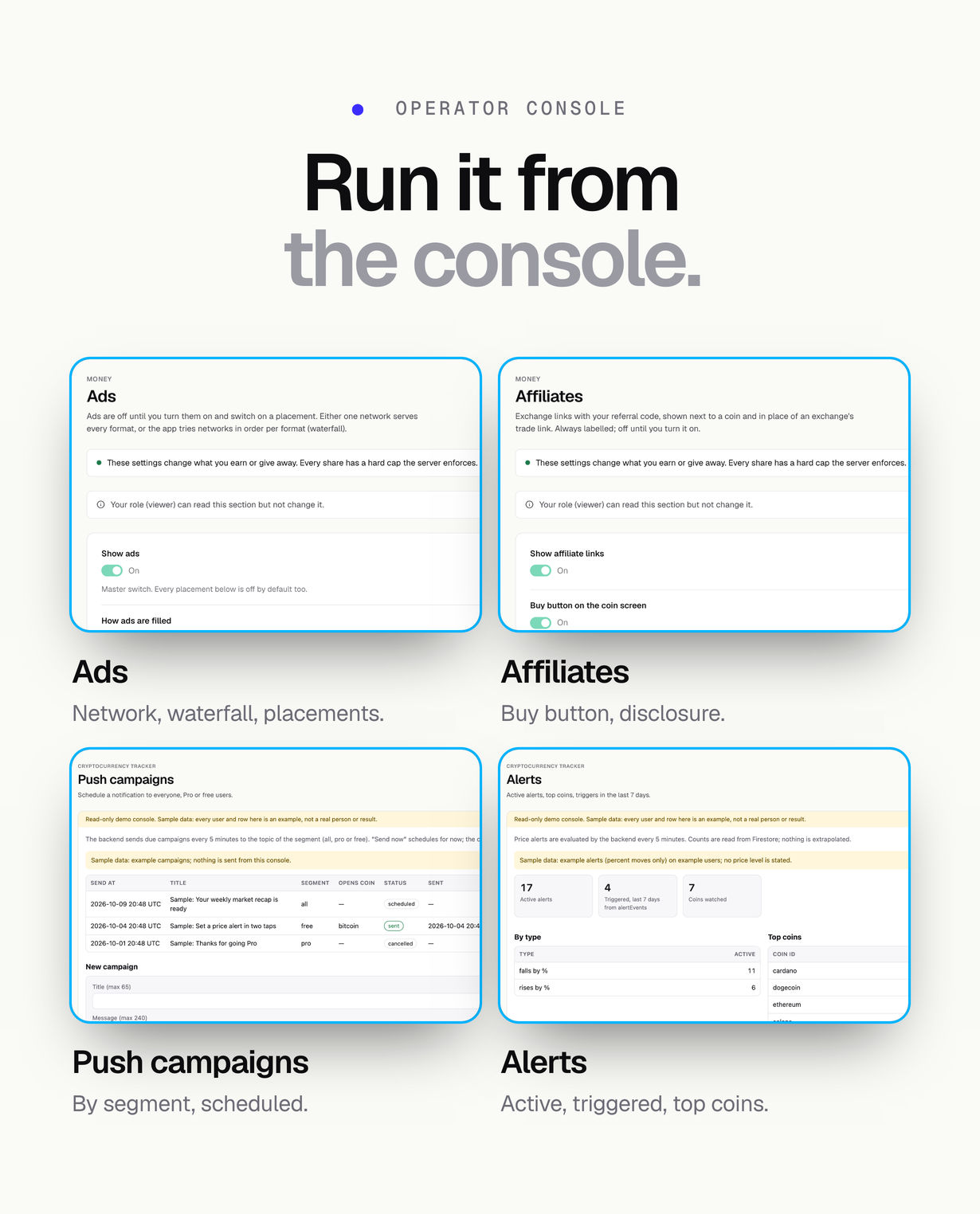
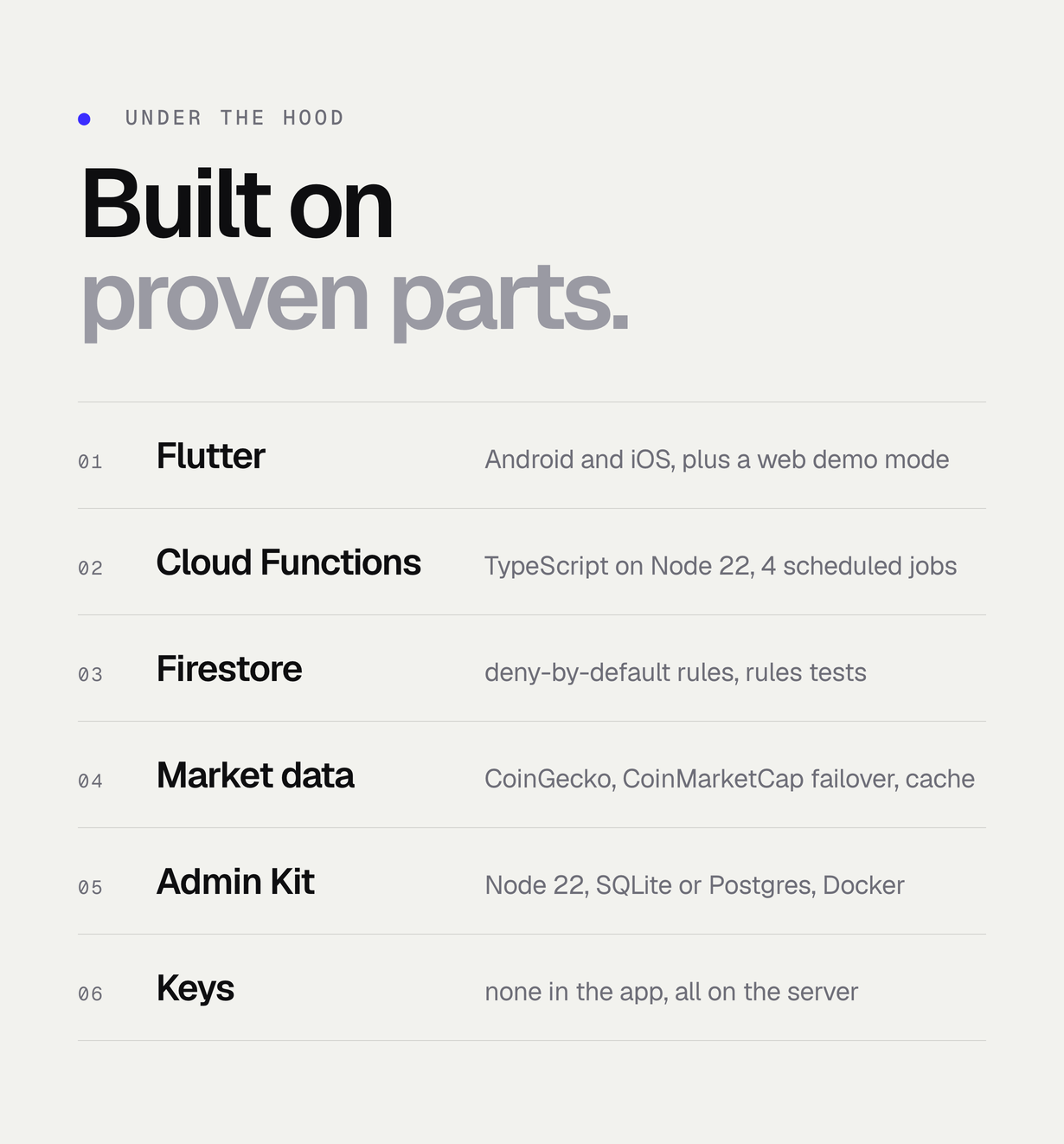
- Operator console on the MIKODES Admin Kit: brand, legal pages and labels, feature switches, market defaults, data providers and keys, budgets and caching, news sources, AI, ads, Pro and store products, affiliates, sponsored slots, wallet chains and RPC endpoints, push campaigns, users, alerts, provider usage and status checks; owner, manager and viewer roles and an audit log
- Backend data layer: CoinGecko (keyless, Demo or paid key) with CoinMarketCap failover, per-minute and monthly budgets, a two-level cache and stale fallback, so the app stays inside free API tiers and no key ships in the app
Screenshots and preview images show the demo build: ads and purchases are simulated and labelled, the sample portfolio is labelled sample data, and the console runs read-only on labelled sample data. They are presentation material, not part of the download, and no figure in them is a result. Device frames are illustrations.
FAQ
Who is it for?
For someone who wants to publish and run their own crypto price tracker without writing it from scratch: a beginner entrepreneur with basic setup skills, an agency building an app for a client, or a Flutter developer who wants a complete app with a backend and an operator console. The documentation walks through every command.
How can the operator earn from it?
Through mechanisms in the code, described here as mechanisms and not as outcomes: ads on the networks you choose (app open, banners, native ads in lists, interstitials with a minimum gap, and a rewarded ad that unlocks one AI coin report), a Pro subscription (monthly or yearly) and lifetime Pro, a remove-ads purchase, AI report packs, labelled exchange affiliate links, and labelled sponsored coins and news that you sell yourself. Every one of them ships switched off. What any of it produces depends on your ad networks, store setup, partners, traffic and policy compliance; the item makes no claim about it, and the revenue centre only shows what was actually measured.
Is it a wallet or a trading app?
No. It is a tracker only. It shows public market data and looks up public addresses read-only; it holds no private keys or seed phrases and cannot send, swap, trade or hold funds. Nothing in it is investment advice, and AI text is always labelled ‘AI-generated’ with a disclaimer.
Where does the data come from?
Prices and market data come from CoinGecko, with CoinMarketCap as a fallback, called from your own backend; news comes from the publishers’ RSS feeds (headlines, short summaries and links only); wallet balances come from public RPC nodes and mempool.space; the Fear & Greed index comes from Alternative.me and is credited in the app. The app shows ‘Price data by’ attribution. Each provider’s API terms apply to your use.
Do I need an AI key?
No. Without a key the app shows a rules-based market summary labelled ‘Automatic summary’. With an Anthropic, OpenAI or OpenAI-compatible key the brief and coin reports are AI-generated, labelled as such, and capped per day in the console.
Does the web version show real ads or take payments?
No. The web build runs in demo mode only, with simulated ads and purchases labelled ‘Demo – no charge’. Ad SDKs, store purchases, push notifications and home-screen widgets run in the Android and iOS builds.
Which languages are included?
Nine: English, German, Spanish, French, Portuguese, Turkish, Indonesian, Hindi and Arabic with a right-to-left layout. The strings are in ARB files, so you can add or correct languages; a professional review of the shipped translations is not included.
I bought the previous version. What changes?
2.0.0 is a new code base and replaces the Kotlin Android app of this item. There is no data migration from 1.x. You can publish it as an update of your existing store listing by keeping your application id, or as a new app.
Do I need a server?
Yes: a Firebase project on the Blaze plan for the Cloud Functions, and a host for the operator console (Node 22). Both run on your own accounts. For a first look you can run the backend locally with no accounts at all.
Are external services included in the item price?
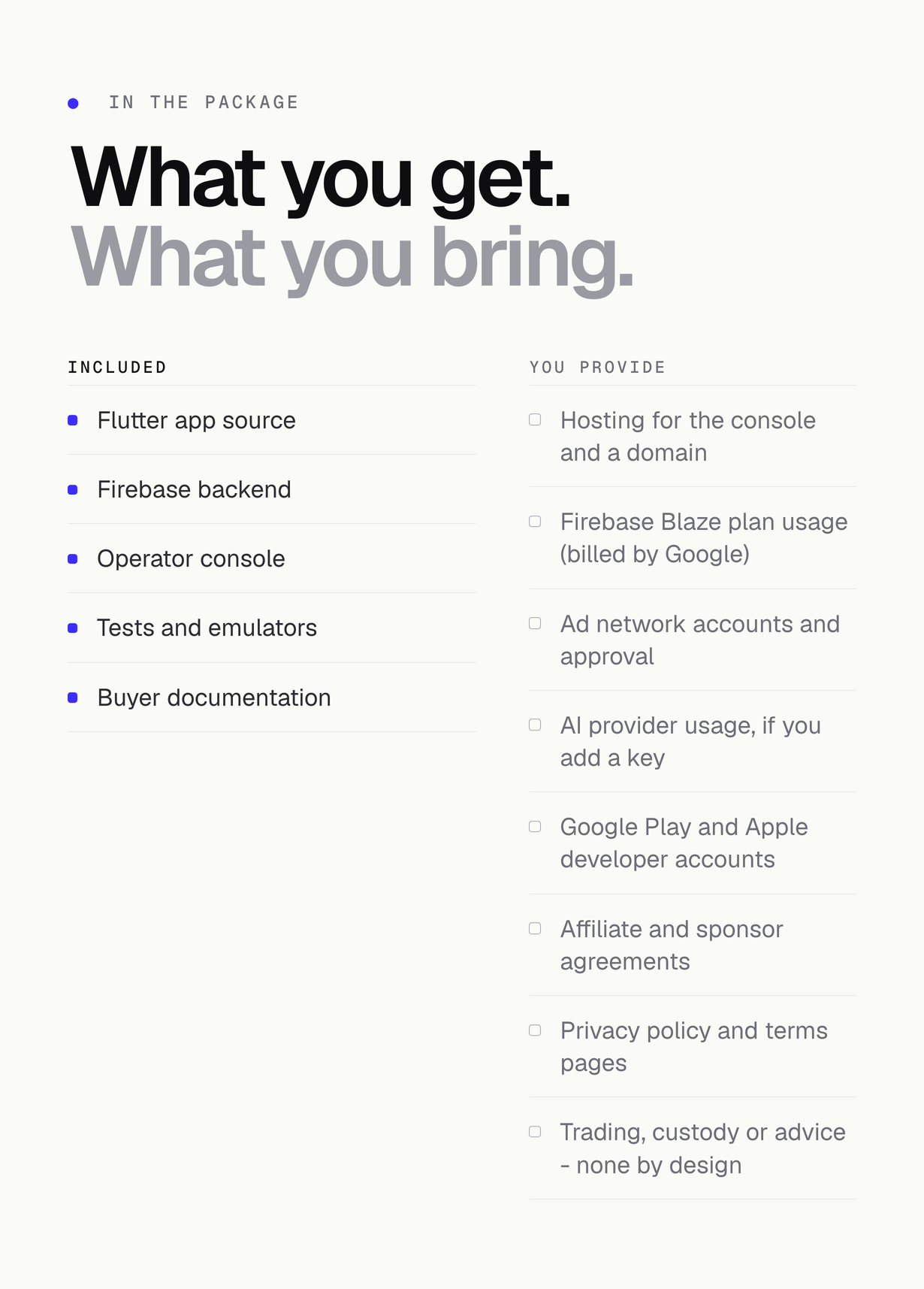
The item price covers the source code and its documentation only. The app depends on third-party services and external providers that are billed separately, on your own account: Firebase (Cloud Functions, Cloud Scheduler and outbound calls need the Blaze pay-as-you-go plan; Google bills usage above the free tier), optional paid CoinGecko or CoinMarketCap plans and private RPC endpoints if your traffic needs them, usage of the AI provider you choose (each AI brief and report is billed by that provider; without a key the free, labelled Automatic summary is used), ad network accounts (free to open, but each network reviews your app and sets its own terms), the Google Play developer registration and the Apple Developer Program membership, hosting and an optional domain for the operator console, and web pages for your privacy policy and terms. None of these are included in the item price. Costs depend on your traffic and the plans you choose. The two-minute local demo needs none of them.
Regular or Extended licence?
Use the Regular licence when your end users are not charged. If you sell the Pro subscription, lifetime Pro, remove-ads or AI report packs, your end users are charged, which needs the Extended licence under Envato’s licence terms.
What support is included?
Six months of item support from the purchase date are included under Envato’s item support policy and can be extended on CodeCanyon. Support covers how the item works and fixes for bugs in the code as delivered; installation on your servers, customisation and third-party services are not covered. Never send service-account keys, keystores, API keys or passwords in a support message.
What is not included?
Hosting and a domain for the console, Firebase Blaze usage, paid market-data plans and private RPC providers, AI provider usage, ad network accounts and approval, Google Play and Apple developer accounts, store listings and review, exchange affiliate and sponsor agreements, your privacy policy and terms pages, and any trading, custody or investment advice – by design there is none.
Credits
CoinGecko, CoinMarketCap, Alternative.me, CoinDesk, Decrypt, Cointelegraph, The Block, AdMob, AppLovin MAX, Unity Ads, ironSource LevelPlay, Anthropic, OpenAI, Firebase, Google Play and the App Store are named to describe compatibility; the names and marks belong to their owners. The ironSource LevelPlay plugin (unity_levelplay_mediation) is fetched from pub.dev under Unity’s own terms and is not bundled. The operator console bundles the Geist and Geist Mono fonts (SIL Open Font License 1.1) and a prebuilt UI with React (MIT), cmdk (MIT) and Lucide icons (ISC); the app bundles the Inter and Space Grotesk fonts (SIL Open Font License 1.1, licence texts next to the font files). Every package is listed with its licence in the credits page of the documentation and in THIRD-PARTY-LICENSES.md in the download.
Requirements
- Flutter 3.41 or newer on the stable channel (pubspec: flutter >=3.41.0), Dart 3.7 or newer
- Android: Android Studio with Android SDK 36 and JDK 17 or newer; minSdk 24 (Android 7.0), compileSdk 36, targetSdk 36 (Android Gradle Plugin 8.11.1, Gradle 8.14, Kotlin 2.2.20)
- iOS: iOS 15.0 or newer for the app and the widget extension; a Mac with Xcode 16 or newer and CocoaPods 1.16 or newer (to upload to the App Store, use the Xcode version Apple currently requires: Xcode 26 at the time of writing)
- Node.js 22 and npm for the Cloud Functions and the operator console
- Firebase CLI 14 or newer; Java 21 or newer only for the Firebase emulators; FlutterFire CLI for flutterfire configure
- A Firebase project on the Blaze (pay-as-you-go) plan with Authentication, Firestore and Cloud Messaging
- A host for the operator console that runs Node 22, with a Firebase service account (SQLite by default, Postgres optional, Dockerfile included)
- Market data: CoinGecko works without a key; a free CoinGecko Demo key is recommended for production, and a CoinMarketCap key is optional for failover
- Optional: an AI provider key (Anthropic, OpenAI or OpenAI-compatible), ad network accounts, and Google Play and Apple developer accounts to publish and verify purchases
Changelog
v2.0.0 (2026-10) - Complete rebuild of this item. A new code base written from scratch replaces the Kotlin Android app: a Flutter app for Android and iOS (plus a web demo), a Firebase backend (Cloud Functions on Node 22) and an operator console on the MIKODES Admin Kit. The old app's data sources had stopped working; 2.0 uses CoinGecko with CoinMarketCap as a fallback and RSS news feeds, all called from your own backend, so no key ships in the app. New: markets with sparklines, global stats, trending and categories; coin charts from 1H to ALL as a line or candlesticks with a crosshair; the Crypto Fear & Greed index from Alternative.me; CoinGecko community sentiment on coin pages; the new 'Obsidian' design; watchlist; portfolios with average-cost profit and loss, allocation and CSV import and export; server-side price alerts with push; Android and iOS home-screen widgets; read-only wallet tracking on 9 chains; RSS news; converter; AI or automatic market brief and coin reports; optional sign-in with cloud backup and account deletion; 9 languages including Arabic right-to-left; dark and light theme; ads, Pro, lifetime Pro, remove-ads, AI report packs, affiliate links and sponsored items, all off by default; a revenue centre with measured figures only. Requires Flutter 3.41. No data migration from 1.x.
Installation and custom work
The author of this item can install it on your own server, add features to it, or build something custom on top of this codebase. That is development work arranged directly with the author through the contact options on the author’s CodeCanyon profile page, and it sits outside Envato item support, which always runs through the Support tab on this page. Pre-sale questions about the item itself belong in the Comments tab.


