Cook Pro - Recipe Listing WordPress Plugin

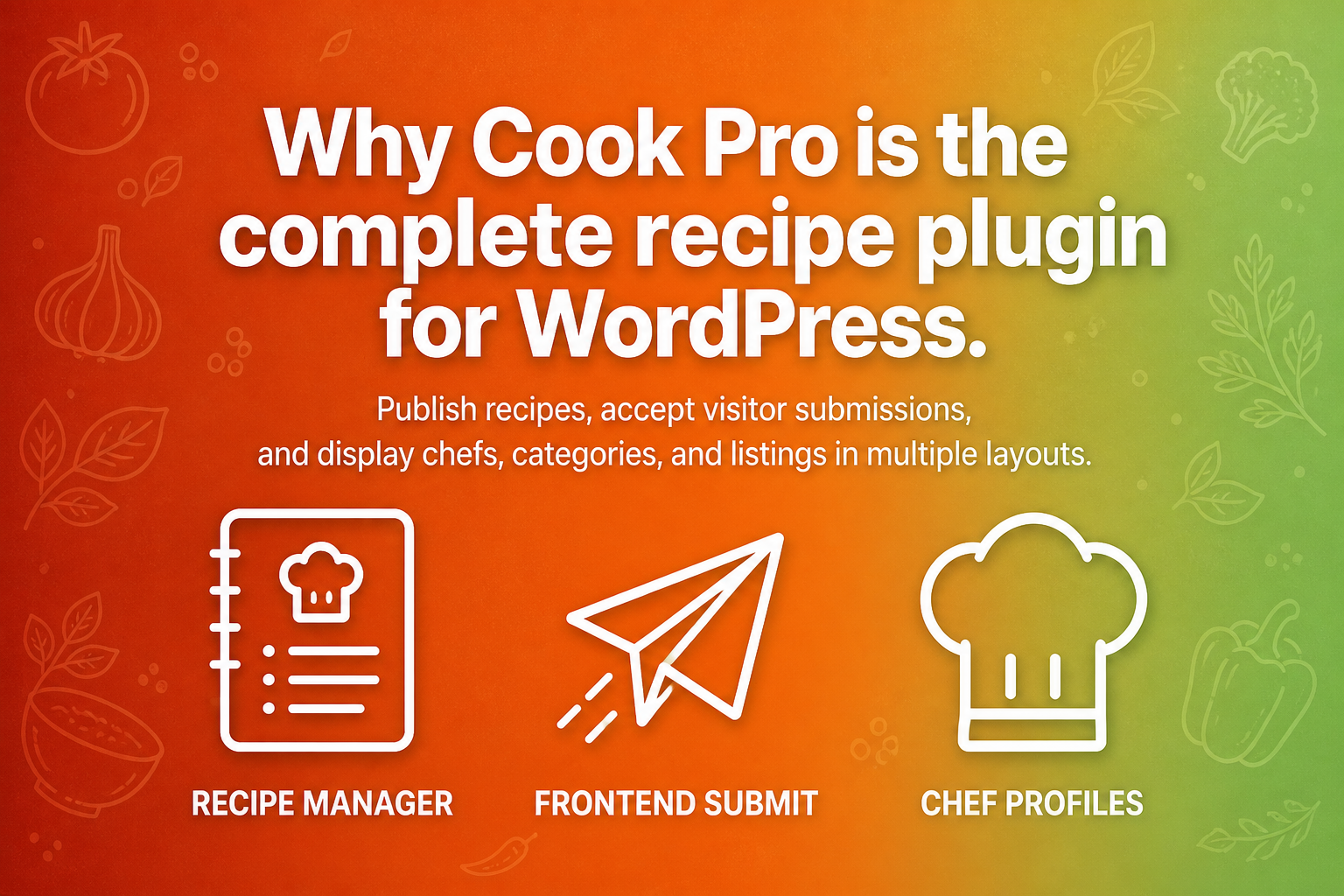
Cook Pro is a complete recipe management plugin for WordPress. Publish recipes, let visitors submit their own, and display listings, chefs, and categories in multiple layouts — from shortcodes, Elementor widgets, or WPBakery addons.
It is built for recipe listing sites that need frontend submission, user profiles, ratings, likes, favorites, print pages, and a full set of display options. Install, assign a few pages from the dashboard, and start publishing.
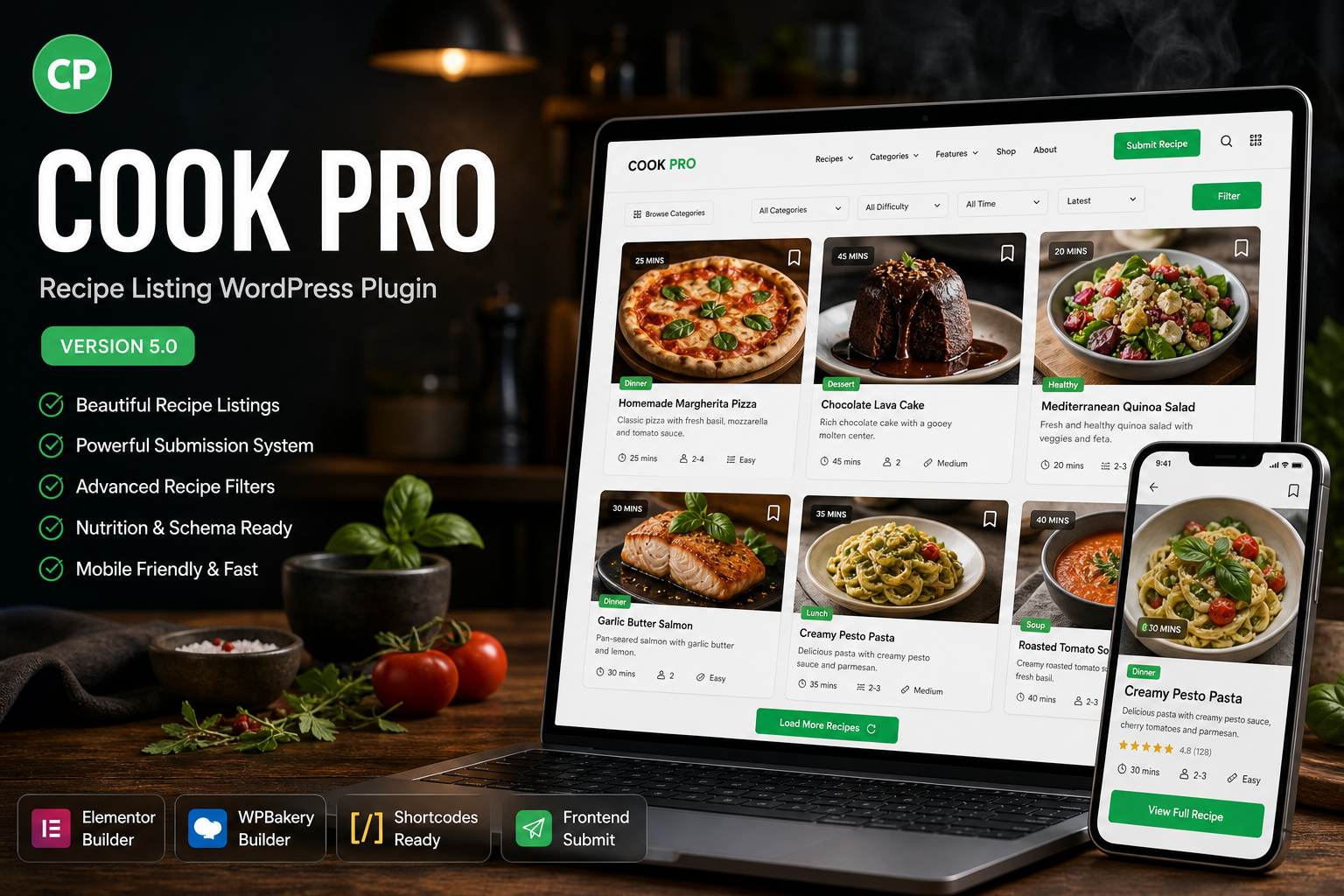
Version 5.0 is a major update: a unified admin dashboard, Elementor widgets with Style tabs, new listing layouts (including Featured Recipe Style 3), PHP 8 compatibility, and in-plugin documentation.
What’s new in 5.0
- Aivah-style admin dashboard with Dashboard, Settings, Backup, Documentation, Changelog, and Support tabs
- AJAX settings save with sidebar sections, sticky footer, and toast confirmations
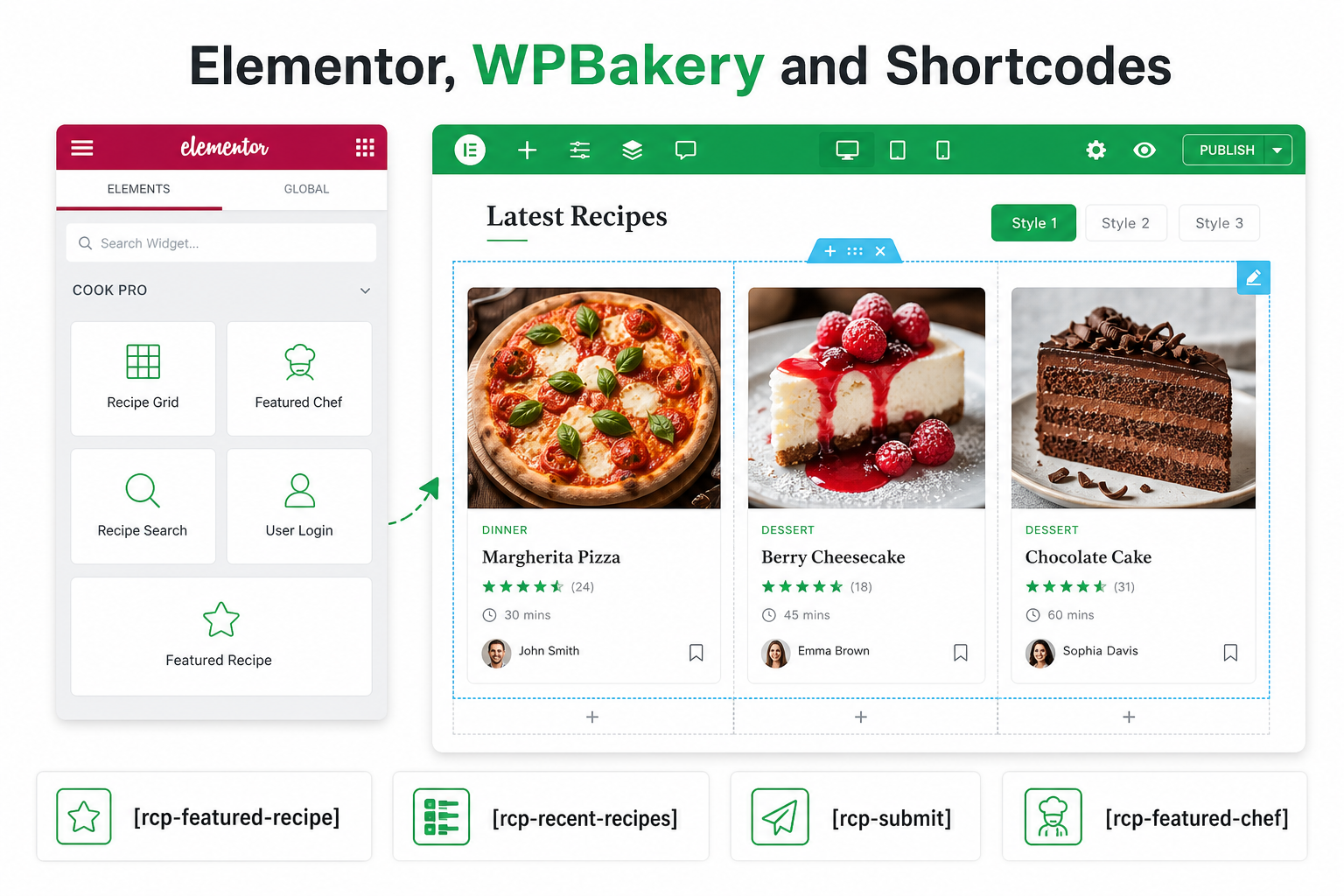
- Elementor widgets for every Cook Pro module, grouped in a dedicated Cook Pro category
- Style tabs in Elementor: Style 1 overlay cards, Style 2 stacked cards, and Style 3 editorial strips (Featured Recipe)
- Featured Recipe multi-select, Style 3 layout, and 2 / 3 / 4 column grids for Style 1 and Style 2
- Alternate Style 1 and Style 2 for Featured Chef, Top Contributors, Categories List, Top Rated, Most Liked, Most Favorite, and Most Viewed
- Recipe Information meta box grouped into Display, Timing & Details, Ingredients & Steps, and Media & Extras
- Recipe Gallery side meta box
- Drag-and-drop Equipment and Nutrition rows with labeled Duplicate / Remove controls
- Automatic ingredient count while editing ingredients
- JSON backup and restore of plugin settings from the Backup tab
- PHP 8 and WordPress 6.7+ compatible
Features
- Recipe custom post type with ingredients, steps, nutrition, equipment, gallery, video, and timing
- Taxonomies: Categories, Cuisines, Cooking Methods, and Tags (category thumbnails for overlay lists)
- Place modules on any page or post with shortcodes, Elementor, WPBakery, or sidebar widgets
- Style 1, Style 2, and Featured Recipe Style 3 listing layouts
- Recent recipes, search & filters, category listings, and hand-picked featured recipes
- Top rated, most liked, most favorite, and most viewed lists
- Featured Chef cards and Top Contributors
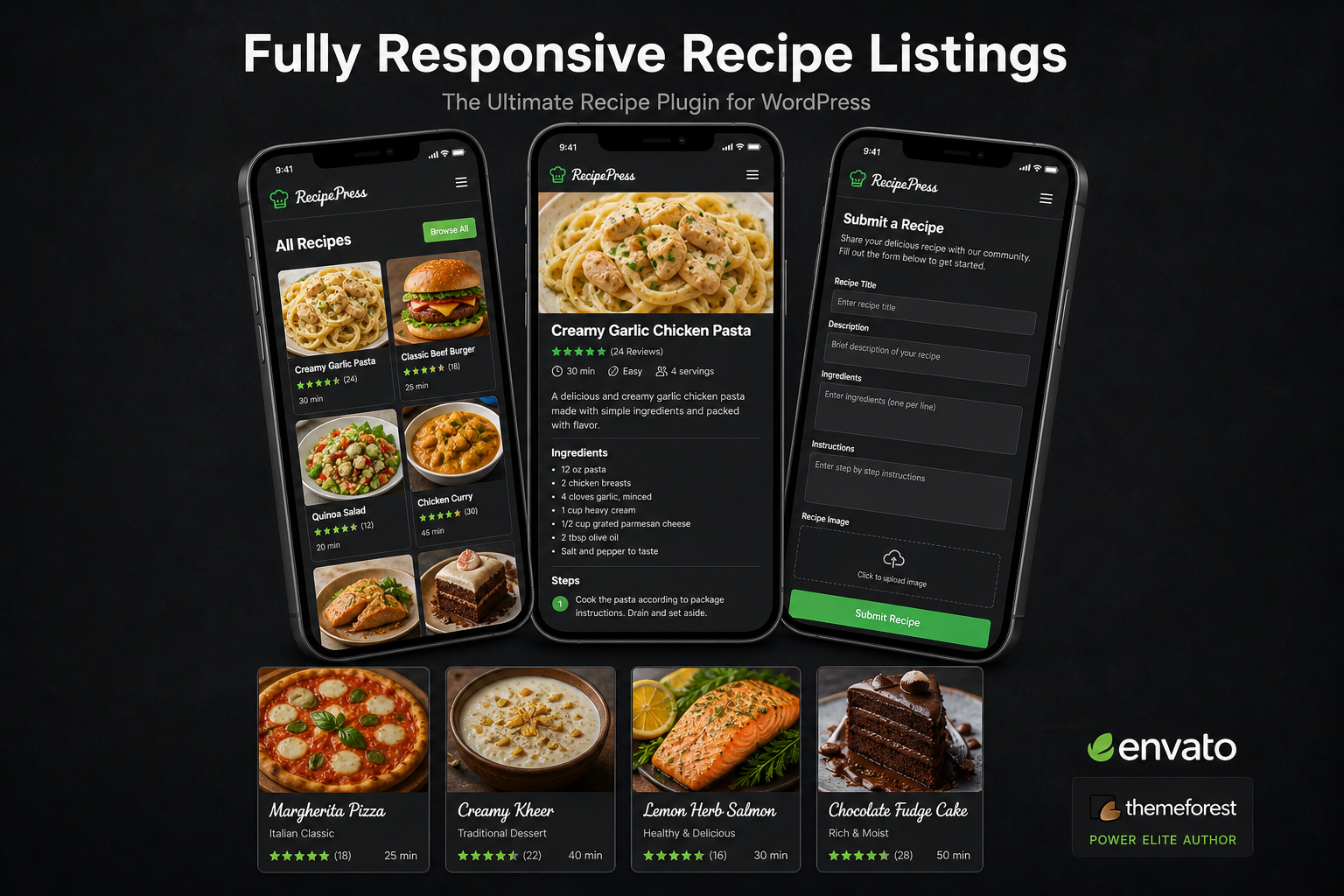
- Frontend login / register, recipe submit, edit own recipes, and user profiles
- Likes, favorites, ratings, and view counts
- Ajax load more on listing modules
- Print-friendly recipe pages
- Email notifications for submit, update, registration, and profile update (user and admin)
- Show / hide almost every block on the single recipe page
- Custom recipe, category, cuisine, and cooking method slugs
- Color options for frontend accents and buttons
- Export / import plugin settings as JSON
Modules (shortcode or Elementor)
Each module is available as a shortcode and as an Elementor widget in the Cook Pro category. WPBakery addons expose the same options when WPBakery is active.
- Login Form —
[rcp-login] - Recipe Submit Form —
[rcp-submit] - User Profile —
[rcp-user-profile] - Users List —
[rcp-users-list] - Recent Recipes —
[rcp-recent-recipes] - Search Recipes —
[rcp-search-recipes] - Recipes by Category / Cuisine / Method —
[rcp-categories] - Top Rated Recipe cards —
[rcp-top-rated] - Featured Recipe (multi-select, columns, Style 1–3) —
[rcp-featured-recipe] - Top Rated / Most Liked / Most Favorite / Most Viewed lists
- Featured Chef —
[rcp-featured-chef] - Top Contributors —
[rcp-top-contributors] - Categories List —
[rcp_categories_list]
Recipe Settings
- Recipe, Category, Cuisine, and Cooking Method slugs
- Submit, login, profile, and browse recipe page assignment
- Custom difficulty levels
- Frontend submission limits and logged-in / logged-out messages
- Recipe ads content
- Facebook App ID (Open Graph) and sharing icons
- Google reCAPTCHA site and secret keys
- Color options for buttons and accents
Single Page Settings
- Show / hide: title, sub title, short information, featured image
- Show / hide: time, servings, difficulty
- Show / hide: likes, favorites, views, print, email
- Show / hide: ingredients, nutrition, steps, equipment, reviews
- Show / hide: social sharing, advertisement, about author, related recipes
- Related recipes: columns (2, 3, 4), limit, orderby, order
- Comments: display limit, orderby, order
- Gallery slider: speed, fade / slide effect, direction nav
Print Page Settings
- Print page logo
- Custom copyright in the print footer
- Show / hide: logo, recipe image, steps, copyright
Email Settings
- Email template logo
- Submission, update, registration, and profile-update messages and subjects
- Separate user and admin email templates
Profile Settings
- User recipes: limit, orderby, order, load more
- User favorites: limit, orderby, order, load more
- User reviews: limit, orderby, order, load more
Full changelog:
https://www.aivahthemes.com/cook-pro-plugin/changelog/
MAJOR UPDATE NOTICE FOR EXISTING CUSTOMERS (v5.0)
Version 5.0 is a major Cook Pro update: a new admin dashboard, Elementor widgets with Style tabs, new listing layouts, PHP 8 compatibility, and security hardening. Shortcodes and WPBakery addons still work. Follow these steps before you update a live site:
- TAKE A FULL BACKUP: Do not update without a complete backup of your WordPress files and database.
- UPDATE VIA PLUGINS → ADD NEW → UPLOAD: Upload the new
cook-pro.zipfrom this package. The old in-plugin “Manual Plugin Update” button has been removed. Deactivate the current Cook Pro plugin, replace it, then activate again if WordPress asks you to. - FIND SETTINGS IN THE DASHBOARD: Recipes → Settings and Backup Options now open inside Recipes → Dashboard (Settings, Backup, Documentation, Changelog, Support). Your saved options are kept; only the admin screens moved.
- PURGE CACHES: Hard-refresh the browser (Ctrl+F5 / Cmd+Shift+R) and clear any cache plugin or CDN so the new frontend CSS loads. In Elementor, click Update on pages that use Cook Pro widgets so the preview refreshes.
- OPTIONAL — ELEMENTOR: You do not have to rebuild existing shortcode or WPBakery pages. Elementor widgets are additive (Cook Pro category) and match the same shortcodes, with Style 1 / Style 2 (and Style 3 on Featured Recipe).
- THEME TEMPLATE OVERRIDES: If your theme copies Cook Pro templates (for example
archive-recipe.phpor taxonomy templates), compare them with the files in this update before going live.
After updating, open Recipes → Dashboard and complete the setup checklist if any pages are missing. Full notes: changelog.
$20 |
Download |
3.3 average based on 10 ratings.

| Last Update | 2026-08-31 |
| Created | 2017-04-11 |
| Sales | 159 |
| Discussion | Comments |
| Compatible Browsers | IE11 Firefox Safari Opera Chrome Edge |
| Software Version | WordPress 7.0.x WordPress 6.9.x WordPress 6.8.x WordPress 6.7.x WordPress 6.6.x WordPress 6.5.x |
| Compatible With | Elementor Elementor Pro WPML |
| Gutenberg Optimized | No |
| High Resolution | No |
| Files Included | JavaScript JS HTML CSS PHP |
| Video Preview Resolution |


