ColorRise - Ultimate Color Studio & Design Utility Suite | Next-Gen Color Intelligence
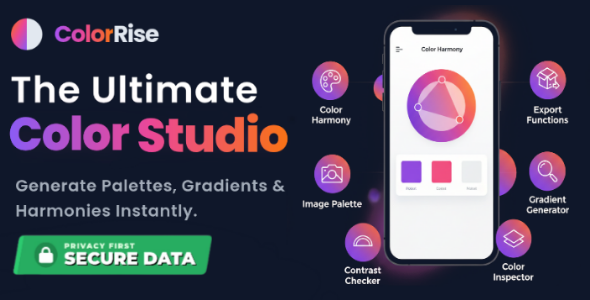

ColorRise – The Ultimate Color Tool Suite
Next-Gen Color Tools for Designers & Developers
Gradient Studio • Contrast Engine • Harmony • Image Extractor • Inspector • Palette Manager
Built with Pure HTML5, Tailwind CSS, and Vanilla JavaScript. Zero Dependencies.
Product Overview
ColorRise is not just a color picker; it is a complete design ecosystem. Built to bridge the gap between artistic vision and technical implementation, ColorRise offers a suite of 6 powerful tools in one fluid, responsive application.
Whether you are a UI/UX Designer needing accessible colors, or a Developer needing ready-to-use CSS/Tailwind code, ColorRise optimizes your workflow. It is built with a mobile-first architecture, ensuring a native-app-like experience on phones, tablets, and desktops.
100% Fully Responsive & Adaptive
ColorRise creates a seamless experience across all screen sizes. It’s not just “compatible”—it transforms to fit the device.
- Desktop: Full sidebar navigation, expansive workspaces, and drag-and-drop zones.
- Tablet: Touch-optimized sliders and adaptive grid layouts.
- Mobile: App-like bottom navigation, thumb-friendly buttons, and hidden menus for a clutter-free interface.
The 6 Core Features (A to Z Breakdown)
1. Gradient Studio Ultimate
A Photoshop-level gradient editor in your browser.
- 4 Gradient Modes: Linear, Radial, Conic, and the trending Mesh Gradients.
- Animation Engine: Create breathing, flowing, and hue-rotating gradients with one click.
- Live Previews: Visualize gradients instantly on Wallpapers, UI Cards, Buttons, and Text.
- Smart Controls: Add/Remove stops, adjust angles, and drag mesh points via touch or mouse.
2. ️ Clarity Contrast Engine (WCAG)
Ensure your digital products are accessible to everyone.
- Real-Time Auditing: Instant Pass/Fail grades for AA and AAA standards.
- Smart Advisor: AI-style logic that suggests better color pairs if your contrast fails.
- Vision Simulator: View your colors through the eyes of users with Protanopia, Deuteranopia, and Grayscale vision.
- Deep Matrix: Generates a full grid of background/foreground combinations automatically.
3. ️ Image to Palette Extractor
Turn inspiration into data. Upload any image to deconstruct its colors.
- Drag & Drop: Seamless upload experience.
- Dominant Color Charts: Visualizes color distribution percentages.
- Smart UI Simulator: Automatically applies extracted colors to a mock website layout to test real-world usage.
- Multiple Formats: Export the extracted palette as CSS, JSON, or Raw Text.
4. Harmony Studio
Create scientifically perfect color schemes based on classic color theory.
- 7 Harmony Rules: Monochromatic, Analogous, Triadic, Tetradic, Split-Complementary, and more.
- Interactive Mockups: Test your harmony on a live Phone UI Mockup within the tool.
- Luminance Graph: Analyze the brightness distribution of your generated palette.
5. Color Inspector & Psychology
Get deep insights into any specific color.
- Color Psychology: Tells you the “Mood” of the color (e.g., Trust, Passion, Stability).
- Format Converter: Instantly converts HEX to RGB, HSL, CMYK, and LAB.
- Shades & Tints Generator: Generates 10 lighter and 10 darker variations of your selected color.
- Brand Card Export: Downloads a professional PNG card for your design system.
6. Palette Manager & Export Hub
Your personal color history and export center.
- Auto-Save History: Never lose a color. The app saves your recent palettes to Local Storage.
- Multi-Format Export: Export your entire palette to Tailwind Config, pure CSS, Android XML, Swift, or JSON.
- Palette Randomizer: Generate fresh ideas when you are stuck.
- Manage Workflow: Clear history or restore previous sessions instantly.
️ Tech Stack & Quality
- Core: HTML5, Vanilla JavaScript (ES6+).
- Styling: Tailwind CSS (via CDN for lightweight, easy editing).
- Icons: FontAwesome 6 Pro (Free tier).
- Libraries: Chroma.js (Color Math), Chart.js (Data Viz), Html2Canvas (Image Generation).
- Code Quality: Clean, commented, and W3C validated code.
✨ No Installation Needed: Unlike React or Vue apps, ColorRise runs instantly. Just unzip and open index.html. Perfect for integration into PHP, Laravel, or Python projects. Package Contents
- Full Source Code (HTML/CSS/JS)
- Professional Documentation
- High-Resolution Asset Pack
- Free Lifetime Updates
Empower your design workflow with ColorRise. Purchase today!


