Cleaner.io | HTML5 Game

About the Game
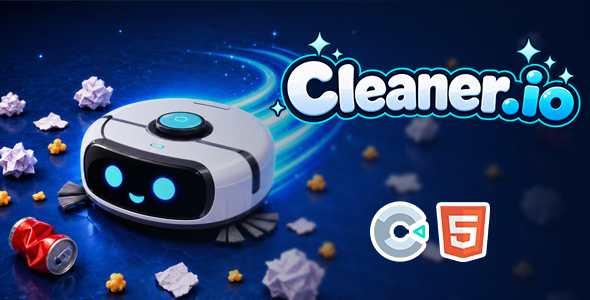
Cleaner.io is a fun growth and survival game where robot cleaners compete inside a large and lively arena.
Start the game as a small robot cleaner, collect trash and various objects scattered around the map, and grow larger as you progress. Every object you collect increases your score and helps you become a stronger competitor.
Your goal is to grow as much as possible, avoid larger opponents, eliminate smaller robots, and become the strongest cleaner in the arena.
Gameplay
Move around the arena and collect papers, cans, trash, household objects, and other items.
At the beginning of the game, you can only collect smaller objects. As your robot grows, you will be able to clean larger objects, earn more points, and progress faster.
Be careful around other robot cleaners. Avoid opponents that are larger than you, but use your size advantage to eliminate smaller robots whenever you get the chance.
Growth System
Cleaner.io is built around a simple and satisfying growth system.
Every object you collect helps your robot grow. As your size increases, you can collect larger items, earn more score, and gain an advantage over smaller opponents.
Start small and try to become the biggest cleaner in the arena.
Arena Battles
You are not alone in the arena.
Other robot cleaners are also collecting objects and trying to grow. Pay attention to their size and choose your encounters carefully.
Avoid larger opponents, chase smaller robots, and use smart movement to dominate the arena.
Boost System
Use the boost ability to move faster when escaping dangerous situations, chasing smaller opponents, or reaching valuable objects more quickly.
Using boost at the right moment can help you survive, collect more items, and gain an important advantage during competitive moments.
Score System
Your score increases as you collect objects and perform well during the match.
Clean as many items as possible, grow your robot, outperform your opponents, and try to achieve the highest score.
How To Play
Desktop Controls
- Mouse / A-D / Arrow Keys: Move
- Hold Left Mouse Button / W / Up Arrow: Boost
Mobile Controls
- Touch & Drag: Move
- Hold with a Second Finger: Boost
Features
- Fast-paced arena gameplay
- Growth and survival mechanics
- Collect trash and various objects
- Unlock the ability to collect larger objects as you grow
- Dynamic battles against other robot cleaners
- Eliminate smaller opponents
- Boost and speed system
- Score-based arcade gameplay
- Simple and easy-to-learn controls
- Highly replayable gameplay
- Desktop and mobile support
- Touchscreen controls
- Responsive game interface
- Lightweight and fast-loading HTML5 build
Platforms
Cleaner.io is fully optimized for both desktop and mobile devices.
The game adapts to different screen sizes and supports mouse, keyboard, and touchscreen controls.
What’s Included?
- HTML5 Export Files
- Construct 3 Source File (.c3p)
- Graphics and Game Assets
- Sound Effects and Music
- Game Icons
- Documentation
Requirements
- Construct 3
Contact
For questions, support requests, or technical assistance:


