Certloft | Online Courses App Flutter UI Kit


Certloft | Online Courses App Flutter UI Kit
Certloft is a complete Flutter UI kit for an online courses business: 2 phone apps (Learner app and Instructor app) and 2 desktop admin panels (Academy admin and Super admin). 135 screens in clean Flutter code with no third-party packages, plus the matching Figma design file as a bonus.
Open the live demo and try every screen in your browser.
Demo Instructions
Live demo: https://uikits.appzenic.com/certloft/
- Choose a role on the start page (for example the customer app or the admin panel) and open any screen from its list.
- Login is open to everyone: no account or sign-up is needed.
- On any sign-in screen you can use Email: demo@example.com and Password: Demo1234, then tap Sign in. Any other email and password also work, and you can leave the fields empty.
- This is a UI kit with sample data and no backend, so nothing you type is sent or saved.
4 apps, 135 screens
- Learner app (mobile, 47 screens): onboarding, sign in, create account, verify email, forgot password, your goals, explore, design courses, search results, filters, no courses found, course detail, curriculum, preview lesson, instructor profile, course reviews, checkout, payment failed, enrolled, my learning, lesson player, notes and resources, quiz, quiz result, assignment, questions and answers, ask a question, question thread, announcements, live classes, live class, course complete, certificates, certificate, wishlist, notifications, rate the course, account, personal details, payment methods, add a card, receipt, all-access pass, offline, downloads, settings, help.
- Instructor app (mobile, 33 screens): sign in, become an instructor, forgot password, instructor profile setup, waiting for approval, home, my courses, new course: basics, curriculum builder, upload lesson, quiz editor, pricing, sent for review, manage course, edits in review, learners, review a project, questions, answer a question, post announcement, schedule a live class, host live class, insights, revenue and payouts, payout account, reviews, instructor profile, edit profile, notifications, settings, help, no questions, offline.
- Academy admin (desktop, 31 screens): sign in, overview, review queue, publish course, course edits, all courses, featured, categories, add category, instructors, verify instructor, instructor detail, learners, learner detail, enrolments, refunds, refund, reviews, certificates, coupons, bundles and passes, payments, instructor payouts, reports, plan and billing, message templates, team and roles, activity log, settings, invite instructor, setup checklist.
- Super admin (desktop, 24 screens): sign in, overview, academies, approve academy, plans and billing, payouts, disputes, support, broadcast, team and roles, activity log, system status, settings, academy detail, instructors, learners, enrolments, dispute detail, ticket detail, plan editor, payout run detail, category catalogue, promo codes, suspend academy.
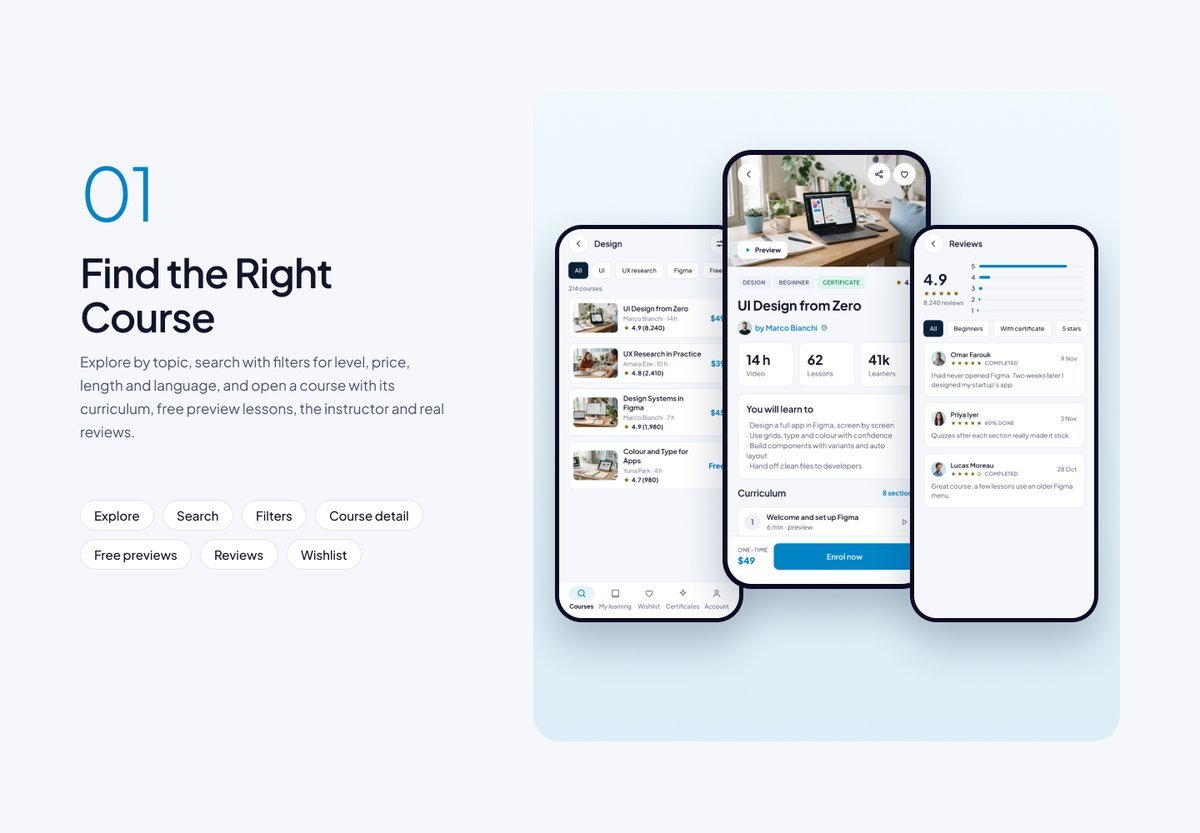
Find the Right Course
Explore by topic, search with filters for level, price, length and language, and open a course with its curriculum, free preview lessons, the instructor and real reviews.
Enrol and Pay
A clear checkout with one course or an all-access pass, coupon codes, card or wallet, a friendly failed-payment state, and a receipt the learner can email.

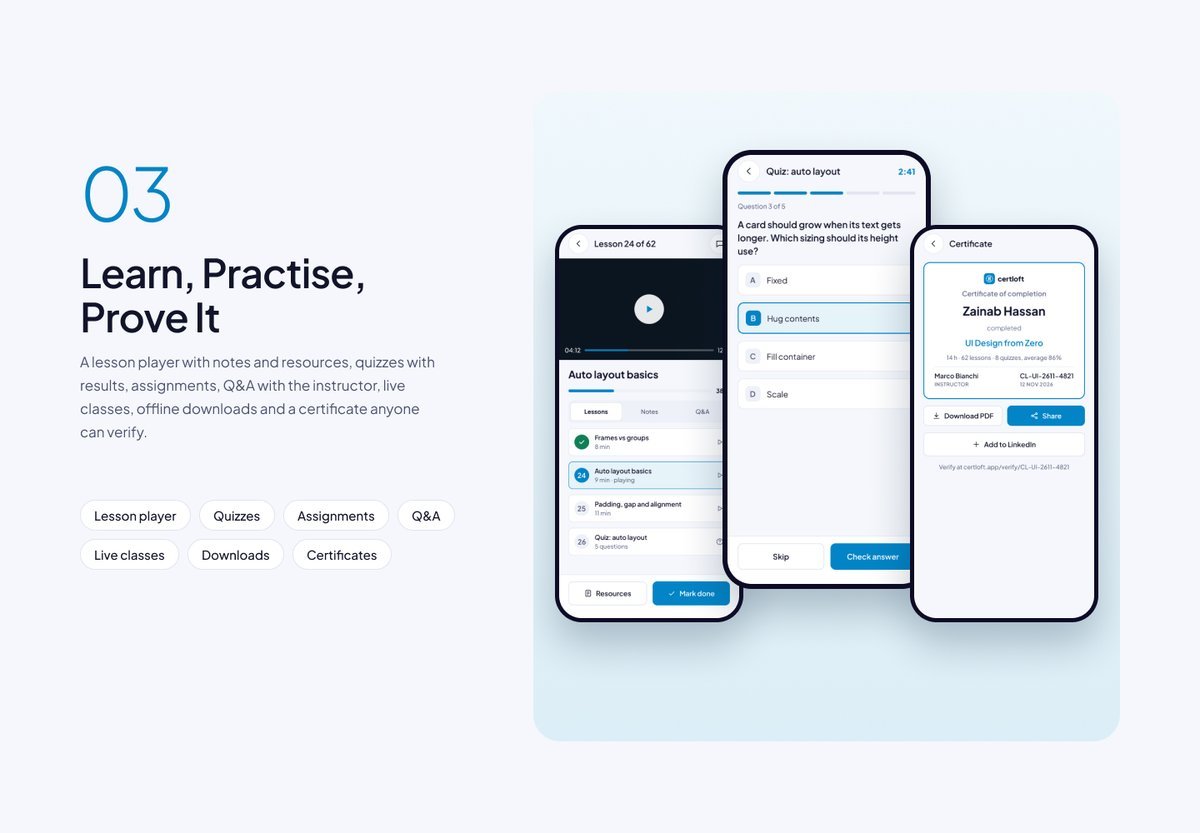
Learn, Practise, Prove It
A lesson player with notes and resources, quizzes with results, assignments, questions and answers with the instructor, live classes, offline downloads and a certificate anyone can verify.
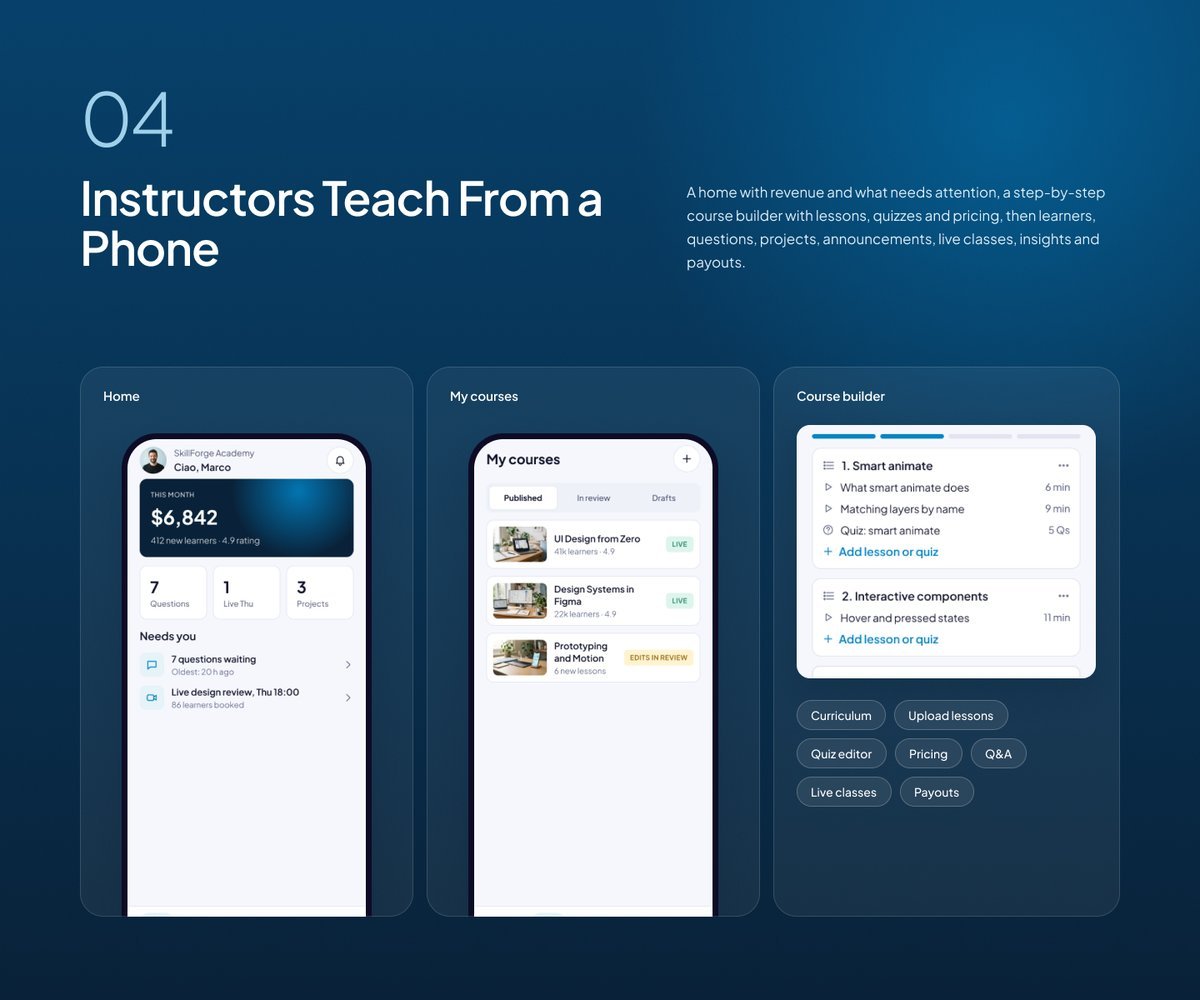
Instructors Teach From a Phone
A home with revenue and what needs attention, a step-by-step course builder with lessons, quizzes and pricing, then learners, questions, projects, announcements, live classes, insights and payouts.
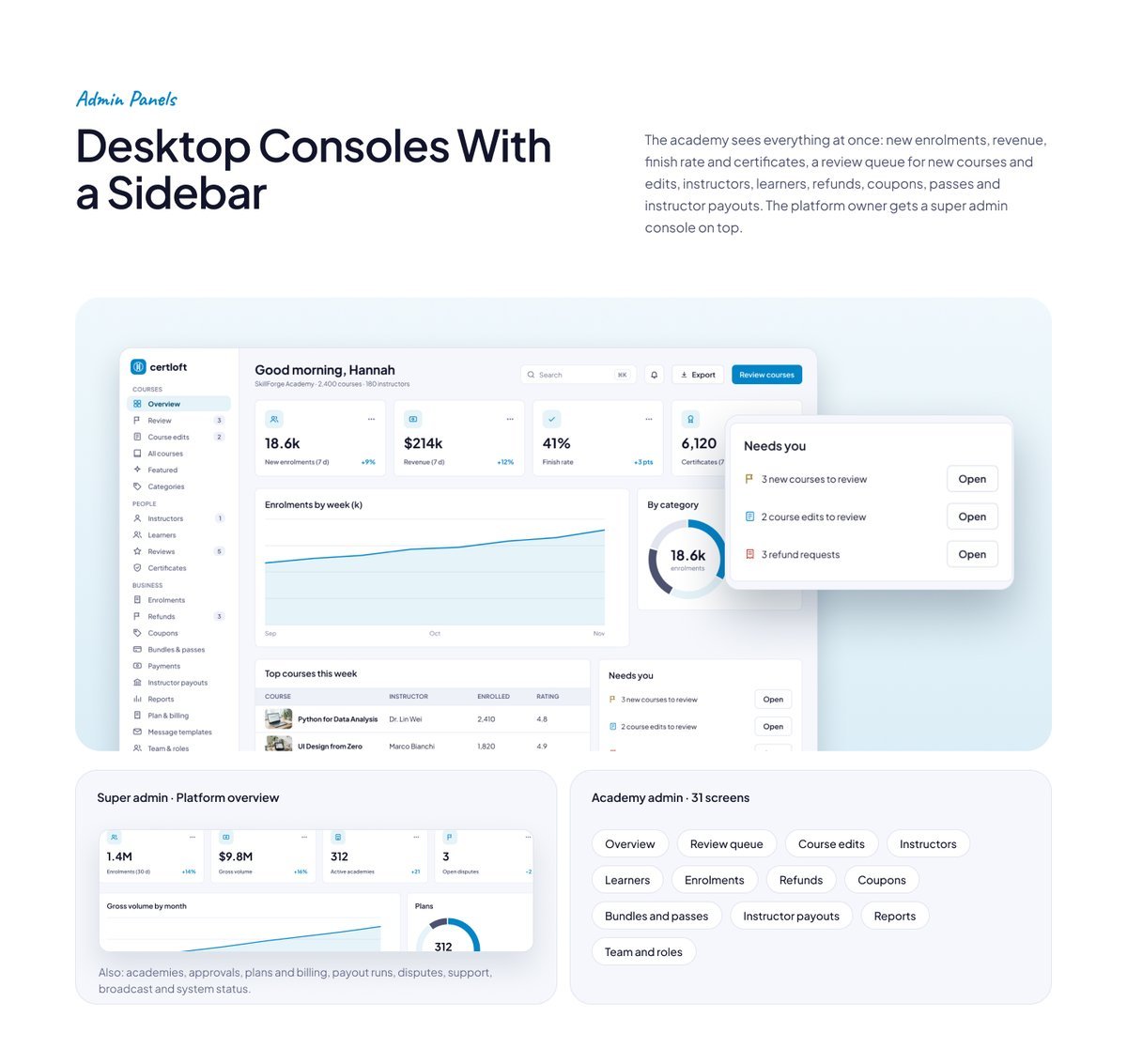
Desktop Consoles With a Sidebar
The academy sees everything at once: new enrolments, revenue, finish rate and certificates, a review queue for new courses and edits, instructors, learners, refunds, coupons, passes and instructor payouts. The platform owner gets a super admin console on top.
Clean Flutter code
- Only the Flutter SDK: no third-party packages, no network calls, no API keys. Run flutter pub get and flutter run.
- One theme: colours, text styles, control heights and radii live in token files. Change the primary colour once and every screen follows.
- A shared component library: buttons, chips, inputs, badges, switches, segmented controls, navigation bars, sidebar, tables, charts, modals and drawers. A Components page shows every variant.
- Every screen is reachable and works like a prototype: tabs, switches, chips and links respond.
- Responsive: phones from 360 pt, tablets, and desktop panels from 1024 pt. Below 900 pt the sidebar becomes a drawer, cards reflow and tables scroll sideways.
- Tested: every screen renders without overflow at phone, tablet and desktop sizes, and a test taps every button and link. flutter analyze reports 0 issues.
- All amounts in US dollars; sample names and cities from around the world.
What you get
- The full Flutter project (Android, iOS and web).
- Documentation: requirements, installation, folder structure, how to re-theme, how to add a screen, and the screen list per role.
- Bonus: the matching Figma design file (photo-free edition).
Requirements
This is a UI kit (front end only) without backend functionality: no server, database, user accounts or payments are included, and every screen shows sample data. To build it you need a current stable Flutter 3 release, plus Android Studio or Xcode for mobile builds. No other packages, accounts or API keys are needed.
Notes
This is a UI kit: there is no backend or payment gateway. Photo slots in the download are neutral placeholders for your own images; the sample photos appear in the demo and previews only.
How this kit was made
Concept, screens, flows and colours by our team. The Figma designs are made manually, and the skeleton-only Flutter code was converted from Figma using local in-house scripts for visual consistency. The full Flutter code and UI flows are then manually written, and every screen was reviewed and tested by our team. No third-party Figma-to-code service was used: the Figma to Flutter skeleton step used only our own local in-house scripts. The earlier header “Generated from the Figma kit, then reviewed.” in each screen file referred to that skeleton step and has been removed from every screen file. Only the images and assets shown inside the app screenshots and previews (sample photos, avatars and sketches) were made with Gemini AI, for presentation only; they are not included in the download. Full details are in the documentation.
$18 |
Download |
0 average based on 0 ratings.

| Last Update | 2026-11-16 |
| Created | 2026-11-16 |
| Sales | 0 |
| Discussion | Comments |
| Software Version | Flutter 3.x |
| Files Included | Dart YAML JavaScript JSON .kotlin .h .storyboard .plist .swift HTML |
| Video Preview Resolution |


