Car Rental Booking System for WordPress
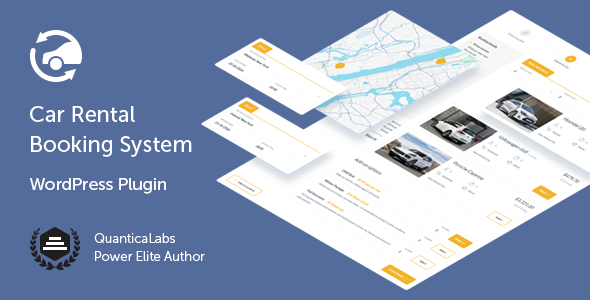

Car Rental Booking System is a powerful online reservation WordPress plugin that includes all the tools and features needed to run your car rental business. It offers a simple, step-by-step booking process with online payments, e-mail and SMS notifications, WooCommerce and Google services integration, and an intuitive backend administration.
Designed for: car rental websites of all types — whether you’re running a car hire agency, managing vehicle rentals, or offering airport, daily, or long-term car bookings. This plugin fits both personal and commercial needs, from compact cars to high-end SUVs. It’s an ideal choice for rental fleet management, streamlined reservations, and professional customer handling.
 Latest Version: 22 January 2026 – v4.1. Check the changelog
 Latest Version: 22 January 2026 – v4.1.


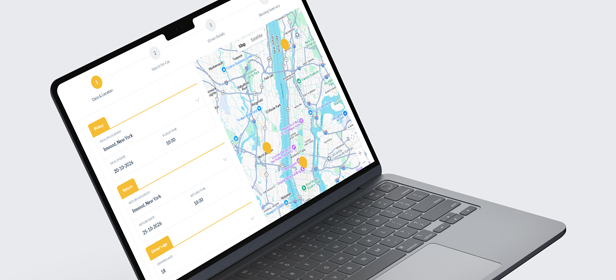
Rental Locations with Map
Add unlimited rental locations, each with its own address, contact info, and available vehicles. Locations appear on a live map in the booking form, making it easy for customers to select pickup and return points.
Each location can have its own booking window (e.g. earliest in 3 days, latest in 7), minimum and maximum rental duration, custom rules based on dates or selected locations, and after-hours pickup/return options. Define detailed business hours with multi-range support for breaks, require driver’s license verification, and enable availability checks.
You can also configure default pickup times, excluded dates, payment methods, deposit options, Google Calendar sync, and custom notifications—per location. Alternatively, customers can also enter a custom pickup or return address using Google Autocomplete.
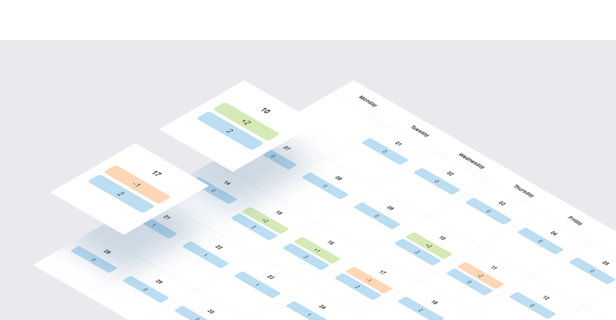
Built-in Calendar
The occupancy calendar provides a clear daily overview of all car pickups and returns, helping you manage reservations at a glance. You can filter entries by pickup location, return location, or booking status to quickly find what you need—ideal for busy rental schedules and multi-location setups.
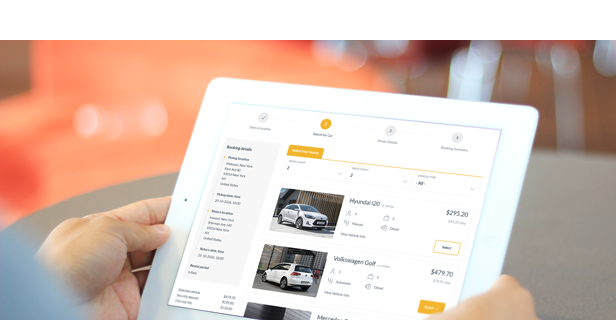
Step-Based Navigation
The plugin uses a clear, step-by-step booking process that guides customers through each stage. Completed steps can be revisited without losing any previously entered information.
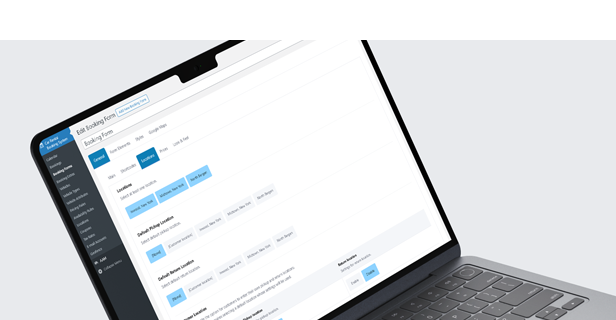
Booking Forms
The Car Rental Booking plugin allows you to create and customize unlimited booking forms with a variety of options such as default booking status, geolocation type, payment methods, coupon options, and more.
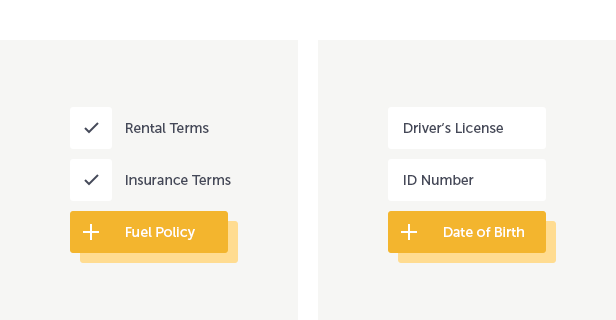
Agreements & Form Builder
Add required or optional agreement fields for GDPR compliance. Use the built-in form builder to create custom sections and fields, define required inputs, and set your own error messages.
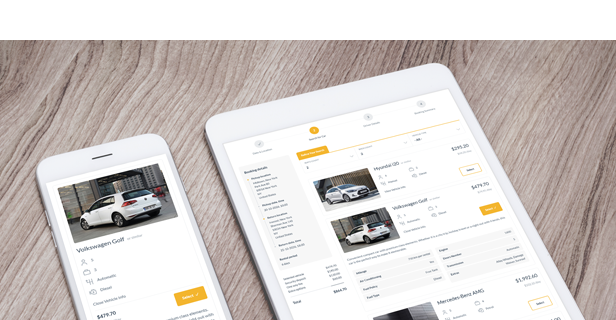
Vehicle Management
Define an unlimited number of vehicles, each with detailed configuration options. Set the vehicle’s title, description, location, make and model, seating and luggage capacity, gearbox type, engine type, and daily mileage limit. You can also specify the required driver age (min/max), default pickup and return times, and assign a vehicle to a group using a Group Code—ideal for managing fleets with multiple identical models shown as a single option in the form.
Upload a photo gallery, link to additional vehicle info, and enable or disable the “Similar” label next to the vehicle name. Assign attributes to highlight key features, define custom pricing and tax rates, exclude availability for specific dates, and sync individual vehicles with a Google Calendar.
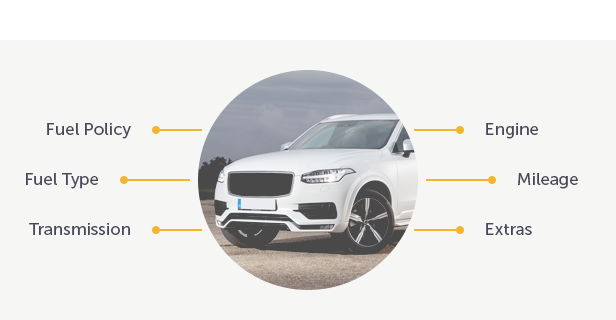
Vehicle Attributes
Define unlimited attributes like color or engine type to organize your fleet. Choose from text input, single choice, or multi choice values, and assign them to vehicles for clear and structured presentation.
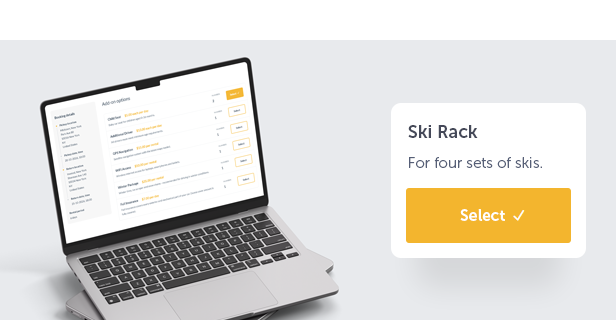
Booking Extras
Add an unlimited number of add-ons that can be selected by the customer, such as a child seat, an additional driver, or GPS navigation. Specify if an add-on can be ordered more than once, set the maximum number that can be ordered, the price per single addition, and the method of calculating the fee, either per entire rental period or per day. You can also specify your custom tax rate.
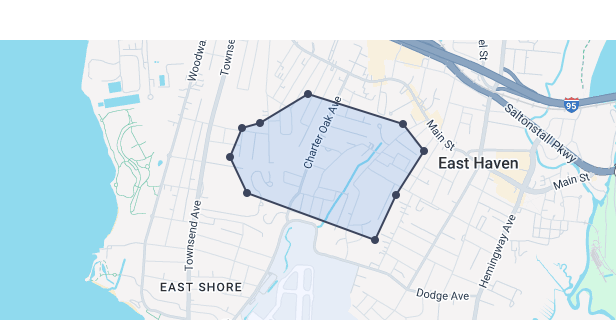
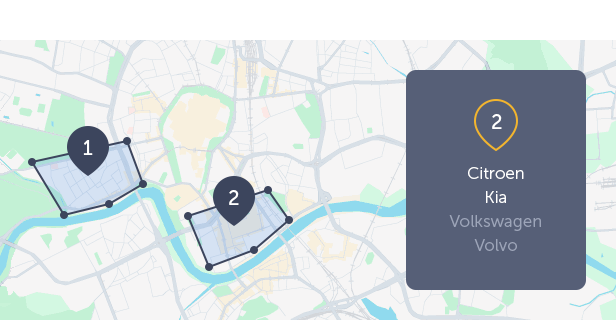
Geofence Areas
Draw custom geofence zones on the map and assign them unique names. These zones can be used as conditions in pricing or availability rules, especially when customers are allowed to enter their own pickup or return addresses. If the selected location falls within a defined geofence, the system can automatically apply specific pricing or availability logic.
The intuitive drawing tool lets you create, adjust, and manage polygon-based zones with ease—perfect for setting custom rates in specific neighborhoods, cities, or service areas.
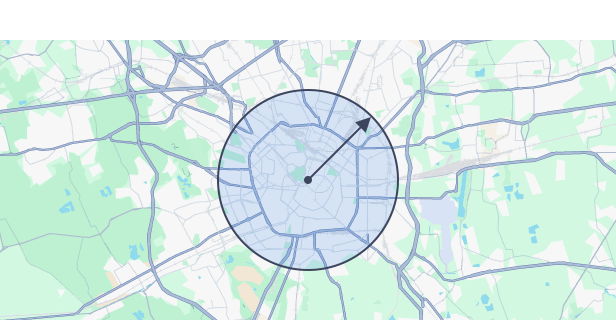
Custom Location Zones
Limit custom pickup and return locations to selected countries or a specific address with a defined radius. Useful when allowing users to enter addresses manually.
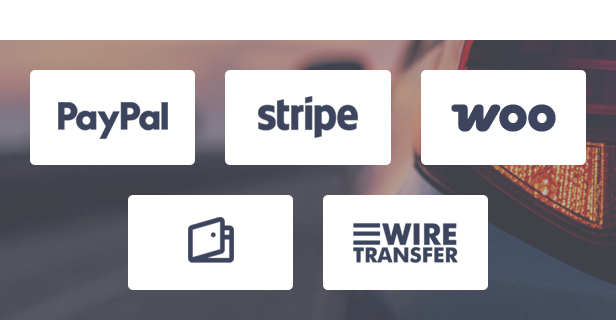
Multiple Payment Methods
The Car Rental Booking plugin offers a variety of payment options, including cash, Stripe, PayPal, wire transfer, and credit card on pickup. If WooCommerce is installed on your website, you can also leverage the full range of payment methods supported by WooCommerce, giving your customers more flexibility and convenience when paying for their bookings.
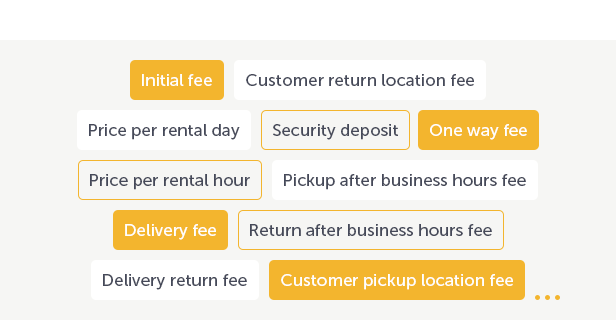
Pricing Structure
The plugin allows you to define different types of prices:
- Initial fee – value added to the order amount.
- Price per rental day.
- Price per rental hour.
- Delivery fee – price per kilometer from the base to the customer’s pick-up location.
- Delivery return fee – price per kilometer from the customer’s return location to the base.
- Delivery fixed fee – flat fee added for vehicle delivery to the pickup location.
- Security deposit – value added to the order amount that protects the owner against costs related to vehicle damage. This value should be returned to the customer if the vehicle shows no signs of damage.
- One way fee – value added to the order amount in the case where the car is returned to a location different from the pickup location.
- Pickup after business hours fee – value added to the order amount in case the vehicle is picked up after business hours.
- Return after business hours fee – value added to the order amount in case the vehicle is returned after business hours.
- Customer pickup location fee – value added to the order amount when the customer enters the pickup location himself.
- Customer return location fee – value added to the order amount when the customer enters the return location himself.
- PayPal flat fee – flat fee added when the customer selects PayPal.
- PayPal percentage fee – percentage fee based on the booking total, added when PayPal is selected.
- Stripe flat fee – flat fee added when the customer selects Stripe.
- Stripe percentage fee – percentage fee based on the booking total, added when Stripe is selected.
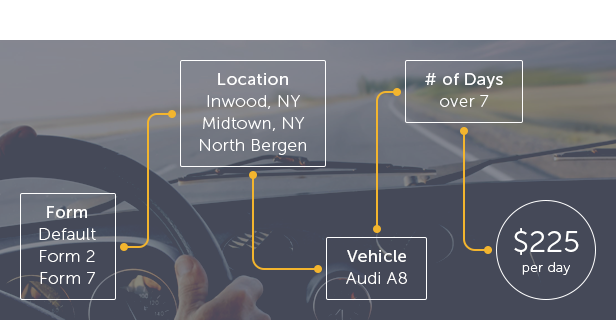
Pricing Rules
You can define flexible pricing rules based on multiple conditions, including the booking form, selected vehicle, pickup or return location, day of the week, specific date or time ranges, distance between the base and pickup or return location, and the driver’s age.
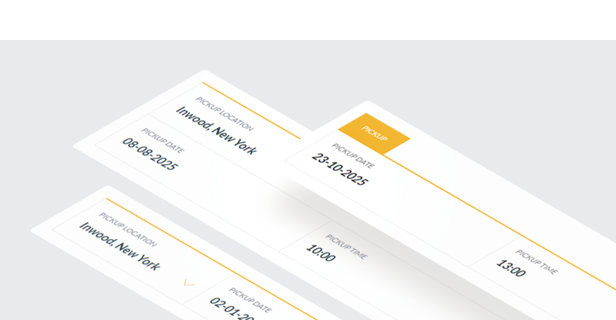
Availability
Easily define business hours for each day of the week, including multiple time ranges per day—perfect for handling mid-day breaks or split shifts. You can also block out specific dates and set booking limits for any selected day, date, or time range.
The built-in Availability Rules module gives you full control over when vehicles and booking extras are available. Rules can be based on the selected form, pickup and return locations, date range, day of the week (for pickup or return), rental duration, time range, or driver’s age.

Integration with Google Calendar
The Car Rental Booking plugin is integrated with the Google Calendar for booking management.
Widgets
The plugin includes customizable widgets with configurable fields. The widgets provide a simplified version of the booking form, omitting maps and navigation, which results in a cleaner, more user-friendly format. These widgets can be displayed in sidebars, sliders, and other sections of your site, making them especially useful for homepage integration.

Included Language Packs
The plugin comes with ready-to-use translation files, allowing you to start in your preferred language right away. Included languages: German, Greek, Spanish, French, Italian, Dutch, Polish, and Romanian. All translations cover both the booking form and the WordPress admin area, making localization effortless without additional setup.

Geolocation
Users can set their current location as the pickup point using browser geolocation. The plugin also supports server geolocation, allowing the administrator to choose the server handling location requests. These features can be disabled if not needed.

WooCommerce Integration
Seamlessly integrate with WooCommerce for login, registration, order processing, and payment gateways. The Car Rental plugin also works independently without WooCommerce.

Color Picker
With the built-in color picker, you can define your own colors to match the booking form to your website.
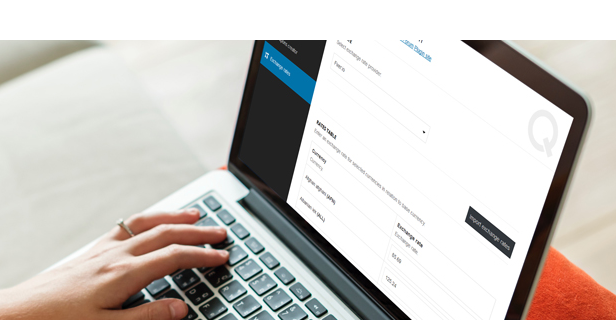
Multiple Currencies in a Single Form
The plugin includes an integrated exchange rate importer that enables you to convert the plugin’s base currency into any of the available currencies. With this feature, you can create a single booking form that supports multiple currencies, which is useful for different language versions of the page.
Coupons
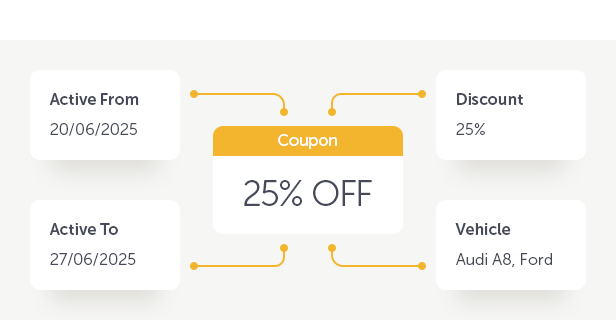
Create fixed or percentage-based discount coupons with usage limits and activation dates. Use the built-in generator to quickly create multiple coupons without manual setup.

Notifications
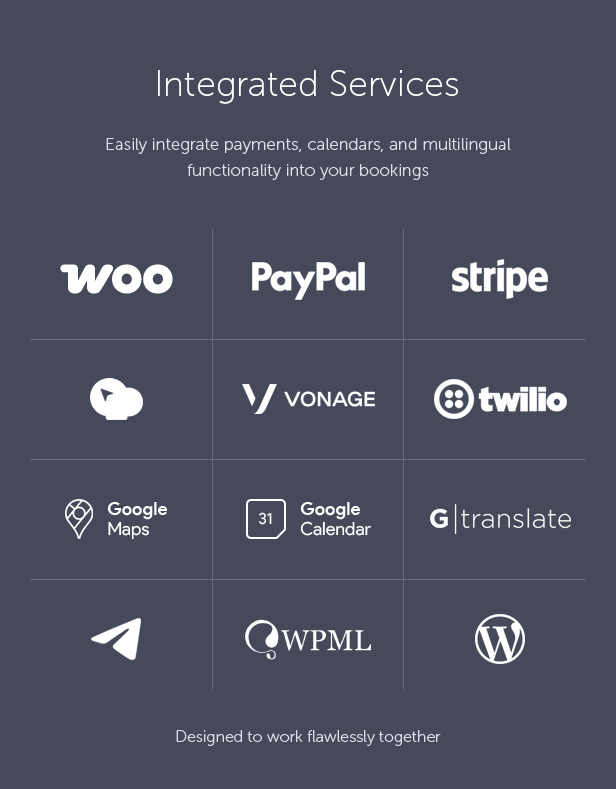
The plugin is integrated with the Vonage and Twilio API for SMS notifications, enhancing the customer experience. By adding Telegram and email notifications, your clients will always be kept informed.
Responsive Layout
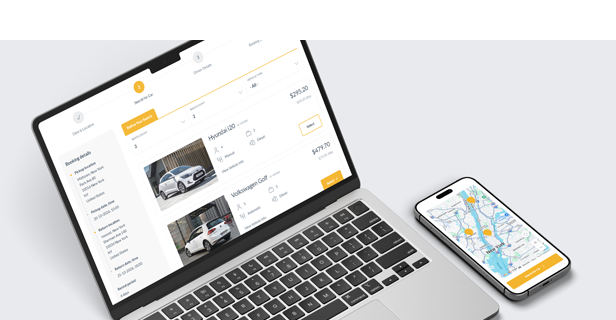
The Car Rental Booking plugin is fully responsive, meaning that every element adjusts seamlessly to any screen size. It works great on all mobile devices and tablets.

Compatible with WPML
The Car Rental Booking plugin is compatible with WPML, supporting multi-language websites. The .po and .mo files allow you to translate your installation. If you need to change any text or label in the plugin, you can do so by editing the language file.
One Click Install
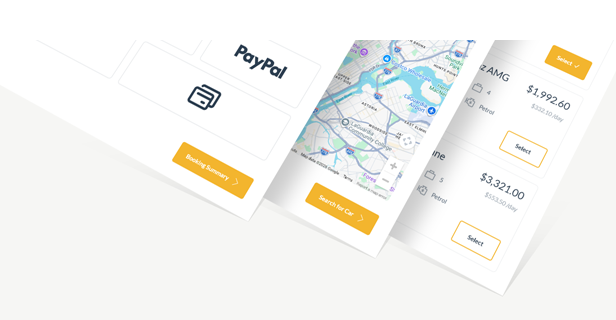
Jumpstart your setup with the built-in demo importer available in the plugin settings. With just one click, you can import ready-made content including predefined booking forms, routes, vehicles, and global settings. It’s the fastest way to see how the plugin works and tailor it to your needs.



Key Features of Car Rental Booking System for WordPress
- Step-based booking form with clear navigation and smart sticky summary sidebar.
- Fully responsive and mobile-friendly booking experience.
- Built-in occupancy calendar with daily pickup and return overview and advanced filters.
- Unlimited booking forms, reservations, vehicles, locations, and booking extras.
- Advanced vehicle management with detailed attributes, availability control, pricing, and Google Calendar sync.
- Group identical vehicles using Group Codes for easier fleet management.
- Option to define a default vehicle preselected in the booking form.
- Unlimited rental locations displayed on Google Maps with real-time availability.
- Per-location configuration including business hours, booking windows, rental limits, deposits, payments, notifications, and calendar sync.
- Custom pickup and return locations using Google Autocomplete.
- Custom geofence zones used as conditions for pricing and availability rules.
- Comprehensive pricing structure covering daily and hourly rates, delivery, one-way, after-hours fees, deposits, and payment method fees.
- Dynamic pricing rules based on vehicle, location, date ranges, rental duration, distance, and driver age.
- Advanced availability rules controlling vehicles and booking extras.
- Booking extras with quantity limits, per-day or per-rental pricing, and custom tax rates.
- Advanced extras logic including default and required quantities, plus pricing and availability dependent on the selected vehicle.
- Optional automatic scrolling to the next relevant step or action in the booking form to improve user flow.
- Multiple payment methods including Stripe, PayPal, WooCommerce, cash, wire transfer, and credit card on pickup.
- Advanced payment flow control with default payment selection, optional payment processing, fee visibility management, and net/tax price handling.
- WooCommerce integration for extended payment gateways (plugin works fully without WooCommerce).
- Advanced discount coupons with flexible rental period conditions and assignment to specific vehicles, vehicle types, or booking forms.
- Automatic daily email reports with scheduled vehicle pickups and returns.
- Integrated notifications via email, SMS (Vonage, Twilio), and Telegram.
- Multiple currencies supported in a single booking form with a built-in exchange rate importer.
- Optional browser- and server-based geolocation support.
- Custom form fields builder and agreements builder (GDPR-ready).
- Driver’s license upload support for enhanced verification during the booking process.
- Widgets with simplified booking forms for sidebars, sliders, and landing pages.
- Included language packs (German, Greek, Spanish, French, Italian, Dutch, Polish, and Romanian).
- WPML compatible and fully translatable using .po and .mo files.
- RTL (right-to-left) language support.
- One-click demo content importer to quickly start and test the system.
- Clean, valid HTML5 code with cross-browser compatibility.
- Documentation included.
This Item is Supported
Support is conducted through our Support Forum. We’re in GMT +1 and we aim to answer all questions within 24 hours on weekdays. In some cases, the waiting time may be extended to 48 hours. Support requests sent during weekends or public holidays will be processed on the next Monday or the next business day.
We Are Trusted by 125,000+ Customers
We are a team of passionate people with 20+ years of experience and 15+ years on Envato Market. We specialize in WordPress, design, and development. Please follow us to stay up to date as we continue to craft new products.




$59 |
Download |
4.6 average based on 100 ratings.

| Last Update | 2026-01-22 |
| Created | 2018-03-29 |
| Sales | 1964 |
| Discussion | Comments |
| Compatible Browsers | IE10 IE11 Firefox Safari Opera Chrome Edge |
| Software Version | WordPress 6.9.x WordPress 6.8.x WordPress 6.7.x WordPress 6.6.x WordPress 6.5.x WordPress 6.4.x WordPress 6.3.x WordPress 6.2.x WordPress 6.1.x WordPress 6.0.x WordPress 5.9.x WordPress 5.8.x WordPress 5.7.x WordPress 5.6.x WordPress 5.5.x WordPress 5.4.x WordPress 5.3.x WordPress 5.2.x WordPress 5.1.x WordPress 5.0.x |
| Compatible With | Elementor Elementor Pro Visual Composer WooCommerce 9.x.x WooCommerce 8.x.x WooCommerce 7.x.x WooCommerce 6.x.x WooCommerce 5.x.x WPBakery Page Builder WPML |
| Gutenberg Optimized | |
| High Resolution | Yes |
| Files Included | JavaScript JS HTML CSS PHP |
| Video Preview Resolution |


