CaptureKit | HTML5 Media Capture Utility
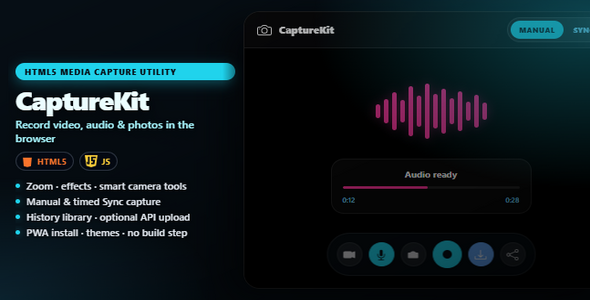

CaptureKit | HTML5 Media Capture Utility
Ship a studio-grade camera experience inside your website — video, audio, and photos in the browser. No apps to install. No Node.js. No CDN. Open index.html and you’re capturing.
CaptureKit is built for portals, kiosks, SaaS flows, support desks, and client sites that need real media capture — not a fragile webcam demo. Visitors record on demand or on a schedule, apply zoom and mood effects, use smart device controls when the hardware allows, save a local history, download or share, and optionally push files to your API.
The problem it solves
Most “webcam widgets” only take a snapshot. Native apps are heavy. Hand-rolled MediaRecorder code breaks across browsers.
CaptureKit puts a polished capture studio where your users already are — in the browser. They allow access, choose video / audio / photo, shape the shot, and leave with a file they can trust.
Why buyers choose CaptureKit
- Looks like a product, not a plugin — cinematic stage, Manual dock, Sync panel, and History library
- Creative control that converts — zoom, one-tap effects, and real camera knobs when the device exposes them
- Zero install friction — visitors never leave your site; PWA install is optional
- Minutes to demo, hours to ship — drop on localhost or HTTPS and go
- Upload-ready when you are — optional API upload with clear buyer docs
- Built for real workflows — onboarding clips, KYC / ID photos, support evidence, audio notes, timed Sync sessions
Everything included
Capture studio
- Manual mode for video, microphone audio, and still photos
- Pause, stop, retake, download, and share in one clean dock
- Front / rear camera flip when multiple cameras are available
- Live audio visualizer with a polished playback card
Zoom, effects & device power
- Stage zoom — slider, +/−, mouse wheel, and pinch; hardware zoom when supported, digital zoom otherwise
- What you see is what you save — zoom and effects are baked into recordings and photos
- One-tap mood effects — None, Mono, Sepia, Cool, Warm, Contrast, Vivid, Soft
- Smart Camera tools — torch, focus, exposure, white balance, and more appear only when the camera actually supports them
- No clutter on limited webcams — unsupported controls stay hidden automatically
Sync sessions
- Timed capture with start delay, interval, and clip length
- Continuous or duration-limited sessions with a max-captures safety limit
- Live Stop Sync control on stage while the session runs
- Effects and zoom apply to Sync clips too
History library
- On-device IndexedDB library (Image / Video / Recording tabs)
- Preview, download, share, delete, and Upload / Retry when an API is set
- Clear all with a confirm step, then reload
Upload, themes & install
- Optional multipart API upload (after each capture, timeout flush, or manual from History)
- Live upload status chip + History badges
- PWA install for Web, Android, and iOS — branded app icon included
- Themes: System, Light, Dark, Night
- Optional context-menu lock (remove one script line to disable)
For your project
- Plain-language buyer docs plus developer API guide
- Full 1920×1080 screenshot tour in the docs — Manual video / photo / audio, zoom, Camera tools (effects + device), Sync + Upload to API, History, Settings, and clear-all confirm
- Example PHP upload receiver
- 100% self-hosted assets — no CDN, no jQuery, no build step
Important: where files are saved
Captures live in the browser’s IndexedDB on the user’s device — not in a folder on your server by default. Clearing site data, using private mode, uninstalling the PWA, or History → Clear all can wipe that library.
Recommendation: treat IndexedDB as a working library. For keepers, use Download, Share, or Upload to API.
Who it’s for
- Product teams adding in-browser camera capture to a web app
- Support and ops teams collecting short video / audio evidence
- Agencies delivering a ready-made capture utility to client sites
- Teams that need timed Sync clips with optional upload
- Anyone who wants a self-contained HTML5 capture UI without a build step
How it works
- Try it — open
index.htmlvia localhost or HTTPS and allow camera / mic - Shape it — zoom, pick an effect, tweak device controls, then capture Manual or Sync
- Browse it — review takes in History; download, share, or upload when ready
- Ship it — upload the package; wire
api-config.jsonly if you need uploads
Production sites need HTTPS. Localhost is enough for development.
Technical Requirements
- No Node.js required to run the app or documentation.
- Web server — serve over HTTPS (production) or localhost (development). Camera / mic do not work on plain
file://pages. - Browser APIs — modern browser with
getUserMedia+MediaRecorder. Chrome and Edge give the fullest experience; Firefox and Safari work with normal browser limits. - Optional file uploads — core capture is 100% client-side. If you enable Upload to API, your server must accept multipart POSTs, allow CORS from the CaptureKit origin, and set adequate body size limits. Extend CSP
connect-srcwhen the API is on another host.
Infrastructure cost warning
CaptureKit itself does not bill you for storage or bandwidth. If you enable Upload to API and store files on your host, S3, or a CDN, you (the buyer) pay those external infrastructure costs. Plan capacity before enabling uploads in production.
Browsers
Works in modern browsers. Chrome and Edge give the smoothest experience. Firefox and Safari are supported with normal media / codec limits. Device controls and hardware zoom vary by camera and OS.
License clarity
Your Envato purchase covers CaptureKit. Bundled assets (Bootstrap Icons, Share Tech) are free and open-source — you do not need to buy extra commercial licenses to use what’s included. See CREDITS.md.
CaptureKit | HTML5 Media Capture Utility — Manual & Sync capture, zoom & effects, smart camera controls, local history, optional API upload, and PWA install — ready for customers.
.png)


