Camera Interval - Photo Timer and Time-Lapse Video React Native 0.71.8
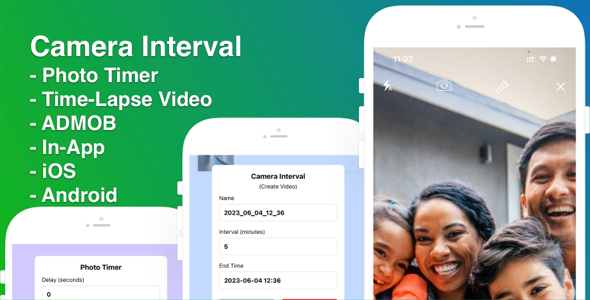

Camera Interval is an easy to use app that makes taking multiple photos and create time lapse video on multiple delays super simple
Features:• A photo timer with variable lengths
• Time lapse video with variable settings
• Multiple snap options
• Flash Control
• Preview
• Saves pics straight to your Photo Gallery
• Multi Share options
Tired of always being the one behind the camera? Well with this app you don’t have to be. Snap photos and make time lapse video.
Full source code react native for ios and android to create mobile app photo timer and time-lapse video maker, ready upload to store.
To Setup:1. Unzip source then, open terminal on mac, cd to path of source code and run: yarn
Note: If you does not have react native environment, you can read this topic to know how to setup: reactnative.dev
2. Run: npx pod-install
3. Open file MAMCore.xcworkspace with Xcode
- change bundle id for ios
- change app name for ios
4. Setup firebase for ips project. If you don’t know how to create firebase project, you can see this topic create-a-firebase-project
Then copy and replace your firebase project seting file in ios (GoogleService-Info.plist)
5. Setting Admob for ios app. If you don’t know how to create admob ads, you can see this topic setting-up-google-admob-ads
Replace admob app id for ios, app.json, Replace admob app unit for ios in Globals.js
6. Change you in-app purchase id for remove ads in file Globals.js
7. Build and Test


