BuzzRelay | Windows App for Sending Bulk Whatsapp Messages


BuzzRelay is a professional WhatsApp Bulk Marketing Desktop Application for Windows. Connect multiple WhatsApp numbers, build rich message templates, and send personalised campaigns to thousands of contacts — all from a clean, modern desktop interface. No browser tabs, no monthly fees, no cloud dependency.
Every message goes through your own WhatsApp accounts, just like you’d send it manually — keeping deliverability high and your data 100% private on your own machine.
Key Features
Bulk Campaign Engine
- Send to thousands of contacts in one campaign
- Schedule campaigns for any future date & time
- Pause, resume, and stop campaigns mid-run
- Real-time progress tracking per recipient
- Table view and card view — switch any time
- Filter campaigns by status: Draft, Scheduled, Running, Paused, Completed, Failed
- Send Now with configurable countdown (0–30 seconds)
Multi-Device Support
- Connect multiple WhatsApp numbers simultaneously
- Link each device by scanning a QR code once
- Sessions persist across restarts — no daily re-scanning
- Assign campaigns to specific devices
- Spread send volume across numbers to reduce per-account risk
Rich Message Templates
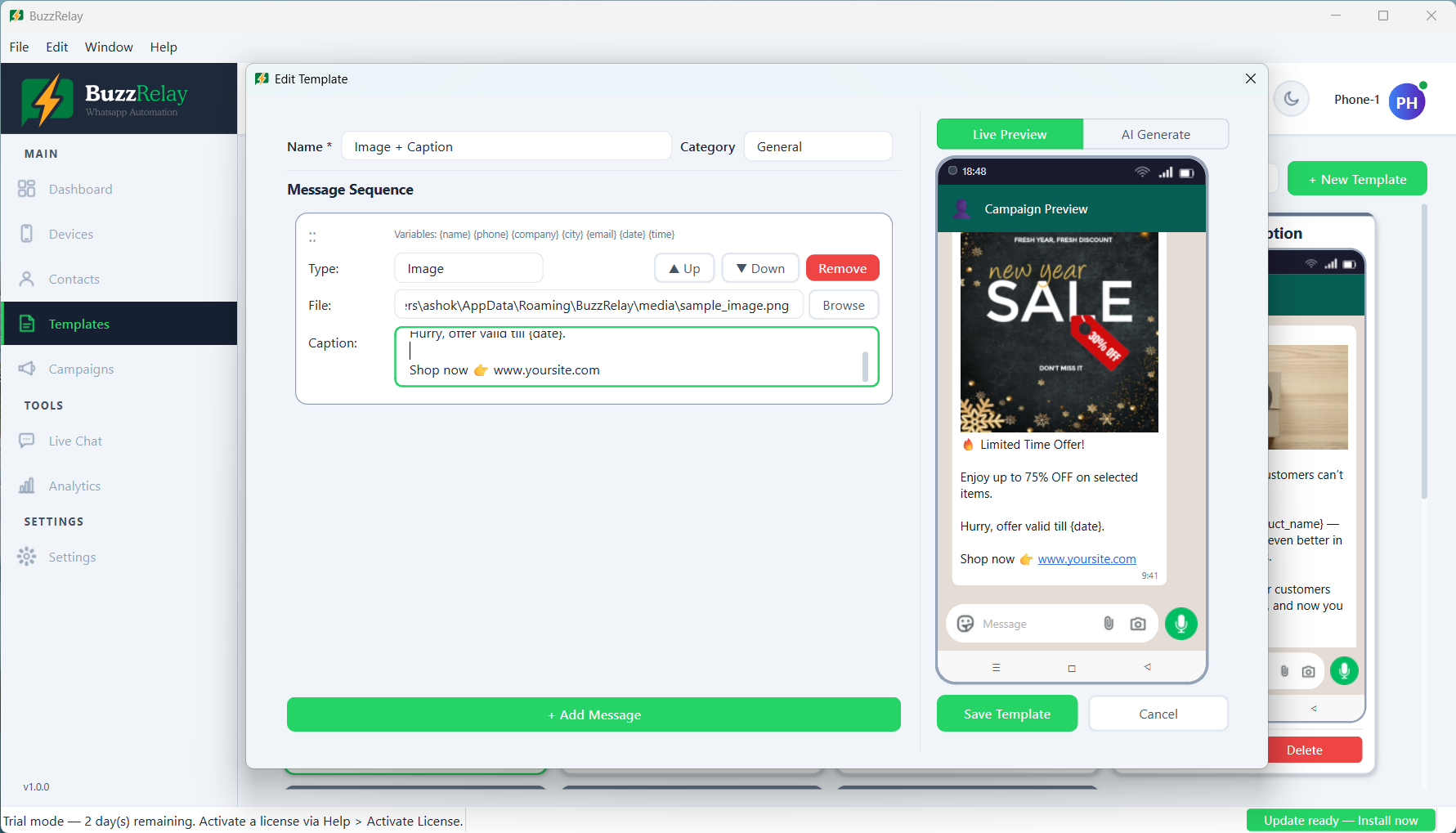
- 8 message types: Text, Image, Video, Audio, Document, Location, Contact (vCard), URL
- Multi-message sequences — chain unlimited messages in one template
- Live WhatsApp-style bubble preview as you build
- Categorise templates for easy organisation
- 7 professionally written starter templates included
- Video thumbnail preview inside the editor
- URL link cards with auto-fetched Open Graph metadata
Contact Management
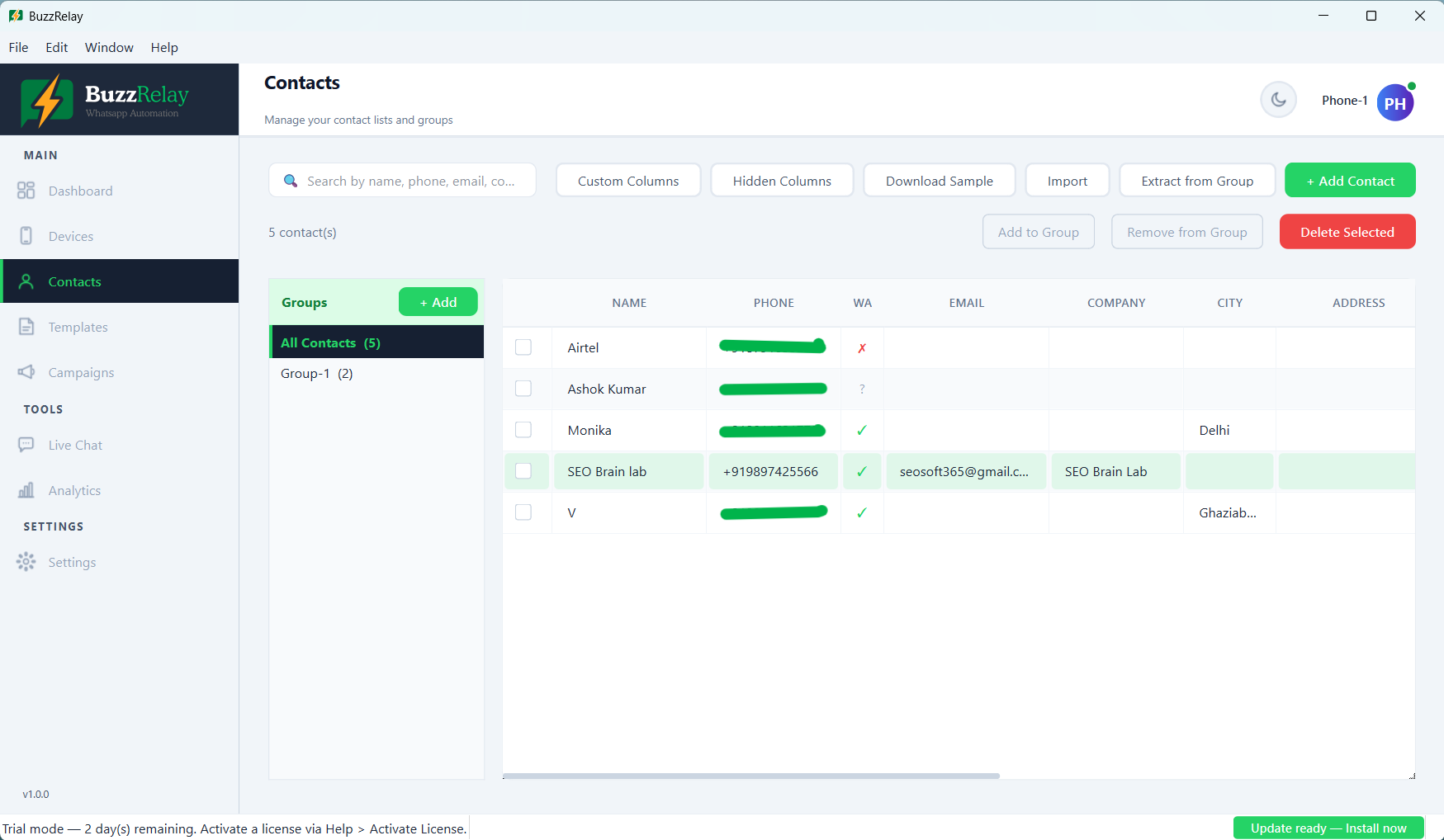
- Import contacts from Excel (XLSX) — auto-maps Name, Phone, Email, Company
- Extract phone numbers directly from WhatsApp groups
- Add unlimited custom fields per contact (e.g. “City”, “Tier”, “Product”)
- Organise contacts into unlimited named groups
- Bulk add/remove contacts from groups
- WhatsApp number validation — check if a number is active
- Real-time search across name, phone, email, company
- Sample contacts Excel file included to get started
Message Personalisation
- Use variables in any message: {name}, {phone}, {email}, {company}
- Any custom field you define becomes a usable variable
- BuzzRelay replaces each variable with the contact’s real data before sending
️ Anti-Ban Protection
- Randomised message delays — set a Min & Max range (1–60 sec); a random value is picked per message
- Sequence delay — configurable delay between messages in a multi-message template
- Typing simulation — shows “typing…” indicator before each message
- Daily send limit — campaigns pause automatically when the daily cap is hit
- Number Warmer — gradually ramps up send volume for new numbers over a configurable number of days
- Isolated browser sessions — each device uses a separate profile
AI Content Generation
- Connect OpenAI ChatGPT (GPT-4o, GPT-4, GPT-3.5) or Google Gemini
- Configure model, temperature (creativity slider), and max tokens per provider
- Set a default provider — switch with one click
- Your API keys are stored locally — never proxied through our servers
⚠️ Warning: AI content generation is an optional feature. It requires a separate API key from OpenAI or Google Gemini, obtained directly from those providers. API usage is billed by those providers and is not included in the purchase price of BuzzRelay.
Analytics & Reporting
- Total Sent, Total Failed, Success Rate, Total Campaigns stat cards
- Daily activity bar chart (powered by pyqtgraph)
- Per-campaign sent/failed breakdown
- Export full message logs to Excel with one click
Live Chat
- Full WhatsApp Web embedded inside the app — no separate browser needed
- One tab per connected device
- Sessions stay logged in across app restarts
- Reply to incoming messages without leaving BuzzRelay
UI & Usability
- Light and Dark themes — switch from Settings
- Modern card-based layout with smooth animations
- Responsive to different screen sizes and resolutions
- Activity log — timestamped history of everything you’ve done in the app
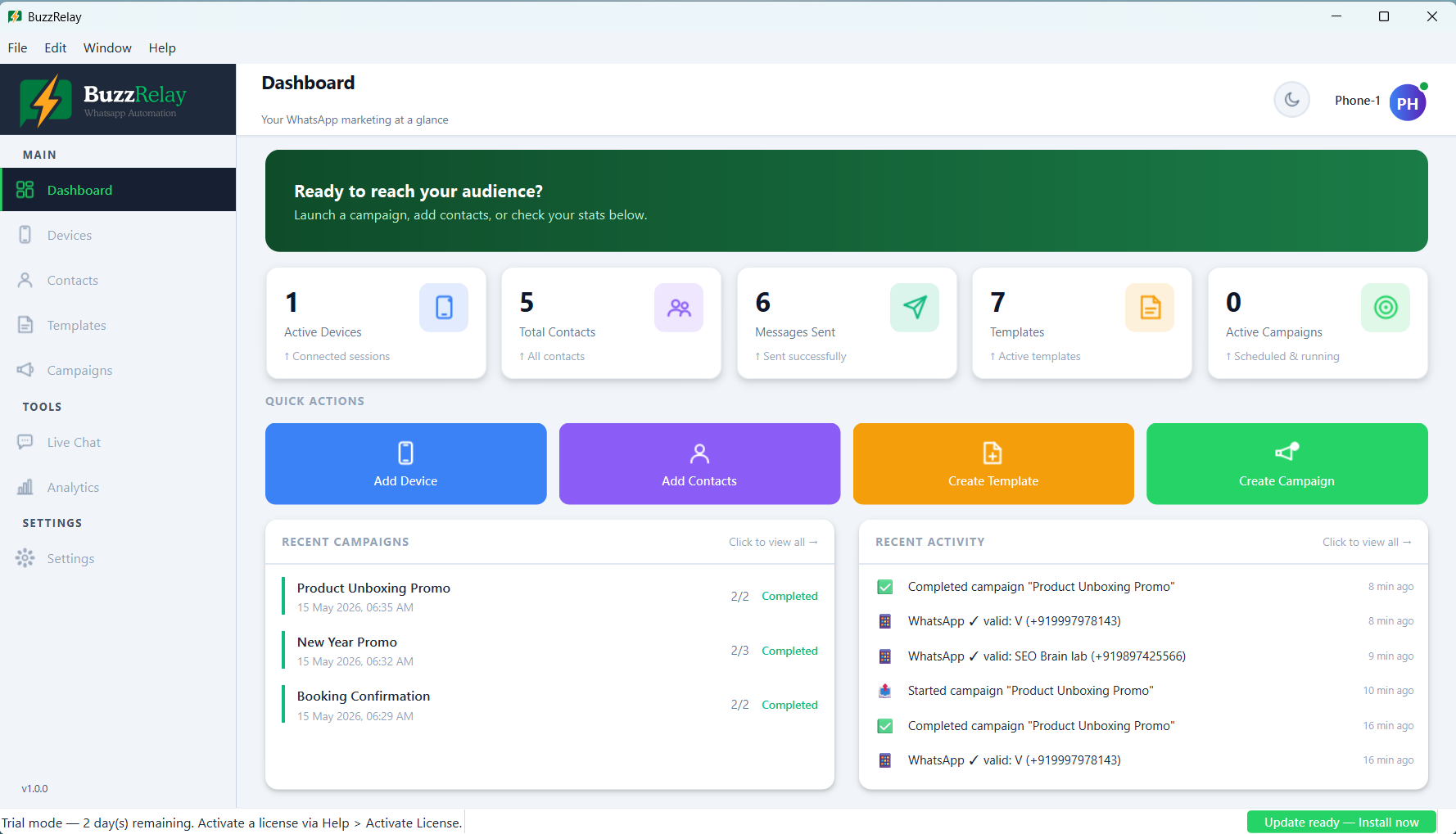
- Dashboard with stat cards, quick actions, and recent campaign overview
What’s Included
- ✅ BuzzRelay Windows installer (.exe) — one-click setup, no technical knowledge required
- ✅ 7 ready-to-use starter templates with sample media files attached
- ✅ Sample contacts Excel file
- ✅ Chromium browser auto-downloaded on first launch (for WhatsApp Web automation)
Requirements
- Windows 10 or Windows 11 (64-bit)
- 4 GB RAM minimum — 8 GB recommended for multiple devices
- Internet connection (required for WhatsApp Web)
- An active WhatsApp account on a smartphone (to scan the QR code)
- AI features (optional) require your own OpenAI or Google Gemini API key — API usage costs are charged directly by those providers and are not included in the purchase price
⚠️ Important Notice
BuzzRelay automates WhatsApp Web. It is your responsibility to use this tool in compliance with WhatsApp’s Terms of Service. Only send messages to contacts who have consented to receive them. Mass-sending unsolicited messages is against WhatsApp’s policies and may result in your account being restricted. The built-in anti-ban features reduce risk but do not eliminate it. The developer is not responsible for any account restrictions arising from misuse.
Frequently Asked Questions
Q: Is this a one-time purchase or a subscription?
A: One-time purchase. No monthly fees, no usage charges. Buy once and use forever.
Q: Does it work on VPS / Windows Server?
A: Yes. BuzzRelay is specifically designed to run on Windows VPS environments. It ships with its own Chromium browser so it does not depend on system-installed browsers.
Q: How many contacts and devices can I add?
A: There is no hard limit in BuzzRelay. Add as many contacts, groups, devices, and campaigns as your machine can handle.
Q: Can I personalise messages per contact?
A: Yes. Use {name}, {phone}, {email}, {company}, and any custom fields you define. Each message is personalised individually before sending.
Q: Does it work with WhatsApp Business?
A: Yes — both standard WhatsApp and WhatsApp Business accounts are supported.
Q: Will my number get banned?
A: BuzzRelay includes several anti-ban tools (delays, typing simulation, daily limits, Number Warmer). These reduce risk significantly when used with opted-in contacts and reasonable volumes, but no automation tool can guarantee zero risk.
Q: Is the source code included?
A: No. Source code is not available for purchase.
Changelog
v1.0.0 — Initial release
- Full campaign engine with scheduling, pause/resume, and real-time progress
- Multi-device WhatsApp connection via QR code
- Contact management with groups, custom fields, Excel import, and WhatsApp group extraction
- Rich template builder: 8 message types, multi-message sequences, live WhatsApp preview
- Analytics with daily chart and log export
- Embedded Live Chat (WhatsApp Web per device)
- Anti-ban engine: delays, typing simulation, daily limits, Number Warmer
- AI content generation via OpenAI and Google Gemini
- Light and Dark themes
- 7 starter templates with bundled sample media
2.3 average based on 3 ratings.

| Last Update | 2026-06-02 |
| Created | 2026-06-02 |
| Sales | 8 |
| Discussion | Comments |
| Application Runtime | Native |
| High Resolution | Yes |
| Compatible OS Versions | Windows 11 Windows 10 |
| Video Preview Resolution |


