Bulky - WooCommerce Bulk Edit Products, Orders, Coupons






The Bulk edit products, orders and coupons plugin seems to be an effective and modern method to speed up modifying WooCommerce products, orders, and coupons. If you are looking for a plugin that can give you a hand in quickly editing products in bulk, Bulky – WooCommerce Bulk Edit Products, Orders, and Coupons can not be ignored.
Bulky – WooCommerce Bulk Edit Products, Orders, Coupons help easily work with products, orders, and coupons in bulk. Particularly, the plugin offers sufficient simple and advanced tools to help filter various available attributes of simple and variable products such as ID, Title, Content, Excerpt, Slugs, SKU, Post date, range of regular price and sale price, Sale date, range of stock quantity, Product type, Categories…
Therefore, users can quickly search for wanted product fields and work with them in bulk. In short, the plugin promises to help shop owners save time and optimize manipulation when working with products in bulk. You can bulk edit orders and coupons in the same way.
Powerful Bulk Editor for WooCommerce Products, Orders & Customers
Optimize your workflow by bulk editing WooCommerce products, orders, and customers in just a few clicks. This helps you manage large amounts of data faster and more efficiently, saving time on repetitive tasks and improving store management productivity.

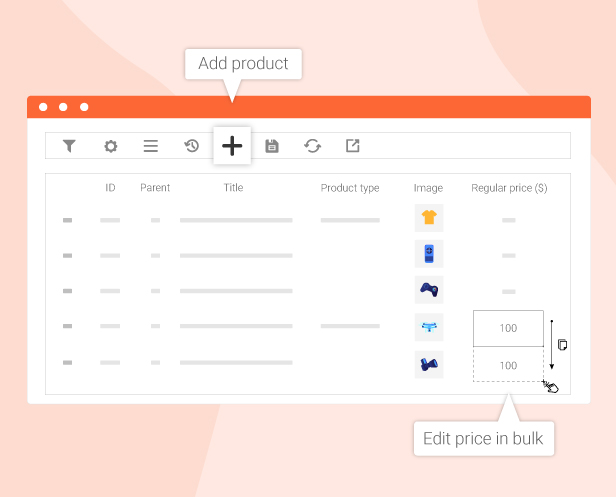
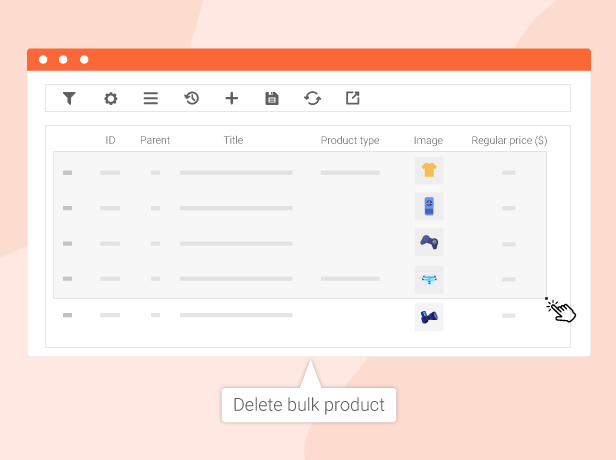
Fast Bulk Add, Edit & Delete Data Management
Quickly add, delete, or edit large amounts of WooCommerce data with ease. This feature helps you handle bulk operations efficiently, reducing manual work and saving significant time when managing products, orders, or customers.
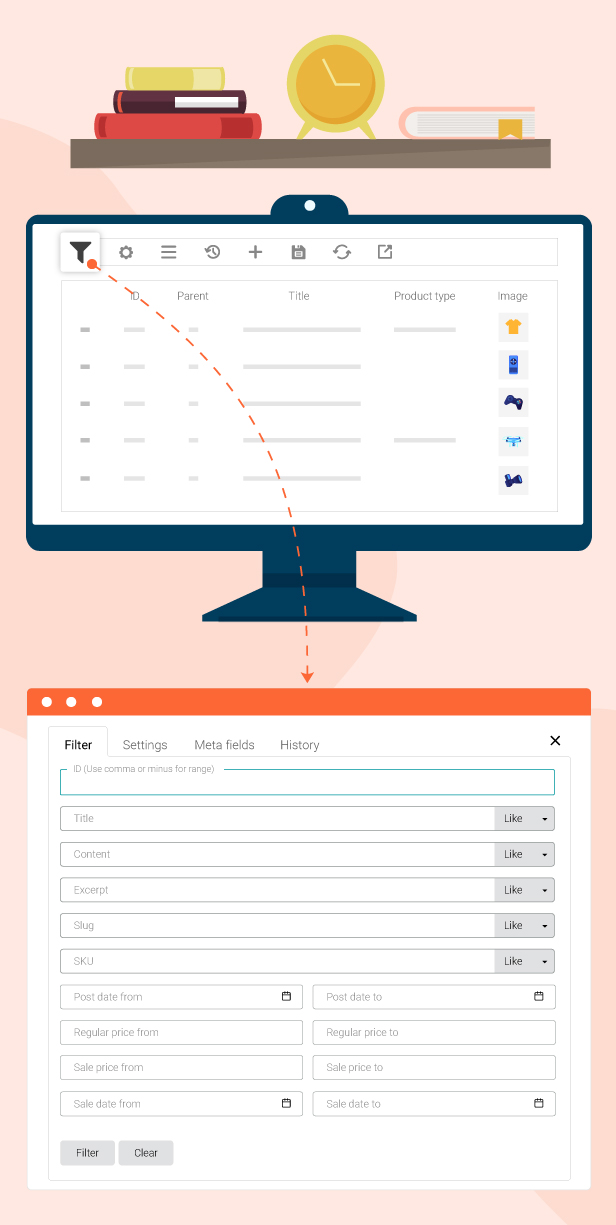
Advanced Filtering for Precise Bulk Data Editing
Use powerful filters to quickly find specific data before performing bulk edits. This helps you target exactly what you need whether it’s products, orders, or customers making bulk editing faster, more accurate, and more efficient.
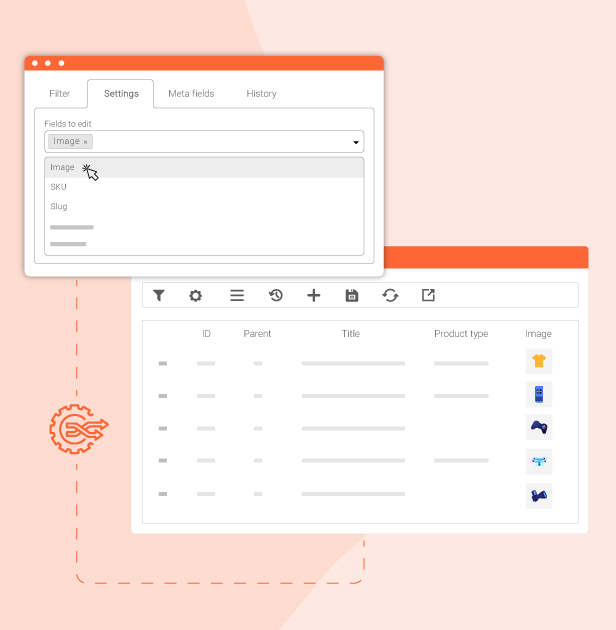
Selective Column Editing for Precise Data Control
Select specific data property columns to edit, allowing you to focus only on the fields you need. This makes bulk editing more efficient, reduces mistakes, and gives you full control over how your WooCommerce data is updated.
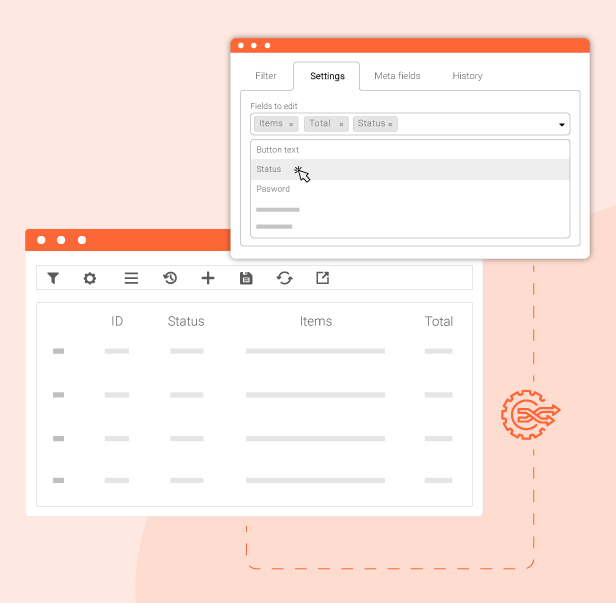
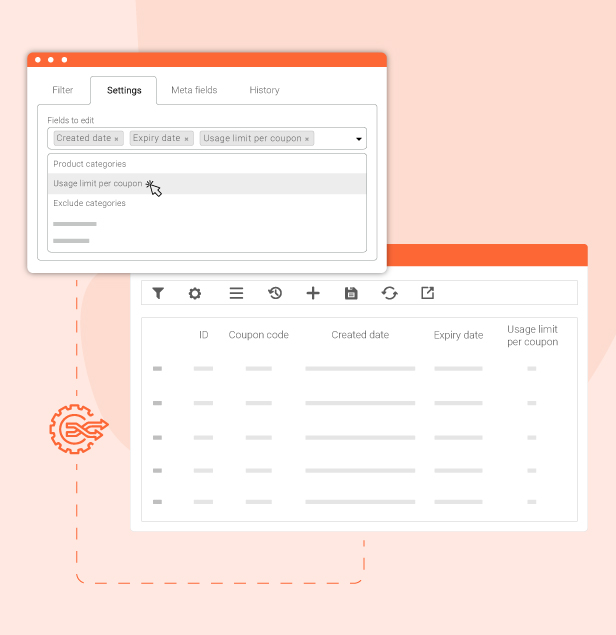
Bulk Edit WooCommerce Product, Order & Coupon Properties
Bulk edit product, order, and coupon properties with ease to quickly update large amounts of WooCommerce data. This helps you manage store information more efficiently, reduce manual work, and keep everything consistent and up to date.
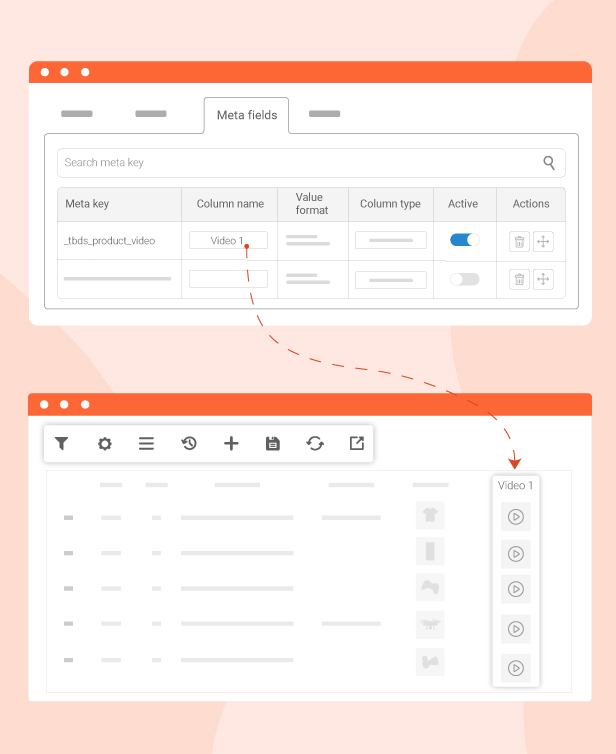
Bulk Edit Custom Metafields & Third-Party Plugin Data
Bulk edit custom metafields for products, orders, and coupons, including metadata from third-party plugins. This gives you full flexibility to manage advanced data fields in bulk, helping you save time and maintain consistency across your WooCommerce store.
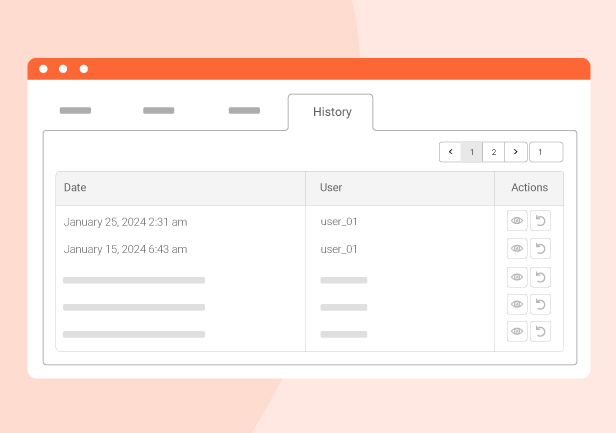
Bulk Edit History & Change Tracking
View a complete history of all bulk edits and easily restore previous changes when needed. This helps you track modifications, fix mistakes quickly, and maintain full control over your WooCommerce data.
Other Outstanding Features

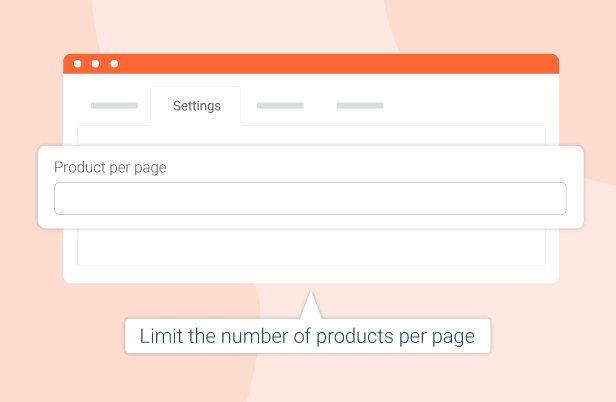
THE FEATURES OF BULKY – WOOCOMMERCE BULK EDIT PRODUCTS
Filter the Products to be Bulk Edited.
You can use tools to filter products that you want to edit in bulk. Particularly, the plugin is available with the following filters all attributes of a product such as ID, Title, Content, Excerpt, Slug, SKU, Range of Post date, Range of price, Range of the sale price, Range of sale date, Range of stock quantity, Range of Width, Height, Length, Weight, Product type, Product status, Stock Status, Featured, Downloadable, Sold individually, Backorders, Author, Catalog visibility, Feature image, Categories, Tags, as well as Attributes.
- ID: You can filter the range of products by product ID, and separate IDs with commas.
- Title: This allows you to filter a product with product titles that can be exact, like, not include, begin, end, or empty content.
- Excerpt: You can filter a product with the excerpt that can be exact, like, not include, begin, end, or empty content.
- Slug: This allows you to filter a product with the product slug that can be exact, like, not include, begin, end, or empty content.
- SKU: This allows you to filter a product with the product SKU that can be exact, like, not include, begin, end, or empty content.
- Post date: You can filter products based on the date of post.
- Regular price: You can filter products in a range of prices.
- Sale price: You can filter products in a range of sale prices.
- Sale date: The option to filter products based on the sale date.
- Stock Quantity: You can filter products in a range of stock.
- Width: You can filter products in the range of widths.
- Height: You can filter products in the range of heights.
- Length: You can filter products in the range of lengths.
- Weight: You can filter products in the range of weights.
- Product type: Filter products by type including Simple, variable, external/Affiliate, and grouped.
- Product status: Filter products by status: Draft, pending, private, public.
- Stock Status: You can filter products based on their current stock status such as In Stock, Out of Stock, or On Backorder.
- Featured: Filter products by featured yes or no.
- Downloadable: Filter products that can be downloadable.
- Sold individually: Filter products that can be sold individually.
- Backorders: Filter products that can be backordered: Do not allow; Allow, but notify customer; Allow.
- Author: Filter products based on the author.
- Catalog visibility: Filter products based on catalog visibility: Shop and search results, Shop only, Search results only, Hidden.
- Feature image: Filter products by feature image.
- Categories: Select the desired product categories that you have created in your WooCommerce store. Additionally, you can tick the Include Subcategories option to include sub-categories of the selected product categories.
- Tags: You can choose various product tags or tags for filtering products.
- Product attributes: If you have created global attributes in your WooCommerce Attributes settings, they will be shown in this setting. Moreover, you can use global product attributes to filter the products for editing. Once you have selected an attribute, you can select the desired Product Attribute Values for deeper filtering.
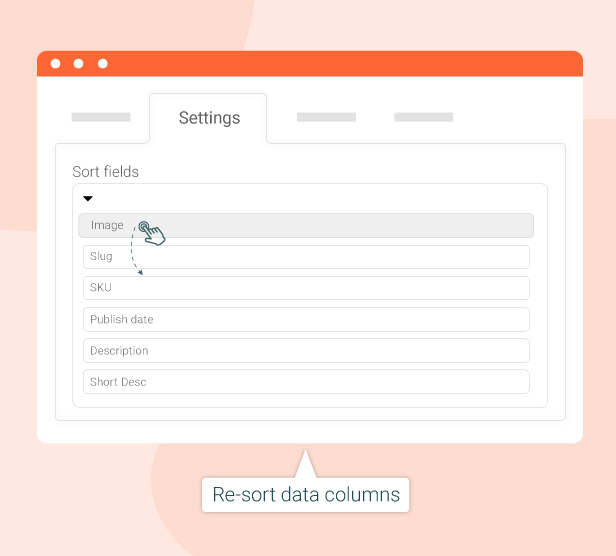
You can easily select one or/and many fields of product to interact and work with. In particular, this helps to filter relevant fields that you are interested in and observe objects and tables more conveniently and effectively. Fields can be selected including Image, SKU, Slug, Description, Short Desc, Gallery, Attributes, Grouped, Product URL, Button text, Status, Password, Featured, Regular price, Sale price, Sale date from, Sale date to, Manage stock, Stock, Stock status, Allow backorder, Sold individually, Virtual, Categories, Feature image, Tags, Width, Height, Length, Weight, Upsell, Cross-sell, Downloadable, Purchase note, Menu order, Enable reviews, Catalog visibility, Feature image, Shipping class. Leave empty if you filter all fields.
Filter exclude fields to be bulk-edited.
If you need to filter all fields of the product but some fields need to be excluded, you can select one or/and many fields for this purpose.
Fields can be selected to exclude: Image, SKU, Slug, Description, Short Desc, Gallery, Attributes, Grouped, Product URL, Button text, Status, Password, Featured, Regular price, Sale price, Sale date from, Sale date to, Manage stock, Stock, Stock status, Allow backorder, Sold individually, Virtual, Categories, Feature image, Tags, Width, Height, Length, Weight, Upsell, Cross-sell, Downloadable, Purchase note, Menu order, Enable reviews, Catalog visibility, Feature image, Shipping class.
Edit WooCommerce Products in Bulk.
You can bulk edit/update product properties, you can learn how to edit these properties in our documentation.
-
- Product Title
- Product Type
- Image
- SKU
- Slug
- Description
- Short desc
- Gallery
- Attributes
- Default attributes
- Grouped
- Product URL
- Button text
- Status
- Password
- Feature
- Regular price
- Sale price
- Sale date
- Manage stock
- Stock
- Stock Status
- All backorder
- Sold individually
- Virtual
- Categories
- Feature image
- Tags
- Weight
- Length
- Width
- Height
- Upsells
- Cross-sells
- Downloadable
- Download_file
- Download_limit
- Download_expiry
- Purchase note
- Menu order
- Enable reviews
- Catalog visibility
- Feature image
- Shipping class
Manipulations with the product table and cells in Bulky – WooCommerce Bulk Edit Products
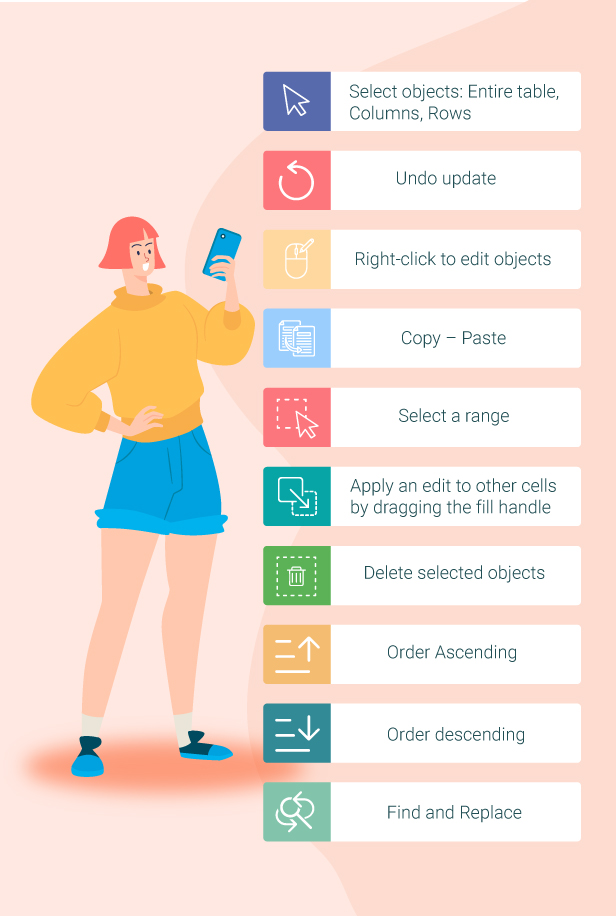
- Select objects: Entire table; Columns; Rows
- Undo update.
- Right-click to edit objects.
- Copy – Paste
- Select a range
- Apply an edit to other cells by dragging the fill handle
- Delete selected objects
- Order Ascending
- Order Descending.
- Find and Replace.
- Duplicate products.
- Fill numbers for the number column type
Other outstanding features of the WooCommerce bulk edit products plugin:
- The Bulk edit products plugin’s Search tool helps to find the fields to edit. On the other hand, you can save time to quickly look for fields you want to bulk edit products.
- The filter includes the variation-load variations option.
- Filter orders by ID, Title, Regular price, Sale price, and SKU. Even more, you can filter orders by some available fields
- Save the filter when reloading the page. In particular, the save filter button helps to save all your settings so that the selected options will remain even when you load the page.
- Bulk edit Custom meta fields from third-party plugins.
- History to record the edits.
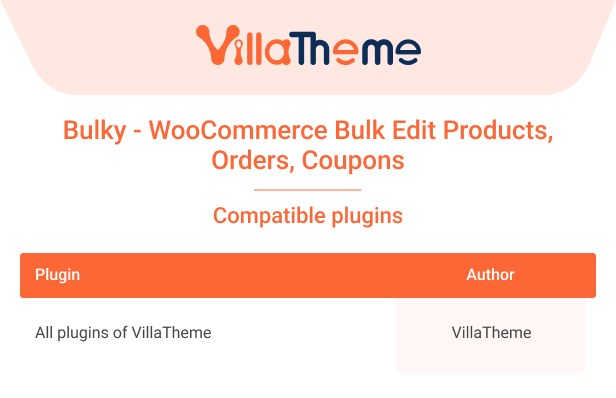
Compatible plugins
Free vs Premium comparison

Preview Bulky via this short video:
And you can see this video guide on how to bulk edit products, orders and coupons.
ChangeLog
$59 |
Download |
4.7 average based on 43 ratings.

| Last Update | 2026-11-07 |
| Created | 2021-08-02 |
| Sales | 2011 |
| Discussion | Comments |
| Compatible Browsers | Firefox Safari Chrome |
| Software Version | WordPress 7.0.x WordPress 6.9.x WordPress 6.8.x WordPress 6.7.x WordPress 6.6.x WordPress 6.5.x WordPress 6.4.x WordPress 6.3.x WordPress 6.2.x WordPress 6.1.x WordPress 6.0.x |
| Compatible With | Elementor Elementor Pro WooCommerce 10.x.x WooCommerce 9.x.x WooCommerce 8.x.x WooCommerce 7.x.x WooCommerce 6.x.x WPML |
| Gutenberg Optimized | Yes |
| High Resolution | Yes |
| Files Included | JavaScript JS CSS PHP |
| Video Preview Resolution |


