Buildora | AI Website Builder SaaS


Buildora: run your own AI website builder business
Buildora is a complete website builder business that you host yourself. Your customers describe their business in one sentence, the AI writes a multi-page website with matching stock photos, they change any block in a visual editor and publish it to a free address or their own domain with automatic HTTPS. You sell plans to them, take payments through your own Stripe account and run everything from the admin.
Built with Next.js 16, React 19, TypeScript, Prisma 7 and PostgreSQL. Install it with Docker Compose, finish the install wizard in the browser, and add only the keys you want to use.
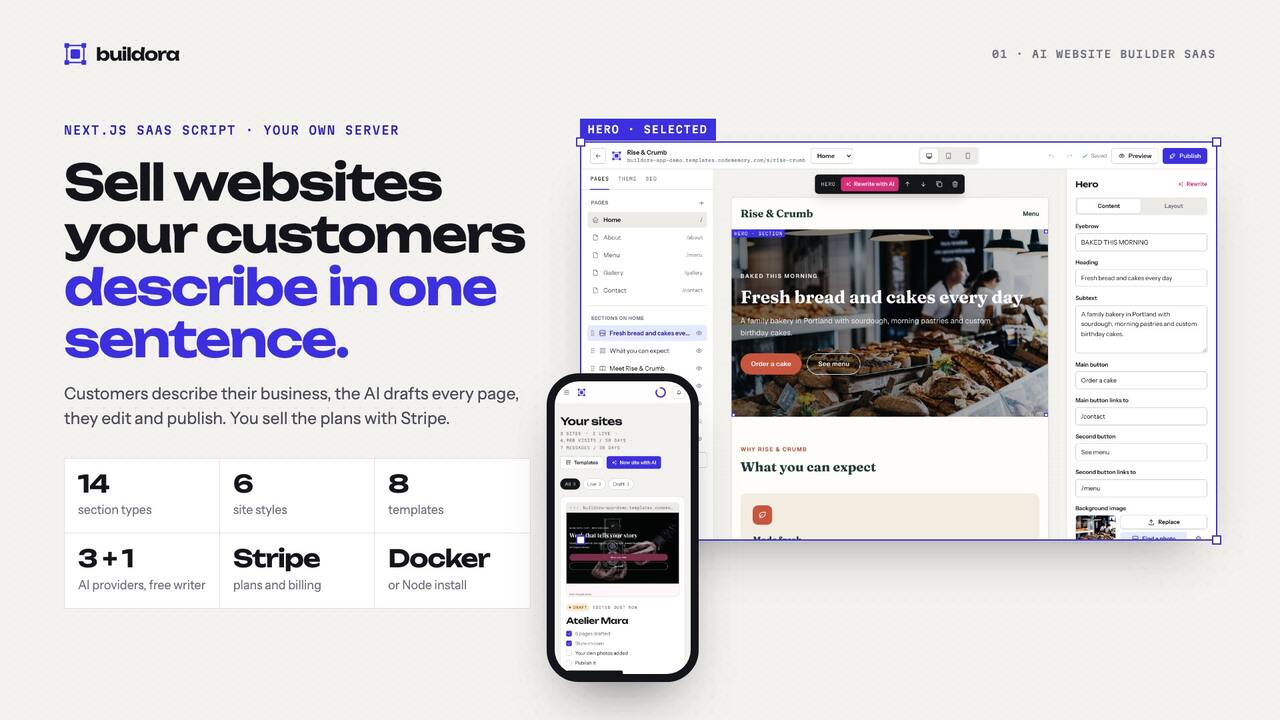
Live demo
- Live preview with one-click demo sign-ins, no sign-up needed.
- Try the builder opens a private copy of a sample account: create a site from one sentence, edit it and publish it.
- Open the admin opens the admin in read-only mode.
- The demo resets every night, sends no email and never calls a paid AI service (sites are drafted by the built-in writer).
- Documentation online (also in the download as HTML and PDF).
AI disclosure
AI tools used to create this item: Yes
- Source code: Yes. Written with Claude by Anthropic as an AI coding assistant, then reviewed, tested (server and browser tests) and integrated by us.
- Documentation: Yes. Drafted with Claude by Anthropic and checked step by step against a fresh install.
- Graphics: No. No image was made with an AI image generator. The logo mark is a simple SVG drawn in code; every preview, cover and documentation image is a screenshot of the running app; the demo photos are real Pixabay photos, each credited in the documentation.
- Demo text: Yes. The copy of the sample sites, templates and the built-in writer was written with Claude by Anthropic and edited by us.
AI-powered features: Yes
- New site with AI (writes every page of a new site), Add a page with AI, Rewrite with AI (one section) and Describe a section (a new section from one line).
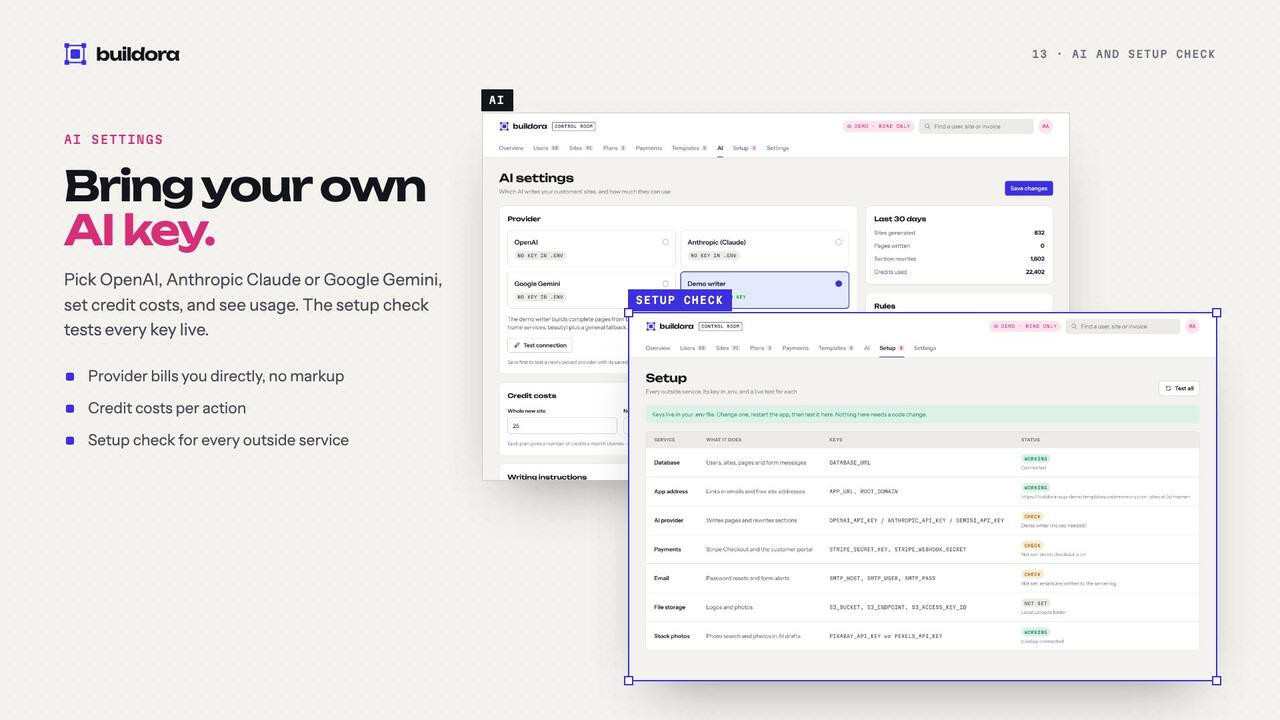
- Provider: OpenAI, Anthropic (Claude) or Google Gemini, chosen in the admin, with your own API key. The provider bills you directly; see the costs below.
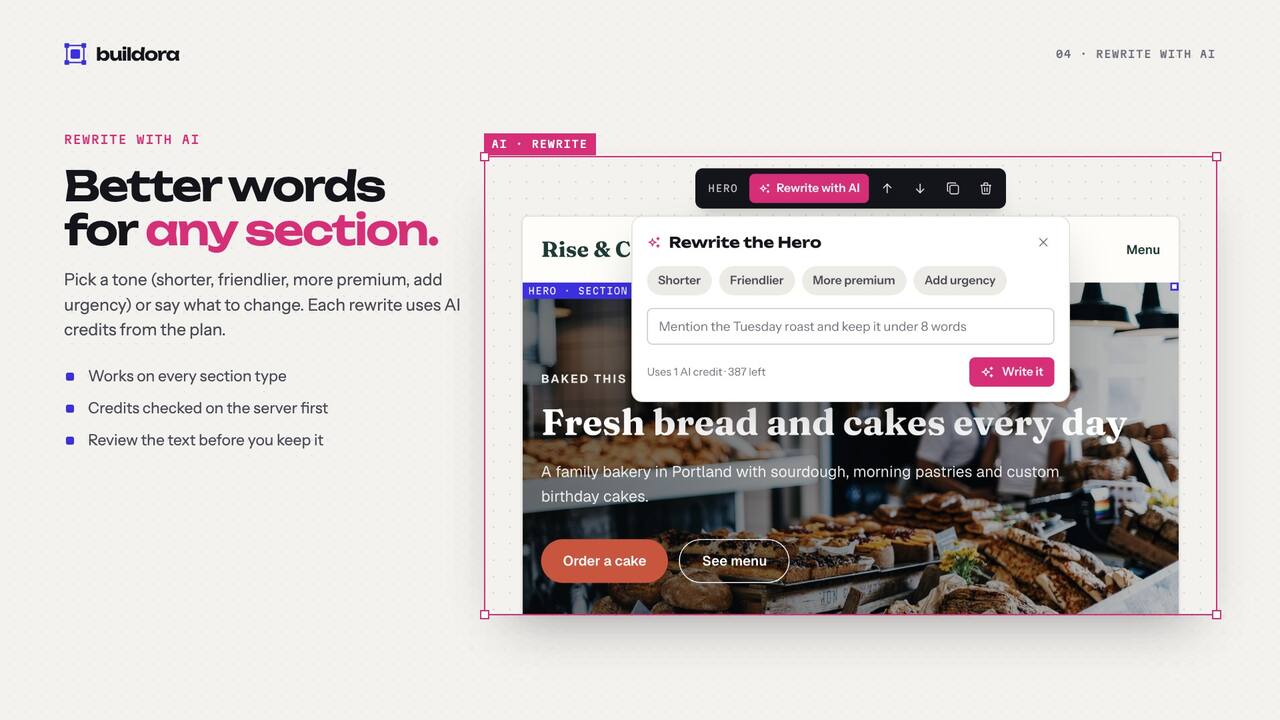
- AI text can contain mistakes: review the output before a site is published. Without a key, a built-in writer (not an AI model, no cost) fills each section from the business description; it uses no AI credits, and the customer sees that the built-in writer wrote it.
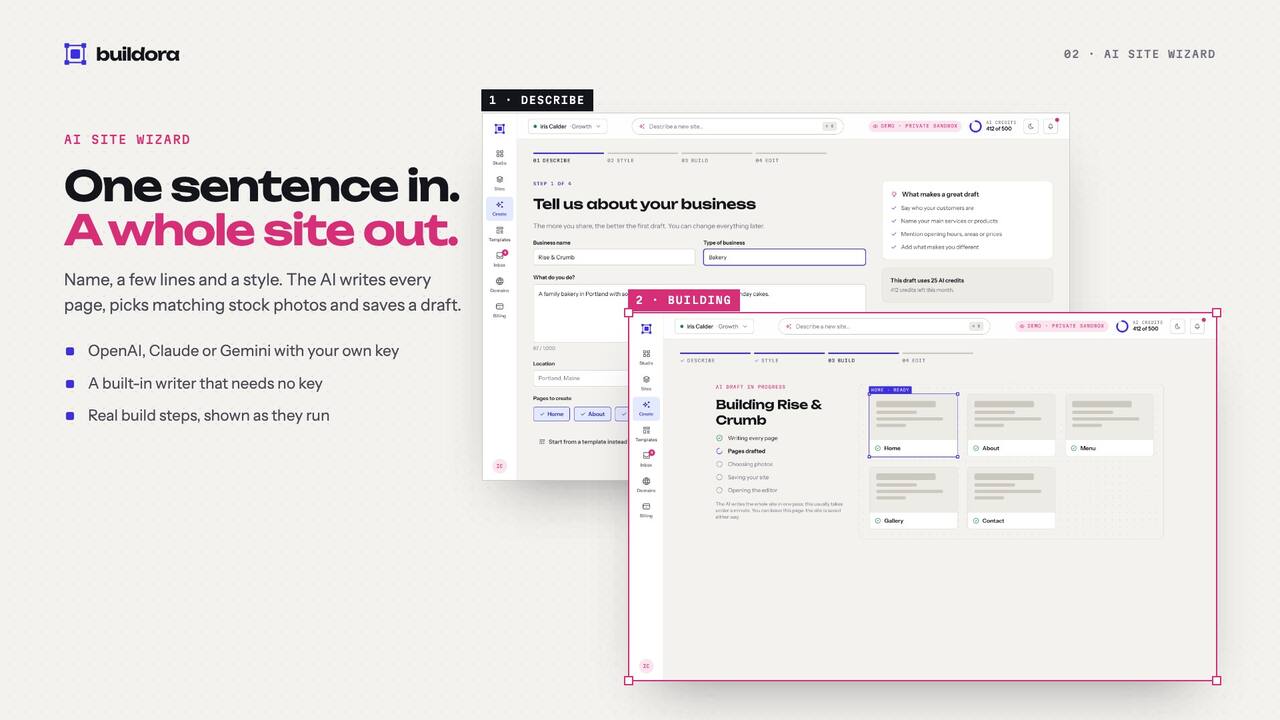
AI site wizard
- Business name, type, a few lines about it, location, language and the pages to create.
- Pick one of six styles, or let the AI choose one that fits.
- The build shows its real steps while the server works (writing, pages, photos, saving), then opens the editor.
- Matching stock photos from Pixabay or Pexels are copied into your own storage, so sites never hotlink.
- AI credits per plan, charged only when your AI provider writes the draft: checked on the server before the AI runs and given back if a build fails. Drafts from the built-in writer are free, and the customer sees “Written by the built-in writer, no credits used”.
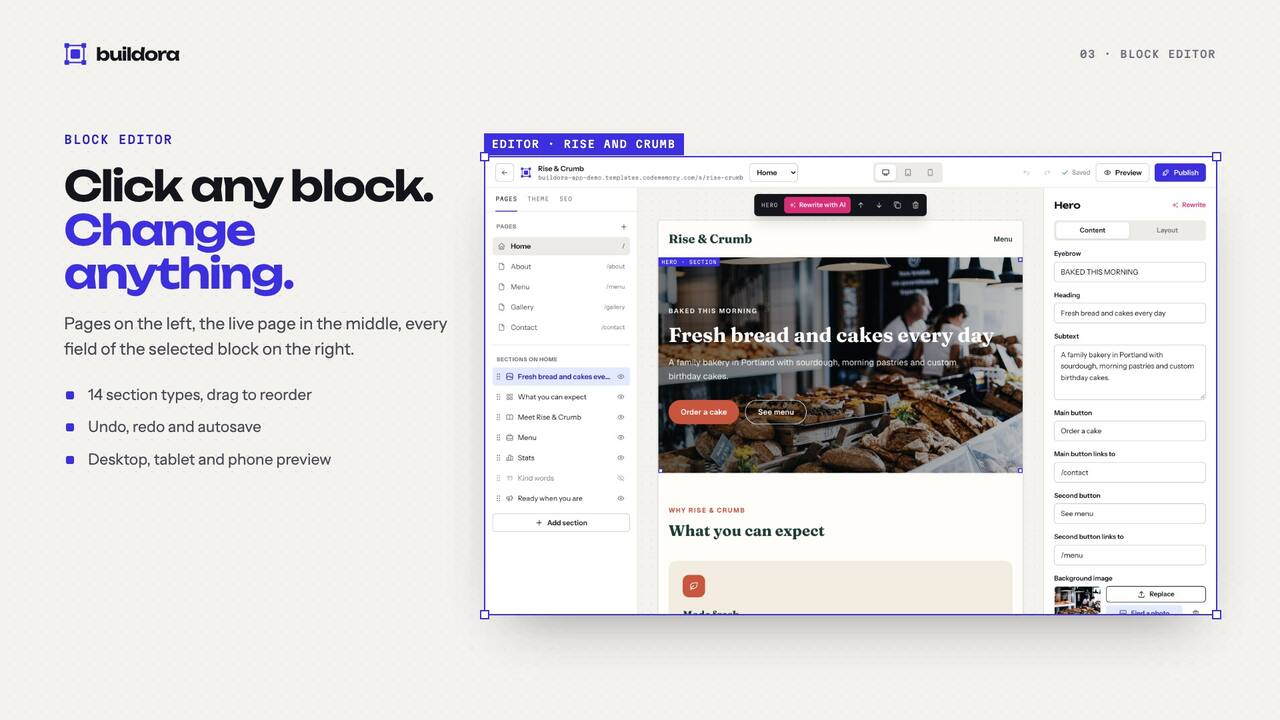
Block editor
- 14 section types: hero, features, services, image and text, gallery, testimonials, pricing, FAQ, team, stats, call to action, contact form, text and logos.
- Click any block to edit its text, links, photos and layout. Drag to reorder; hide, duplicate or delete sections and pages.
- Rewrite with AI (shorter, friendlier, more premium, add urgency, or your own instruction) and Describe a section to add one written for you.
- Six styles, any colour, heading and body fonts and button shapes. Search title and description with a search preview for every page.
- Desktop, tablet and phone preview, undo and redo, autosave, photo upload and stock photo search.
Publishing and domains
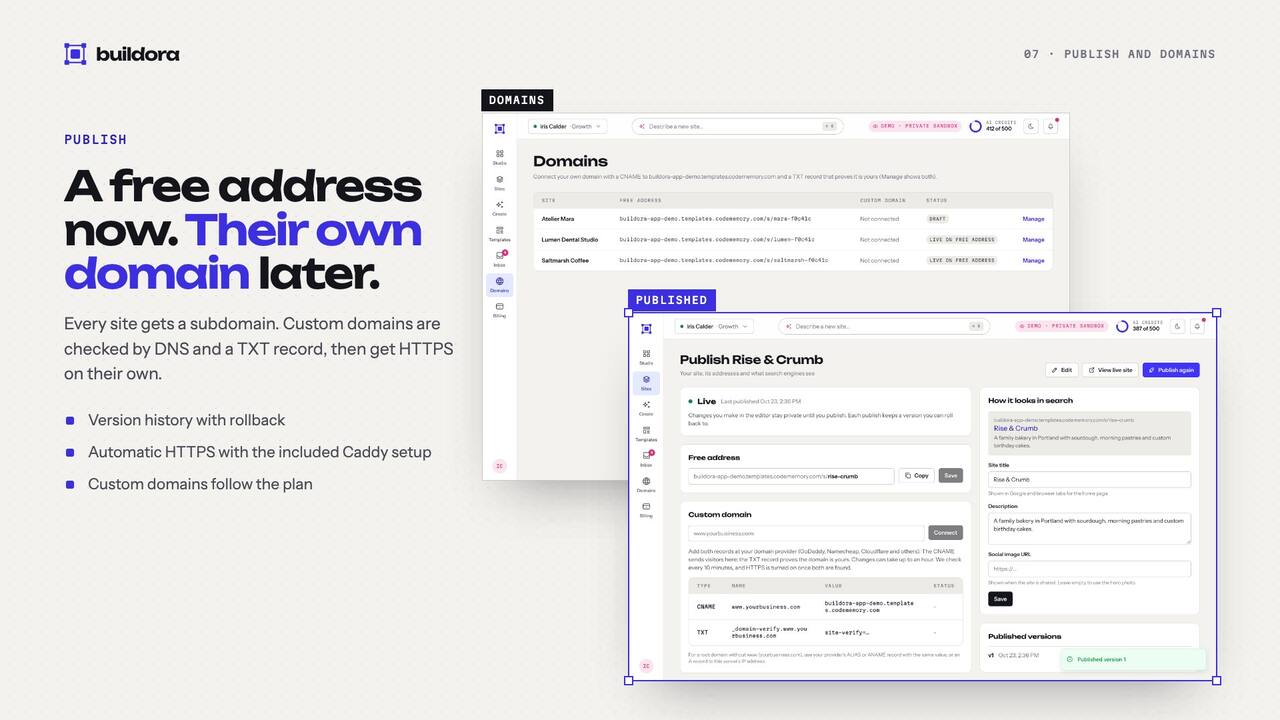
- A free address for every site: a subdomain of your domain (one wildcard DNS record) or a path address that needs no DNS at all.
- Custom domains on the plans you choose: clear DNS steps, a TXT record that proves ownership, and automatic HTTPS through the included Caddy setup.
- Every publish is a version you can roll back to. Each site gets its own sitemap and robots file.
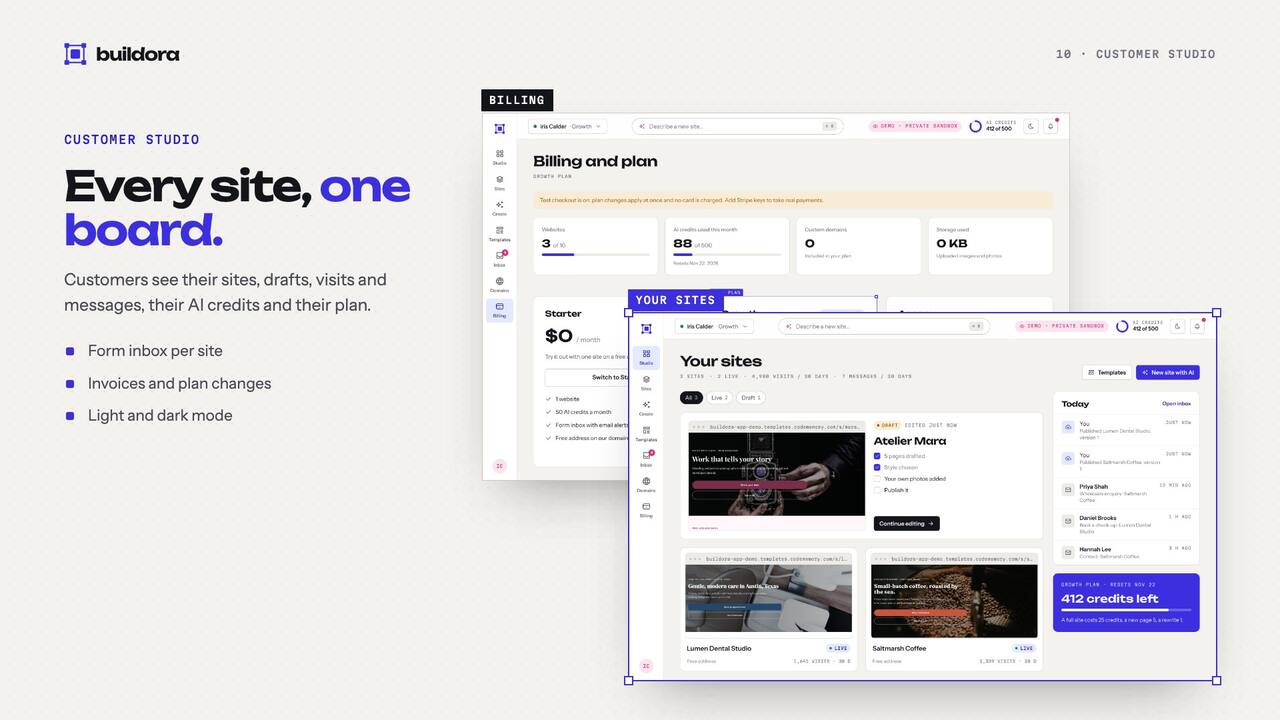
- Contact forms send messages to the customer’s form inbox (filters, starred, CSV export) and by email when mail is set up.
Customer studio and templates
- Every site on one board with drafts, visits, messages and AI credits; sites, form inbox, domains, billing with invoices and account settings. Light and dark mode, and it works on phones.
- Eight finished multi-page templates: café, clinic, law firm, photographer, gym, garden services, restaurant and salon. Turn any site into a new template from the admin.
Admin
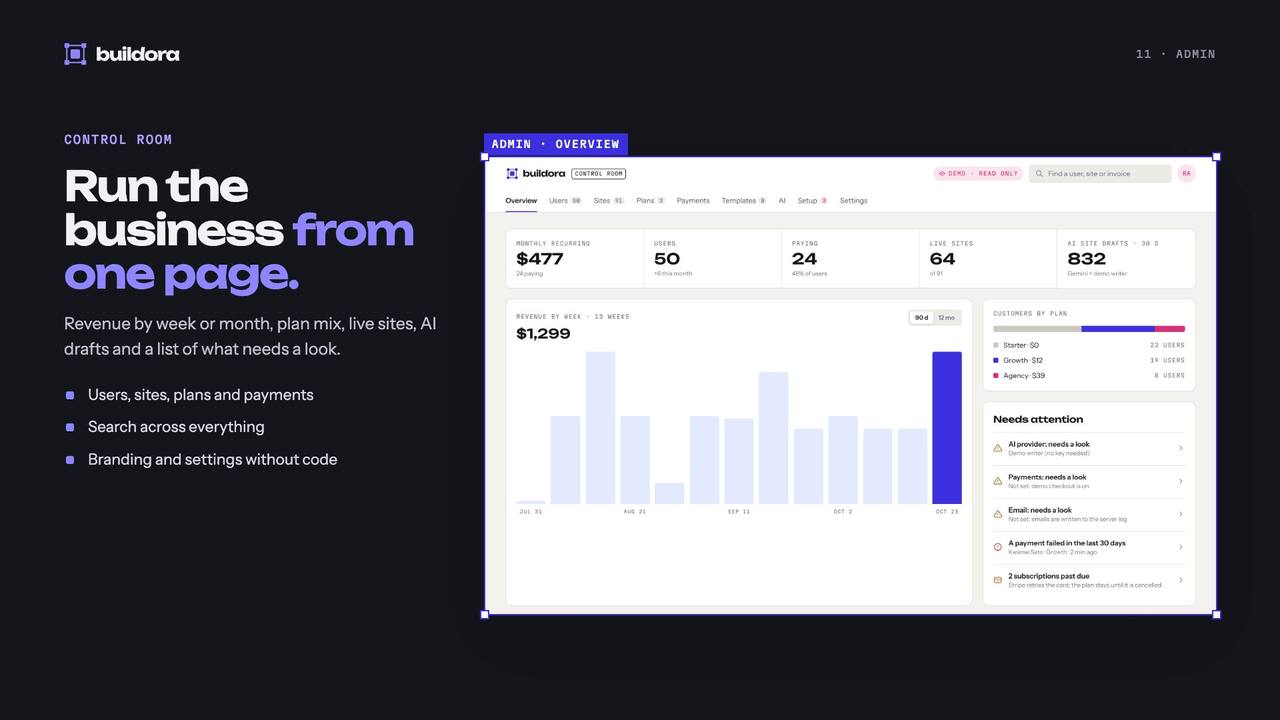
- Overview: monthly recurring revenue, users, paying customers, live sites, AI drafts, revenue by week or month, customers by plan and a “needs attention” list.
- Search, users (change plan, reset AI credits, make admin, suspend, delete), sites, plans, payments and templates.
- AI settings: provider, model, credit cost per action and writing instructions, with usage.
- Setup check: every key from
.env, what it does, and a live test for each service. - Settings: app name, logo, colours, fonts, sign-ups, legal links, maintenance mode and a “remove sample data” button. Rebrand without touching code.
Plans and subscription billing
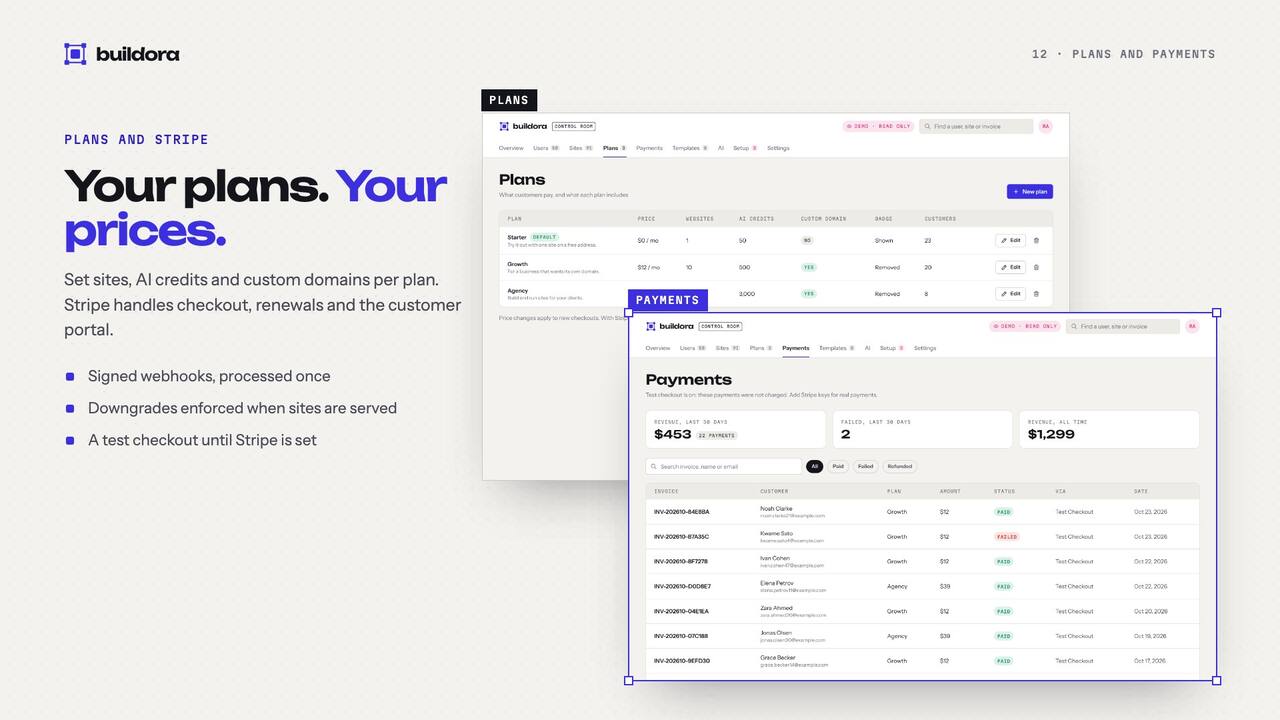
- Plans with a number of websites, monthly AI credits, custom domains and an optional “Made with” badge.
- Works with your own Stripe account: Checkout subscriptions, signed webhooks (including plan changes, cancel at period end, full refunds and lost chargebacks), invoices and the customer billing portal. Prices come from your plan settings.
- An optional test checkout (off in the shipped settings) lets you try upgrades before Stripe is connected.
Security
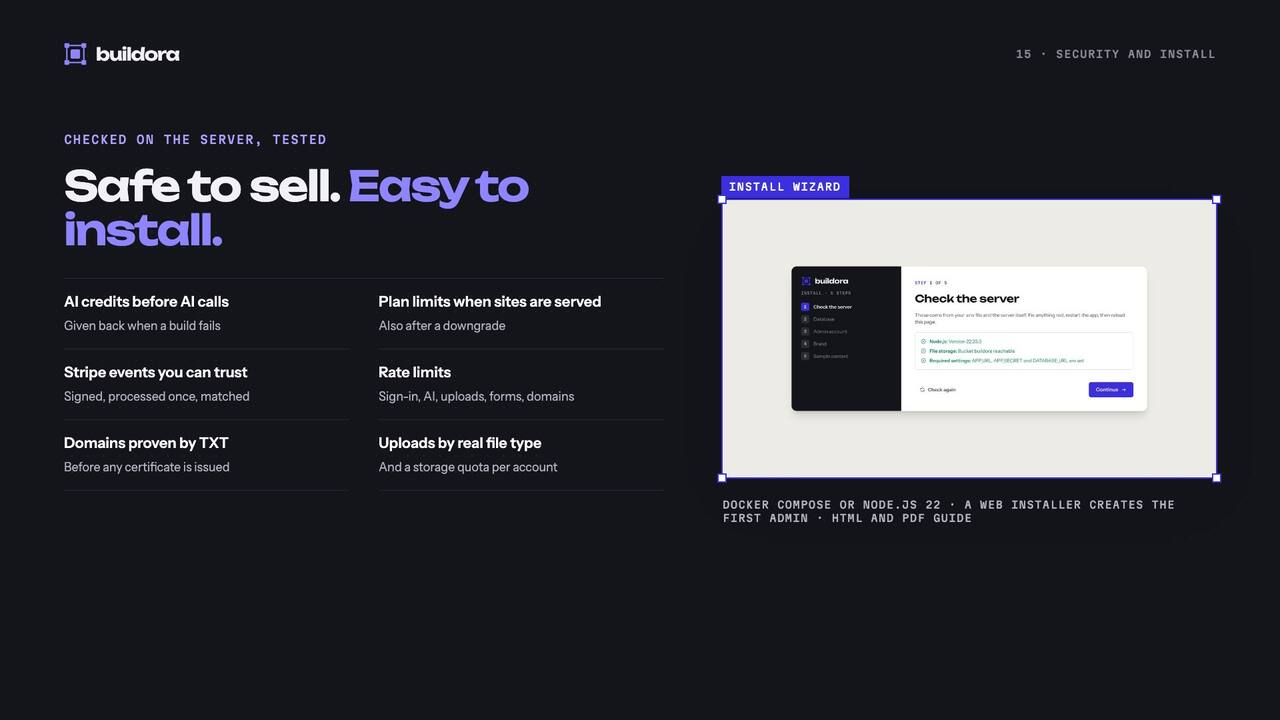
- Paid plans come only from verified Stripe webhooks: signed, applied once even when Stripe retries, and matched to the right customer and plan.
- Payments and subscriptions are never deleted with an account: a paying account is anonymised instead, so late refunds and chargebacks still find their invoices. A deleted account is never billed again: a checkout that completes later is refunded and its subscription cancelled.
- AI credits and site limits are checked on the server in one atomic step, so parallel requests cannot spend more than the plan allows. Credits are charged only for results a real AI provider wrote.
- Plan limits apply when a site is served, also after a downgrade or a cancelled subscription.
- Rate limits stored in PostgreSQL for sign-in, sign-up, password resets, AI, uploads, stock photos, contact forms and domain checks. The visitor’s address is taken only from proxies you trust, and in the Docker setup the app port is open on the server itself only, so a made-up address cannot get round a limit.
- The demo seed command removes only the accounts it created and refuses to run on a database with real accounts or payments.
- Requests from other sites are refused; a password change signs out every other device; uploads are checked by their content, with a storage quota per account.
- Every rule has an automated test (Vitest), and the browser tests run in Chromium, Firefox and WebKit (Playwright).
Running costs (third-party services)
Buildora has no monthly fee of its own. The outside services below are run by other companies, not by us. Each has its own pricing, and you, the buyer, pay all of these costs. All are optional except a server and a domain for a public launch. List prices checked on 23 October 2026:
- AI provider, billed by the provider for every request: OpenAI (default gpt-5-mini) $0.25 / $2.00 per million input / output tokens, about 1–2¢ per five-page site draft; Anthropic (default Claude Opus 5.5) $4 / $20 per million tokens, about 9–17¢ per draft, with Sonnet and Haiku costing less; Google Gemini (default gemini-2.5-flash) $0.30 / $2.50 per million tokens, about 1–2¢ per draft, with a free tier.
- Stock photo APIs: Pixabay and Pexels are free today under their own terms and limits.
- Stripe: 2.9% + 30¢ per US card payment plus 0.7% for subscription billing, about 73¢ on a $12 plan.
- Email through any SMTP provider: Amazon SES, for example, charges $0.10 per 1,000 emails.
- File storage: the server’s disk or the bundled MinIO costs nothing extra; Cloudflare R2, for example, charges $0.015 per GB a month.
- Server (VPS): about $5–25 a month for one small server that runs the whole Docker stack.
- Domain name: about $10–20 a year.
- Vercel and a managed database, only if you host there instead: free tiers, then their own monthly plans.
You decide how many AI credits each plan gets and what each action costs, so the AI bill cannot run past what your plans allow. Drafts from the built-in writer cost nothing.
Requirements
- Docker (recommended): Docker Compose starts the app, PostgreSQL and MinIO file storage; the HTTPS profile adds Caddy with automatic certificates. An install wizard creates the admin account.
- Without Docker: Node.js 20 or newer (22 recommended), pnpm and PostgreSQL 15 or newer. Notes for a VPS and for Vercel with a managed database are in the docs.
- A domain with a wildcard DNS record for subdomain addresses (optional: path addresses work without one).
Good to know
- The photos in the live demo come from Pixabay and are not included in the download. With a free Pixabay or Pexels key, new sites get photos automatically.
- Charging your customers through Buildora (selling plans) requires the Extended License.
- Buildora works with your own accounts at Stripe, OpenAI, Anthropic, Google, Pixabay and Pexels. It is not made, endorsed or sponsored by any of them, and their names belong to their owners.
- Documentation in HTML and PDF for first-time installers, with an API reference, a database overview and a worked example of adding a section type.
- Support through the item’s Support tab.
Changelog
Version 1.0.0 (21 November 2026)
- First release.


