BoostTube - Automated Video View Bot Generator Cookies Login and Engagement Support
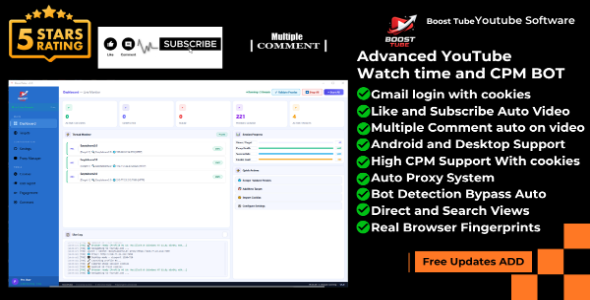

BoostTube Pro v5 – YouTube View Bot | Multi-Thread | Keyword Search | Proxy | Cookie | Auto Like & Subscribe| Comment system| Ads Clicking and Watch time
Earning Review

Powerful Safe Auto Ip and time and System time zone auto set

Now Software auto Google Ads Click like human attraction to earn More

Now video quality Low to High set automatic to save internet Data

Google ads Skip Random on Youtube Video and Clicking on Ads Skip

BoostTube Pro is the most advanced YouTube automation software for Windows. Built for digital marketers, YouTubers, SEO specialists, and growth who want to generate realistic YouTube watch time, boost video rankings, and automate viewer engagement with state-of-the-art anti-detection technology. Each session runs in its own persistent Chrome profile with a unique user agent, random proxy, and human-like behavior — making every view look 100% genuine increase YouTube views, Spotify views, rumble views and help to Seo YouTube.
Real Android and Desktop UA Fingerprints

Auto Like, Subscribe & Comment Automation


Keyword Search Mode — Bot Types on YouTube Like a Real Human

The most organic-looking YouTube bot available. Each thread opens YouTube, types your keyword with real human delays, finds your video in search results, clicks it, and watches — just like a real viewer does every day.
Watch Video Ads and Skip Natural Pattern and High Fetching System

Per-Thread Persistent Chrome Profile + Random Proxy + Custom Cookies

BoostTube Pro goes far beyond basic view bots by focusing on human-like session simulation, per-thread browser identity isolation, and real-time YouTube automation. Whether you need to increase watch hours, push videos up in search rankings, or automate engagement, this tool delivers unmatched stealth and scalability.
Desktop, Android & Mac User Agent Profiles

Key Features & Functions
1. Keyword Search Mode — YouTube Organic Traffic Simulation
The most powerful feature of BoostTube Pro. Instead of opening URLs directly, each bot thread:
- Opens YouTube.com homepage naturally
- Types your keyword into the search bar with human-like character-by-character delays
- Scrolls through search results and finds your video by title match or keyword scoring
- Clicks the video just like a real viewer would
- Watches the full session with natural behavior
This makes every view appear 100% organic in YouTube Analytics — sourced from YouTube Search, not direct links.
2. Multi-Thread Engine — Up to 30 Simultaneous Sessions
Run up to 30 independent browser sessions at the same time, each fully isolated:
- Separate Chrome Profile per thread — each thread has its own browser identity, cookies, and login session
- Separate Random Proxy per thread — each thread uses a different IP address
- Separate Random User Agent per thread — unique device fingerprint per session
- Thread stagger delay — configurable start delay between threads to avoid simultaneous spikes
- Auto-reopen on completion — threads automatically restart with a new task after finishing
3. Per-Thread Persistent Chrome Profile (No Incognito)
Unlike basic bots that use incognito mode, BoostTube Pro uses real persistent Chrome profiles:
- Each thread ID gets its own saved profile directory (profile_001, profile_002, etc.)
- Cookies, session data, and browser history persist between runs — just like a real returning viewer
- Option to wipe and refresh profiles for completely fresh sessions
- Profile manager built into Settings — view size, delete selected, or clear all profiles
4. Advanced Cookie Management System
Full cookie library with per-URL and per-keyword cookie binding:
- Import cookies from JSON file or paste raw cookie JSON directly
- Assign different cookie profiles to different URLs and keywords
- Global cookie library — create named profiles reused across multiple targets
- Auto-sync from Targets page — profiles auto-created for every URL and keyword
- Cookie editor with Table View and JSON View tabs
- Supports logged-in YouTube sessions for Like, Subscribe, and Comment automation
5. Auto Like, Auto Subscribe & Auto Comment
Full engagement automation for logged-in sessions:
- Auto Like: Detects if already liked — never double-clicks. Likes after configurable random delay
- Auto Subscribe: Subscribes to the channel. Detects if already subscribed and skips
- Auto Comment: Posts a random comment from your configured comment pool. Checks if already commented — never double-posts
- Random engagement delay per thread (30s – 120s range, fully configurable)
- All engagement requires logged-in cookies — automatically skipped if no cookies loaded
6. Multi-Target System — Unlimited URLs & Keywords Per Entry
Sophisticated target management for complex campaigns:
- Add unlimited target entries, each with multiple URLs and multiple keywords
- Each URL and keyword has its own individual cookie set
- Per-target view count limit — stop a specific video after reaching N views
- Target mode: Random (pick randomly each session) or Cycle (rotate in order)
- Bulk import — paste a list of URLs or keywords to create entries instantly
- Search-only mode (organic) or Direct URL mode (fast) — selectable per target
- Enable/disable individual targets without deleting them
7. Advanced Proxy Manager — All Formats Supported
The most flexible proxy system available — auto-detects and normalizes any proxy format:
- ip:port — plain anonymous HTTP
- user:pass@ip:port — authenticated proxy
- ip:port:user:pass — colon-separated auth format
- user:pass:ip:port — reversed colon format
- http://ip:port — explicit HTTP scheme
- https://ip:port — explicit HTTPS scheme
- socks4://ip:port — SOCKS4 proxy
- socks5://user:pass@ip:port — authenticated SOCKS5
Features include: real-time proxy validation, speed testing, live preview while pasting, scrape free proxies from public sources, export proxy list, and remove dead proxies automatically.
8. User Agent & Device Profile Manager
300K+ built-in user agents across three device categories:
- Desktop Mode: Windows Chrome, Firefox, Edge, Opera, Brave, Vivaldi, Linux
- Android Mode: Pixel, Samsung Galaxy, Xiaomi, OnePlus, Motorola, Samsung Browser, Firefox Android — real mobile screen sizes (portrait viewport)
- Mac Mode: Safari macOS, Chrome Mac, Firefox Mac, Edge Mac — Retina and standard resolutions
- Mix Mode: Random device from ALL pools combined — maximum diversity per thread
- Add manual custom UA strings — appended to the active pool
- UA Pool Viewer tab — browse and filter every built-in UA string
9. Natural Human-Like Behavior Engine
Every session simulates real human patterns to avoid detection:
- Human-like typing: Each character typed with variable 55–170ms delays, occasional thinking pauses
- Natural mouse movement: Random idle movements, hover before clicking, bounding-box offset clicks
- Natural video seeking: Forward jumps 5–40% of remaining duration — like a real viewer skipping ahead
- Natural scroll cycles: Scroll down to description/comments, pause, scroll back up to player
- Random playback speed: 1×, 1.2×, or 1.5× — varies per thread
- Auto-accept consent dialogs: Handles YouTube cookie/consent popups automatically
- Auto-unmute: Detects and removes YouTube’s forced mute on autoplay
10. Intelligent Ad Skip System
Fully automated ad handling so watch sessions are never interrupted:
- Detects pre-roll, mid-roll, bumper, and overlay ads
- Configurable wait time before pressing Skip — simulate natural ad watching behavior
- Random skip wait per thread (min/max range) or fixed wait time
- Bumper ads (non-skippable) — auto-waits them out
- Overlay banner ads — closed automatically
- Video resumes from correct position after every ad skip
11. Watch Duration Control
Full control over how long each session watches:
- Set a random duration range per thread (1 min – 10 min, fully adjustable)
- Full Video Mode: Watch until the video ends naturally — maximizes watch time retention
- Each thread picks its own random duration inside the configured range
- Duration shown in live thread monitor card with countdown
12. Real-Time Live Dashboard
Beautiful monitoring interface with live status for every thread:
- Stat cards: Active Sessions, Completed, Failed, Proxies Loaded, Active Targets
- Thread Monitor: individual card per thread showing current video, proxy, status badge (LIVE / DONE / ERR / IDLE)
- Live Log: timestamped color-coded log of every action across all threads
- Session Progress gauges: Views/Target, Proxy Health, Success Rate, Cookie Load
- Quick Actions panel: jump to any section from dashboard
- Sidebar shows live thread count and total request counter
13. Browser Stealth & Anti-Detection
Industry-standard stealth techniques applied to every session:
- Removes
navigator.webdriverflag — the #1 bot detection signal - Injects realistic Chrome runtime object
- Spoofs navigator.plugins with realistic browser plugin list
- WebGL renderer and vendor spoofing (Intel Iris)
- navigator.languages set to en-US, en
- navigator.hardwareConcurrency and deviceMemory normalized
- Random timezone per session from 15 global timezone pool
- No incognito mode — persistent profiles look like real returning viewers
14. Target View Count Limits
Set a maximum view count per video or keyword — bot automatically stops targeting it when reached:
- Set views target per URL (e.g., stop after 500 views on this video)
- Set views target per keyword (e.g., stop after 200 keyword searches)
- Live counter displayed on each thread card during session
- Once target reached, threads automatically move to next available task
- 0 = unlimited (default)
15. Full Video Mode — Watch Until End
Critical for YouTube watch time monetization threshold:
- Bot watches the entire video from start to finish — no artificial time limit
- Detects video.ended JavaScript event to know when the video is truly finished
- Best for pushing videos past YouTube’s watch time threshold for monetization
- Works with all video lengths — shorts to long-form content
Who Is This Software For?
YouTubers & Content Creators
- Increase watch time hours to reach YouTube Partner Program threshold
- Boost new video ranking in YouTube Search results
- Grow subscriber count and like ratio with engagement automation
- Push videos into YouTube’s recommendation algorithm
Digital Marketers & SEO Specialists
- Drive organic-looking traffic to YouTube videos from search keywords
- Test video SEO strategies and measure ranking improvements
- Simulate viewer behavior for click-through rate optimization
- Build social proof through view count and engagement metrics
SMM Panel Owners & Resellers
- Fulfill YouTube view and watch time orders for clients
- Run large-scale multi-account campaigns with cookie-based sessions
- Set per-video view targets and auto-stop when order is filled
- Manage hundreds of target videos from a single dashboard
Businesses & Brand Managers
- Increase brand video visibility in YouTube search
- Boost video credibility with organic-looking engagement
- Monitor and test competitor video traffic patterns
- Automate repetitive YouTube marketing tasks
How It Works — Step by Step
Step 1 — Add Your Targets
Go to the Targets page. Add a new entry. Paste your YouTube video URL, enter your search keyword (e.g., “best gaming setup 2024”), and optionally set the exact video title to match. Each entry supports unlimited URLs and keywords — each with its own cookies.
Step 2 — Load Proxies
Go to Proxy Manager. Paste proxies in any format (ip:port, user:pass@ip:port, socks5://..., etc.). Click Validate All to test them. The bot automatically assigns a different working proxy to each thread.
Step 3 — Import Cookies (Optional)
Go to Cookies page. Import your YouTube account cookies as JSON. Assign cookie profiles to specific videos or keywords. Cookies enable Auto Like, Subscribe, and Comment — without cookies, views-only mode runs fine too.
Step 4 — Configure Settings
Set thread count (1–30), watch duration range, ad skip behavior, engagement timing, and browser mode (Desktop / Android / Mac). Enable headless mode to run invisibly in the background.
Step 5 — Start & Monitor
Click Start All on the Dashboard. Each thread launches its own Chrome session, searches your keyword on YouTube, finds your video, and watches it naturally. The Live Dashboard shows every thread’s status in real time. Threads automatically restart with a fresh proxy and new task when complete.
System Requirements
- OS: Windows 10 / 11 (64-bit recommended)
- Processor: Core i3 minimum (Core i5 or higher recommended for 10+ threads)
- RAM: Minimum 4 GB (8 GB recommended; 16 GB for 20+ threads)
- Storage: 2 GB free space (Chrome download + profile storage)
- Internet: Required (broadband recommended for multi-thread)
- Proxies: Recommended for multi-thread use (HTTP, HTTPS, SOCKS4, SOCKS5 all supported)
Note: Source code is NOT provided. This is a compiled Windows (.exe) application only. Chrome browser is downloaded automatically on first run (~150 MB).
License & Usage
- Single-user license (Device-bound activation)
- Installable on one PC only
- Commercial use allowed
- Free updates included
- No refund after buying software when use and 2 day
- Priority technical support included
Download & Support
After purchase, you will receive:
- Download link for Windows (.exe) installer
- Video tutorial and full setup guide
- Email technical support (24–48 hour response)
- Access to all future updates and bug fixes
- Custom feature requests available (charged separately)
Frequently Asked Questions
Q: Does it work without proxies?
Yes. You can run without proxies using your own IP. However, for multi-thread use (5+ threads), proxies are strongly recommended to avoid IP-based rate limiting.
Q: Does keyword search mode really look organic?
Yes. The bot opens YouTube.com, types the keyword character-by-character with realistic delays, waits for search results, scrolls through them, and clicks your video title — exactly as a human would. YouTube Analytics will show the traffic source as YouTube Search.
Q: Do I need YouTube cookies?
Cookies are optional. Without cookies, the bot runs in anonymous view mode. With logged-in cookies, it can also Like, Subscribe, and Comment automatically.
Q: What happens when a thread finishes?
It automatically restarts with a fresh new proxy, picks the next task from your target list, and begins a new session — 24/7 without any manual intervention.
Q: Can I set a view limit per video?
Yes. Set a views target per URL or keyword. Once that number is reached, threads automatically skip that task and move to the next target.
Q: Does it support headless mode?
Yes. Enable Headless Mode in Settings to run all browsers invisibly in the background — no Chrome windows appear on screen.
Updates
V5.0 — Latest Release
NEW – Multi-URL support per target entry (add one-by-one or bulk paste) NEW – Keyword-only search mode: URL stored but NEVER opened directly; bot types keyword on YouTube NEW – Per-item cookie binding: each URL and keyword has its own independent cookie set NEW – Cookies auto-synced from Targets page to Cookie Manager NEW – Persistent Chrome profile per thread ID (no incognito — real returning viewer profiles) NEW – Target view count limits: stop targeting a video after N completed views NEW – Full Video Mode: watch until video.ended fires naturally NEW – Random watch duration per thread (range: 1 min to 10 min, configurable) NEW – Random ad skip wait per thread (configurable min/max range) NEW – Random engage delay per thread (configurable min/max range) NEW – Android mobile mode: real portrait viewport + YouTube mobile search bar selectors NEW – Mix Mode: random device type per thread from Desktop + Android + Mac pools combined NEW – 300+ user agents across Desktop, Android, and Mac pools NEW – Auto Comment page: comment pool with random pick, already-commented detection NEW – Engagement page: dedicated Like + Subscribe config with random delay range NEW – Natural video seek: forward jumps 5–40% of remaining duration NEW – Natural scroll: scroll to comments/description then back to player NEW – Random playback speed: 1×, 1.2×, or 1.5× per thread NEW – Proxy normalizer: auto-detects and parses ALL proxy formats including SOCKS4/SOCKS5 NEW – Live proxy validation with speed testing and working/dead status NEW – Profile manager: view, delete selected, or clear all Chrome profiles from Settings NEW – Thread cycle mode: rotate targets in order instead of random NEW – Sidebar live counter: shows active threads and total request count NEW – Full light theme UI redesign with indigo-blue sidebar
V4.x
NEW – Proxy scraper from public sources NEW – Bulk target import (paste URL or keyword list) NEW – Cookie editor with Table View and JSON View tabs FIXED – Ad skip missing mid-roll ads FIXED – Search bar not found on slow connections FIXED – Thread crash on proxy timeout
Author: KingCodes
0 average based on 2 ratings.

| Last Update | 2026-03-27 |
| Created | 2026-03-19 |
| Sales | 14 |
| Discussion | Comments |
| Application Runtime | Native |
| High Resolution | Yes |
| Compatible OS Versions | Windows 11 Windows 10 |
| Video Preview Resolution |


