Binance and Bybit COPY TRADING Master to Slave
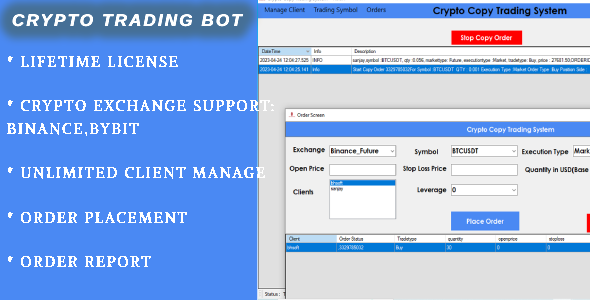

What is Binance And Bybit Copy Trading Trading Software ?
Binance And Bybit Copy Trading Software – is Advance Software with Unique Feature for Copy all Trades from Master Account to Slave accounts.
Exchange Supported


with Unique Feature for copy all Binance and Bybit trades from master to slave accounts.
- ✅Software can manage multiple client for Trade
- ✅Software can copy master client trade to all child clients with automate process just need to configure master client and child clients
- ✅Software can do multiple client trade on one click
- ✅Software have facilty for check Balance of Every coin in account
- ✅Software support all order type to copy from master to child
- For Binance : Market/Limit/Stop Loss/ Take Profit Order
- For Bybit : Market/Limit Orders
- For bybit copy trade ,software support Unified Account
- Premium support included with remote session if anything issue
you can check what is Purchase Code from this link : https://help.market.envato.com/hc/en-us/articles/202822600-Where-Is-My-Purchase-Code-
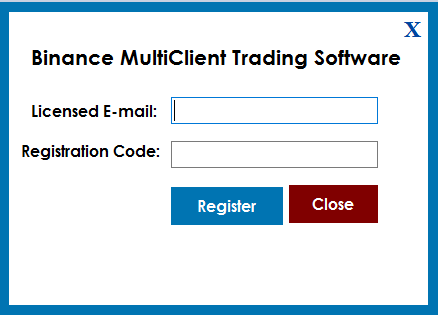
- Licence Email : Registered Email.
- Registration Code : Evanto Purchase Code.
- After Registration you can Use Software.
Getting Started
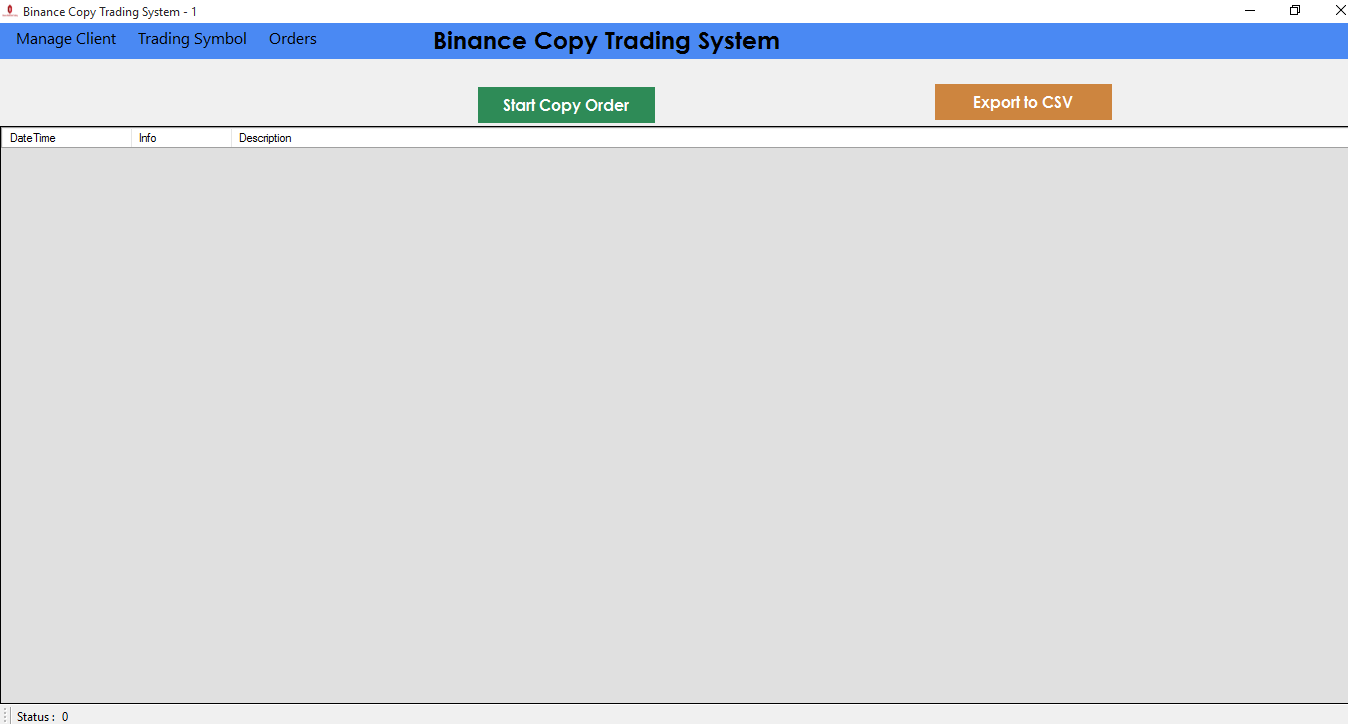
After Registration Licence , Start Software, software start with below screen
Now Start Trading With below Steps
- Click on Start Copy Order ,it will take all today order from master client and copy on all child clients which you manage on ManageClient Screen.
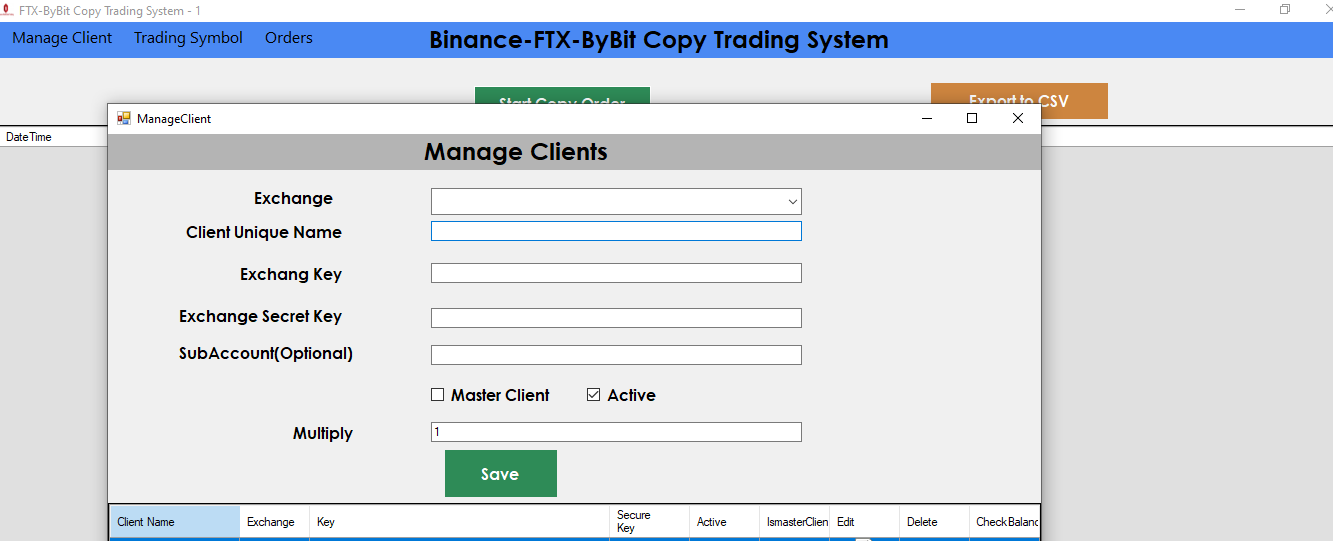
- Manage Client : Click on Manage Client Menu , it will open below screen Fill below Details
- Client Unique Name : Enter Unique name
- Exchange Api Key : Enter Your Binance Account API Key
- Exchange Secret Key : Enter Your Binance Account Secret Key
Help :How to get Binance Account API Key and Secret Key - Active : You can active and Deactive client anytime
- Exchange : Select Binance/Bybit Exchange from DropDown.
Note :We are not store any data so not responsibe for any financial loss/profit . all this data save in local xml file :ClientData.xml - order value( ): default value is : 100 , order will be percentage of Child account wallet balance. if you add 10% and child account wallet balance is 100$ then trade will be 10$ on child account.
 Fill below Details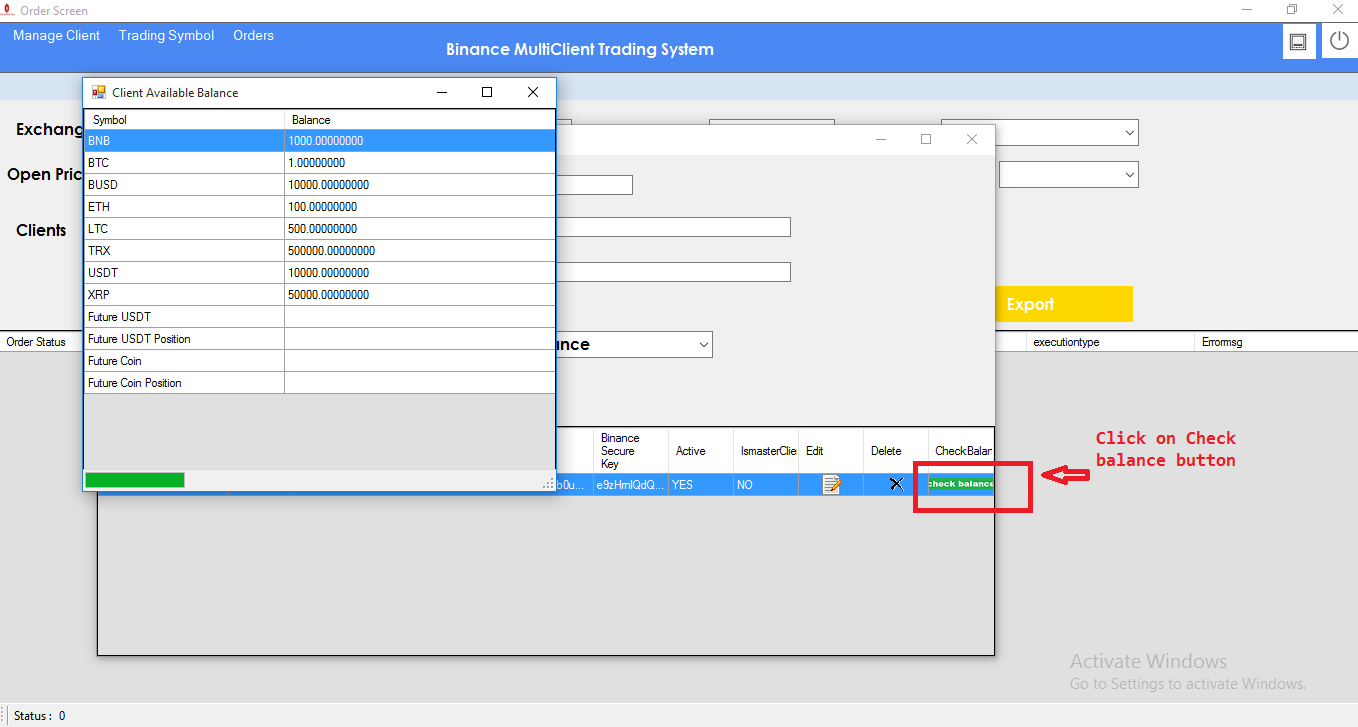
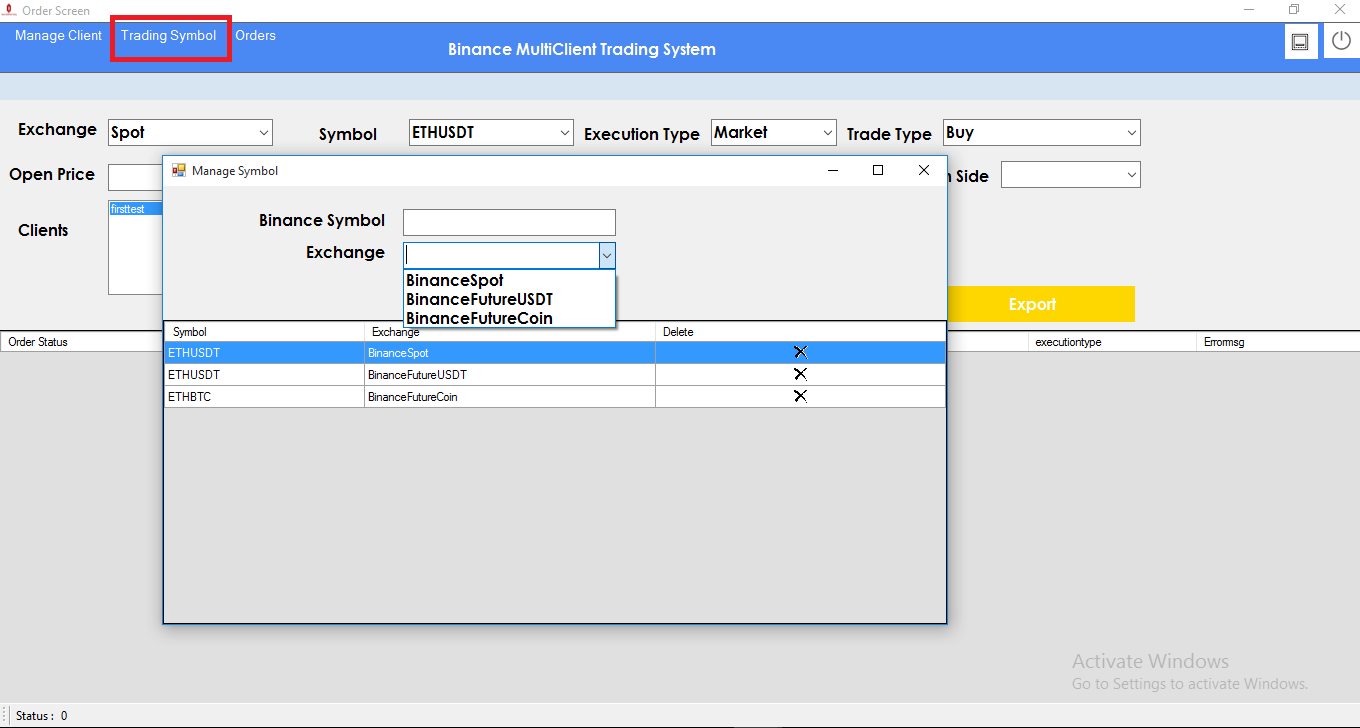
- Binance Symbol : Enter Binance Symbol like ETHUSDT
- Exchange : select option from dropdown , BinanceSpot, BinanceFutureUSDT,BinanceFutureCoin.
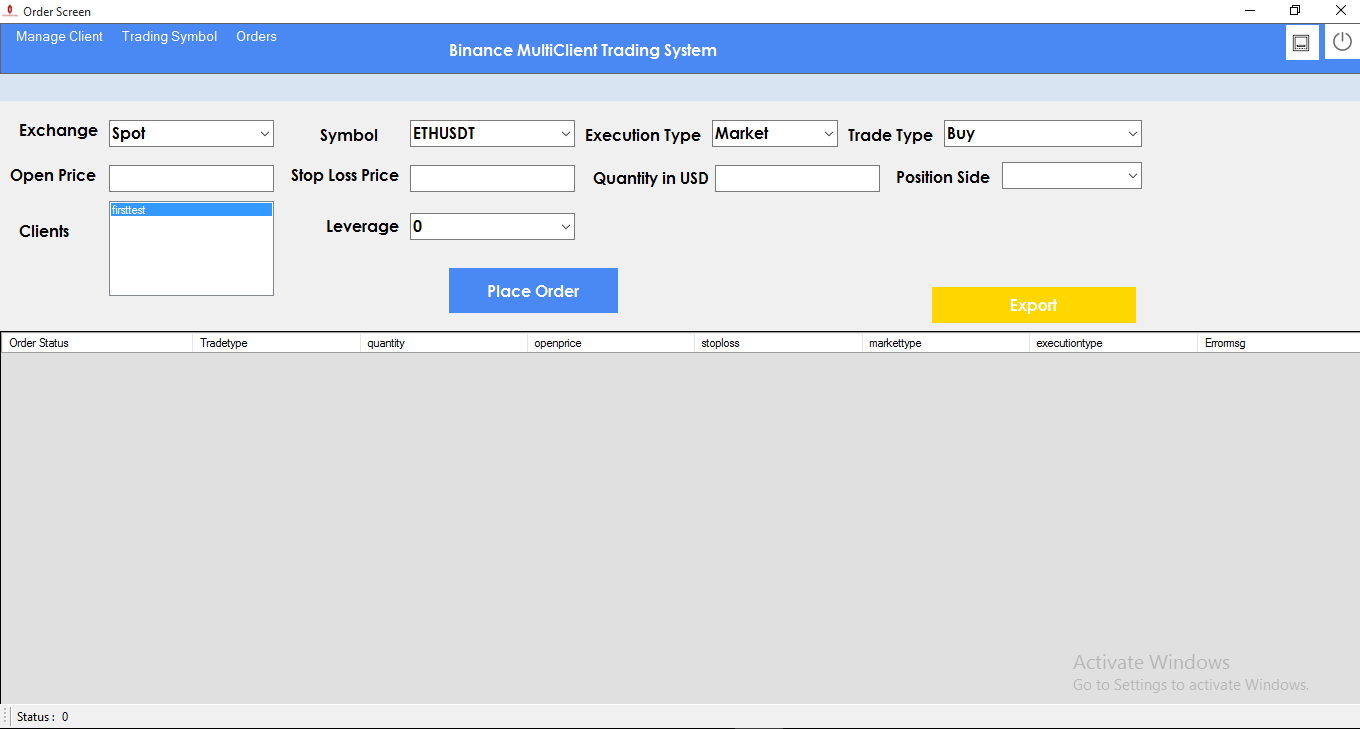
- Binance Exchange : Select Exchange Type Binance Spot /Feature
- Symbol: select symbol from dropdown
- Execution Type: you can select execution type – Market order/Limit order
- Trade Type: select option Buy/Sale
- open price: if you select your Execution type – “limit order” then you need to provide Open price and Stop Loss price
- open price: if you select your Execution type – “limit order” then you need to provide Open price and Stop Loss price
- Quantity in USD : Provide your traded amount value in USD.
- Position Side : Select option from dropdown
- Clients : You can select multiple Clients by cntrl press
- Leverage : you can select your account leverage Level.
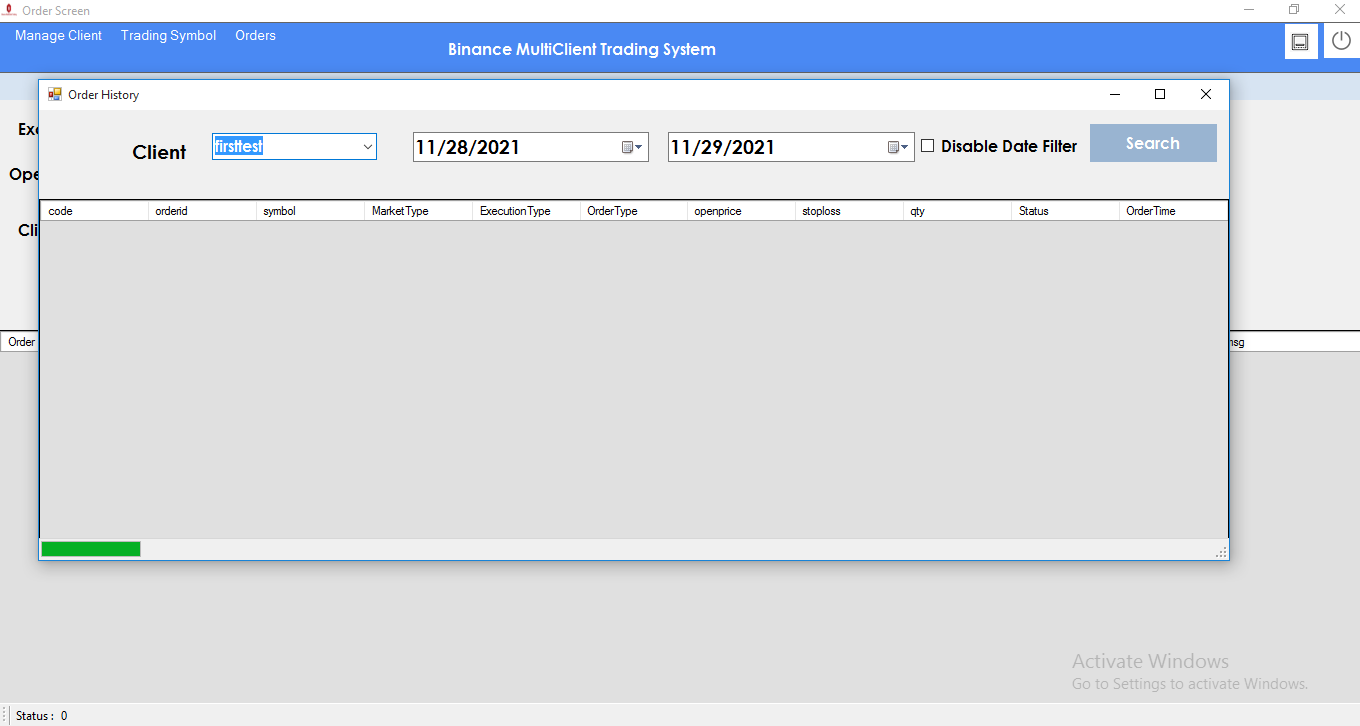
- Support Will provide from our profile Contact form on codecanyon .
- Support Will not Provide any types of customization.
- If you need any customization so extra cost will be charge.
- Single license support will provide for one single domain.
Purcahse Validity:
DO NOT SHARE YOU PURCHASE CODE IN PUBLIC COMMENTS . Since it is your license key for app . 1 purchase code can only be used in 1 machine .change log
2.0.0.0 – 24/11/2023
- Update Bybit for support unified account
2.0.0.0 – 23/04/2023
- Added Exchange Bybit , Now support Two exchange Binance , Bybit
1.0.0.0 – 3 December 2021
- Initial Release with two exchange Binance
0 average based on 2 ratings.
| Last Update | 2026-08-07 |
| Created | 2021-12-03 |
| Sales | 25 |
| Discussion | Comments |
| Application Runtime | .NET 4 |
| High Resolution | No |
| Compatible OS Versions | Windows 10 Windows 8 Metro Windows 8 Desktop Windows 7 |
| Video Preview Resolution |
Search plugins
Browse Categories


